
When to use this flow
Use this flow when a QuickBooks journal entry needs workbook evidence or other supporting files attached at the time of posting.
Ask the support agent
Just ask a direct question or search related articles from the Knowledge Base.
Support Center / Workpaper Agent / Journal Entries
Attach supporting workbook files before posting Workpaper Agent draft journal entries to QuickBooks, then confirm the attachments are synced.
Step 1
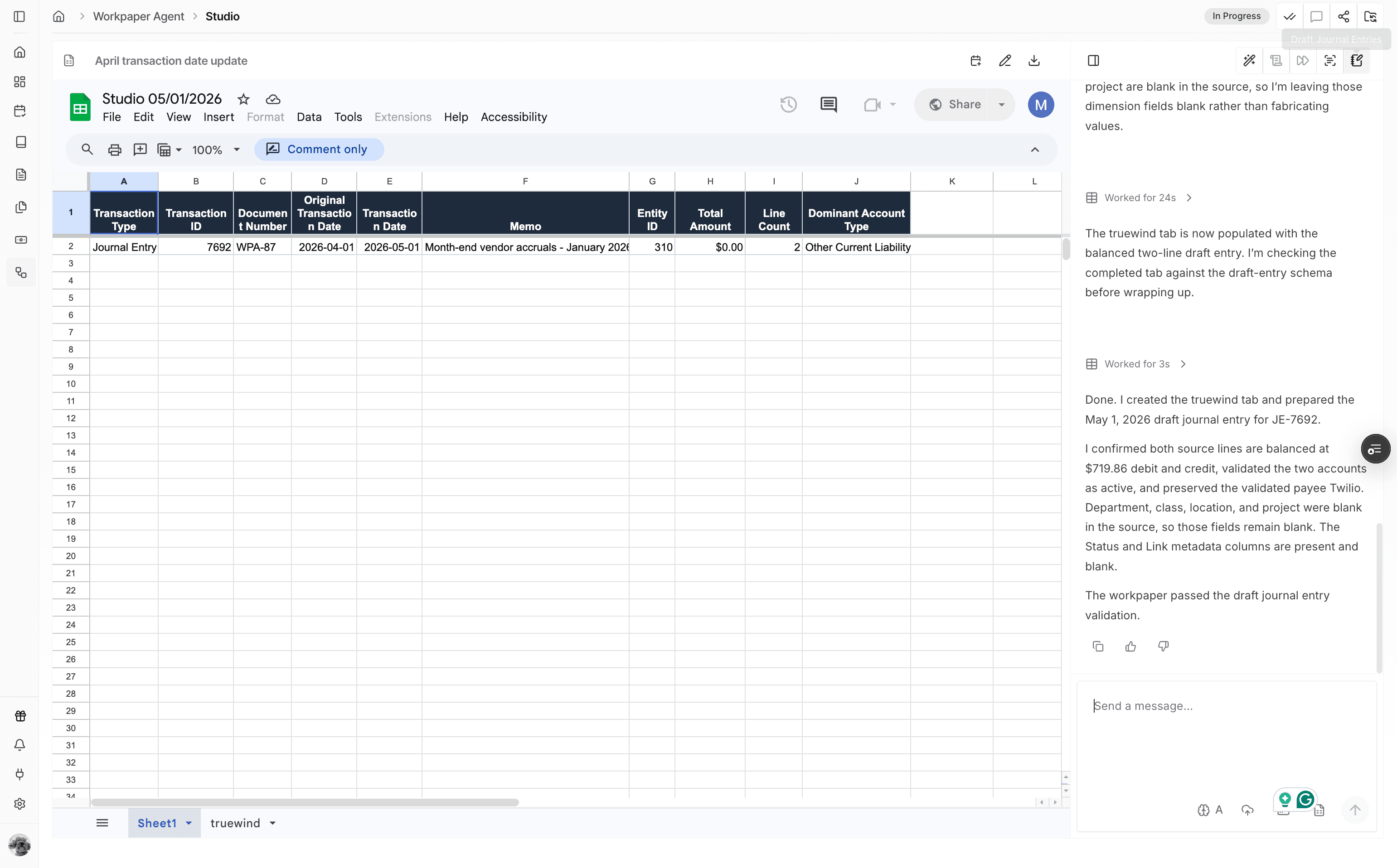
Start from the Studio workbook that has draft journal entries ready to review.
Step 2
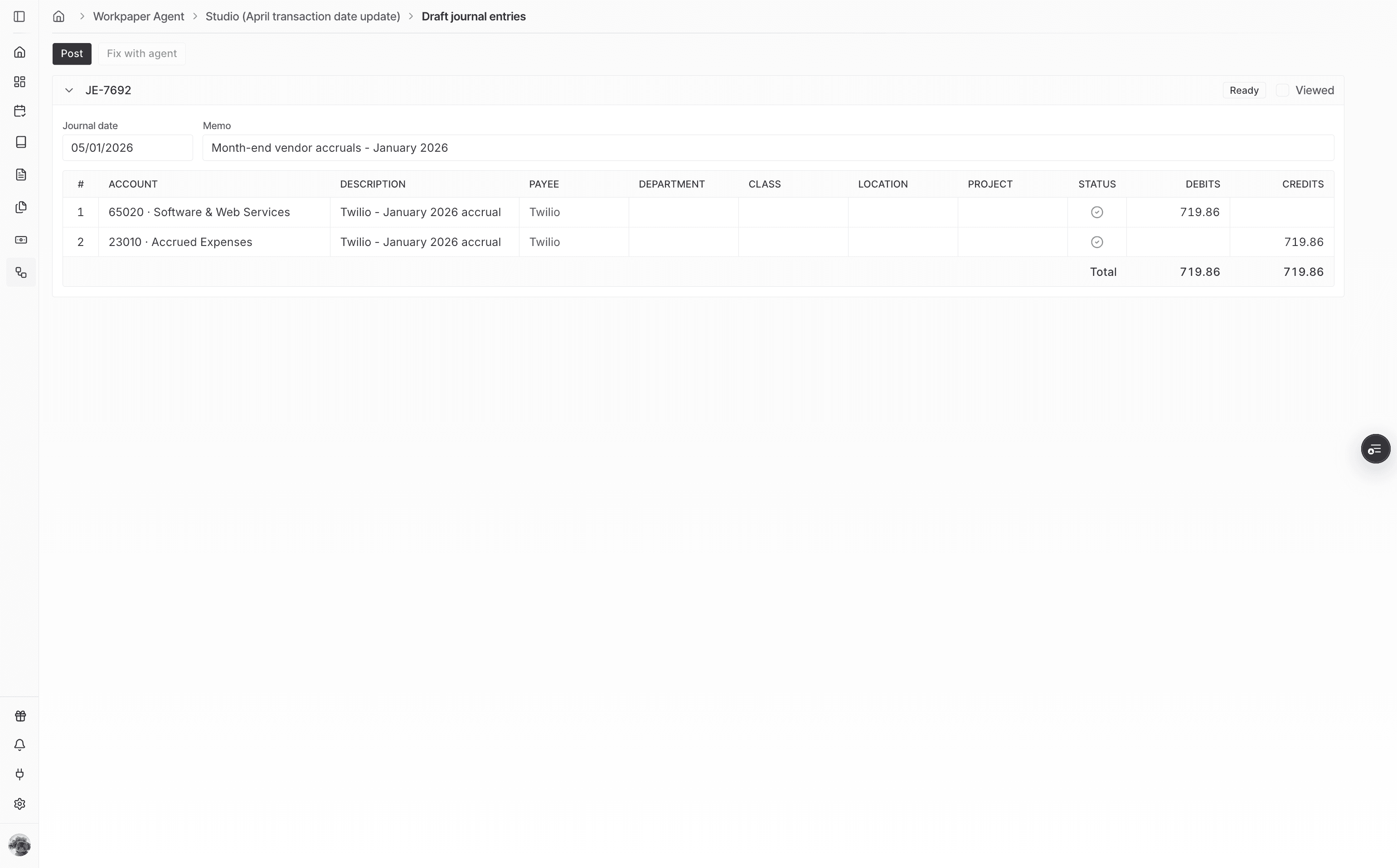
Move into the posting review screen before attaching the workbook support.
Step 3
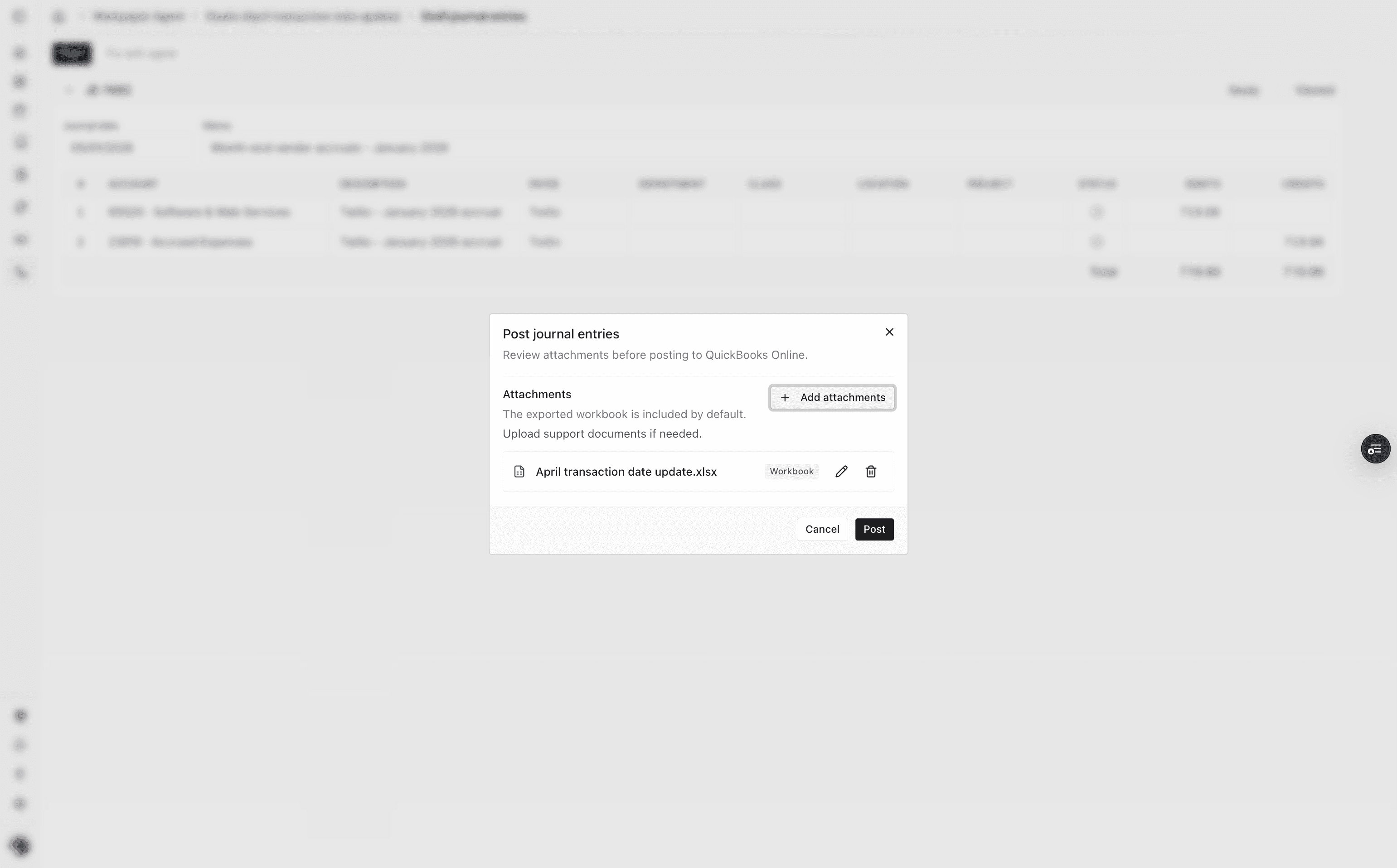
Choose the workbook or supporting files that should travel with the QuickBooks journal entry.
Step 4
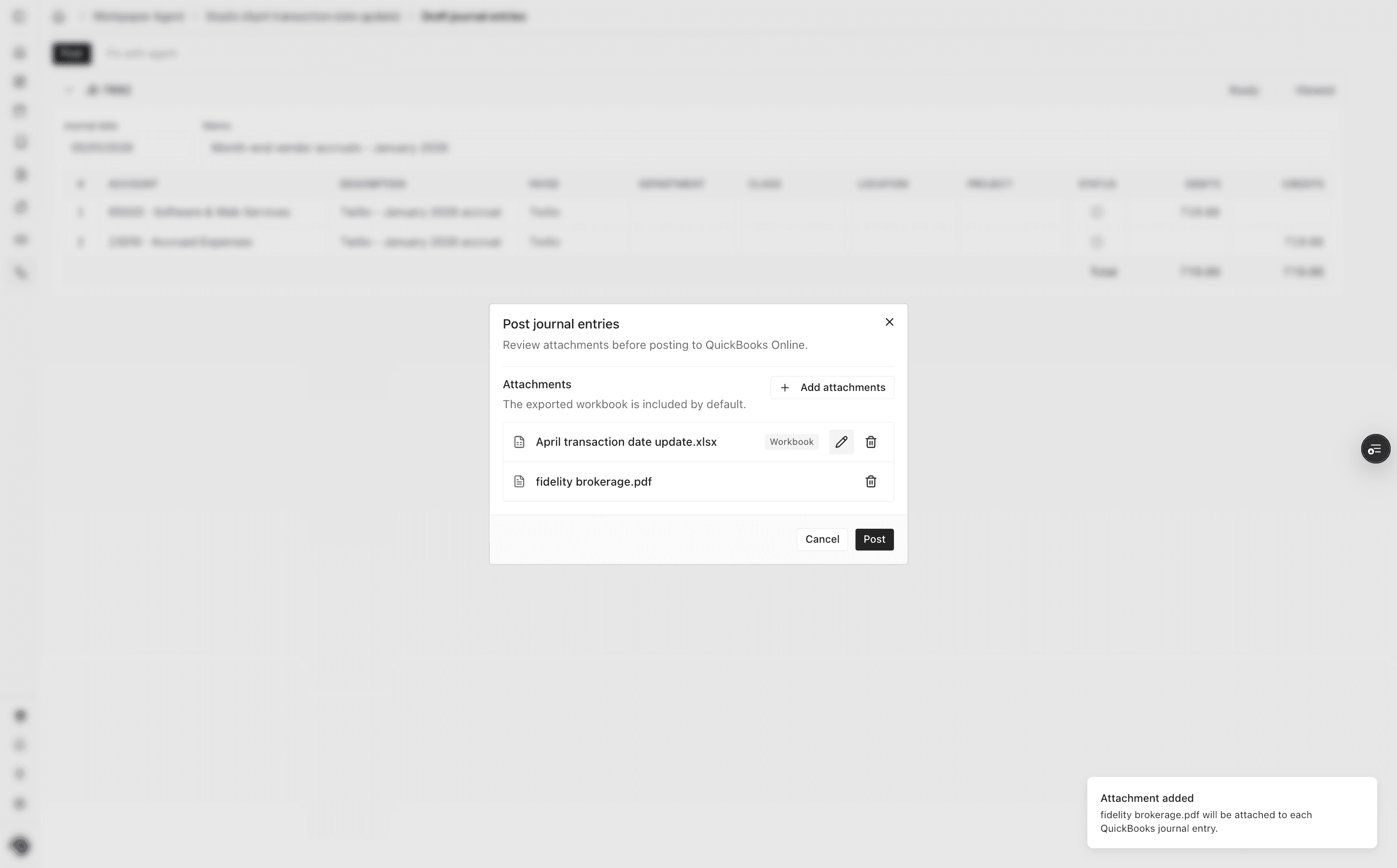
Optionally adjust the filename so the attachment is clear when viewed outside Truewind.
Step 5
Confirm the edited filename before continuing with the posting workflow.
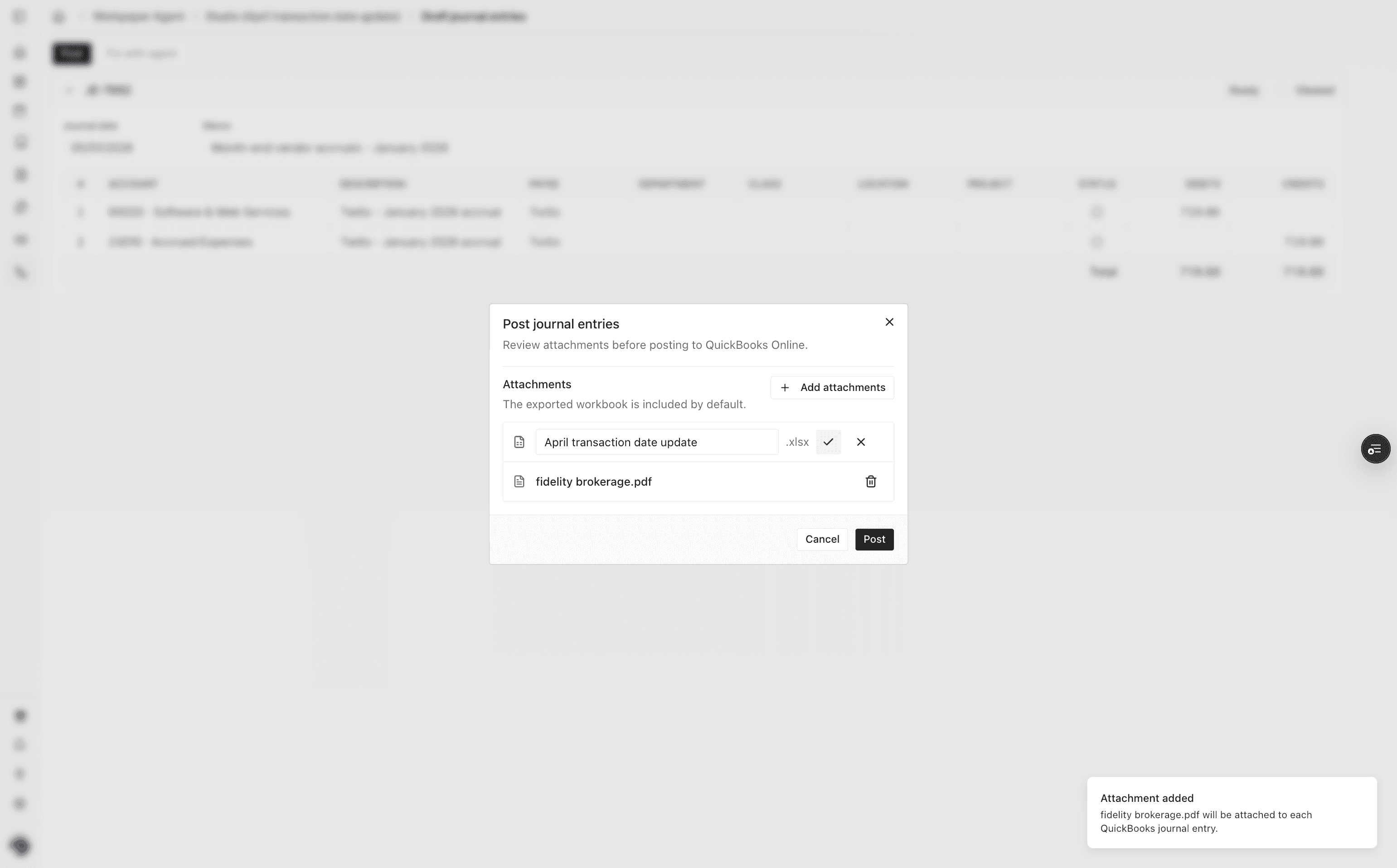
Step 6
Optionally update the posting date so the journal entry lands in the right accounting period.
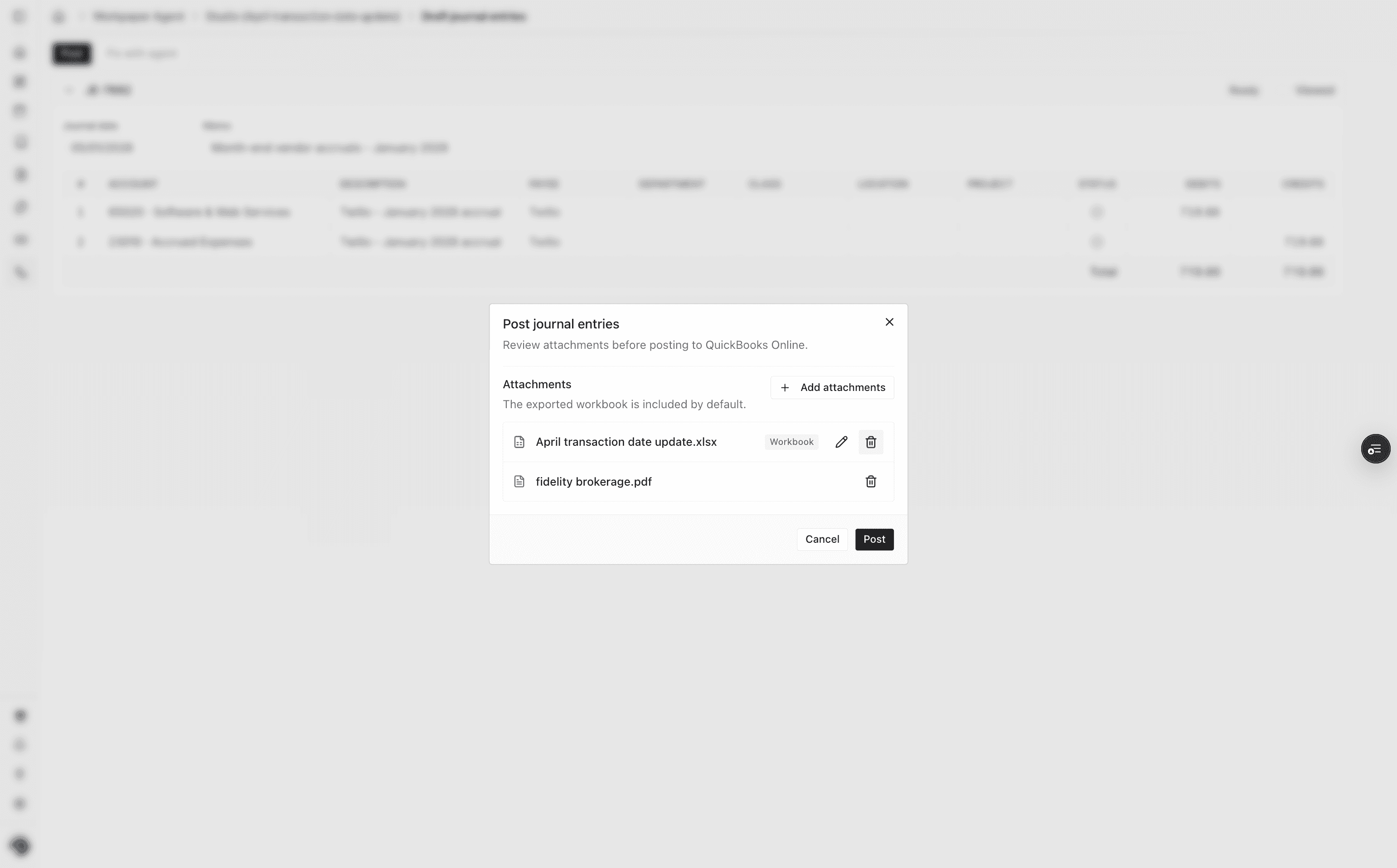
Step 7
Send the journal entry and selected attachments to QuickBooks.
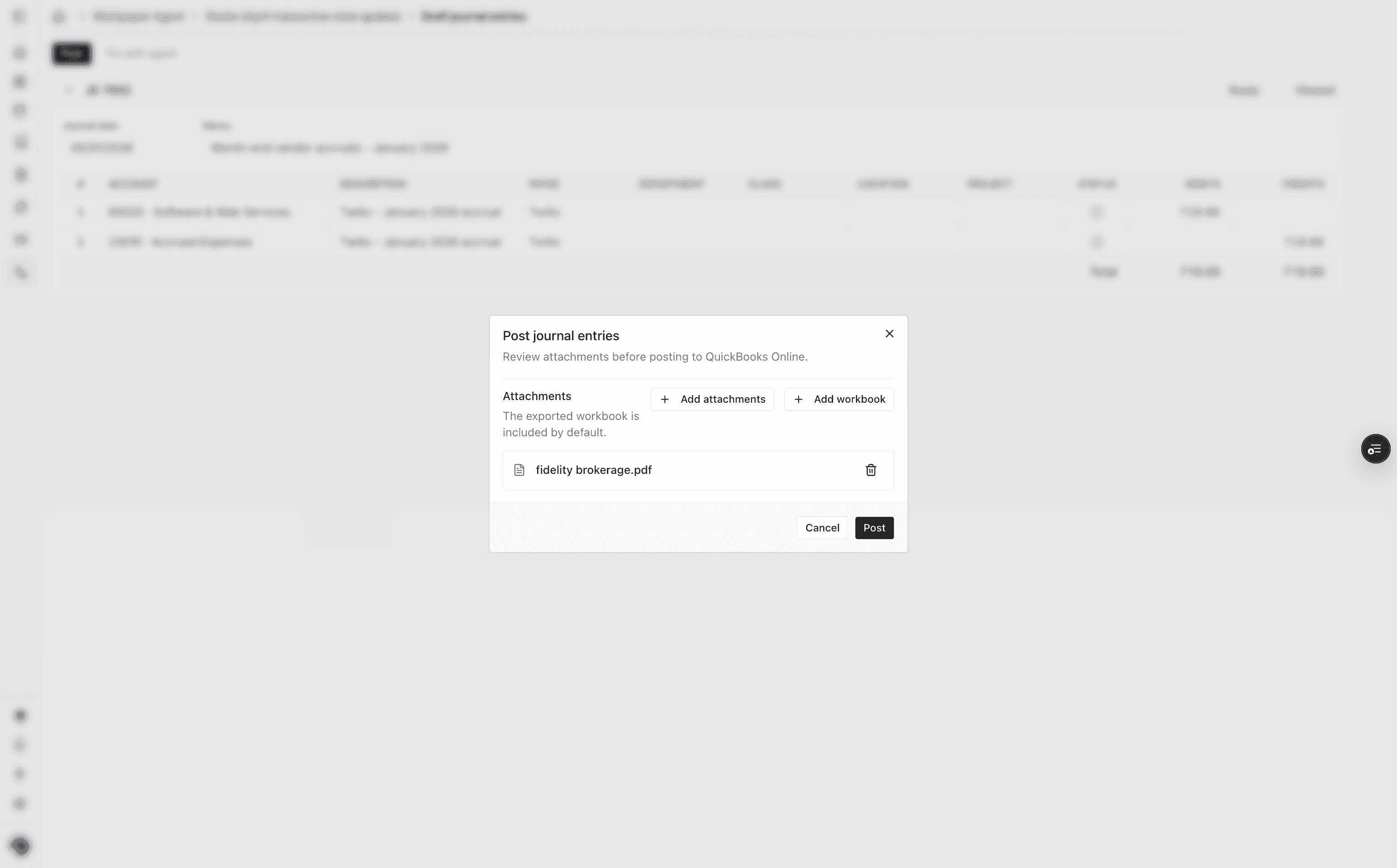
Step 8
Go to the journal entry list after posting to review the posted entry.
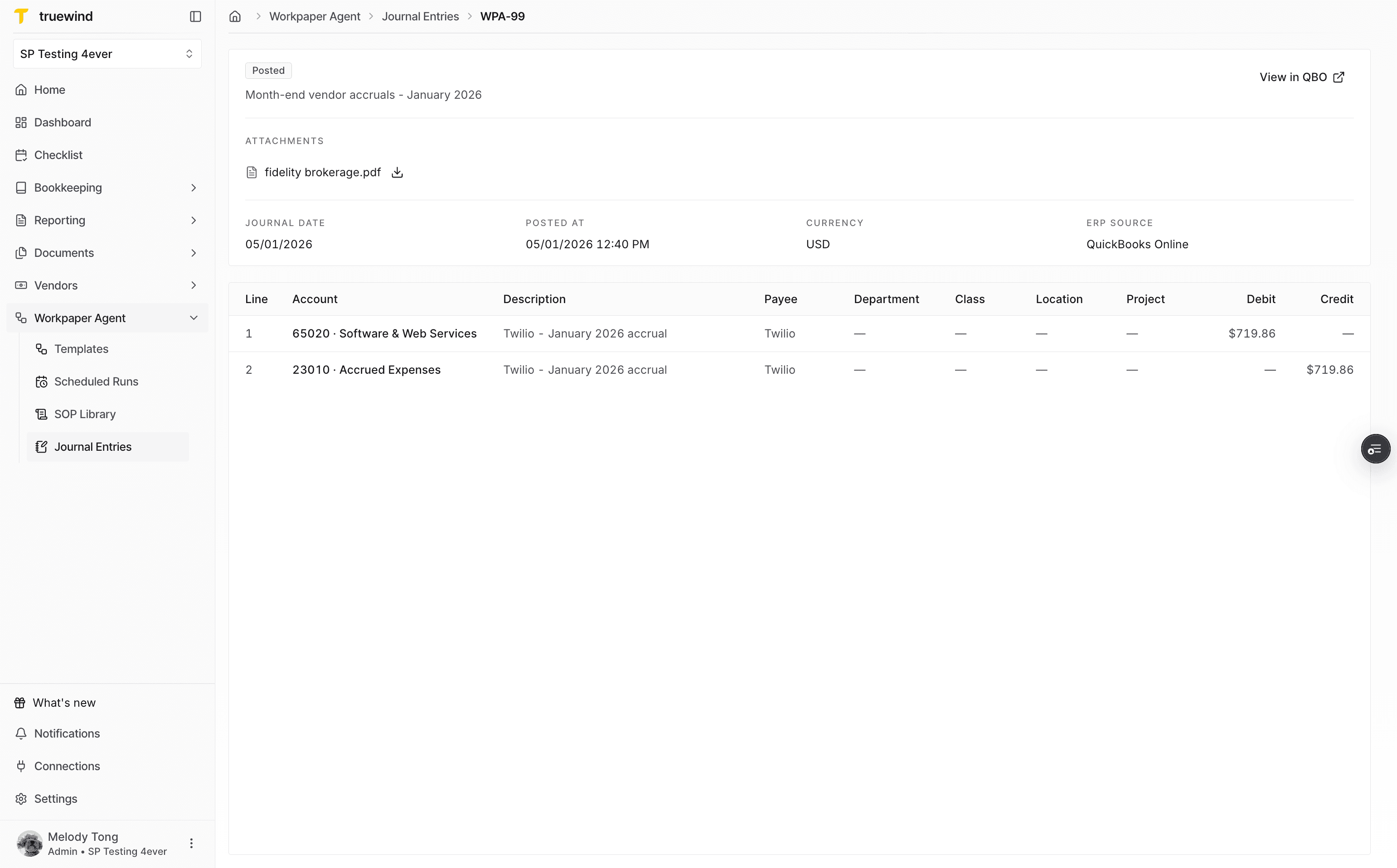
Step 9
Select the posted journal entry from the list to inspect its details.
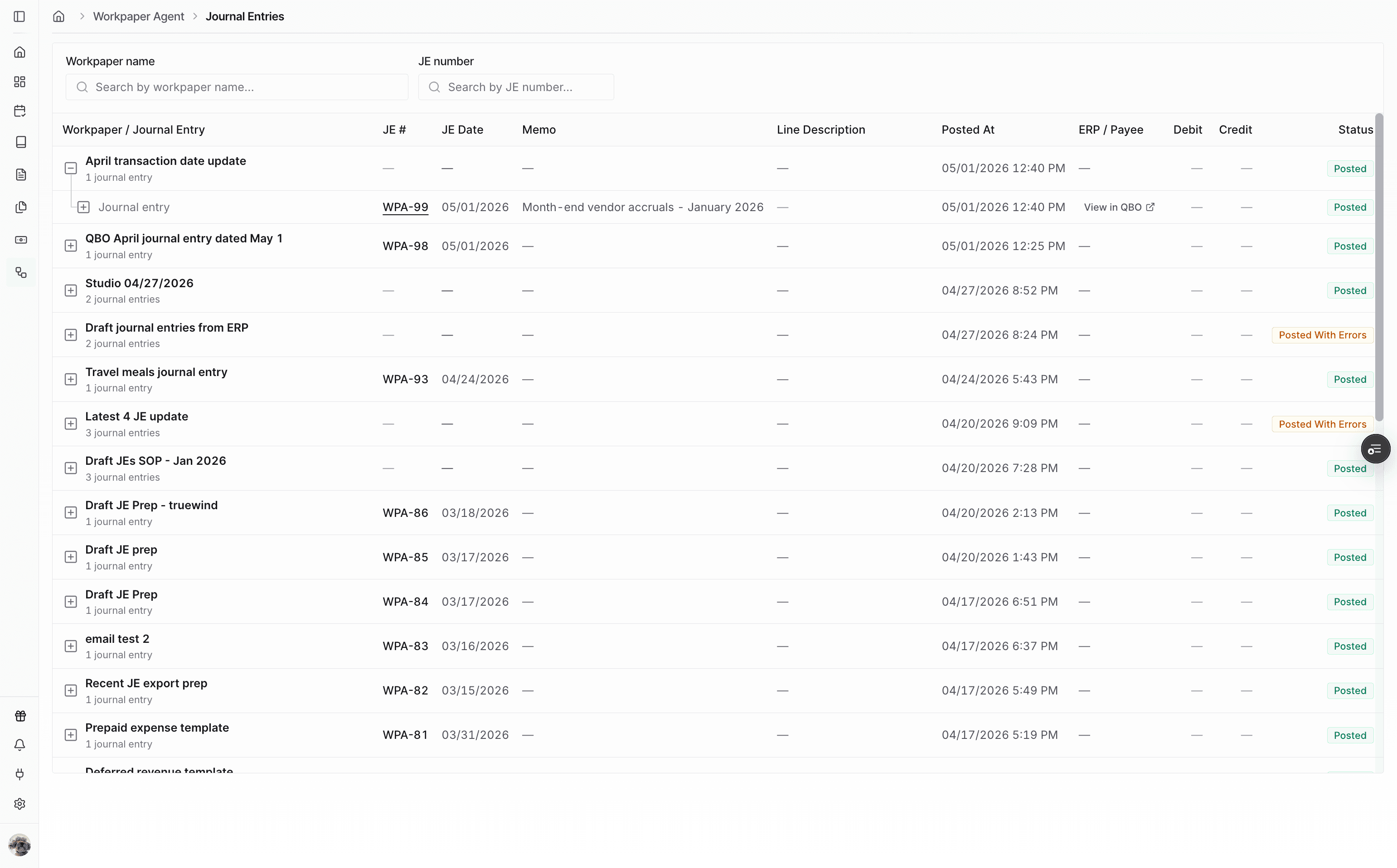
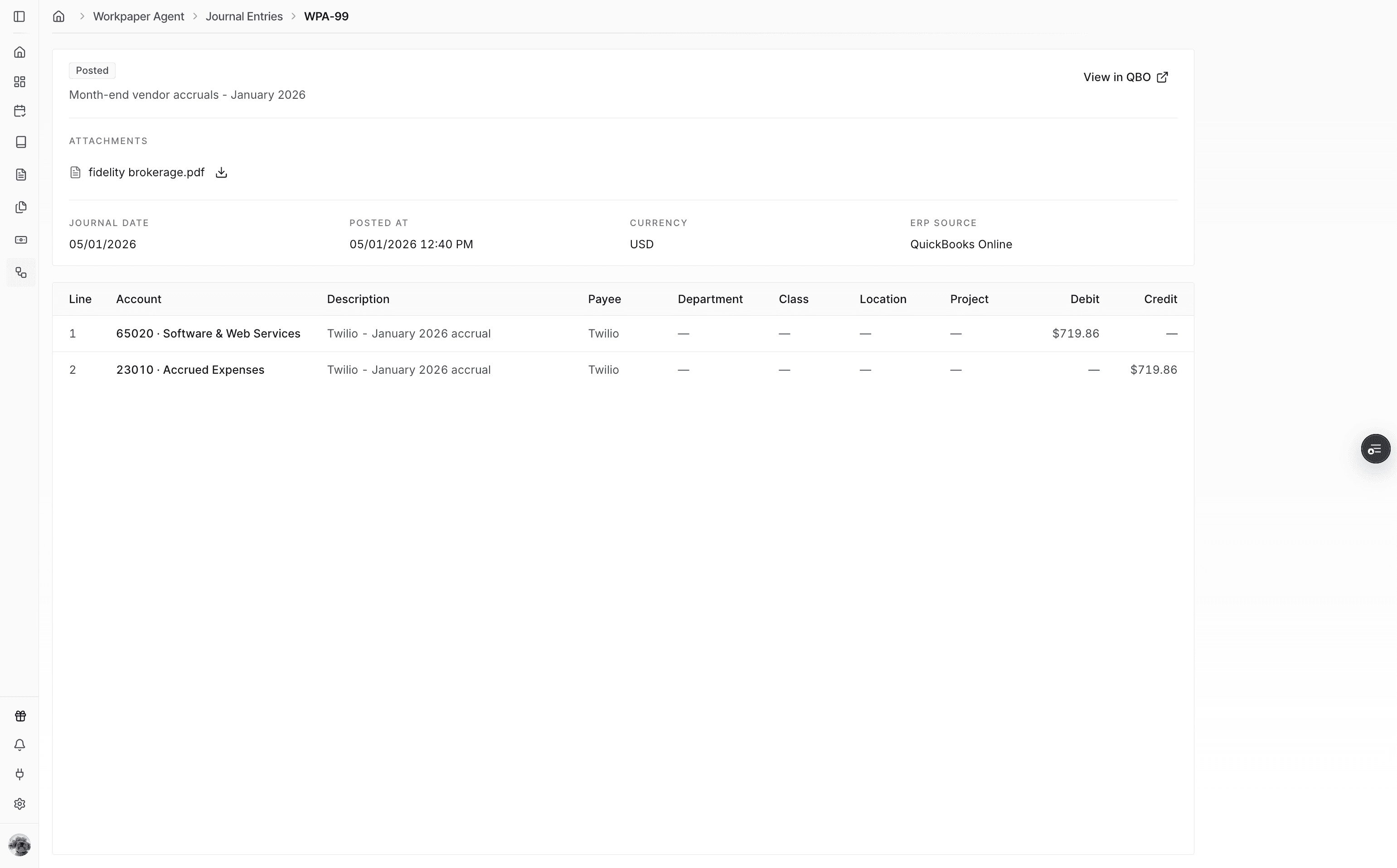
Step 10
Check the journal entry review page to verify the attachment is recorded in Truewind.
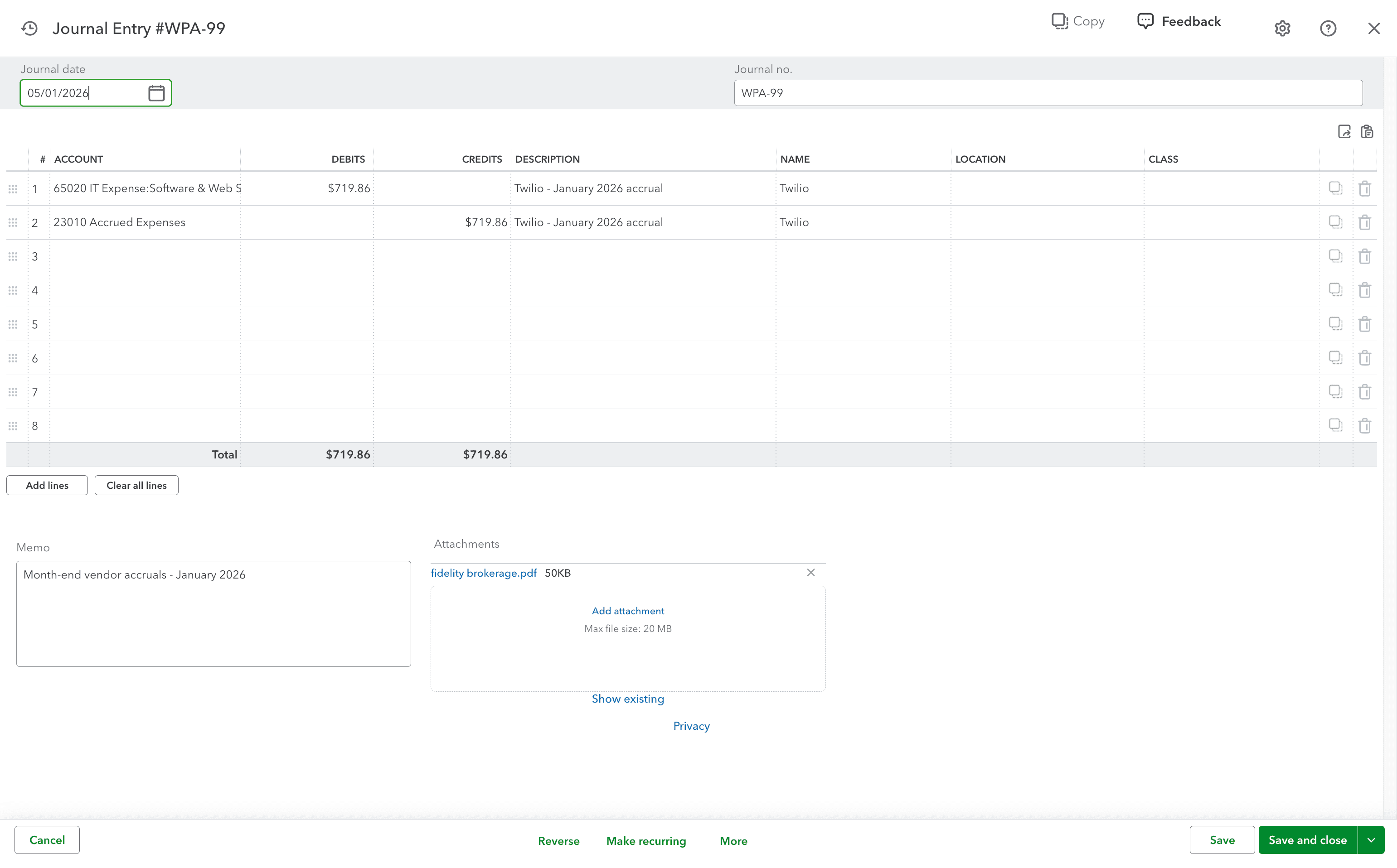
Step 11
Open the QuickBooks journal entry to verify the attachment synced to the posted entry.
Use this flow when a QuickBooks journal entry needs workbook evidence or other supporting files attached at the time of posting.
Attaching the workbook keeps supporting documentation tied to the posted journal entry in QuickBooks.
Add the files during the posting workflow so they are included with the journal entry that is sent to QuickBooks.
Confirm the file was selected before posting, then open the posted journal entry in Truewind and QuickBooks to compare the attachment status.
Was this helpful?
Need more help?
Ask for human help about this article and provide any feedback.