
Before you sync
Make sure the selected rows are fully reviewed. Syncing too early can create cleanup work later if the categorization still needs changes.
Ask the support agent
Just ask a direct question or search related articles from the Knowledge Base.
Support Center / Bank Transactions / Features
Sync reviewed transactions from Bank Transactions when they are ready for the ledger, resulting in updated synced states for the selected rows.
Step 1
Start in Truewind on Bookkeeping > Bank Transactions, then click on FOR REVIEW
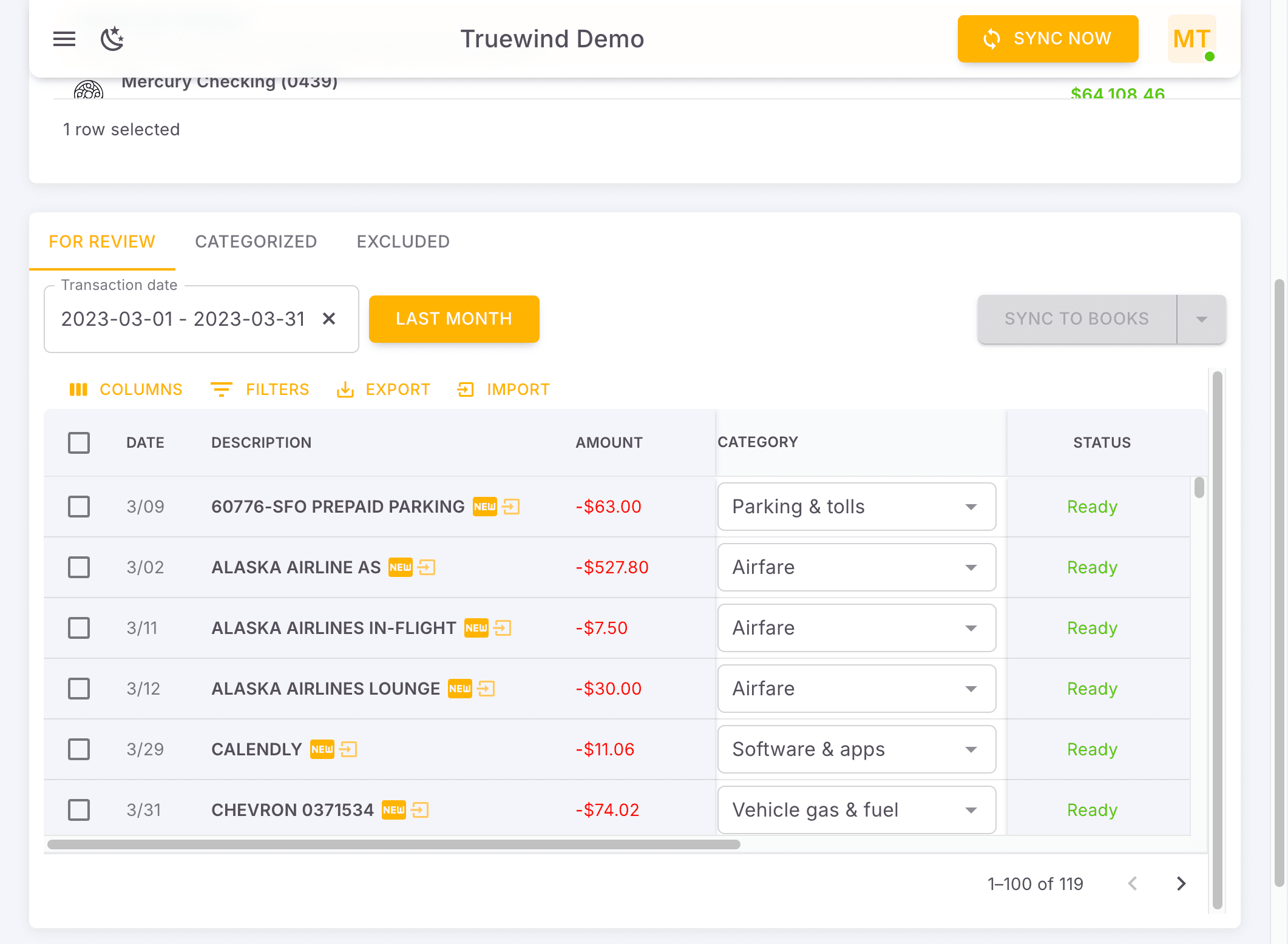
Step 2
Pick the option that matches the client setup; that choice controls what happens next so categorized transactions post to the ERP in bulk.
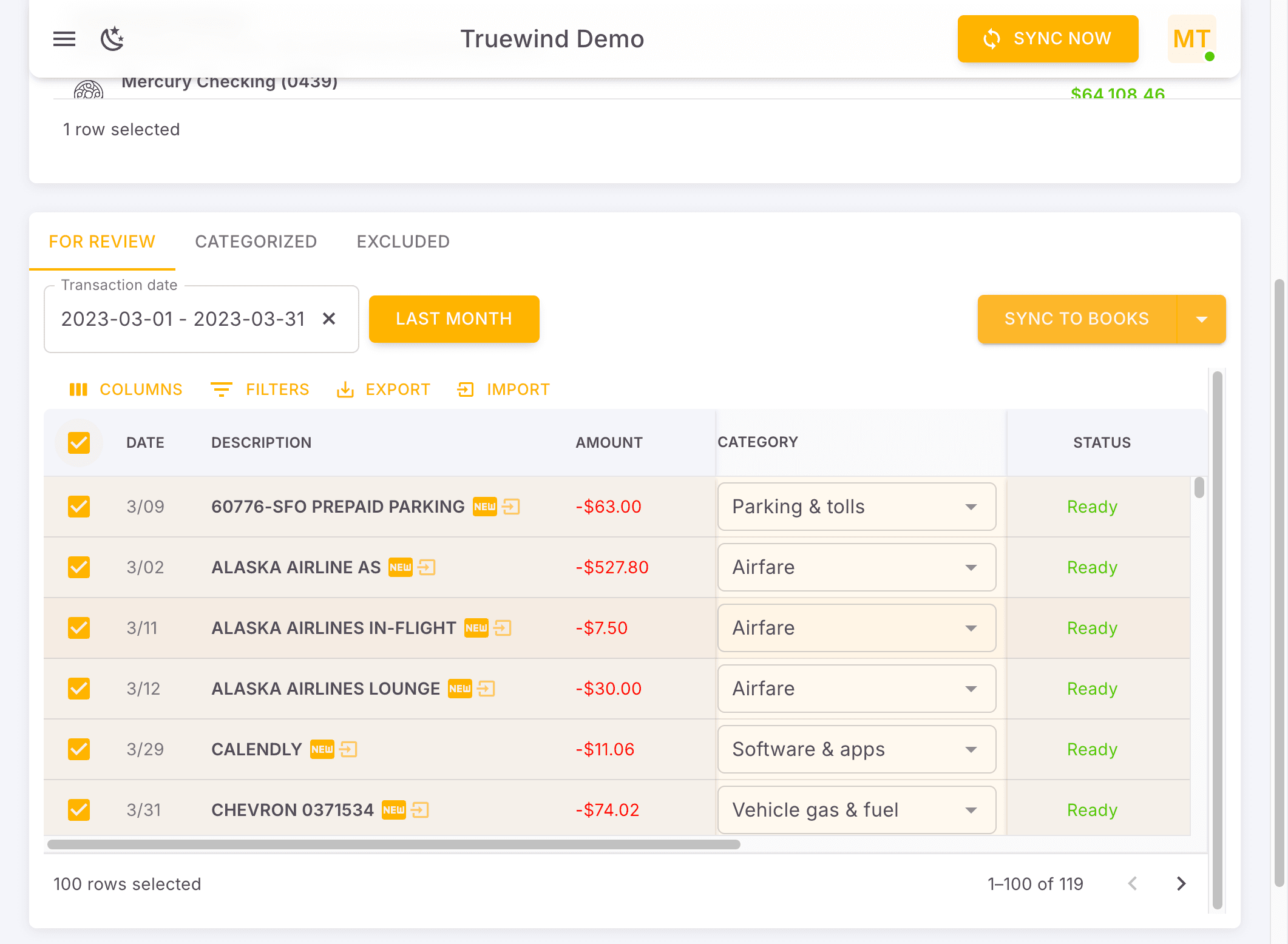
Step 3
Complete this action so categorized transactions post to the ERP in bulk.
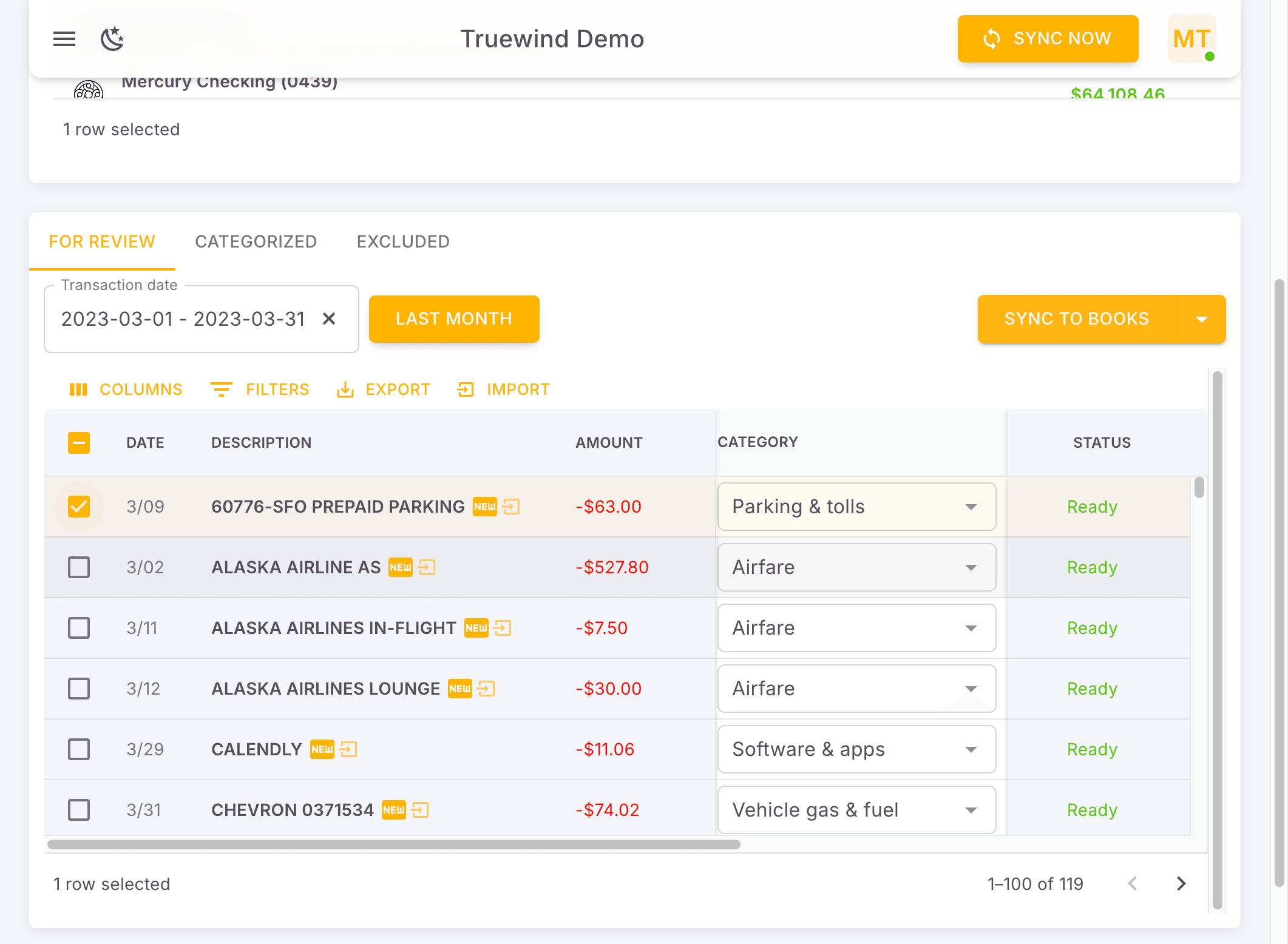
Step 4
Post the selected categorized transactions only after you confirm the account, payee, and amount details are correct.
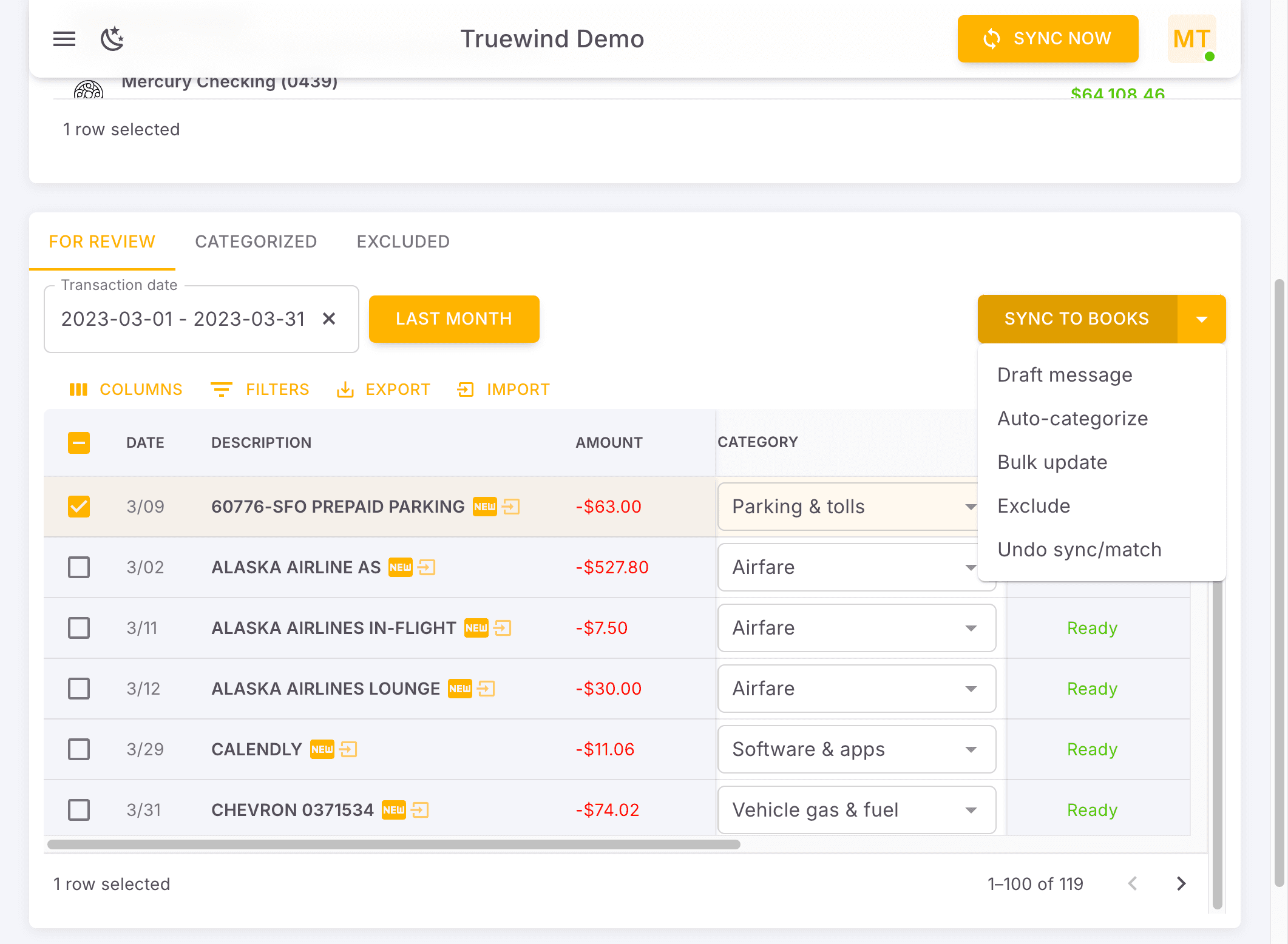
Step 5
Let the background action finish before you continue so categorized transactions post to the ERP in bulk.
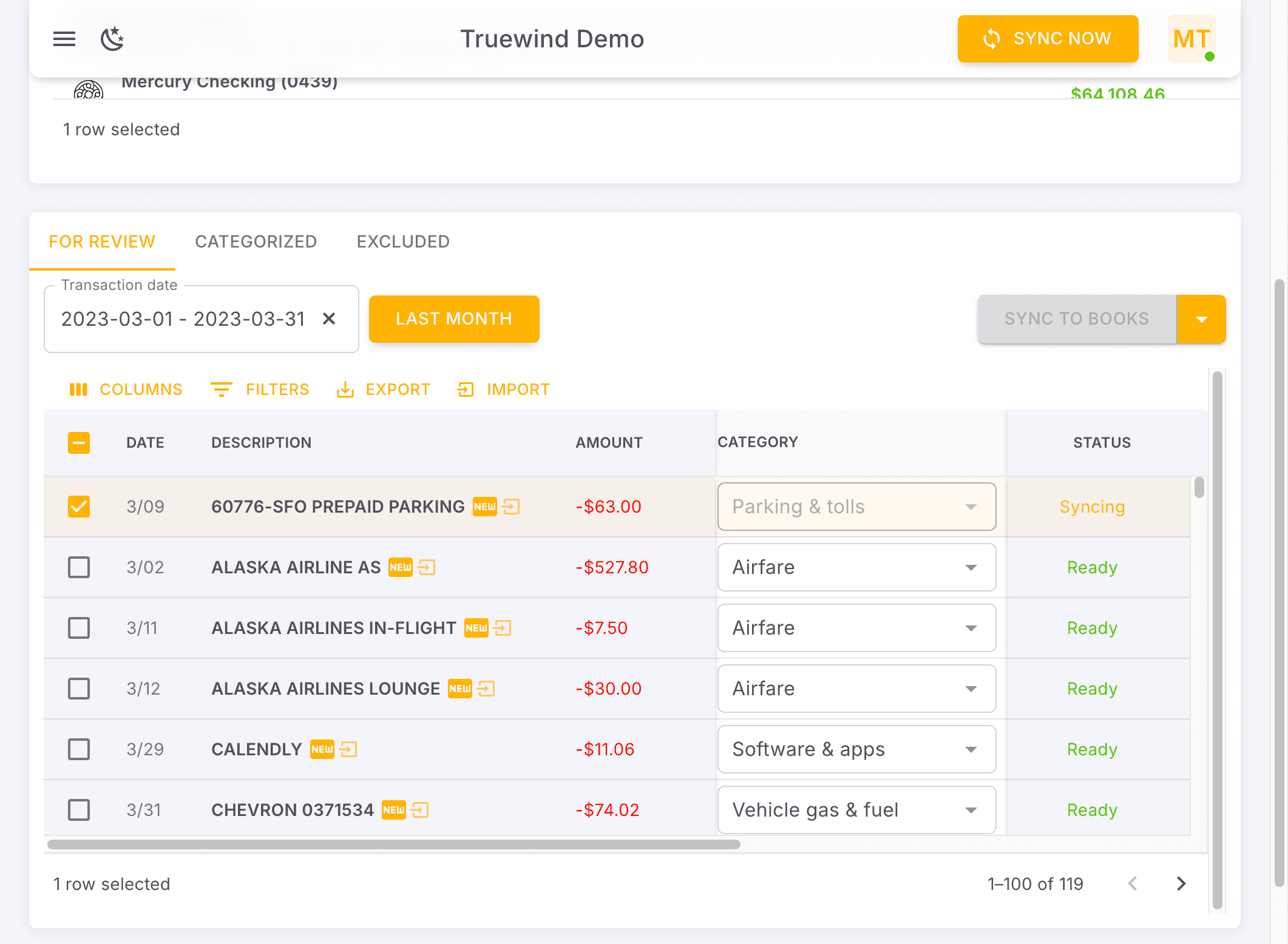
Step 6
Check for the expected result before moving on so categorized transactions post to the ERP in bulk.
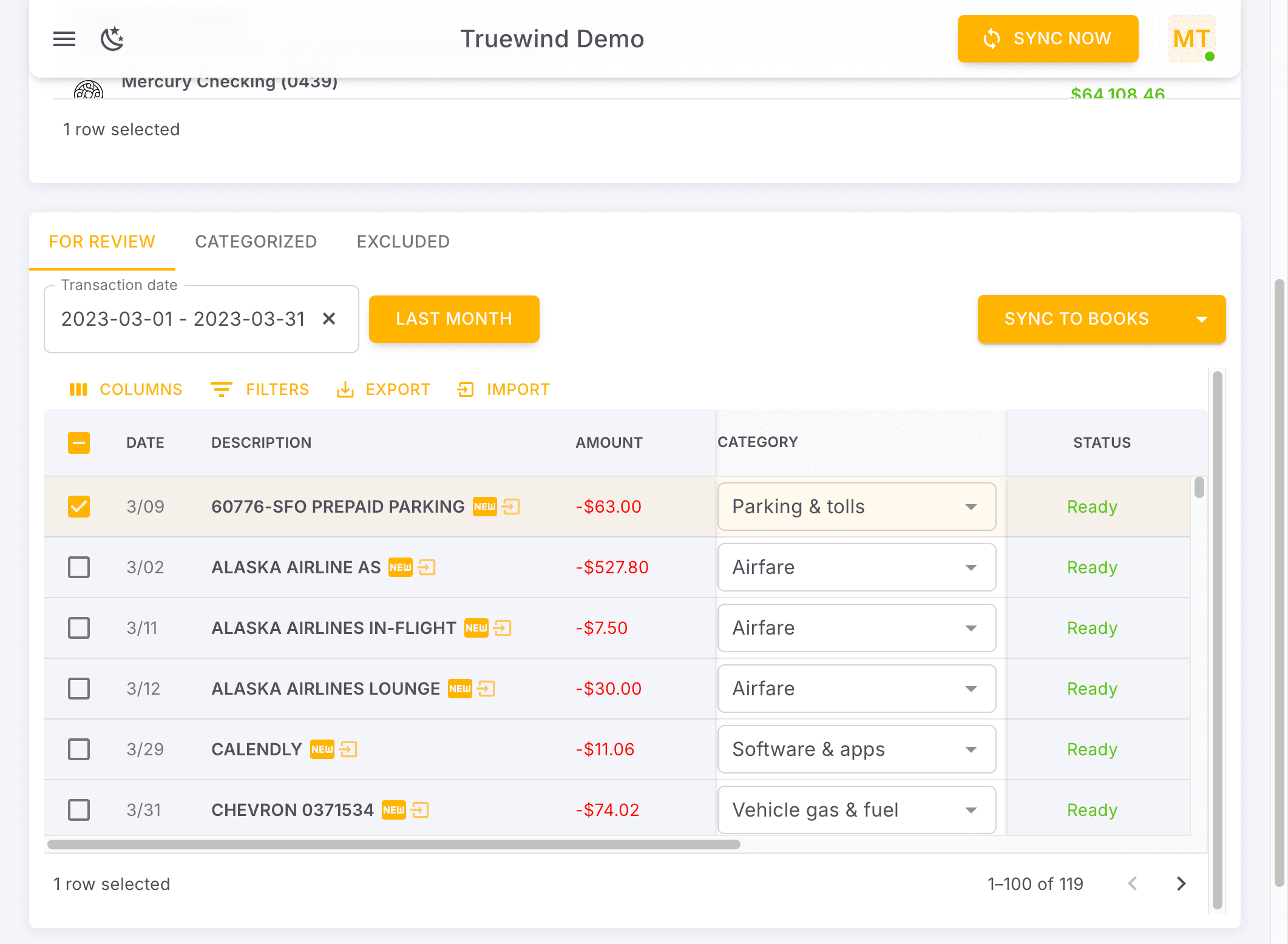
Step 7
This opens the relevant page or panel so categorized transactions post to the ERP in bulk.
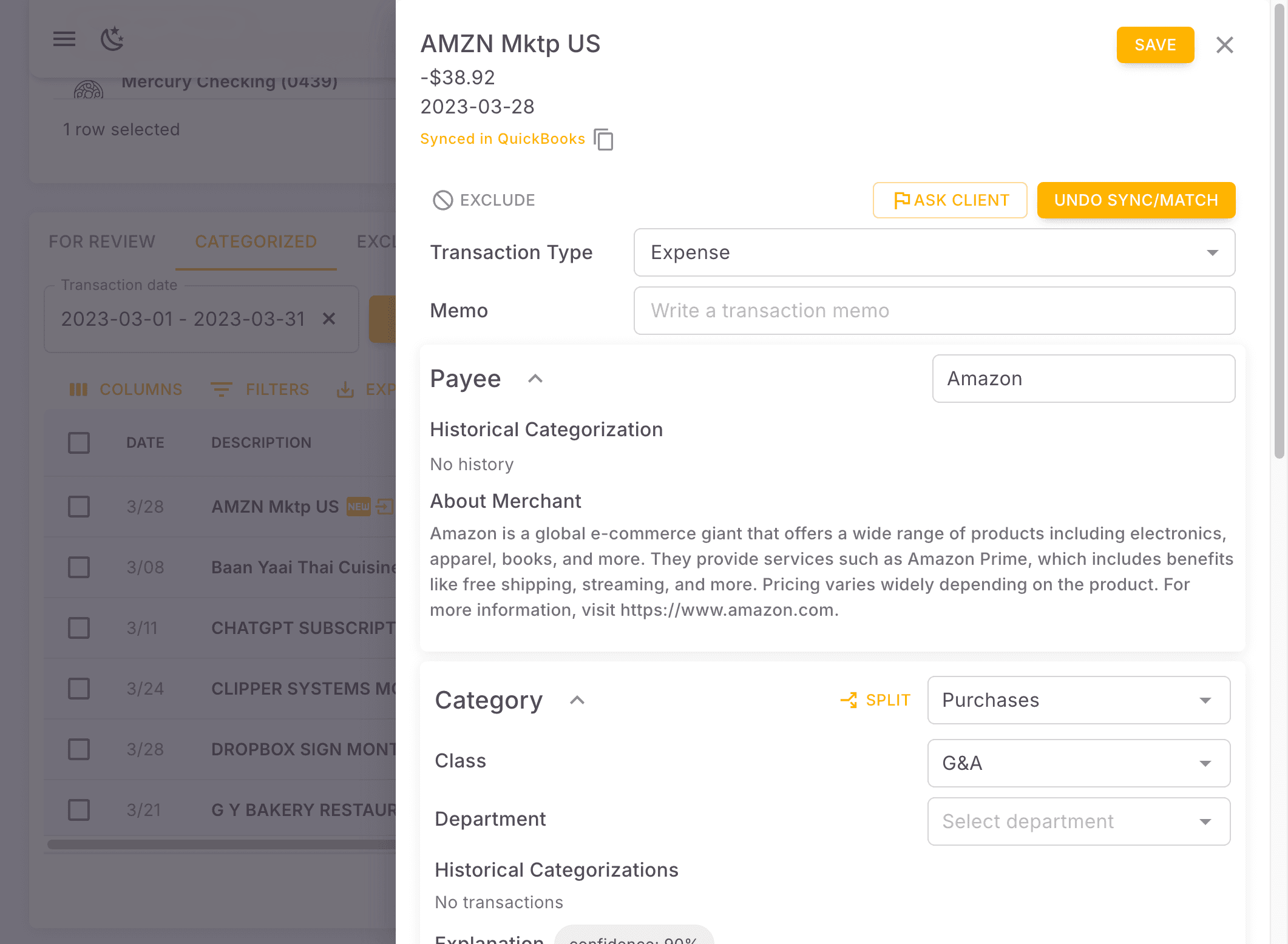
Make sure the selected rows are fully reviewed. Syncing too early can create cleanup work later if the categorization still needs changes.
Was this helpful?
Need more help?
Ask for human help about this article and provide any feedback.