
Before you disable an account
Confirm no one still relies on that bank account for ongoing transaction review, reconciliation, or reauthorization work.
Ask the support agent
Just ask a direct question or search related articles from the Knowledge Base.
Support Center / Bank Transactions / Bank Connections
Disable or remove bank accounts when they should stop participating in active review, resulting in the correct active account set for the team.
Step 1
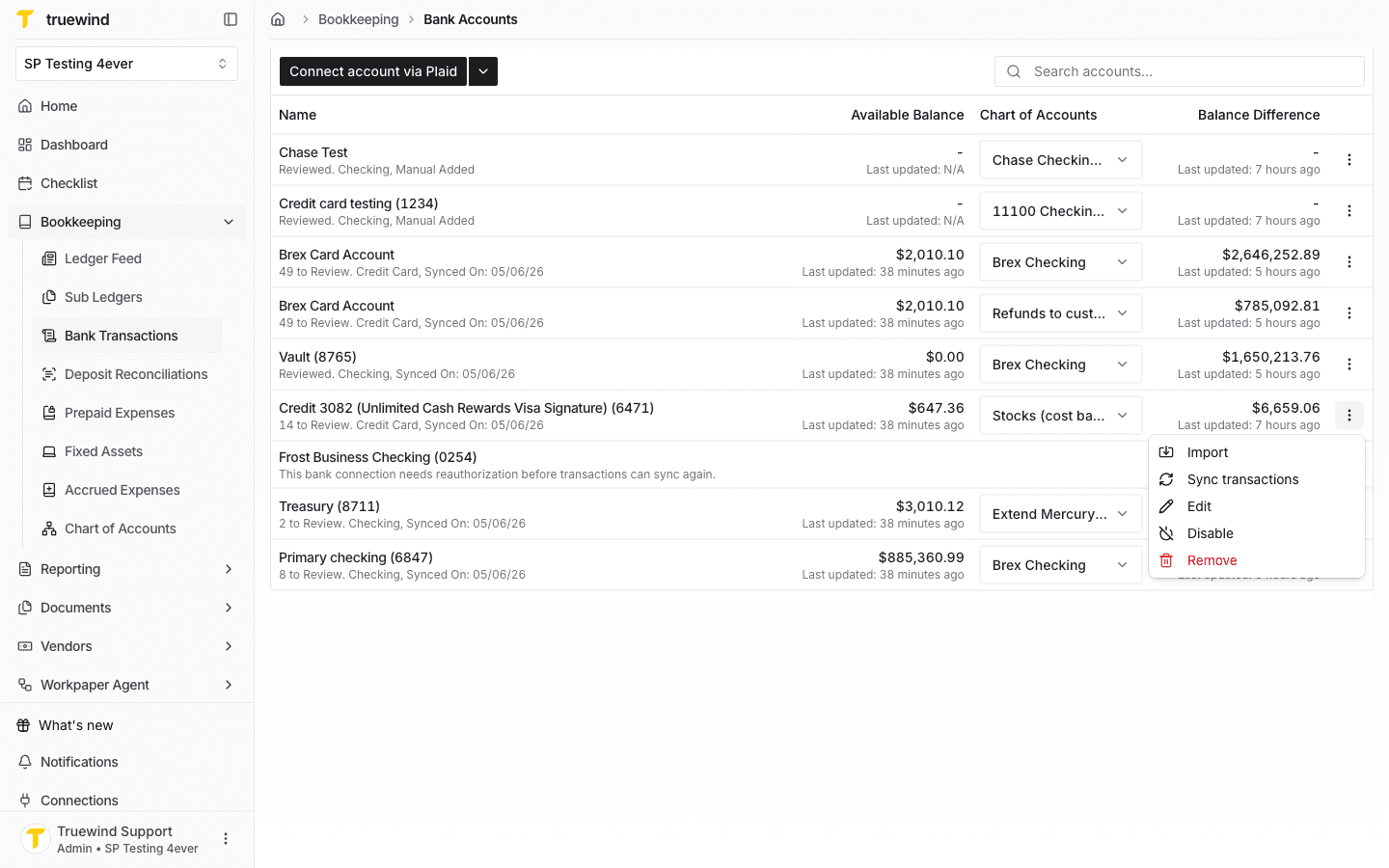
Start from the bank account list so you can review each account's current mapping, connection status, and available row actions before making a change.
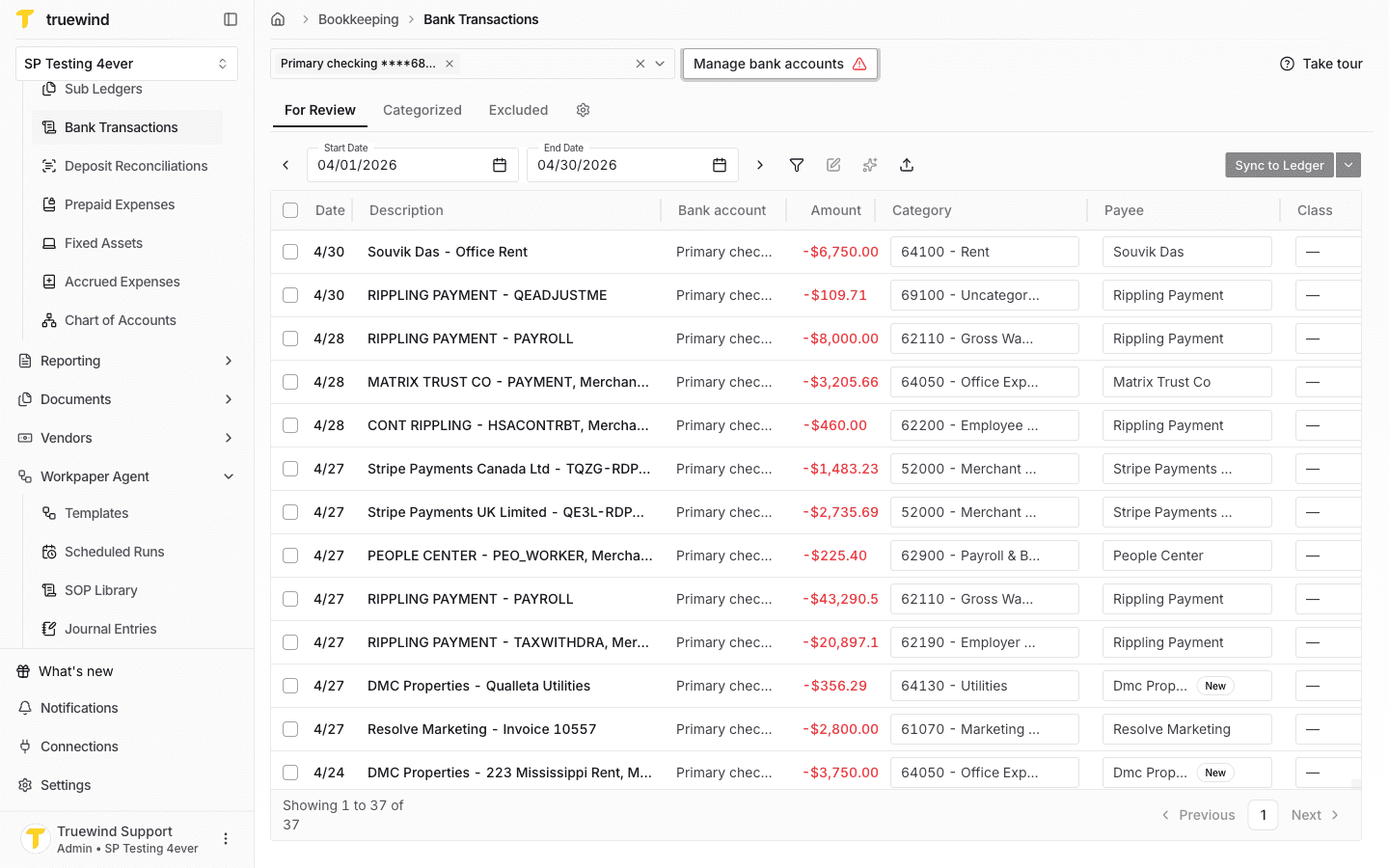
Step 2
Verify your bank accounts and their mapping to ERP accounts from Chart of Accounts.
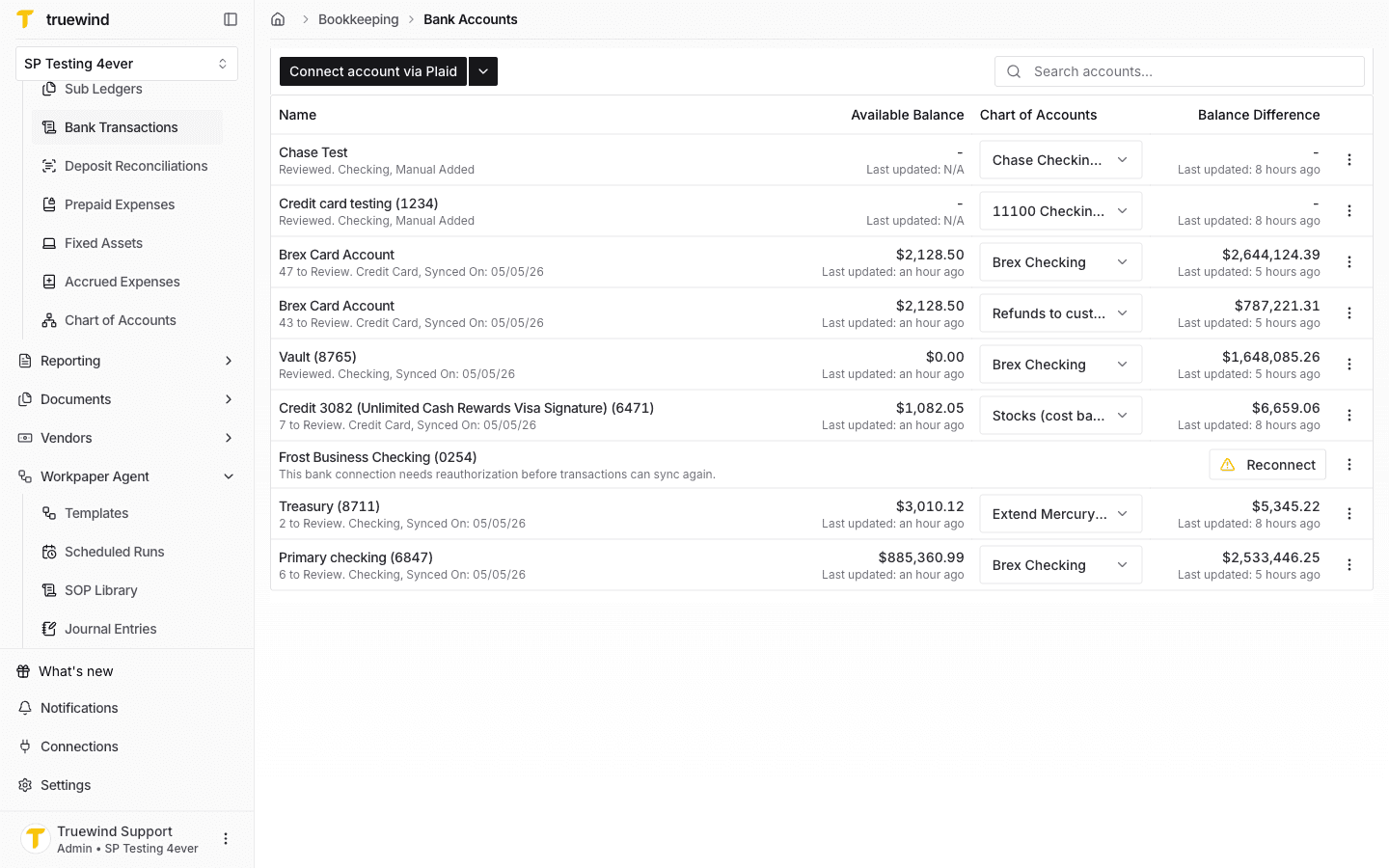
Step 3
Find an account you want to remove, click on the actions button on the end of the row and select Remove.
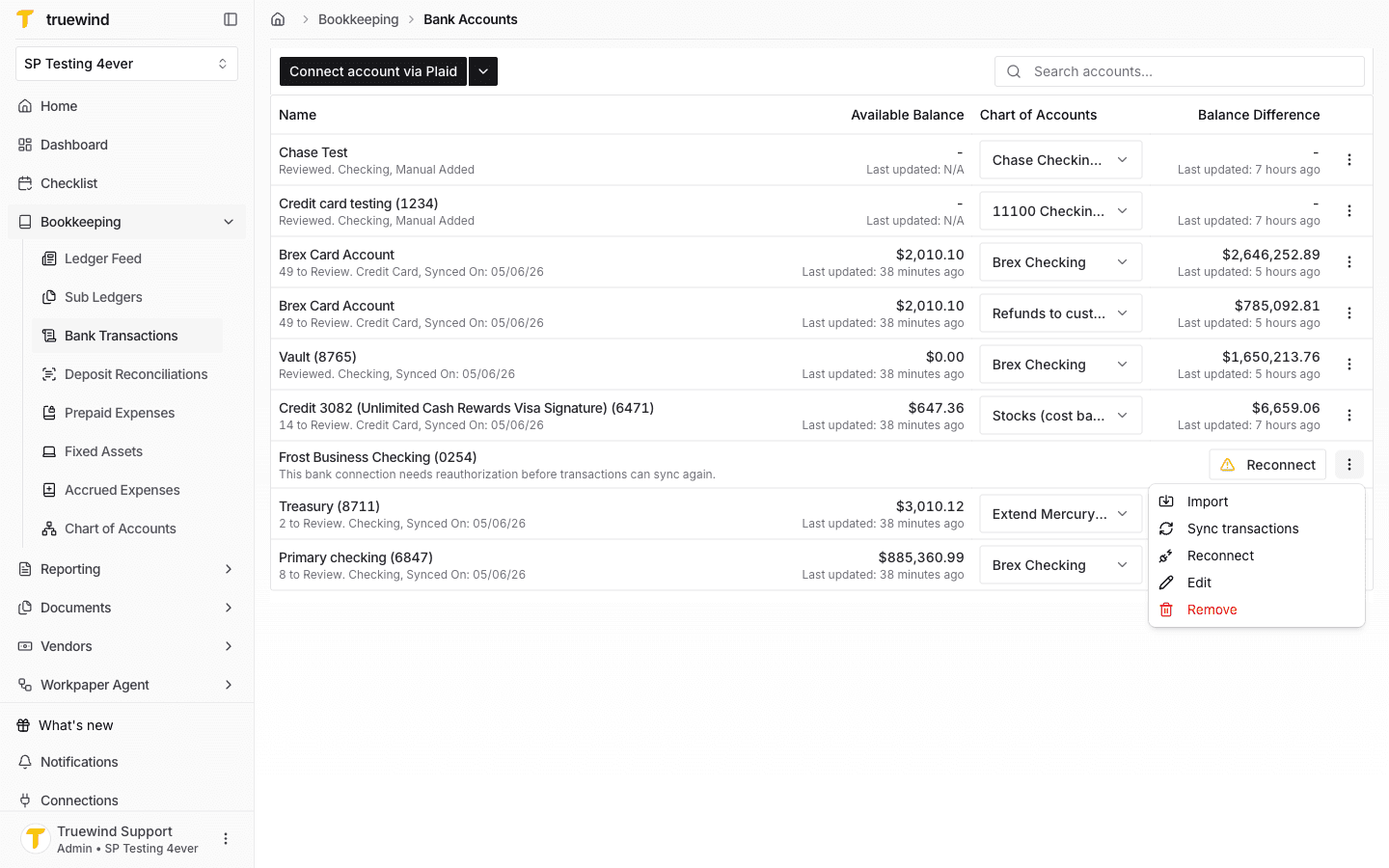
Step 4
Review the confirmation dialog, and if you are sure you want to proceed, click on Remove. Otherwise, if the account is active, you can disable it instead.
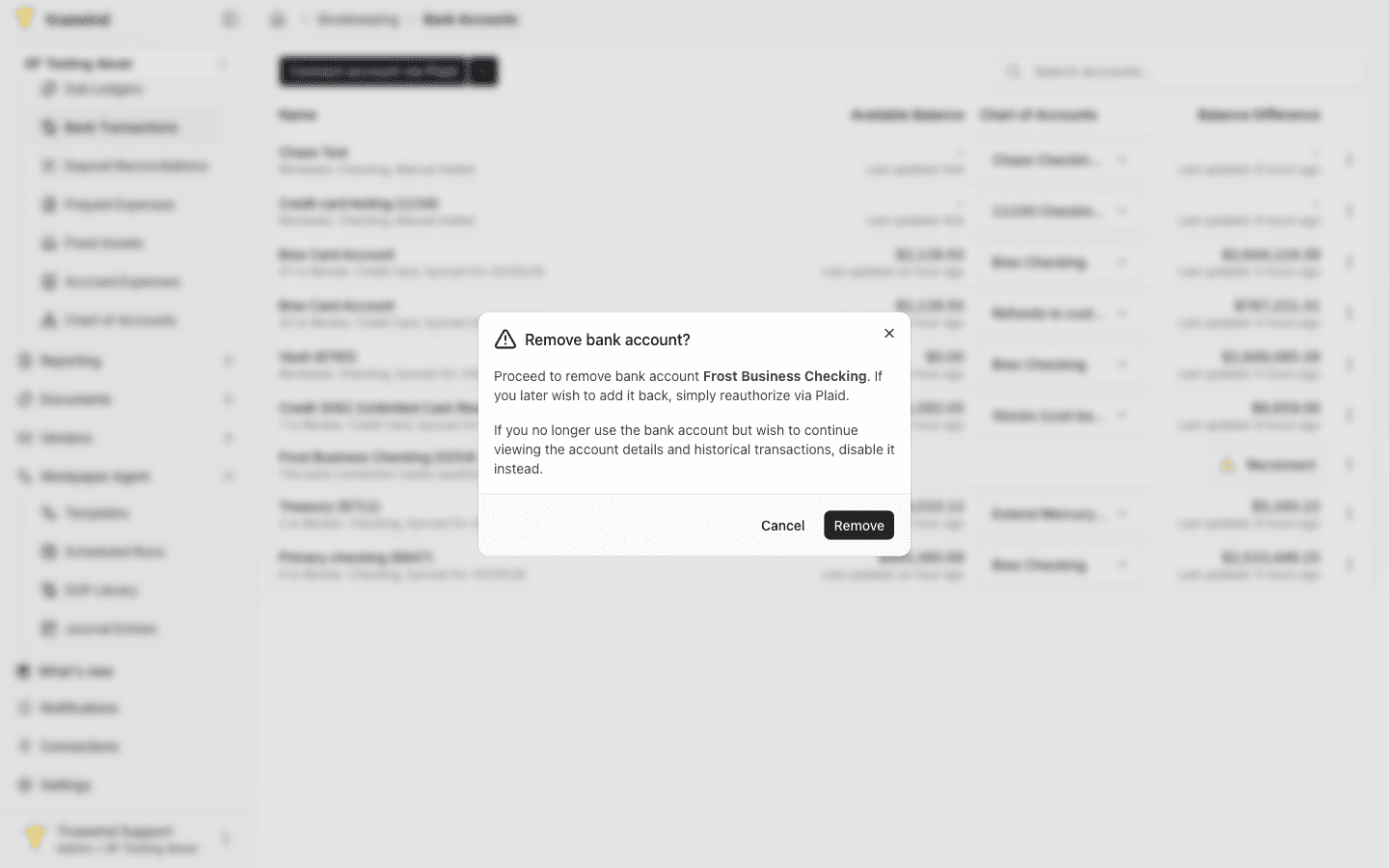
Step 5
Find an account you want to disable, click on the actions button on the end of the row and select Disable.
Step 6
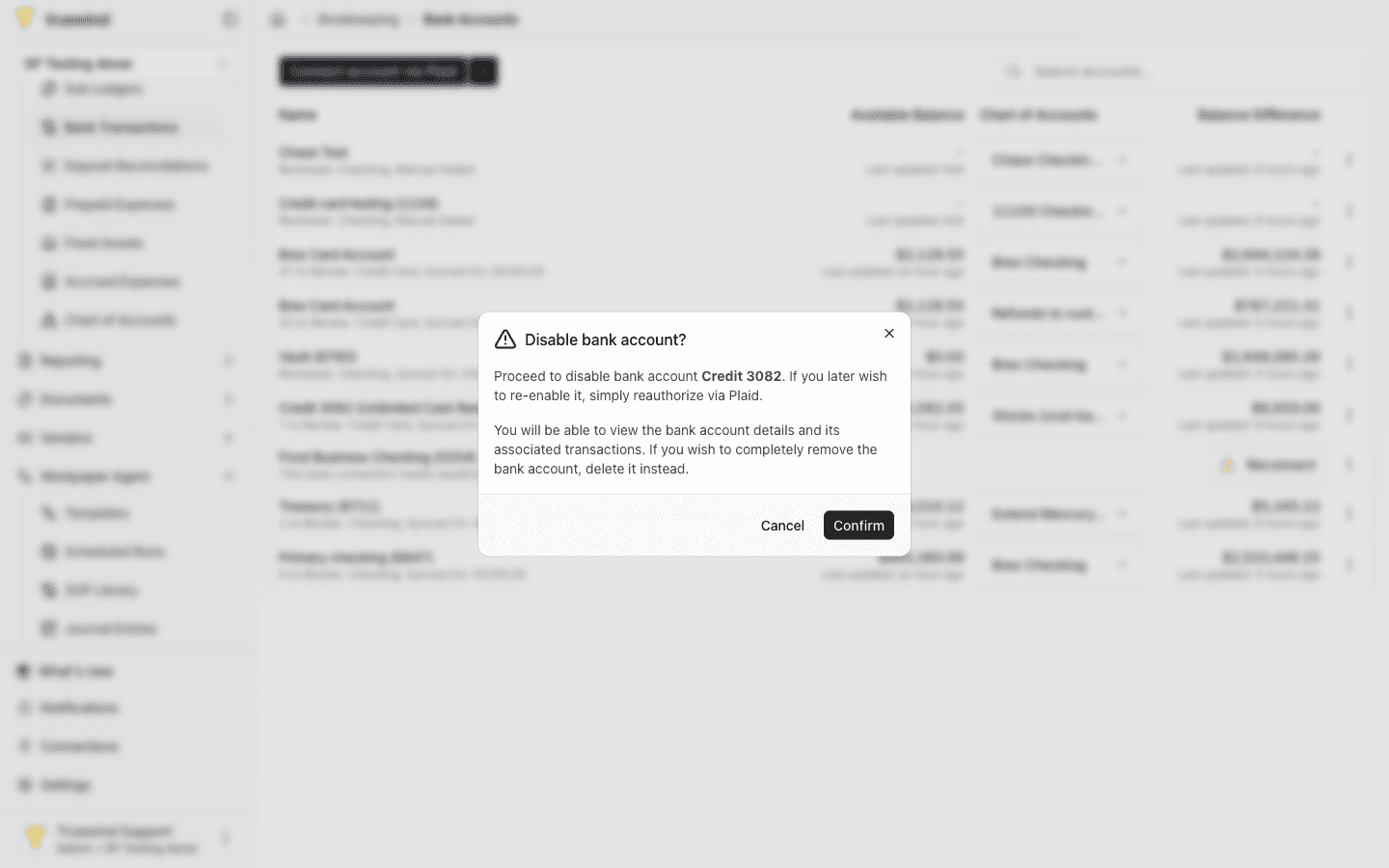
Review the confirmation dialog, and if you are sure you want to proceed, click on Confirm.
Confirm no one still relies on that bank account for ongoing transaction review, reconciliation, or reauthorization work.
Was this helpful?
Need more help?
Ask for human help about this article and provide any feedback.