
When to use auto-categorize
Auto-categorize is most useful when selected For Review transactions are ready for review and do not require unusually specific handling first.
Ask the support agent
Just ask a direct question or search related articles from the Knowledge Base.
Support Center / Bank Transactions / Features
Run auto-categorization in Bank Transactions when eligible rows need faster review, resulting in suggested accounting treatment you can confirm before syncing.
Step 1
Start in Bookkeeping > Bank Transactions and select the bank accounts you want to review so transaction rows are visible.
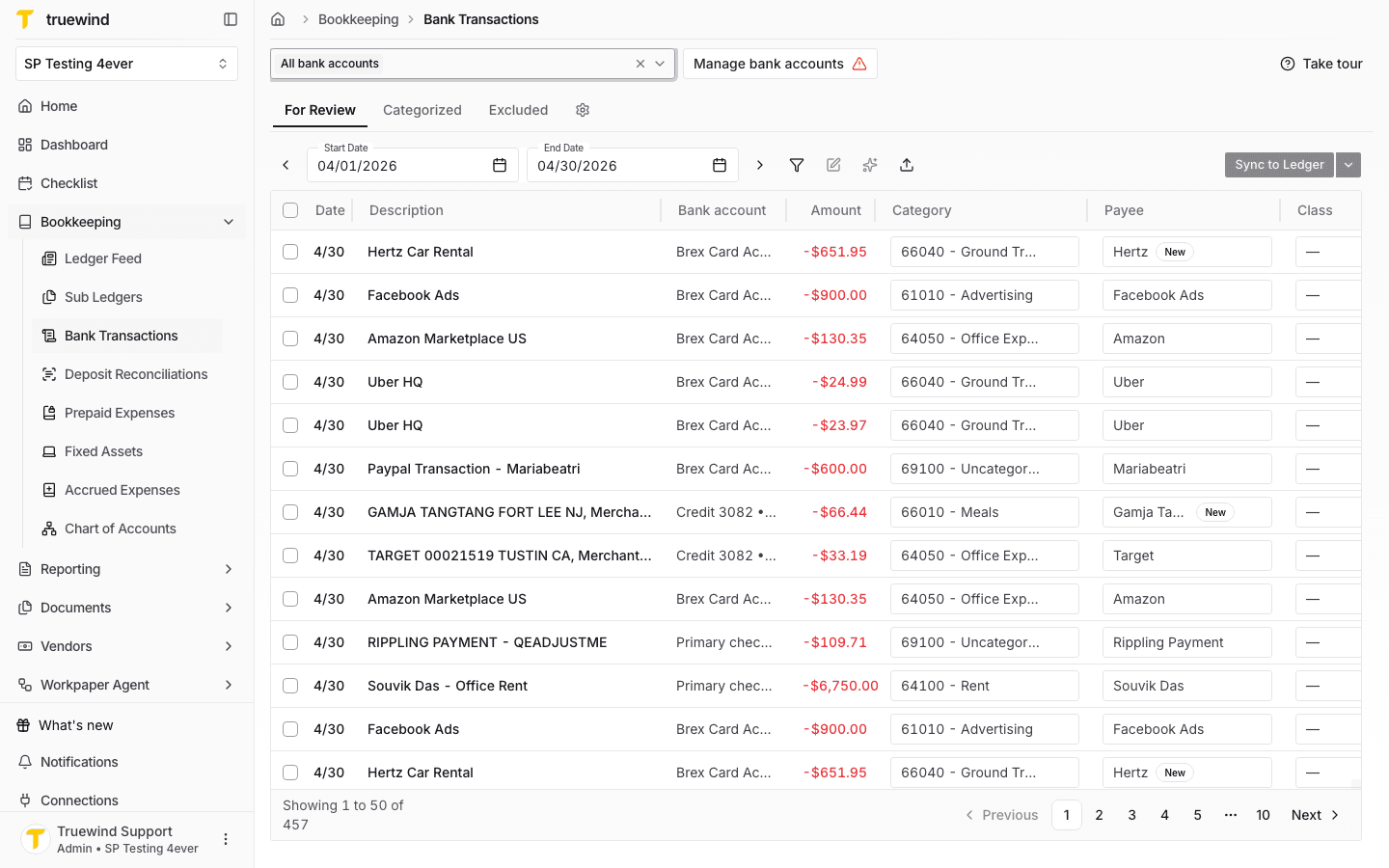
Step 2
Choose the For Review rows you want Truewind to categorize before opening the transaction actions menu.
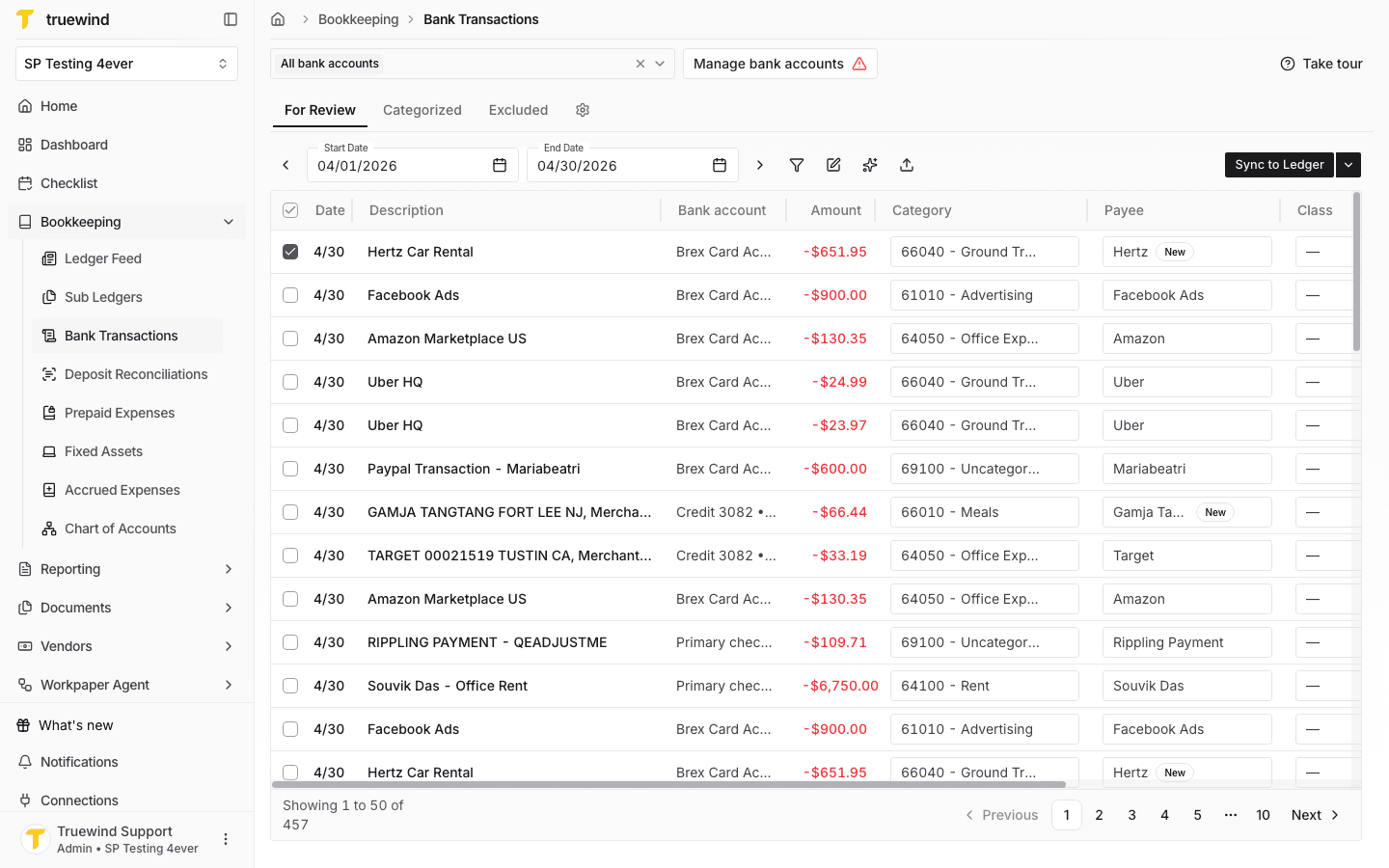
Step 3
Open the transaction actions menu and choose Auto-categorize to start categorizing the selected rows.
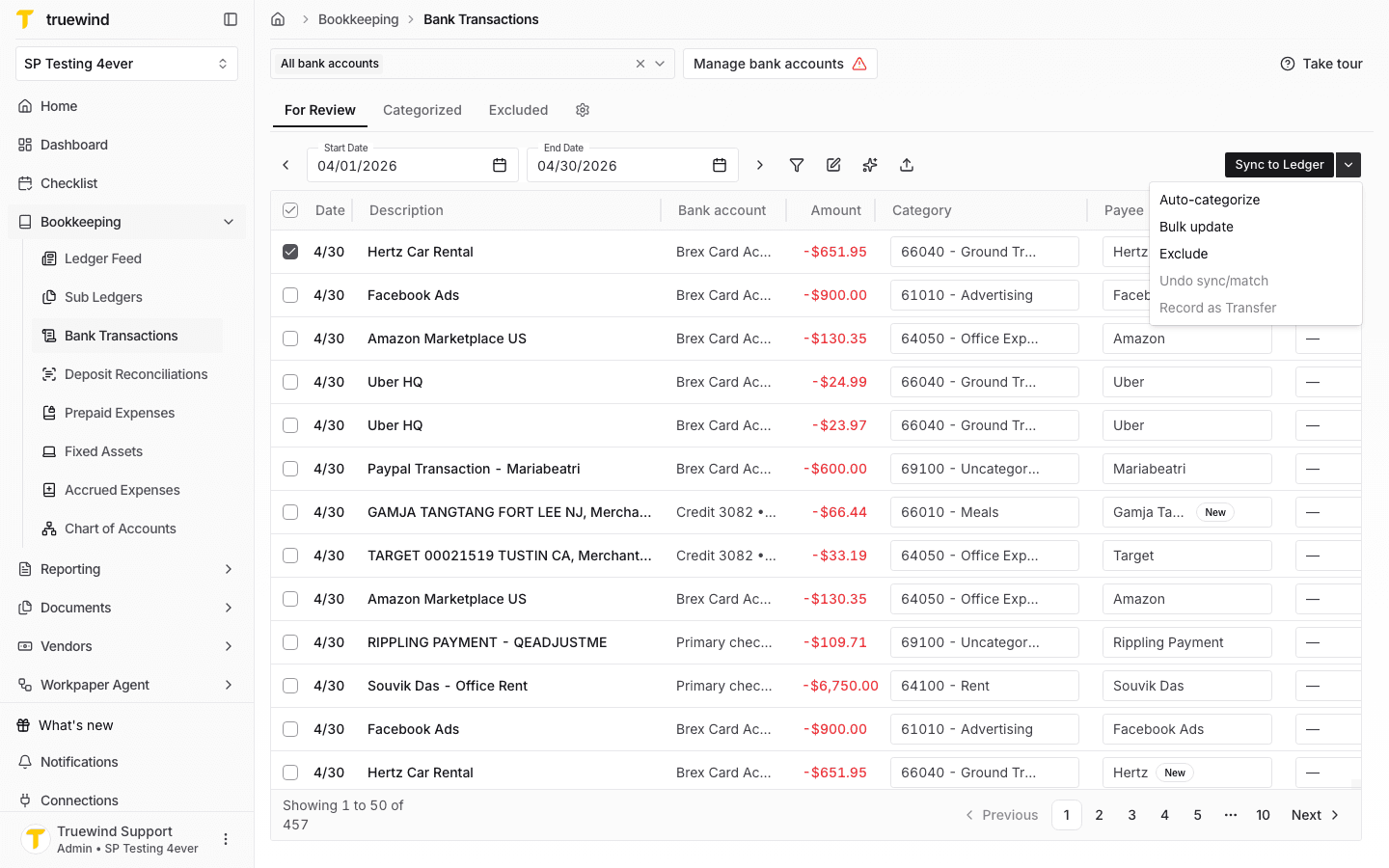
Step 4
After auto-categorize finishes, open a transaction to review the suggested transaction type, payee, and explanation before syncing.
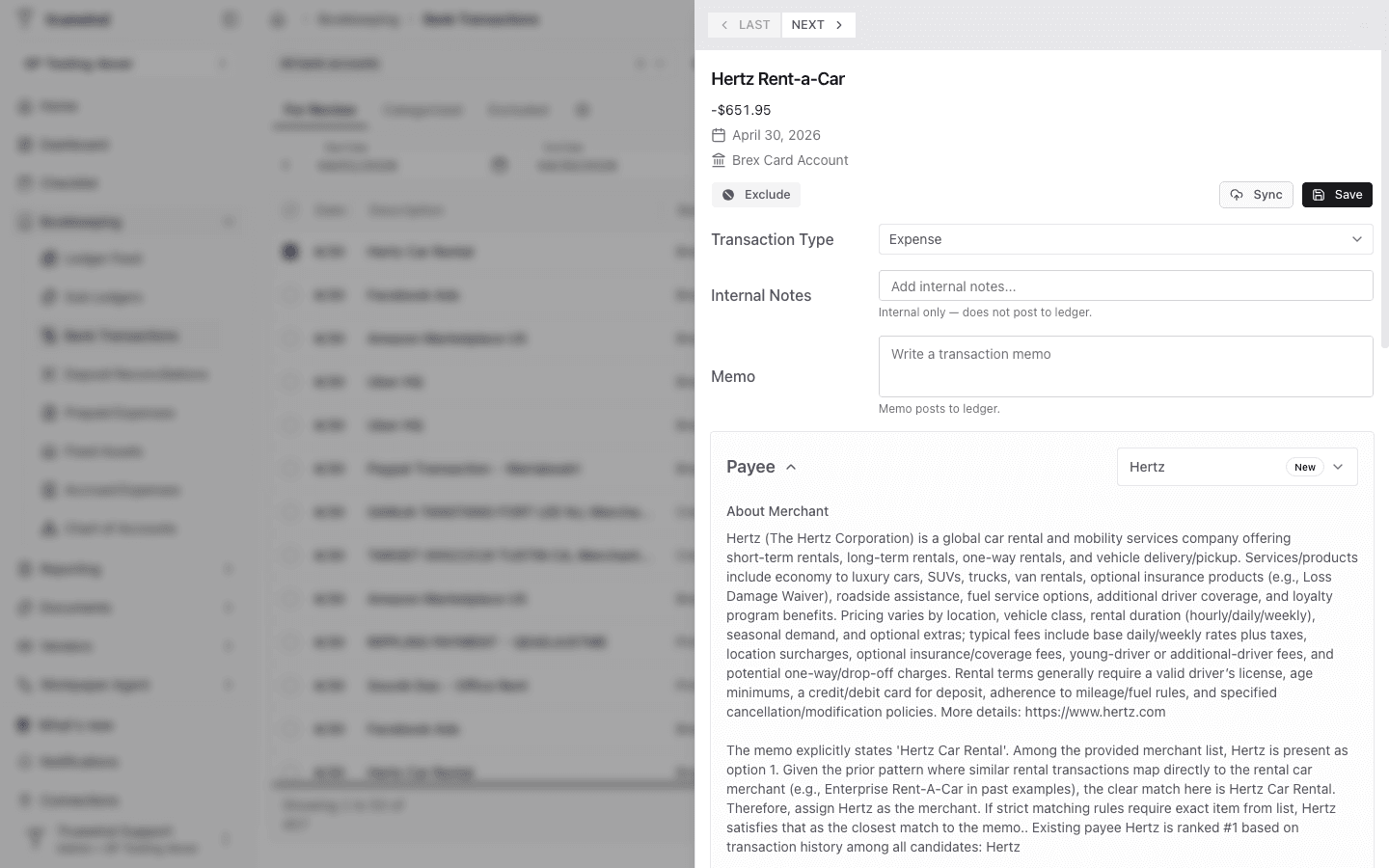
Step 5
Confirm the suggested payee and explanation are correct; edit the transaction detail before saving or syncing if needed.
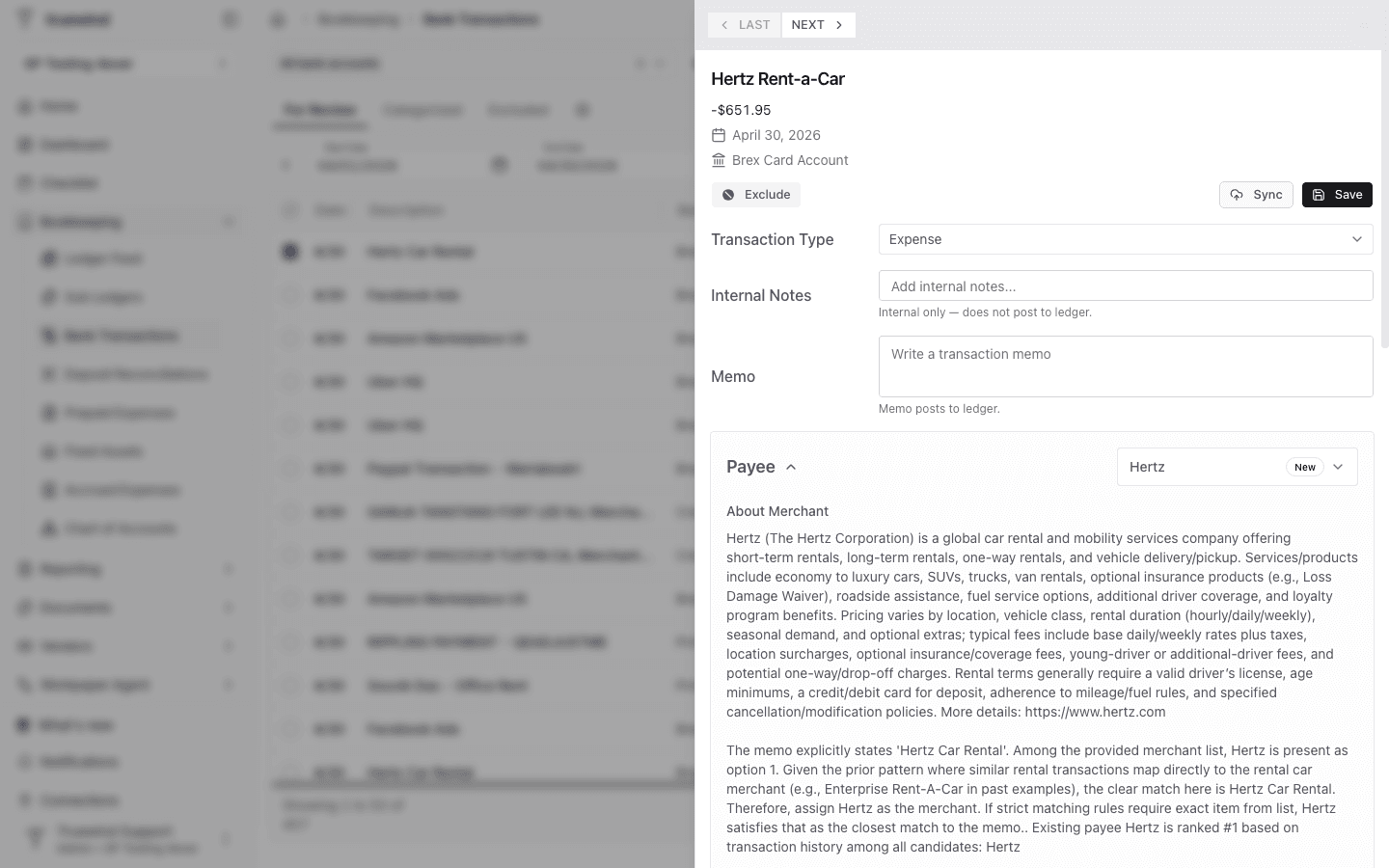
Auto-categorize is most useful when selected For Review transactions are ready for review and do not require unusually specific handling first.
Yes. Auto-categorization uses prior reviewed transactions as historical context. Truewind first checks for exact memo matches and can reuse the historical account, payee, and dimensions for the current transaction. If there is no exact match, Truewind searches for similar past transactions and uses those examples, along with the transaction description, amount, chart of accounts, and enabled dimensions, to suggest a categorization.
The confidence score is Truewind's estimate of how strongly the transaction matches the suggested categorization. Scores near 1.0 usually mean an exact historical match or an obvious category. Scores from 0.7 to 0.9 usually mean a strong pattern match. Scores below 0.7 are treated as ambiguous and should be reviewed before syncing.
Manual review is more likely when the memo is vague, the vendor or payee is missing, the transaction has little history, or similar historical transactions point to different accounts or dimensions.
The action is available only after you select one or more eligible transactions from For Review.
Select at least one For Review transaction and make sure the selected rows are not locked or already being processed.
Was this helpful?
Need more help?
Ask for human help about this article and provide any feedback.