
What to verify
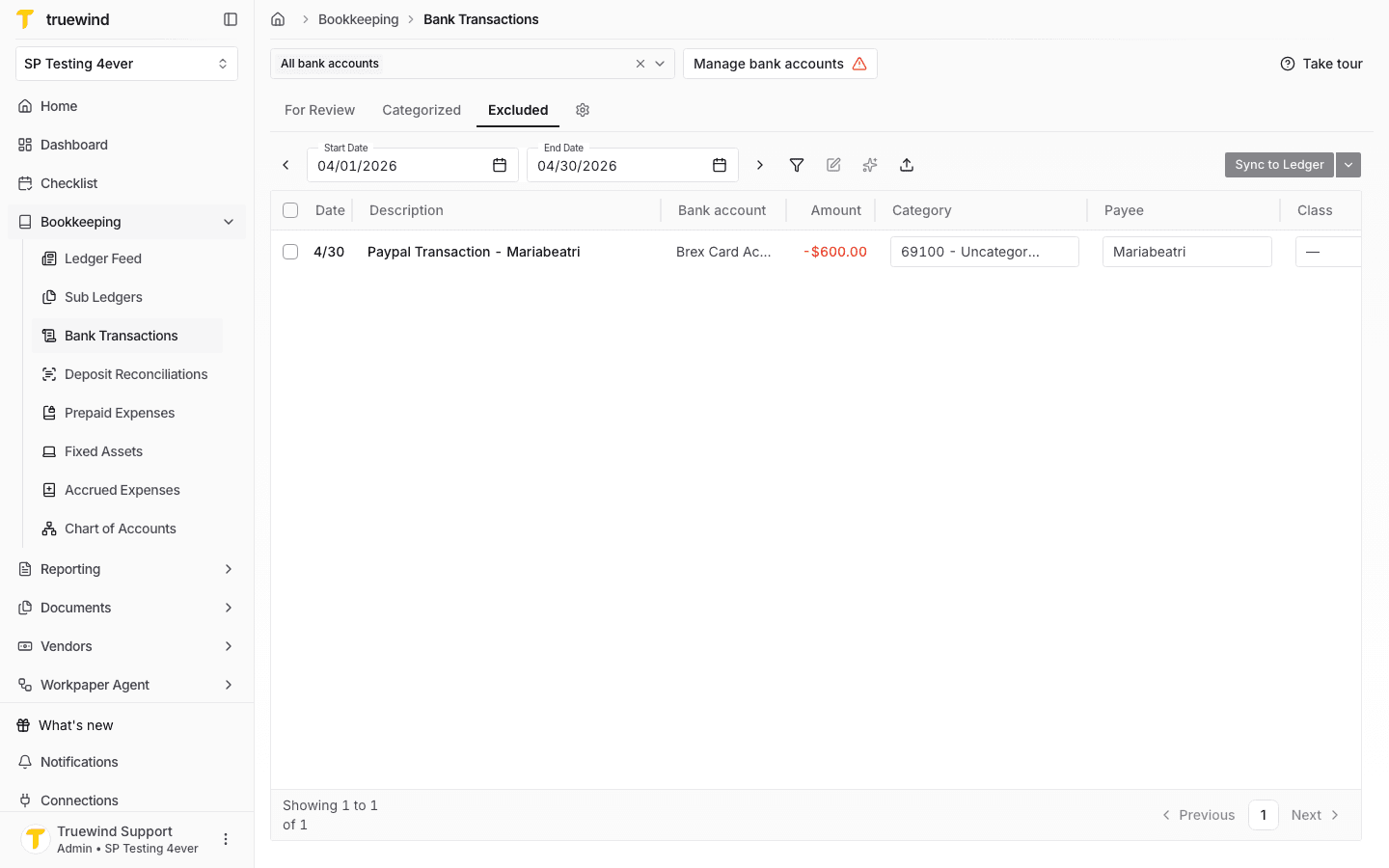
- The transaction appears in the Excluded tab after you exclude it.
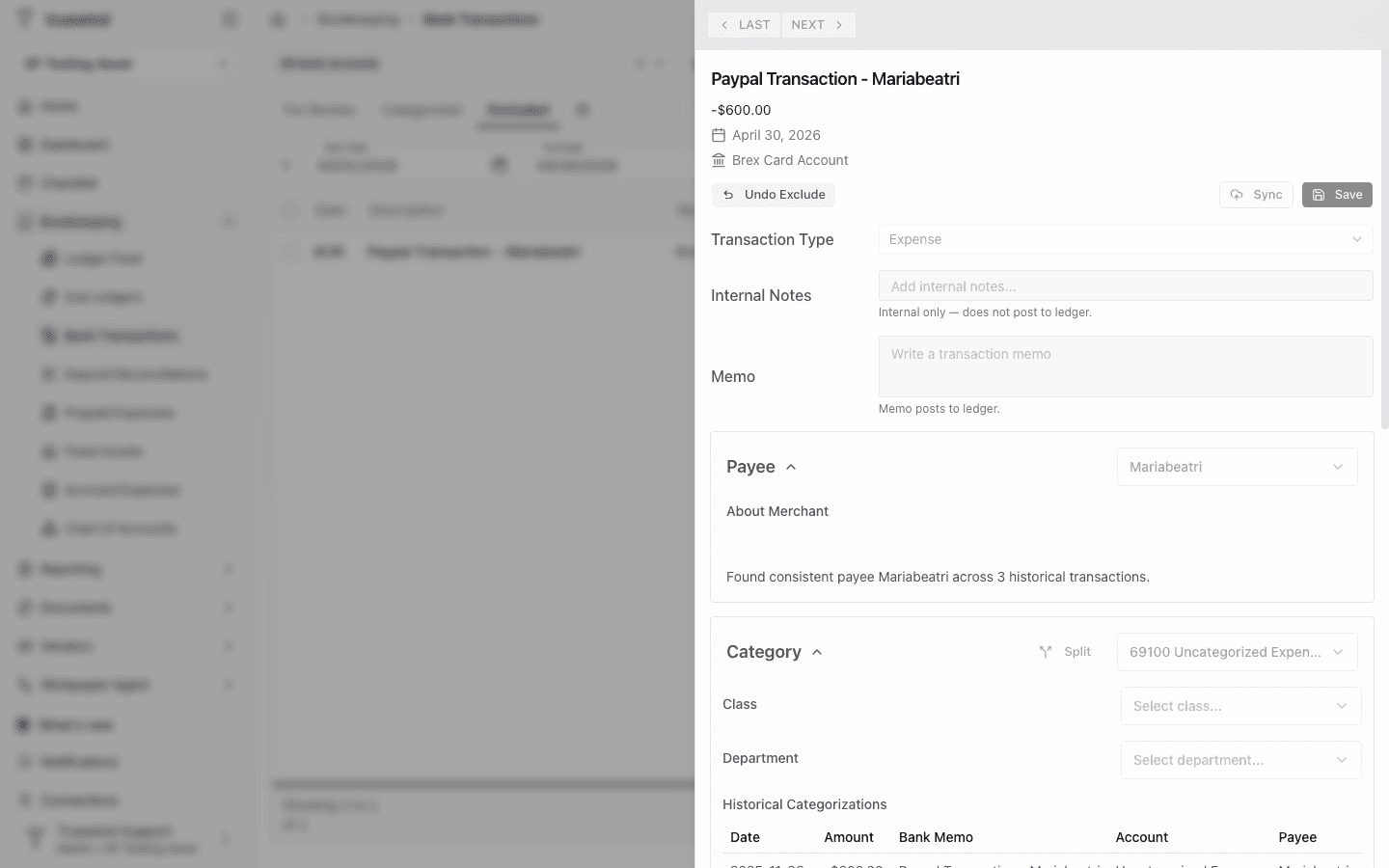
- The transaction side panel shows Undo Exclude for excluded rows.
Ask the support agent
Just ask a direct question or search related articles from the Knowledge Base.
Support Center / Bank Transactions / Features
Exclude transactions in Bank Transactions when they should be removed from active review, resulting in those rows moving into the excluded state.
Step 1
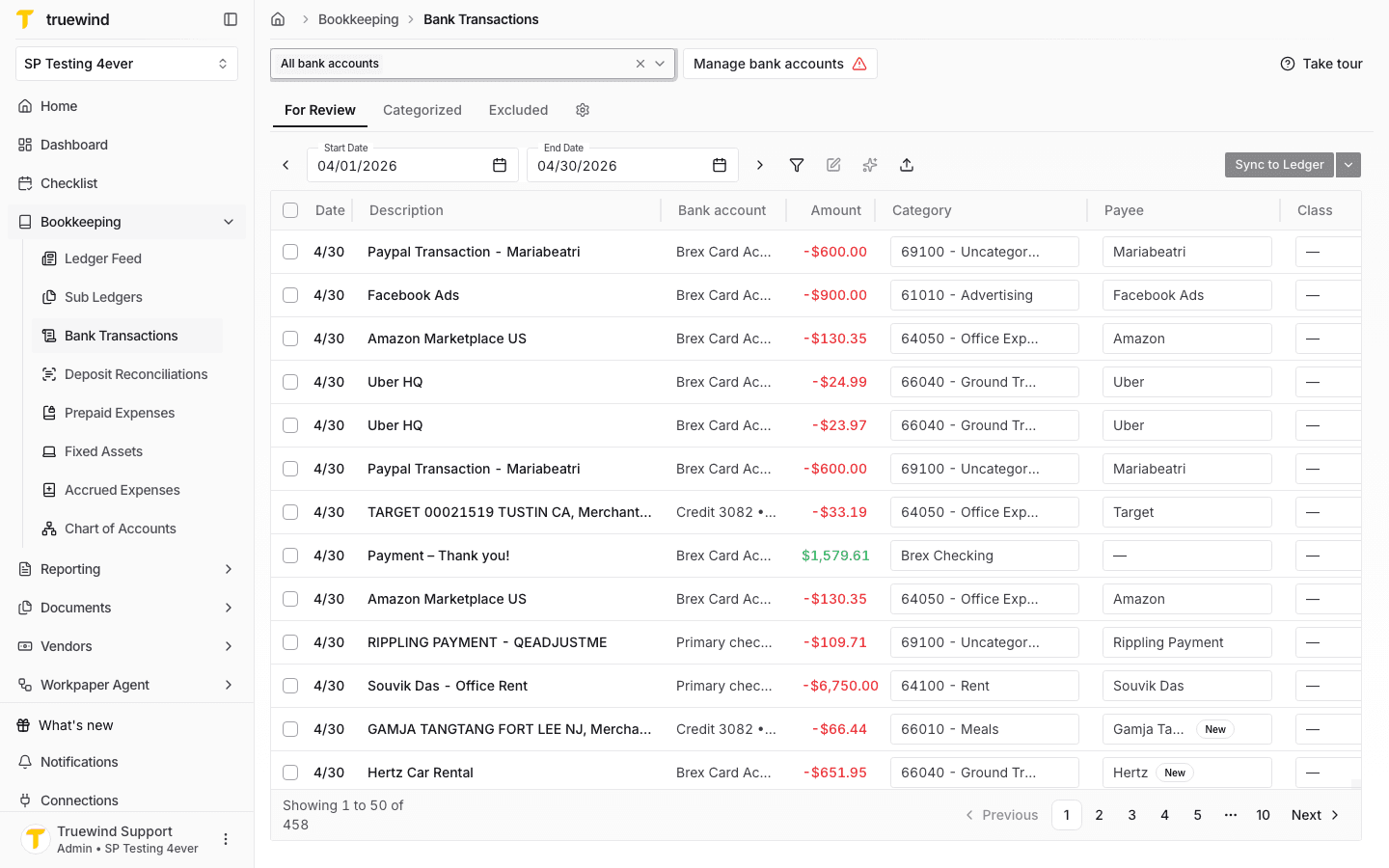
Start in Bookkeeping > Bank Transactions and select the bank accounts you want to review so transaction rows are visible.
Step 2
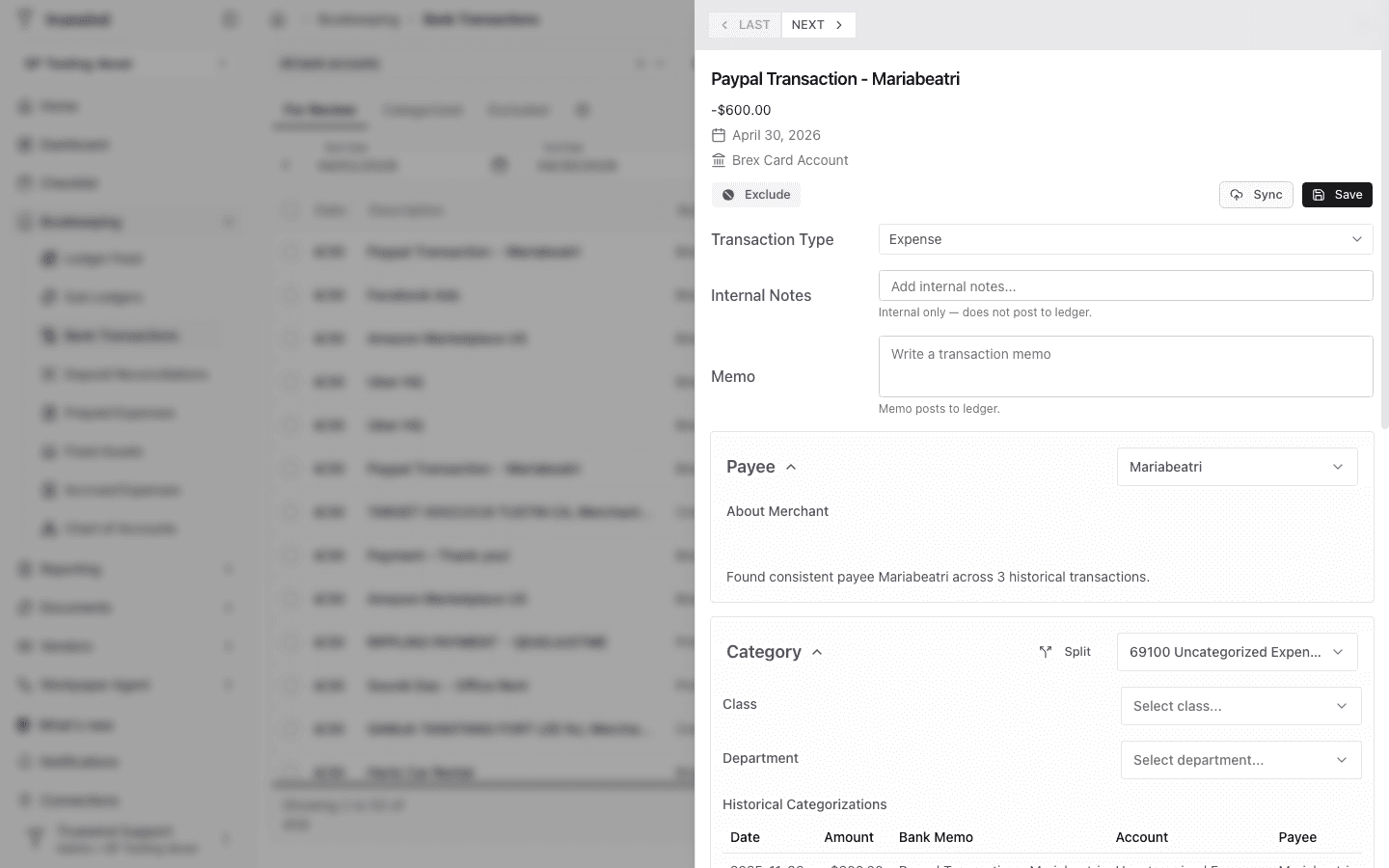
Select the transaction you want to remove from active review so its side panel opens.
Step 3
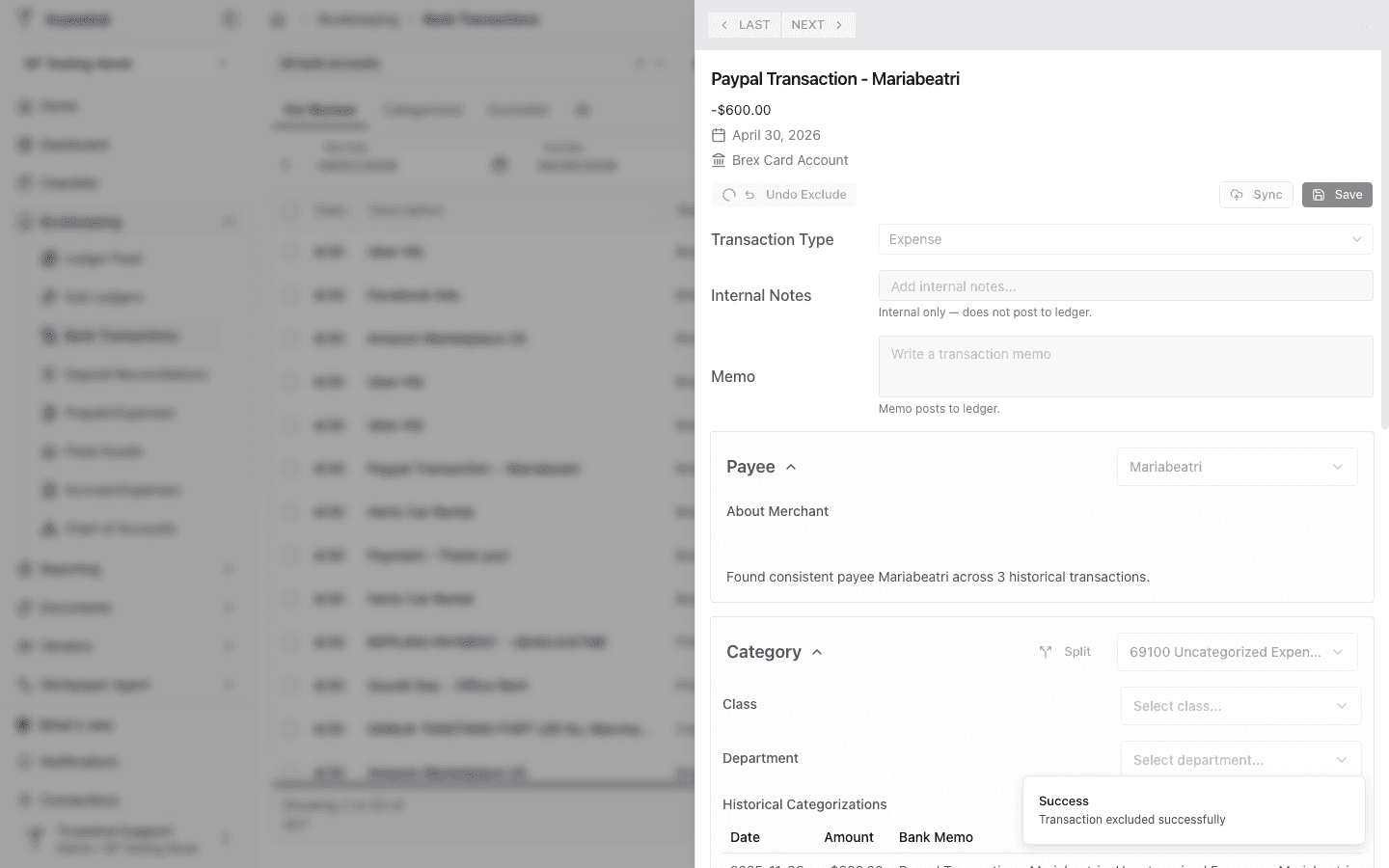
Use Exclude when the transaction should not be categorized or synced. The action applies immediately and shows a success message.
Step 4
Review the Excluded tab to confirm the transaction moved out of the active review queue.
Step 5
Open the excluded transaction when you need to verify its details or undo the exclusion later.
Was this helpful?
Need more help?
Ask for human help about this article and provide any feedback.