
If you are blocked
Use the support agent from the top bar if you need a quick explanation of why a match is missing or which ledger transaction should be reviewed next.
Ask the support agent
Just ask a direct question or search related articles from the Knowledge Base.
Support Center / Bank Transactions / Features
Review matched and unmatched transaction activity when reconciliation work is blocking close, resulting in a clearer path to completed reconciliation.
Step 1
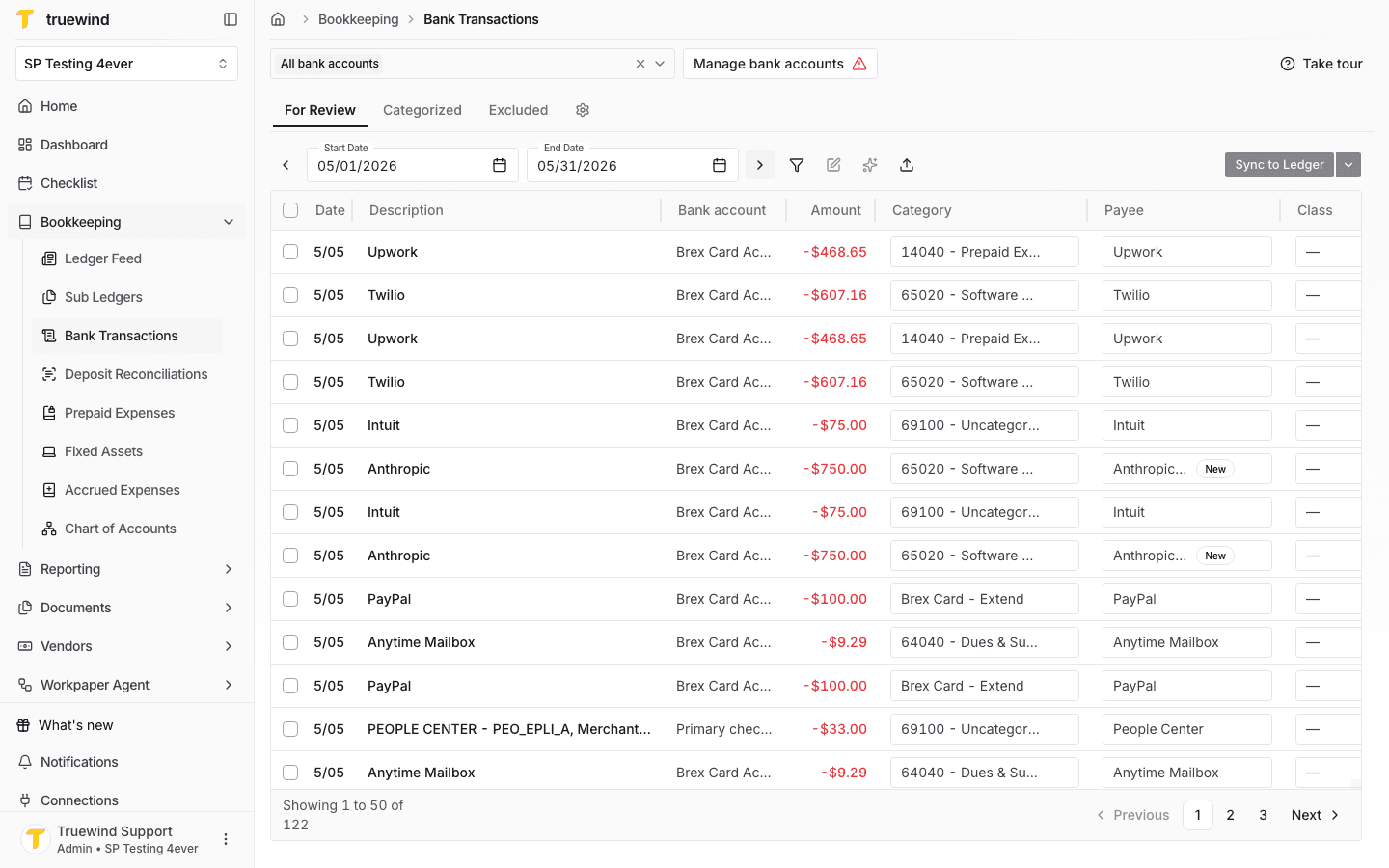
Start in Bookkeeping > Bank Transactions and select the bank accounts you want to review so transaction rows are visible.
Step 2
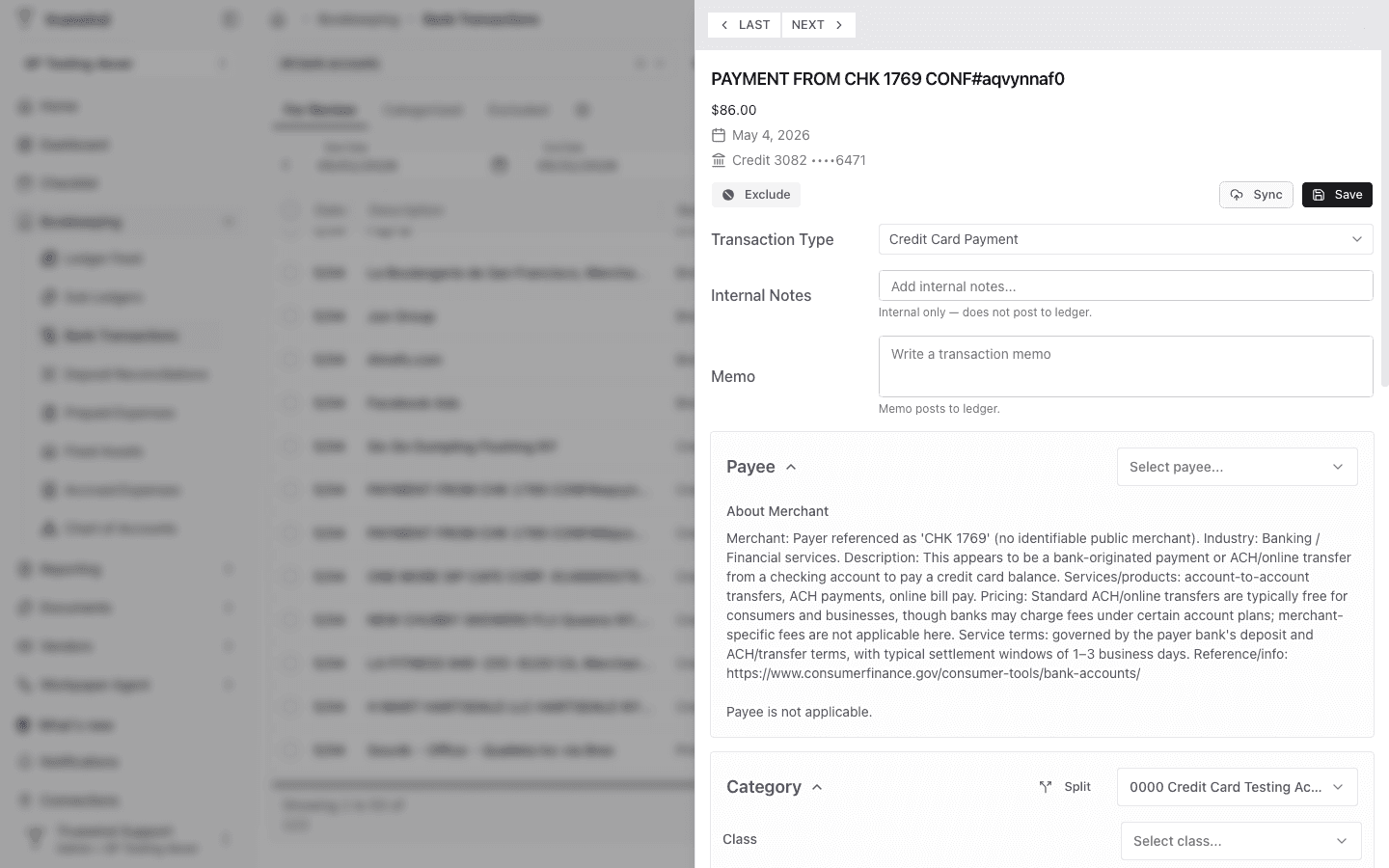
Select the bank transaction you want to compare against ledger activity.
Step 3
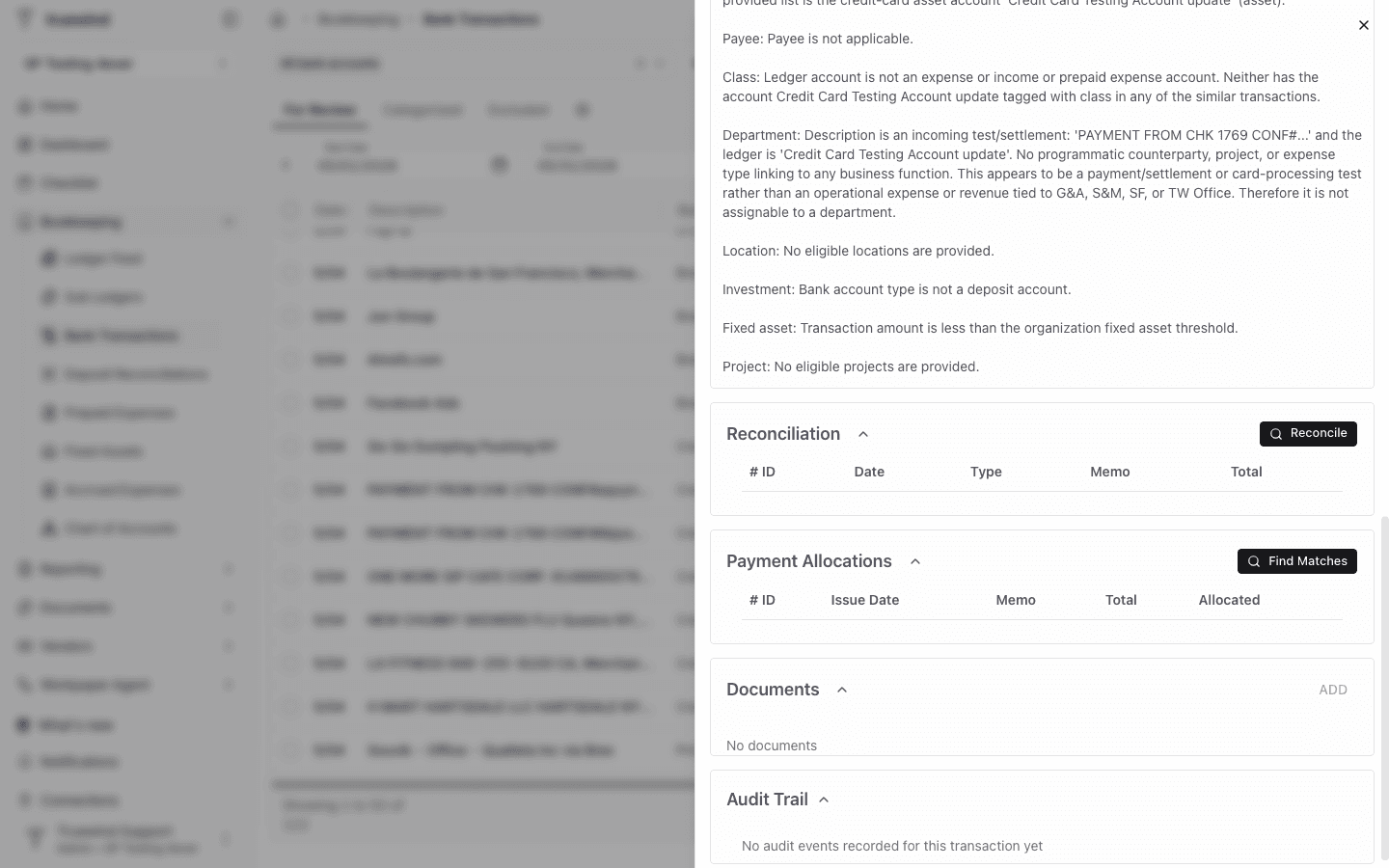
Use the Reconciliation card to see whether the transaction is already linked to ledger activity.
Step 4
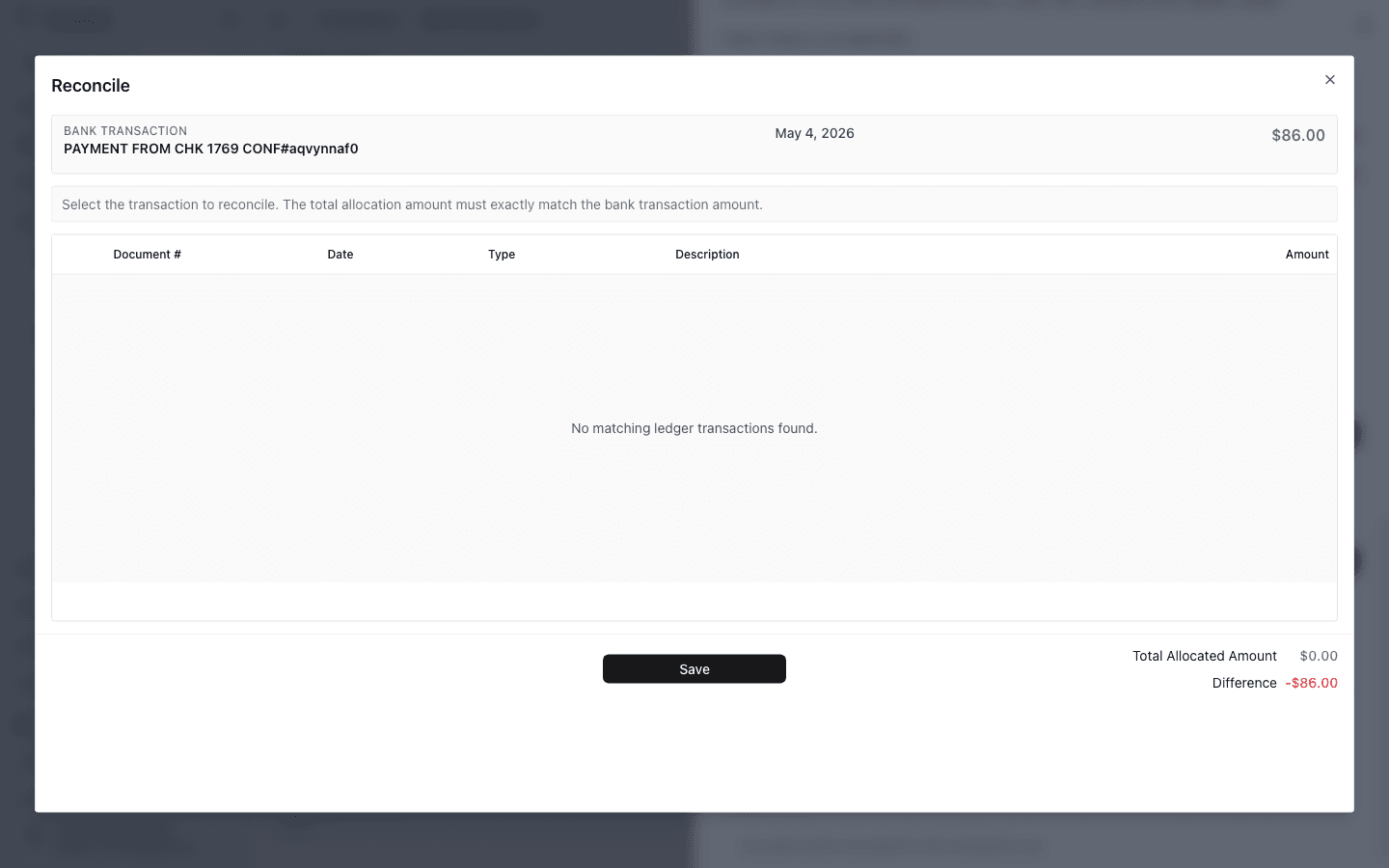
Click Reconcile to search matching ledger transactions, then save only after the selected match brings the difference to zero.
Use the support agent from the top bar if you need a quick explanation of why a match is missing or which ledger transaction should be reviewed next.
Start with unmatched or suspicious transactions, then confirm that matched activity reflects the expected accounting outcome.
Missing mappings, incomplete imports, or stale ERP data can make reconciliation slower or less reliable.
Truewind only lets you select a ledger transaction when its amount matches the bank transaction amount.
Confirm the ledger transaction exists in Truewind, check the date range around the bank transaction, and verify the amounts match exactly.
Was this helpful?
Need more help?
Ask for human help about this article and provide any feedback.