
Good follow-up check
After restoring the transactions, make sure they still belong in scope before taking the next action on them.
Ask the support agent
Just ask a direct question or search related articles from the Knowledge Base.
Support Center / Bank Transactions / Features
Restore excluded transactions when they should re-enter the active workflow, resulting in rows that can be reviewed, synced, or reconciled again.
Step 1
Start in Bookkeeping > Bank Transactions and select the bank accounts you want to review so transaction rows are visible.
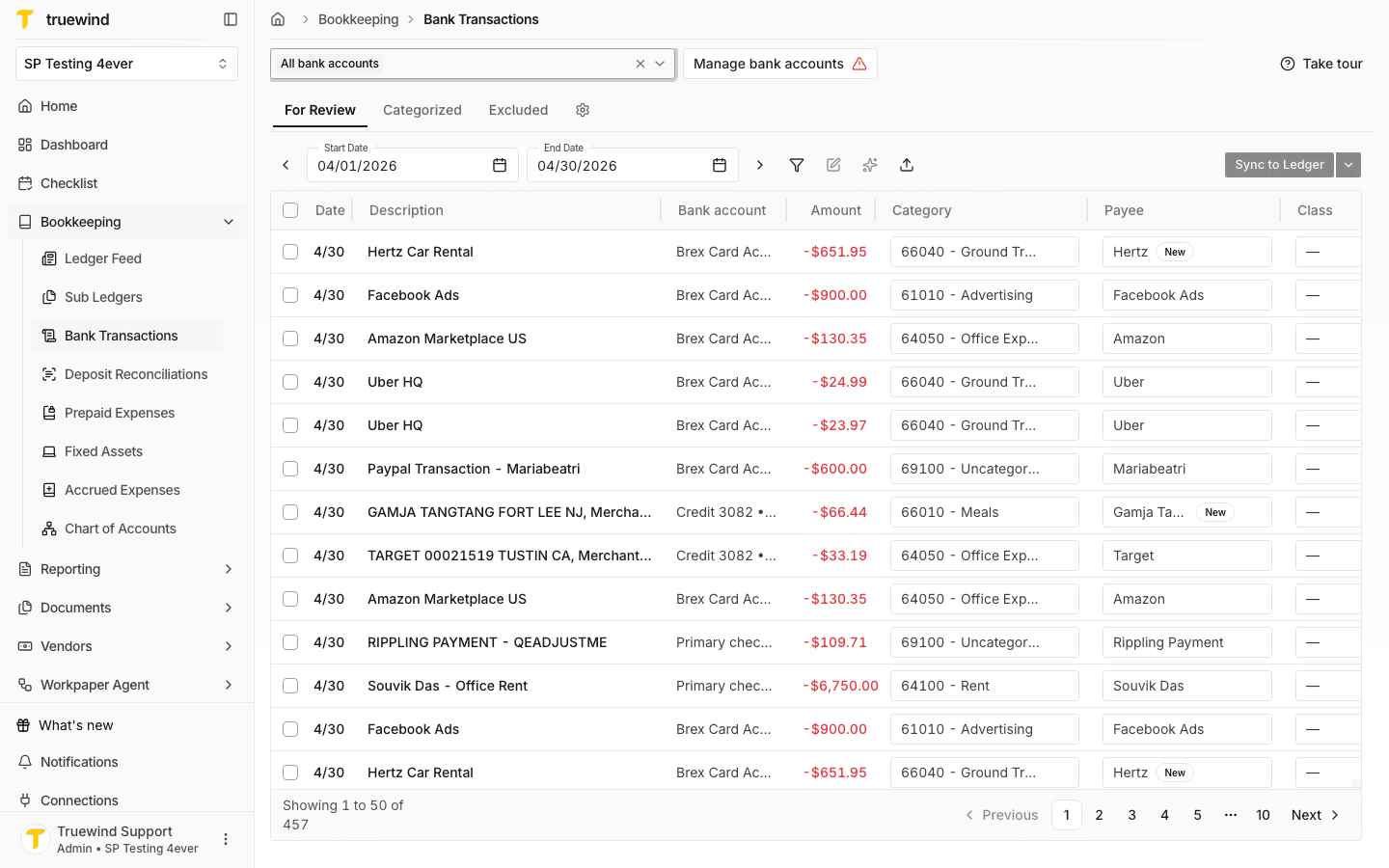
Step 2
Use the Excluded tab to review transactions that were previously removed from the active workflow.
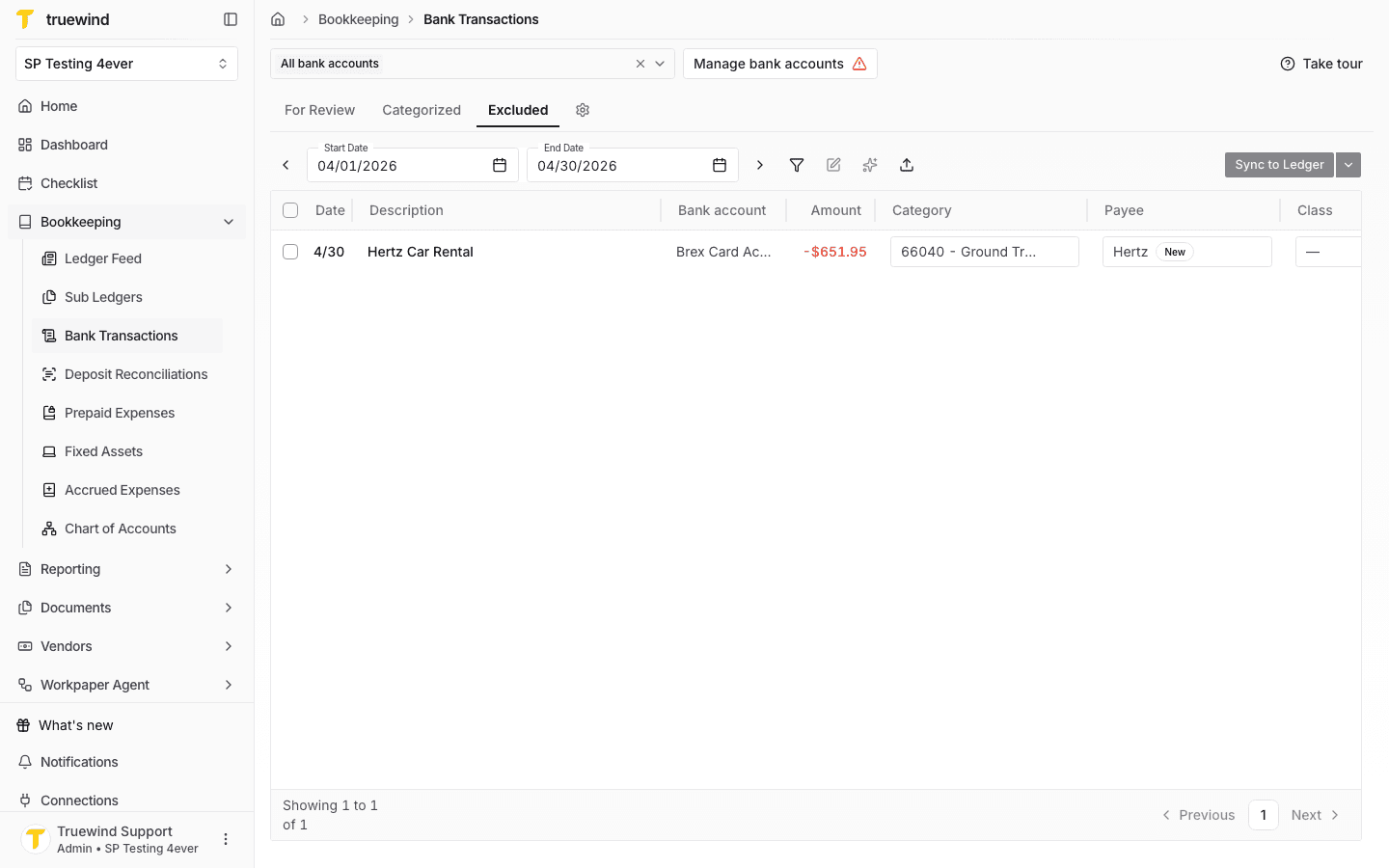
Step 3
Choose the excluded rows you want to return to review before opening the transaction actions menu.
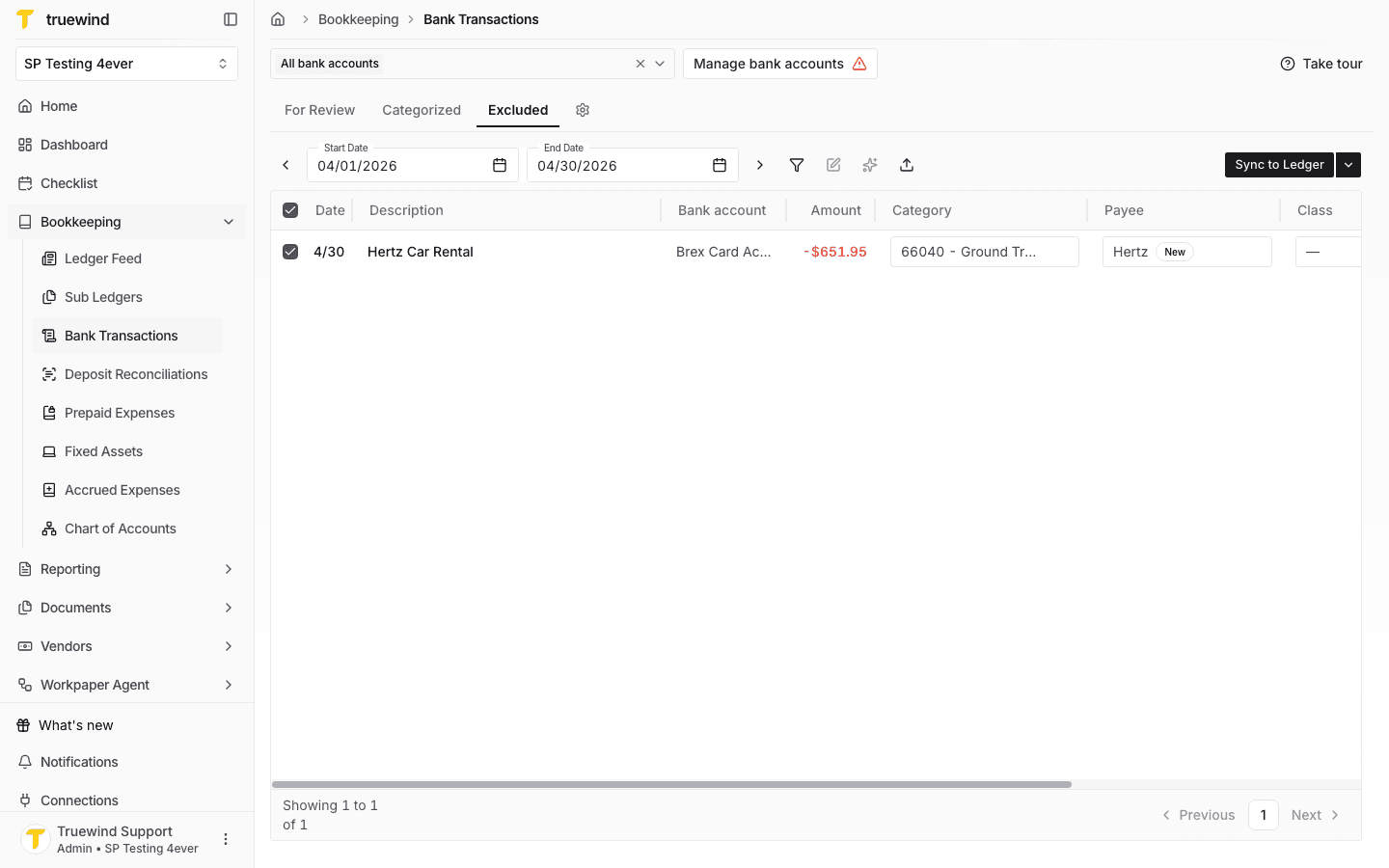
Step 4
Open the transaction actions menu to access Undo exclusion for the selected rows.
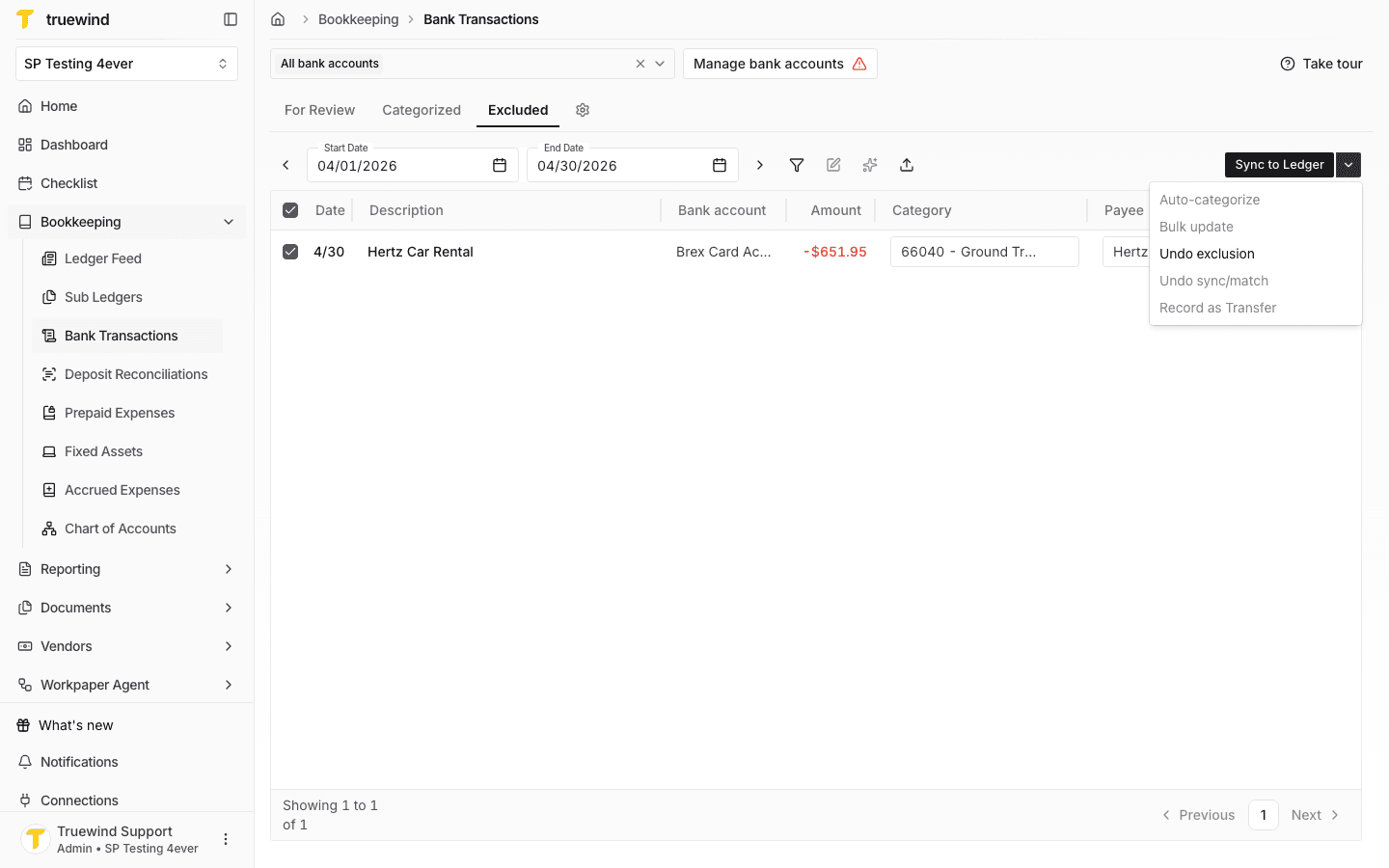
Step 5
Review the confirmation message before returning the selected transactions to active review.
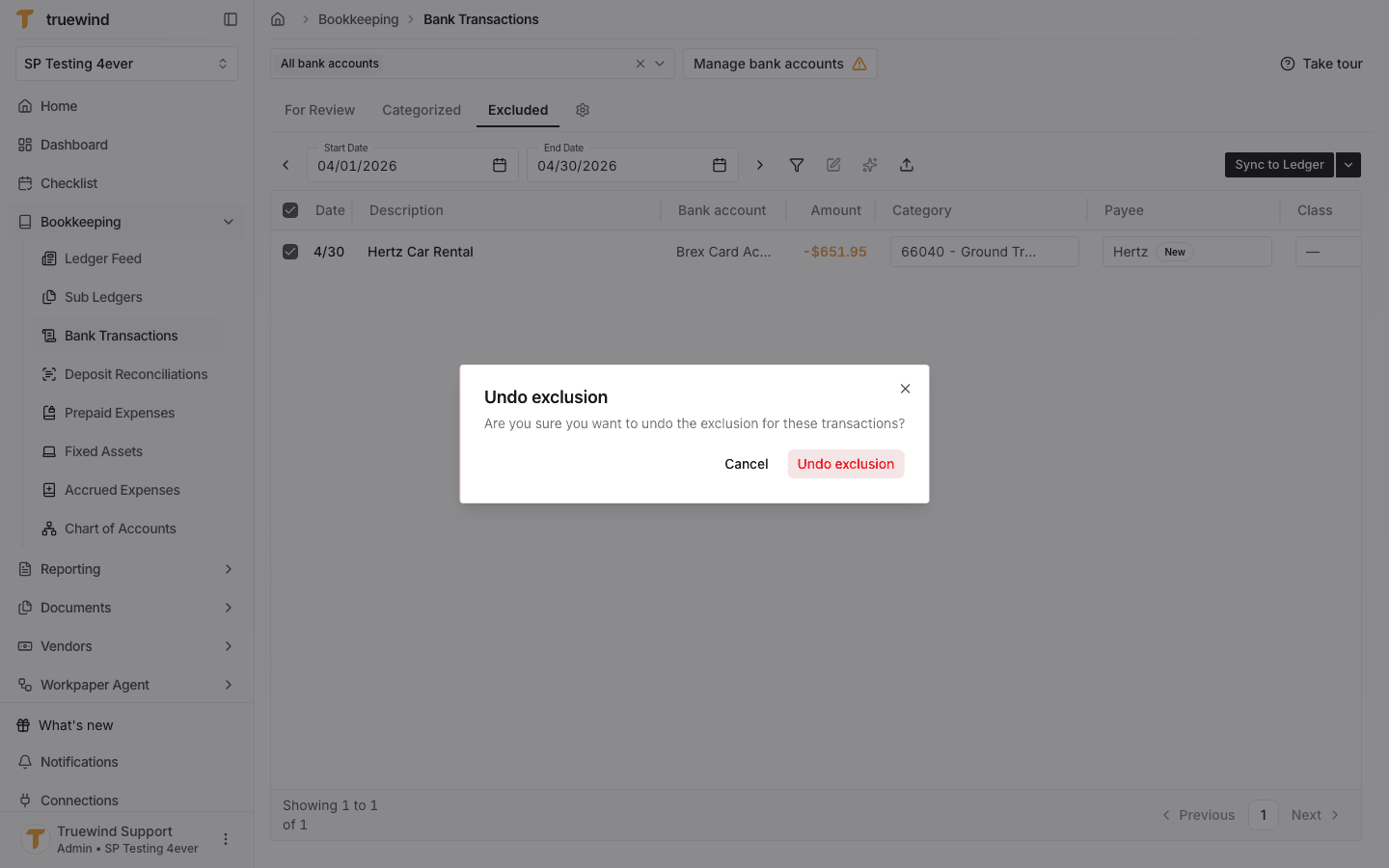
Step 6
After undoing the exclusion, return to For Review and confirm the transaction is available for categorization, sync, or reconciliation.
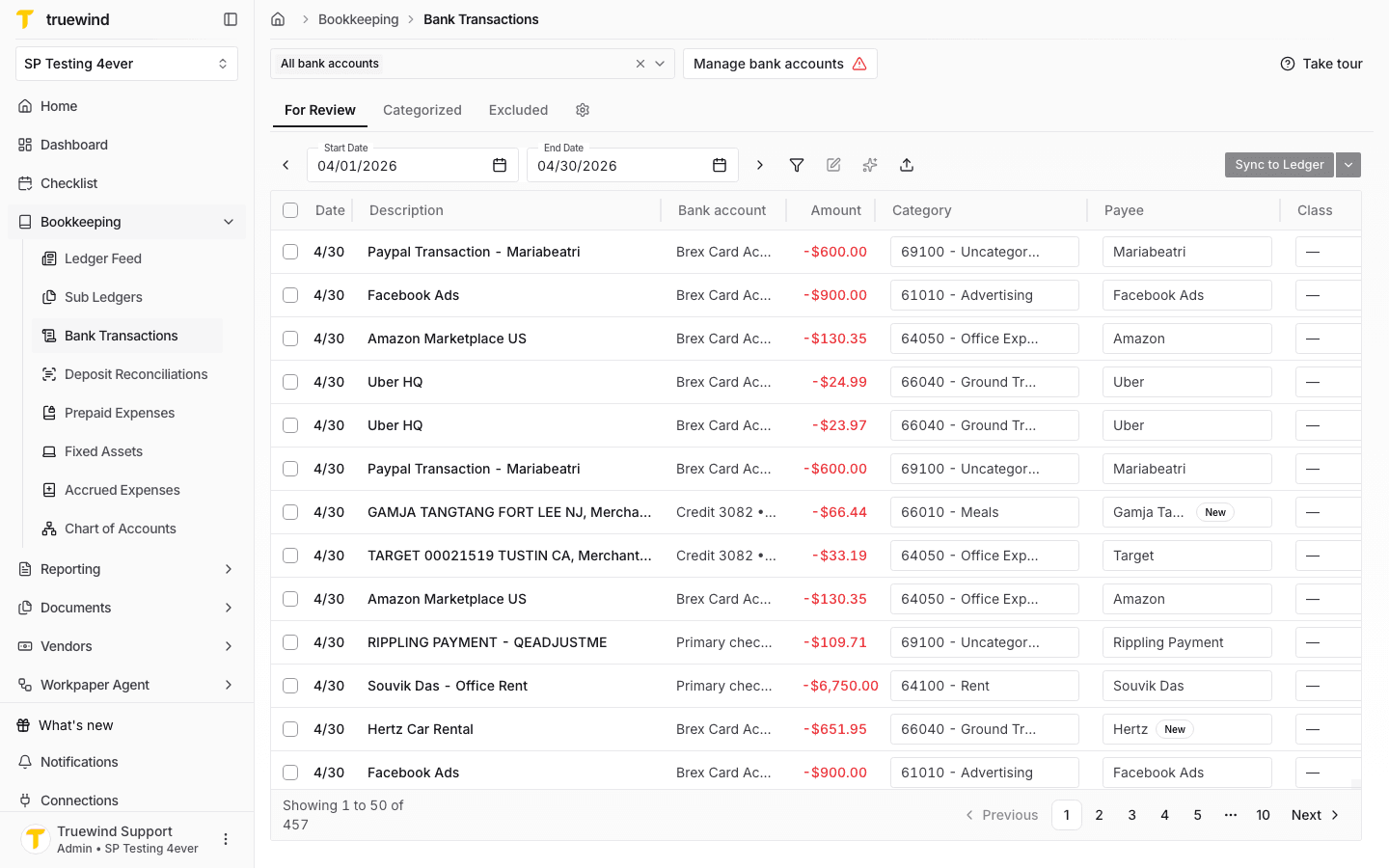
After restoring the transactions, make sure they still belong in scope before taking the next action on them.
The Excluded tab only shows transactions that were previously removed from active review.
Confirm the bank account filter and date range include the transaction that was excluded.
Was this helpful?
Need more help?
Ask for human help about this article and provide any feedback.