
What to verify
Confirm the missing GL transaction is linked to the correct existing schedule, then compare Balance History ledger amounts with the GL detail before treating the item as resolved.
Ask the support agent
Just ask a direct question or search related articles from the Knowledge Base.
Support Center / Prepaid Expenses / Manage
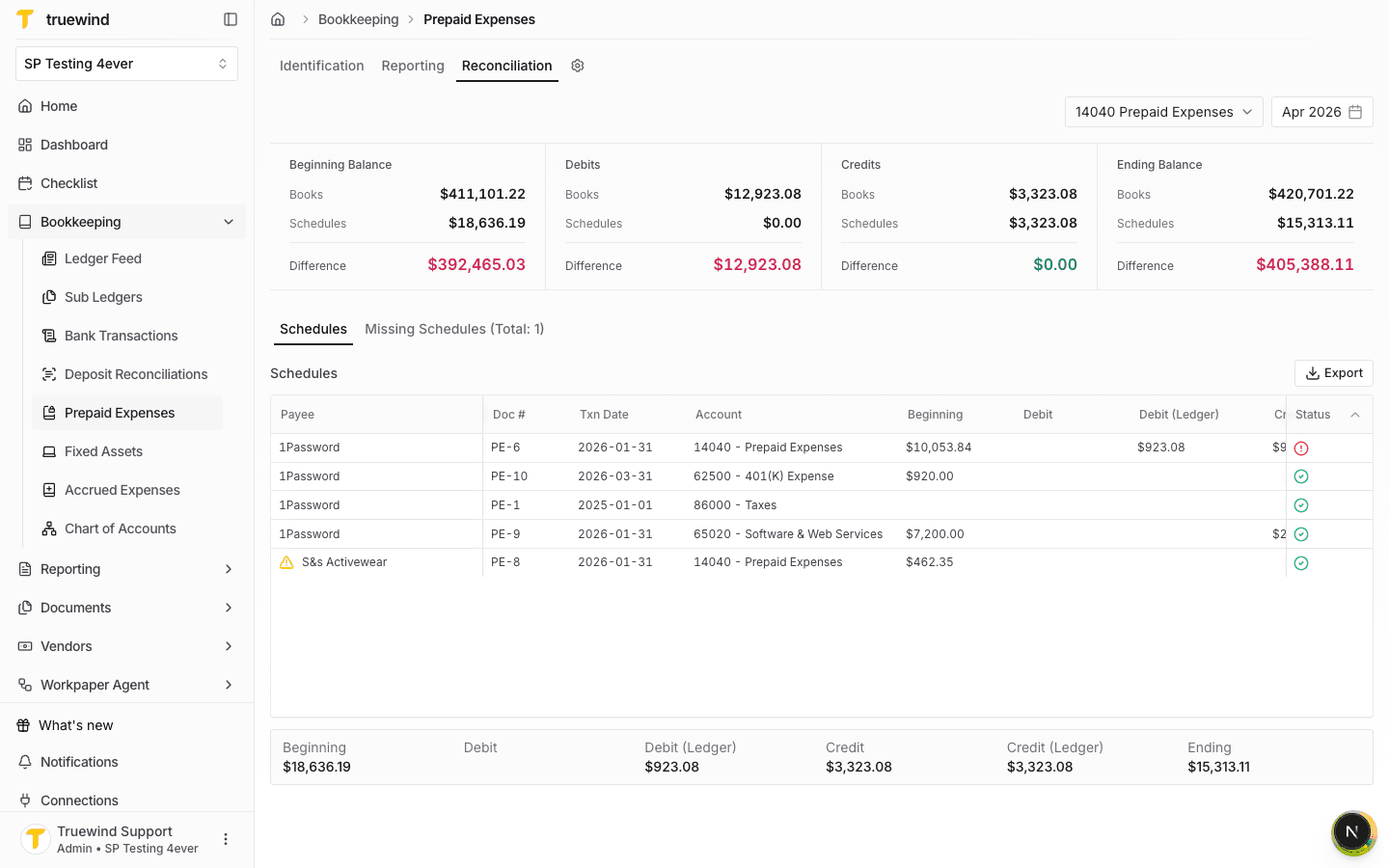
Compare prepaid schedules against the GL view when schedule balances need reconciliation, resulting in linked missing schedules and a clearer balance history.
Step 1
Start in Bookkeeping > Prepaid Expenses and select Reconciliation so the balance comparison for the prepaid account and period is visible.
Step 2
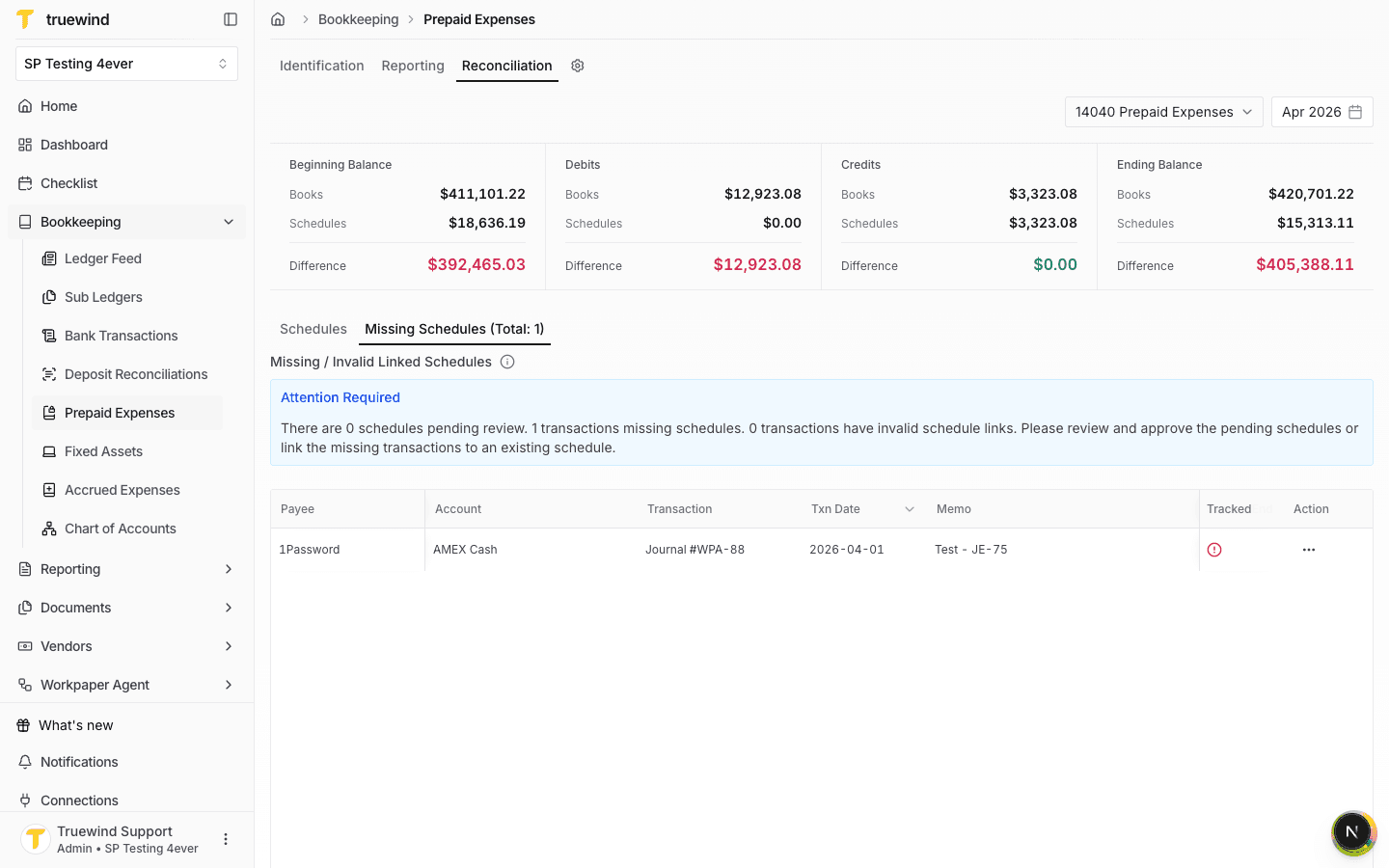
Use this tab to find GL activity that is not linked to a prepaid schedule or has an invalid schedule link.
Step 3
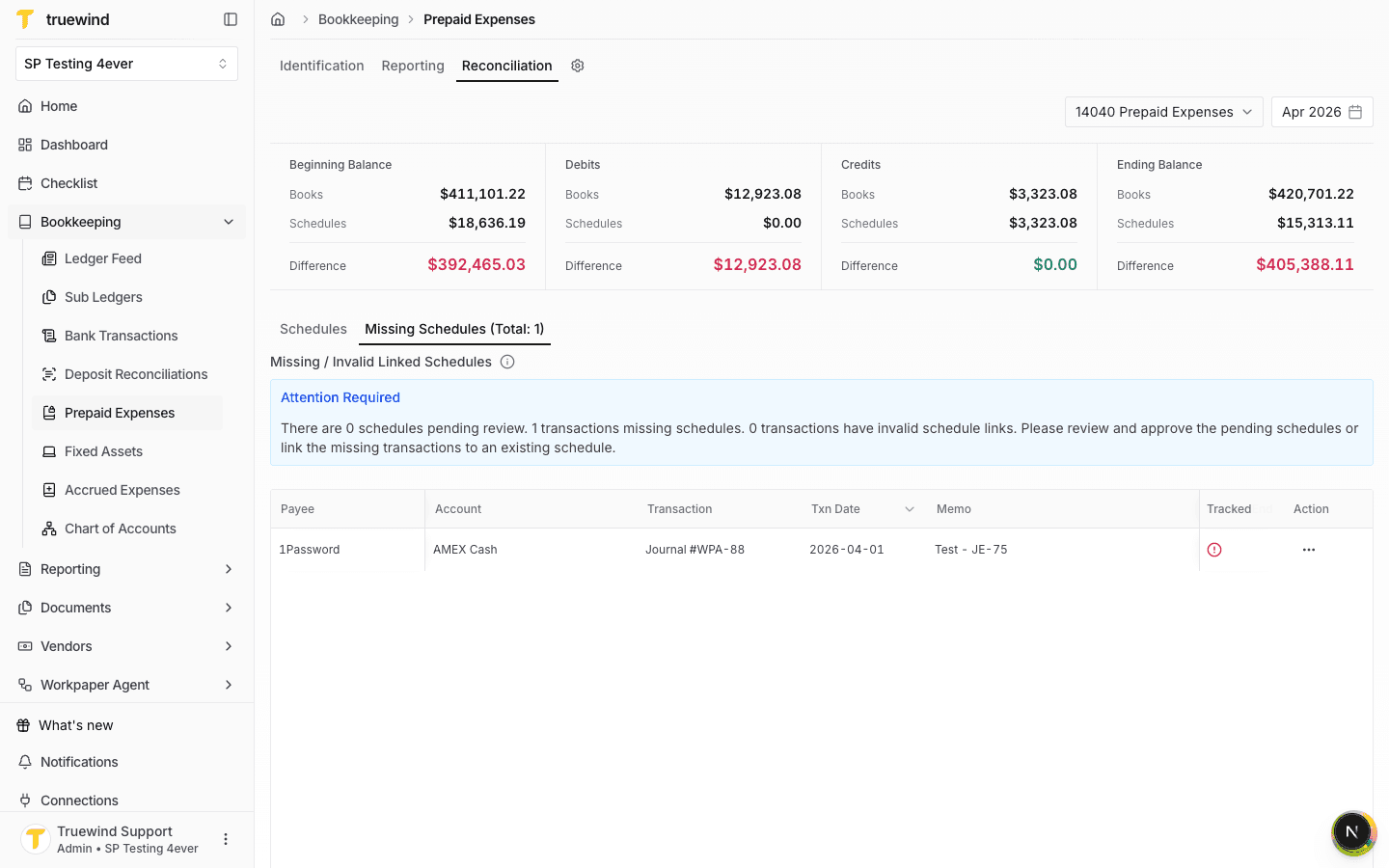
Confirm the payee, account, transaction reference, date, memo, and amount before linking the item to a schedule.
Step 4
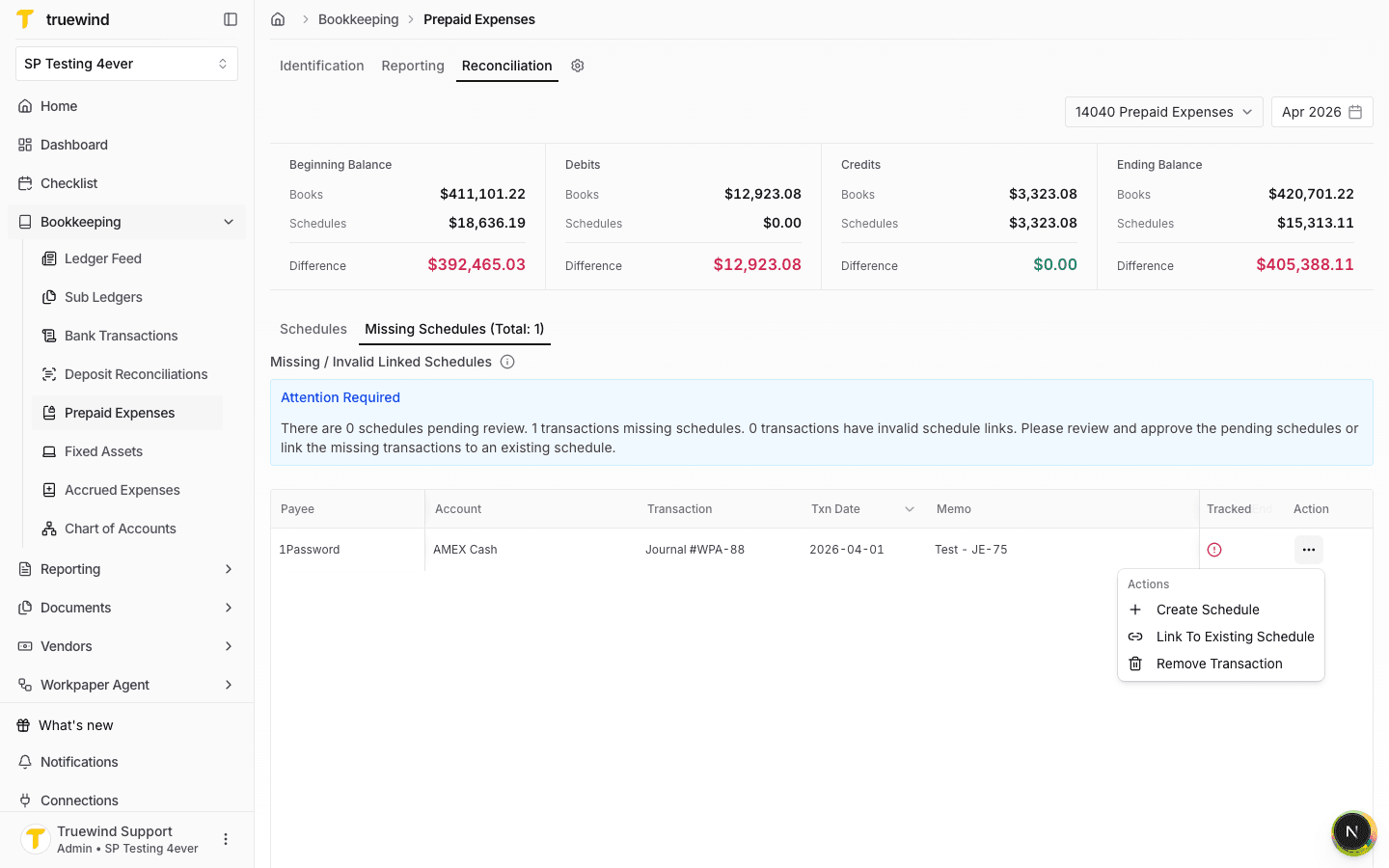
The row menu contains choices for creating a schedule, linking to an existing schedule, or removing the transaction from review.
Step 5
Use this option when the GL transaction belongs to a schedule that already exists in Truewind.
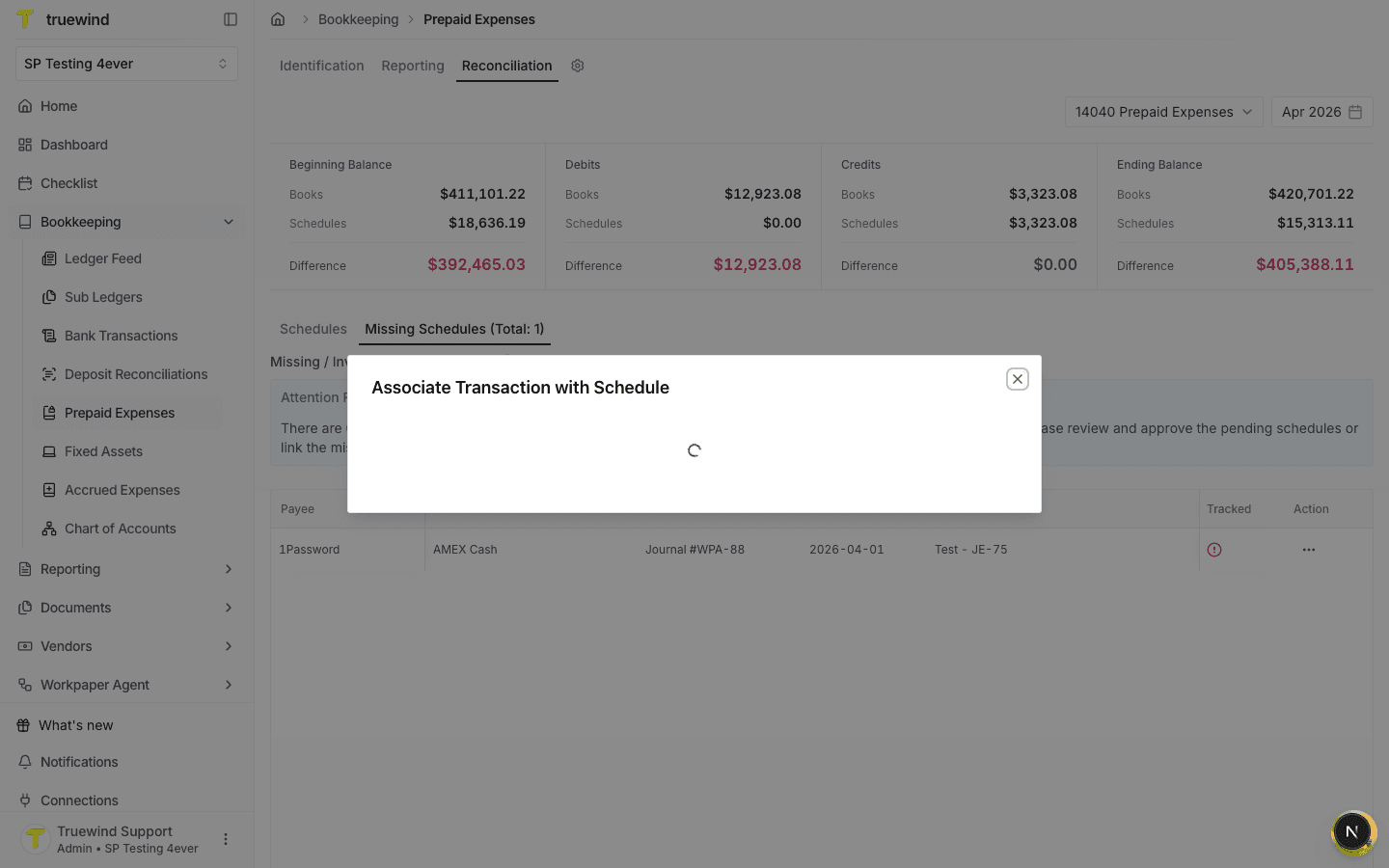
Step 6
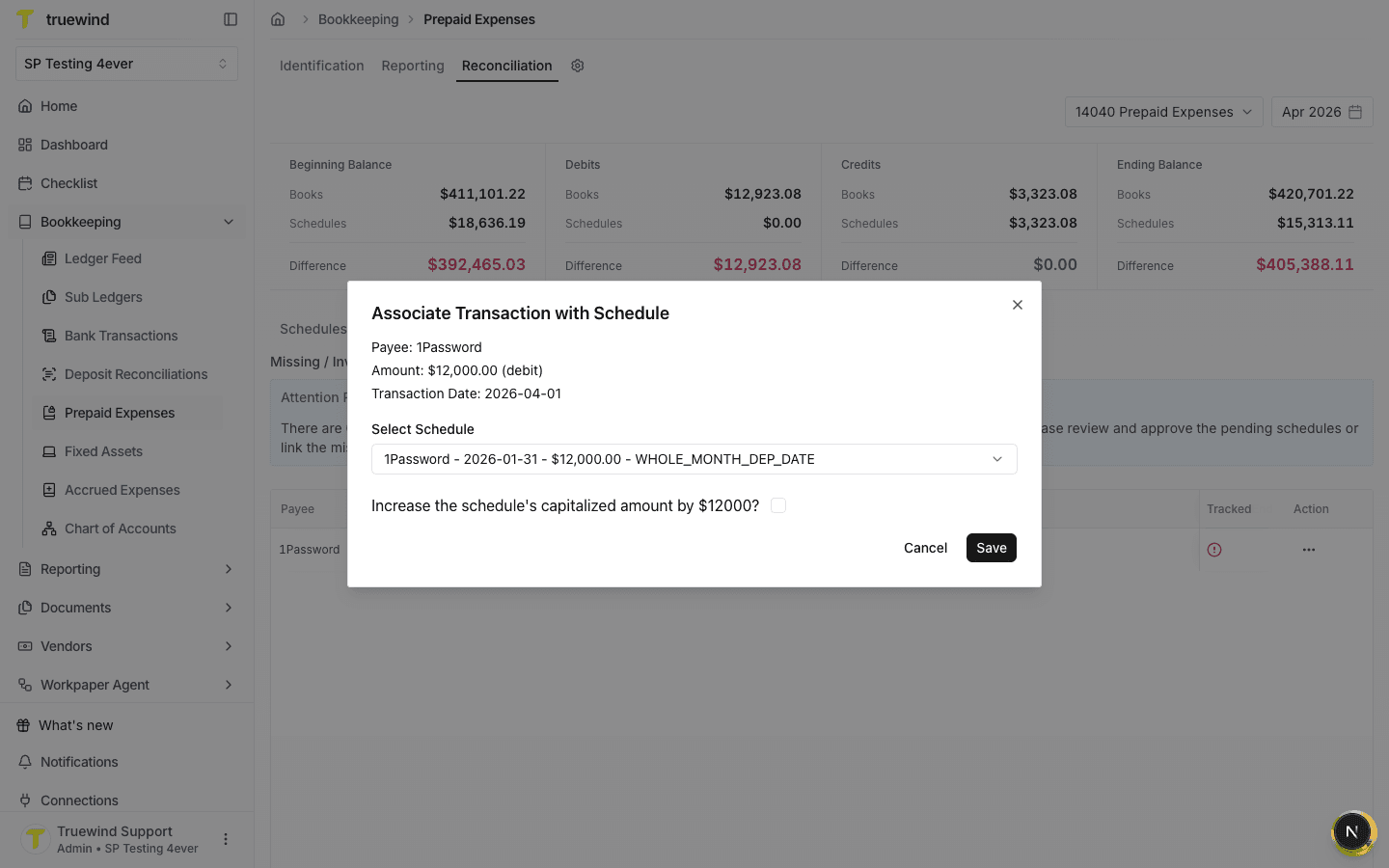
The association modal shows the payee, amount, and transaction date so you can confirm you are linking the correct GL activity.
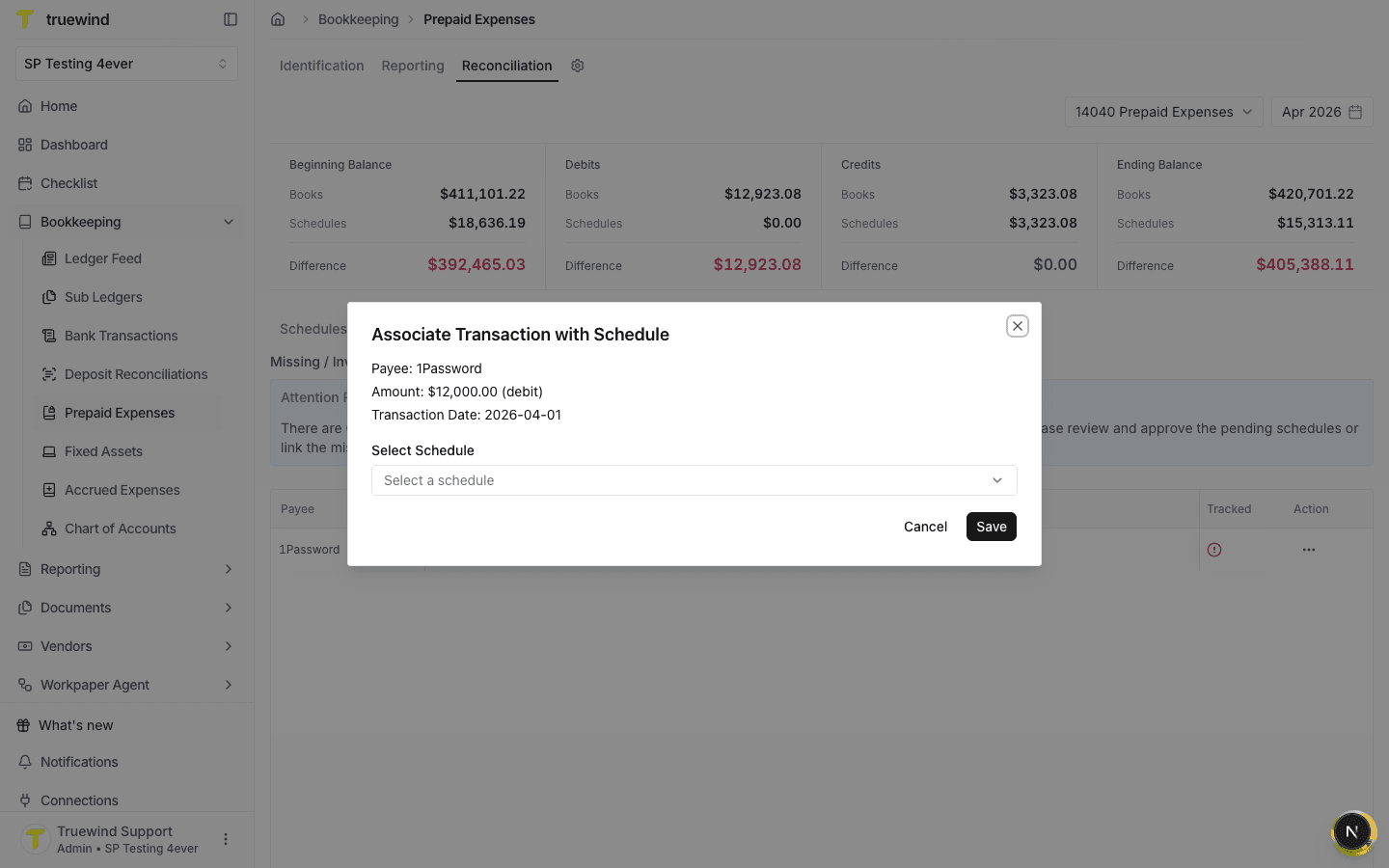
Step 7
The dropdown lists candidate prepaid schedules with transaction date, total amount, and amortization method.
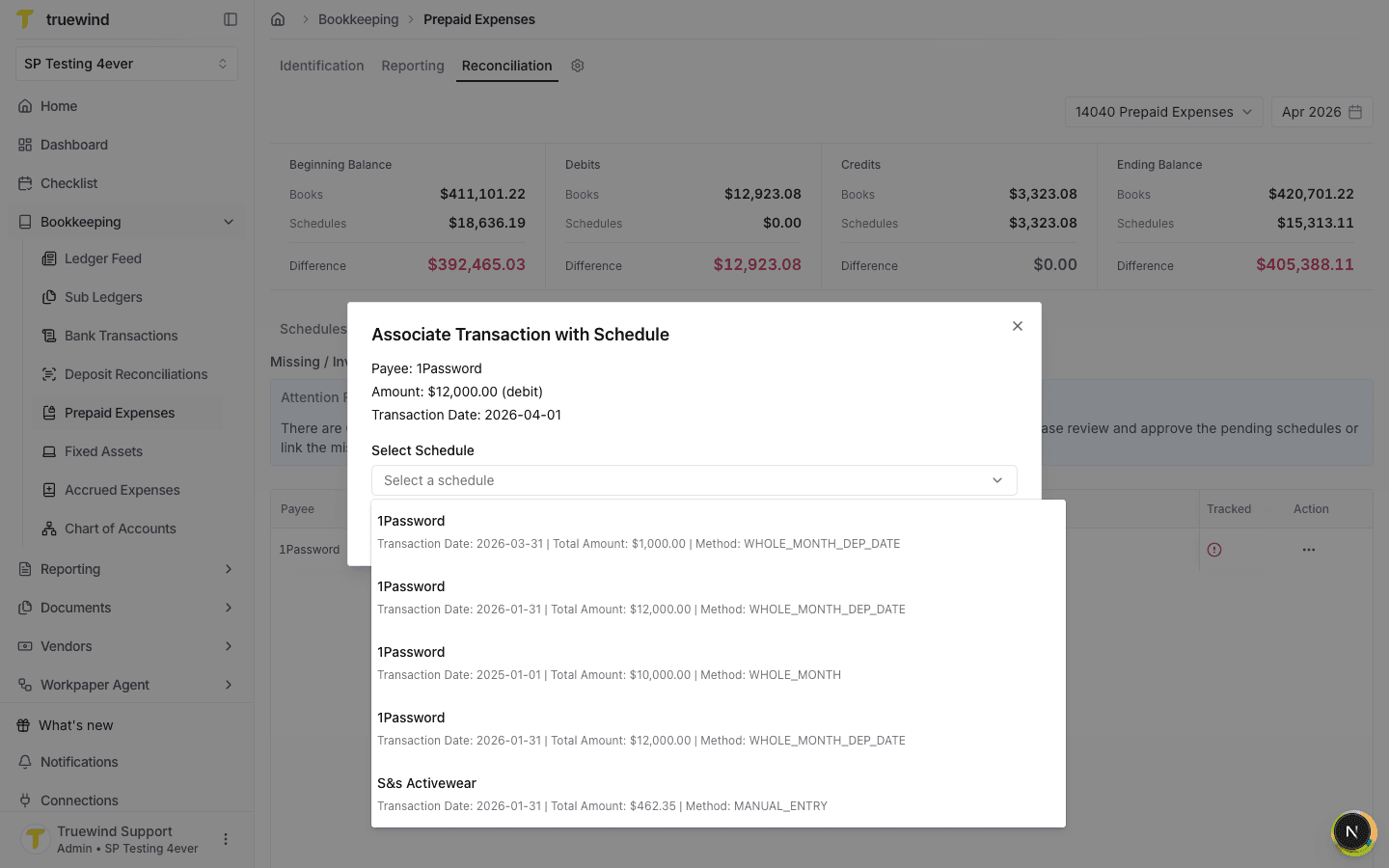
Step 8
Choose the existing schedule that matches the GL transaction and prepaid activity you are reconciling.
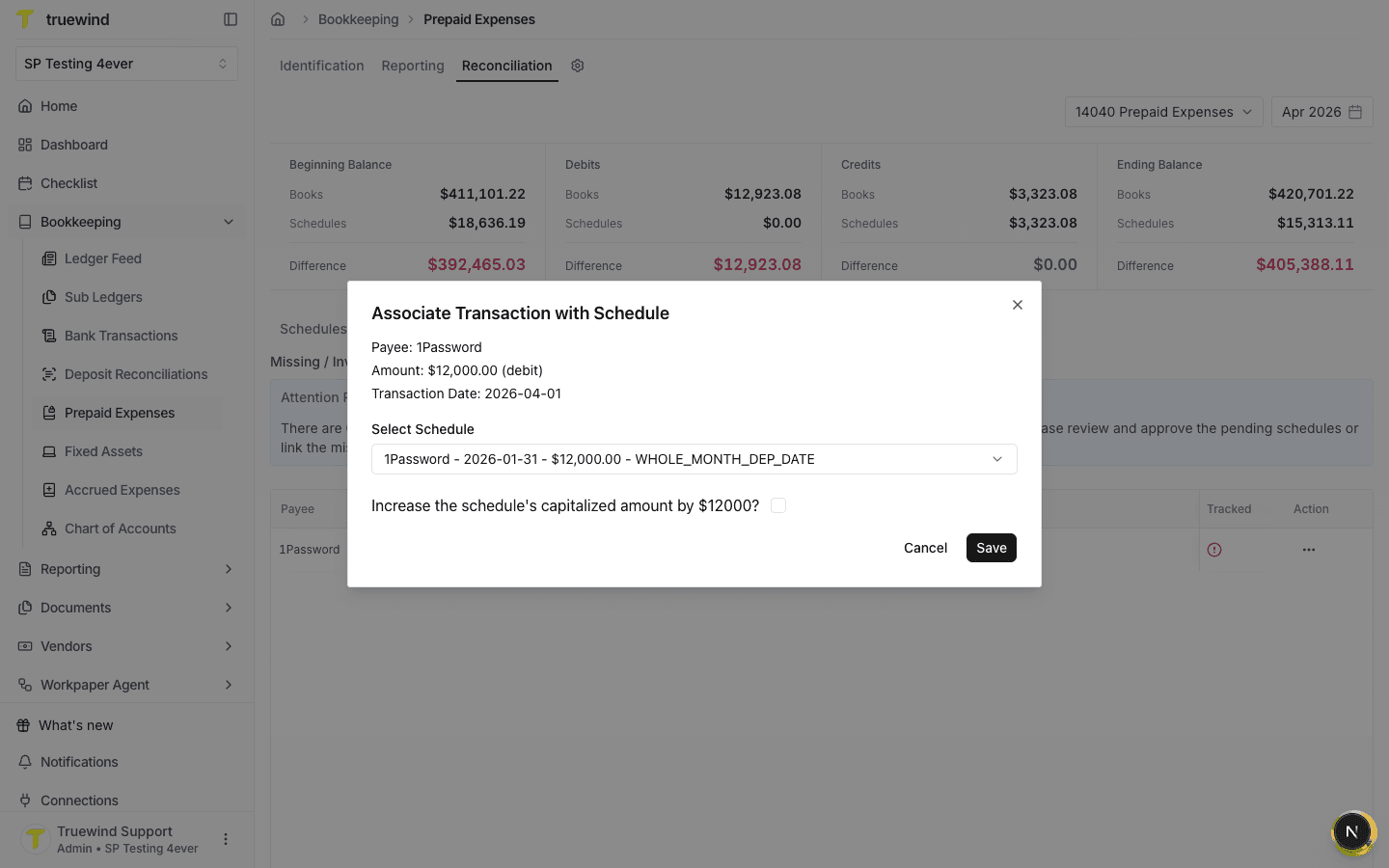
Step 9
Check whether the capitalized amount should increase before saving the schedule link.
Step 10
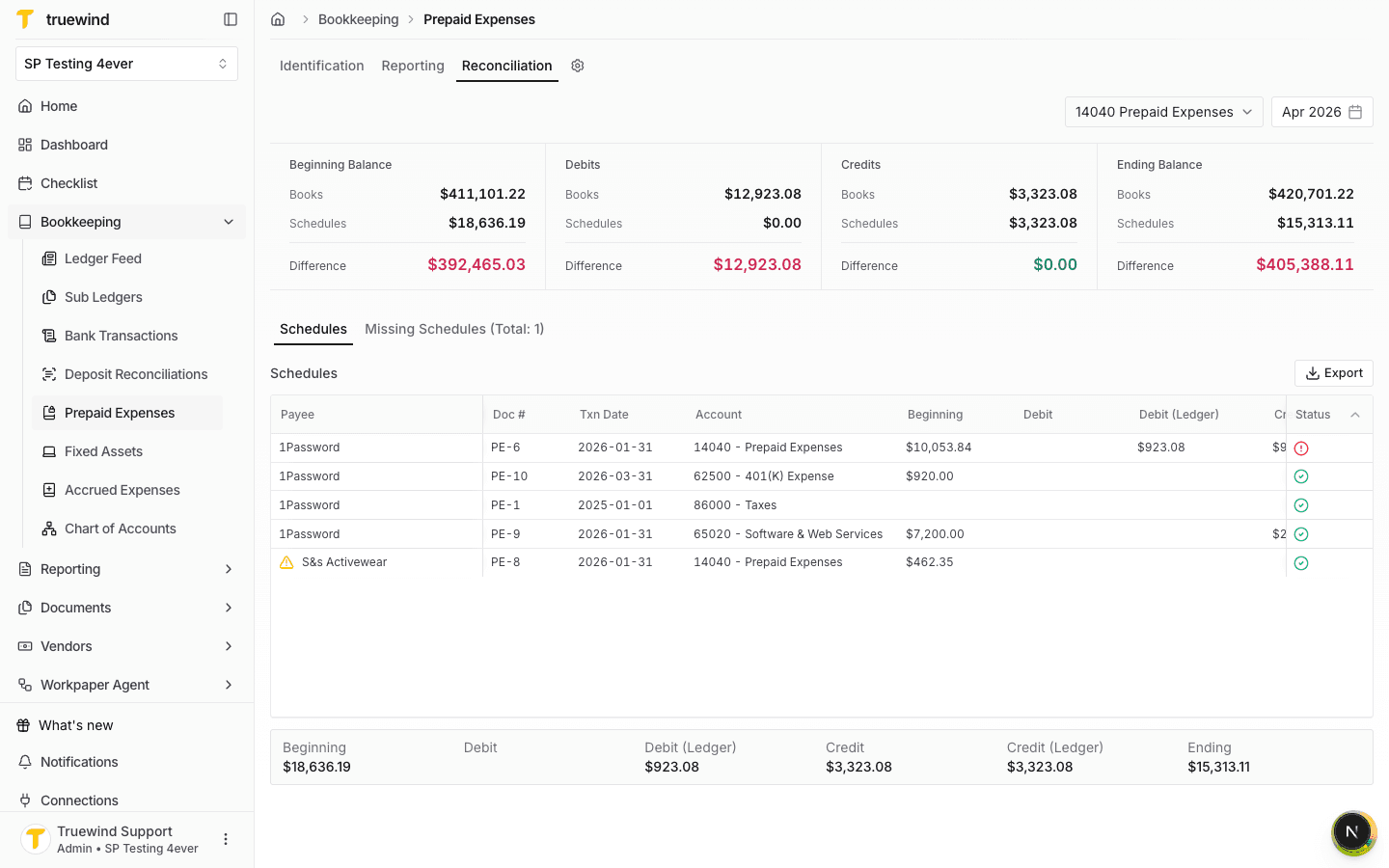
Return to Schedules to review how the selected account and period compare against linked prepaid schedules.
Step 11
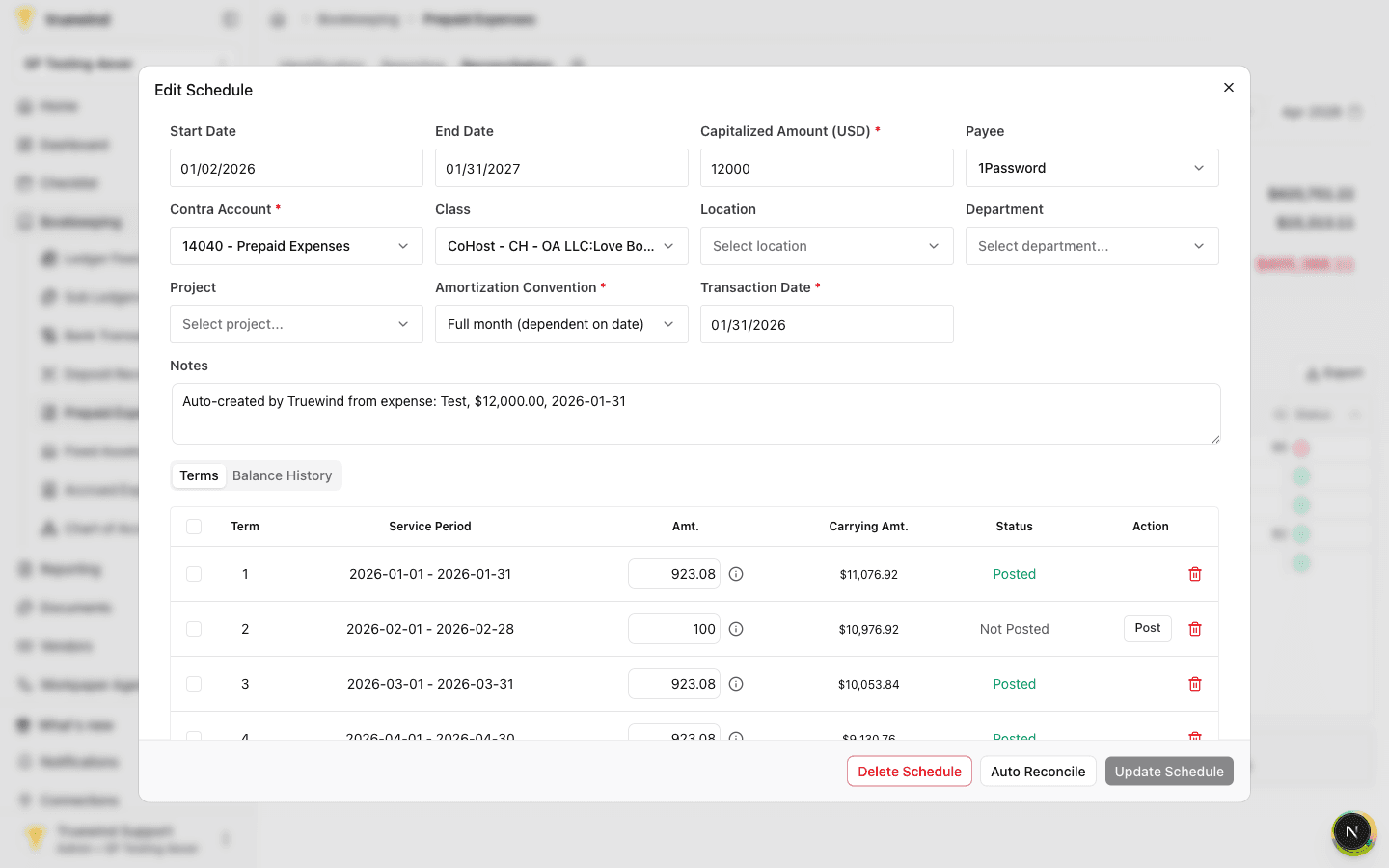
Select the schedule row you want to inspect; Truewind opens the editable schedule with terms and posting status.
Step 12
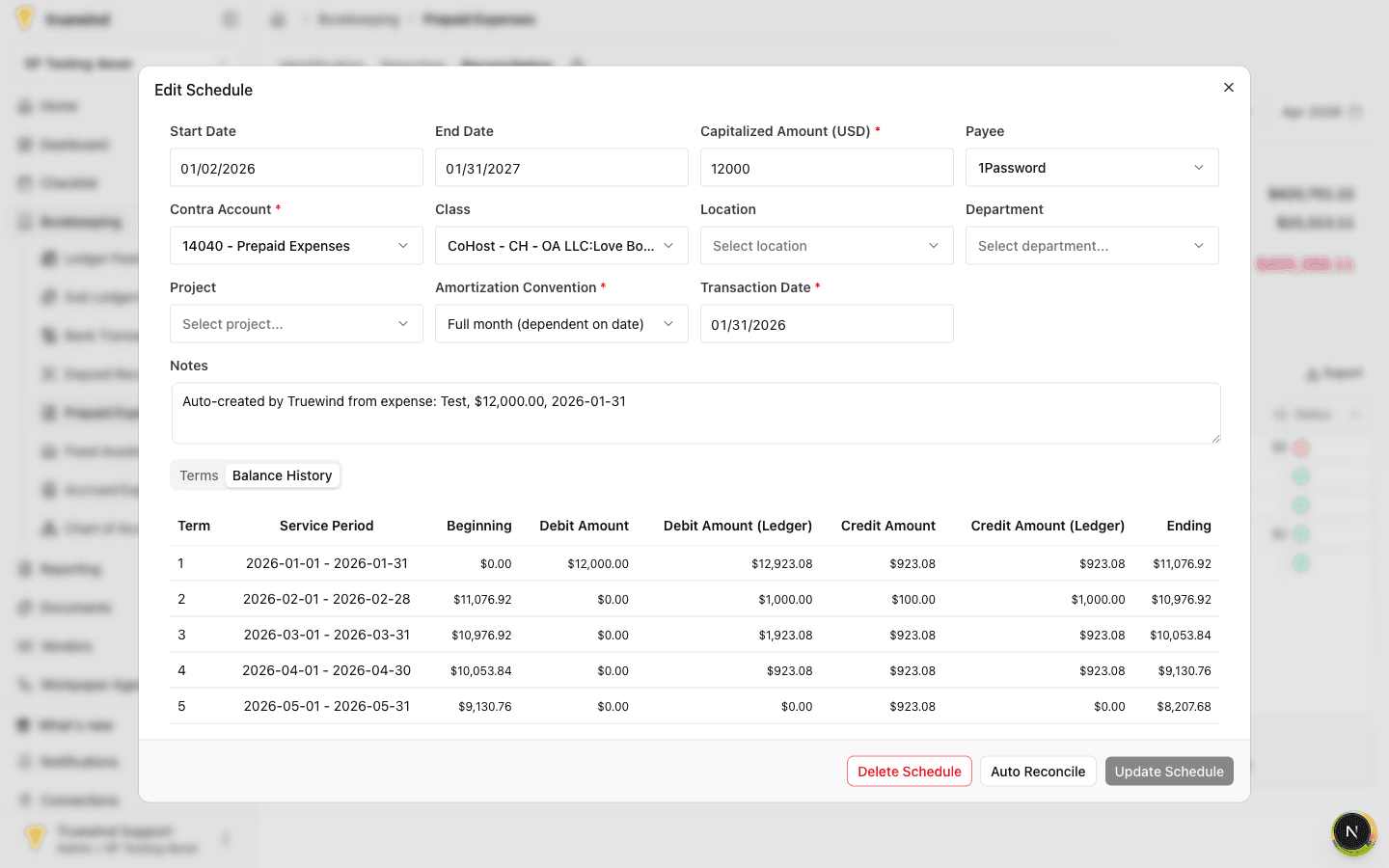
Balance History shows beginning, debit, credit, ledger, and ending values for each service period.
Step 13
Use the ledger amount columns to reconcile GL details against schedule activity for the relevant term.
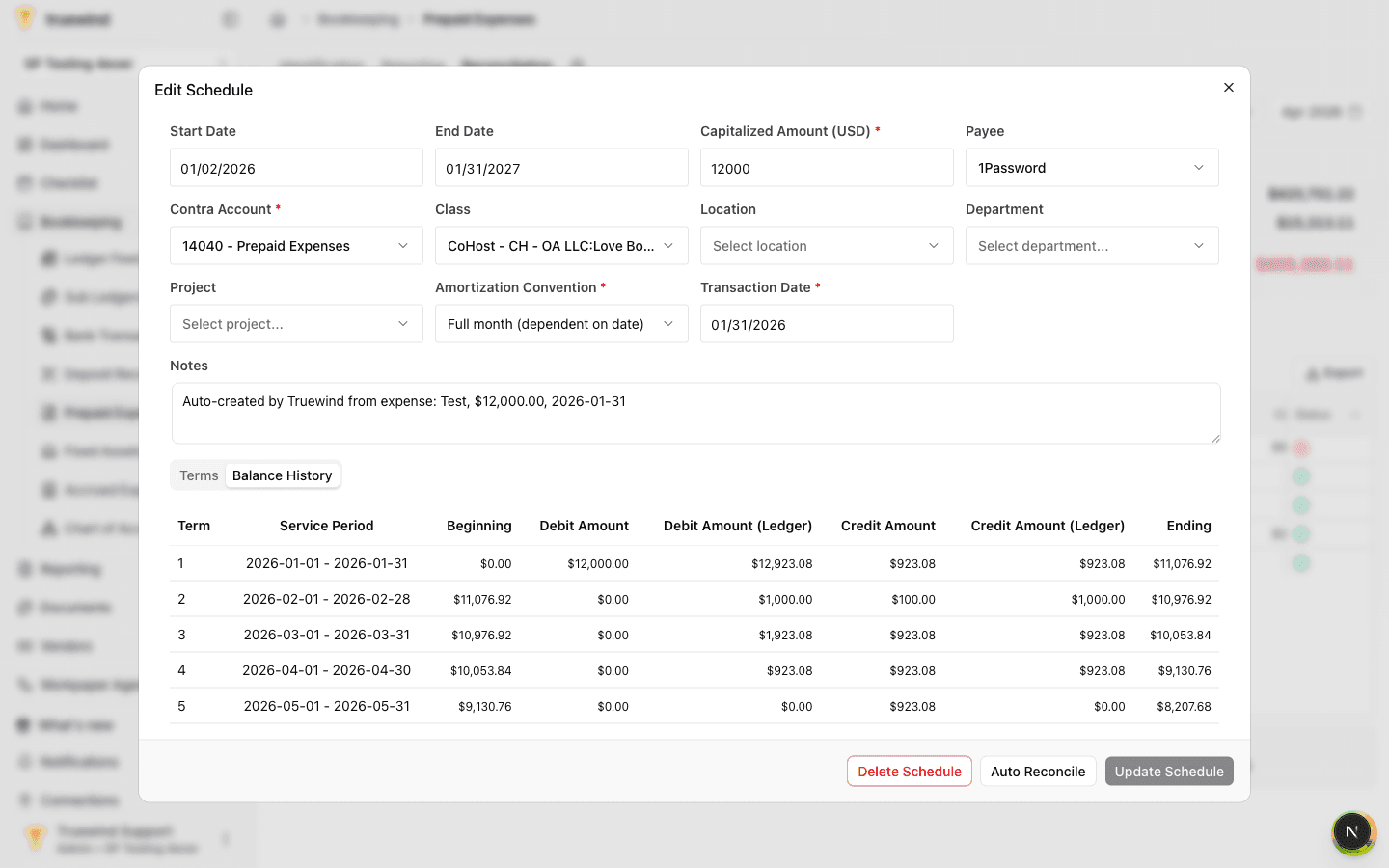
Confirm the missing GL transaction is linked to the correct existing schedule, then compare Balance History ledger amounts with the GL detail before treating the item as resolved.
Was this helpful?
Need more help?
Ask for human help about this article and provide any feedback.