
What to verify
Confirm the transaction uses the prepaid account, then review the amortization convention, schedule preview, and Identification status before considering the schedule complete.
Ask the support agent
Just ask a direct question or search related articles from the Knowledge Base.
Support Center / Prepaid Expenses / Manage
Mark an expense as prepaid from Bank Transactions, then open Prepaid Expenses to review schedule follow-up work for the transaction.
Step 1
Start in Bookkeeping > Bank Transactions and select the bank accounts you want to review so transaction rows are visible.
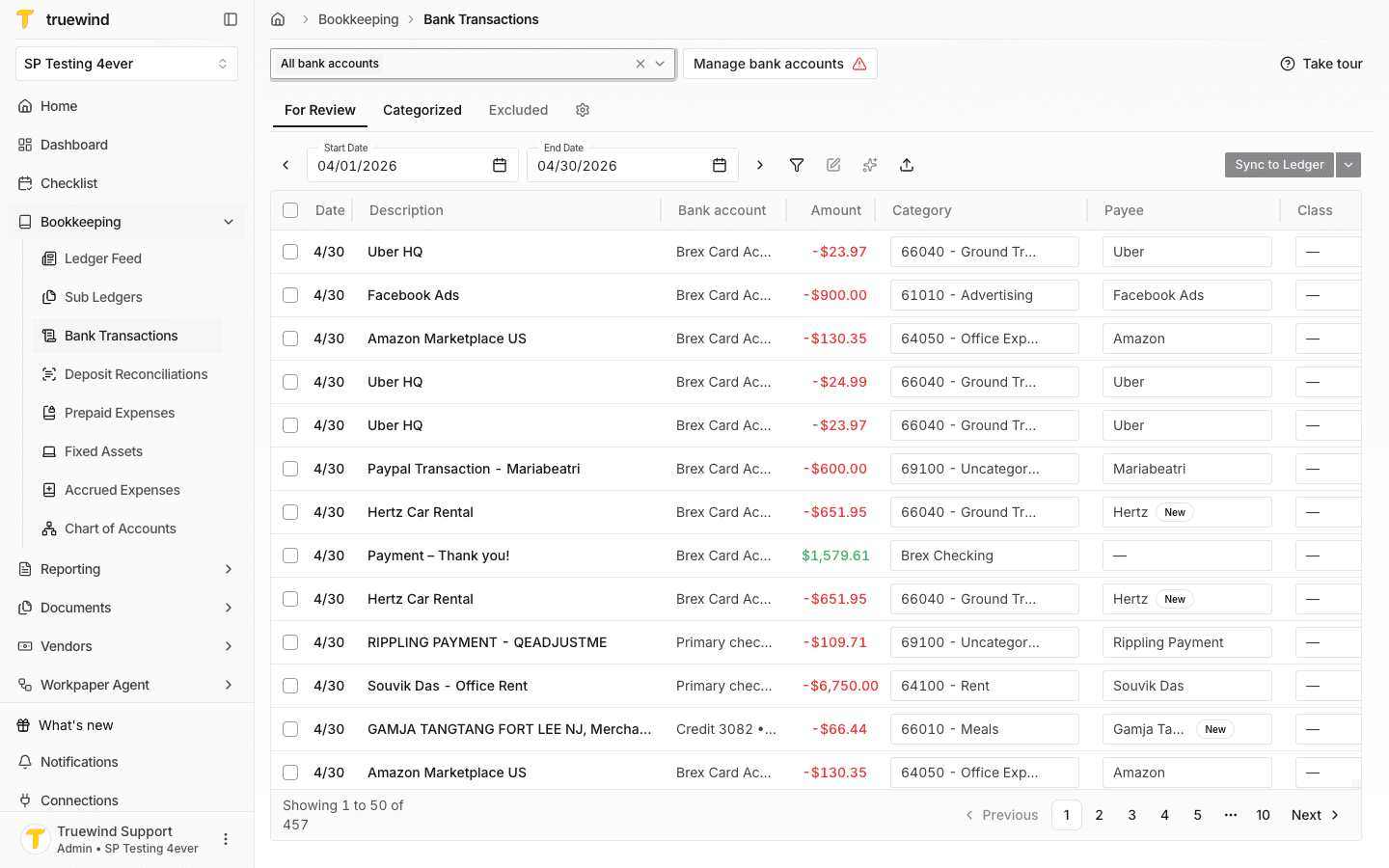
Step 2
Choose the expense transaction that should be tracked as a prepaid expense instead of expensed immediately.
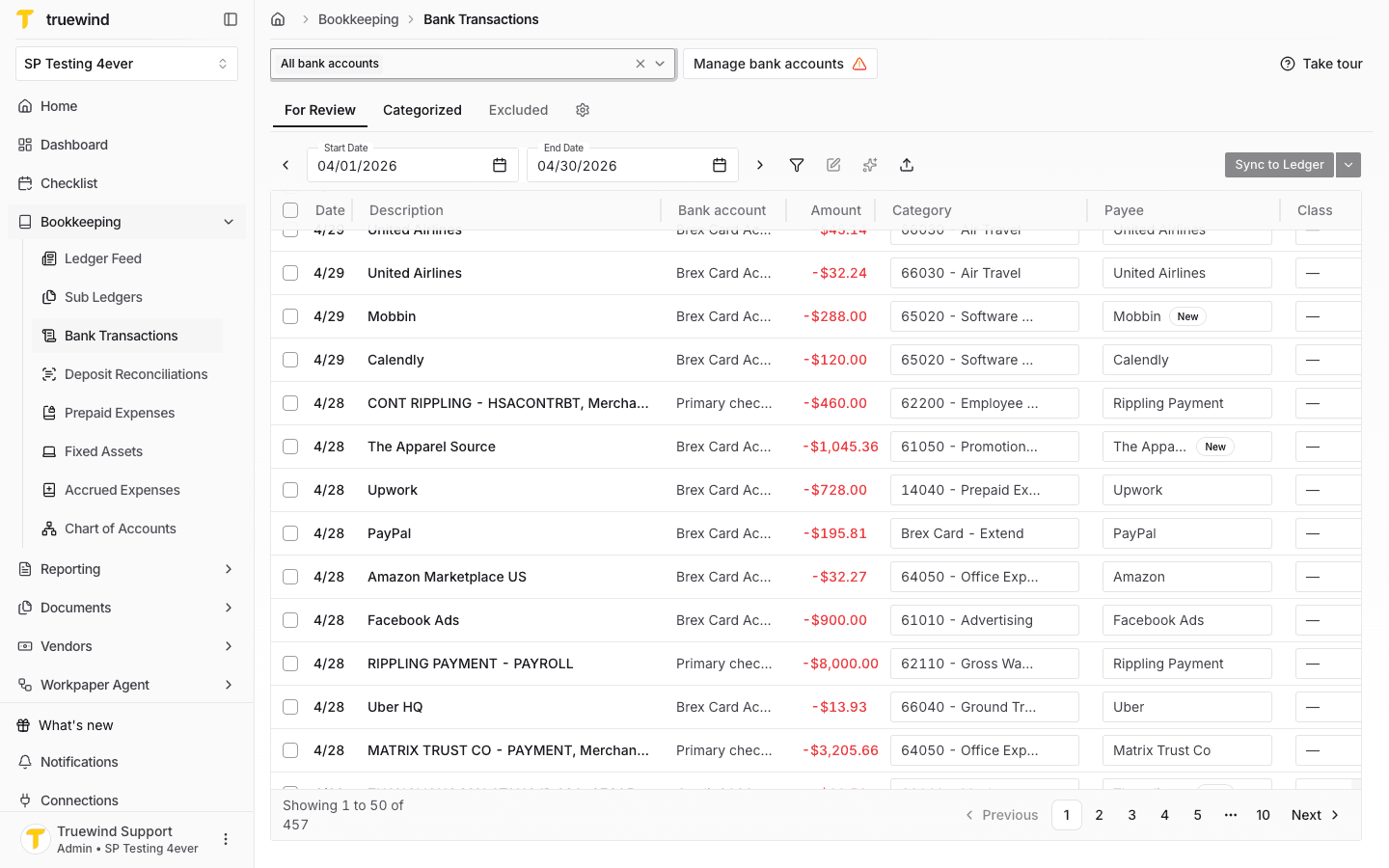
Step 3
Confirm the payee and category are correct. If you changed either field, save the transaction before continuing.
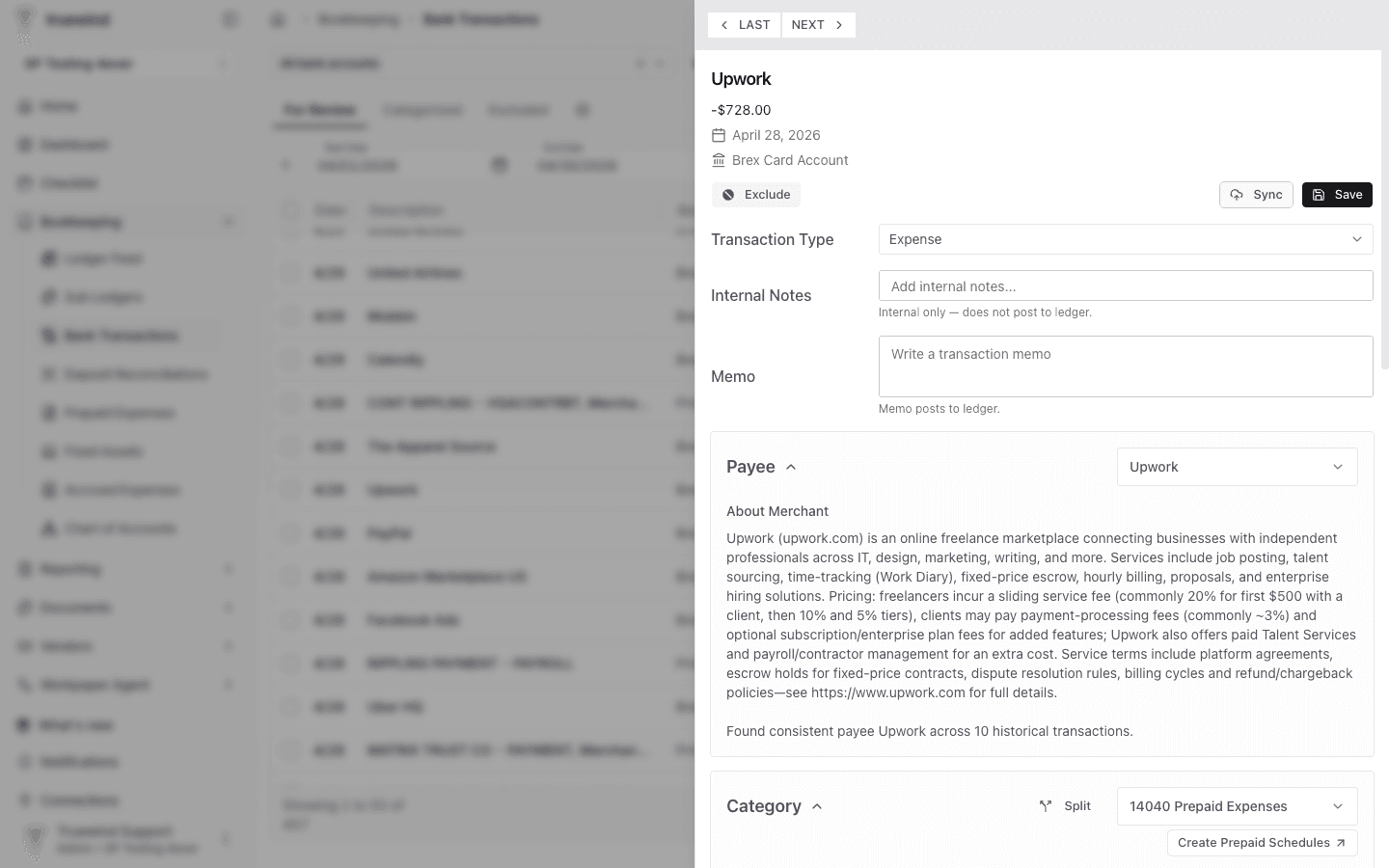
Step 4
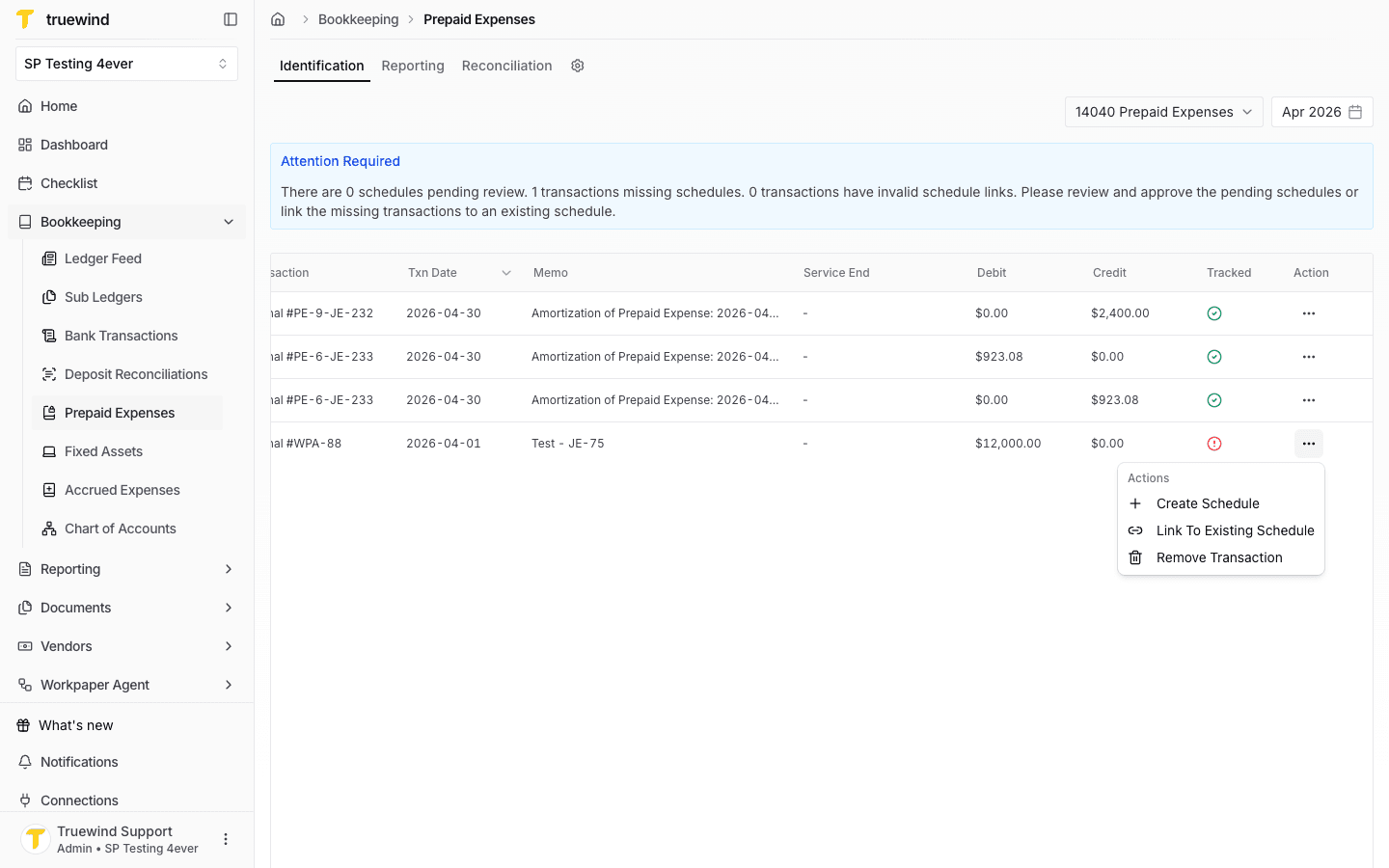
Use Create Prepaid Schedules to move to Prepaid Expenses, then review any missing or pending schedule work on the Identification tab.
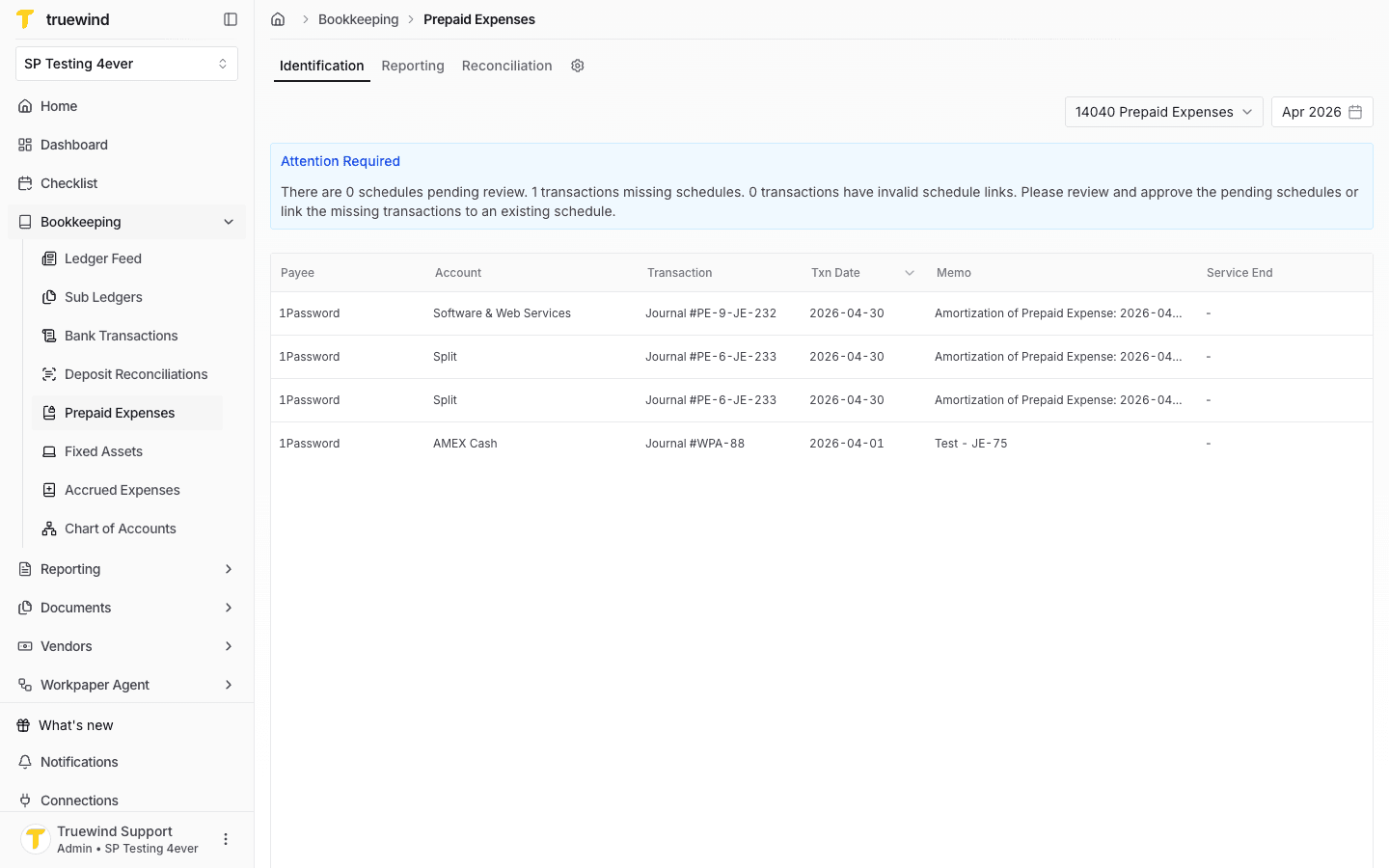
Step 5
Use the action menu on a transaction that needs schedule work, then choose Create Schedule.
Step 6
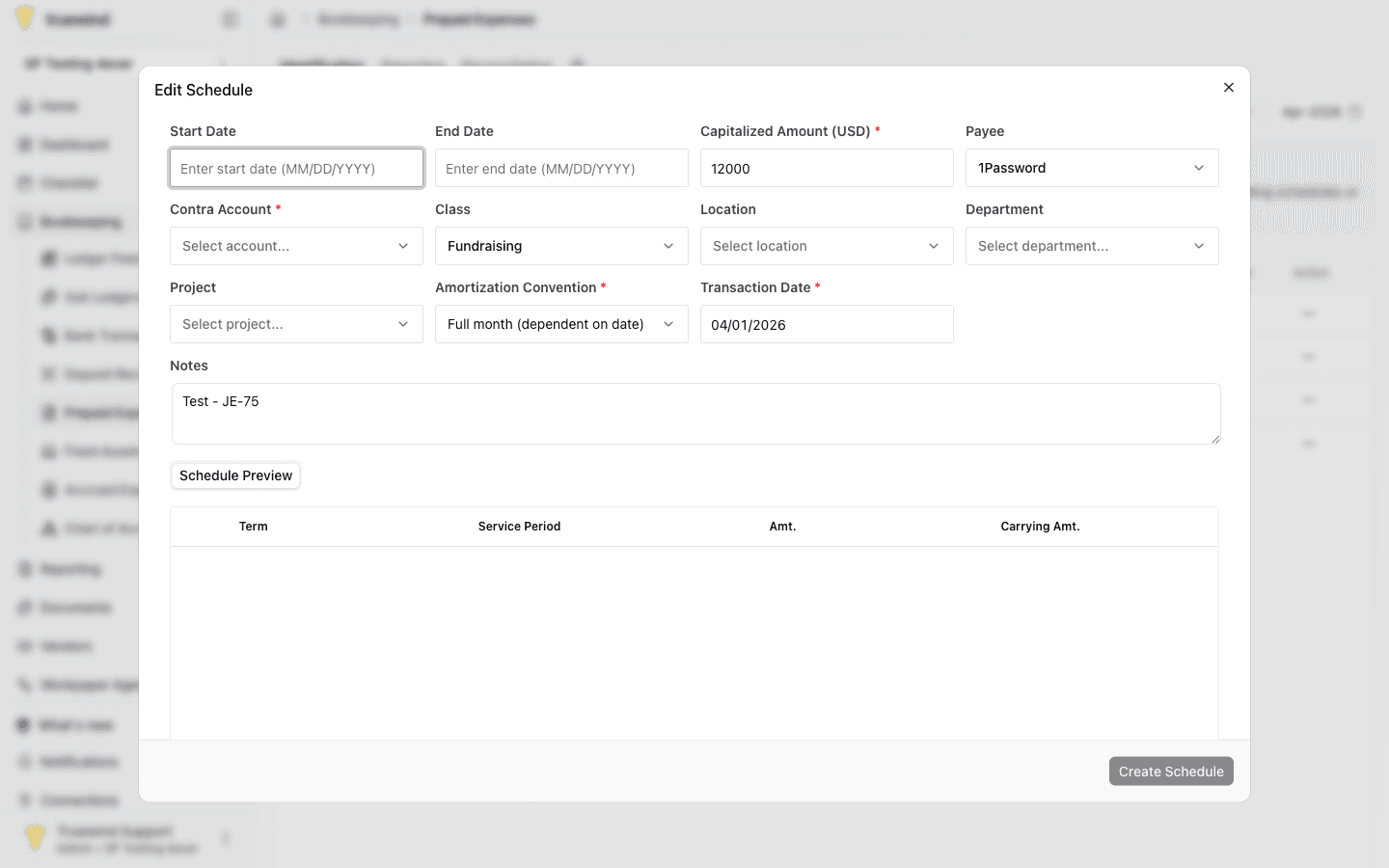
Review the schedule fields that Truewind prefilled from the transaction, including amount, payee, class, transaction date, and notes.
Step 7
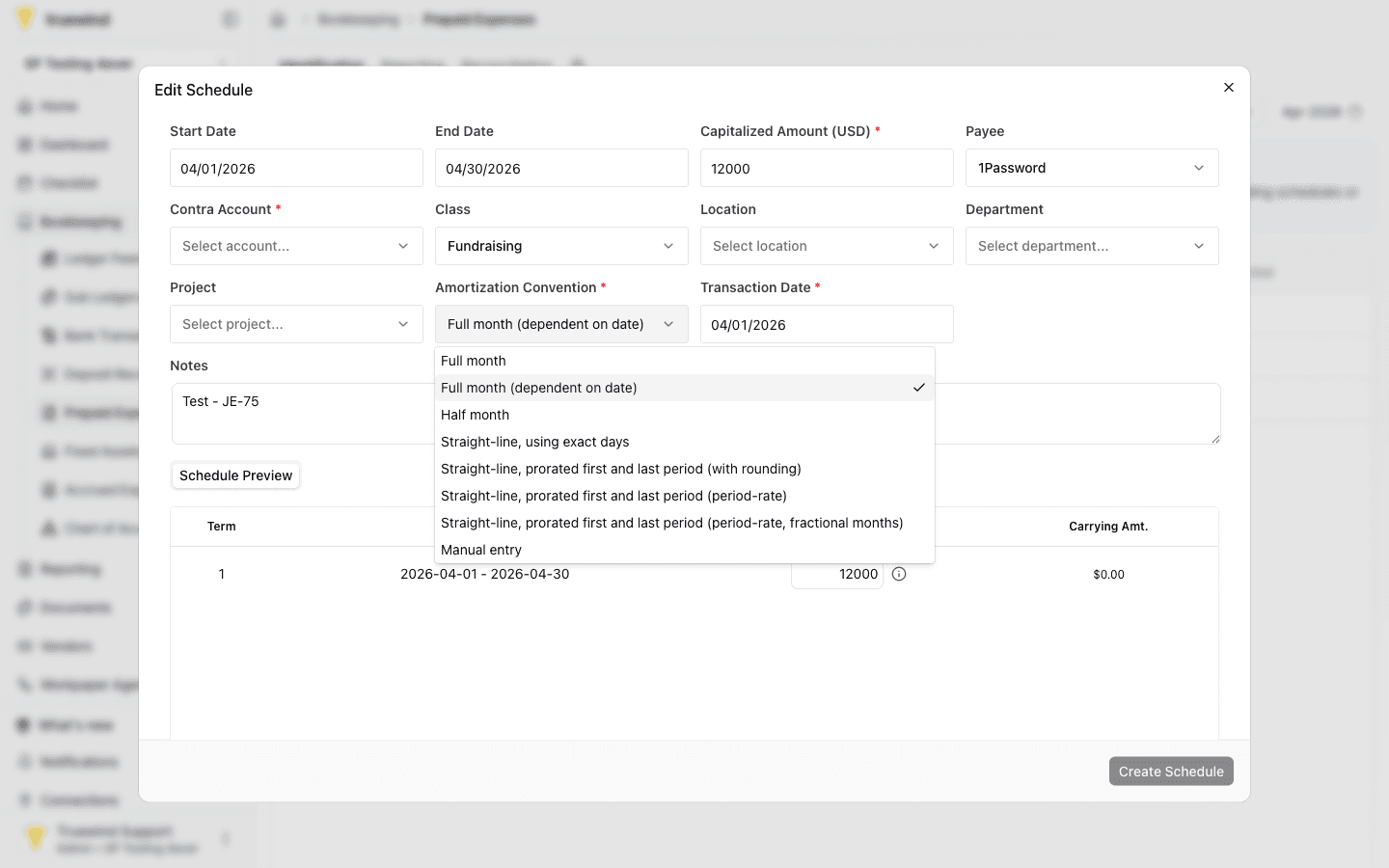
Choose the amortization convention that matches how the prepaid expense should be recognized over the service period.
Step 8
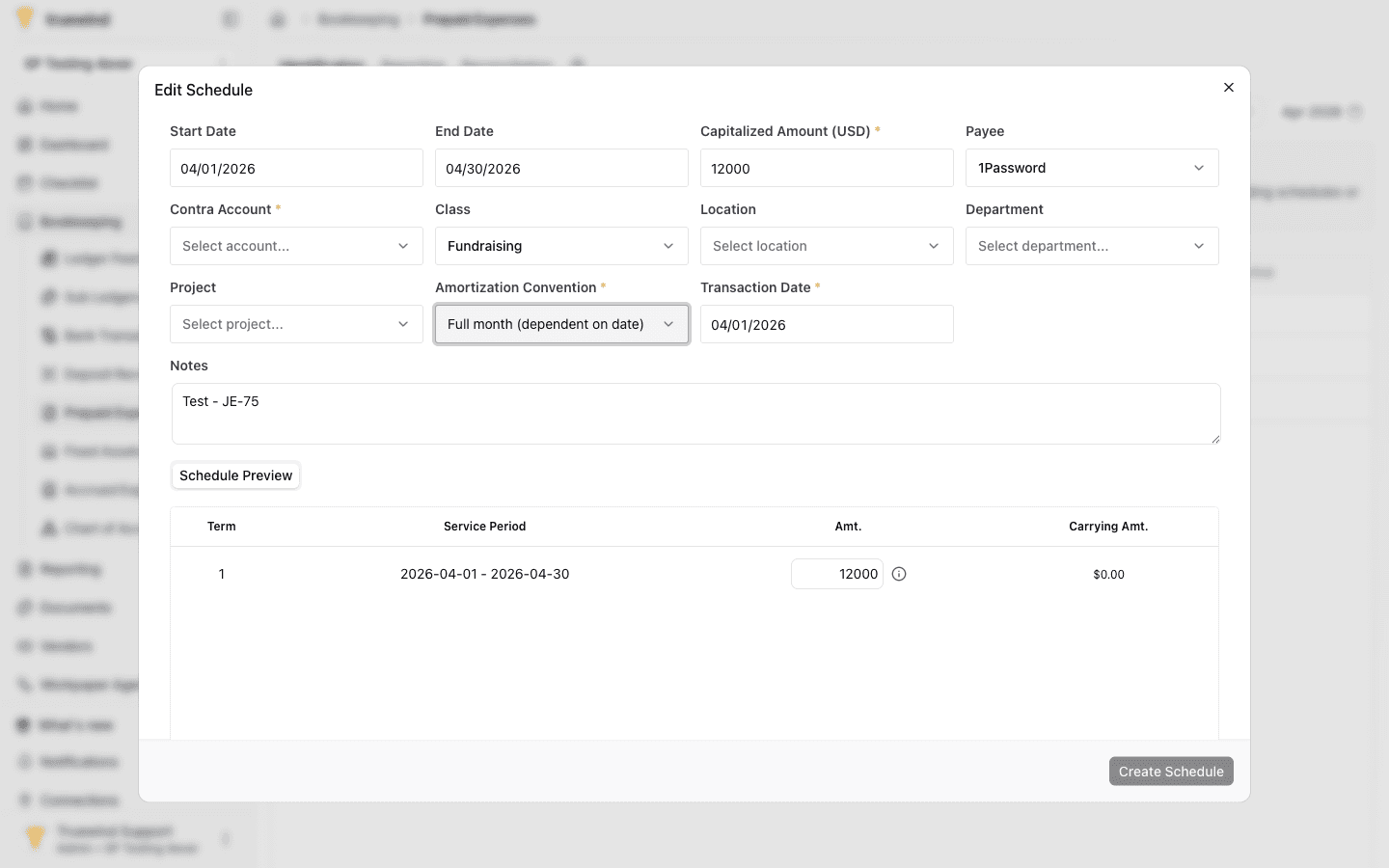
Confirm the service period, term amount, and carrying amount before saving the schedule.
Step 9
When all required fields are complete, use Create Schedule to save the schedule and link it back to the transaction.
Step 10
Return to the Identification tab and confirm the transaction no longer needs follow-up after the schedule is created or linked.
Confirm the transaction uses the prepaid account, then review the amortization convention, schedule preview, and Identification status before considering the schedule complete.
Was this helpful?
Need more help?
Ask for human help about this article and provide any feedback.