
Before you start
Confirm the asset account should be tracked as non-depreciating before you use it on a new Fixed Asset.
Ask the support agent
Just ask a direct question or search related articles from the Knowledge Base.
Support Center / Fixed Assets / Manage
Add a non-depreciation Fixed Asset account when an asset should be tracked without depreciation terms, resulting in a register entry with no depreciation schedule.
Step 1
Use the highlighted control to continue through the workflow.
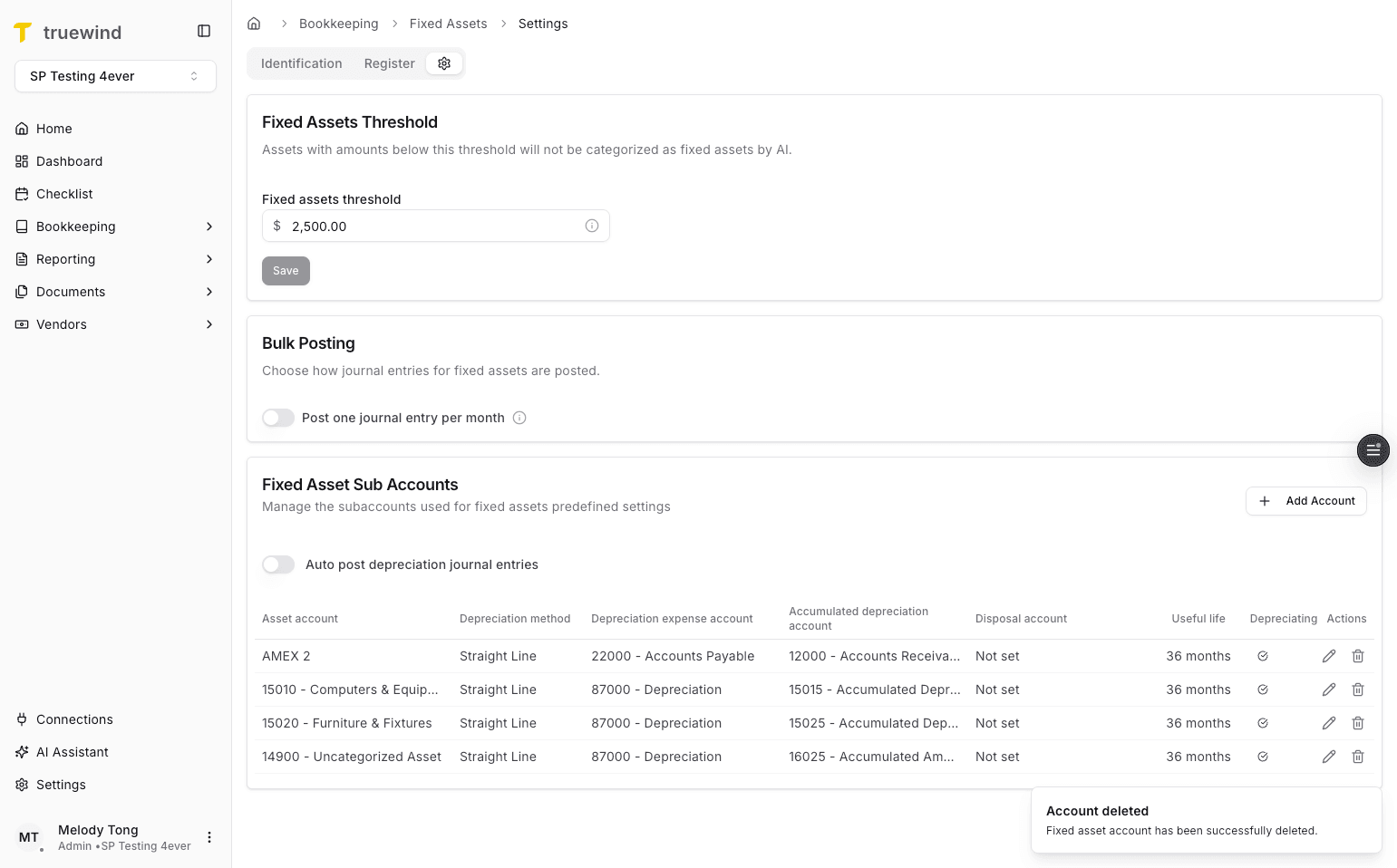
Step 2
Use the highlighted control to continue through the workflow.
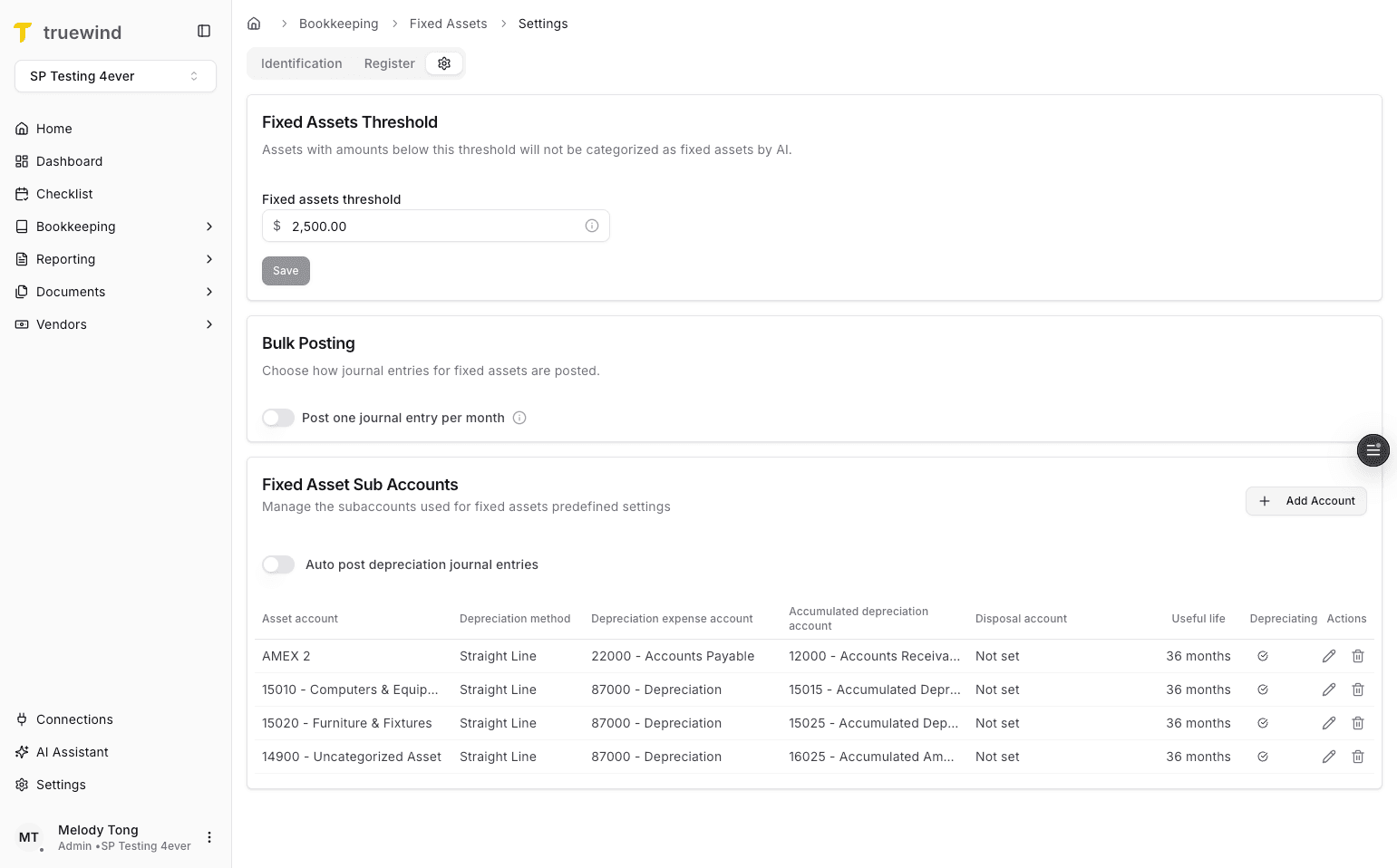
Step 3
Choose the option that matches the account, period, or schedule you are working with.
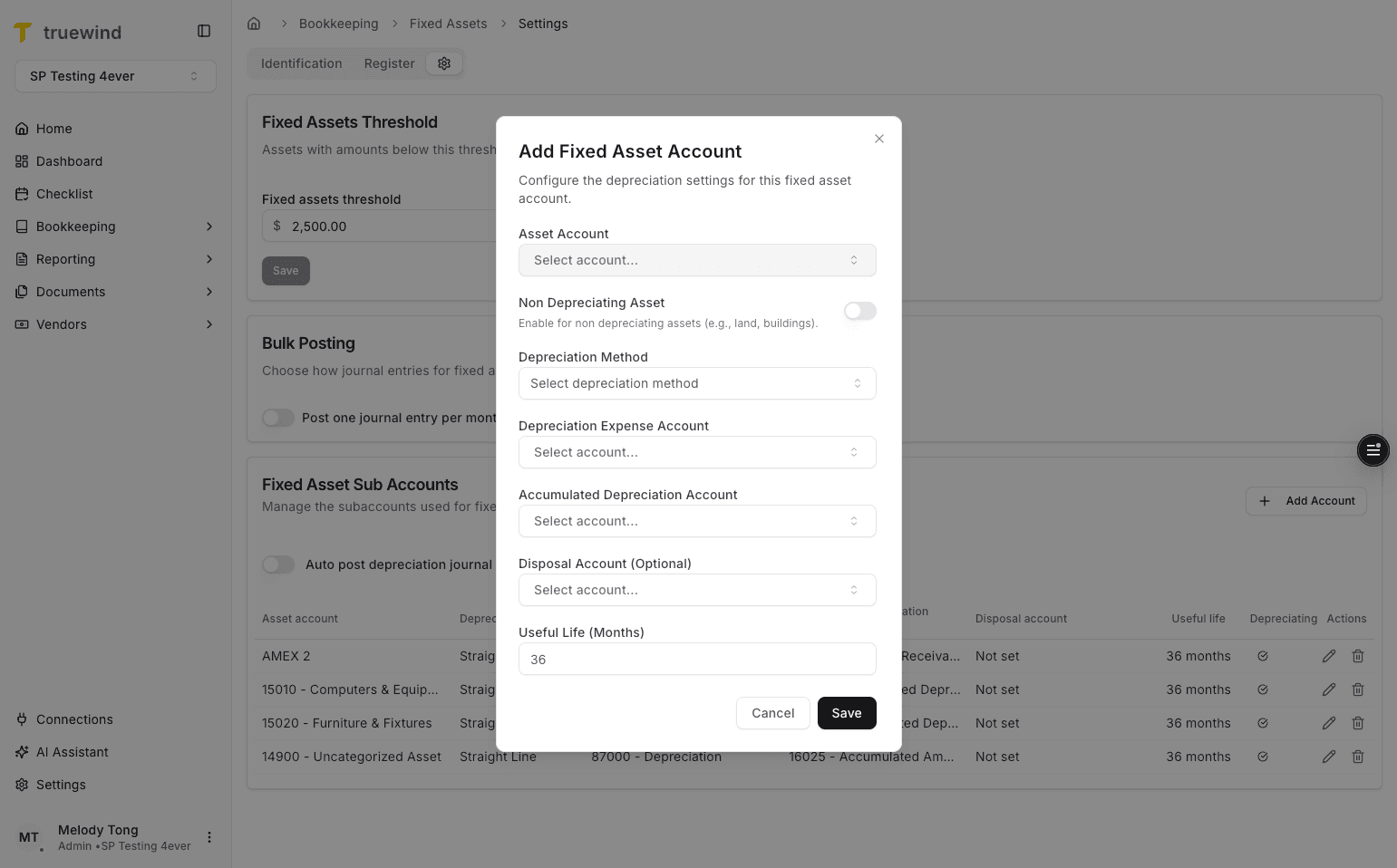
Step 4
Use the highlighted setting to choose the behavior that matches the schedule or posting workflow.

Step 5
Use the highlighted control to continue through the workflow.
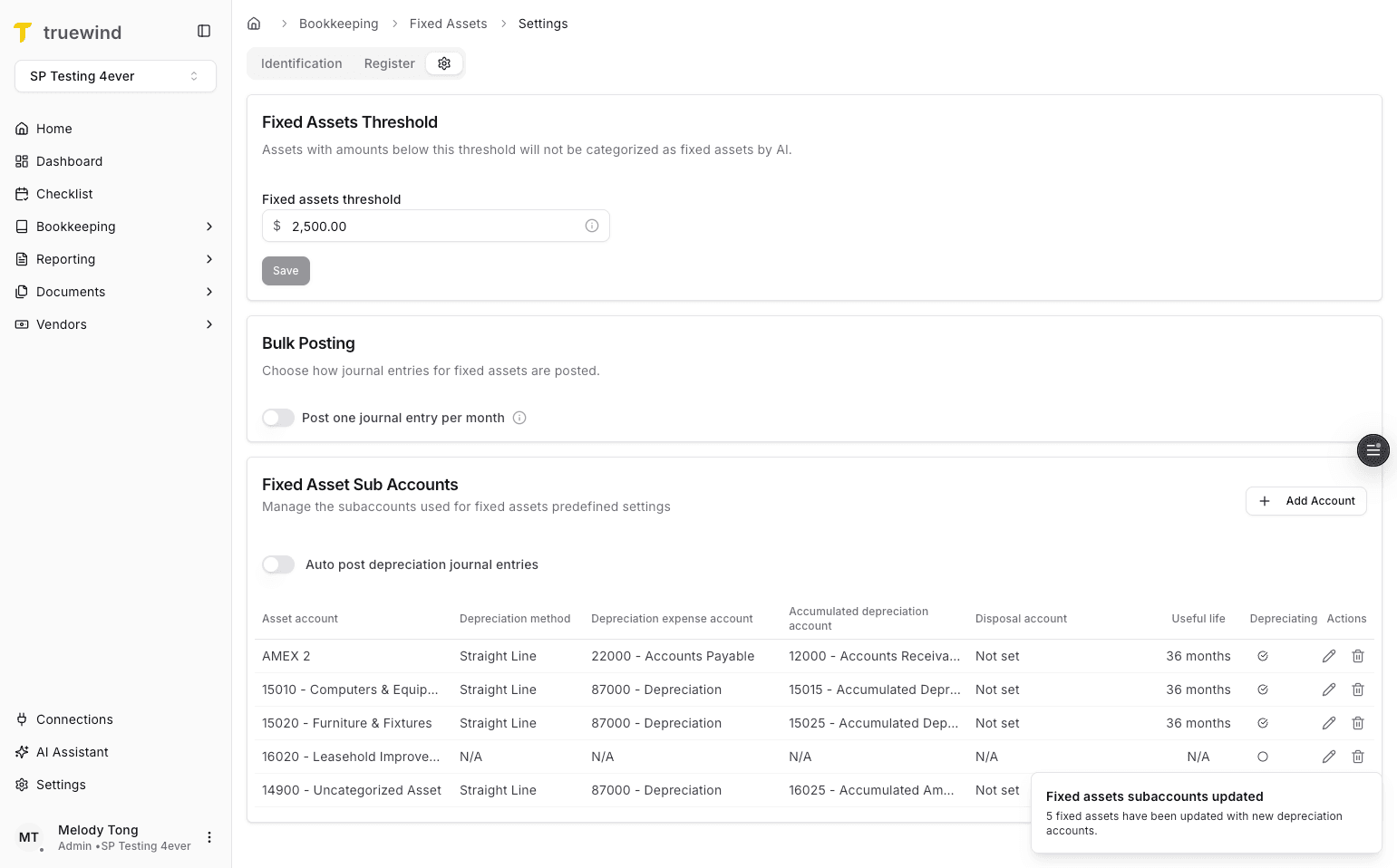
Step 6
Use the highlighted control to continue through the workflow.
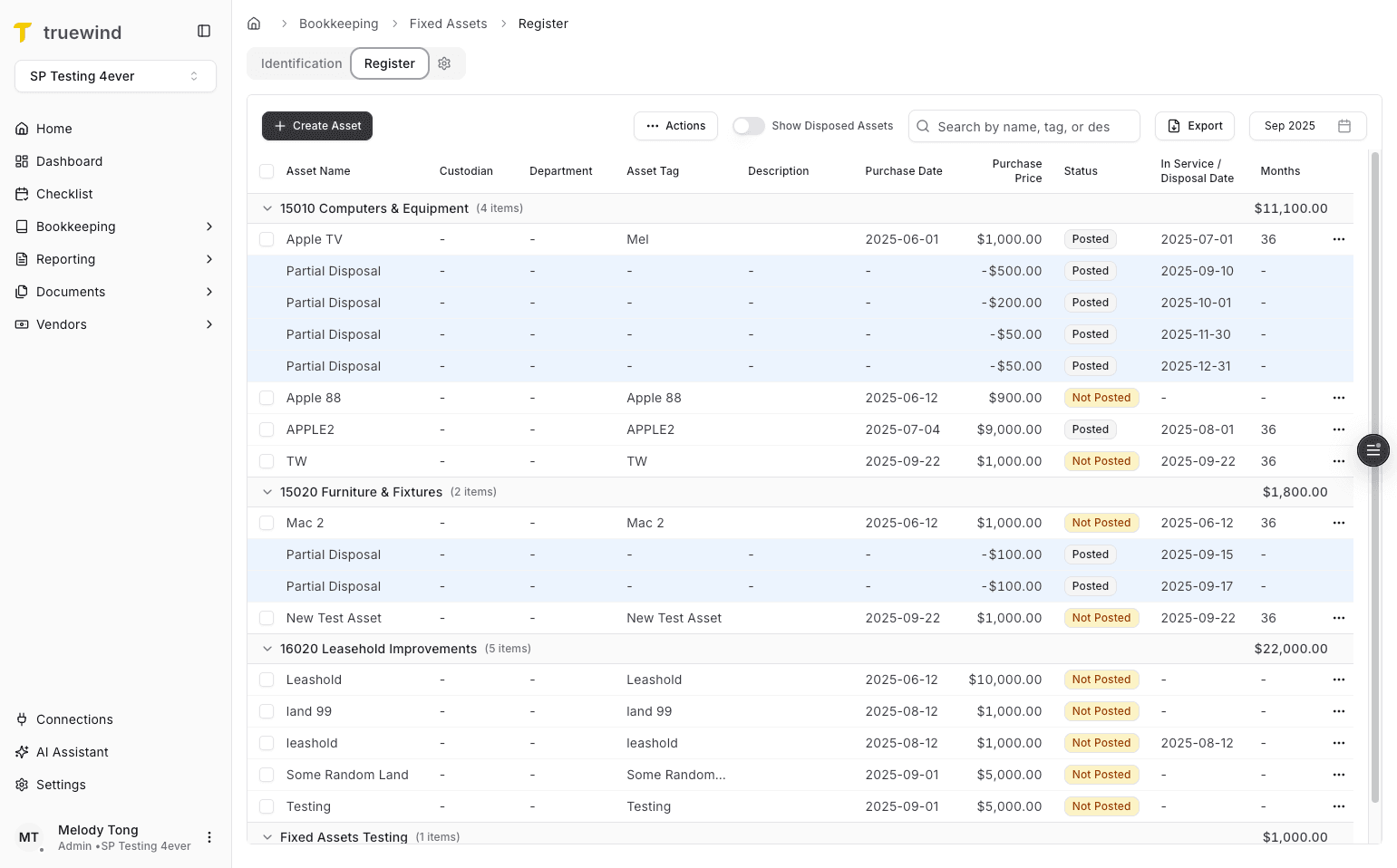
Step 7
Use the highlighted control to continue through the workflow.
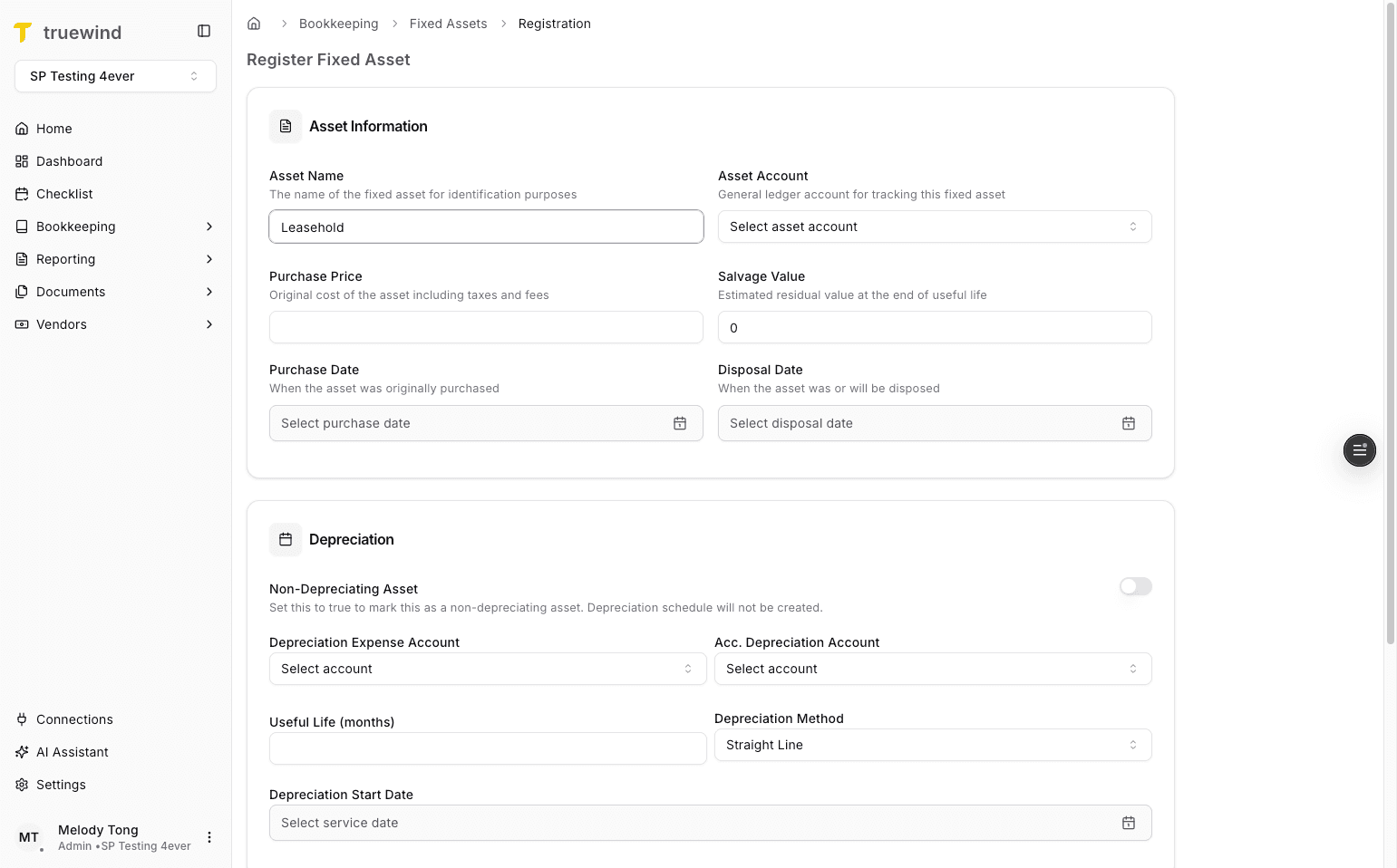
Step 8
Use the highlighted setting to choose the behavior that matches the schedule or posting workflow.
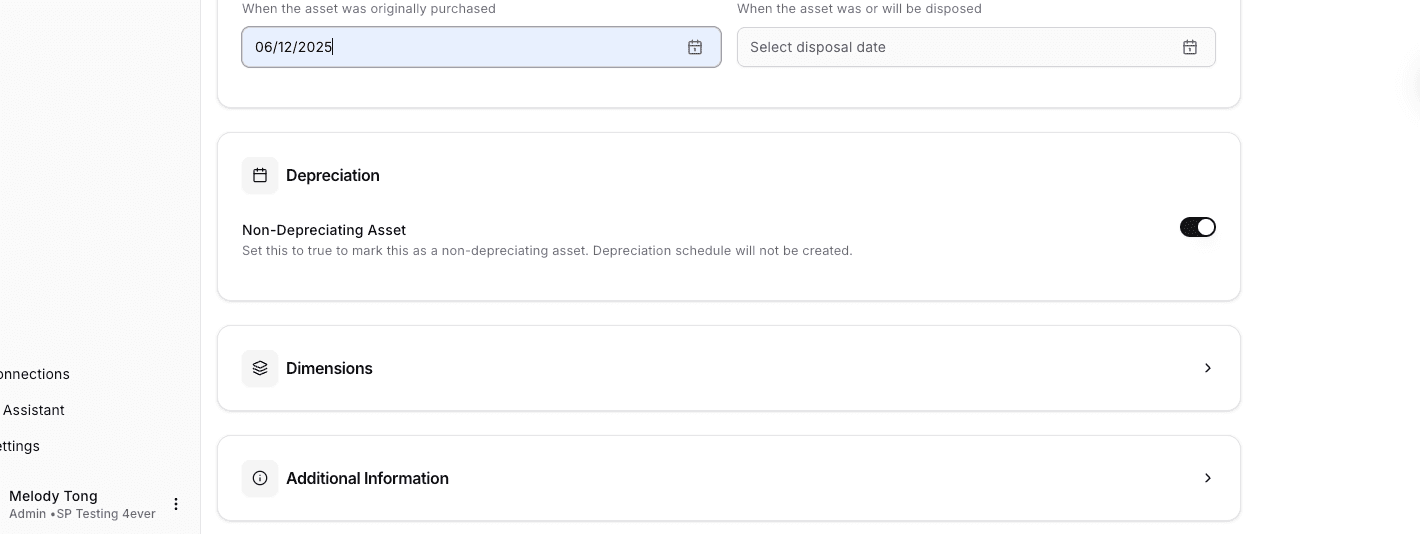
Step 9
Use the highlighted control to continue through the workflow.
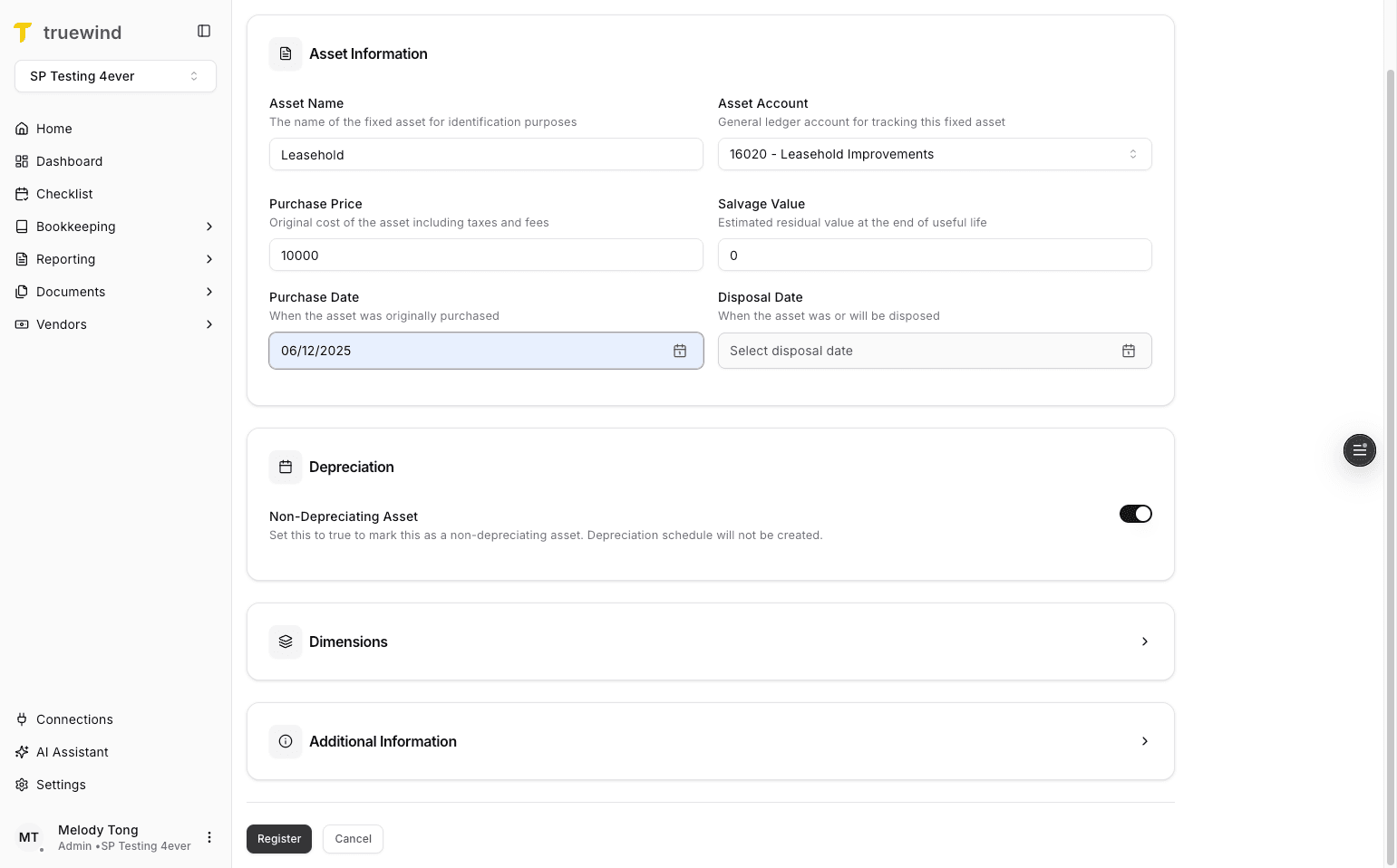
Step 10
Confirm the page shows the expected result before continuing to the next step.
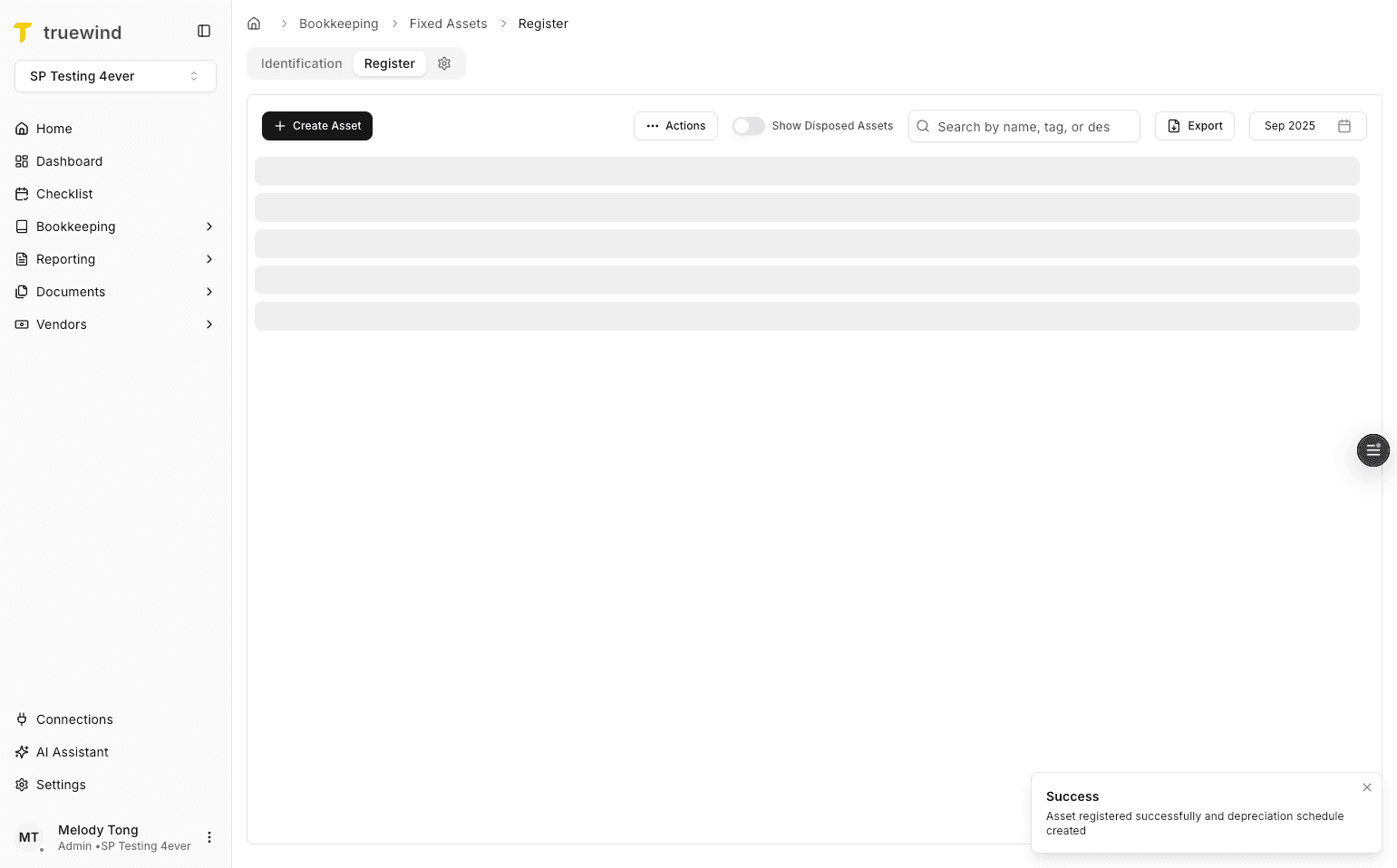
Step 11
Use the highlighted control to continue through the workflow.
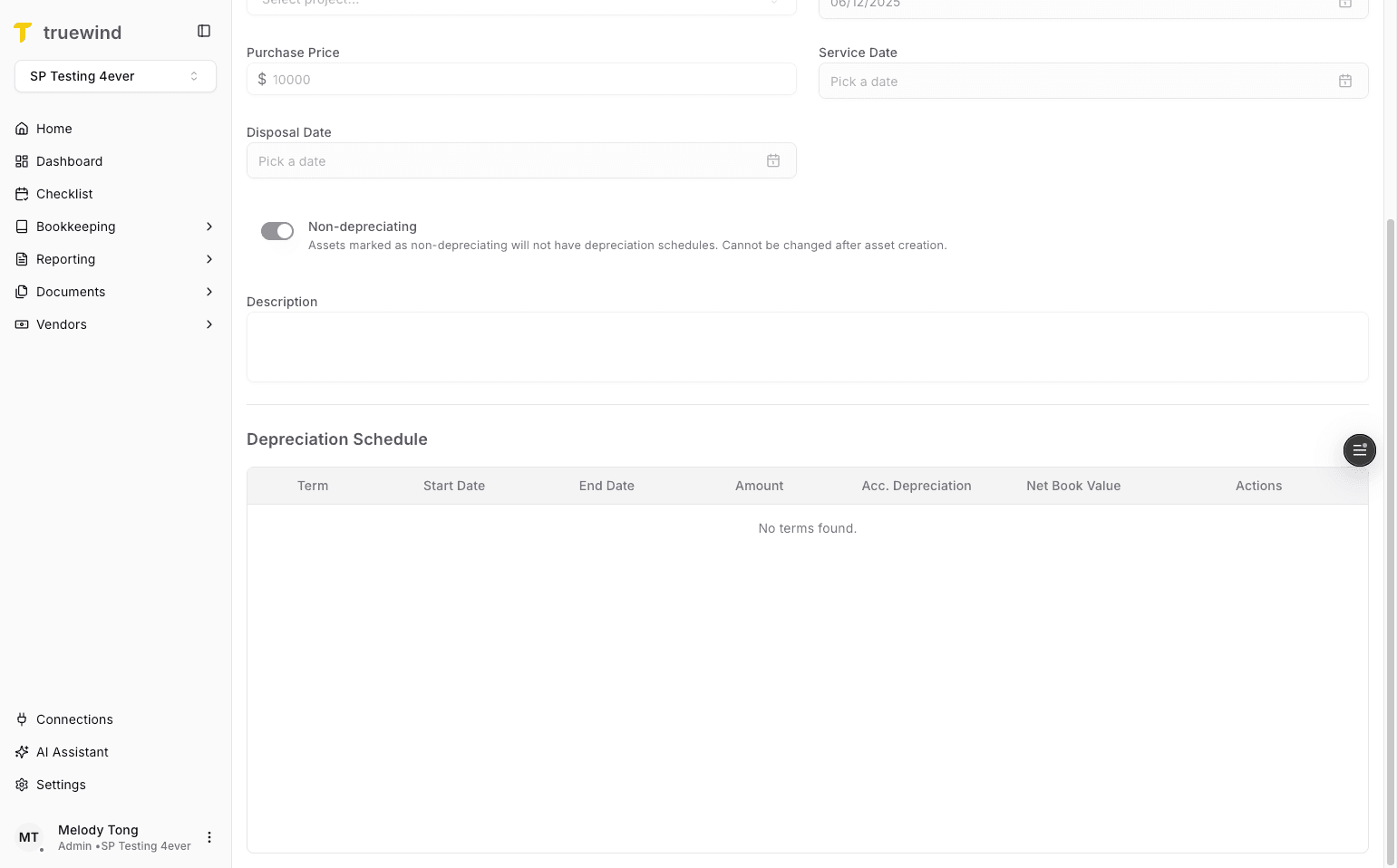
Confirm the asset account should be tracked as non-depreciating before you use it on a new Fixed Asset.
Was this helpful?
Need more help?
Ask for human help about this article and provide any feedback.