
Before bulk posting
Confirm the organization setting and selected schedules before posting all eligible depreciation in one journal entry.
Ask the support agent
Just ask a direct question or search related articles from the Knowledge Base.
Support Center / Fixed Assets / Journal Entries
Use one-entry Fixed Assets posting when the month should be posted as a single journal entry, resulting in a consolidated depreciation Journal Entry for the period.
Step 1
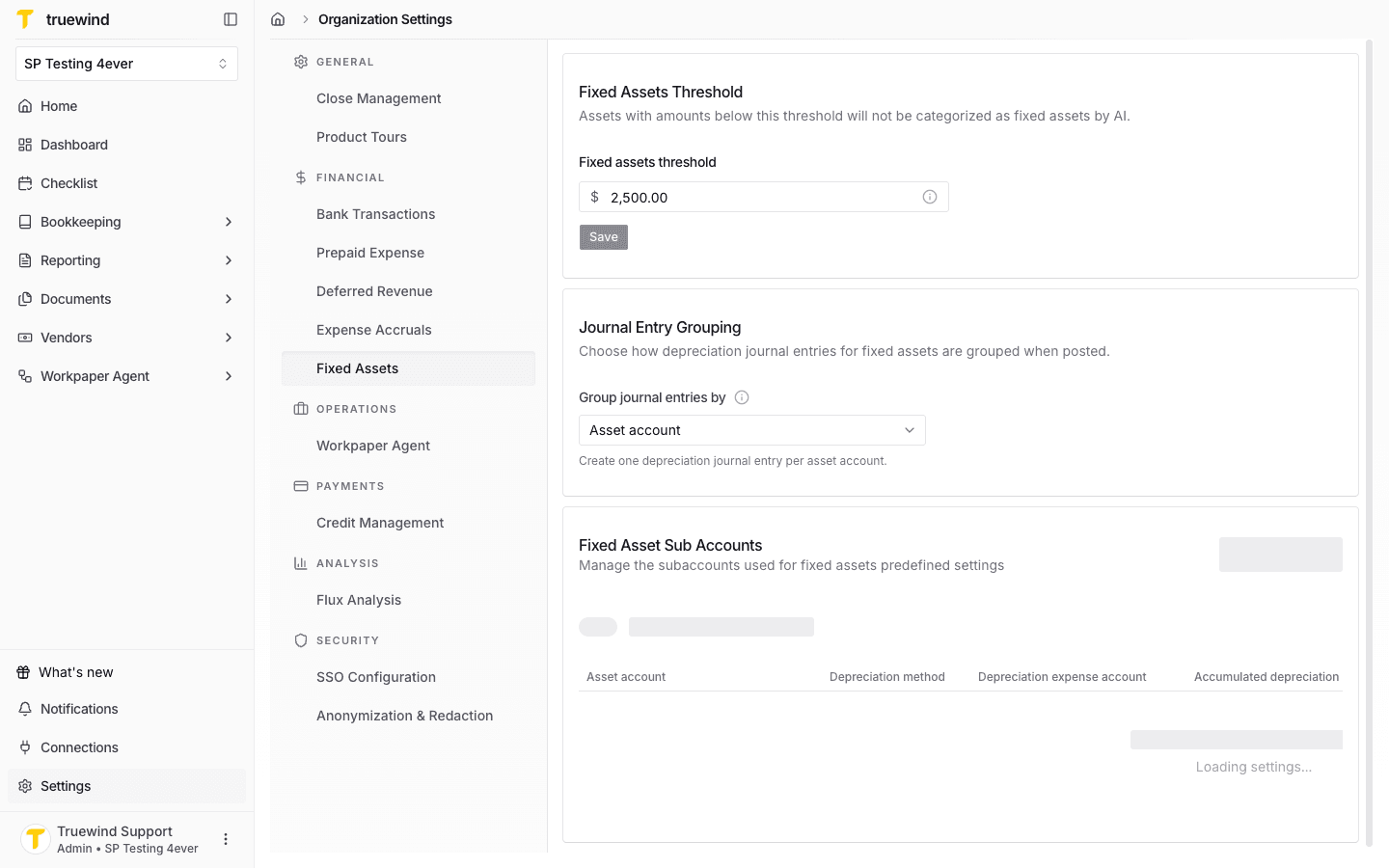
Go to Settings > Fixed Assets to confirm the posting mode before using the bulk posting workflow.
Step 2
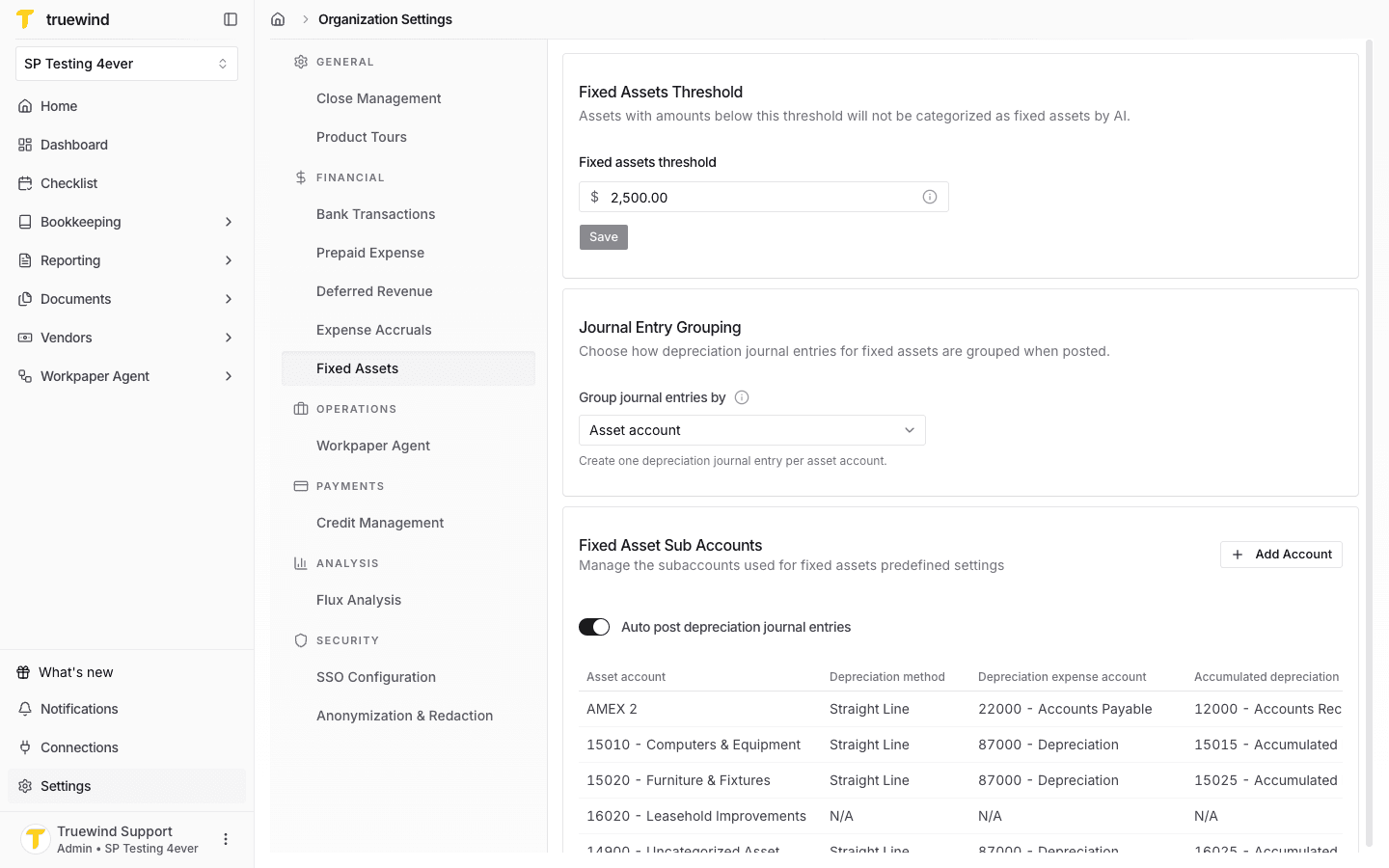
Use the Fixed Assets posting setting to control how depreciation entries are grouped when posted together.
Step 3
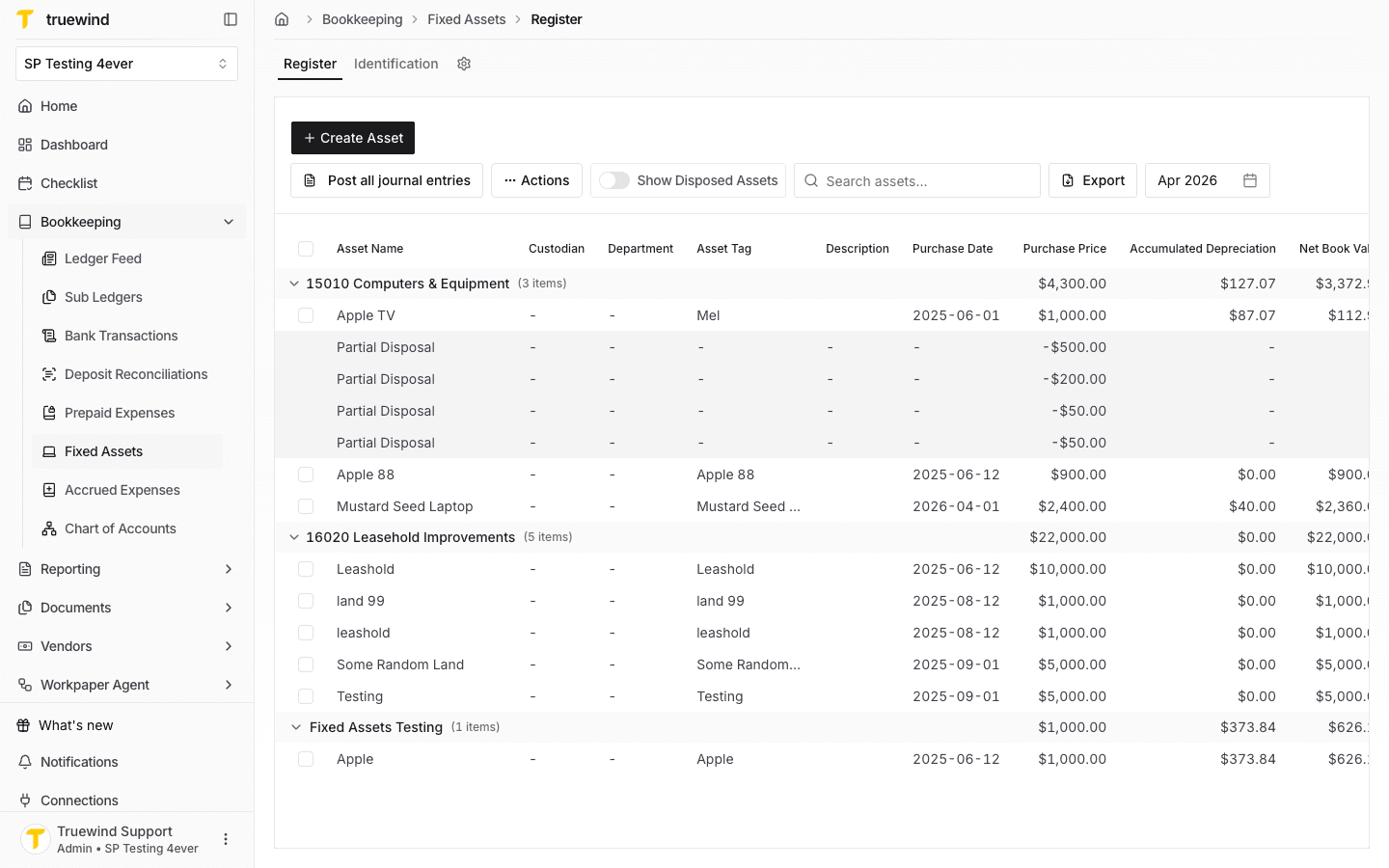
Return to Fixed Assets > Register and review the month that contains the schedules you want to post.
Step 4
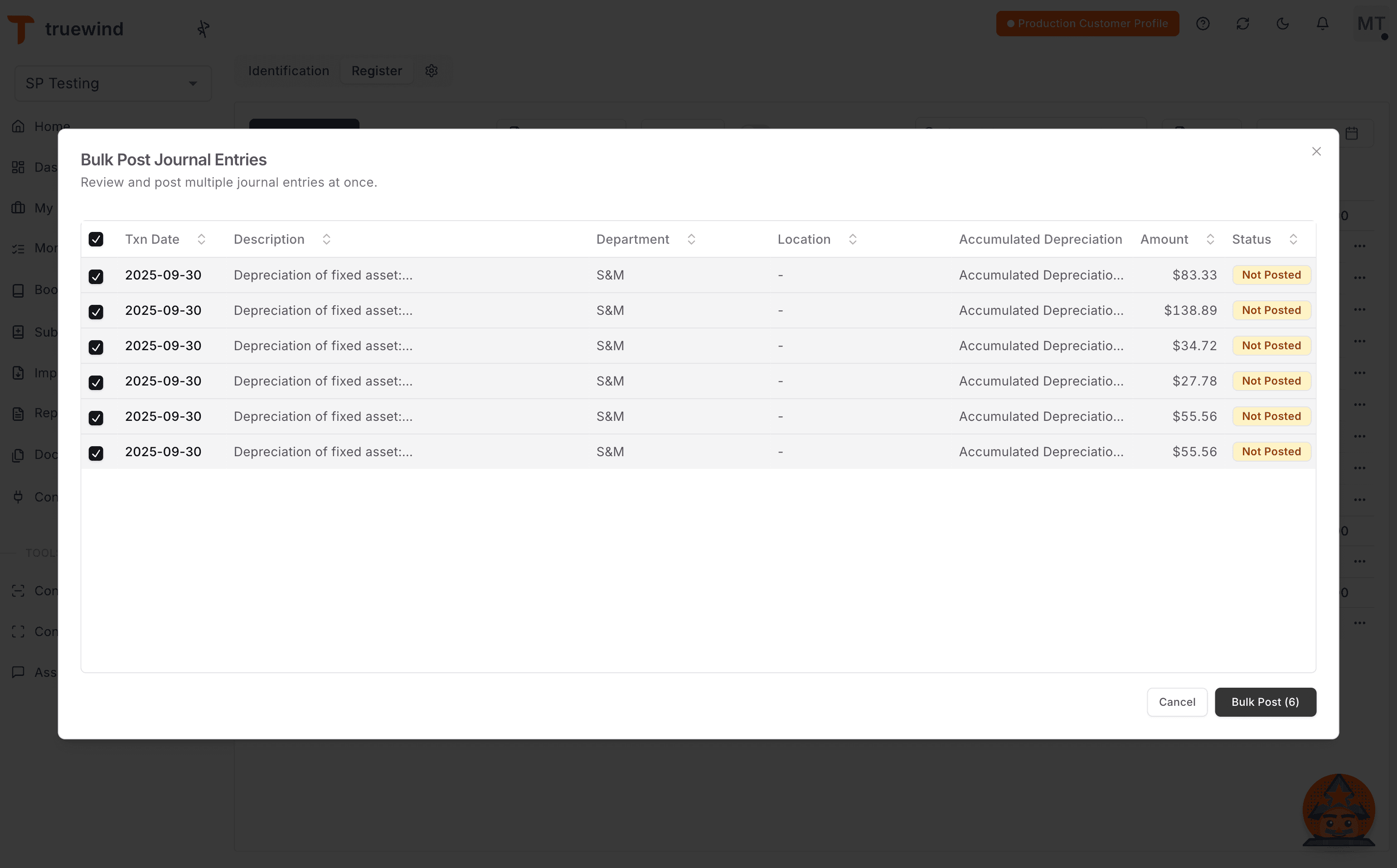
Review the posting details and continue only when the journal-entry information is correct.
Step 5
Confirm the page shows the expected result before continuing to the next step.
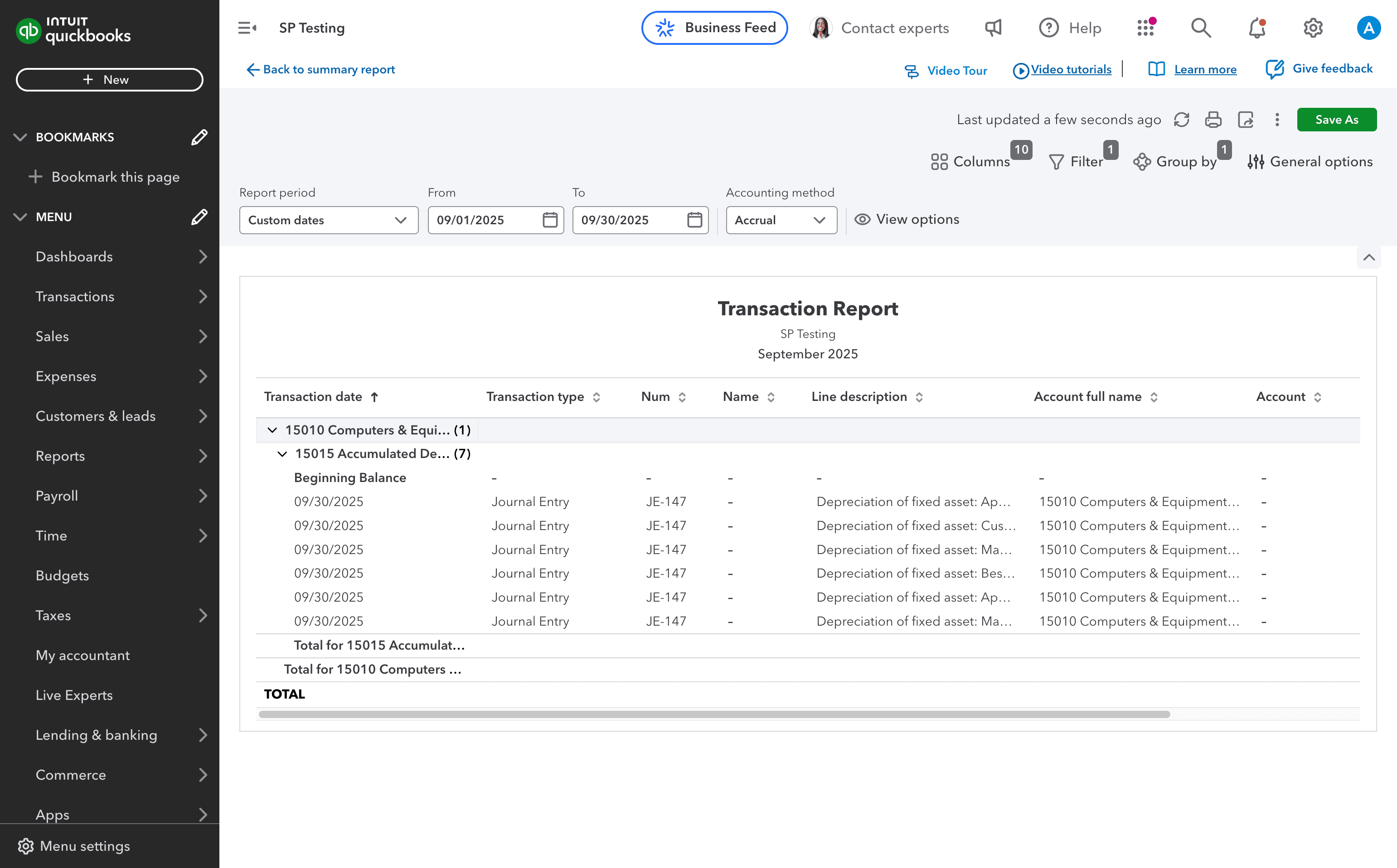
Step 6
Review the posting details and continue only when the journal-entry information is correct.
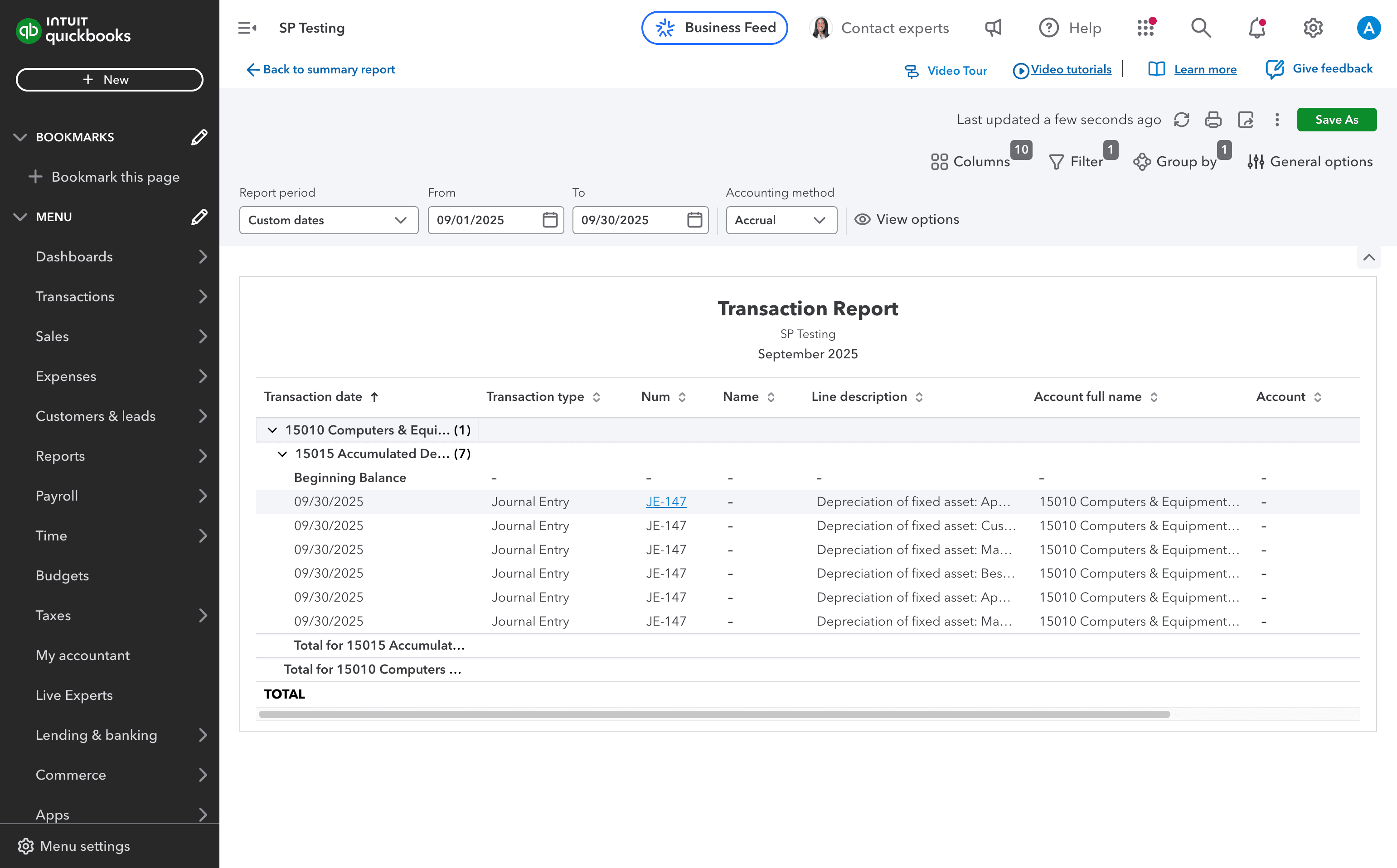
Step 7
Review the posting details and continue only when the journal-entry information is correct.
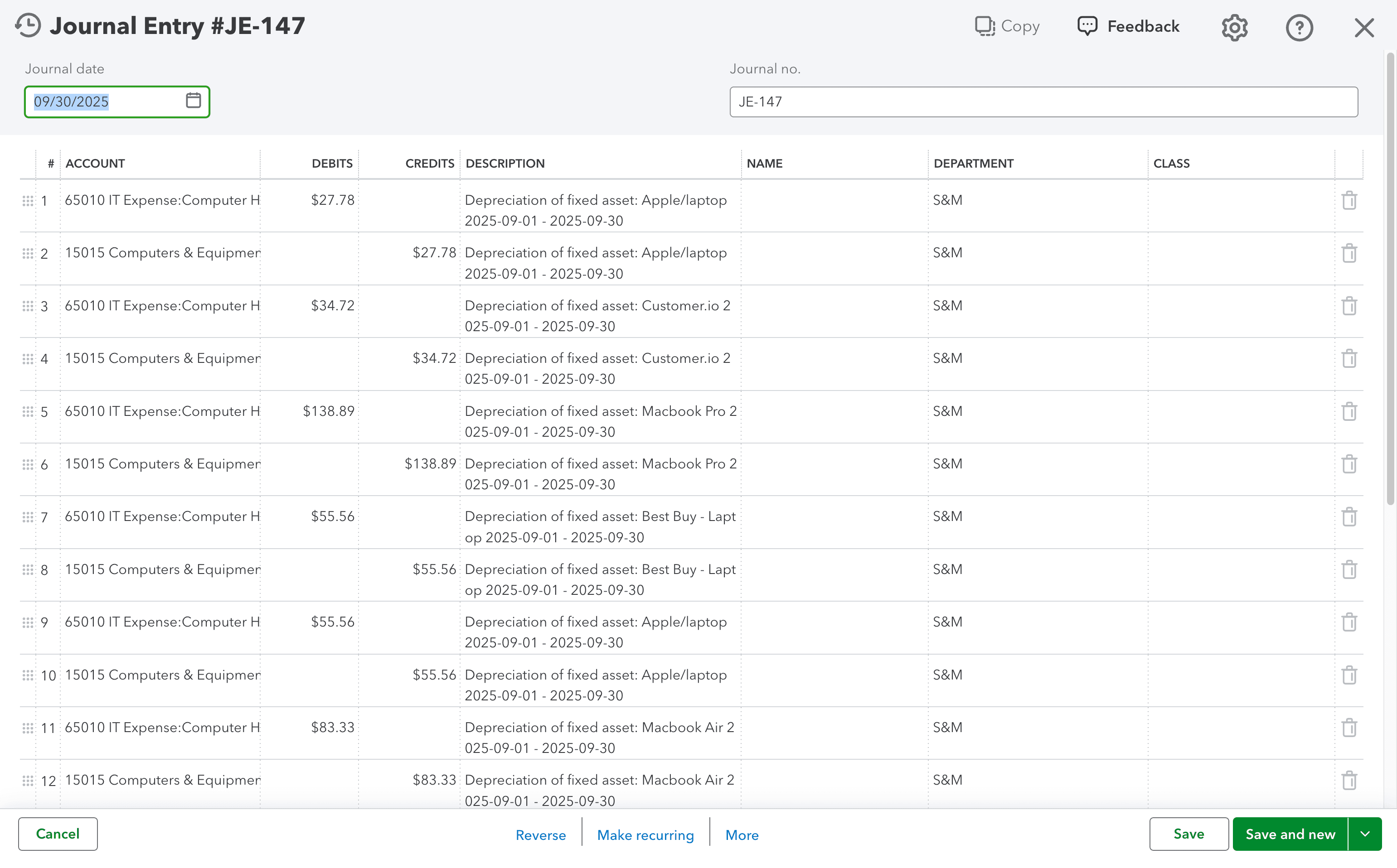
Confirm the organization setting and selected schedules before posting all eligible depreciation in one journal entry.
Was this helpful?
Need more help?
Ask for human help about this article and provide any feedback.