
Common access issue
If the Intuit user can sign in but cannot finish authorization, the account usually lacks the permissions required to approve the third-party connection.
Ask the support agent
Just ask a direct question or search related articles from the Knowledge Base.
Support Center / Onboarding / ERP Setup
Confirm the QuickBooks user has the right permissions before authorizing Truewind, resulting in a connection flow that can complete successfully.
Step 1
QuickBooks requires company admin access at the client level before a user can authorize the Truewind connection.
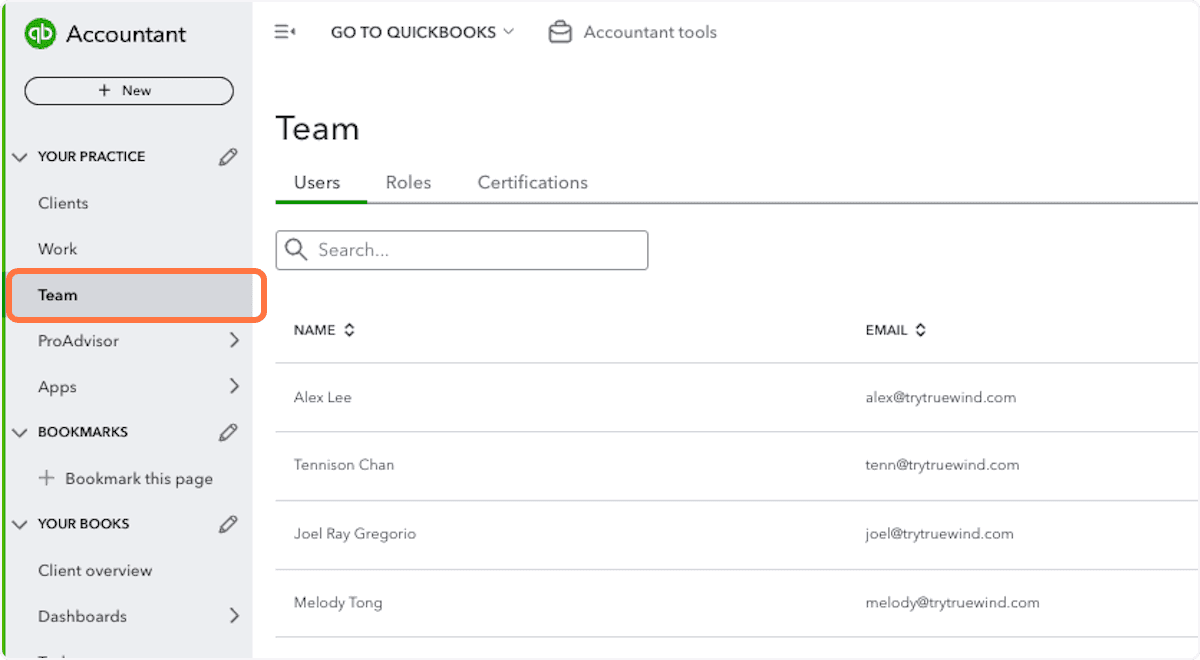
Step 2
Complete this action so the QuickBooks connection succeeds with the required user role.
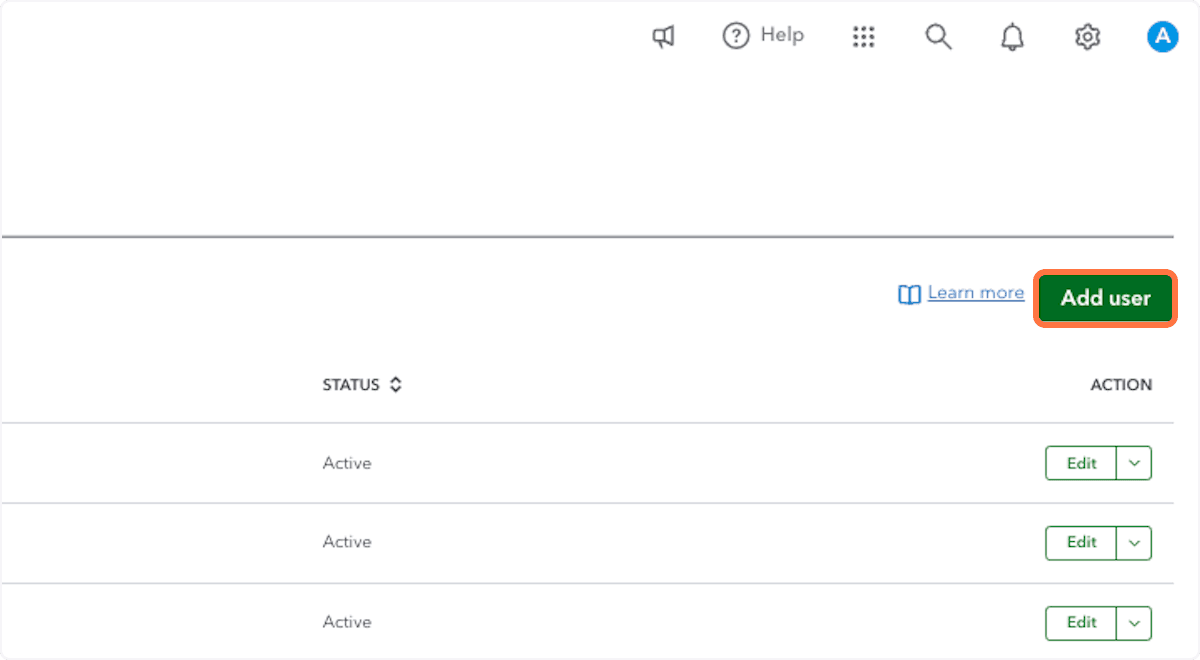
Step 3
Provide the requested value exactly as it should be saved so the setup can continue cleanly so the QuickBooks connection succeeds with the required user role.
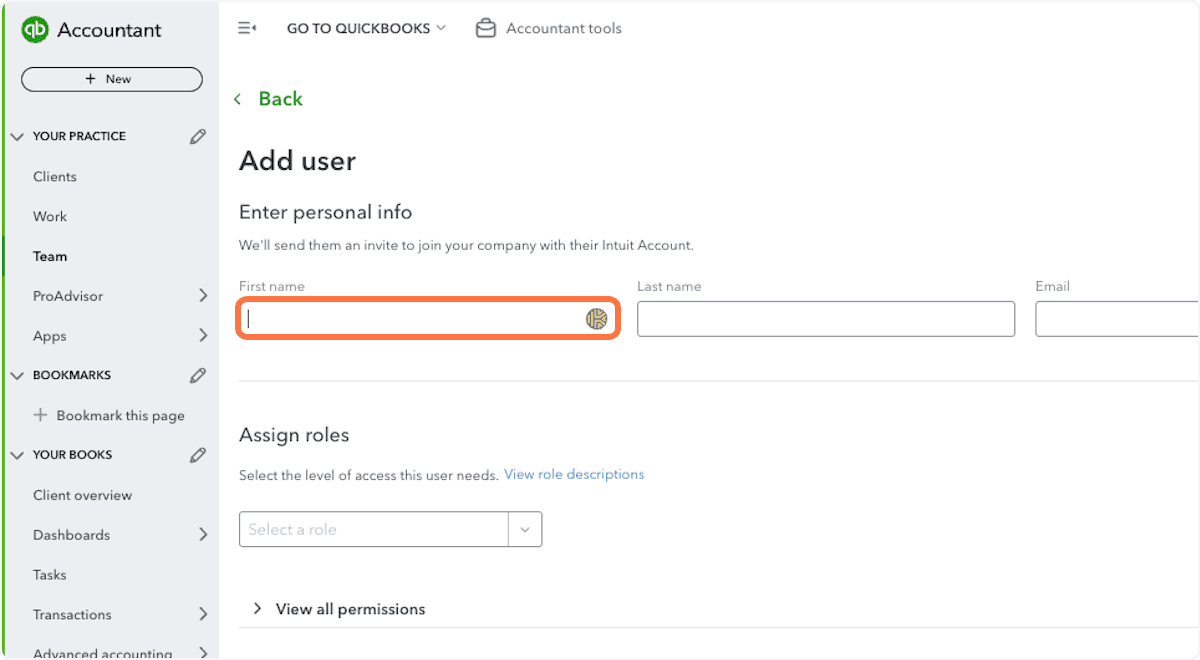
Step 4
Pick the option that matches the client setup; that choice controls what happens next so the QuickBooks connection succeeds with the required user role.
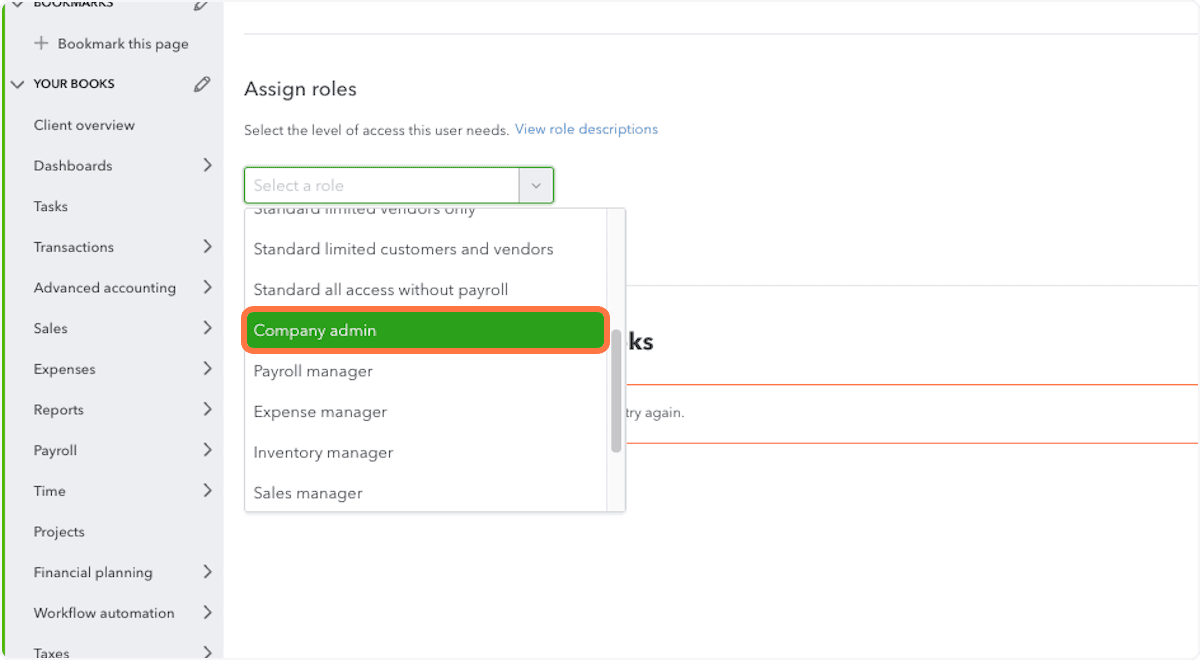
Step 5
Complete this action so the QuickBooks connection succeeds with the required user role.
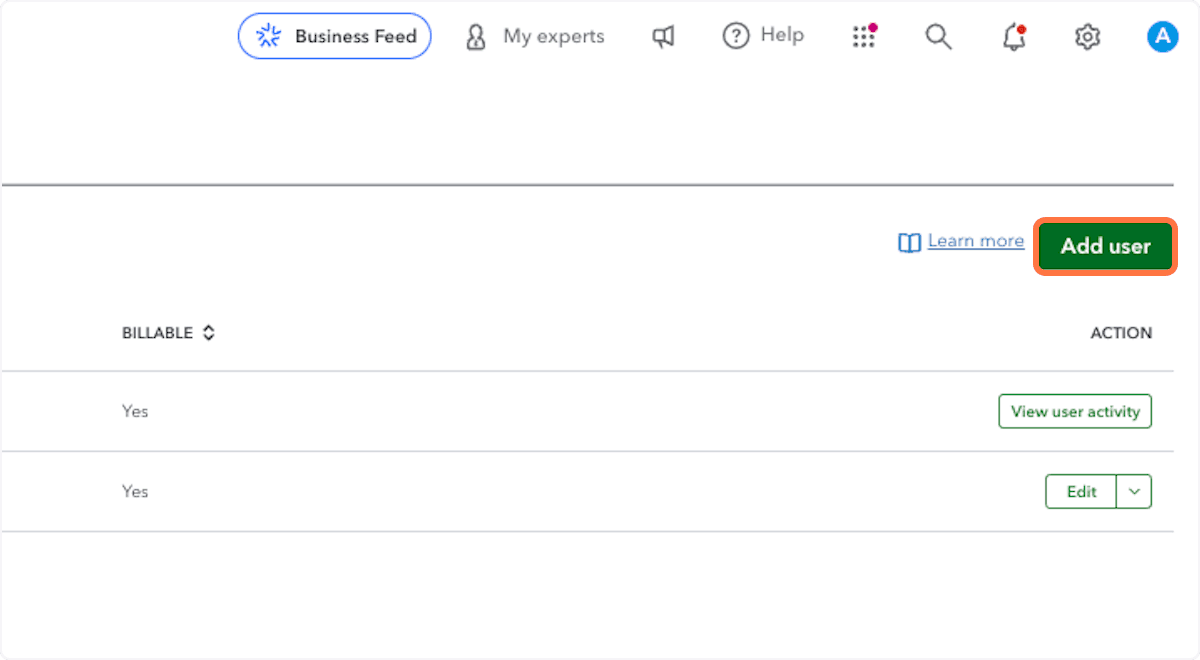
Step 6
At the firm level, use either company admin access or the full Standard role before you connect QuickBooks to Truewind.
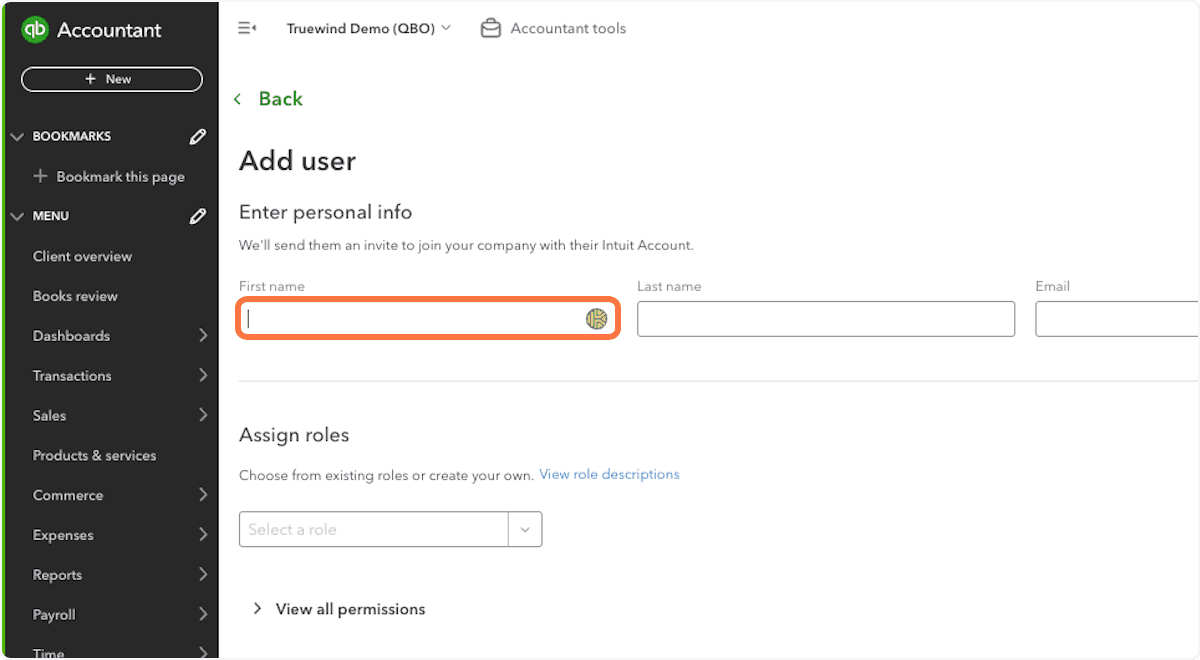
Step 7
Pick the option that matches the client setup; that choice controls what happens next so the QuickBooks connection succeeds with the required user role.
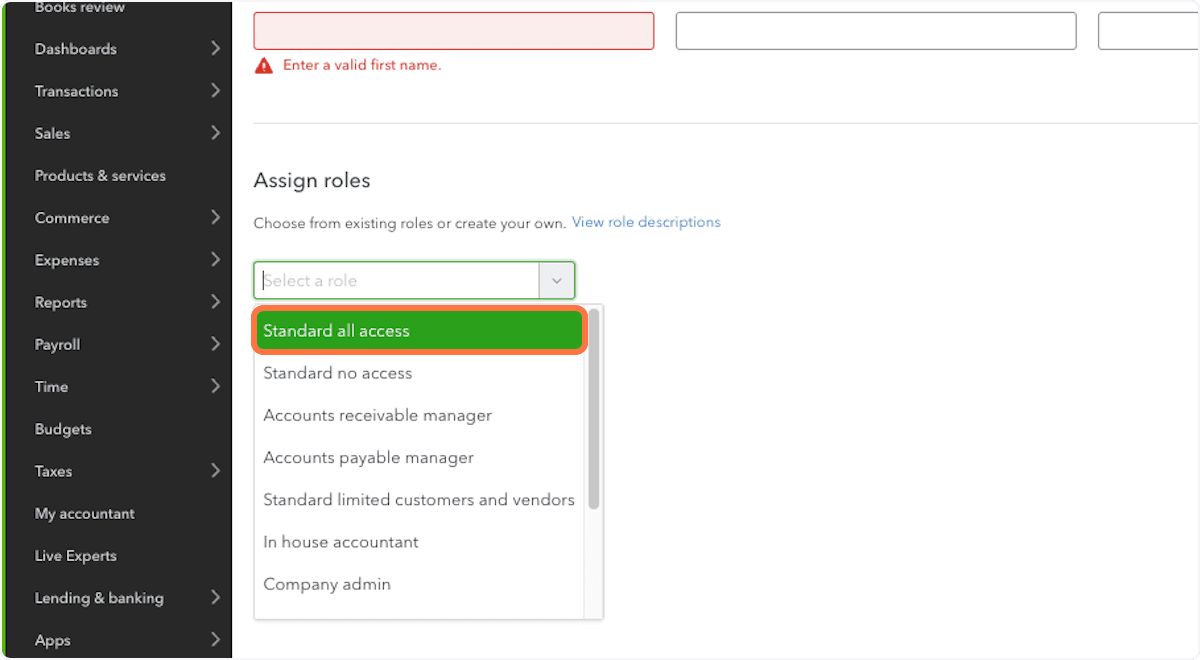
If the Intuit user can sign in but cannot finish authorization, the account usually lacks the permissions required to approve the third-party connection.
Was this helpful?
Need more help?
Ask for human help about this article and provide any feedback.