
When to use this path
Use this path when you want to open Bank Transactions settings from the central Organization Settings area.
Ask the support agent
Just ask a direct question or search related articles from the Knowledge Base.
Support Center / Settings / Features
Open Organization Settings from your profile when you need to inspect or update the Bank Transactions settings for a specific organization.
Step 1
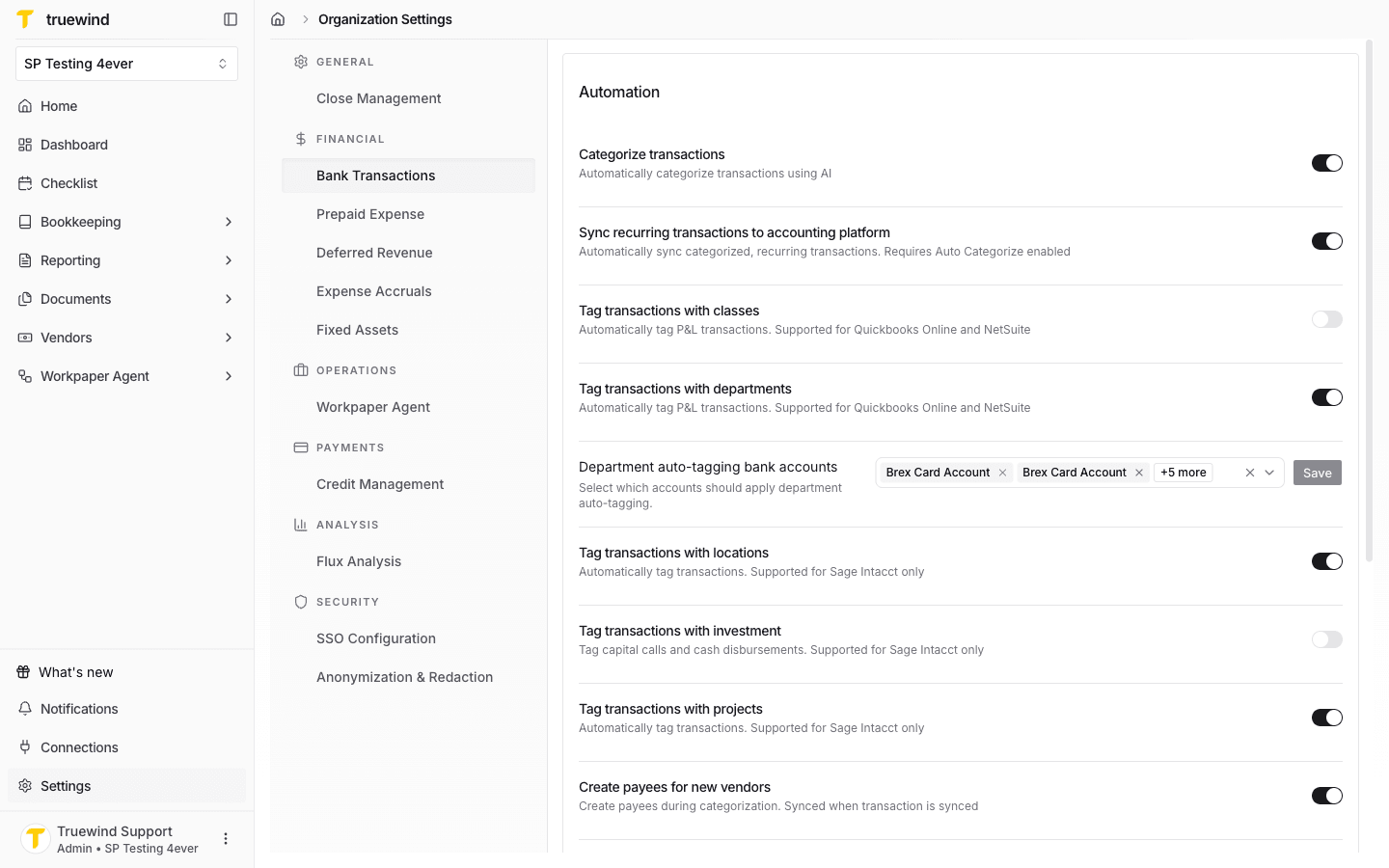
Open Organization Settings and select Bank Transactions. Use the Automation section to enable or disable transaction categorization, recurring transaction sync, dimension tagging, and payee creation for new vendors.
Step 2
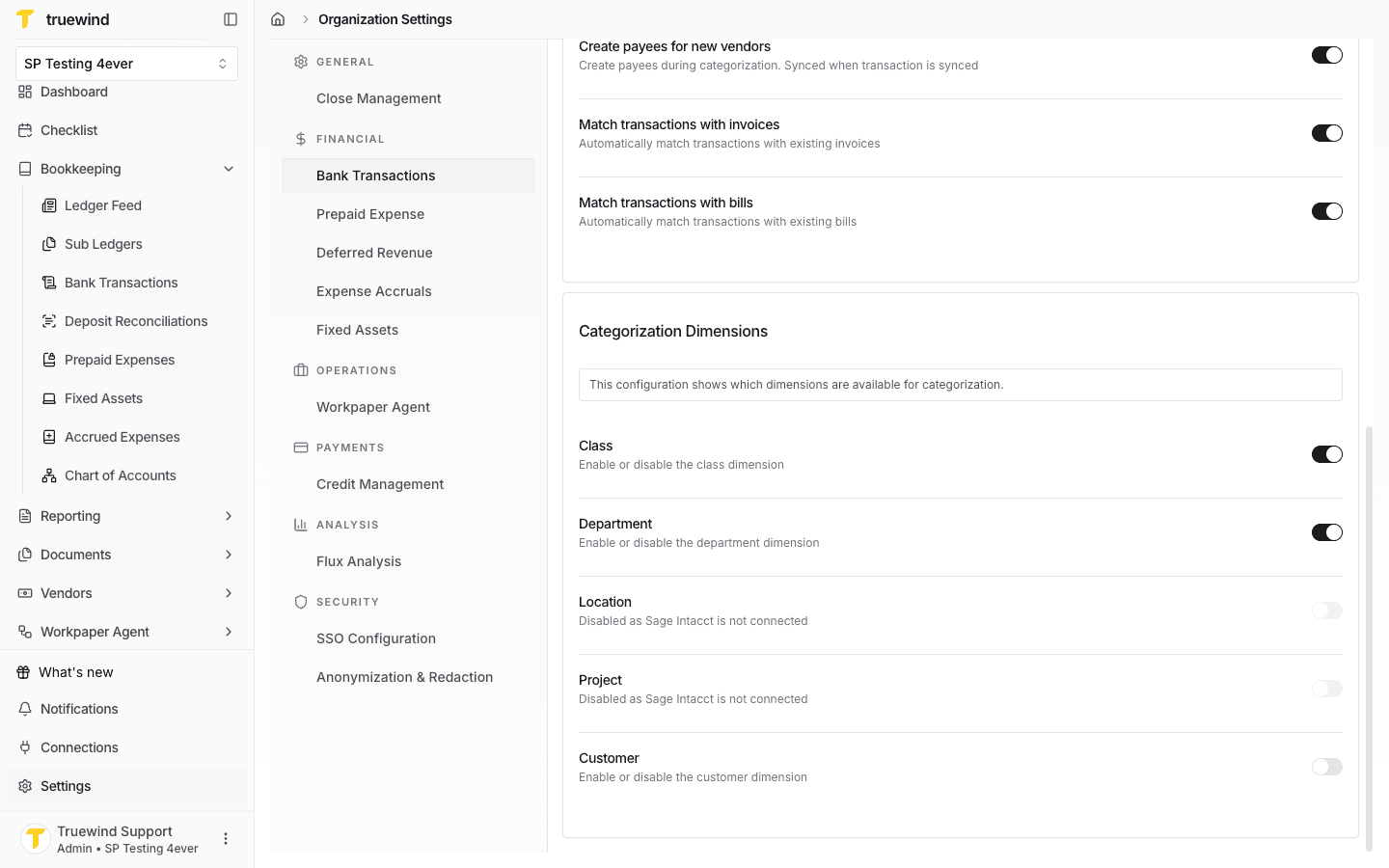
Use the Categorization Dimensions section to choose which dimensions are available when categorizing bank transactions.
Step 3
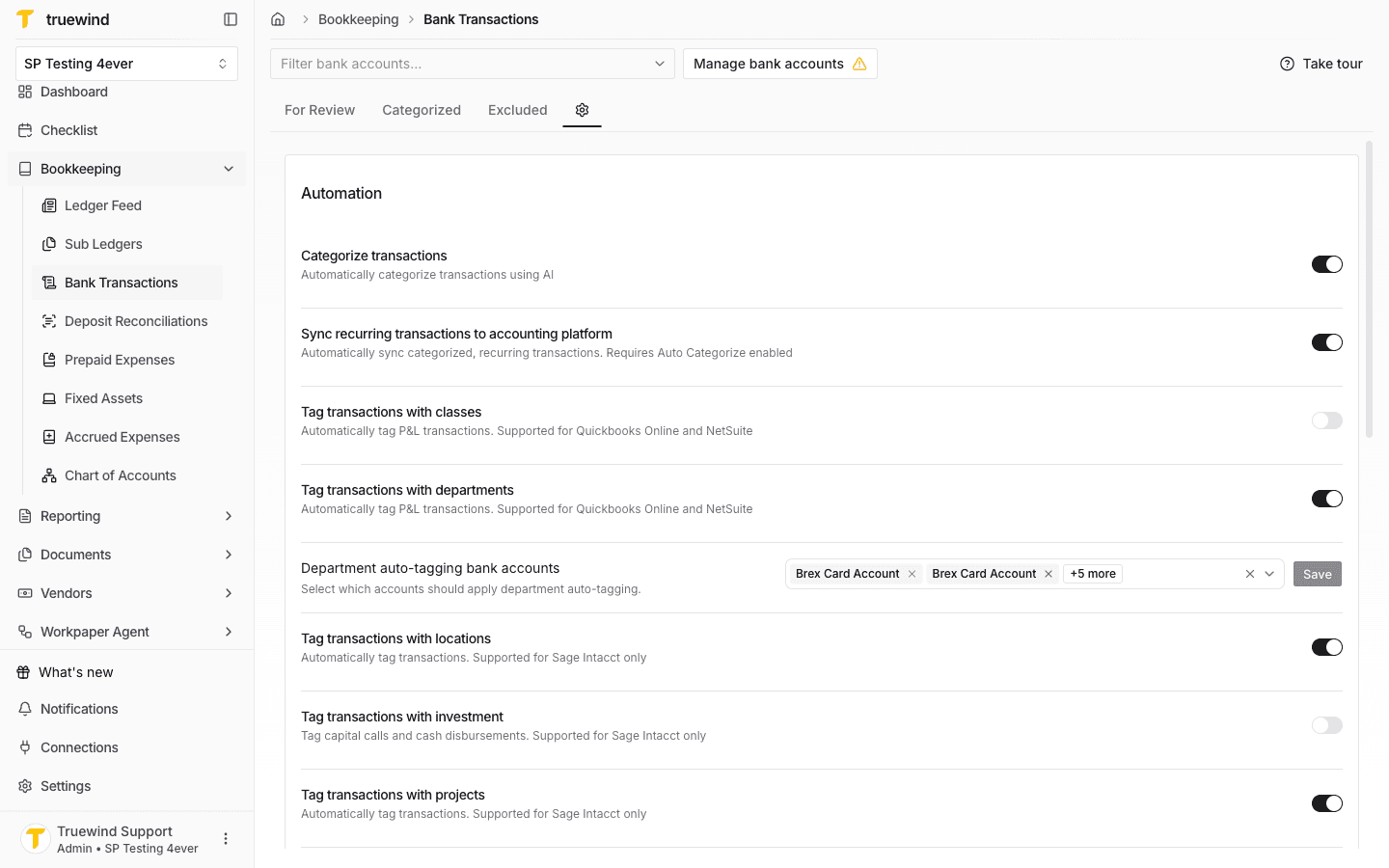
You can also open Bank Transactions settings from inside the Bank Transactions module, via the Gear icon.
Use this path when you want to open Bank Transactions settings from the central Organization Settings area.
Was this helpful?
Need more help?
Ask for human help about this article and provide any feedback.