
Why this matters
The default journal setting controls where supported Truewind activity posts in Sage Intacct, so it should be reviewed before close workflows rely on it.
Ask the support agent
Just ask a direct question or search related articles from the Knowledge Base.
Support Center / Settings / Features
Create the Sage Intacct journal book Truewind should use when Sage posting needs a dedicated destination, resulting in the right book being available in Truewind settings.
Step 1
Start in Truewind on Onboarding. Go to General Entry -> Journal Entry -> Admin Setup -> Add a new Journal Entry book.
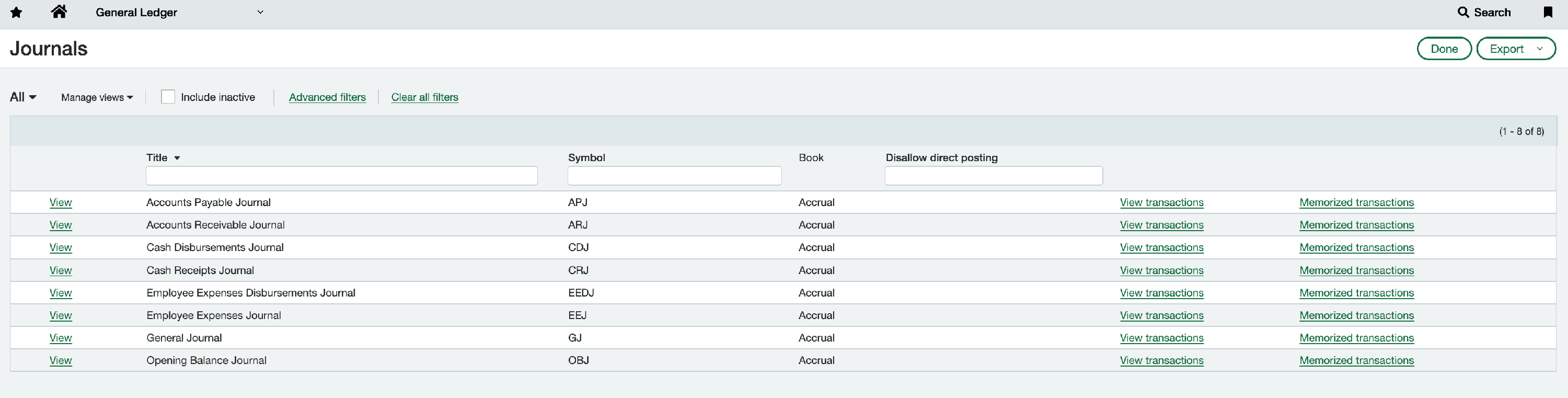
Step 2
This takes you to the next page or panel so the workflow stays on the expected path.
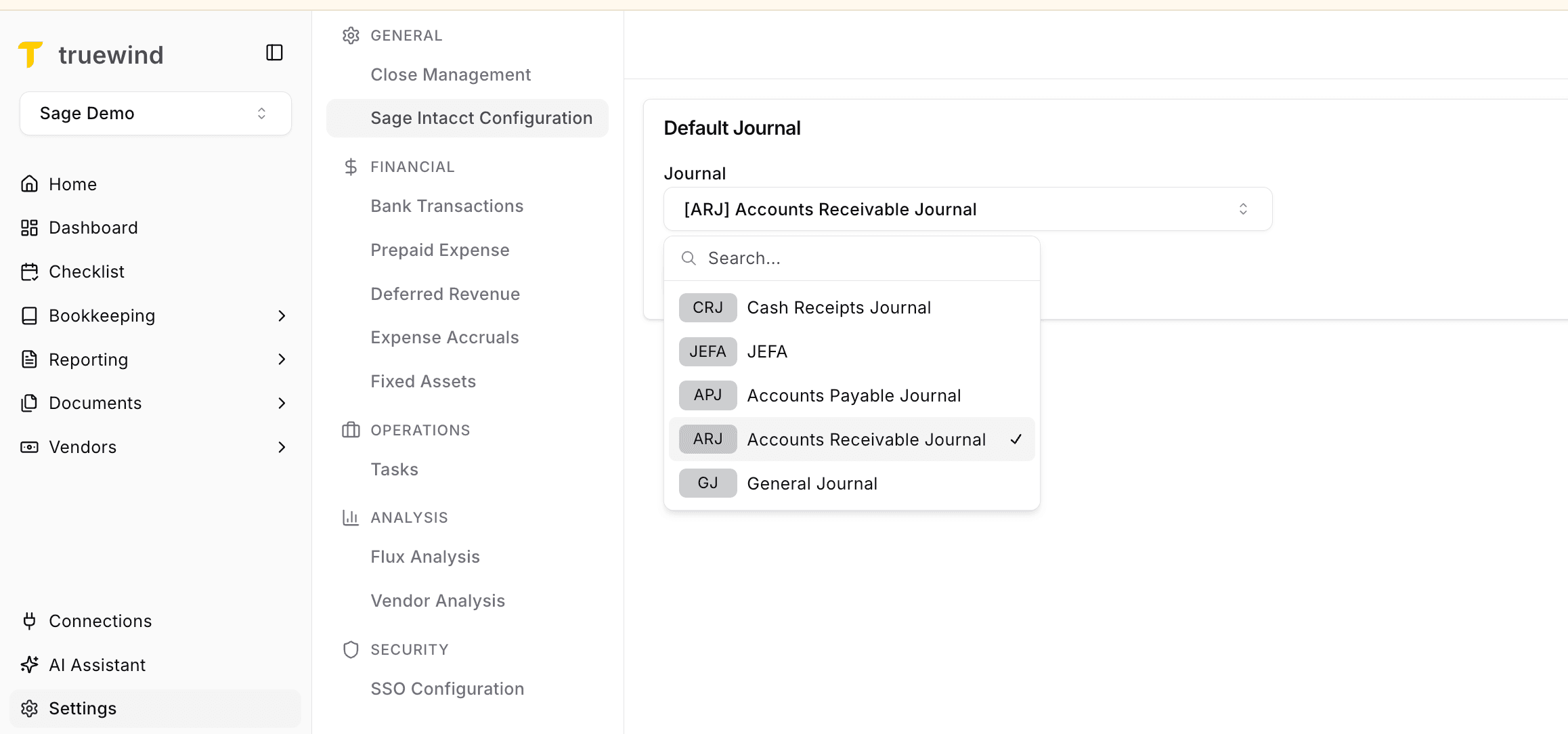
The default journal setting controls where supported Truewind activity posts in Sage Intacct, so it should be reviewed before close workflows rely on it.
Was this helpful?
Need more help?
Ask for human help about this article and provide any feedback.