

Your Dynamics SL to Sage Intacct migration timeline is set, your implementation partner is lined up, and you've mapped your chart of accounts to a dimensional structure that finally makes sense for a multi-entity family office. What happens on day one after go-live? Your team still needs to code bank transactions, track reconciliation status across 200+ entity accounts, and produce variance analysis before the consolidated close can finish. The ERP migration for family offices solves the structural GL problems, but it doesn't eliminate the execution work unless you automate the accounting layer that sits on top of Sage Intacct.
TLDR:
- Dynamics SL reaches end-of-life in 2028, and Microsoft stopped issuing security patches in 2025.
- Sage Intacct's dimensional accounting lets you tag transactions by entity, fund, or beneficiary without multiplying GL accounts.
- Clean your Dynamics SL data before migration or duplicate vendors and unresolved balances replicate into Sage.
- Migration alone does not automate transaction coding or close workflows across multi-entity structures.
- Truewind automates transaction classification, close checklists, and reconciliation tracking on top of Sage Intacct through API-level integration.
Why Family Offices Are Moving From Dynamics SL to Sage Intacct in 2026
Microsoft announced the end-of-life for Dynamics SL in 2028, giving family offices a narrow window to act before support runs out. For many, the migration path leads to Sage Intacct, and the timing makes sense beyond the deadline pressure alone.
Family offices have grown more complex over the past several years. Multi-entity structures, alternative investments, capital call tracking, and LP reporting requirements have all expanded the scope of what the accounting function needs to handle. Dynamics SL was built for project-based small and mid-market businesses, not for the entity-level segmentation and fund-level reporting that a modern family office demands.
Sage Intacct handles that complexity through its dimensional chart of accounts, which lets teams tag transactions by entity, fund, property, or investor without building out a separate GL for each one. That architecture alone resolves a major structural mismatch that family offices have been working around in Dynamics SL for years.
There are a few other reasons the move is accelerating in 2026:
- Dynamics SL's reporting relies heavily on Crystal Reports and custom SQL queries, which creates a bottleneck whenever finance leadership needs consolidated views across entities or investment vehicles. Sage Intacct's native reporting runs across dimensions without custom query work.
- Audit and compliance requirements for family offices have tightened, and Sage Intacct's audit trail and role-based access controls are built to satisfy those requirements out of the box.
- Cloud-native infrastructure matters for offices managing assets across multiple locations or working with external advisors and administrators who need controlled access to financial data.
The migration itself carries real execution risk, particularly around chart of accounts restructuring, historical data mapping, and getting dimensional tagging right before go-live. Those decisions made during setup shape how useful Sage Intacct actually is once the team is running on it.
What Makes Sage Intacct Different From Dynamics SL for Multi-Entity Organizations
Dynamics SL was built for project-based accounting in single-entity or lightly connected organizations. Sage Intacct was built for multi-entity structures, and that architectural difference shows up immediately in day-to-day accounting work. Sage Intacct was built from the ground up for multi-entity structures, and that architectural difference shows up immediately in day-to-day accounting work.
CapabilityDynamics SLSage IntacctAccount segmentationSegment-based expansion requiring COA multiplication as structure growsIndependent dimensions (entity, fund, department, location) attach to transactions without multiplying GL accountsMulti-entity consolidationManual exports, spreadsheet assembly, or third-party tools requiredNative consolidation with currency conversion and inter-entity eliminations in-systemReporting flexibilityRigid reporting requiring Crystal Reports customization or Excel exports for cross-entity viewsDimension-aware reporting layer slices any report by entity, fund, or custom dimension without separate templatesInter-entity transactionsManaged outside system or through manual elimination workbooksBooked and eliminated within same close cyclePrimary use caseProject-based accounting for single-entity or lightly connected organizationsMulti-entity structures with complex consolidation requirements

The most consequential gap is dimensional accounting. Where Dynamics SL relies on segments that require chart of accounts expansion as your structure grows, Sage Intacct uses dimensions like entity, fund, department, and location as independent attributes that attach to any transaction without multiplying GL accounts. For a family office managing a dozen or more entities across various asset classes, that distinction controls whether your chart of accounts stays manageable or becomes a maintenance burden.
Consolidation and Inter-Entity Transactions
Multi-entity consolidation in Dynamics SL typically requires manual exports, spreadsheet assembly, or third-party tools. Sage Intacct handles consolidations natively, including currency conversion and inter-entity eliminations, within the same system where transactions originate.
A few areas where this matters for family offices:
- Inter-entity loans and management fee allocations can be booked and eliminated within the same close cycle, without shuttling data between systems or maintaining a separate elimination workbook.
- Consolidated reporting across entities with different base currencies runs through a single reporting layer, with exchange rate management handled at the system level.
- Entity-level books remain separate for tax and legal purposes while rolling up to a consolidated view on demand.
Reporting Flexibility
Sage Intacct's reporting engine is dimension-aware, meaning you can slice any report by entity, fund, or custom dimension without building separate report templates for each combination. Dynamics SL reporting is generally more rigid, often requiring Crystal Reports customization or exports to Excel to get the cross-entity views that family office stakeholders expect.
The practical question after migration is whether your team is set up to take full advantage of that reporting flexibility, or whether the close and categorization work required to populate those dimensions accurately is still falling on senior staff.
The Hidden Cost of Delaying Your Dynamics SL Migration
Dynamics SL reached end-of-life in 2025, and Microsoft has stopped issuing security patches. Every month a family office stays on it, the exposure compounds: unpatched vulnerabilities, no vendor support escalation path, and a shrinking pool of consultants who still know the system well enough to troubleshoot it.
The financial cost of staying put tends to be invisible until it isn't. Workarounds accumulate. Staff build manual processes around gaps the software can no longer close. When something breaks, the fix comes from institutional knowledge held by one or two people, not from a support ticket.
For family offices, the stakes are higher than they are for a typical mid-market company. You are managing complex entity structures, multi-currency positions, capital call schedules, and reporting obligations to principals who expect accuracy on a tight cadence. A system that requires manual intervention at every seam is not a neutral inconvenience; it is a direct drag on close quality and reporting reliability.
The migration question, then, is less about whether to move and more about what you build when you get there.
Data Cleanup: What to Prepare Before Migration Begins
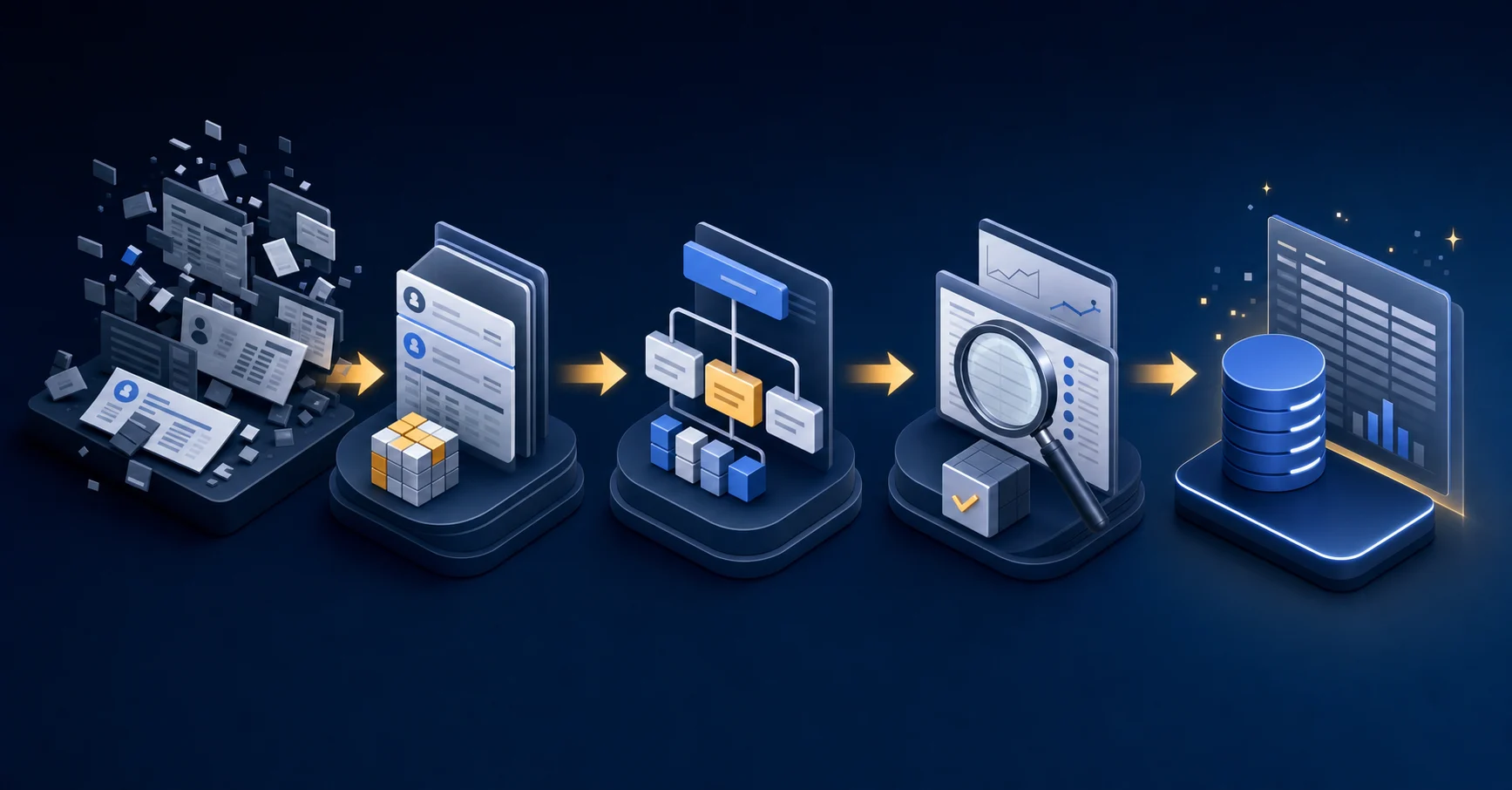
Before any data moves, the cleanup work you do in Dynamics SL determines how clean your Sage Intacct environment will be from day one.
Family offices typically carry years of accumulated GL complexity: vendor records with inconsistent naming, partially cleared intercompany balances, chart of accounts that grew organically across entities, and historical transactions coded against dimensions that no longer reflect how the office actually operates.
Where to Focus First
- Vendor and contact deduplication: Dynamics SL often accumulates duplicate vendor records over time, especially across entities. Resolve these before migration or they replicate into Sage and compound during AP coding.
- Chart of accounts rationalization: Map your current account structure to Sage Intacct's dimension-aware architecture. Accounts that previously carried entity or project identifiers in the account number often collapse into a leaner GL with dimensions handling that segmentation instead.
- Open transaction review: Clear or write off aged open items in AP, AR, and intercompany before cutover. Migrating unresolved balances creates reconciliation problems that surface during your first Sage close.
- Historical data scope decision: Determine how many years of transactional history migrate versus what stays in Dynamics SL as a read-only archive. Most family offices migrate two to three years of activity and archive the rest.
Getting this right before cutover keeps your opening balances clean and your first close in Sage from turning into a forensic exercise.
How Sage Intacct Dimensions Solve Family Office Reporting Challenges
Sage Intacct's dimension framework is one of the clearest functional reasons family offices choose it over Dynamics SL. Where Dynamics SL relies on account string extensions to segment reporting, Sage Intacct lets you tag every transaction across multiple independent axes: entity, fund, investment type, beneficiary, and project, without multiplying your chart of accounts.
For a family office managing several investment vehicles alongside operating entities, that distinction matters at reporting time.
What Dimensions Actually Do in a Family Office Context
Dimensions attach metadata to each transaction post instead of encoding all segmentation into a long GL account number. A single expense can carry a department tag, an entity tag, and a fund tag simultaneously. Pull any combination at reporting time without rebuilding your COA.
Common dimension structures family offices configure in Sage Intacct:
- Entity dimension separates legal entities within a consolidated structure, so a family LLC and a charitable foundation post to the same GL instance without comingling their reporting.
- Fund or investment class dimension tracks performance across asset categories such as private equity, real estate, and liquid securities, independent of which entity holds them.
- Beneficiary or family branch dimension allocates expenses and income to individual family members where distributions or allocable costs need per-beneficiary reporting.
- Project dimension captures deal-level or property-level activity for investments that require granular tracking below the fund level.
Each dimension is independently filterable in Sage Intacct's reporting layer, so a controller can produce a consolidated view, an entity-level view, and a fund-level view from the same posted data without manual reclassification.
The Migration Implication
Mapping your current Dynamics SL account structure to a dimension-based architecture is one of the more consequential design decisions in this migration. Account segments that were doing the work of segmentation in SL need to be decomposed into their appropriate dimension equivalents in Intacct. Get that mapping wrong and your historical comparatives will not tie cleanly against your new structure.
Brokerage Reconciliation and Investment Accounting During the Transition
Brokerage reconciliation workflows at most Dynamics SL family offices lived outside the ERP entirely. Custodian statement downloads, spreadsheets, or portfolio management tools such as Addepar filled the gap. Moving to Sage Intacct changes the GL, but it does not automatically close that workflow gap.
One limitation worth planning around early: brokerage account data piped into Sage through non-standard custodian feeds often will not surface cleanly in the native reconciliation module. When that happens, the matching work stays manual regardless of which system holds the journal entries.
Choosing Between Phased and Big-Bang Migration Approaches
Family offices running 20 or more entities face a real structural choice at the start of a Dynamics SL migration: move everything at once or migrate in stages.
A big-bang cutover moves all entities to Sage Intacct on a single go-live date. A phased approach migrates entities in batches, typically grouped by fund structure, fiscal year-end, or reporting interdependencies.
When a phased approach makes sense
- If your family office runs entities with different fiscal year-ends, phasing by year-end cohort keeps each entity's historical data intact without forcing mid-year cutoffs that complicate comparative reporting.
- Entities with complex intercompany eliminations often migrate more cleanly when related entities move together as a group instead of scattering them across phases.
- Staff capacity is a real constraint. A phased migration lets your accounting team absorb configuration, chart of accounts mapping, and parallel testing without running two full closes simultaneously across every entity.
When a big-bang cutover makes sense
- If your entities share a single consolidated chart of accounts and a uniform fiscal year, a big-bang approach avoids the overhead of maintaining two systems in parallel for an extended period.
- Family offices with a clean, well-documented GL history in Dynamics SL and a dedicated implementation partner often find the compressed timeline reduces total project cost.
Neither approach eliminates the post-migration challenge that catches most family offices off guard: once you are live in Sage Intacct, transaction coding, reconciliation, and close workflows still require manual effort unless you layer automation on top of the GL itself.
What Automation Looks Like on Sage Intacct After Migration
Sage Intacct gives family offices a far more capable GL foundation than Dynamics SL ever did. But the GL is only part of the picture. The real question after migration is what your team does with the accounting work that sits on top of it.
Out of the box, Sage Intacct handles multi-entity consolidations, dimension-based reporting, and investment tracking across funds and entities. Those are genuine structural improvements. What it does not do is automate the transaction-level work that fills your team's close calendar: coding bank activity, running reconciliations across dozens of entity accounts, tracking checklist status, and producing variance commentary.
That work still lands on your accountants. And for a family office running 20, 50, or 100+ entities, the volume compounds fast.
Where Truewind Fits Into the Post-Migration Stack
Truewind operates as an AI execution layer on top of Sage Intacct, handling the transaction coding, close orchestration, reconciliation tracking, and flux reporting that the GL itself leaves to your team. It connects through a direct API-level integration with Sage Intacct, reading and writing at the transaction and journal entry level.
Practically, that means:
- Bank and credit card transactions get coded against your existing GL history and dimension structure before your team reviews them, not after.
- Close checklists run inside Truewind, with reconciliation status visible across all entities in one view without separate spreadsheets or tabs.
- Flux reporting surfaces variance commentary at the account level, so your team reviews exceptions instead of building the analysis from scratch each period.
Human reviewers retain final posting authority on every entry. Truewind handles the preparation work; your accountants own the sign-off. For a family office that just moved to Sage Intacct to get out from under manual overhead, that division of labor is what makes the migration pay off in practice.
Building Your Migration Team: Who Needs to Be Involved
Family office migrations require a different team than a standard mid-market ERP switch. The complexity sits less in the software configuration and more in institutional knowledge: trust structures, partnership accounting hierarchies, and investment vehicle relationships all need to be mapped correctly before any data moves.
- Project sponsor with authority to make GL design decisions across the full entity structure
- Data owners per entity or functional area (AP, investments, treasury) who can validate opening balances against the current state of the books
- A Sage implementation partner with family office or fund accounting experience, beyond general mid-market ERP background
- A specialized investment accounting consultant if your office runs Addepar or another investment book of record, since the GL migration and the reconciliation layer are separate workstreams
Decision-making authority matters as much as the roster itself. Migrations stall when each entity's controller holds veto power over COA design without a governing standard. Designate one person who owns the chart of accounts and dimension taxonomy for the full structure before discovery begins.
Automating the Accounting Layer on Top of Sage Intacct With Truewind
Sage Intacct gives family offices a strong foundation: multi-entity consolidation, dimensional accounting, and audit-ready reporting. What it does not give you is an automated execution layer. Transaction coding, close orchestration, reconciliation tracking, and variance analysis still require manual effort from your team after migration.
Truewind operates as an AI execution layer on top of Sage Intacct, handling the execution work that migration alone does not solve. It reads your GL data on connection, learns how your family office codes transactions across entities and dimensions, and routes exceptions into a review queue for your team to approve.
What Truewind Automates After Migration
- Transaction classification across all entities, using your historical GL data to learn coding patterns without requiring you to build rules from scratch. Your team reviews and approves every posting.
- Close checklist orchestration, so your team works through reconciliations and sign-offs in a structured sequence without tracking status across emails and spreadsheets
- Reconciliation status tracking across accounts and entities, with exceptions surfaced before they stall the consolidated close
- Flux reporting that compares period-over-period balances and flags variances for senior review
Your team owns every posting decision and final approval. Truewind handles the classification, tracking, and exception routing that consumes time between migration day and a functioning close cadence.
Final Thoughts on Sage Intacct Migration for Family Offices
Sage Intacct's dimensional architecture and native consolidation capabilities solve the structural problems that made Dynamics SL a poor fit for family offices managing multi-entity portfolios. See how Truewind automates the execution layer that sits on top of that GL so your team isn't spending the entire close manually coding transactions and tracking reconciliations. The migration gets you better infrastructure; the automation layer is what makes that infrastructure actually reduce manual overhead. Your family office deserves both.
FAQ
Dynamics SL to Sage Intacct migration vs staying on Dynamics SL until 2028?
Move now instead of waiting for the 2028 deadline. Microsoft stopped issuing security patches in 2025, leaving your financial data exposed to unpatched vulnerabilities with no vendor support escalation path. The consultant pool who can still troubleshoot Dynamics SL shrinks monthly, and workarounds accumulate faster than your team realizes.
How does Sage Intacct handle multi-entity family office structures differently than Dynamics SL?
Sage Intacct uses dimensions like entity, fund, and beneficiary as independent transaction tags without forcing you to multiply GL accounts for each segmentation need. You can tag a single expense across multiple axes simultaneously and pull any combination at reporting time without restructuring your chart of accounts, something Dynamics SL's segment-based architecture cannot do cleanly.
Can you migrate a family office from Dynamics SL to Sage Intacct in phases?
Yes, phased migration works when you group entities by fiscal year-end or intercompany elimination dependencies. Move related entities together instead of scattering them across phases, and expect to run parallel systems for several months. Big-bang cutover makes sense if your entities share a single consolidated chart of accounts and uniform fiscal year.
What happens to brokerage reconciliation after migrating to Sage Intacct?
Brokerage reconciliation workflows that lived outside Dynamics SL in spreadsheets or Addepar will not automatically improve just because you moved to Sage Intacct. Custodian statement data pulled through non-standard feeds often will not surface cleanly in Sage's native reconciliation module, leaving the matching work manual unless you layer transaction-level automation on top of the GL.
Should I clean up Dynamics SL data before migration starts?
Clean your vendor records, restructure your chart of accounts, and clear aged open items in AP, AR, and intercompany before cutover. Migrating duplicate vendor records and unresolved balances replicates those problems into Sage Intacct and turns your first close into a forensic exercise instead of a production cycle.
Turn this into a close-ready workpaper
Start with sample files or upload your own statements to see how Truewind prepares review-ready workpapers and journal entries.