

The average Sage Intacct close takes 15 to 18 days. High-performing teams finish in 10. That eight-day gap doesn't come from working faster. It comes from cutting the idle time between tasks so work that could run in parallel actually does. In a typical 18-day Sage Intacct month-end close, the first week disappears into transaction coding backlogs and manual intercompany eliminations before reconciliation work even starts. Journal entries sit in review queues waiting on documentation that should have been attached at prep. Flux analysis gets assembled in spreadsheets after the trial balance runs instead of drafted concurrently. The teams that reduce Sage Intacct close time to 10 days treat close as a structured workflow with hard cutoffs at each stage, not a loose collection of tasks to get through eventually.
TLDR:
- Most Sage Intacct teams take 18 days to close; top performers finish in 10 by running prep work in parallel instead of sequentially.
- Five bottlenecks add the extra 8 days: manual intercompany eliminations, transaction coding backlogs, spreadsheet-based flux analysis, off-system accrual schedules, and approval routing without visibility.
- Sage Intacct's native close tools handle task tracking and period controls but leave transaction coding, accrual prep, and anomaly detection entirely manual.
- Continuous close spreads reconciliations and accrual reviews across all 30 days so the final 10-day push becomes confirmation work, not discovery.
- Truewind automates transaction classification, reconciliation prep, and accrual drafting for Sage Intacct, routing exceptions to your team for review while you retain final posting control.
Why Sage Intacct Month-End Close Takes 18 Days (And Who Is Closing in 10 or Less)
Most finance teams take roughly 15 days or more to close the books each month. High-performing teams clock in under 10.
That gap isn't about headcount or industry. 62% of finance leaders close faster, up sharply from 8% in 2024, driven primarily by AI adoption and outsourcing. The remaining gap is about where time gets absorbed in the process.
In Sage Intacct, three areas account for most of the delay:
- Teams running 10 or more entities often spend the first week of close just matching intercompany balances before they can touch anything else.
- Manual journal entry preparation and support documentation slow review cycles. Entries get queued, reviewed, revised, and re-reviewed — often because the original prep work wasn't consistent.
- Variance commentary assembled outside Sage means pulling exports, writing explanations in a separate file, and aligning versions before anything is reviewable.
Teams closing in 10 days or fewer aren't skipping these steps. They've cut the idle time between them — prep work happens concurrently, exceptions surface before review begins, and documentation is attached at entry, not assembled afterward.
The structural question is where your close time actually goes. Most controllers who map it find the 18 days isn't one big task; it's five or six smaller ones that could run in parallel but don't.
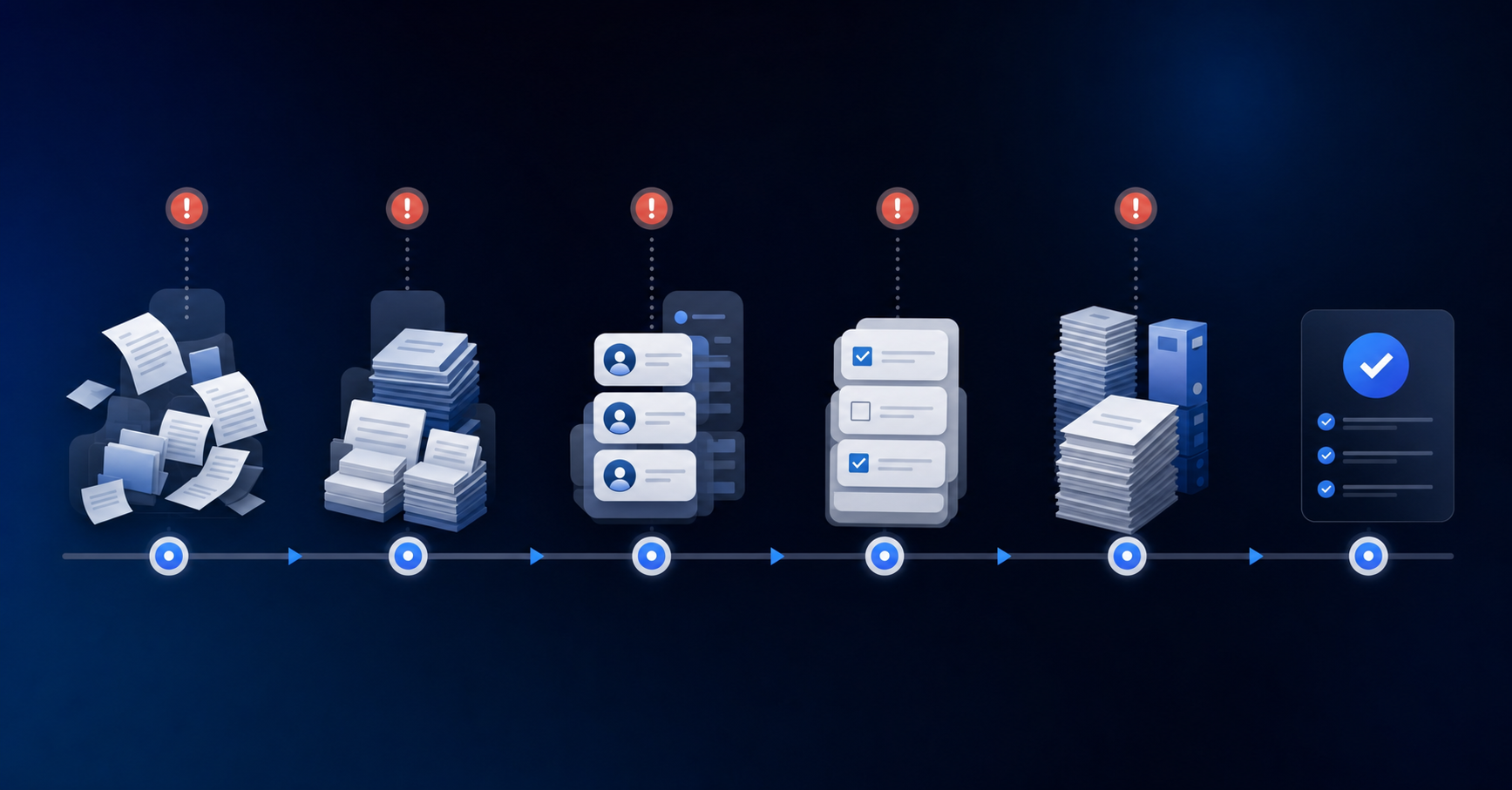
The Five Close Bottlenecks Costing Sage Intacct Users 8 Extra Days
Research shows the average close takes 14 days, but Sage Intacct teams running complex multi-entity books regularly push past 18. The extra days don't come from one failure — they stack from five repeating bottlenecks.
Intercompany Eliminations Done Manually
When consolidations require hand-keyed eliminations across entities, a single missed offset can stall the entire close while accountants trace the source.
Transaction Coding Backlogs
Uncoded or miscoded transactions sit in a queue until a senior accountant clears them — work that shouldn't need senior attention but consistently gets it.
Flux Analysis Built in Spreadsheets
Variance commentary assembled outside Sage means pulling exports, writing explanations in a separate file, and reconciling versions before anything is reviewable.
Accrual and Prepaid Schedules Maintained Off-System
Rollforward schedules tracked in Excel require manual journal entries each period. Every entry is a reconciliation risk.
Approval Routing Without Visibility
When reviewers don't have clear queue assignments or status tracking, entries sit — sometimes for days — waiting on a response no one knew was needed.
How Sage Intacct's Native Capabilities Support (And Limit) Your Close
Sage Intacct does ship with close-management infrastructure. The Close Automation tools include a Close Workspace for task tracking and assignment, a Subledger Reconciliation Assistant that matches subledger balances against the GL, and period-locking controls that prevent late posting to closed periods.
Where teams run into trouble is the gap between task tracking and actual work execution. Sage tells you what needs to happen and who owns it. It does not categorize transactions, draft accrual entries, or flag anomalies in your trial balance. Those tasks still land on your team's plate, usually in the first week of close when everyone is already stretched thin.
What Sage Intacct handles well
- The Close Workspace gives controllers visibility into task status across the team, so nothing slips through without at least being assigned.
- Period-locking controls reduce the risk of late journal entries corrupting a closed period.
- The Subledger Reconciliation Assistant catches balance mismatches before they compound into larger discrepancies at tie-out.
Where the native tools stop short
- Transaction coding and classification remain manual. Sage stores what was posted; your team decides how to get it there.
- Accrual and prepaid entries require accountant judgment and hands-on preparation each period.
- There is no anomaly detection layer watching for flux outliers or duplicate entries across your GL.
The native infrastructure is a solid foundation. The remaining close time lives in the execution work that sits outside it.
The Month-End Close Checklist Every Sage Intacct User Needs
Every Sage Intacct month-end close follows roughly the same sequence, but the teams that finish in 10 days treat it as a structured workflow with defined owners and hard cutoffs at each stage, not a loose collection of tasks to get through eventually.
Here is the core checklist, organized by phase:
Pre-Close (Days 1-2)
- Confirm all subledger cutoffs are set and communicated to AP, AR, and payroll so no late transactions slip into the period after books open for close.
- Lock the prior period in Sage Intacct to prevent accidental postings once the close window opens.
- Run an open items report across all modules to surface anything that needs resolution before reconciliations start.
Reconciliations and Accruals (Days 3-7)
- Match bank, credit card, and intercompany accounts against the GL, flagging any variance that needs a journal entry before the trial balance ties.
- Post accruals for payroll, benefits, and any recurring expenses not yet captured in AP.
- Review prepaid and deferred revenue schedules and post the appropriate amortization entries for the period.
- Confirm fixed asset depreciation has posted correctly for each entity.
Review and Tie-Out (Days 8-9)
- Pull the trial balance and run a flux analysis against the prior period and budget, documenting any variance above your materiality threshold.
- Obtain management sign-off on any judgment-based entries before the period is locked.
Close and Reporting (Day 10)
- Lock the period in Sage Intacct and generate final financial statements for distribution.
Automating What Sage Intacct Leaves Manual
Sage Intacct handles the GL work well: chart of accounts, dimensions, approval routing, financial reporting. What it leaves open is the execution layer sitting just above it, the work that happens before a journal entry ever gets posted.
Transaction classification still requires manual review for anything outside a narrow rule set. Accrual schedules get built in spreadsheets and pasted in. Flux commentary gets drafted from scratch each period. Intercompany entries get matched by hand across entities.
These tasks share a common trait: they are repetitive, high-volume, and rule-based enough that an accountant's judgment is only needed at the exception level, not on every line.
- Transaction coding pulls historical GL patterns to classify new activity, routing only the exceptions that fall outside normal behavior to your team for review.
- Accrual and prepaid entries get prepared based on schedule data, ready for human sign-off before posting.
- Flux variance commentary gets drafted against prior-period comparisons so your team edits instead of writing from scratch.
- Intercompany balances get matched across entities and flagged when they don't tie, instead of surfacing late in the cycle.
The accountant still owns every posting decision. The volume of repetitive prep work drops sharply.
Continuous Close: Spreading the Work Across 30 Days Instead of Cramming It Into 10
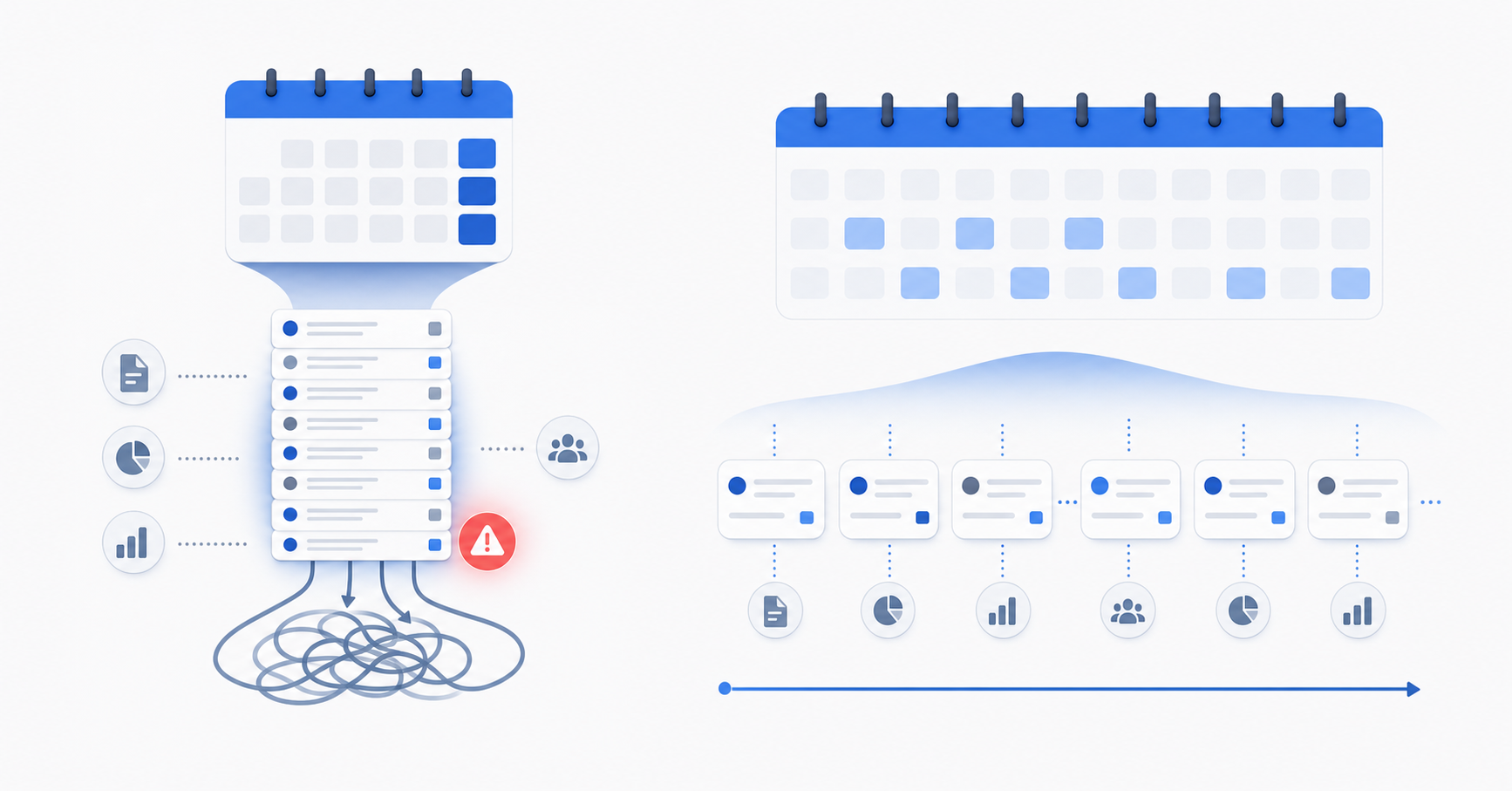
The fastest way to shrink your Sage Intacct close cycle is to stop treating it as a discrete 10-day sprint at month's end. Teams that consistently close in 10 days or fewer spread the work across all 30 days, so the final push is confirmation rather than discovery.
A few habits that separate fast-close teams from slow ones:
- Match high-volume accounts like cash, credit cards, and intercompany weekly, not on day one of close. By the time the period ends, most of the work is already done.
- Review accrual estimates mid-month so the numbers aren't a surprise when you post them.
- Run a preliminary trial balance in Sage Intacct on the last business day of the period to catch dimension errors and missing entries before close officially opens.
- Set Sage Intacct period-close checklists to auto-assign task owners on day one of close, so no one is waiting to be told what they own.
The goal is a close where day one through day five look like normal accounting work, not triage.
What a 10-Day Close Actually Looks Like in Sage Intacct
A 10-day close looks different from an 18-day one not in which tasks get done, but in when they're already done. Here is what that target state looks like across Sage Intacct:
| Days | What's happening |
|---|---|
| Day 1 | Transaction coding is current. Bank reconciliation is largely complete because accounts were matched weekly throughout the month. No discovery work needed. |
| Days 2-4 | Subledger balances match against the GL, dimensional coding gets reviewed for accuracy across entities, and intercompany balances tie without manual tracing. |
| Days 5-7 | Flux analysis runs against prior period comparisons. Journal entry review focuses on exceptions only. Accrual and prepaid schedules are verified, not built from scratch. |
| Days 8-9 | Management reviews judgment-based entries with supporting documentation already attached. Final adjustments are minor. |
| Day 10 | Period locks. Financial statements generate. Close is done. |
The difference between this and an 18-day close is visible at Day 1. If your team is still assembling transaction data when close opens, the remaining nine days compress everything that should have been spread across the month.
How AI-Powered Automation Cuts Sage Intacct Close Time By 40%
Teams using AI-powered accounting automation have cut the Sage Intacct month-end close cycle by 40% or more in practice, bringing an 18-day close down to around 10 to 11 days.
The reduction comes from attacking the right bottlenecks. In a typical Sage Intacct close, the bulk of lost time sits in three places:
- Transaction categorization that accountants still do manually because Sage's rule engine captures only a fraction of real-world spend patterns, leaving the rest as exceptions to sort through line by line.
- Accrual and prepaid schedules that require pulling source documents, recalculating balances, and building journal entries from scratch each period.
- Intercompany eliminations and consolidations that multiply in complexity with every additional entity, turning a manageable task into a multi-day coordination effort.
AI tools purpose-built for Sage Intacct read GL history, learn coding patterns from prior periods, and draft journal entries directly against your existing dimensions. Your team reviews, adjusts, and posts. The categorization backlog that used to consume the first week of close shrinks to an exception queue measured in hours.
The 40% figure is not a ceiling. Teams with higher transaction volume or more entities generally see larger time savings because the per-unit cost of manual work compounds faster than any fixed-time overhead does.
Truewind's Digital Staff Accountant: Automation Built for Sage Intacct
Truewind acts as a digital staff accountant that sits directly on top of Sage Intacct, handling the execution work that slows close cycles down.
Where Sage Intacct stores your GL data, Truewind reads it, acts on it, and routes exceptions back to your team for review. The human-in-the-loop stays intact throughout. Your team owns the final posting decisions; Truewind handles the categorization, reconciliation prep, and accrual drafting that fills the days before that point.
A few things it handles inside the Sage Intacct close workflow:
- Transaction classification pulls from historical GL patterns, so charges that have always coded to a specific account continue to code there without manual intervention each period.
- Reconciliation workpapers get drafted automatically, with variances flagged and routed into an exception queue for senior review rather than surfacing mid-close as surprises.
- Accrual journal entries are prepared based on vendor history and contract data, ready for accountant sign-off before posting directly to Sage Intacct via API.
The result is that senior accountants spend close week on review and judgment calls, not on the transaction-level work that precedes them.
Final Thoughts on Shrinking Your Sage Intacct Month-End Timeline
The fastest closes don't skip steps. They spread the work across all 30 days so the final push is confirmation, not discovery. The question is whether your current workflow supports that distribution, or whether the volume of prep work forces everything into a compressed 10-day sprint when the period locks.
FAQ
How do I reduce reconciliation time in Sage Intacct using AI?
AI reads historical GL patterns to match transactions automatically and routes only exceptions to your team for review. Teams matching high-volume accounts weekly instead of monthly cut the first week of close by 60% because the bulk of matching work runs continuously instead of stacking up at period-end.
Can I automate my monthly close checklist in Sage Intacct without losing control?
Sage Intacct's Close Workspace handles task assignment and period locking, but the actual prep work — transaction coding, accrual drafting, reconciliation workpapers — remains manual unless you layer AI on top to draft the work your team reviews and posts. You retain final approval on every entry.
Which AI tools help close the books faster in Sage Intacct each month?
Tools that automate transaction classification, accrual entry preparation, and reconciliation workpaper generation cut close time by 40% because they handle the repetitive execution work that fills the first week of close, leaving your team to review exceptions and sign off on journal entries instead of building them from scratch.
What is continuous close and how does it work in Sage Intacct?
Continuous close spreads reconciliation, accrual review, and transaction coding across all 30 days of the period so the final 10-day window becomes confirmation work instead of discovery. High-volume accounts get reconciled weekly, accrual estimates are reviewed mid-month, and a preliminary trial balance runs on the last business day to catch dimension errors before close opens.
How long does it take to cut a Sage Intacct close from 18 days to 10?
Most teams see material time reduction within the first full close cycle, with the full 40% reduction stabilizing over 2-3 months as historical GL patterns feed into classification accuracy and your team moves from discovery work to exception-only review queues.
Turn this into a close-ready workpaper
Start with sample files or upload your own statements to see how Truewind prepares review-ready workpapers and journal entries.