
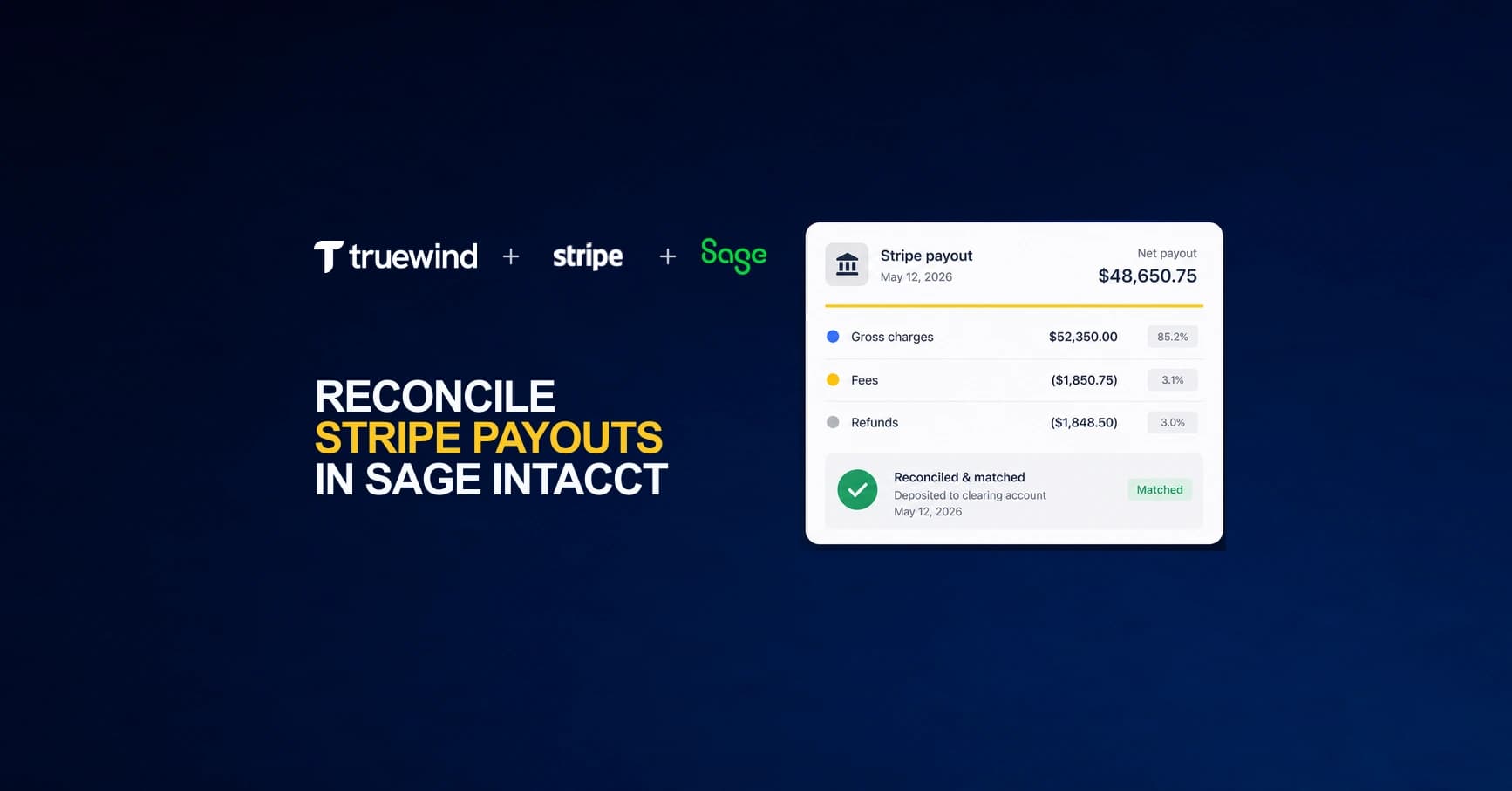
Your team opens Stripe, sees a payout deposited, and then opens Sage Intacct to match it. The numbers don't line up. That's because Stripe payout reconciliation requires unpacking a single net deposit into gross charges, processing fees, refunds, and dispute adjustments that span multiple days and accounting periods. Most teams export CSVs, build lookup tables in spreadsheets, and manually post the breakdown as journal entries. It works until transaction volume grows past a certain point, and then the close cycle starts stretching longer every month.
TLDR:
- Stripe batches charges, refunds, and fees into net payouts, creating a structural mismatch with Sage Intacct's GL-level entries that consumes hours per close cycle.
- Use a clearing account to post charges at transaction date and settle payouts separately, keeping gross-to-net reconciliation visible in your GL.
- Manual reconciliation requires CSV exports and spreadsheet lookups; automated tools pull transaction data via API and post matched journal entries directly.
- Truewind applies accounting logic at ingestion, splitting payouts into gross receipts, fees, and net deposits at the GL layer without manual intervention.
Why Stripe Payout Reconciliation Is More Complex in Sage Intacct
Stripe does not send one deposit per transaction. Instead, it batches hundreds of individual charges, refunds, fees, and disputes into a single payout that lands in your bank account every few days. When your team tries to match that payout to transactions in Sage Intacct, the numbers rarely line up cleanly on the first pass.
The core problem is structural. Stripe operates at the transaction level, while Sage Intacct expects GL-level entries. Bridging that gap manually means exporting CSVs from Stripe, building lookup formulas in spreadsheets, and then posting journal entries by hand. For companies processing hundreds of transactions per month, that process can add up to significant staff time per close cycle.
There are a few specific friction points that make this harder than standard bank reconciliation:
- Stripe nets its fees before paying out, so the gross charge amount and the deposited amount never match directly. Your team has to back out processing fees as a separate line item in the GL.
- Refunds and disputes can post in a different period than the original charge, creating timing differences that break period-over-period matching.
- Failed payments that briefly touch your Stripe balance require their own treatment to avoid inflating revenue figures.
How Stripe Payouts Actually Work (And Why It Breaks Standard Reconciliation)
Stripe's payout model runs through three distinct layers, and understanding them explains why standard bank rec logic fails before you even open Sage Intacct.
When a customer pays, Stripe receives the gross charge and deducts its processing fee immediately. The exact rate depends on your plan, card type, and region. What hits your bank account days later is a net batch figure aggregated across dozens or hundreds of individual charges, refunds, and disputes from a rolling settlement window.
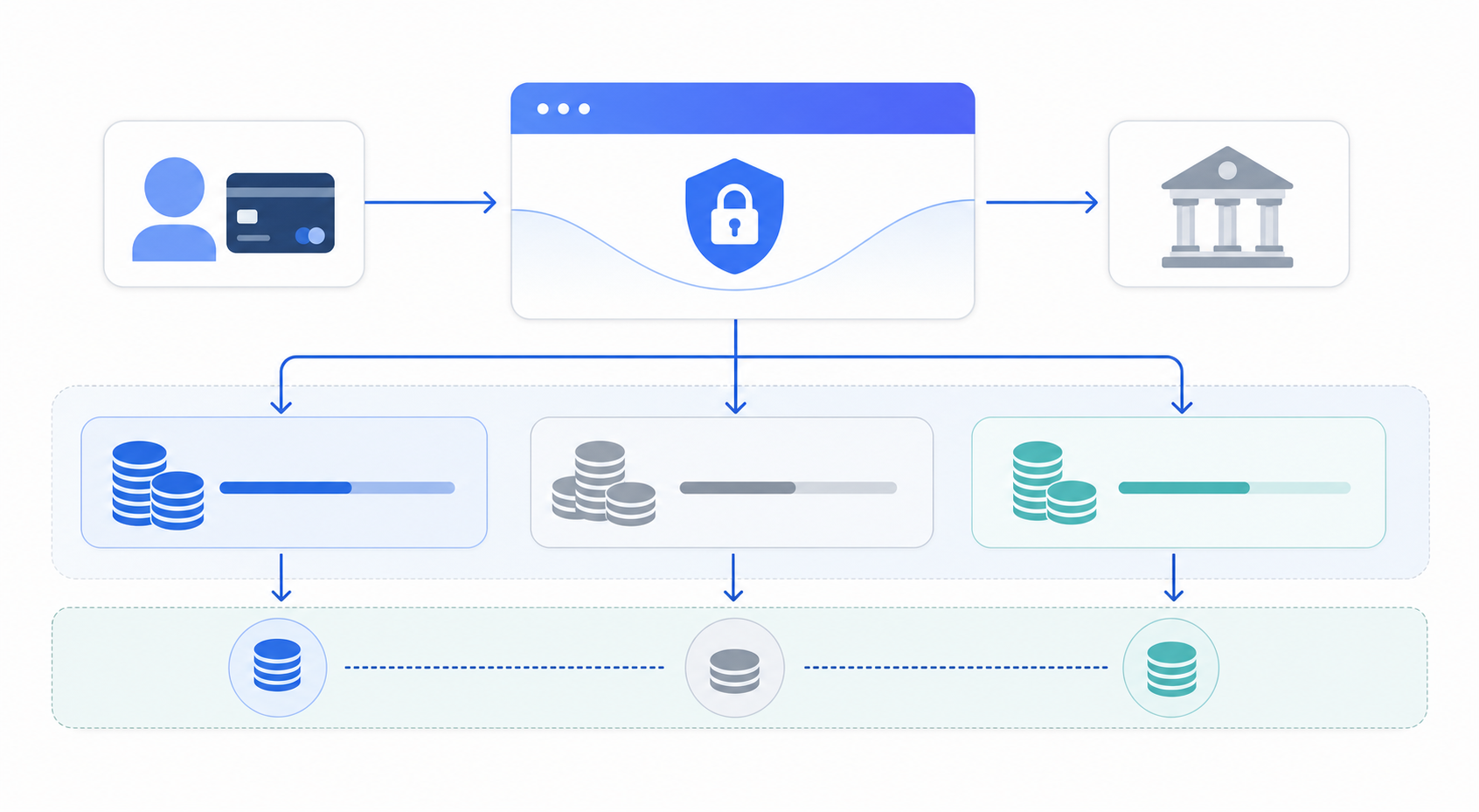
This creates three distinct mismatches your accounting team has to untangle:
- The bank deposit reflects a net payout, but your revenue ledger needs gross transaction amounts recorded against individual invoices or line items.
- Stripe's settlement timing rarely aligns with your GL period boundaries, so a single payout can span two accounting periods.
- Fees, refunds, and dispute adjustments are buried inside the same batch, requiring line-by-line extraction before any journal entry can be posted accurately.
Bank reconciliation assumes one-to-one or simple one-to-many matching. Stripe payouts are many-to-one by design, which is why spreadsheet-based workarounds break down at any meaningful transaction volume.
The Journal Entry Structure for Sage Intacct Stripe Reconciliation
Before your team can automate anything, you need the right journal entry structure in place. Stripe payouts rarely arrive as clean one-to-one transactions. A single payout batch typically bundles charges, refunds, fees, and disputes across multiple days, which makes direct GL posting unreliable.
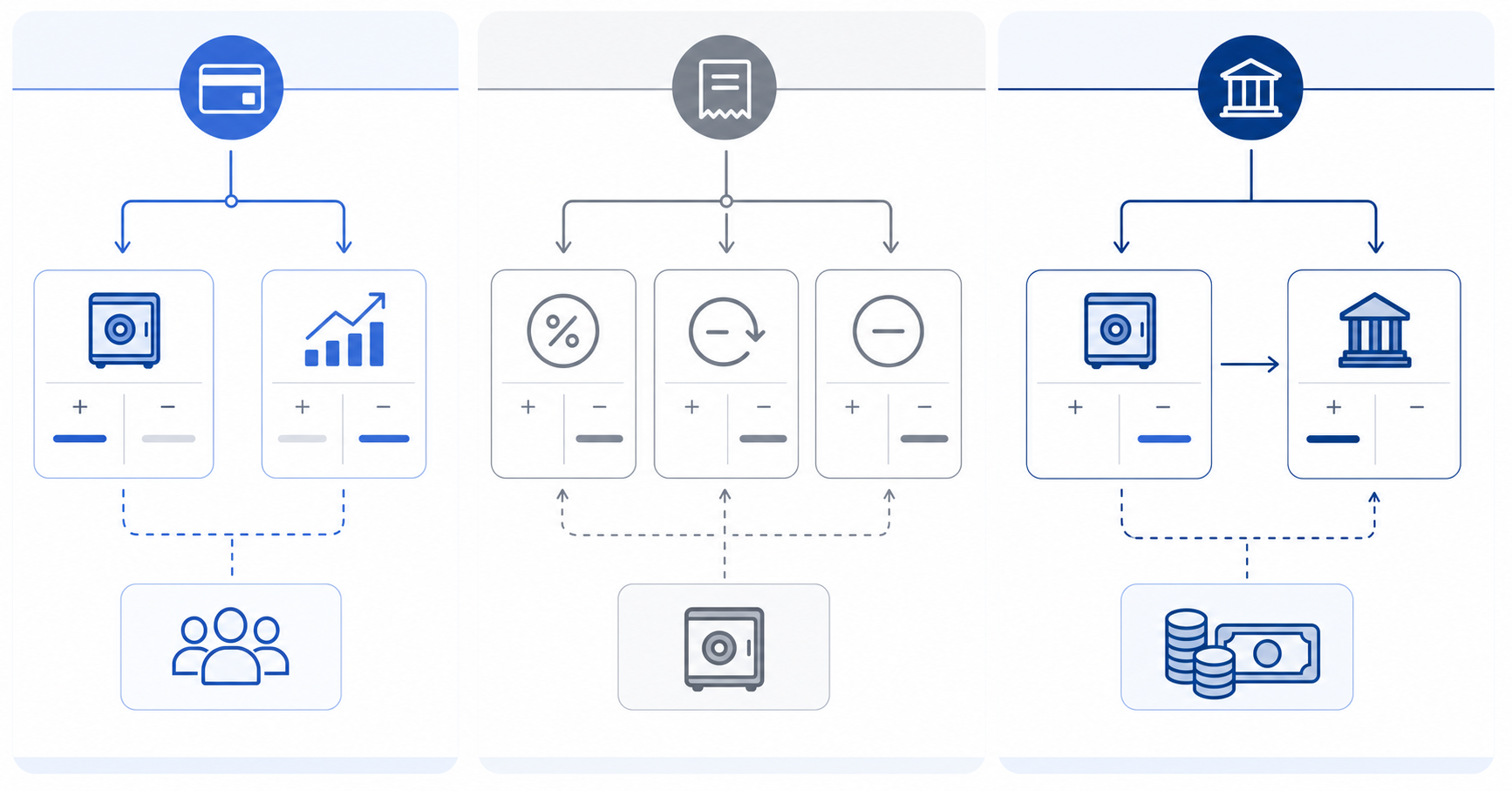
The standard approach uses a Stripe clearing account as an intermediary:
- Charges post as debits to the Stripe clearing account and credits to revenue at the transaction date instead of the settlement date.
- Fees and refunds post against the clearing account at the time Stripe processes them, keeping the gross-to-net math visible in your GL.
- The payout itself moves the net settled amount from the clearing account to your bank account, closing out the batch cleanly.
Why the Clearing Account Matters
Without a clearing account, timing differences between charge capture and bank settlement create reconciling items that are difficult to trace. Clearing accounts temporarily hold transactions until they can be permanently recorded in the appropriate account. The clearing account balance should reach zero after each payout cycle. If it does not, you have an unmatched transaction worth investigating before the close.
Common Reconciliation Errors That Inflate Manual Work
Stripe's payout structure creates several recurring error patterns that compound over time. Understanding where things break down helps you see why spreadsheet-based workflows struggle to keep up.
Timing mismatches between payouts and transactions
Stripe batches transactions over a rolling period before settling funds. Settlement timing varies by country and method, typically following a T+X day schedule. When your team records the deposit in Sage Intacct on the settlement date without mapping it back to individual charges, revenue gets booked in the wrong period. This is one of the most frequent sources of month-end discrepancy.
Fee deduction blind spots
Stripe deducts processing fees before disbursing funds, so the gross transaction amount and the net payout never match. Teams that skip the fee reconciliation step routinely understate expense or misclassify it to the wrong GL account.
Refunds and disputes landing in the wrong period
Refunds and chargebacks often post days after the original transaction, creating timing gaps. Without a systematic process to match these back to source charges, your AR and revenue figures drift in opposite directions across periods.
Manual Reconciliation vs. Automated Approaches
Reconciling Stripe payouts by hand typically means downloading transaction exports, building lookup formulas in spreadsheets, and chasing down the gap between gross charges and net deposits after Stripe's fees are subtracted. For teams closing books monthly, that process can run several hours per close cycle, and any formula error or missed row carries forward into your GL.
Automated approaches replace the spreadsheet layer entirely. Instead of manually matching payout IDs to journal entries, a connected workflow pulls Stripe transaction data directly into Sage Intacct, maps each payout to the correct revenue and fee accounts, and flags discrepancies for review.
What That Difference Looks Like in Practice
- Manual: export CSV from Stripe, build VLOOKUP against Sage Intacct transactions, manually post fee entries, review for gaps, repeat each close.
- Automated: Stripe data flows into Sage Intacct on a defined schedule, journal entries post automatically, and your team reviews exceptions instead of building the match from scratch.
The practical outcome is fewer touch points per close and a shorter window between payout receipt and posted entry.
What Integration Options Exist Between Stripe and Sage Intacct
Three main approaches exist for connecting Stripe to Sage Intacct, each with different tradeoffs around control, maintenance, and accuracy.
Native or Direct API Connections
Some teams build direct integrations between Stripe's API and Sage Intacct's Web Services layer. This gives you full control over data mapping, but it requires engineering resources to build and maintain. When Stripe or Sage Intacct updates its API, your team carries the burden of keeping the connection intact.
iPaaS and Middleware Connectors
Tools like Zapier, Workato, and Boomi sit between the two systems and pass data on a schedule or trigger basis. These reduce the engineering lift, but they typically sync raw transaction data without applying the accounting logic needed to match net payouts to gross charges, fees, and refunds accurately.
AI-Native Accounting Automation
Purpose-built tools designed for startup and growth-stage finance teams, like Truewind, apply accounting logic at the point of ingestion. Instead of moving raw records, they interpret payout composition, classify transactions to the correct GL accounts, and post entries that are ready for review without requiring a spreadsheet in between.
| Integration Approach | Setup and Maintenance | Accounting Logic Applied | Best For |
|---|---|---|---|
| Direct API Connection | Requires engineering team to build and maintain custom integration. Your team owns all updates when either Stripe or Sage Intacct changes their API. | None by default. Your team codes all mapping between payout composition and GL accounts, fee extraction, and period matching. | Teams with dedicated engineering resources who need complete control over data flow and have complex custom requirements that third-party tools cannot meet. |
| iPaaS Middleware (Zapier, Workato, Boomi) | Pre-built connectors reduce initial setup time. Ongoing maintenance handled by vendor when APIs change, but workflow logic updates fall to your team. | Passes raw transaction data between systems. Does not interpret payout structure, split fees, or apply GL-level matching without additional configuration. | Teams moving data between multiple systems who can handle the accounting layer separately, or who have simple transaction patterns that do not require payout decomposition. |
| AI-Native Accounting Tools (Truewind) | Purpose-built for finance workflows. Vendor maintains both API connections and accounting logic as systems evolve. | Splits payouts into gross receipts, processing fees, refunds, and disputes at ingestion. Posts matched journal entries to correct GL accounts without manual mapping. | Startup and growth-stage finance teams processing high transaction volumes who need accurate GL entries without building custom reconciliation workflows in spreadsheets. |
How AI-Powered Reconciliation Handles Stripe in Sage Intacct
AI-powered reconciliation tools built for accounting workflows approach Stripe payouts differently from generic automation. Instead of requiring your team to manually map payout IDs to invoices or chase down fee offsets in spreadsheets, tools like Truewind use a direct Sage Intacct integration to pull transaction-level data and generate matched journal entries automatically.
The core workflow looks like this:
- Stripe payouts land in the bank as net deposits, while transaction-level Stripe data contains the gross receipts, processing fees, refunds, and disputes needed to post each component to the correct GL account in Sage Intacct without manual intervention.
- Transactions that cannot be matched automatically get flagged for human review, giving your team a focused exception queue rather than a full ledger audit.
- Historical payout data can be ingested retroactively, so your books reflect accurate records even for prior periods that were previously reconciled in spreadsheets.
What to Look For in an AI Reconciliation Tool
Not every tool that claims AI-powered reconciliation actually operates at the GL layer. Before selecting one, verify it handles multi-currency payouts, supports Sage Intacct's native journal entry structure, and produces an audit trail that maps each matched transaction back to its source record in Stripe.
Final Thoughts on Stripe Reconciliation Workflows
Manual payout matching consumes close capacity that should go toward analysis. Automated Sage Intacct Stripe reconciliation removes the spreadsheet layer between payout receipt and posted entry, giving your team an exception queue instead of a full ledger rebuild. The right journal entry structure matters, but the right workflow makes that structure maintainable at scale. Book a demo to walk through how your specific payout composition would post.
FAQ
Can I reconcile Stripe payouts in Sage Intacct without building custom spreadsheets?
Yes. Tools like Truewind connect to both Stripe and Sage Intacct via API, automatically splitting each payout into gross receipts, processing fees, and net deposits, then posting matched journal entries directly to your GL without manual spreadsheet work.
Stripe clearing account vs direct posting to revenue?
A clearing account posts charges at transaction date (debit clearing, credit revenue), then moves the net payout to your bank account at settlement, keeping timing differences visible. Direct posting records everything at settlement date, which routinely books revenue in the wrong period and creates open items that are harder to trace.
What's the fastest way to backfill historical Stripe reconciliation in Sage Intacct?
AI-powered tools can ingest historical payout data retroactively and generate period-correct journal entries mapped to your chart of accounts. This replaces the manual process of rebuilding prior-period reconciliations in spreadsheets, typically saving several hours per month of historical data processed.
How do I handle Stripe refunds that post in a different period than the original charge?
Record refunds against your Stripe clearing account in the period they actually post, not when the original charge occurred. Without a systematic matching process, refunds that cross period boundaries will cause AR and revenue to drift, requiring manual correction at close.
Turn this into a close-ready workpaper
Start with sample files or upload your own statements to see how Truewind prepares review-ready workpapers and journal entries.