
The Sage Intacct bank feed pulls transactions in, matches them during reconciliation, and then leaves the rest to you. No GL account gets assigned, no department or class or payee gets tagged, nothing posts until someone codes it manually. That gap between import and categorization is where teams lose time. QuickBooks Online users who switched to Sage feel the gap immediately. They're used to coding suggestions arriving with each transaction, not as a separate manual step.
TLDR:
- Sage Intacct imports bank transactions but doesn't categorize them: you assign all GL codes manually
- Sage's rule engine requires exact string matches, so "UNITED AIRLINES" and "UNITED AIR" need separate rules
- Manual coding averages 5 invoices per hour vs. 30 with automation, a 6x throughput gap
- AI classification learns from your GL history to handle vendor name variations and dimensional assignments
- Truewind syncs coded transactions directly to Sage Intacct with full duplicate detection and reviewer control
What Sage Intacct Bank Feeds Actually Do (and What They Don't)
Sage Intacct does have a bank feed, which is worth clarifying upfront since that's where the confusion often starts.
Through Sage Cloud Services, Intacct pulls in bank transactions automatically. The feed supports reconciliation: transactions come in, get matched against existing GL entries, and the reconciliation module checks them off.
What it does not do is categorize anything. No GL account, class, department, or payee gets assigned automatically.
Why Sage Intacct Users Miss the QBO Bank Feed Experience
QuickBooks Online's bank feed does two things at once: it pulls transactions in and suggests how to code them. That second part is what Sage users notice when it's gone.
In QBO, a transaction arrives pre-labeled with a suggested account, vendor, and category. You confirm or correct it. Sage's feed stops after the import. Categorization is your problem.
The problem worsens when bank feed error rates run as high as 18%, forcing teams to verify each transaction manually before coding.
For Sage Intacct users without a coding layer on top of the feed, a meaningful portion of that is just assigning GL codes to transactions that could have been handled automatically.
Sage users who moved up from QBO describe the gap immediately. They know what automated coding looks like. They just don't have it anymore.
The Transaction Coding Gap Between Bank Feeds and Your General Ledger
Reconciliation and transaction coding are separate problems. Sage Intacct handles the first. The second falls entirely on your team.
Once transactions land in Sage, someone assigns the GL account, class, department, location, payee, and any custom dimensions your chart of accounts requires. That work happens transaction by transaction before anything posts. During month-end close, that backlog grows fast.
The risk is consistency. Manual coding across a multi-dimensional chart of accounts means team members apply dimensions differently, and those gaps stay quiet until an auditor asks.
How Sage Intacct's Rules Engine Compares to Other Systems
Sage Intacct supports transaction rules and memorized transactions. When a rule matches, it fires. When it doesn't, nothing happens.
The problem is match logic. Sage rules rely on exact or close-exact string matching against transaction descriptions. Merchant names change slightly between statements. A rule built for "UNITED AIRLINES" misses "UNITED AIR" or "UAL." One character off and the rule passes silently.
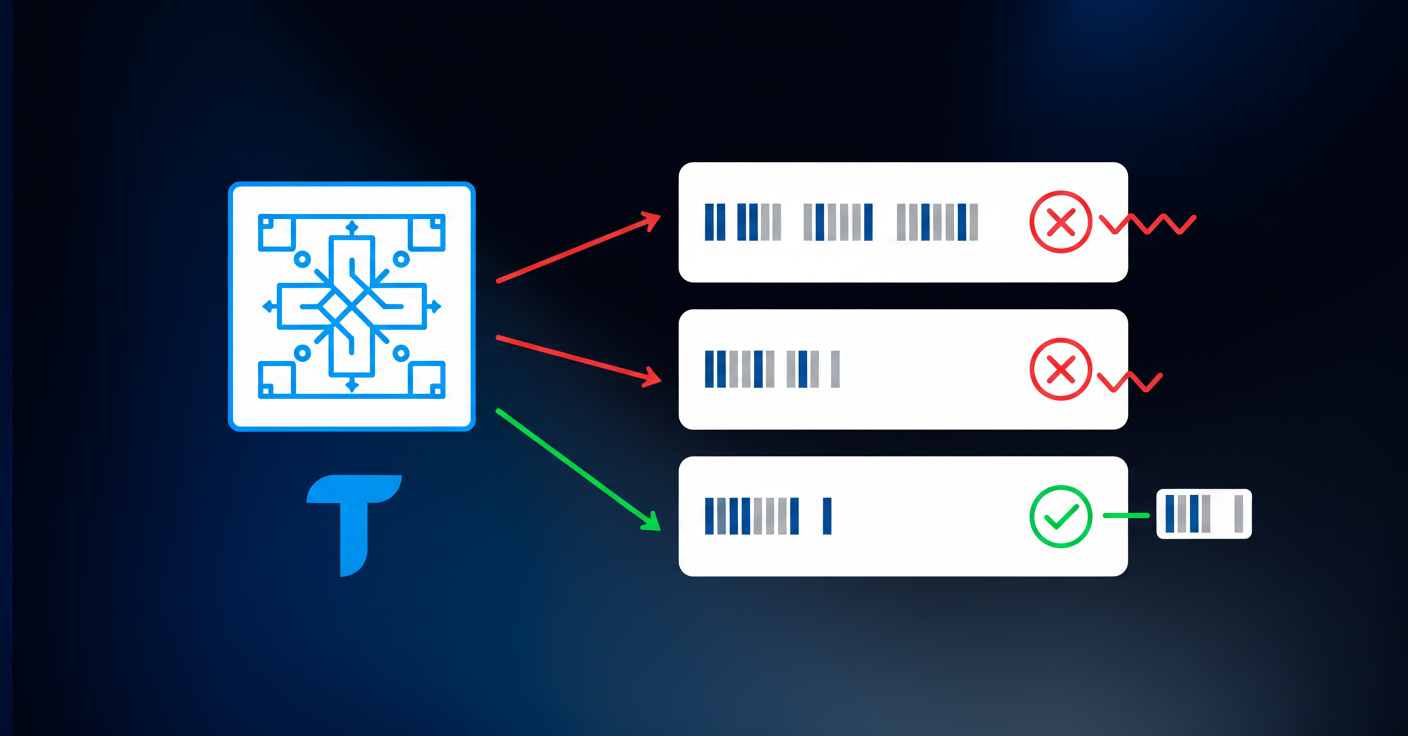
QBO and NetSuite handle this more loosely. Their rules tolerate partial matches and can apply across broader vendor patterns. Sage's engine is stricter by design, which works fine for predictable, consistent transaction feeds. Most real-world feeds are not.
"After I started making the rules in Sage, and it didn't capture half the rules, I was like, this is stupid."
That's from an accountant managing over $125M in revenue across multiple entities. The frustration is the same whether you have six transactions a day or six hundred.
| System | Bank Feed Import | Automatic Transaction Coding | Rule Match Logic | Vendor Name Variation Handling |
|---|---|---|---|---|
| Sage Intacct | Imports transactions via Sage Cloud Services for reconciliation matching | No automatic coding. All GL accounts, departments, classes, and dimensions require manual assignment after import | Exact or near-exact string matching. Rules fire only when transaction descriptions match precisely | Poor. Each vendor name variation requires a separate rule. UNITED AIRLINES and UNITED AIR need distinct rules |
| QuickBooks Online | Imports transactions with simultaneous categorization suggestions | Suggests GL account, vendor match, and category based on historical patterns at time of import | Tolerates partial matches and applies rules across broader vendor patterns | Good. Handles minor variations in merchant names without requiring multiple rules |
| NetSuite | Imports transactions through bank feed connections | Supports automated coding through SuiteScript customization and saved transaction rules | Flexible matching with support for pattern-based rules and partial string matching | Good. Rule engine accommodates vendor name variations with configurable matching tolerance |
| Truewind + Sage Intacct | Reads transactions from connected bank feeds and Sage Intacct data | AI classifies transactions across all dimensions with confidence scores and explanations before sync to Sage | Machine learning trained on historical GL patterns. No rule creation or maintenance required | Excellent. Recognizes vendor patterns across any name variation by learning from your coding history |
The Real Cost of Manual Transaction Coding for Sage Intacct Users

Manual coding is slow in any system. In Sage Intacct, without a coding layer, it's slower.
Research shows 56% of finance teams still match bank statements by hand. For Sage users, transaction coding often runs parallel to that same manual effort, not instead of it. And without rules that reliably fire, there's no fallback.
The throughput gap is stark: manual processing averages around five invoices per hour, while automated workflows handle roughly 30. That's a 6x difference in volume applied to every coding decision your team makes across every account, every month.
For a sole accountant managing multiple entities and credit cards, that math compounds fast.
Multi-Entity and Dimensional Complexity Makes Manual Coding Harder
Sage Intacct's dimensional structure is one of its genuine strengths. Department, class, location, project, payee, and any custom dimensions you've configured give you reporting granularity that simpler systems can't match.
But every dimension you add is another field someone has to populate per transaction. Manually. For every bank and credit card line item, across every entity you manage.
A single transaction in a multi-entity environment might require five or six dimensional assignments before it's post-ready. Multiply that by volume, then by entity count, and the coding burden scales faster than headcount does.
Common Workarounds Sage Intacct Teams Use (and Why They Fall Short)
Most teams build something that mostly works, and then live with the parts that don't.
Three workarounds come up repeatedly:
- Excel staging files: transactions get exported, coded manually in a spreadsheet, then imported back into Sage. It works until someone saves over a file, uses a stale template, or applies the wrong dimension mapping. Version control is informal. Errors are quiet.
- Direct entry in Sage: some teams skip the export step and code transactions one by one in the GL. Accurate, but slow, and there is no clean way to avoid overlap when multiple people work in the same ledger.
- Third-party middleware or custom scripts: tools like Make.com or homemade bots automate pieces of the import but break when bank formats change, require ongoing maintenance, and rarely handle dimensional assignments beyond basic GL account mapping.
Every workaround shares the same flaw: it decouples the coding decision from any institutional memory. Each month starts from scratch. Rules carry no context. Nothing learns.
Fragility compounds at scale. What holds for one entity and two bank accounts starts straining at three entities and six credit cards. Finance teams that adopted automated payment processing freed up more than 500 work hours each year, equal to roughly 10 hours per week regained for higher-value tasks.
What AI Transaction Coding Brings to Sage Intacct
AI classification reads your historical GL data to predict how each transaction should be categorized. A vendor labeled three different ways across three statements gets recognized as the same payee, same account, same department. Rules break on variation. A model trained on your actual coding history handles it.
Each classification includes a confidence score and a full explanation so reviewers see the reasoning before anything posts to the GL.
How Automated Transaction Coding Connects to Your Sage Intacct GL
AI reads your existing GL history to classify incoming bank and credit card transactions against your full dimensional structure. Enterprise AI adoption in finance is expected to reach 80% of large teams by 2026, while automation can reduce processing errors by as much as 70%.
Coded entries sync directly into Sage Intacct on approval. Sage stays the system of record. Nothing gets posted without a reviewer signing off first.
What AI Transaction Coding Brings to Sage Intacct
AI classification reads your existing GL history to understand how transactions should be coded. A vendor appearing three different ways across three months of statements gets recognized as the same payee and assigned consistent accounts, departments, and dimensions. Rigid rules break on variation. A model trained on your actual coding patterns handles it without a rewrite.
Confidence scores and plain-language explanations attach to every classification, so reviewers see the reasoning before anything posts. Each correction feeds back into the model, improving accuracy over time.
How Automated Transaction Coding Connects to Your Sage Intacct GL
Once coded transactions are approved, they sync directly into Sage Intacct. Your GL stays the system of record throughout with the Sage Intacct partner for close management. Every entry carries the full dimension set your Sage configuration requires, account, payee, department, class, location, and any custom dimensions, so nothing arrives in Sage incomplete. The same approach applies to prepaid schedules posting to Sage Intacct.
Duplicate detection flags anything already coded, so no transaction gets entered twice, accelerating the future of accounting automation.
Final Thoughts on Sage Intacct Bank Feed Limitations
Sage Intacct pulls transactions in through its bank feed, but Sage Intacct transaction coding is still a separate manual step your team owns. The gap between import and post is where the hours stack up, especially across multiple entities with full dimensional requirements. You can see what automated coding looks like in your actual Sage environment without changing your workflow. Your GL structure stays the same. The time spent filling it out doesn't.
FAQ
Can Sage Intacct code bank transactions automatically?
No. Sage Intacct's bank feed pulls transactions in and matches them for reconciliation, but it does not assign GL accounts, departments, vendors, or any other dimensions. Transaction coding is manual unless you add an automation layer on top.
Sage Intacct transaction rules vs AI coding: which one actually works?
Sage Intacct's rules rely on exact string matching and break when merchant names vary slightly between statements. AI coding reads your historical GL patterns and handles vendor name variations without rewriting rules, improving accuracy as it learns from your corrections.
How do you automate sage intacct transaction coding without losing control?
Connect an AI layer that reads your GL history, classifies incoming bank and credit card transactions across all dimensions, shows you confidence scores and explanations for each suggestion, and lets you approve or correct before syncing anything to Sage. Your GL stays the system of record.
What's the actual time difference between manual and automated transaction coding?
Manual processing averages around five invoices per hour. Automated workflows handle roughly 30. For Sage Intacct users coding transactions by hand across multiple entities and dimensions, that 6x throughput gap compounds with every account and every month.
Should I export Sage Intacct transactions to Excel for coding?
Only if you accept version control errors, dimension mapping mistakes, and starting from scratch every month. Excel staging works until someone uses a stale template or saves over a file. Automated coding retains context between cycles and improves over time instead of resetting.
Turn this into a close-ready workpaper
Start with sample files or upload your own statements to see how Truewind prepares review-ready workpapers and journal entries.