

Closing a bank account in Sage Intacct takes minutes. Closing a brokerage account can take days. The built-in reconciliation workflow assumes you are matching deposits and withdrawals, not tracking unrealized gains, accrued dividends, and position-level changes across custodians. Sage Intacct has no native way to pull a position file from your portfolio system, whether that is Sage Intacct Addepar integration or a direct custodian feed, and tie it line by line to your posted GL balances. Investment accounts require position-level reconciliation logic that Sage was never built to handle. Most teams close brokerage accounts outside Sage entirely, in spreadsheets, because the system cannot ingest the data it needs to close the loop. This post breaks down exactly why brokerage reconciliation in Sage Intacct does not work and what workflow teams use instead.
TLDR:
- Sage Intacct's reconciliation module can't handle brokerage accounts because it has no position-level logic, no custodian connectors, and no way to auto-generate mark-to-market entries.
- Manual reconciliation takes 2 to 4 hours per account per month; at 50+ accounts, that bottleneck extends your close and forces senior accountants into data wrangling.
- Most teams build spreadsheet bridges between Addepar and Sage, manually matching positions and posting adjusting entries with no exception workflow.
- AI classification handles variable investment transactions that Sage's rule engine misses: dividend reinvestments, capital calls, and return-of-capital distributions that change format every month.
- Truewind pulls Addepar data, matches it against Sage at the position level, routes variances into an exception queue, and posts correcting journal entries via API after human review.
Why Sage Intacct's Reconciliation Module Cannot Handle Brokerage Accounts
Sage Intacct's reconciliation module was built for standard balance sheet accounts: cash, AR, AP, prepaids, accruals. It compares a GL balance against a known source, flags differences, and clears them. That workflow breaks down completely with brokerage accounts.
Brokerage accounts held at custodians like Schwab, Fidelity, or Interactive Brokers contain securities positions, unrealized gains and losses, dividends, interest accruals, and corporate actions. None of these map cleanly to a single GL line. Sage stores what you post; it has no native understanding of market value, lot-level cost basis, or position-level reconciliation.
Where the Gap Shows Up in Practice
- Sage cannot ingest a custodian's position file and compare it against posted holdings. There is no built-in connector to Addepar, Orion, or other portfolio reporting platforms.
- Unrealized gain/loss requires mark-to-market entries that change every period. Sage has no mechanism to auto-generate those entries from live pricing data.
- Corporate actions like stock splits, mergers, or return-of-capital distributions require manual intervention to code correctly, and Sage offers no workflow to flag or queue them.
- Multi-entity funds holding the same security across entities need position reconciliation at both the entity and consolidated level. Sage's reconciliation module operates at the account level, not the position level.
The result: teams either skip the reconciliation entirely, run it manually outside Sage in spreadsheets, or wait until audit to find the gaps.
When Addepar Data Reaches Sage But Won't Appear in Reconciliation
Addepar exports transaction and valuation data on its own schedule, and Sage Intacct records what it receives. Those two timelines rarely match perfectly.
When a trade settles in Addepar but the corresponding journal entry hasn't posted in Sage yet, the account balance in the GL sits at a different figure than what Addepar shows. Sage's native reconciliation tools compare what's in the GL against what's in the GL. There's no mechanism to pull in an external Addepar balance and run a comparison automatically.
Where the Gap Shows Up in Practice
- Addepar reports unrealized gains using mark-to-market valuations that update continuously, while Sage holds the cost basis until a journal entry posts the adjustment. The two balances diverge every day the market moves.
- Dividend accruals recorded in Addepar appear as receivables before cash settles, but Sage won't reflect them until the entry is manually posted. Matching those mid-period is a manual lookup, not a system function.
- Multi-currency holdings create a second layer: Addepar tracks FX exposure at the position level, while Sage needs a separate FX revaluation entry to bring the GL balance in line.
Each of these gaps requires someone to pull an Addepar report, open Sage, and manually compare line by line.
The Manual Workaround Family Offices Build Outside the GL
Without seeing an existing section to rewrite, I'll draft this section from scratch based on the blog post context, brand voice, and section header.
Family offices and fund accountants working in Sage Intacct have learned to live with a gap. Sage tracks your journal entries and GL balances. It does not pull live positions or unrealized gains from custodians and portfolio reporting tools such as Addepar, Orion, or Black Diamond. So teams build their own bridge.
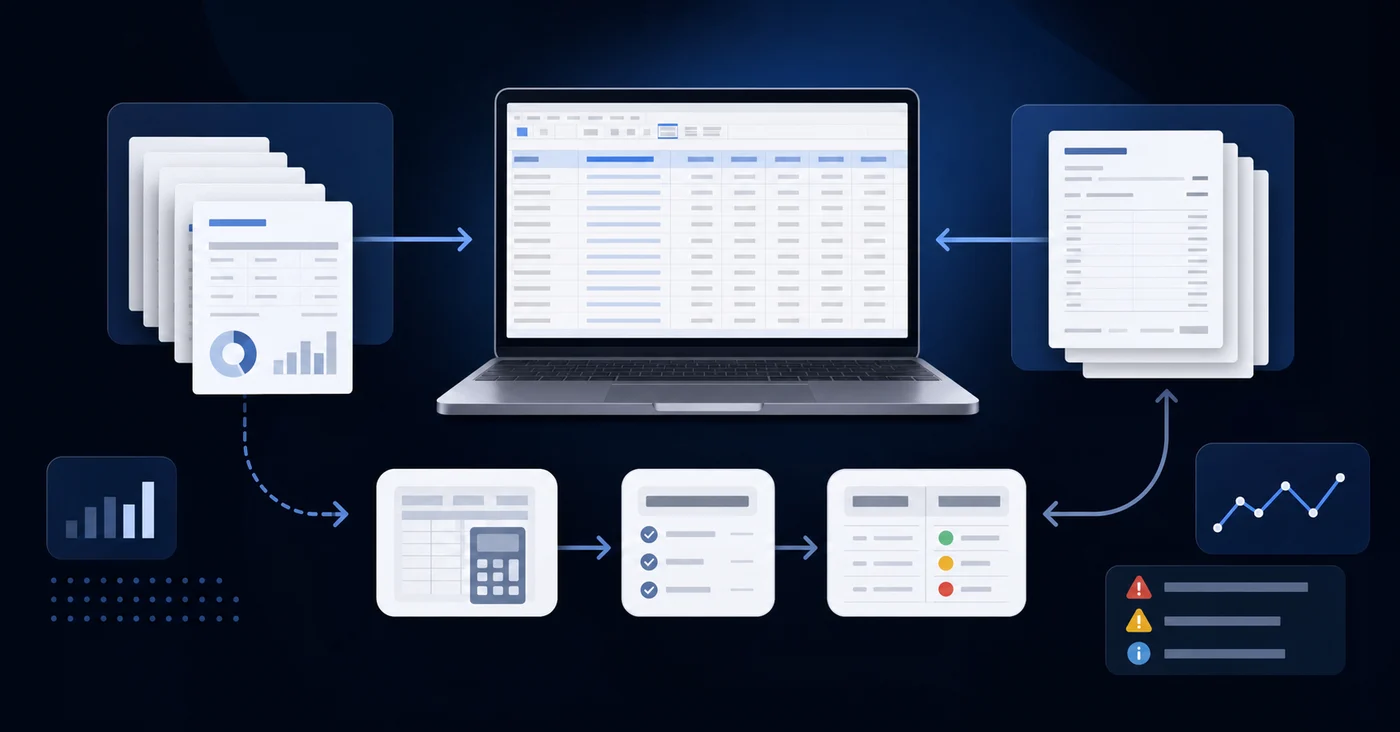
The typical workaround looks like this:
- A staff accountant exports a position report from the portfolio system at month-end, drops it into Excel, and manually ties it to the corresponding GL accounts in Sage.
- Interest accruals and dividend receivables get calculated outside the GL and entered as manual journal entries with no automated cross-check against the custodian feed.
- Any discrepancy between the investment system and Sage gets resolved through back-and-forth emails instead of a documented exception workflow.
One entity is manageable. Across ten or twenty entities, each with separate custodian accounts, that process compounds into a meaningful close bottleneck every single month.
How Bank-to-Book Reconciliation Works for Standard Accounts vs. Brokerage Accounts
For standard bank accounts, the reconciliation logic is straightforward: you pull the bank statement, match it line by line against the GL, and clear the difference. The account holds cash, and cash has one value at any point in time.
Brokerage accounts don't work that way.

What Makes Brokerage Accounts Different
A brokerage account holds a mix of assets, each with its own pricing, accrual behavior, and transaction type. At period-end, the work goes beyond matching deposits and withdrawals. Investment reconciliation requires position-level verification across cash, securities, and derivative holdings. You're accounting for:
- Unrealized gains and losses that shift the account value without generating a cash transaction
- Interest and dividend accruals that may not settle until after the period closes
- Capital calls, distributions, and management fees that hit at irregular intervals
- Market-price movements that reprice every position daily
The GL Problem This Creates
Sage Intacct records what was posted. It does not know what the brokerage account is worth today. The gap between your GL balance and your custodian statement is not a timing difference you can clear with an open item. It reflects mark-to-market movement, accrued income, and position-level activity that never entered the GL as a transaction.
Closing that gap requires a position-level feed from a system like Addepar, a manual mapping of each line to a GL account and dimension, and a journal entry that ties book value to fair value. Sage holds none of that source data natively.
| Reconciliation Requirement | Bank Account | Brokerage Account |
|---|---|---|
| Data source format | Bank statement with deposits and withdrawals listed chronologically | Position file with securities holdings, market values, accruals, and transaction details across multiple asset types |
| Primary reconciliation logic | Match statement transactions line by line against posted GL entries and clear timing differences | Compare position-level cost basis and market value against GL balances, then account for unrealized gains and accrued income |
| Period-end value determination | Statement balance at month-end represents the single cash value at that point in time | Fair value requires mark-to-market pricing for each position plus dividend and interest accruals that settle after period close |
| GL posting frequency | Transaction entries post as deposits and withdrawals clear, matching bank timing within days | Unrealized gains shift daily with market prices but post only when a manual mark-to-market journal entry gets created |
| Common variance drivers | Deposits in transit, outstanding checks, and bank fees not yet recorded in the GL | Market price movement, accrued dividends not yet settled, corporate actions like splits or mergers, and multi-currency FX revaluation |
The Cost of Manual Brokerage Reconciliation at Scale
At scale, manual brokerage reconciliation stops being a workflow and becomes a staffing problem.
According to APQC close cycle data, finance teams take a median of 6 to 7 days to complete the monthly close. Brokerage accounts push that timeline further because they require position-level matching that standard reconciliation workflows don't handle.
A single brokerage account might take an accountant two to four hours per month to close manually: downloading statements, formatting data, matching positions, investigating discrepancies, and posting adjusting entries. For a venture fund or family office with a dozen accounts, that's manageable. For a multi-entity structure running 30, 50, or 100 brokerage accounts across custodians like Schwab, Fidelity, or Pershing, the hours compound fast.
The work itself doesn't scale. Each account requires its own statement pull, its own formatting pass, and its own review cycle. Custodians don't export in a standard format, so normalizing data before a single match can run takes meaningful time on its own.
What gets squeezed is close quality. When reconciliation volume forces your senior accountants into data wrangling, variance investigation waits, and the close extends.
Building a Reconciliation Layer That Sits Outside Sage Intacct
When the reconciliation logic lives outside Sage, the data flow becomes straightforward to reason about.
Addepar exports or custodian statements serve as the bank side of the reconciliation. GL entries already posted in Sage serve as the book side. Matching happens in the external layer, where the comparison logic can account for settlement timing, lot-level cost basis, accrued interest, and position-level groupings that Sage's native reports were never built to handle.
There are a few ways teams set this up in practice:
- A spreadsheet-based layer pulls from both sources manually, matches line by line, and tracks exceptions in a separate tab. This works at low volume but breaks down as entity count or transaction frequency grows.
- A purpose-built reconciliation tool connects to both Sage and the custodian or portfolio system via API, matches automatically, and routes exceptions to a review queue for human resolution.
- A hybrid approach uses the portfolio system itself, such as Addepar, as the source of truth for investment positions and generates the matching logic there before any GL posting occurs.
The choice depends on entity count, transaction volume, and how much your team can afford to spend on manual exception review each close cycle.
What AI Classification Handles That Sage's Rule Engine Cannot
Sage's rule engine matches transactions to categories based on fixed criteria: vendor name, amount range, account code. When a transaction fits the rule exactly, it posts. When it doesn't, it sits in a queue waiting for manual review.
The problem for brokerage accounts is that investment transactions rarely fit neatly. A dividend reinvestment from Schwab looks different every month. A capital call from a fund manager arrives with a description that changes by deal. Sage's rule engine has no way to read that variability and make a confident classification call.
Where AI Classification Picks Up the Work
AI classification reads transaction context the way a trained accountant would: counterparty, amount, historical pattern, account type, and entity. It learns from prior posting decisions and applies that judgment forward.
- Dividend and interest income get coded to the correct income account even when the transaction description varies by custodian or settlement cycle.
- Capital call wires get coded by fund and entity based on pattern recognition across prior draws, not a static vendor match.
- Realized gains and losses get separated from return-of-capital distributions based on account-level context beyond the memo field alone.
Sage's rule engine gets you coverage on predictable, high-volume transactions. AI classification handles the long tail that rules miss entirely.
How Truewind Solves Brokerage Reconciliation for Sage Intacct Users
Truewind sits on top of Sage Intacct as an AI execution layer, pulling investment data from portfolio reporting tools such as Addepar, Orion, or Tamarac and matching it against what Sage actually holds.
Here is how the reconciliation workflow runs in practice:
- Truewind ingests the brokerage or custodian report from your portfolio reporting tool and maps each line to the corresponding Sage entity, account, and dimension.
- It compares ending balances, realized and unrealized gain/loss figures, and income line items against the Sage GL, flagging any variance that exceeds your defined threshold for human review.
- Exceptions route into a structured queue with the source data, the Sage balance, and the calculated difference visible side by side so your team can resolve them without hunting across systems.
- Once your reviewer approves, Truewind posts the correcting journal entry directly to Sage via API, with full dimension tagging intact.
The human reviewer owns every posting decision. Truewind handles the matching, the exception routing, and the journal entry preparation up to that point.
For Sage Intacct users managing investment accounts across multiple entities, this closes the gap that Sage's native reconciliation tools leave open.
Final Thoughts on Sage Intacct and Brokerage Reconciliation
Sage Intacct gives you a solid GL for standard balance sheet accounts but leaves investment reconciliation to manual workarounds. Your team already knows where the gaps are because they're the ones pulling Addepar reports into Excel every close. If you want to automate the matching layer and route exceptions into a structured queue instead, see how Truewind handles it on top of your existing Sage setup.
FAQ
Can Sage Intacct's native reconciliation module handle brokerage accounts without manual workarounds?
No. Sage Intacct's reconciliation module compares one GL balance against another GL balance, but brokerage accounts contain securities positions, unrealized gains, corporate actions, and market-value changes that never enter the GL as transactions. The module has no mechanism to pull position files from custodians or compare cost basis against market value, so teams either skip the reconciliation, run it manually in spreadsheets, or wait for audit to surface the gaps.
Sage Intacct investment reconciliation when you pull data from Addepar?
Addepar reports mark-to-market valuations and accrued income continuously, while Sage holds cost basis until a manual journal entry posts the adjustment. The two balances diverge every day the market moves. Sage's reconciliation tools compare what's in the GL against what's in the GL. There's no native function to pull an Addepar balance and run an automatic comparison, so matching those mid-period requires someone to export an Addepar report and manually tie it line by line to Sage.
How do family offices close brokerage accounts across multiple entities in Sage Intacct?
Most build a manual bridge outside the GL. A staff accountant exports position reports from the portfolio system at month-end, drops them into Excel, and ties each line to the corresponding GL accounts in Sage. Interest accruals and dividend receivables get calculated separately and entered as manual journal entries with no automated cross-check. One entity is manageable, but across ten or twenty entities with separate custodian accounts, that process becomes a close bottleneck every month.
What's the difference between closing a bank account and closing a brokerage account in Sage Intacct?
Bank accounts hold cash with one value at any point in time: you match the statement line by line against the GL and clear the difference. Brokerage accounts hold a mix of assets, each with its own pricing and accrual behavior. At period-end you're accounting for unrealized gains that shift account value without cash transactions, interest and dividend accruals that may not settle until after close, and market-price movements that reprice every position daily. Sage records what was posted but doesn't know what the account is worth today, so closing that gap requires a position-level feed from a system like Addepar and a manual mapping to GL accounts and dimensions.
How does AI classification handle investment transactions that Sage's rule engine misses?
Sage's rule engine matches transactions based on fixed criteria like vendor name or amount range. Investment transactions rarely fit. Dividend reinvestments from Schwab look different every month, and capital calls arrive with descriptions that change by deal. AI classification reads transaction context the way a trained accountant would: counterparty, amount, historical pattern, account type, and entity. It learns from prior posting decisions and routes dividend income, capital calls, and realized gains to the correct accounts even when transaction descriptions vary by custodian or settlement cycle.
Turn this into a close-ready workpaper
Start with sample files or upload your own statements to see how Truewind prepares review-ready workpapers and journal entries.