
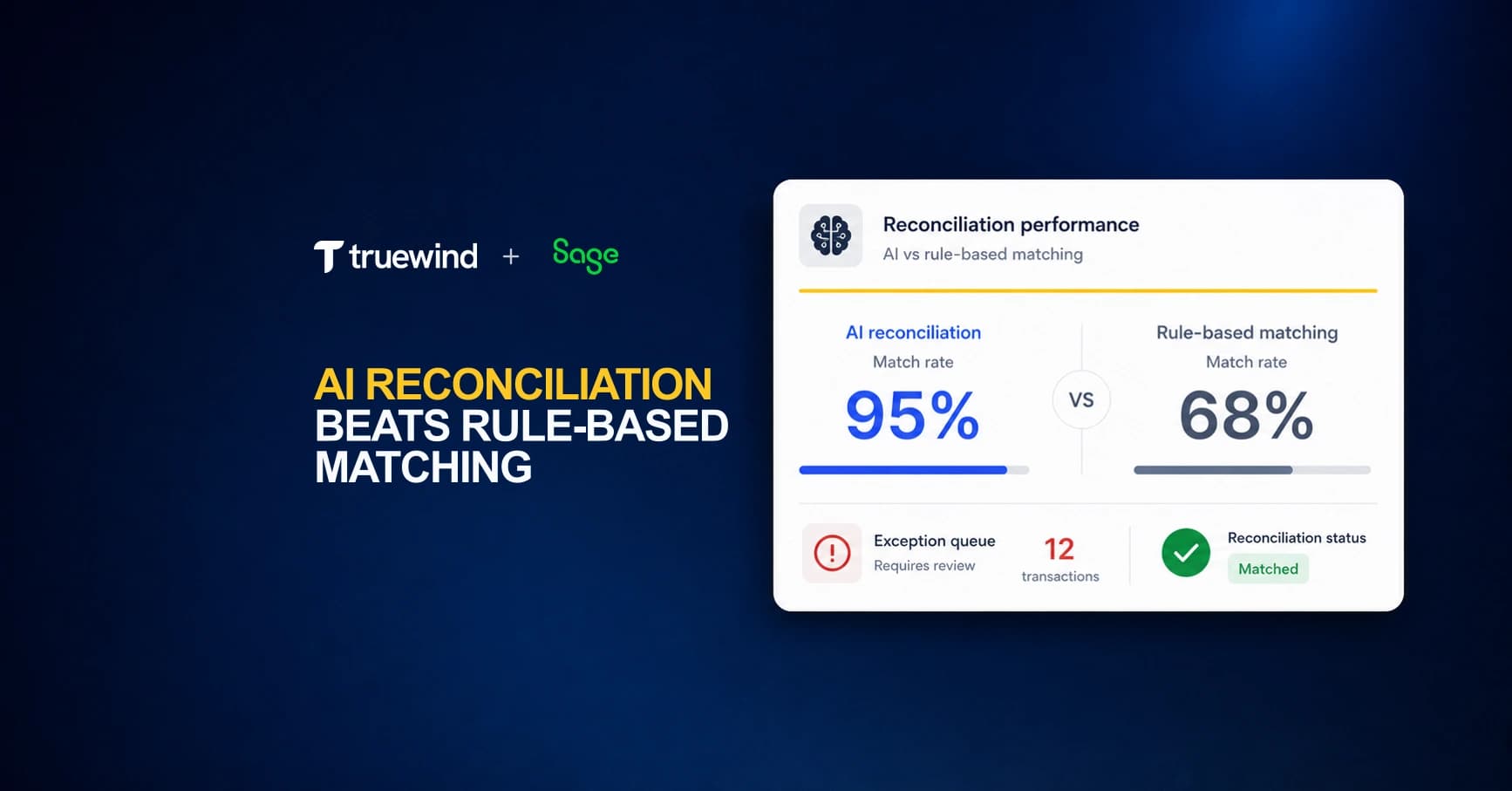
Sage Intacct's matching engine runs on rules you write. When your bank data aligns cleanly with those rules, transactions clear without anyone touching them. When it doesn't, the system stops and waits for a human. That works fine at low volume. At scale, across multiple entities or thousands of monthly transactions, the exception queue grows faster than your team can work through it. A payment that doesn't match the exact invoice amount sits unresolved. A vendor whose name appears three different ways across your statements requires manual review every time. A timing offset between when your bank posts a transaction and when your vendor invoice closes means another item in the queue, even though the match is obvious to anyone who looks at it. AI reconciliation for Sage Intacct reads the full transaction context instead of stepping through a ranked rule list. It learns from your historical GL data, so a recurring $450 charge from a known vendor routes to the correct account without a rule written for it. Mismatches surface with a suggested resolution already attached, so your reviewers make decisions instead of doing research. The practical difference shows up in close week, when your senior accountants aren't spending the first three days categorizing transactions the system should have handled on its own.
TLDR:
- Sage Intacct's rule-based matching auto-clears ~70% of transactions; AI reconciliation pushes that to ~95%.
- Rule engines treat timing offsets and partial payments as errors; AI reads context and learns patterns.
- At 1,000 monthly transactions, rule-based matching leaves 300 items for manual review versus 50 with AI.
- Sage's 2026 AI features handle AP matching well but stop at dimension-level reconciliation across entities.
- Truewind runs AI reconciliation on top of Sage Intacct and handles multi-entity, intercompany, and accrual workflows.
How Sage Intacct's Native Reconciliation Actually Works
Matched items get cleared; items without a match sit in an exception queue for manual review.
The matching logic relies on rules you configure yourself. You define criteria like transaction amount, date range, or description text, and Sage applies them in order. When a transaction fits the rule precisely, it clears. When it doesn't, it waits.
What Sage gives you is a structured clearing process, not an automated one. The workflow is sound, but execution depends heavily on how well your rules were written and how consistent your bank data actually is.
The Rule-Based Matching Architecture: Built for Exact Matches
Sage Intacct's matching engine works on exact or near-exact criteria: amounts, dates, reference numbers, and account codes. When those fields align cleanly, the system handles it. When they don't, the transaction sits in an exception queue waiting for a human.
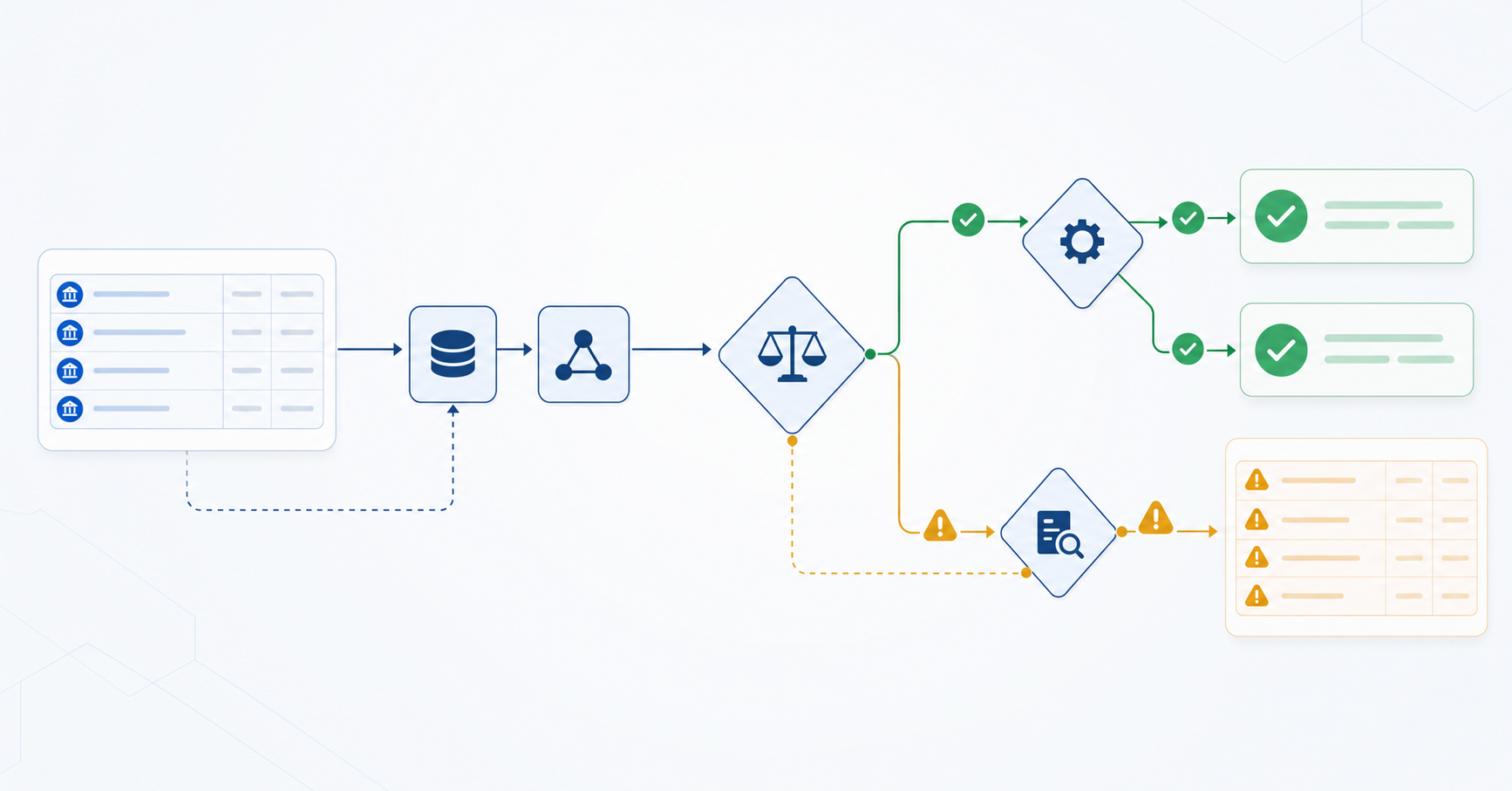
That works at low transaction volumes. At scale, the gaps compound fast. A $10,000 payment split across three invoices, a vendor who abbreviates their name differently each month, a timing difference that pushes a deposit one day past the expected close date. Each one falls outside the rule set and lands on someone's desk.
Where the Rule Engine Breaks Down
The core issue is that rule-based matching treats every mismatch as an error. There's no inference, no pattern recognition across prior periods, no way for the system to learn that a recurring $847.50 charge from a known vendor almost always maps to a specific GL account. Every exception requires the same manual review, regardless of how obvious the answer is.
- Partial payments require manual splitting or custom workarounds that most teams never fully build out.
- Intercompany transactions across multiple entities multiply the exception volume without adding any matching intelligence.
- Timing differences between bank feeds and vendor statements regularly produce false positives that clog the queue.
The arithmetic gets uncomfortable fast. One reconciliation a month is manageable. Fifty entities, each with dozens of accounts, means your senior accountants spend the first week of every close working through exceptions that a well-trained model would have resolved automatically.
When Rule Order and Specificity Become Manual Work
Sage Intacct's matching engine runs on rules you write. That works at low volume. But as transaction count grows, rule sets expand too, and the ordering of those rules starts to matter in ways that aren't obvious until something breaks.
When two rules could each match a transaction, Sage applies whichever ranks higher. Getting that order wrong means miscategorized entries, and fixing them requires you to find the conflict, adjust the rank, and re-examine everything downstream. That diagnostic work lands on your team every time.
AI reconciliation reads the full context of a transaction instead of stepping through a ranked list. Mismatches surface in an exception queue rather than silently producing a wrong result.
The Many-to-Many Matching Limitation
Sage Intacct supports one-to-many matching: a single bank transaction matched against multiple open GL entries. But matching on both sides at once, where multiple bank transactions clear against multiple GL entries simultaneously, falls outside what the native matching engine handles. For high-volume accounts with consolidated deposits, split payments, or aggregated payouts, that work falls back to manual reconciliation.
How AI Reconciliation Handles Fuzzy Matching
Sage Intacct's matching engine works on exact or near-exact values. Give it a $10,000.12 transaction and a $10,000.00 statement line, and it stops. Your team picks up from there.
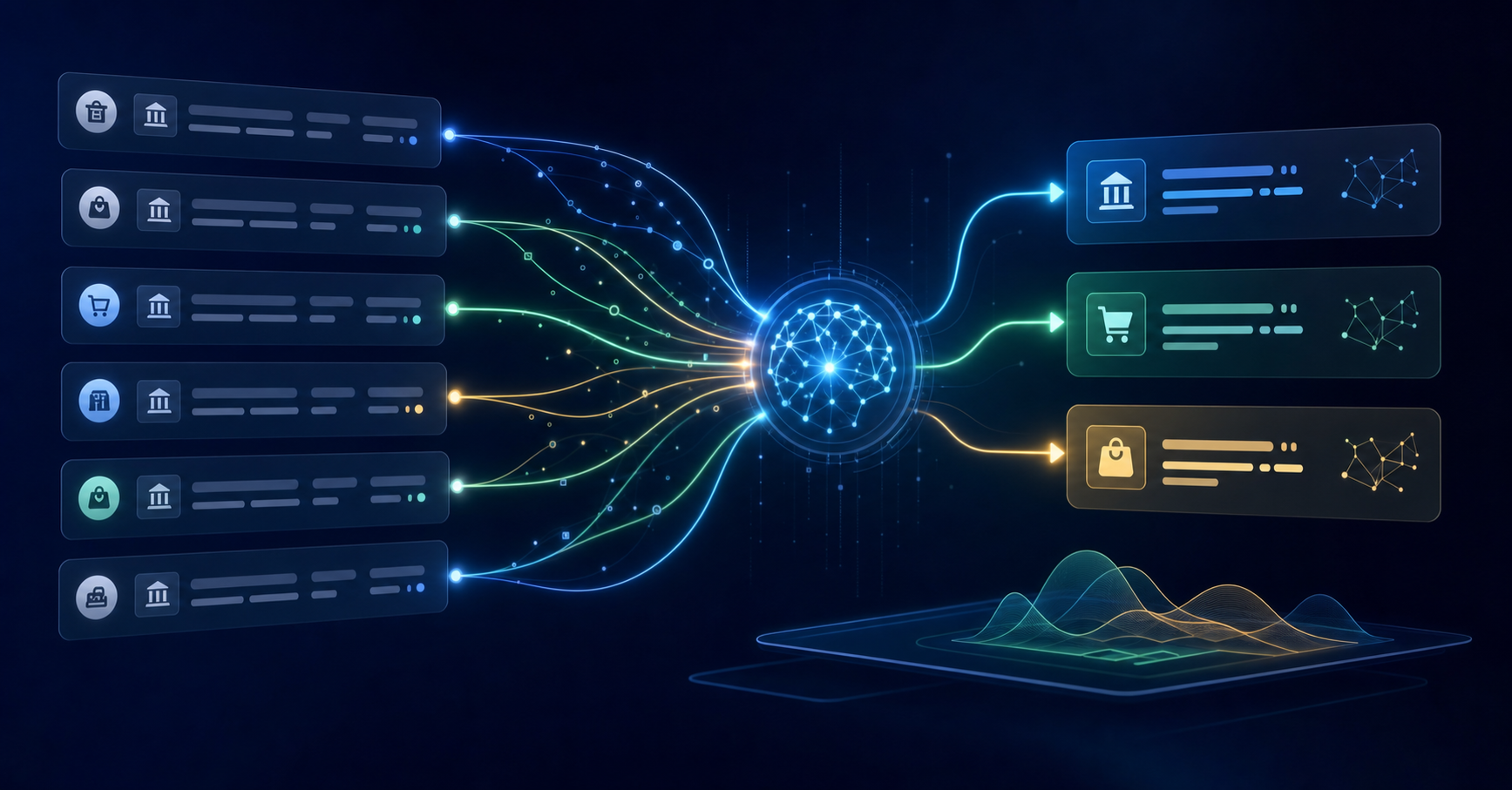
AI reconciliation reads the full context: vendor history, account patterns, timing offsets, and memo fields. A $0.12 variance on a recurring vendor payment gets flagged as a likely rounding difference, not an unresolved exception. Your team reviews a decision, not a pile of items without a match.
That distinction matters at scale. The higher the transaction volume, the wider the gap between rules-based matching and pattern-aware reconciliation.
Contextual Learning vs Static Rules
Sage Intacct's matching engine works from static rules you build and maintain manually. A rule either fires or it doesn't. There's no memory of past behavior, no inference from historical patterns, and no adjustment when your transaction data changes.
AI reconciliation learns from your actual GL history. It reads prior coding decisions and adapts over time, so a recurring vendor charge that always maps to the same account gets routed correctly without a rule written for it.
The practical difference shows up at scale. Rule-based matching requires ongoing rule maintenance as transaction volume grows. AI-driven matching gets more accurate as volume grows.
Exception Handling at Scale
When Sage Intacct's matching rules fail, the work lands back on your team. A transaction that doesn't fit a defined pattern sits in a queue, waiting for someone to investigate, categorize, and clear it manually. At low volume, that's manageable. Across hundreds of entities or thousands of monthly transactions, it compounds fast.
AI reconciliation handles exceptions differently. Instead of stopping at an item without a match, it reads context: the vendor, the amount, the account history, similar prior transactions. It routes the exception with a suggested resolution and a reason, so your reviewer is making a decision, not doing research.
The practical difference shows up in close week. Your team spends time on the exceptions that genuinely require judgment, not on the ones that pattern-match to something the system already knew.
What Sage Intacct 2026 AI Features Actually Deliver
Sage Intacct's 2026 AI release focuses on three headline capabilities: GL Copilot for natural language queries, automated transaction matching within Accounts Payable, and anomaly detection flags surfaced during close. For straightforward, high-volume AP matching, these features work reasonably well. Where they fall short is in the messier middle ground that most multi-entity accounting teams actually live in.
Where the Native Features Stop
The matching engine in Sage Intacct operates on structured data fields: vendor ID, amount, invoice number, date. When those fields align cleanly, match rates are high. When they don't, the transaction lands in an exception queue that a human still has to work through manually.
A few places where this friction surfaces consistently:
- GL Copilot answers questions about what's in the ledger, but it doesn't act on the ledger. Querying a balance is different from categorizing a transaction or drafting a journal entry, and the 2026 release doesn't close that gap.
- The anomaly detection layer flags variances after the fact, during close review. By that point, the underlying entries are already posted, and unwinding them costs time.
- Dimension-level matching across class, department, location, and project isn't handled by the native engine. Multi-entity teams with complex dimension structures still build manual rules or rely on workarounds.
The 2026 features reflect a meaningful step forward for Sage Intacct as a GL. The execution layer, where transactions get coded, matched, reviewed, and posted, remains largely in the accountant's hands.
The Continuous Reconciliation Advantage
AI reconciliation works continuously, every day of the month. Every transaction gets matched as it posts to Sage Intacct, so exceptions surface in hours instead of weeks.
This changes the close. Your team reviews a short exception queue instead of rebuilding the picture from scratch each period. Discrepancies get caught when the context is fresh, not after 30 days of additional activity has obscured them.
Match Accuracy: Rule-Based vs AI Benchmarks
According to autonomous reconciliation match rates research on agentic AI in accounting, rule-based reconciliation typically auto-matches around 70% of transactions before requiring human review, while AI-driven reconciliation pushes that figure to roughly 95%.
| Rule-Based Matching | AI Reconciliation | |
|---|---|---|
| Transactions auto-matched | ~70% | ~95% |
| Requires manual review | ~30% | ~5% |
Source:HighRadius agentic AI reconciliation research
At 1,000 monthly transactions, rule-based matching puts 300 items in your team's manual review queue versus 50 with AI.
Where Manual Review Still Matters
AI reconciliation changes the shape of human review, not the requirement for it. Every transaction still passes through a reviewer before anything posts to Sage Intacct. That is by design.
What changes is the composition of the queue.
High-confidence matches clear without anyone touching them. What remains are entries that genuinely require judgment: vendors without a coding history, amounts that cross materiality thresholds, classification decisions with real downstream impact on how the financials read.
Automation absorbs the volume. Your team handles the decisions that actually matter.
The Broader Finance Automation Context
Finance automation reaches well beyond the close. According to McKinsey finance automation research, AI can automate up to 42% of finance tasks today. Reconciliation sits inside that window, but so do accrual prep, variance analysis, and exception routing. Teams that fix matching in isolation often find the same manual burden waiting in the next part of the close.
How Truewind Extends AI Reconciliation for Sage Intacct Users
Truewind sits on top of Sage Intacct as a digital staff accountant, pulling live GL data through a production-grade API integration and running reconciliation workflows that Sage's native matching engine was never built to handle.
Where Sage stops at rule-based transaction matching, Truewind picks up the work that actually slows close: multi-entity reconciliations, intercompany eliminations, and exception queues that would otherwise land on a senior accountant's desk for manual review. The AI reads your historical GL data, learns your coding patterns across dimensions like class, department, and location, and routes flagged items to reviewers with context already attached.
A few things this looks like in practice:
- Bank and credit card reconciliations run automatically across all connected entities, with mismatches surfaced in a structured exception queue rather than buried in a spreadsheet.
- Intercompany transactions get matched across entities and flagged when the offsetting entry is missing or coded inconsistently, before close.
- Accrual and prepaid entries are drafted as GL-ready journal entries based on prior-period patterns, ready for human review before posting.
- Your team owns every final posting decision. Truewind handles the categorization, matching, and exception routing that precedes it.
The result is a close workflow where senior accountants spend their time on judgment calls, not on hunting down a $47 variance across 12 entities.
Final Thoughts on Moving Past Rule-Based Reconciliation
Sage Intacct's matching engine was built for structured, predictable transaction data. Your actual close involves split payments, timing differences, and vendor names that change every month. AI reconciliation handles those patterns without requiring you to write another rule. The practical difference shows up in how your team spends close week. Request a demo to see it run on your Sage data.
FAQ
How do I reduce reconciliation time using AI?
AI reconciliation reads vendor history, account patterns, and memo fields to auto-match roughly 95% of transactions before human review, compared to 70% with rule-based matching. At 1,000 monthly transactions, that drops your manual review queue from 300 items to 50.
Can AI reconciliation handle partial payments and timing offsets?
Yes. AI reads transaction context to match partial payments across multiple invoices and recognizes timing differences between bank posts and vendor invoice closes. Rule-based engines treat both as errors that require manual review.
What happens when Sage Intacct's native matching engine can't find a match?
The transaction sits in an exception queue waiting for manual research and categorization. AI reconciliation routes those exceptions with a suggested resolution and reason already attached, so your reviewer makes a decision instead of doing research.
How does AI reconciliation work with multi-entity workflows?
It runs reconciliation across all connected entities and matches intercompany transactions automatically, flagging missing or inconsistently coded offsets before close. Sage Intacct's native engine handles each entity separately without cross-entity matching intelligence.
When should I move from rule-based to AI reconciliation?
When your team spends more than a day each close working through exceptions that pattern-match to known vendors or accounts. If 30% of your transactions require manual review monthly, AI reconciliation can reduce that to 5%.
Turn this into a close-ready workpaper
Start with sample files or upload your own statements to see how Truewind prepares review-ready workpapers and journal entries.