

You set up Sage Intacct multiple bank accounts thinking coding rules will handle the volume. Then merchant descriptions vary, your rules break, and you're back to manually coding 200 transactions every week because fixing the rules takes longer than just doing it yourself. Add multiple entities to that picture and what started as batch coding becomes a full day of data entry. Here's how to structure your setup so the transaction queue doesn't compound at every close.
TLDR:
- Sage Intacct lacks native bank feed coding, forcing teams to build fragile rules that break on description variations
- Manage 11+ accounts by splitting feeds across logins and creating separate institution records to avoid the 20-account feed limit
- Use "contains" matching on merchant names and amount thresholds to handle transaction variations without constant rule rebuilding
- Prevent duplicate postings by creating a single source of truth for transaction status when mixing direct Sage entry with external tools
- Truewind fills Sage's bank feed gap with AI classification that handles fuzzy merchant matching and syncs GL-ready entries directly to your instance
Why Managing Multiple Bank Accounts in Sage Intacct Feels Like Herding Cats
Managing six credit cards and five bank accounts in Sage Intacct means transactions pile up fast. Rules break. Nothing codes itself.
Unlike QuickBooks Online, Sage doesn't give you a bank feed where transactions flow in automatically for review. QBO users tap "match" and move on. Sage users build coding rules, watch them fail on the first description variation, and end up back in manual mode anyway.
Add multiple entities to that picture and what started as a categorization task becomes a full-time job for one accountant. A sole accountant managing $125 to 185M in revenue across multiple entities with six credit cards and several bank accounts isn't a rare edge case. It's a real customer profile that comes up regularly.
This is a gap in Sage's architecture, and plenty of teams hit it.
| Feature | Sage Intacct | QuickBooks Online |
|---|---|---|
| Native Bank Feed | No native bank feed interface. Transactions do not flow in automatically for review and matching. | Built-in bank feed where transactions appear automatically in a review queue for matching or categorization. |
| Transaction Coding Method | Requires manual coding rules or file imports. Rules break on merchant description variations. | Tap-to-match interface with suggested categories based on prior coding history. |
| Merchant Name Handling | Exact match requirements cause rules to fail when card processors append location codes or transaction IDs. | Fuzzy matching handles description variations without rebuilding rules for each variant. |
| Multi-Account Volume | High transaction volumes across 6+ accounts create coding backlogs that compound at close. | Review queue handles volume better due to automatic categorization suggestions per transaction. |
| Multi-Entity Setup | Strong multi-entity structure with dimension support, but coding layer missing for transaction volumes. | Weaker multi-entity capabilities overall, but bank feed reduces manual entry burden per entity. |
| Best Fit | Teams needing advanced multi-entity accounting who add AI tools like Truewind to fill the coding gap. | Single-entity or simple multi-entity setups where native bank feed coding meets volume needs. |
Setting Up Multi-Account Bank Feeds in Sage Intacct Without Breaking Your Setup
Each bank account in Sage Intacct lives under a specific entity and cash GL account. Before connecting feeds, confirm your chart of accounts has a dedicated GL account for each of the eleven accounts you're managing. Mixing accounts at the GL level creates reconciliation headaches that compound at close.

Feed Connection Approach
Sage Intacct supports direct bank feeds through its financial institution connections. For accounts without a direct feed, you'll need to import OFX or CSV files manually.
A few things to get right before you start:
- Each cash account needs its own bank account record under Cash Management, mapped to the correct entity and GL account.
- Statement import rules should be configured per account, since merchant names and transaction patterns vary by card issuer or bank.
- User permissions control which accounts each team member can access, so set these before going live with bulk imports.
Skipping this step causes dimension mismatches that only surface at close, when correcting them requires manual journal entry reversals.
The 20-Account Limit Problem and How to Work Around It
Practitioners report issues above roughly 20 connected accounts per financial institution setup. Go over that threshold and you may see delayed data, skipped transaction days, or feeds that stop entirely. The constraint comes from the banks and data providers themselves, not from Sage alone.
For eleven accounts, this is not an immediate concern. But as entities grow and cards get added, it becomes one quickly.
Two practical workarounds worth knowing:
- Break accounts across separate logins. Distributing connections across multiple Sage user credentials keeps each login under the threshold and reduces the risk of feed interruptions affecting your entire account set at once.
- Create multiple financial institution records in Cash Management. Split accounts by bank or account type instead of grouping everything under one institution record, which gives you cleaner segmentation and easier troubleshooting when a feed misbehaves.
Neither is elegant, but both are better than finding out a feed went silent three days ago.
Building Reconciliation Rules That Actually Handle Transaction Variations
Reconciliation breaks down when your transaction feed doesn't match your coding rules. A $47.23 charge from Amazon might be office supplies one month and software the next. A $500 hotel charge could belong to three different departments depending on who traveled. Multi-account reconciliation practices stress frequent reconciliation cycles and early discrepancy detection.
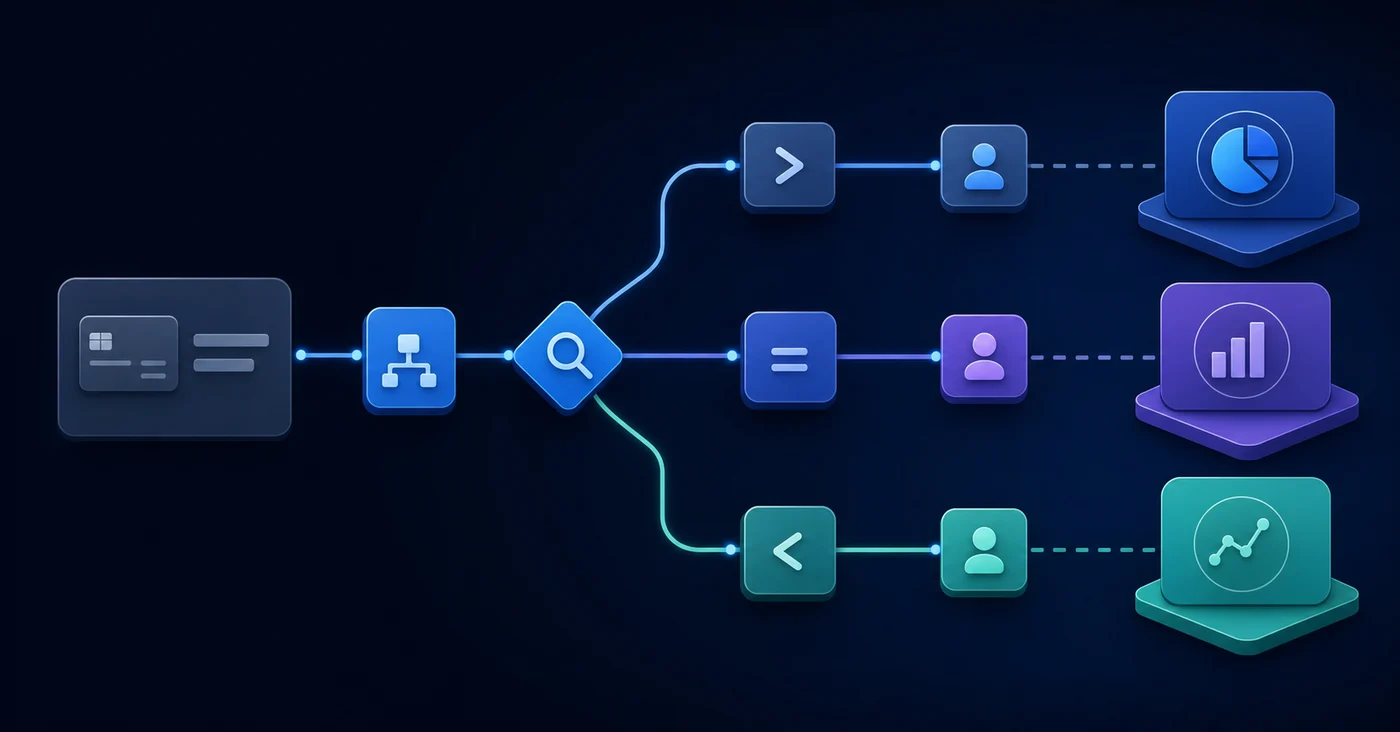
The way to handle this is by building rules with enough conditional logic to account for variation. Sage Intacct's matching rules let you layer conditions: merchant name contains a string, amount falls within a range, and entity equals a specific subsidiary. When all three conditions are met, the transaction routes automatically.
A few rule-building practices that reduce manual review:
- Use "contains" matching on merchant names instead of exact match, since card processors frequently append location codes or transaction IDs to the merchant string.
- Set amount thresholds as secondary conditions so a single vendor rule doesn't misclassify unusually large charges that likely need review.
- Assign a default fallback GL account for uncoded transactions so your queue stays organized even when rules fail.
Bulk Coding Strategies for High Transaction Volumes
Bulk coding isn't about coding faster per transaction. It's about reducing how many individual decisions you make on each pass through the queue.
Sort your queue by merchant before coding anything. Recurring vendors should be handled as a group, not one by one. Process the predictable ones first, and the edge cases left over are fewer and easier to isolate.
A few patterns that actually move the queue:
- Code one instance of a recurring vendor, verify the pattern holds, then approve the batch at once.
- Use saved templates for consistent categories like subscriptions, travel, or office expenses.
- Push high-value or ambiguous transactions into a separate review queue so they don't interrupt your flow.
The habit worth building is separating routing decisions from approval decisions. That's what keeps a large transaction queue from turning into a full morning.
Preventing Duplicate Transactions When Some Accounts Code Directly in Sage
The biggest risk in a hybrid setup isn't miscoding. It's double-counting. When some team members code directly in Sage Intacct and others route transactions through an external tool, the same charge can appear twice before anyone catches it.
A few practices help here:
- Create a single source of truth for transaction status. Whether you use a shared status tracker or Sage field , every transaction should have a visible "coded" flag before it enters the GL.
- Lock down direct entry access during close. If your external coding workflow is the approved path, restrict who can manually enter transactions in Sage during that window.
- Run a duplicate transaction report before posting. Sage Intacct's built-in reporting lets you filter by amount, date, and vendor to catch overlaps before they hit your books.
The goal is cleaner data going into the ledger the first time, not faster throughput.
Managing Multi-Entity Bank Account Structures
Entity structure determines your account architecture in Sage Intacct. Each bank account should be owned at the correct entity level before connecting any feeds, because the entity assignment at the account level controls how dimensions flow through to the GL. Multi-entity accounting systems require integrated solutions that handle dimension flows across subsidiaries.
For shared accounts serving multiple entities, map to a parent entity from there. Mixing entity ownership at the account level creates dimension conflicts that only surface at close, when fixing them costs the most time.
There are two configurations worth weighing:
- Entity-owned accounts: cleaner per-entity dimensions and simpler reconciliation, but more individual records to manage across your chart of accounts.
- Shared accounts: fewer records to maintain overall, but they require explicit intercompany logic and parent-level consolidation rules to avoid misallocated transactions.
For family offices managing dozens of entities, entity-owned structures produce cleaner consolidated reporting despite the added overhead. Each account traces to one legal entity, which makes rollup reporting and audit trails far easier to defend.
How AI-Powered Transaction Classification Solves the Sage Intacct Bank Feed Gap
Sage Intacct stores your books. It does not code them for you. That gap is where most of the manual work lives.
Truewind connects to your accounts via Plaid and Finicity, pulls in transactions, and classifies each one using AI-powered fuzzy matching. Where Sage's native rules break on description variations, the AI handles them. A charge from "UNITED 0162847" and one from "UNITED AIRLINES LGA" route to the same GL account without rebuilding a rule.
"After I started making the rules in Sage, and it didn't capture half the rules, I was like, this is stupid."
Every classification includes a confidence score and explanation, so reviewers aren't approving blindly. The full Sage dimensional structure carries over too: account, class, department, location, payee, project, and any custom dimensions your instance uses. Approve individually or in bulk, then sync directly to Sage. Your GL stays the system of record. Truewind is the execution layer it was missing.
Final Thoughts on Reducing Manual Work in Multi-Account Setups
Managing multiple bank accounts in Sage Intacct shouldn't require a dedicated accountant just to keep transactions coded. The native matching rules aren't built for merchant description variations or high transaction volumes across entities, which is why teams end up back in manual mode. Truewind handles the classification layer Sage is missing with AI that routes transactions to the correct GL account, department, class, and custom dimensions your instance uses. See it in action with your own data and decide if it saves your team enough time to be worth adding.
FAQ
Can I manage Sage Intacct multiple bank accounts without building manual rules for every transaction?
Yes. Connect your accounts via Plaid or Finicity and use LLM-based classification to handle transaction variations that break Sage's native rule engine. The AI codes transactions across all Sage dimensions (account, class, department, location, project) and routes exceptions to reviewers, so you only touch items that need human judgment.
Sage Intacct bank feed vs QuickBooks Online for transaction coding?
QuickBooks Online includes a native bank feed where transactions flow in automatically for review and matching. Sage Intacct does not have this capability - you either build fragile coding rules or import files manually. Tools like Truewind port the QBO-style feed experience to Sage users, giving you automated categorization and one-click sync-to-ledger that Sage alone doesn't provide.
How do I prevent duplicate transactions when some team members code directly in Sage Intacct?
Create a single source of truth for transaction status using a shared field in Sage or an external tracker. Lock down direct entry access during your coding window, and run a duplicate transaction report filtered by amount, date, and vendor before posting to catch overlaps before they hit the GL.
What's the fastest way to handle Sage Intacct credit card management across six cards?
Sort your transaction queue by merchant before coding anything. Process recurring vendors as batches instead of one-by-one, use saved templates for predictable categories like travel or subscriptions, and push high-value or ambiguous charges into a separate review queue so they don't interrupt your flow.
When should I use entity-owned accounts vs shared accounts in Sage Intacct?
Use entity-owned accounts when you need cleaner per-entity dimensions and simpler reconciliation, even though it creates more individual records to manage. Use shared accounts only when you can handle explicit intercompany logic and parent-level consolidation rules - family offices managing dozens of entities typically get cleaner audit trails from entity-owned structures.
Turn this into a close-ready workpaper
Start with sample files or upload your own statements to see how Truewind prepares review-ready workpapers and journal entries.