
Close tools have gotten better at tracking tasks. They still don't execute them. A reconciliation marked complete in your workflow software means someone touched it. It doesn't mean the GL tied to the sub-ledger, the variance was explained, or the journal entry posted with the right dimensions. Your senior accountants are still doing that work manually, then returning to update the checklist. For teams running Sage Intacct across multiple entities, that manual load doesn't scale. If you're considering a FloQast replacement or a close management tool for Sage Intacct, the real decision isn't whether you need better visibility into your close. It's whether you need a tool that actually reduces the hours your team spends preparing it.
TLDR:
- Checklist tools track whether tasks are complete, but your team still codes transactions, drafts journal entries, and populates reconciliations manually before marking anything done.
- The execution gap compounds at scale: teams running 50+ entities face manual categorization and reconciliation work for hundreds of accounts each month.
- Truewind codes transactions, generates variance commentary, and maps brokerage positions to GL accounts through the same API that posts dimension-aware journal entries to Sage Intacct.
- Exception-first review routes high-confidence items automatically and queues the rest for accountant sign-off, so your team reviews decisions instead of building workpapers from scratch.
What Close Management Tools Actually Do (and What They Don't)
Close management tools sit between your GL and your close deadline. They track task status, assign ownership, and give controllers visibility into what's done, what's blocked, and what's at risk. Most of them do this reasonably well.
What they don't do is the actual accounting work. According to industry survey data, 46% of surveyed accountants reported using AI daily in 2024, yet most tools automate visibility and reporting instead of the underlying transaction processing and reconciliation work.
A task marked "complete" in a checklist tells you someone touched it. It doesn't tell you the reconciliation tied, the variance was explained, or the journal entry was posted correctly. The workflow is tracked; the execution still falls on your team.
Where the Gap Shows Up
- Checklist tools log who completed a step, but the underlying work (pulling the support, running the flux, coding the transaction) still happens in spreadsheets or manually inside the GL.
- Reconciliation status fields update when a preparer marks something done, not when the numbers actually agree. Reviewers still have to open the workpaper and verify.
- Variance commentary gets typed in by hand, after someone has already done the analysis elsewhere.
The distinction matters: you may be solving a visibility problem when the actual bottleneck is execution.
Why Teams Outgrow Checklist-Only Close Tools
Checklist tools solve one problem: visibility into whether tasks are done. That is useful, but it is not the same as doing the work. When a close checklist marks a reconciliation "complete," someone still had to open a spreadsheet, pull the GL, and tick every line manually.
The gap shows up at scale. A team managing a handful of entities can absorb that manual load. Teams running 50+ entities cannot, and the checklist just tells them how far behind they are.
What controllers actually need is a tool that moves work off their plate, not one that tracks it.
The Execution Gap: Orchestration vs. Automation
FloQast gives close teams a structured checklist and a place to track task ownership. That is real value. But checklist completion and work execution are different things, and the gap between them is where accounting teams still lose hours every close.
A close tool that tells you a task is open does not code the transaction behind it. It does not draft the journal entry, flag the variance, or populate the reconciliation. Your team still does that work manually, then returns to mark the task complete.
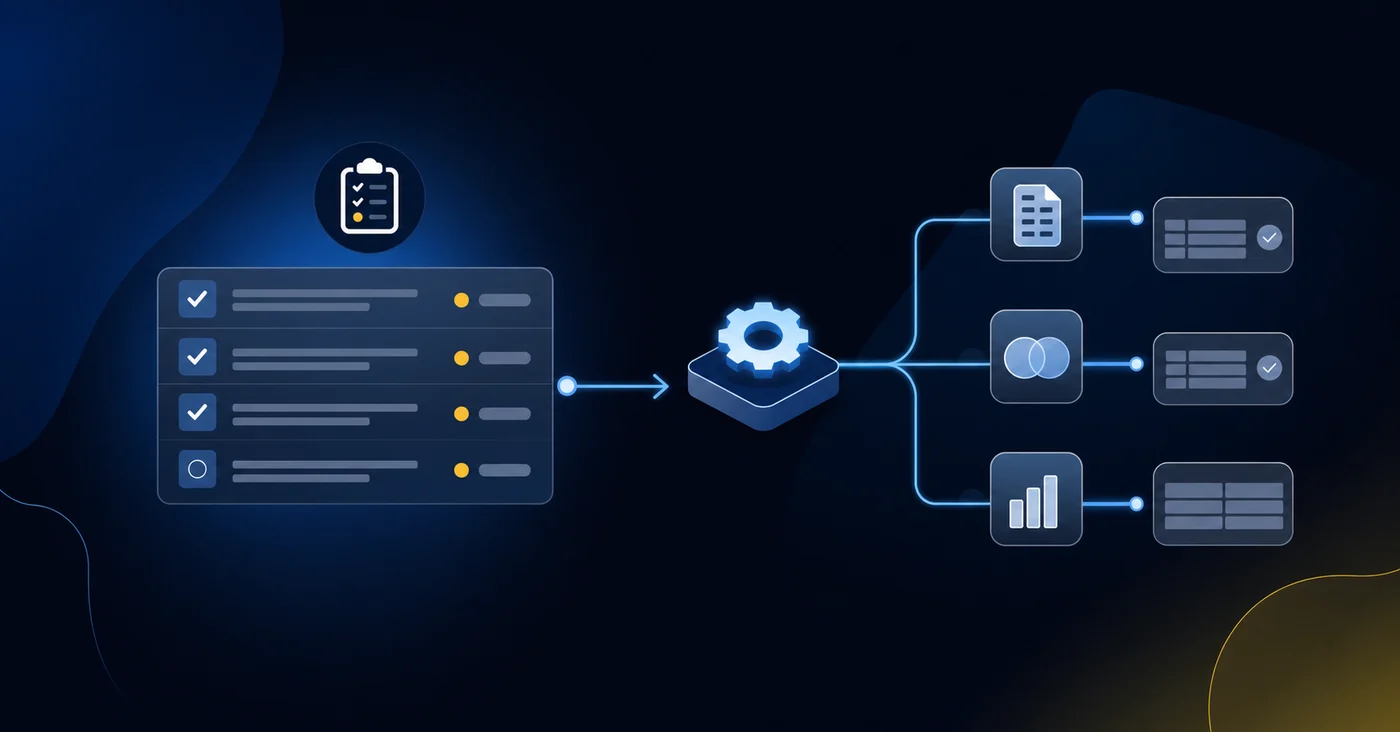
Truewind closes that gap. The same interface that tracks close status also runs the underlying accounting work:
- Transaction coding happens through an AI-trained classification layer that reads your GL history, learns your chart of accounts, and routes exceptions for review without leaving your team to sort every line.
- Reconciliation tracking ties live bank and sub-ledger balances directly to close checklist items, so status reflects actual account agreement instead of a manually checked box.
- Flux and variance reporting generates automatically at period-end, giving reviewers a populated commentary draft instead of a blank workpaper.
- Journal entry preparation runs through the same workflow, with entries staged for human review before posting to Sage Intacct via API.
The checklist does not disappear. It becomes an output of the work, not a substitute for it.
| Close Task | What Checklist Tools Track | What Execution Layers Automate |
|---|---|---|
| Transaction coding | Who marked the categorization step complete and when they marked it done | AI reads GL history, learns chart of accounts, codes transactions, routes exceptions for review |
| Bank reconciliation | Whether someone updated the reconciliation status field to complete | Matches live bank balances to GL accounts, flags breaks, queues mismatches for accountant sign-off |
| Variance analysis | Who was assigned the flux task and whether they submitted it | Generates period-over-period variance commentary from trial balance data at entity and consolidated levels |
| Journal entry preparation | Task owner and completion timestamp for the JE workstream | Drafts dimension-aware entries with class, department, location, project assignments, stages for review before posting |
| Brokerage reconciliation | Status indicator showing whether investment account rec is open or closed | Reads custodian statements, maps positions to GL accounts, flags book-to-custodian breaks, prepares cost basis entries |
What Sage Intacct Users Actually Need From Close Tools
Sage Intacct users running multi-entity books have a specific set of needs that generic close management tools weren't built around. The close isn't a single checklist but a coordinated sequence across entities, each with its own reconciliations, accruals, and dimension-aware journal entries.
What that actually requires from a close tool:
- A reconciliation tracker that maps to individual accounts across every entity instead of a shared task list that assumes one set of books
- Close checklists that can run in parallel across entities without collapsing into a single linear queue
- Variance and flux reporting that surfaces at the consolidated level and the entity level, so reviewers aren't manually comparing two exports
- Journal entry preparation that respects Sage Intacct dimensions (class, department, location, project) so entries post correctly without manual correction after the fact
- AI-assisted transaction coding that learns from historical GL data and routes exceptions for human review, reducing the categorization burden before close even starts
Most dedicated close tools handle task tracking well. The gap shows up when the work moves from "who owns this step" to "what does this entry actually need to look like in Sage." That's where integration depth matters more than feature count.
The AI Execution Layer: What Automated Close Actually Means in 2026
Close management tools have been promising automation for years. What that word actually covers has changed considerably. According to APQC's financial close benchmarks, the median cycle time to perform monthly close remains stubbornly high across industries, which shows that visibility tools alone haven't solved the execution problem.
Early close tools gave teams checklists and task assignments. That was useful. But the work itself (coding transactions, preparing reconciliations, drafting journal entries, running variance analysis) still landed on staff accountants. The tool tracked who did the work; it didn't do the work.
In 2026, the distinction worth paying attention to is whether a tool executes tasks or monitors them. For Sage Intacct users, that gap shows up in the close calendar every month.
Bank Transaction Coding: The Workflow Sage Intacct Doesn't Provide
Sage Intacct manages your GL with precision. What it does not do is get transactions into the right accounts without manual work from your team.
Every bank feed, credit card charge, and vendor payment still needs someone to review it, decide how it codes, and post it. For companies running multiple entities or high transaction volume, that work lands on senior accountants who have better things to do during close.
Truewind sits on top of Sage Intacct and handles that coding layer. It reads your historical GL data on connection, learns your chart of accounts and dimension structure, and starts classifying transactions against your actual posting patterns. A $400 Delta charge gets routed to travel under the right department. A recurring SaaS subscription gets matched to the correct vendor and expense category. Exceptions surface in a review queue; your team approves or adjusts.
The result is that transaction coding stops being a first-week-of-close bottleneck and becomes a continuous background process your team spot-checks.
Brokerage and Investment Reconciliation for Family Offices
Family offices running brokerage and investment accounts face a reconciliation problem that standard close tools weren't built for. Each custodian, whether that's Schwab, Fidelity, or a prime broker, produces its own statement format. Positions, cost basis, accrued interest, and unrealized gains all need to tie back to the GL before the close can move forward.
Truewind reads custodian statements and maps positions to the corresponding GL accounts in Sage Intacct, flagging any breaks between the custodian balance and the book balance for your team to review. Cost basis adjustments, dividend accruals, and interest receivable entries post through the same API-level integration that handles the rest of the close.
- Custodian statement ingestion across multiple brokers, with position-level matching to Sage Intacct GL accounts
- Automated flagging of book-to-custodian breaks, routed into an exception queue for accountant review before any entry posts
- Dividend and interest accrual entries prepared with correct dimensions (entity, fund, class) and held for human sign-off
- Cost basis tracking tied directly to realized gain/loss entries, so the GL reflects actual lot-level economics
For family offices managing investments across multiple entities, the compounding effect matters. One brokerage account is a manageable monthly task. Ten accounts across six entities, each with its own custodian format, is where manual reconciliation stops being a workflow and starts consuming senior staff time.
Consolidating Multiple Workflows Into One Interface
When close involves a dedicated checklist tool, a separate reconciliation tracker, a coding solution, and a flux spreadsheet, the close itself generates coordination overhead. Someone exports from one system, reformats, and imports to another. Each handoff is a place where data gets stale or versions split.
Truewind handles transaction coding, close orchestration, reconciliation, and variance analysis in one interface. The reconciliation runs inside the same system that processed the transaction. Variance analysis draws from the same trial balance that feeds the checklist. Fewer tools to license and map, with no manual re-entry bridging them.
Exception-First Review: Human-in-the-Loop Done Right
Two failure modes show up repeatedly in close management. Review everything manually, and close week becomes a prep exercise that consumes the hours it should save. Review nothing, and you're relying on a black box with your GL.
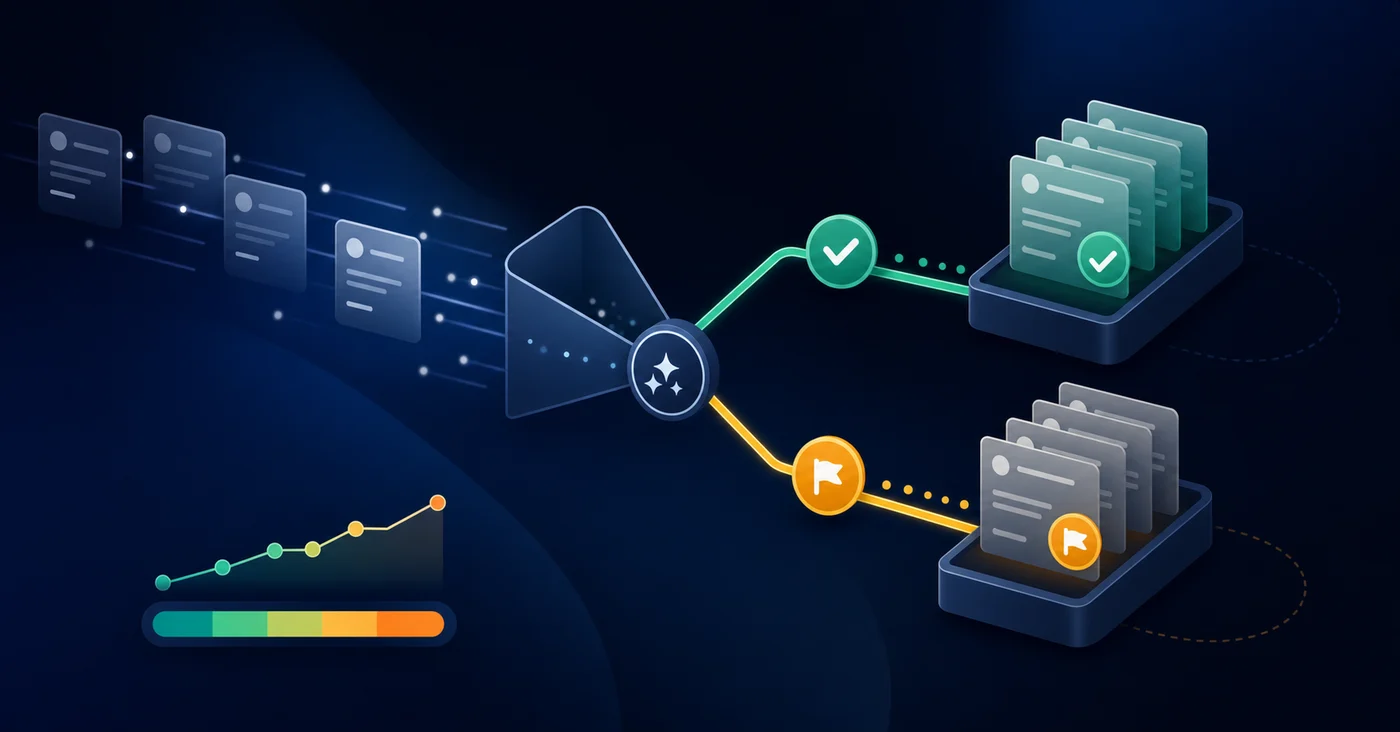
Truewind routes a middle path. Each classification carries a confidence score and an explanation, so reviewers see the reasoning behind it and the output. High-confidence items clear automatically. Anything flagged or below threshold routes into a queue before any entry posts to Sage Intacct.
That queue becomes the job. Accountants stop functioning as preparers who build the workpaper from scratch and start functioning as reviewers who confirm whether the work is right. The prep runs in the background. Human judgment applies where it actually matters.
Posting controls stay with your team throughout. Entries sit staged until an authorized reviewer approves them, with role-based permissions and a complete audit trail on every decision that gets made.
Integration Depth vs. Integration Breadth: Why It Matters for Sage Intacct
Most close management tools connect to Sage Intacct through the marketplace to sync data. That's enough to display a checklist or pull a trial balance. It is not enough to automate the work that happens before the numbers are clean.
Truewind's integration goes further. The same API connection that reads your GL also writes back to it: posting dimension-aware journal entries, updating reconciliation status, and routing exceptions without a manual export step. Transaction coding, close orchestration, reconciliation tracking, and flux reporting run through one interface against the same Sage data.
That architectural difference is where categorization stops being your problem.
Truewind for Sage Intacct: Close Management That Actually Automates Work
Truewind connects to Sage Intacct via bidirectional API, pulling your full chart of accounts, every configured dimension, and historical transaction data at setup. That same connection writes back: dimension-aware journal entries post with correct class, department, location, and project assignments. Duplicate prevention monitors what's already been coded directly in Sage and flags those transactions automatically, so parallel workflows between Truewind and your GL don't create double-postings. Entries sync to the AP and AR subledgers and the general journal, which means subledger-level reporting stays accurate without a separate reconciliation pass after posting.
The WorkPaper Agent handles the schedule layer. Prepaid invoices, fixed asset additions, and brokerage statements become amortization schedules, rollforwards, and GL-ready journal entries, all mapped to your Sage dimensions and held for reviewer sign-off before anything posts. That work used to live in a spreadsheet outside the close workflow. In Truewind, it runs inside it.
Close checklists reflect live reconciliation progress and workpaper completion status instead of manually updated task fields. Controllers see what's actually tied, what's in review, and what remains open, from one interface, without exporting from three systems to find out.
Final Thoughts on What Close Management Actually Needs to Automate
Checklist tools track the close. Truewind runs it. Transaction coding happens continuously in the background, reconciliations tie to live balances, flux commentary generates at period-end, and dimension-aware journal entries stage for review before posting to Sage Intacct. Your team still owns the final call on every entry, but the prep work stops being their problem. If you need a close management tool that actually reduces manual execution instead of just organizing it, request a demo and see the difference between orchestration and automation in a working Sage environment.
FAQ
What's the difference between close management tools and execution layers?
Close management tools track task status and give controllers visibility into who owns each step and whether it's marked complete. Execution layers actually perform the accounting work: coding transactions, drafting journal entries, matching reconciliations, and generating variance analysis, before routing outputs for human review. The first tells you where you stand; the second moves work off your team's plate.
Can I replace my current close tool with something that handles both close orchestration and transaction processing?
Yes. Tools like Truewind consolidate close checklist orchestration, transaction coding, reconciliation tracking, and flux reporting into one interface. Instead of marking a reconciliation "complete" in a tracker while the matching work happens in spreadsheets elsewhere, the reconciliation runs inside the same system that manages the close calendar and posts dimension-aware journal entries to Sage Intacct.
How does close management software handle multi-entity reconciliation for Sage Intacct users?
Most close tools provide shared task lists that collapse entity-level work into a single linear queue. For multi-entity Sage Intacct users, close software needs reconciliation tracking mapped to individual accounts across every entity, parallel close checklists that don't collapse into a single sequence, and dimension-aware journal entry preparation that respects class, department, location, and project assignments so entries post correctly without manual correction.
Should I switch from my current close tool if I'm still doing all the reconciliation work manually?
If your team spends the first week of close manually coding transactions, matching bank statements, and drafting journal entries before marking tasks "complete" in the close tool, you're solving a visibility problem while the bottleneck remains execution. Consider whether you need better task tracking or whether you need a layer that handles the preparation work before review.
What does AI-assisted transaction coding actually do in a close management context?
AI-assisted coding reads your historical GL data, learns your chart of accounts and dimension structure, and classifies incoming transactions against your actual posting patterns. High-confidence items post automatically; exceptions route to a review queue for human sign-off. The categorization burden moves from full manual prep to exception review, reducing the hours your team spends before close tasks can be marked complete.
Turn this into a close-ready workpaper
Start with sample files or upload your own statements to see how Truewind prepares review-ready workpapers and journal entries.