

Your Sage Intacct close works fine when you're managing one entity with straightforward books. The native Sage Intacct close management tools lock periods, schedule recurring entries, and require sign-off before posting. But when you add entities, volume, and a distributed team, the Sage Intacct close workflow stops tracking who owns what, when it's due, and whether it's actually done.
There's no built-in checklist, no cross-entity status view, and no way to tie reconciliation completion back to the close timeline without a spreadsheet. The Sage Intacct close limitations aren't about what the GL can store; they're about what the system won't coordinate, and that's where your close coordination ends up living outside Sage entirely.
TLDR:
- Sage Intacct lacks a close checklist tool, task assignment, or status tracking across preparers and reviewers.
- Transaction coding rules break down fast across multi-entity books; exceptions route back to manual categorization.
- Multi-entity reconciliation has no consolidated view, so controllers track status across spreadsheets outside Sage.
- Close management tools add visibility; execution layers automate the underlying work that takes time.
- Truewind handles transaction coding, close orchestration, reconciliation, and variance analysis in one API-level interface on top of Sage Intacct.
What Sage Intacct Close Automation Actually Includes
Sage Intacct gives finance teams a set of close-related tools built into the core product. Understanding what those tools actually do, and where they stop, is where most close workflow problems begin.
The Native Close Toolkit
Sage Intacct's built-in close features cover a few specific areas:
- Close periods by module (GL, AP, AR, Purchasing) can be locked individually, which prevents posting to completed periods and reduces the risk of late entries corrupting finalized books.
- Recurring journal entries can be scheduled, which handles predictable amortization and prepaid schedules without manual re-entry each period.
- Approval workflows exist at the transaction level, letting managers require sign-off before entries post.
These are genuinely useful controls. For a single-entity company with a straightforward chart of accounts, they cover the basics.
Where the Coverage Ends
The gap shows up fast in multi-entity or more complex environments. Sage Intacct does not ship with close checklist or status-tracking tools that spans preparer and reviewer across the full close sequence. There is no native way to see, at a glance, which reconciliations are complete, which journal entries are still pending approval, and which team members are blocked.
What this produces in practice: close coordination moves into spreadsheets and email. Preparers track their own task lists. Reviewers chase status manually. The GL is structured; the workflow around it is not.
Close CapabilitySage Intacct Native ToolsWhat Happens in PracticeTask assignment and trackingPeriod locking by module and role-based permissions for transaction approvalControllers manage preparer and reviewer assignments through spreadsheets outside the GLTransaction codingRule-based auto-categorization that requires manual setup and maintenance per vendorRules miss a large share of transactions due to vendor name variation and new expense typesMulti-entity reconciliation statusIndividual entity reconciliation tools with no cross-entity rollup viewTeams track reconciliation completion across entities in shared spreadsheets alongside SageClose checklist and status visibilityNo native checklist tool showing which tasks are complete, pending, or blockedPreparers and reviewers coordinate through email threads and manual status updatesPrepaid and deferred revenue schedulesRecurring transaction templates that post on schedule but require manual setup per contractMid-period contract changes require manual intervention and validation across entities becomes a spreadsheet exercise
Where Native Subledger Reconciliation Falls Short
Sage Intacct's native reconciliation tools give you visibility into what's in the ledger, but the actual process of getting there stays largely manual. There's no built-in account reconciliation tracking, who did the work, or whether supporting documentation is attached. Teams typically manage this in spreadsheets alongside Intacct, which means close status lives outside the system being closed.
The gap compounds across entities. A single-entity close is workable. Once you're managing reconciliations across multiple subsidiaries, each with its own account set, there are multi-entity consolidation challenges that break down the coordination layer entirely. There's no consolidated view of reconciliation status across entities, no way to see at a glance which accounts are done and which are still open.
Supporting documentation is the other friction point. Intacct stores journal entries and transactions, but it doesn't tie reconciliation workpapers or backup files directly to account sign-off. Attaching evidence, tracking reviewer approval, and confirming completion all happen in tools outside the GL, which means your close record is split across systems by design.
The Transaction Coding Gap That Slows Teams Down
Sage Intacct handles a lot of accounting workflow well, but transaction coding is a consistent friction point during close. When transactions come in from bank feeds, someone still has to review and classify each one against the right GL account, department, class, or project dimension. Sage's rule engine lets you automate recurring vendor payments and standard expense categories, but rules break down fast against transaction volume, vendor variation, and multi-entity books.
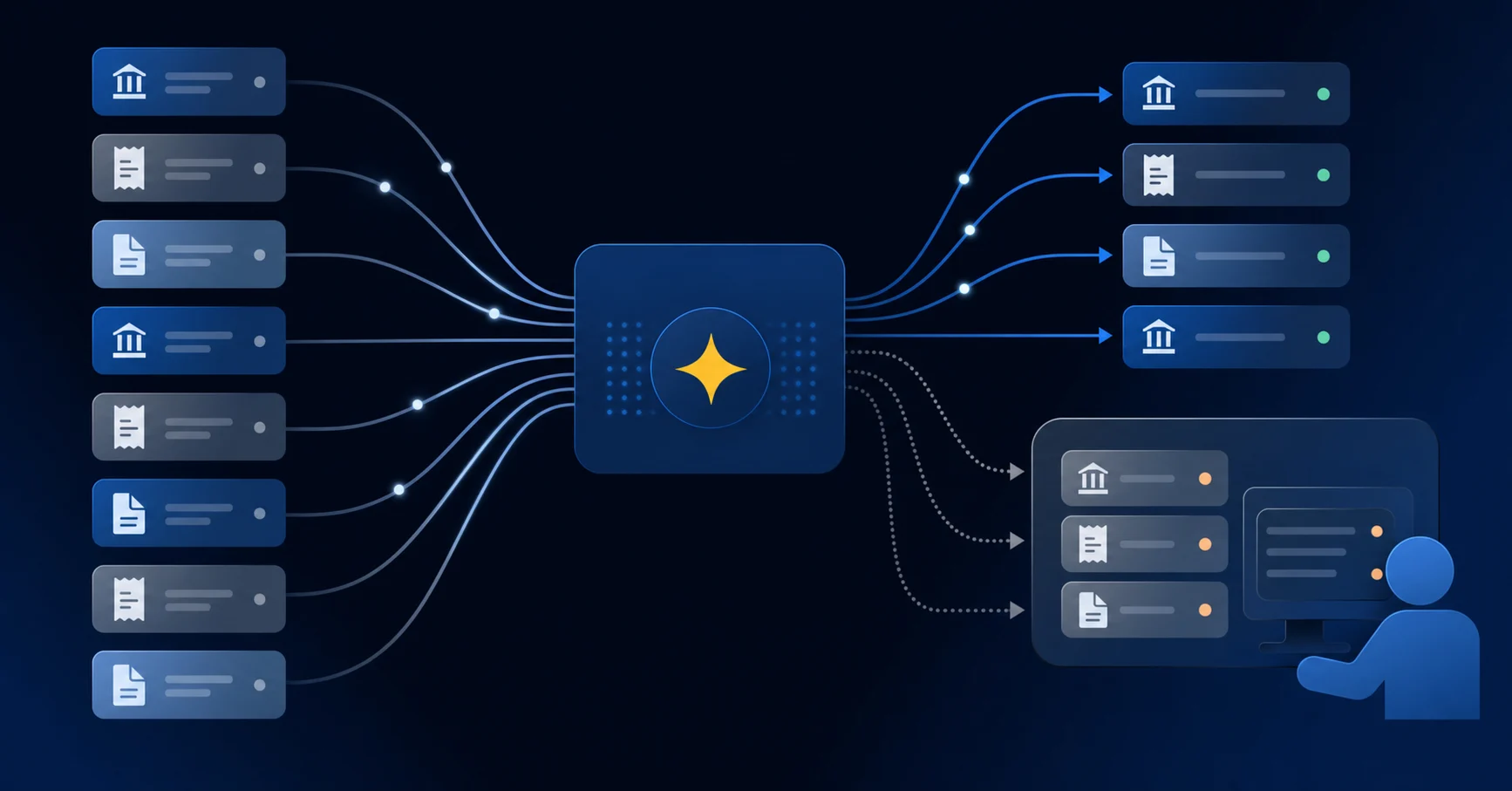
The result: categorization work piles up at the start of every close cycle, and it falls on whoever has GL access.
Why Rules Alone Don't Hold
Sage's auto-categorization relies on rules you build and maintain manually. In practice, teams spend time constructing those rules only to find them missing a large share of the transactions they were meant to catch. Vendor names vary. Amounts don't match. New expense types appear. Each exception routes back to a human.
At low volume, that's manageable. Across dozens of entities with hundreds of accounts each, it stops being a workflow and starts being a staffing problem. The coding burden doesn't disappear inside Sage; it gets redistributed to whoever picks up the exceptions.
Reconciliation Workflows Sage Intacct Wasn't Built For
Sage Intacct's reconciliation tools cover the basics: you can tie out balances, attach support, and mark accounts as complete. Where things break down is at scale and across entities.
Multi-entity reconciliation in Sage requires manual coordination across each entity's books. There is no consolidated view of what's been tied out, what's outstanding, and who owns each item. Your team tracks that in a spreadsheet alongside Sage.
- Intercompany eliminations have to be manually verified. Sage records the transactions but doesn't flag mismatches between entities automatically.
- Account-level ownership and sign-off has no built-in assignment or status tracking, so close reviews depend on whoever updates the shared spreadsheet last.
- Reconciliation completion has no rollup view across entities, meaning a controller managing multiple books has to check each one individually to get a picture of where close stands.
The structural gap is straightforward: Sage Intacct was built to store and report on financial data, not to coordinate the team workflows that surround it.
When Checklists and Dashboards Aren't Enough
Sage Intacct's close-related features cover the basics: period locking, approval workflows, and role-based permissions. For teams with a handful of entities and a straightforward monthly cadence, that's often enough.
But as close complexity grows, the gaps show up in the work itself. A checklist in Intacct can tell you a task is marked complete. It won't tell you whether the underlying reconciliation is accurate, whether a prepaid schedule is current, or whether the variance in travel expense has been reviewed and signed off. Completion status and close quality are two different things, and Sage's native tools track the former.
The same gap appears in reporting. Period-end dashboards in Intacct surface financial data, not close-process data. Knowing your trial balance doesn't tell you which reconciliations are still open, which accounts have unexplained flux, or where your team is actually stuck.
Prepaid and Deferred Revenue Schedule Automation Limits
Sage Intacct handles prepaid amortization and deferred revenue recognition through manual journal entry templates and recurring transaction schedules. For a small number of contracts or prepaid balances, that works. Once volume grows, the gaps in that workflow become expensive to ignore.
The core issue is that Sage stores the schedule, but tracking whether each line has been posted correctly each period falls on your team. There is no automated status check confirming that every deferred revenue balance tied to a specific customer contract was released on time, or that a prepaid expired without a missed entry.
Where the Manual Work Accumulates
- Recurring transaction schedules in Sage require upfront setup per contract, and any mid-period change to a contract term, start date, or amount requires manual intervention to correct the schedule going forward. A 12-month prepaid that changes at month 6 requires manual recalculation of every remaining period.
- There is no native exception report that flags schedules where the expected release did not post, leaving reconciliation as the only way to catch missed entries.
- At higher entity counts, each entity carries its own schedule set, and validating them across the consolidation is a spreadsheet exercise, not a workflow built into Sage.
The compounding effect is straightforward: ten prepaids across one entity is manageable. A hundred contracts across fifteen entities, each with its own amortization curve and dimension tagging requirements, produces a close task that routinely slips past the first week.
Multi-Entity Close Execution at Scale
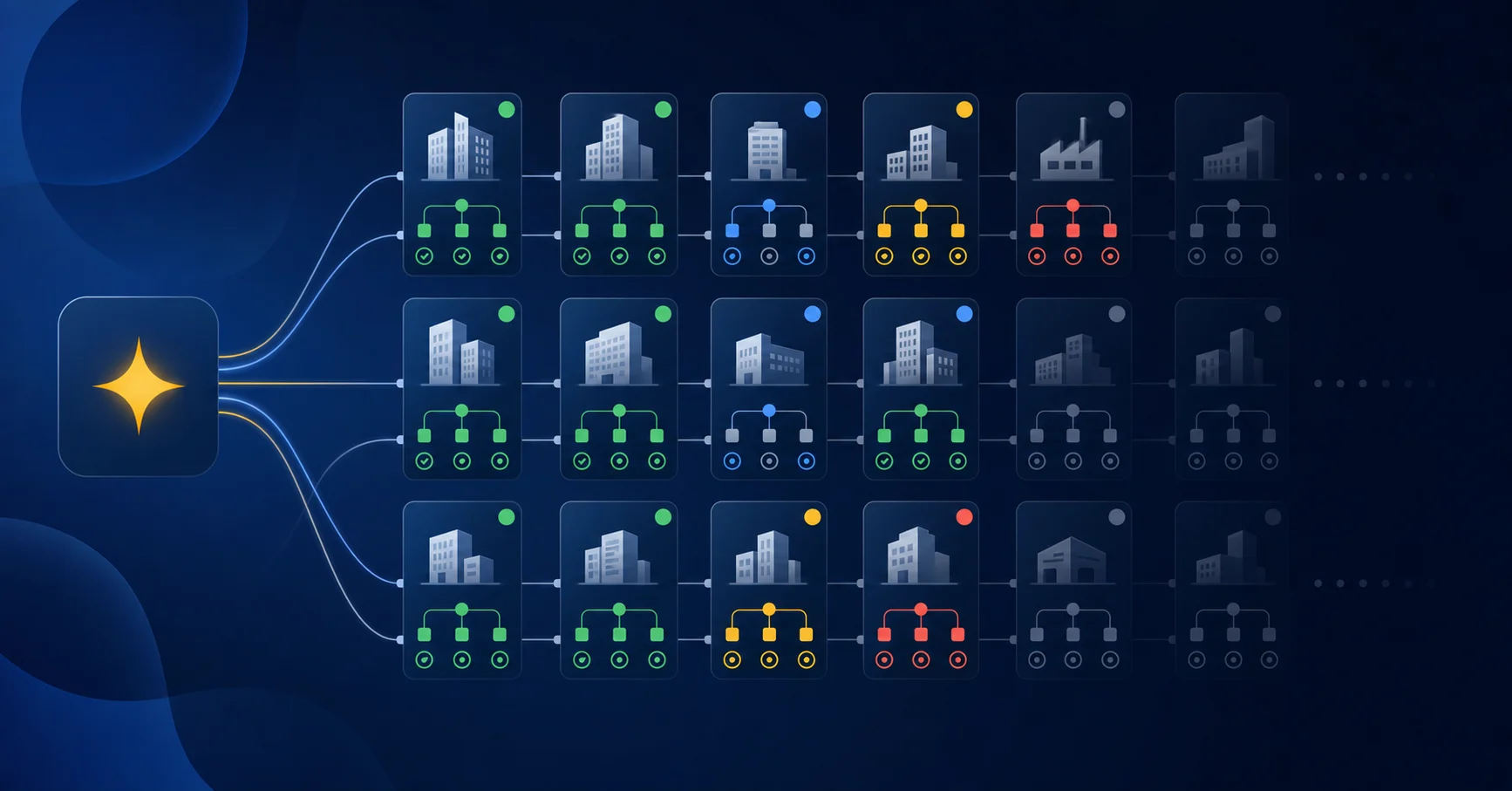
Managing close across multiple entities in Sage Intacct means the complexity compounds fast. Each entity needs its own reconciliations, its own checklist completions, and its own sign-offs before you can consolidate. Sage gives you the entity structure, but the coordination layer across those entities is still largely manual.
Where the Volume Breaks the Workflow
The arithmetic is unforgiving. Fifty entities with ten close tasks each is 500 individual items to track, assign, and verify, with no single view showing you where everything stands at once. Controllers running multi-entity books in Sage often end up managing close status through a combination of email threads, shared spreadsheets, and memory.
- Preparer and reviewer assignments do not propagate across entities automatically, so setup work repeats for every entity, every period.
- There is no cross-entity rollup of close progress, meaning you cannot see at a glance which entities are blocked and which are clear.
- Intercompany eliminations and dimension-level posting still require manual coordination outside the close checklist itself.
The gap is not in Sage's entity accounting, which handles multi-entity consolidation well. The gap is in close orchestration across those entities, where the native tools stop short.
The Document-to-Journal-Entry Problem
Sage Intacct's close workflow starts after journal entries exist. Generating those entries from upstream source documents sits entirely outside what Sage manages.
Payroll registers from ADP, brokerage custodian statements, donation exports from providers like Givebutter or PayPal: these arrive as unstructured or semi-structured files. Turning them into GL-ready postings means parsing data, allocating amounts across dimensions, and building workpapers by hand before a single entry touches the ledger. That prep work happens in spreadsheets, outside Sage, with no audit trail attached to the close itself.
The gap compounds when dimensions are involved. A payroll file needs to be split across departments, locations, or classes before posting. A custodian statement needs realized gains separated from unrealized ones. Sage has no mechanism to read a source file and produce that allocation automatically.
What "AI-Powered" Actually Means in Sage Intacct's Context
Sage Intacct does include some AI-assisted features, but their scope is narrower than the label suggests. The built-in capabilities cover areas like automated data entry, basic anomaly detection, and GL account suggestions. These tools work at the transaction input layer, not at the close orchestration layer where most accounting teams feel the pressure.
In practice, Sage surfaces suggestions, but your team still owns the work of acting on them, tracking completion, and resolving exceptions across every entity and dimension.
Choosing Between Close Management and Close Execution Tools
The right tool depends on where your close actually breaks down.
Close management tools handle visibility: checklists, task assignment, status tracking, and preparer/reviewer sign-off. If your close fails because nobody knows who owns which task or when it is due, that is the right category to consider.
Close execution tools handle the work itself: coding transactions, preparing reconciliations, generating flux commentary, and posting entries. If your close fails because the work takes too long or produces inconsistent results, visibility tooling does not fix that.
Most teams need both, but they are not interchangeable.
Where Sage Intacct Users Tend to Struggle
Sage Intacct's native close tools sit on the management side. You can track task completion and gate period close by entity, but the system does not reach into the underlying work.
Teams that add a dedicated close management tool on top of Sage get better visibility into who is behind, but the bottlenecks stay the same. A reconciliation that takes four hours still takes four hours with a checkbox on it.
The gap that tends to matter most for Sage Intacct users is execution depth: transaction coding that writes back to the GL, reconciliations that tie out automatically, and variance analysis that generates without a senior accountant compiling it manually. That is where native tooling runs out, and where the category distinction between management and execution becomes a practical question, not a theoretical one.
How Execution Layers Integrate With Sage Intacct's Native Close Tools
The architecture is straightforward. An execution layer operates as a separate interface with API-level read/write to Sage Intacct. Transaction coding, reconciliation work, and workpaper generation happen outside the Sage UI, then sync back as posted entries or draft journal entries for controller review inside the ERP.
Sage stays the system of record throughout. Close checklists in Sage reflect actual completion because entries are reviewed and posted before the checklist item closes, not after manual prep work catches up. The execution tool handles upstream work; Sage handles the record. That division keeps your audit trail clean and your close status current without requiring a workflow overhaul inside the GL itself.
Truewind's Execution Layer for Sage Intacct Close Workflows
Truewind sits on top of Sage Intacct as an AI execution layer, not a replacement for it. The GL stays your system of record. Truewind handles the work between the data and the close: transaction coding, close orchestration, reconciliation tracking, and variance analysis, all through the same API-level integration, in one interface.
Where Sage's native close tools require manual status updates and offer no automated task progression, Truewind runs close checklists with dependency logic and real-time visibility across preparers and reviewers. Where Sage stores reconciliations as static attachments, Truewind tracks reconciliation status by account, flags exceptions, and ties each balance back to the GL.
The same interface that codes bank transactions also runs close checklists, tracks reconciliation status, and surfaces variance analysis through flux reporting. For Sage Intacct multi-entity and high-volume teams, that consolidation is where close time actually comes down.
Final Thoughts on Sage Intacct and the Close Execution Gap
Sage Intacct handles the accounting structure, but close execution is still a manual coordination exercise. The checklists track completion, not the prep work that gets you there. For teams managing multi-entity books or high transaction volume, that gap shows up as spreadsheets alongside the GL and manual status chases across preparers and reviewers. The question is whether your close bottleneck is visibility into task status or the hours spent on the underlying work itself.
FAQ
Can I build a close management workflow in Sage Intacct without adding another tool?
Yes, but it will live mostly in spreadsheets. Sage Intacct offers period locking, approval workflows, and recurring journal entries, but no native close checklist, task assignment layer, or cross-entity status rollup. Teams coordinate close through shared spreadsheets and email alongside Intacct, not inside it.
What's the difference between close management and close execution tools?
Close management tools handle visibility: checklists, task assignments, and status tracking. Close execution tools handle the work itself: coding transactions, preparing reconciliations, and generating variance analysis. Most Sage Intacct users need both, but only execution tools reduce the hours spent on the work instead of tracking who owns it.
When does multi-entity close in Sage Intacct break down?
The coordination layer breaks down as entity count grows. Fifty entities with ten close tasks each is 500 individual items to track with no single view showing where everything stands. Preparer assignments don't propagate across entities automatically, intercompany eliminations require manual verification, and controllers manage status through spreadsheets and email.
How do execution layers integrate with Sage Intacct's close workflow?
An execution layer operates as a separate interface with API-level read/write access to Sage Intacct. Transaction coding, reconciliation work, and workpaper generation happen outside the Sage UI, then sync back as posted entries or draft journal entries. Sage stays the system of record throughout, with close checklists reflecting actual completion because entries are reviewed and posted before the checklist item closes.
Turn this into a close-ready workpaper
Start with sample files or upload your own statements to see how Truewind prepares review-ready workpapers and journal entries.