
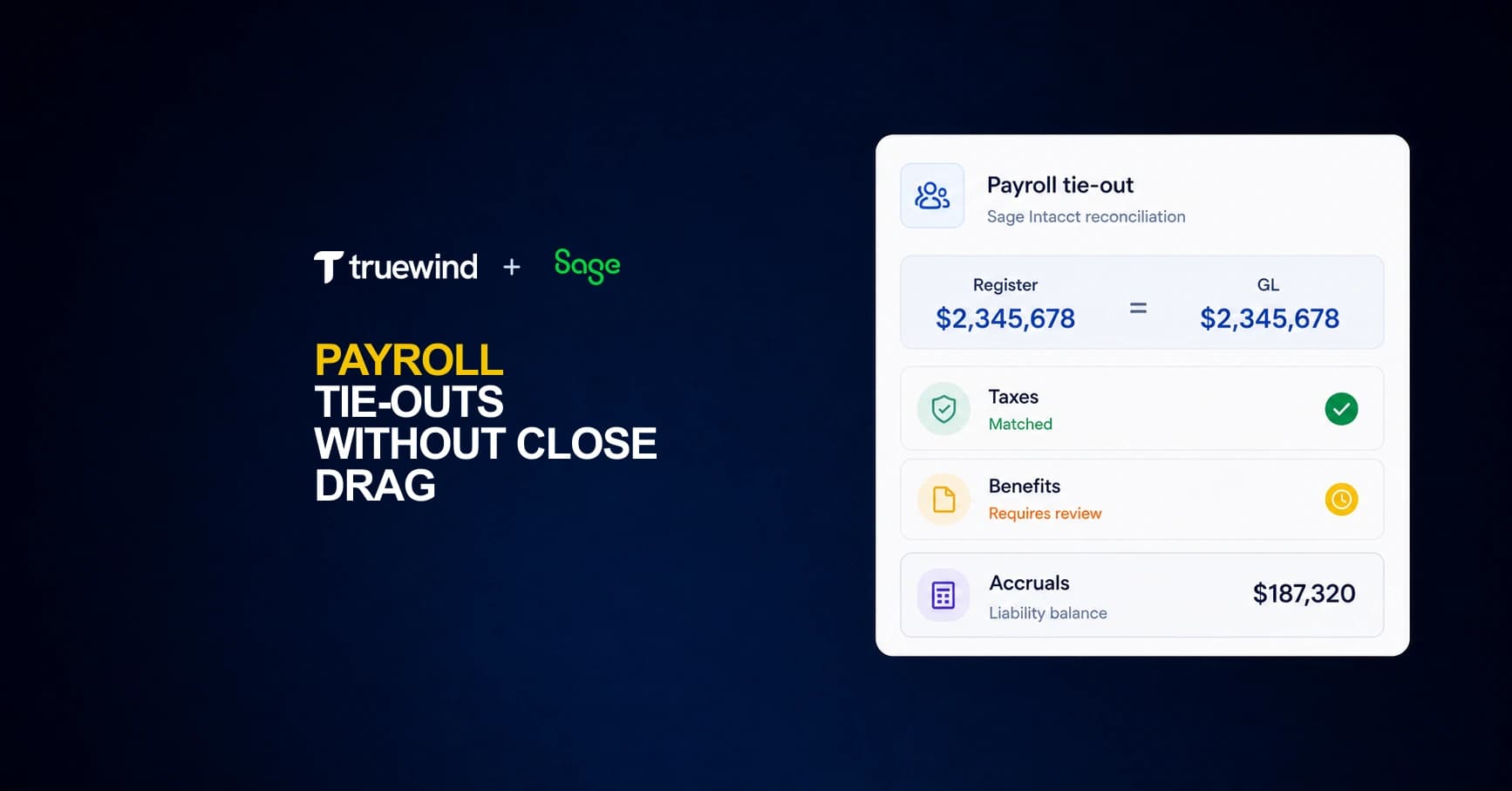
The payroll journal entry posts to Sage Intacct in minutes, but the reconciliation takes days. Gross wages on the register need to match timesheet approvals, employee tax withholdings need to tie to the liability accounts, employer-side taxes need to agree with your accrual calculation, and benefit deductions need to clear when the carrier invoice arrives. Payroll reconciliation in Sage Intacct touches more accounts than most close tasks, and the payroll register becomes your authoritative source for what should be sitting in the GL. When accruals straddle two periods or a mid-cycle correction posts late, the variance work begins.
TLDR:
- Sage Intacct does not generate payroll registers; they come from your payroll provider via manual import or integration.
- Most reconciliation errors trace to timing mismatches, mid-period rate changes, or accrual estimates built outside Sage that differ from actual payroll runs.
- Each pay period requires matching three data sets: register totals, GL postings, and bank deposits across wages, taxes, and benefit deductions.
- Benefit deductions and garnishments create separate liability tie-outs that often fail when carrier invoices or remittance schedules do not align with withholding cycles.
- Truewind reads payroll registers and GL history to flag variances and prepare dimension-mapped journal entries for review before posting.
What a Payroll Register Contains in Sage Intacct
The payroll register is the line-item record of every employee's pay for a given period. Each component maps to a different GL account and a different verification step, which is why understanding the register's structure comes first.

A complete register captures:
- Gross wages by type (regular, overtime, bonuses, commissions)
- Employee tax withholdings (federal income tax, Social Security, Medicare, state and local)
- Employer tax obligations (FICA match, FUTA, SUTA)
- Benefit deductions (health insurance, FSA/HSA contributions, 401k deferrals)
- Garnishments and other involuntary deductions
- Net pay per employee
Sage Intacct does not generate registers natively. The register comes from your payroll provider, whether that's Rippling, Gusto, ADP, or another system, and enters Sage either through a direct integration or a manual journal entry import. The register is your authoritative source of what the GL should reflect. The reconciliation work is confirming whether it does.
How Payroll Data Flows into Sage Intacct
Payroll data reaches Sage Intacct through a handful of distinct paths, and which one your organization uses shapes every reconciliation step that follows.
Most mid-market companies import a payroll journal entry directly from their payroll processor, whether that's ADP, Gusto, Paychex, or a similar provider. The processor generates a summary JE that rolls wages, employer taxes, and benefit deductions into a handful of GL accounts. Sage Intacct accepts this as a manual import or through a third-party connector.
The Three Common Integration Patterns
How tightly your payroll processor connects to Sage Intacct determines how much manual work lands on your team each period.
- File-based imports (CSV or Excel) are the most common setup for smaller organizations. Your payroll processor exports a summary report, and someone on the accounting team maps it to the Sage Intacct chart of accounts before posting. Mapping errors accumulate here, especially when departments, locations, or projects need to be broken out by dimension.
- API-connected integrations push journal entries directly into Sage Intacct from the payroll system with minimal manual handling. The tradeoff is that the JE structure is controlled by the connector, so you need to confirm the account and dimension mapping matches your GL setup before trusting the output.
- Manual journal entries remain common for companies running payroll outside a system with a Sage Intacct connector. The controller or payroll accountant builds the JE from the payroll register each period, which introduces the most reconciliation risk.
Regardless of the method, what lands in Sage Intacct is a summary entry. The detail lives in the payroll register, and that gap between summary GL postings and line-level register data is where most reconciliation work begins.
Matching Gross Pay to Timesheets and Payroll Registers
Starting from the gross pay figure on the payroll register and tracing it back to source timesheets is where most payroll reconciliation work begins. The register should agree to approved hours at contracted rates before you touch taxes or benefits.
Matching the Register to Approved Hours
Pull the approved timesheet totals by pay period and compare them by employee to the gross wages column on the register. Discrepancies typically fall into three buckets:
- Hours on the register exceed approved timesheets, often because a late timesheet approval posted after the payroll cutoff but was included in the run anyway.
- Rates on the register differ from the employee's current pay record, which can happen after a mid-period rate change wasn't staged correctly in the payroll system.
- Employees appear on the register but have no corresponding timesheet, usually indicating a manual payroll addition that bypassed the normal approval workflow.
Each variance needs a documented explanation before the register is signed off. "Looks right" is not a reconciling item.
Tying Register Totals to Sage Intacct
Once the register agrees to timesheets, the gross pay total needs to map to the wage expense accounts posted in Sage Intacct. Check that department and location dimensions on the journal entry match the cost center coding on the register. A mismatch here flows into your department-level P&L and won't surface until a manager questions a variance during the month-end review.
Reconciling Payroll Tax Withholdings and Deposits
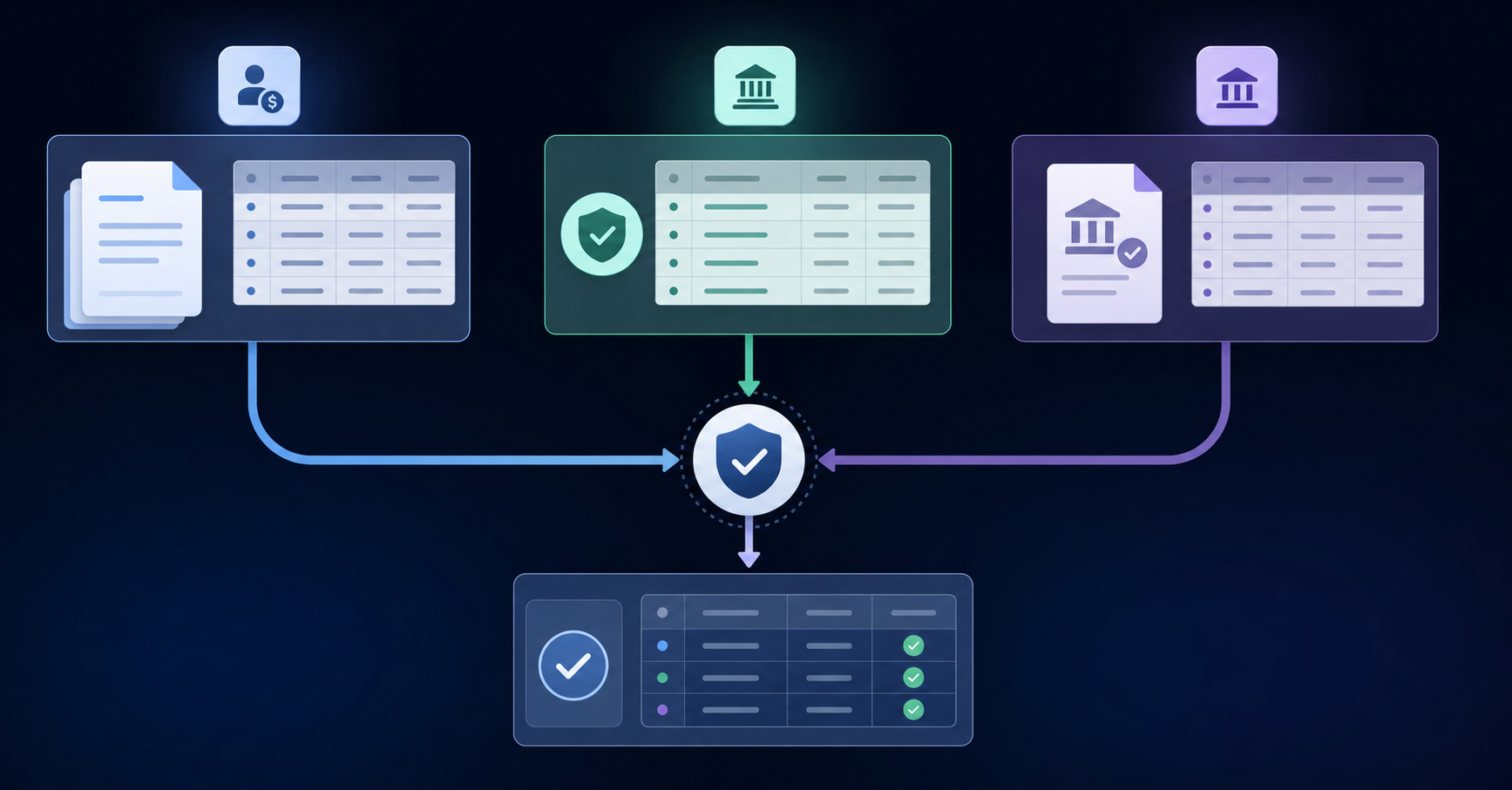
Payroll tax reconciliation in Sage Intacct requires matching three distinct data sets: the amounts withheld from employee paychecks, the employer-side tax obligations, and the actual deposits remitted to tax authorities.
What the Reconciliation Covers
Each pay period, your payroll register captures employee-side withholdings (federal income tax, state income tax, Social Security, Medicare) alongside employer contributions (FICA match, FUTA, SUTA). The reconciliation confirms that every liability posted to the GL matches what was actually deposited.
- Employee withholdings hit a payroll liability account at the time of payroll posting and should clear when the deposit is made to the IRS or state agency.
- Employer tax obligations post as both an expense and a liability; the liability clears on deposit.
- Timing gaps between payroll runs and deposit deadlines will leave open balances on your liability accounts, which is expected but needs documentation.
Where Variances Appear
Variances typically surface in three places: rounding differences across large employee populations, mid-period rate changes that your payroll processor applied but the GL mapping did not reflect, and payroll corrections or voids that hit a different period than the original entry. Each of these needs a clear disposition before close. IRS employment tax deposit schedules determine when liabilities must clear, making timing documentation critical for audit defense.
Reconciling Payroll Deductions for Benefits and Garnishments
Benefits and garnishment deductions create their own reconciliation layer on top of gross-to-net payroll. Each deduction type, whether a 401(k) contribution, health premium, FSA election, or child support garnishment, must tie back to both the payroll register and the corresponding liability account in Sage Intacct.
Common Reconciliation Breakpoints
The most frequent mismatches appear at these points:
- Employee elections change mid-period but the payroll processor applies the new rate a cycle late, leaving the GL carrying the old deduction amount for two pay periods simultaneously.
- Carrier invoices for health benefits arrive with headcounts or premium totals that do not match what was withheld, often because a termination processed after the billing cutoff.
- Garnishment remittances go out to multiple agencies on different schedules, making it easy for the liability account to show a balance that looks wrong but is simply timing.
Tying Deductions to Sage Intacct Liability Accounts
Each deduction bucket should map to a dedicated liability account. When you pull the register and trial balance, the withheld totals for each bucket should equal the outstanding liability before remittance. If the carrier invoice differs from the withheld amount, the variance needs a journal entry and a note before close.
Reconciling Payroll Journal Entries to the General Ledger
Once payroll journal entries are posted, the reconciliation work begins. Each entry needs to trace back to a source: a payroll register line, a tax liability schedule, a benefit deduction report, or an accrual calculation. If the numbers don't tie, the GL carries the error forward into the trial balance.
In Sage Intacct, this process runs through three checkpoints: gross wages to the payroll register, tax withholding and employer liabilities, and benefit deductions and accrued liabilities.
Gross Wages to the Payroll Register
Start with gross wages. The total debited to wage expense accounts should match the gross pay column in the payroll register, broken out by department or class if your dimensions are configured that way. Variances here usually point to a timing difference, a missed employee, or a pay run that posted to the wrong period.
Tax Withholding and Employer Liabilities
Withheld taxes sitting in liability accounts need to match the tax detail on the register. Employer-side taxes, FICA match, FUTA, and SUTA, should tie to the accrual entries posted at period end. If your payroll provider sends a tax summary report, that becomes the third leg of the tie-out.
Benefit Deductions and Accrued Liabilities
Employee benefit deductions should clear against the corresponding payable accounts. Accrued vacation and PTO balances require a rollforward: beginning balance, plus accruals earned, less amounts paid out, equals ending balance. That ending balance needs to match what sits in the GL.
Reconciling Net Pay to Bank Transactions
The ACH batch total submitted to your bank should match net pay on the register exactly. Pull the ACH confirmation and compare it line by line against the register's net pay column. A last-minute void or correction processed after the file was transmitted is the most common source of a gap here.
Printed checks don't clear immediately. Outstanding checks stay on the bank rec until presented, so a zero payroll liability balance and an open bank item can coexist without either being an error. Document them as timing differences and carry them forward until they clear.
Off-cycle payments need their own log. Manual checks issued outside the regular run often don't appear on the primary register, and without a separate matching step, they go unaccounted until something downstream breaks.
Handling Payroll Accruals for Multi-Period Pay Cycles
When a pay period straddles two accounting months, the gross wages earned but not yet paid belong in the current period's expense, not the next one. The mechanics are straightforward: estimate the days earned within the period, calculate the prorated gross, and book a debit to wages expense with a corresponding credit to accrued payroll liability. The same logic applies to employer-side payroll taxes and any benefit contributions that accrue alongside wages.
That accrual entry typically reverses on the first day of the next period so the actual payroll register posting does not double-count the expense.
Where Teams Lose Time
A few specific points in this process tend to create reconciliation drag:
- The accrual estimate is built outside Sage, often in a spreadsheet, and the assumptions baked into it (hours worked, pay rates, benefit elections) do not always match what the payroll processor actually runs. When the reversal hits and the real payroll posts, any gap between the two lands as an unexplained variance in the GL.
- Benefit accruals tied to payroll, such as employer 401(k) match or HSA contributions, run on their own funding schedules and may not clear the same week as payroll. Tracking those open liabilities separately from the wages accrual adds another layer to the period-end tie-out.
- Multi-entity setups compound this because each entity may have its own pay schedule, its own accrual calculation, and its own reversal date to verify.
The tie-out question at period end is whether the accrued payroll liability balance on the balance sheet agrees to the open, unpaid portion of the payroll register. If it does not, the gap usually traces back to a stale rate assumption in the accrual estimate or a benefit funding entry that posted to the wrong period.
Common Payroll Reconciliation Errors in Sage Intacct
| Reconciliation Component | Common Failure Point | Root Cause |
|---|---|---|
| Gross Wages to Register | Timesheet totals exceed or fall short of register gross pay by employee | Late timesheet approvals posted after payroll cutoff or mid-period rate changes not staged correctly in payroll system |
| Employer Tax Liabilities | Tax amounts posted at incorrect rates creating cumulative quarterly errors | FUTA wage base limits hit mid-year causing blended rate changes that GL mapping did not reflect |
| Benefit Deductions | Payroll clearing account never zeros out with persistent unexplained balance | Deductions recorded gross instead of net or employee elections changed mid-period but processor applied new rate a cycle late |
| Garnishment Remittances | Balance sheet liability accounts show incorrect outstanding amounts | Remittances posted to wrong liability account when multiple agencies have different payment schedules |
| Accrued PTO Balances | Liability remains overstated on balance sheet after employee departures | Accrued PTO not updated or reversed when employees terminated, leaving stale balances on books |
Payroll reconciliation errors in Sage Intacct tend to cluster around a few predictable failure points. Knowing where they appear saves time during close and reduces the back-and-forth with payroll processors. Common payroll reconciliation challenges persist across systems, making a systematic approach necessary.
- Timing mismatches between pay period end dates and journal entry posting dates are the most common source of out-of-period variance. If your payroll processor runs on a Wednesday-to-Tuesday cycle but your GL close is calendar month-end, accruals will be off unless you book a stub-period entry.
- Employer tax liabilities posted at the wrong rate create cumulative errors that compound across quarters, especially when FUTA wage base limits are hit mid-year and the blended rate changes.
- Benefit deductions recorded gross instead of net, or vice versa, cause the payroll clearing account to never fully zero out, leaving a persistent unexplained balance.
- Garnishment and voluntary deduction remittances posted to the wrong liability account distort your balance sheet and complicate audit preparation.
- Accrued PTO balances that are not updated when employees are terminated result in overstated liabilities sitting on the books past the point they should have been reversed.
The pattern across all of these is the same: the payroll register and the GL tell different stories, and the gap only surfaces when someone sits down to do a line-by-line tie-out.
Automating Payroll Reconciliation Workflows
Manual payroll reconciliation in Sage Intacct requires cross-referencing the register against tax liability accounts, benefit deductions, and accrual entries across multiple dimensions each period. Any mismatch means tracing back through the source data by hand.
AI tools built on top of Sage Intacct handle that comparison work. Truewind reads your GL history and payroll data to flag variances between what the register shows and what posted to the GL, routing exceptions to a reviewer instead of requiring a full manual scan each cycle. Your team owns the final review and posting decisions.
Truewind's Payroll Reconciliation for Sage Intacct Users
Payroll reconciliation in Sage Intacct touches more accounts than most close tasks: gross wages, employer taxes, benefit deductions, accrued PTO, and any mid-period true-ups across departments and locations. Most teams spend the first few days of close manually tying the payroll register to the GL, tracing variance by variance until the numbers agree.
Truewind sits on top of Sage Intacct as a digital staff accountant and takes on that work. It reads the payroll register, maps each line to the correct dimension and account, and prepares the journal entries your team reviews before posting. Taxes, benefits, and accruals each get their own entry, with the supporting detail attached.
Your team owns the review. Truewind handles the rest.
Final Thoughts on Payroll Reconciliation in Sage Intacct
Most teams spend the first few days of close reconciling payroll because the register and the GL rarely agree without manual intervention. Each variance needs a documented explanation, and tracing discrepancies back through timesheets, tax schedules, and benefit elections is mechanical work that compounds with every pay period. See Truewind in action to understand how payroll exceptions get routed to your team for review while the tie-out work runs in the background.
FAQ
What's the fastest way to tie out payroll registers in Sage Intacct across multiple entities?
Build a repeatable tie-out template that maps gross pay, tax withholdings, and benefit deductions to your GL accounts by entity, then work only the variances each period instead of re-validating clean data. For multi-entity setups with multiple payroll runs per month, exception-only workflows reduce the manual review burden considerably compared to a full line-by-line tie-out each cycle.
How do I reconcile payroll when my pay period spans two months?
Accrue the wages earned but unpaid within the current period by prorating gross pay and employer taxes for the days worked, post the accrual entry with a liability offset, then reverse it on day one of the next month before the actual payroll register posts to prevent double-counting expense.
What causes the payroll clearing account in Sage Intacct to never zero out?
The most common cause is benefit deductions recorded gross instead of net, or garnishment remittances posted to the wrong liability account. Both distort the balance and prevent the clearing account from fully clearing until you trace each deduction type back to its source on the payroll register.
Can I automate payroll accruals in Sage Intacct without building custom spreadsheets?
Yes. AI tools like Truewind calculate mid-period accruals directly within the workpaper, book the JE with proper reversals, and balance employer taxes and benefit contributions without the manual rate assumption work that creates variance when the real payroll posts.
How do AI tools reduce reconciliation time for payroll in Sage Intacct?
AI reads the payroll register and GL history to flag variances between what the register shows and what posted to the general ledger, routing exceptions to a reviewer instead of requiring a full manual scan each cycle. Your team reviews and approves; the comparison and exception identification run without them.
Turn this into a close-ready workpaper
Start with sample files or upload your own statements to see how Truewind prepares review-ready workpapers and journal entries.