
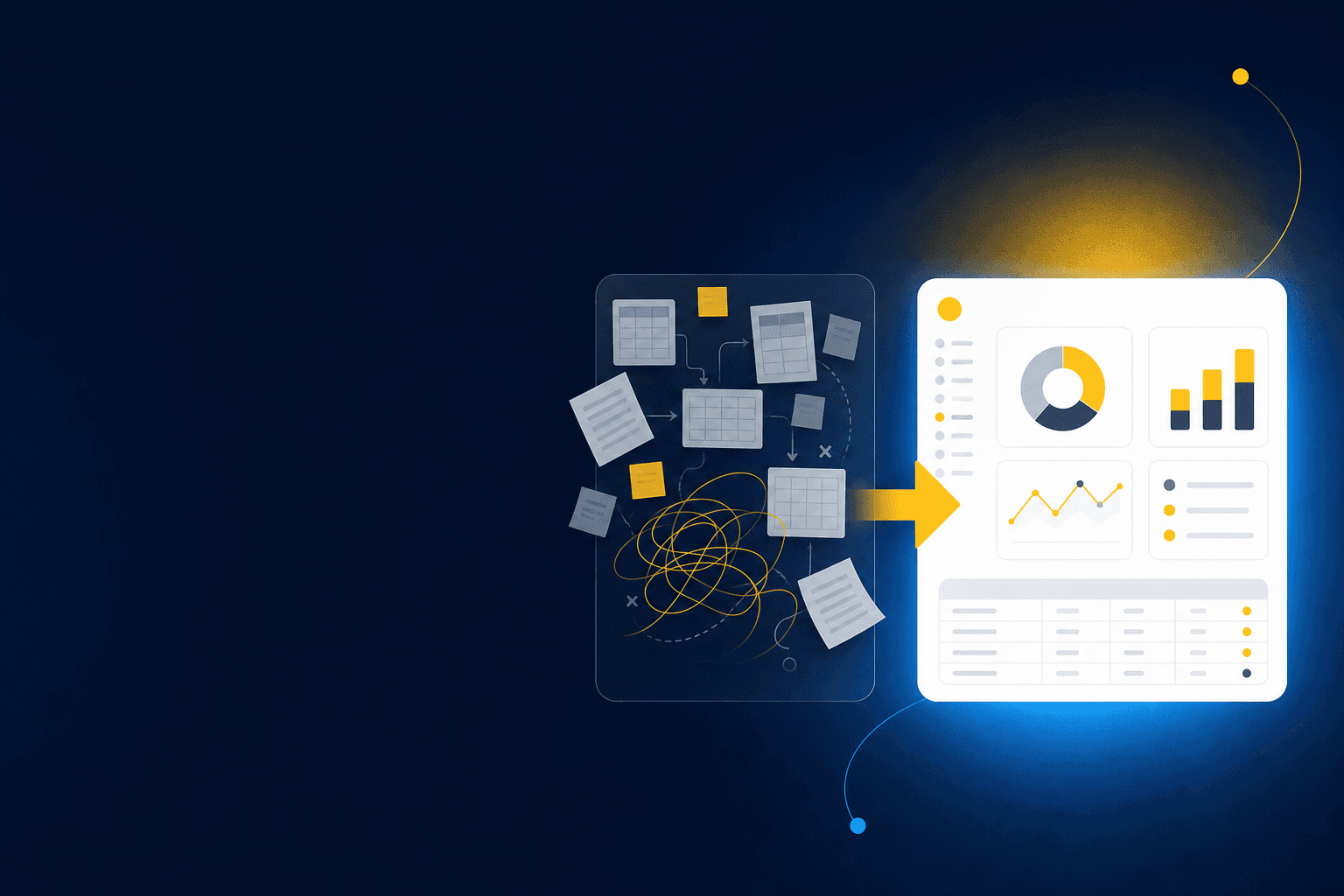
Can your reviewer trace a restricted donation from the donor export through the processor settlement and into the approved entry in Sage Intacct? If your nonprofit accounting software shows only the final posting, someone still has to rebuild the missing preparation in spreadsheets. The buying test starts with that evidence path and ends with the accountant who approves it.
You're evaluating two different systems, even when vendors present them as one. The core accounting system owns the ledger, fund balances, dimensions, consolidation, and financial reporting. An AI workflow layer sits upstream, where source files are combined, historical treatments are applied, exceptions are surfaced, and review-ready workpapers reach the accountant before anything posts.
August 2026 TL;DR: Keep the evaluation tied to one recurring workflow. Ask each vendor to process the actual source files, preserve every required dimension, explain each exception, and show exactly where the reviewer approves the result.
Key Takeaways:
- Separate the core accounting system from the workflow that prepares accounting for it.
- Test fund restrictions and grant requirements with real source files, not sample transactions.
- Trace dimensions from the donor or revenue source through the workpaper and journal-entry draft.
- Require exceptions to reach an accountant with supporting context.
- Inspect the audit trail before discussing broad automation claims.
- Keep Sage Intacct or QuickBooks Online as the system of record if either still meets your ledger needs.
- Choose nonprofit accounting software based on a known close workflow, not a generic feature score.
Why Nonprofit Accounting Software Demos Miss the Close
Most software demos start after the hard part is over. The sample entry is coded, the restriction is known, and the dimensions are clean. Your team works several steps earlier, where donor exports, processor reports, grant support, bank activity, and prior workpapers still need to become accounting.
A Clean Journal Entry Can Hide a Broken Workflow
A controller opens the close folder at 7:40 on Monday morning. The bank feed shows one deposit of $84,200. The donor platform lists 213 gifts behind it, the processor report splits gross receipts from fees and refunds, and one $10,000 gift carries a program restriction that never appears in the bank detail. The ledger can record the final entry, but it can't determine the treatment from the deposit alone. By the time she reconciles all three sources by hand, it's lunchtime and she hasn't touched the other four accounts due that day.
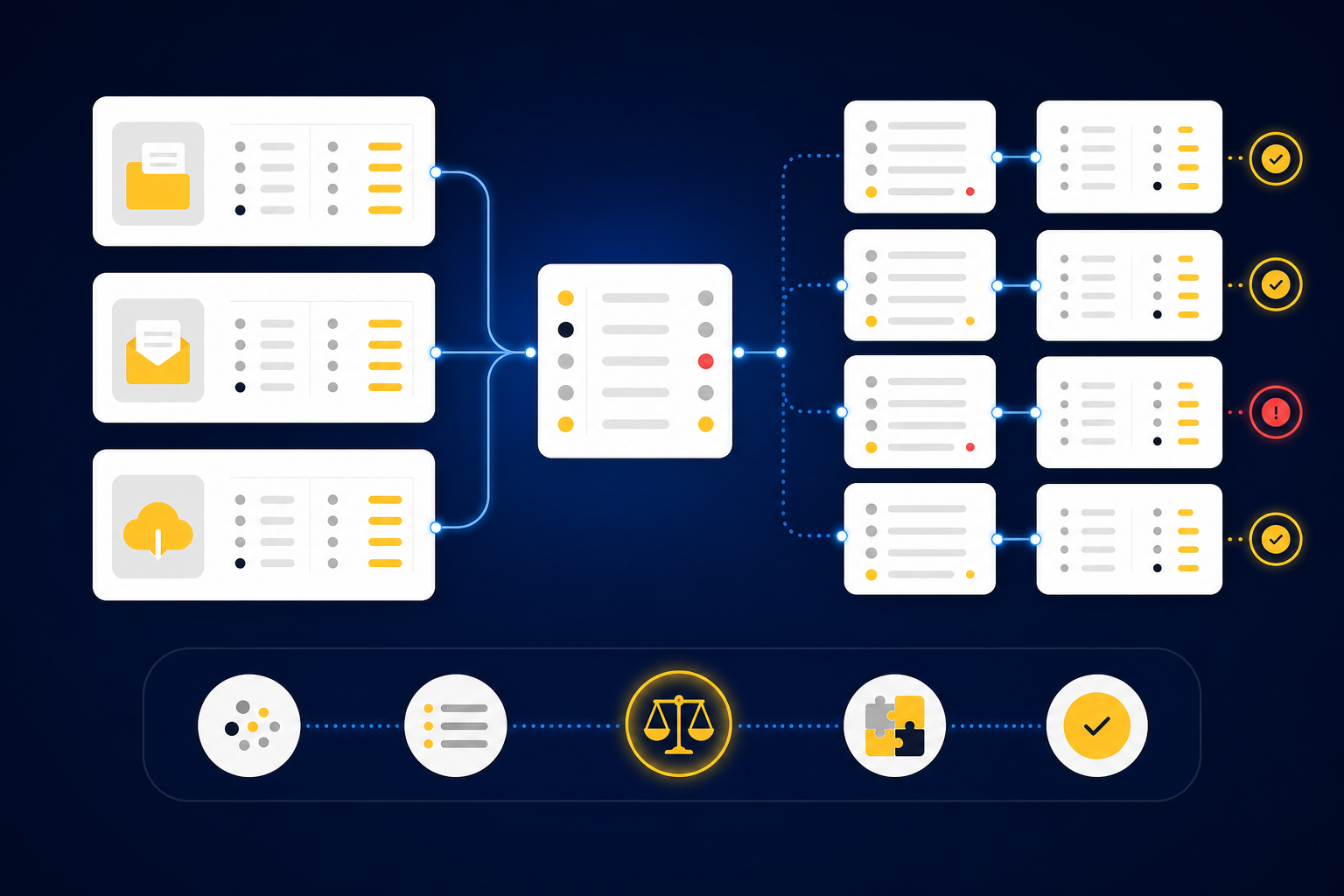
Someone has to match the sources, preserve the fund and campaign dimensions, identify the fee, check the restriction, and prepare support a reviewer can follow. That sequence is the actual workflow. If the demo jumps straight to a balanced journal entry, you haven't seen how the system handles the work your team owns.
Spreadsheets have real advantages here. They're flexible, accountants understand them, and an experienced preparer can adapt one when a source changes. The weakness appears when the workbook becomes the only place where mappings, exceptions, reviewer notes, and prior decisions live, because then the knowledge walks out the door with whoever built it. A walkthrough should expose that handoff from source document to review item, so see Truewind in action with one of your real reconciliations in mind.
Exceptions Belong in Front of the Accountant
An exception isn't evidence that automation failed. A missing statement, an unexpected balance movement, or a classification that conflicts with prior treatment is exactly what the reviewer needs to see. Software becomes risky when it makes those items disappear inside a clean-looking output.
A useful demo should distinguish repeatable preparation from accounting judgment. Known mappings can be applied again. Explicit allocation rules can be followed. An unfamiliar restriction or unexplained variance needs source context, a visible review status, and an accountant's decision before the workflow continues.
Watch for these red flags during an evaluation:
- The vendor demonstrates only clean API data and won't process your PDFs or exports.
- Unreconciled items are forced into a balancing line instead of surfaced.
- A restriction change can be applied without visible reviewer approval.
- The product claims to learn your process but never examines prior workpapers or corrections.
- Posting can occur without a named accountant signing off.
- The audit trail begins in the GL and omits the preparation that produced the entry.
The feature list matters less than the evidence path. The next question is how to test that path across the nine capabilities your nonprofit close actually depends on.
How to Evaluate Nonprofit Accounting Software
Evaluate nonprofit accounting software by assigning each capability to the system that should own it, then testing the handoff between systems. Your ledger should control recorded accounting and financial reporting. The preparation layer should organize source files, apply established logic, prepare support, and route judgment items to a reviewer.
No universal winner follows from that split. A nonprofit replacing its entire ledger is making a different decision from one keeping Sage Intacct or QuickBooks Online and improving upstream close work. Combining those decisions into one scorecard makes a strong preparation tool look incomplete, or gives a capable GL credit for work still happening in spreadsheets.
| Capability | Primary system layer | What to test |
|---|---|---|
| Fund and restriction tracking | Core accounting system, supported by preparation | Trace a restricted gift from donor detail through coding, review, and posting |
| Grant accounting | Core accounting system plus supporting workflow | Show how grant terms, periods, and classifications reach the workpaper |
| Dimensional reporting | Core accounting system | Confirm program, fund, department, location, purpose, and campaign values survive every handoff |
| Multi-entity consolidation | Core accounting system | Test entity boundaries, intercompany treatment, and consolidated reporting |
| Donor or revenue workflows | Preparation layer feeding the core | Reconcile donor, processor, and bank records without losing gift-level context |
| Audit trail | Both layers | Trace source, preparation, correction, approval, and posted entry |
| Approvals and controls | Both layers | Identify who can prepare, change, approve, reject, and post |
| Integrations | Connection between layers | Confirm direction, dimensions, source references, and approval gates |
| Close automation | Preparation layer with human review | Roll forward a known workpaper and surface what changed |
Start by Drawing the System Boundary
Your first evaluation question is simple: where does each system stop? A core accounting platform should own the books. A donor platform should own donor records. A preparation workflow should connect source activity to the accounting artifact without pretending to replace either one.
Draw the current workflow before viewing another demo. Begin with the original source and end with the approved entry in the GL. Mark every point where someone downloads a file, changes a format, applies a mapping, checks a total, investigates an exception, or copies a result into a workpaper.
Use these questions to expose the boundary:
- Which system owns the original transaction detail?
- Where are fund, grant, program, and entity dimensions assigned?
- Which artifact shows the reconciliation and accounting treatment?
- Who reviews exceptions, and where is that decision recorded?
- What prevents unapproved output from reaching the GL?
A vendor should answer each question with a screen, file, or workflow state. If the answer relies on "the AI handles it," you still don't know who owns the accounting.
Test Funds, Restrictions, and Grants Together
Fund tracking and grant accounting look separate on a requirements sheet. During close, they meet in the same workpaper. A grant receipt may involve a restriction, a performance period, a program dimension, and support that a reviewer needs to inspect together.
Generic demos usually test one clean designation. Your evaluation should include a changed restriction, incomplete grant support, or activity spanning reporting periods. The software should preserve known rules while identifying the part that requires judgment. It shouldn't infer a new accounting policy from a partial description.
Ask the vendor to show:
- How restriction data enters from the source.
- Where grant-specific treatment is stored.
- How current treatment compares with the prior period.
- What happens when source detail conflicts with the established mapping.
- Which reviewer action makes a changed treatment final.
No system can encode every grant term without accounting input. That limitation is fair, and any vendor who denies it is overselling. The stronger product makes the handoff explicit instead of burying it in a comment, inbox, or overwritten spreadsheet cell.
Follow Dimensions Across Entities and Reports
A dimension is only useful if it survives the full workflow. Program coding that exists in a donor export but disappears during reconciliation won't support the financial report your CFO needs. Entity detail that gets flattened into one schedule creates the same problem at a different level.
Choose one transaction with several dimensions and trace it. Follow fund, program, department, campaign, purpose, and entity fields from the source through allocation, workpaper preparation, approval, and posting. Then change one field and inspect the history. You should be able to see what changed, who changed it, and whether the update affected later periods.
Multi-entity consolidation needs a separate test. Ask the core accounting vendor to show entity-level books, elimination or intercompany treatment where relevant, and consolidated reporting. Ask the workflow vendor to show that source documents, mappings, and workpapers retain the correct entity before the entry reaches the ledger.
A single generic vendor rule rarely proves enough. One processor may feed several programs, funds, or entities depending on the underlying transaction. Your nonprofit accounting software should preserve that context, while the reviewer remains responsible for novel allocation decisions.
If you want to test the same sequence against your current source package and review rules, book a Truewind demo around that transaction rather than a prepared sample.
Reconcile Donor and Revenue Activity Before the Bank
What does the bank deposit leave out? Usually the detail that makes the accounting useful: individual gifts, restrictions, campaigns, refunds, processor fees, and timing differences. A bank feed proves that cash moved. It doesn't explain all the activity behind the net amount.
Treat reconciliation like a bridge between the donor record and the GL. If the bridge begins at the bank, the gift-level context never crosses. If it ends before reviewer sign-off, the accountant still has to rebuild the last section by hand.
Run the demo in source order:
- Load the donor or revenue export.
- Load the related processor settlement report.
- Match the settlement to bank activity.
- Identify fees, refunds, timing differences, and unmatched items.
- Apply established fund and dimensional mappings.
- Produce the reconciliation, support schedule, and journal-entry draft.
- Route exceptions to the accountant before posting.
Integration claims need the same discipline. Ask which data moves, in which direction, at what stage, and with whose approval. "Connects to your stack" says very little about whether dimensions, source references, and review status survive the trip.
Inspect Controls Before Measuring Automation
Close automation should reduce repeated preparation without weakening approval. A useful workflow can roll forward prior work, apply confirmed mappings, compare the current period with known treatment, and prepare the next review surface. Judgment stays with the accountant.
Inspect roles and actions directly. Can a preparer change a classification after approval? Does the system retain the earlier value? Can the reviewer send an item back with context? Does posting require a separate confirmation? Those questions tell you more about control than a broad statement about accuracy.
The audit trail should cover the preparation layer, not only the posted ledger. For one journal-entry line, ask to see:
- The original source file.
- The calculation or reconciliation that produced the amount.
- The account and dimensional treatment applied.
- Any exception raised during preparation.
- The reviewer's correction or confirmation.
- The final handoff to the core accounting system.
Manual review can still be the right call for low-volume or unusual work, and here the status quo has real merit: a human reading every line catches things no rule anticipated. The tradeoff is capacity. If reviewers must re-check every prepared line because the system can't separate known treatment from exceptions, the workflow hasn't moved judgment downstream. It's just relocated the typing.
Use Red Flags and FAQs to Make the Final Call
A good buying process ends with failed tests, not just passed ones. Push the software outside its prepared path and watch what happens. Change a source format, remove a statement, alter a restriction, or introduce an unexplained difference. The response should reveal whether the product follows a controlled workflow or merely produces a plausible answer.
Is donor management the same as nonprofit accounting software? No. Donor systems hold constituent and gift information. The accounting system records the financial treatment, while a preparation layer can reconcile donor activity with processor and bank records.
Can an AI workflow layer replace the GL? It shouldn't if the purpose is upstream preparation. Sage Intacct or QuickBooks Online can remain the system of record while another layer prepares workpapers, reconciliations, schedules, and journal-entry drafts for review.
Should every exception be automated? No. Missing support, unexpected balance changes, mixed activity, and inconsistent classifications need accountant review. Automatic resolution would hide the exact items that deserve attention.
What should you demo first? Start with a recurring workflow that has known inputs, a prior approved workpaper, and a clear reviewer. A donation reconciliation or recurring rollforward gives you something concrete to compare.
How should you compare vendors? Score evidence, not presentation. A vendor earns credit when your reviewer can trace the source, understand the treatment, inspect the exception, and control the posting decision.
Once those tests are clear, the product discussion becomes much narrower: which layer can reproduce your known process without taking judgment away from the accountant?
How Truewind Prepares Nonprofit Close Work
Truewind operates in the preparation layer between nonprofit source systems and the GL. It ingests recurring source files, applies the team's historical mappings and review conventions, prepares accounting artifacts tied to source, and places exceptions in front of the accountant before approved output moves downstream.
Learned Workflows Preserve Nonprofit Accounting Rules
Historical-example learning uses prior workpapers, confirmed treatments, allocation choices, and reviewer corrections as operating context for the next period. Multi-source reconciliation can then align donor exports, processor reports, and bank activity while surfacing fees, refunds, timing differences, and unreconciled items with source support.
Dimensional and allocation preparation carries explicit program, fund, chapter, department, location, purpose, or entity rules through the workflow. Edge cases aren't applied as new policy. They return to the accountant for review, and the resulting decision can inform later periods.
For teams running Sage Intacct, the related article on reducing upstream finance work for nonprofits explains why improving preparation doesn't require replacing the ledger.
Review Happens Before the GL Handoff
The human review workflow presents prepared workpapers, reconciliations, schedules, journal-entry drafts, source links, and exceptions in one review surface. Accountants can confirm, adjust, or return items to preparation. Nothing leaves review without sign-off.
As of August 2026, the documented native ERP targets are Sage Intacct and QuickBooks Online. Reviewed output moves to the connected system with coding, dimensions, and source references preserved. The GL remains the source of truth, and the accountant still owns treatment and posting.
A demo should use the source package and prior workpaper behind one of your recurring reconciliations. To inspect that workflow from intake through approval, get a Truewind demo and bring the exception your current process handles least cleanly.
Choose the System Your Reviewers Can Prove
The right choice is the one your reviewer can trace from source file to approved accounting treatment. Core nonprofit accounting software should own funds, grants, dimensions, entities, and financial reporting. The workflow above it should prepare the support, preserve the team's rules, and stop when judgment is required.
Don't choose from a feature grid alone. Run one real close workflow, introduce one difficult exception, and follow every decision into the workpaper. If the evidence remains visible and the accountant controls the final handoff, you've learned more than a polished demo can tell you.
Frequently Asked Questions
How do I ensure my donor data is accurately reconciled?
To ensure accurate reconciliation of donor data, start by gathering all relevant source documents, including donor exports, processor reports, and bank statements. Use Truewind to ingest these documents, which organizes the data into a structured workflow. This allows you to easily match donor records with bank activity. Finally, review the reconciliation prepared by Truewind, which surfaces any discrepancies for your judgment, ensuring that every detail is accounted for before posting.
What if I encounter exceptions during the reconciliation process?
If you encounter exceptions, don’t panic. Truewind’s Proactive Anomaly Detection feature identifies discrepancies like missing statements or unexpected balance changes and routes them to you with the necessary context. Review these exceptions carefully, as they are crucial for maintaining the integrity of your accounting process. This way, you can make informed decisions on how to resolve them before moving forward.
Can I automate the preparation of my workpapers?
Yes, you can automate workpaper preparation using Truewind. The Workpaper Generation and Rollforward feature allows you to create repeatable workflows for your recurring accounts. Simply upload your prior workpapers and current-period source documents, and Truewind will generate a new workpaper complete with current support and visible reasoning. This saves time and ensures consistency across periods while keeping you in control of the final output.
When should I review exceptions in Truewind?
You should review exceptions as soon as they are surfaced during the reconciliation process. Truewind’s Human-in-the-Loop Review Workflow ensures that all prepared workpapers and exceptions are presented to you for inspection. This is a critical step before any output moves downstream. By addressing exceptions promptly, you maintain the integrity of your accounting records and ensure that any necessary adjustments are made before posting.
Why does my accounting process need a structured workflow?
A structured workflow is essential because it organizes messy source documents into a usable format, reducing the risk of errors and inconsistencies. Truewind automates the ingestion of various financial documents, creating a structured foundation for your accounting tasks. This not only streamlines the preparation process but also preserves important dimensions and context, making it easier for you to trace back through the workflow and ensure accuracy in your financial reporting.
Turn this into a close-ready workpaper
Start with sample files or upload your own statements to see how Truewind prepares review-ready workpapers and journal entries.