
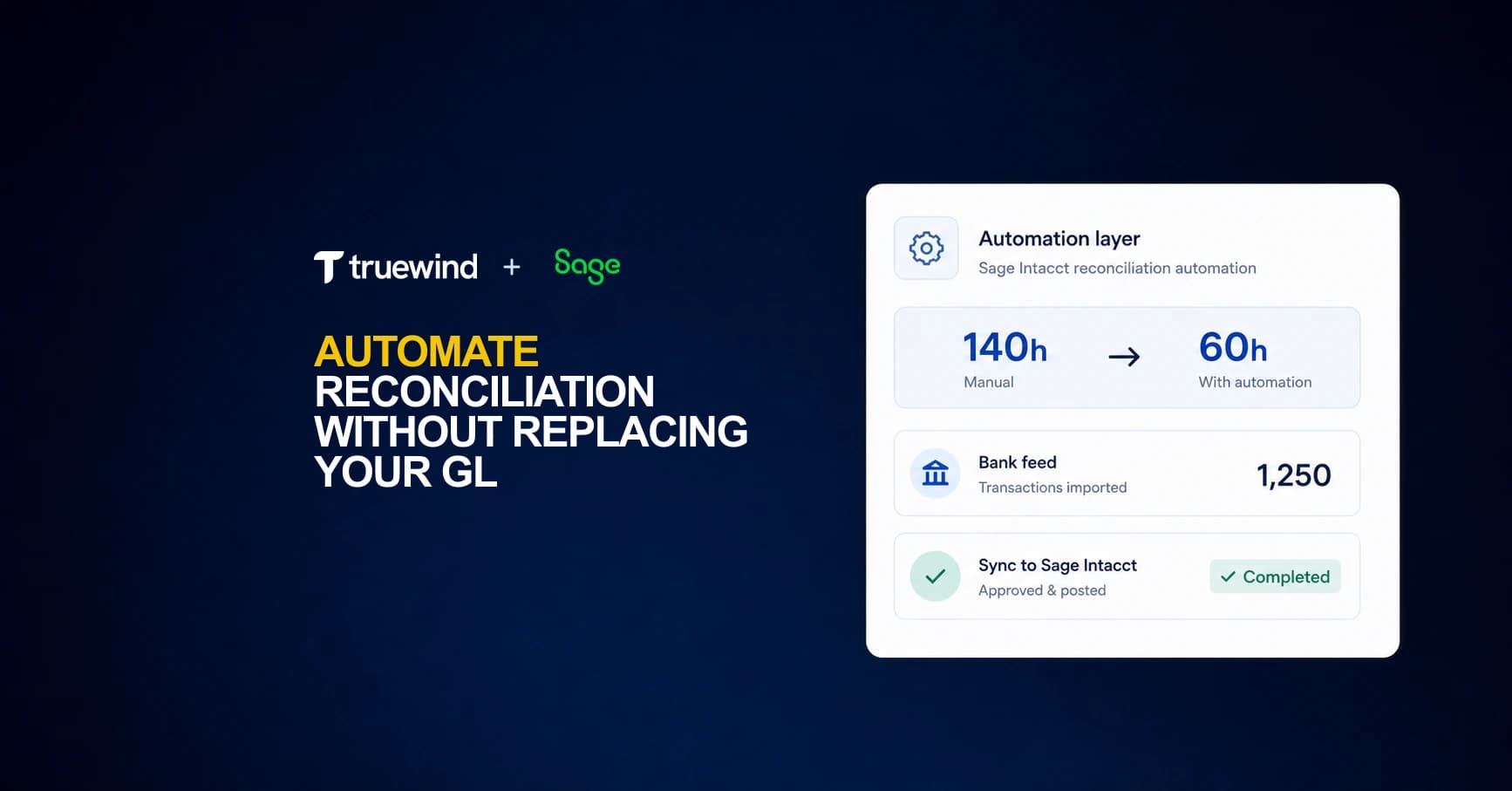
When you're managing 20 material accounts in Sage Intacct, you're looking at 140 to 220 hours of manual reconciliation work every month before accounting for the time lost chasing errors. The new reconciliation workflows in 2026 R1 track status better, but they don't reduce the execution burden for multi-entity closes, brokerage accounts, or accounts tied to external data feeds where Sage's import logic breaks down. Sage reconciliation automation connects via API to handle what Sage can't: native bank feeds, brokerage reconciliation, and AI-based classification across all your configured dimensions. Your GL structure stays unchanged, your team works in both interfaces without duplicate posting risk, and you get back the hours currently lost to manual matching.
TLDR:
- Sage Intacct lacks native bank feeds and flexible transaction matching, forcing manual coding
- API-level automation adds bank connectivity and multi-dimensional classification to Sage
- Brokerage reconciliation sits outside Sage's native tools but can be automated externally
- Truewind operates as an execution layer on top of Sage Intacct with bidirectional sync
- Truewind is an AI-powered digital staff accountant automating reconciliation for Sage users
Why Sage Intacct Users Turn to Automated Reconciliation
Sage Intacct gives finance teams strong GL controls, multi-entity support, and a structured close process. But reconciliation still requires considerable manual effort. Matching transactions across subsidiaries, chasing down intercompany variances, and manually ticking off balance sheet accounts each month pulls accounting staff away from variance analysis, cash flow review, and controller-level advisory work.
The volume problem compounds quickly. As entities scale, the number of accounts requiring reconciliation grows faster than headcount does. Teams end up spending up to 80% of close time on manual data gathering instead of actual review and analysis.
Sage Intacct's native tools handle the ledger well. The gap is in reconciliation workflows sitting just outside the GL, where most of the friction lives.
Understanding Sage Intacct's Reconciliation Capabilities and Limitations
Sage Intacct's 2026 R1 release introduced dedicated GL account reconciliation workflows, letting teams track debit and credit activity on balance sheet accounts more systematically, with reconciliation status visible at the account level. That's a real step forward.
The work itself, though, remains largely manual. Reviewers still match transactions, investigate variances, and sign off line by line. The workflow is better organized; the execution burden is mostly unchanged.
For certain account types, the native tools stop short regardless. Brokerage accounts with non-standard data feeds won't display properly in Sage's reconciliation module. Teams managing high transaction volumes or 100-plus entities hit scaling limits that better UI organization can't resolve. These are architectural constraints, not configuration gaps.
Where the Gaps Show Up in Practice
Three scenarios surface these limits most often:
- Multi-entity close cycles where reconciliation status needs to roll up across subsidiaries without manual aggregation at each level.
- Accounts tied to external data sources like brokerage custodians or payment processors, where feed formatting varies and Sage's native import logic breaks down.
- High-volume transaction accounts where line-by-line review is the only option, and no matching logic exists to reduce that workload at scale.
None of these are edge cases for growing finance teams. They're table stakes for anyone running a close across more than a handful of entities.
The Real Cost of Manual Reconciliation in Sage Intacct
Manual reconciliation is slow, but slow doesn't capture the full cost.

Per material account, the monthly time runs 7–11 hours. Automated workflows bring that down to 3–4 hours. Bank reconciliation alone can consume 15–20 hours monthly for a mid-sized business team. That's nearly half a workweek, every month, on one category of close work.
Accuracy takes the hit too. Manual data entry carries an average error rate of around 1%. At volume, that 1% accumulates into variances that often take longer to trace than the original entries took to post. For Sage Intacct teams without automation, both problems compound with every close cycle. Account reconciliation automation platforms handle these scaling issues through systematic matching logic and exception workflows.
Here's a quick look at where time actually goes:
| Task | Manual Time (Monthly) | Automated Time (Monthly) |
|---|---|---|
| Material account reconciliation | 7–11 hours per account | 3–4 hours per account |
| Bank reconciliation | 15–20 hours | 3–5 hours |
| Error investigation and variance tracing | Variable, often exceeds entry time | Reduced through match confidence scoring |
Time estimates reflect industry-reported averages for mid-market accounting teams. Actual hours vary by account volume, transaction complexity, and existing tooling.
The compounding effect matters most at scale. A team managing 20 material accounts is looking at 140–220 hours of manual reconciliation work per month before factoring in the time lost chasing the errors that inevitably surface.
Sage Intacct's Missing Bank Feed for Transaction Coding
Sage Intacct handles journal entries, approvals, and reporting well, but it does not pull in bank transactions and match them to GL accounts the way some accounting tools do. Your team still needs to export bank data, import it into Intacct, and manually code each transaction to the right account, department, and entity.
For companies running multiple entities or high transaction volumes, that gap adds up fast. Finance teams at growth-stage companies report spending 8 to 15 hours per close cycle just on transaction coding and matching work that sits outside what Intacct handles natively.
How API-Level Integrations Work with Sage Intacct
The architecture is simple. Automation layers connect via Sage Intacct API, sitting alongside the GL as a separate interface. Data flows in both directions.
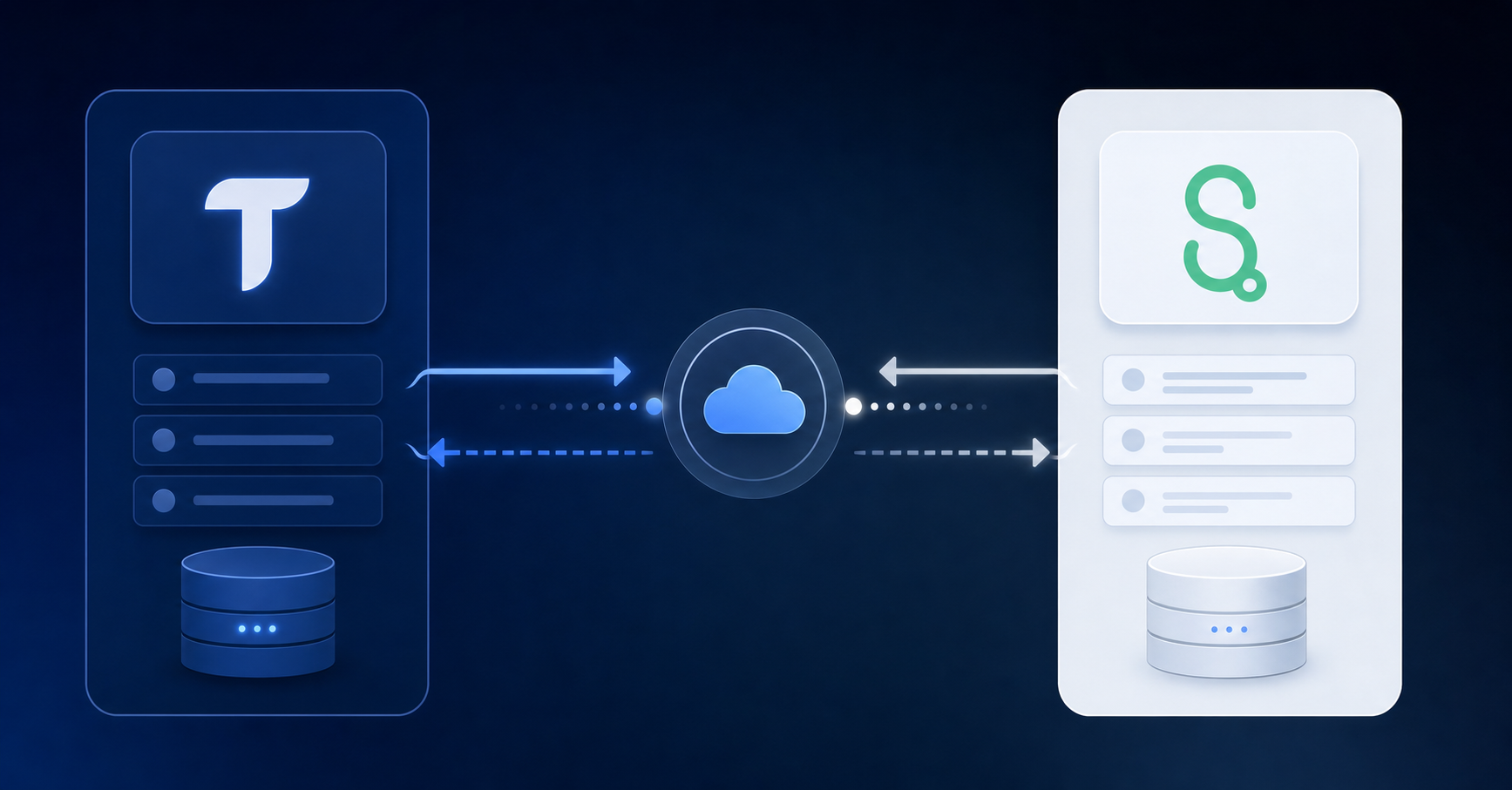
On the read side, the integration pulls your chart of accounts, all configured dimensions (class, department, location, payee, project, and any custom fields), historical transaction data, and currently posted entries. That read access seeds the classification models and powers duplicate detection across accounts.
On the write side, classified transactions, approved journal entries, and matched postings sync back into Sage when a reviewer approves. Those entries land in Sage as posted transactions, ready for audit.
Sage stays the system of record throughout. No GL structure changes, no interface modifications on either end. The automation layer handles execution and exception routing. Your team reviews only what actually needs a human decision.
Automating Multi-Dimensional Transaction Classification
Sage Intacct requires GL code, class, department, location, payee, project, and any custom dimensions on every transaction. That is not one field to get right — it is six or more, applied consistently across every transaction in the feed.
Sage's native rule engine assigns these through exact text matches. One variation in how a vendor name appears and the rule misfires entirely.
Where AI Classification Changes the Workflow
Instead of matching on fixed strings, AI classification reads transaction context. It assigns every dimension simultaneously in a single pass, handling description variations that would break a static rule without any manual intervention required.
- Multi-dimension assignment happens in one step, not through sequential rule layers that each carry their own failure points.
- Vendor name variations, abbreviations, and formatting inconsistencies are absorbed without needing rule updates.
- Custom dimensions your team has configured in Intacct are included in the same classification pass as standard GL fields.
Brokerage Reconciliation: Solving What Sage Intacct Cannot
For companies holding investments or managing treasury operations, brokerage account reconciliation sits outside what Sage Intacct handles natively. The GL records cash and journal entries, but it has no mechanism to pull in position-level data, match trades to settlements, or flag unrealized gain/loss discrepancies automatically.
Teams working around this gap typically export brokerage statements, manually build reconciliation schedules in Excel, and post adjusting entries after the fact. At scale, that process breaks down fast.
The categories that create the most friction:
- Unrealized and realized gain/loss entries that need to reconcile against custodian-reported figures each period
- Money market and sweep account balances that move daily but only get reconciled at month-end
- Multi-custodian portfolios where position data arrives in different formats and on different timelines
Duplicate Transaction Prevention Across Systems
When your team codes some transactions directly in Sage and routes others through automation, the risk is straightforward: the same entry gets posted twice.
The prevention mechanism reads what's already posted in Sage continuously. Transactions coded directly in the GL get flagged as excluded in the automation interface — still visible for context, but locked out of the sync queue. No manual cross-referencing required.
Three states keep the transaction queue clean:
- Full review: awaiting classification and approval
- Categorized: already synced to Sage Intacct
- Excluded: already posted in Sage, held out of the sync queue
Matching happens on transaction IDs, so a duplicate gets caught even when two team members are working across both interfaces at the same time. That covers a common failure point for teams where one person codes AP payments directly in Sage while another handles bank transactions through the automation layer.
Truewind's Automation Layer for Sage Intacct
Truewind maintains exactly two production-grade GL integrations: QuickBooks Online and Sage Intacct. Not twenty. Two. There is a dedicated engineering team focused solely on Sage, and Truewind holds official Sage partner status.
That focused scope produces integration that works at depth:
- Native bank-feed connectivity that Sage does not offer out of the box, pulling transaction data directly into reconciliation workflows.
- Brokerage reconciliation outside Sage's native module, handling investment accounts your existing setup cannot reach.
- Full dimensional classification across every field your chart of accounts requires, beyond top-level categories.
- Duplicate prevention that keeps both interfaces clean when your team works across them at the same time.
Most teams start seeing value in week one, connecting bank accounts and credit cards while a broader Sage rollout is still in progress. Your GL stays exactly as it is.
Final Thoughts on Automating Sage Reconciliation Workflows
Sage reconciliation automation takes the manual coding and matching work off your team's plate so close cycles stop turning into multi-week projects. Your GL stays exactly where it is while bank feeds, brokerage reconciliation, and transaction classification run outside the native Sage interface. Book a demo to see how it maps to your specific chart of accounts and dimensional requirements. Most teams get their first accounts connected and running inside the first week.
FAQ
Can I automate Sage Intacct reconciliation without replacing my GL?
Yes. Automation layers connect to Sage Intacct via API and sit alongside your existing GL as a separate interface. Sage remains your system of record while the automation layer handles transaction classification, matching, and exception routing. Your chart of accounts, entity structure, and existing workflows stay exactly as they are.
Sage Intacct automated reconciliation vs manual workflows — what's the actual time difference?
Manual reconciliation typically takes 7–11 hours per material account monthly. Automated workflows reduce that to 3–4 hours per account. Bank reconciliation drops from 15–20 hours monthly to 3–5 hours. The time saved scales directly with your account volume and entity count.
How does AI handle multi-dimensional classification in Sage Intacct?
AI assigns all dimensions (GL code, class, department, location, payee, project, and custom fields) in a single pass rather than through sequential rules. It handles vendor name variations and formatting inconsistencies without manual rule updates, reading transaction context instead of matching fixed text strings.
What happens to transactions I've already coded directly in Sage?
Duplicate prevention monitors what's posted in Sage continuously. Transactions coded directly in your GL get flagged as excluded in the automation interface — still visible for reference but locked out of the sync queue. Matching runs on transaction IDs to catch duplicates even when team members work across both systems simultaneously.
Can Sage Intacct handle brokerage account reconciliation automatically?
Sage Intacct cannot support brokerage account reconciliation natively, especially with non-standard data feeds. An automation layer pulls position-level data from custodians, matches trades to settlements, and produces GL-ready journal entries mapped to your dimensional structure. The reconciliation happens outside Sage's native module but syncs directly to your books.
Turn this into a close-ready workpaper
Start with sample files or upload your own statements to see how Truewind prepares review-ready workpapers and journal entries.