
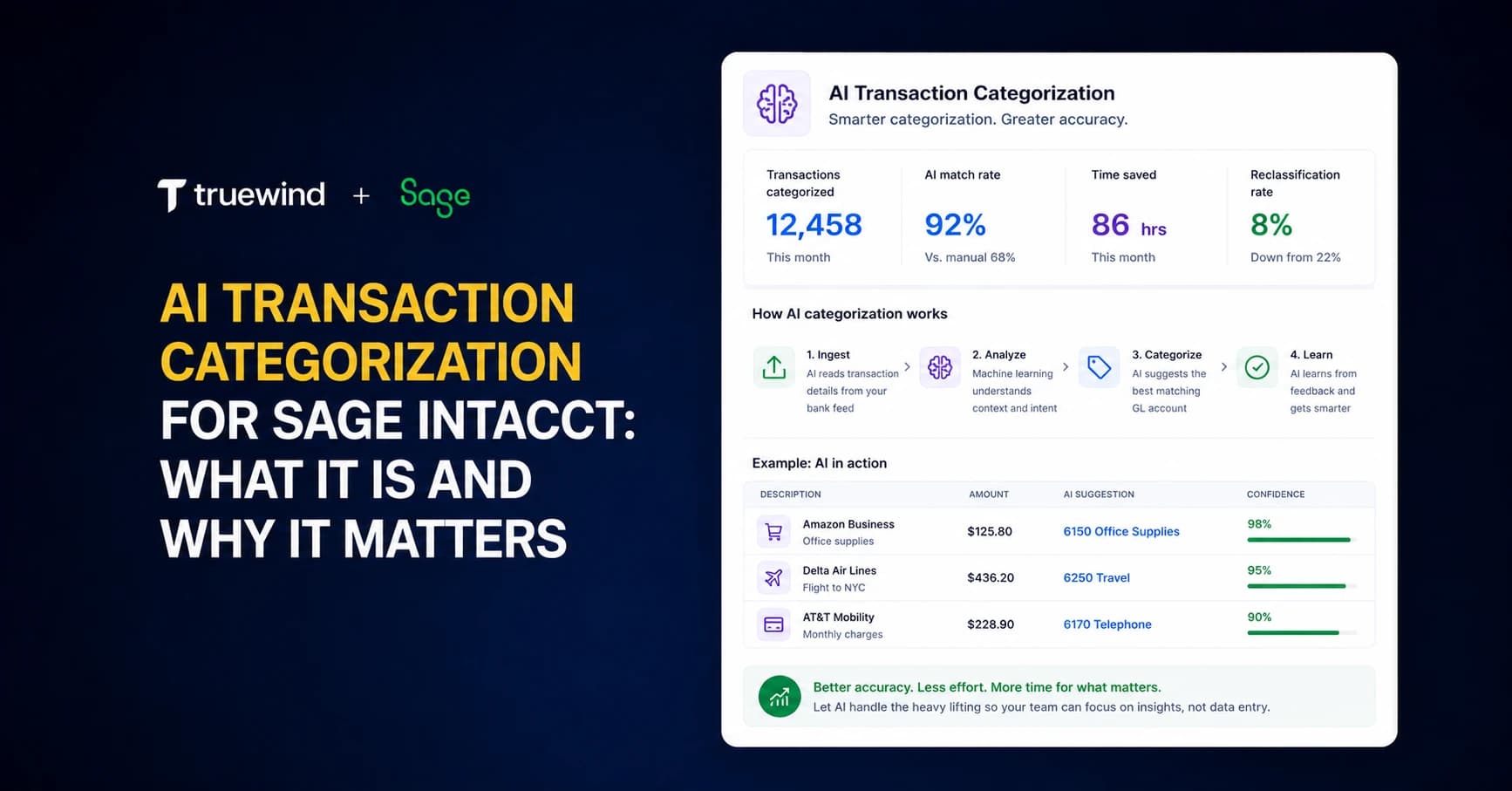
Sage Intacct users don't get a native bank feed. Transactions don't surface for review. There's no AI assistance. You're either building rigid rules that break when descriptions change or manually coding everything yourself. If you're managing multiple entities with six cards and several bank accounts, that volume compounds fast. AI transaction categorization for Sage Intacct connects your banks via Plaid, reads your historical GL to learn coding patterns, and assigns transactions across every dimension in your chart of accounts before queueing them for one-click approval.
TLDR:
- AI reads transactions contextually like an accountant would, handling vendor name variations without manual rule updates
- Sage Intacct lacks native bank feed categorization; AI fills that gap with automated dimensional assignment
- HHL Advisors cut credit card categorization time 75% by replacing Sage's rigid rules with LLM-based matching
- Truewind syncs transactions directly to Sage Intacct via API with full dimension support and duplicate prevention
- Truewind is an AI-powered digital staff accountant that automates transaction coding and reconciliation for Sage Intacct
What AI Transaction Categorization Is and How It Works
AI transaction categorization is the process of automatically assigning incoming bank and credit card transactions to the correct GL accounts, dimensions, and categories without manual intervention. When a transaction hits your connected bank feed, the system reads it, interprets the context, and maps it to the right bucket in your chart of accounts before a human ever touches it.
The key difference from traditional rules-based categorization is how each approach handles ambiguity. Rules engines match on exact or near-exact strings. A $300 United Airlines charge maps to travel because someone wrote a rule for it. Change one character in the description and the rule misses entirely.
AI classification works differently. It uses LLMs to read transactions contextually, the way a trained accountant would. The system considers vendor name, amount, historical patterns, and the full dimensional structure of your GL before assigning a category. Each result comes with a confidence score and a plain-language explanation, so reviewers understand the reasoning behind each decision.
For Sage Intacct users, that distinction matters. Sage's native rules engine is notoriously rigid, and many teams have found it breaks down faster than expected in real-world conditions.
Why Sage Intacct Needs AI for Transaction Processing
Sage Intacct is a capable ERP. What it lacks is a native transaction coding interface. QBO users get a bank feed built into the product where transactions flow in, get categorized, and wait for review. Sage Intacct users get none of that. Transactions don't automatically surface for review. There's no queue, no feed, no AI-assisted assignment. You're either uploading files manually or leaning on a rules engine that, as many Sage users have learned, breaks down faster than expected.
That gap has real consequences for small teams. One accountant managing multiple entities, six credit cards, and several bank accounts cannot afford to manually touch every transaction. The volume compounds. The rigid rules miss. The backlog grows.
"After I started making the rules in Sage and it didn't capture half the rules, I was like, this is stupid."
That frustration is common. And it's why 46% of accountants now report using AI every day, a sign that AI in accounting has moved well past the curiosity phase into actual daily workflow. For Sage Intacct users, AI transaction categorization fills the exact gap Sage leaves open: a transaction feed with intelligent classification, reviewer controls, and one-click sync to the GL.
How AI Categorization Works with Sage Intacct's Dimensional Structure

Sage Intacct's power comes from its dimensional structure. Most ERPs let you assign a GL account. Sage lets you assign an account, a class, a department, a location, a project, a payee, and any custom dimensions your team has configured. That granularity is what makes Sage reporting so useful, and what makes shallow integrations so frustrating.
A categorization system that only assigns GL codes leaves most of that structure untouched. Reviewers still have to open each transaction and fill in the rest manually, which largely defeats the purpose.
AI categorization built for Sage reads every dimension from your connected instance and assigns all of them during classification, including the full account code structure. When a transaction goes to review, you see the full dimensional breakdown before approving anything. Payee, class, department, location, project, and any custom dimensions are all populated and visible upfront.
That matters most for teams running multiple entities, complex cost centers, or fund accounting structures where a single missing dimension creates a reporting gap downstream.
The Limitations of Sage Intacct's Native Transaction Rules
Sage's native rules engine works on a simple premise: if the transaction description contains a specific string, apply a specific category. That logic holds until the description changes, even slightly.
A vendor that invoices inconsistently, a bank that truncates merchant names differently across months, a charge that includes a reference number one time and not the next - any of these breaks the rule entirely. In Sage, rebuilding or troubleshooting those rules is not a quick fix. Teams that have migrated from QuickBooks Online or NetSuite consistently flag Sage's rules as harder to configure and faster to fail.
The deeper issue is that rigid rules don't learn. Every new edge case requires a new rule, written manually. For teams managing high transaction volumes across multiple accounts, that maintenance burden compounds fast. AI fuzzy matching handles description variation without any rule rewriting.
| Capability | Sage Intacct Native Rules | AI Transaction Categorization |
|---|---|---|
| Transaction Feed Interface | No native bank feed or review queue; transactions must be manually uploaded or imported from external sources | Direct bank and credit card connectivity via Plaid with automatic transaction flow and dedicated review interface |
| Matching Logic | Exact or near-exact string matching that breaks when vendor descriptions vary even slightly | Contextual LLM-based classification using fuzzy matching that handles vendor name variations without manual updates |
| Dimensional Assignment | GL code assignment only through rules; all other dimensions require manual entry after initial categorization | Full dimensional assignment including GL code, payee, class, department, location, project, and custom dimensions before review |
| Learning Capability | Static rules that require manual creation and maintenance for every new pattern or edge case | Pattern learning from historical GL data that improves accuracy with each review cycle without manual rule writing |
| Rule Maintenance | Every vendor name variation or description change requires a new rule to be written and tested manually | No rule maintenance required; system adapts to description variations automatically through contextual understanding |
| Classification Transparency | Rules fire without explanation; reviewers see only the result with no reasoning provided | Confidence score and plain-language explanation attached to every classification showing decision reasoning |
Key Capabilities of AI Transaction Categorization Systems
When choosing AI transaction categorization for Sage Intacct, certain capabilities should be present in any system worth considering. These are baseline requirements, not selling points.
- Bank and credit card connectivity via Plaid or a comparable aggregator, covering the vast majority of financial institutions
- Historical GL data ingestion on setup, so the classification model learns from your existing patterns before processing a single new transaction
- Full dimensional assignment covering GL code, payee, class, department, location, project, and any custom dimensions
- A confidence score and plain-language explanation attached to every classification, so reviewers understand the reasoning behind each suggestion
- Flexible approval workflows supporting individual, bulk, or selective review before anything posts to the GL
- One-click sync to the GL, with duplicate detection that flags transactions already coded directly in Sage Intacct
That last point is easy to overlook. If your team codes transactions directly in Sage while others work in the categorization tool, the system needs to monitor what's already posted and hold those out automatically. Without it, duplicates become a manual problem.
Pattern Learning vs. Generic Rules
A well-built system reads your specific chart of accounts and historical data at connection, then gets more accurate with each review cycle. Generic rule sets miss the context that makes your categorization decisions defensible at audit time.
Time Savings and Capacity Gains from Automation
85% of accounting professionals report excitement or genuine curiosity about AI, yet only 37% of firms invest in AI training. The firms that do are recovering an additional seven weeks of capacity per employee per year.
For a sole accountant managing six credit cards and multiple bank accounts in Sage Intacct, seven weeks is not a rounding error. That is the difference between staying current on the close and perpetually catching up.
Where That Time Actually Goes
The capacity gains come from specific workflow changes, not abstract automation. Financial automation statistics from 2025 show measurable time savings across accounting departments when manual processes are replaced with intelligent systems.
- Transaction classification that once required manual review of each line item runs automatically against your chart of accounts, freeing time for exception handling.
- Recurring vendor patterns get learned over time, so your team stops re-entering the same coding decisions month after month.
- Categorization confidence scores flag low-certainty items for human review, which means your attention goes where it is actually needed.
The question worth asking is which of your team's weekly hours are currently spent on work that follows a predictable pattern.
Integration Depth vs. Integration Breadth
Many vendors claim Sage Intacct integration. Few mean the same thing by it. Some "integrations" are just CSV uploads: export from Sage, manipulate a file, re-import. That is not an integration. That is a workaround with extra steps.
What actually matters for AI transaction categorization is API-level read/write access with full dimensional support. The system needs to read your chart of accounts, pull your configured dimensions, and write classified transactions back to Sage as properly structured entries, not flat files waiting to be imported.
Equally worth asking: how many GL integrations does the vendor maintain? A vendor managing twenty integrations is spreading engineering attention across twenty code surfaces. When Sage updates its API or changes how dimensions are handled, who is monitoring that? A dedicated engineering focus on a small number of integrations is more likely to catch and fix those issues before they become your problem.
How Truewind Delivers AI Transaction Categorization for Sage Intacct
Truewind maintains exactly two production-grade GL integrations: QuickBooks Online and Sage Intacct. That focus is intentional. A dedicated engineering team works solely on the Sage connection, and Truewind holds official Sage partner status. When Sage's API changes, it gets caught. When a dimension mapping breaks, it gets fixed.
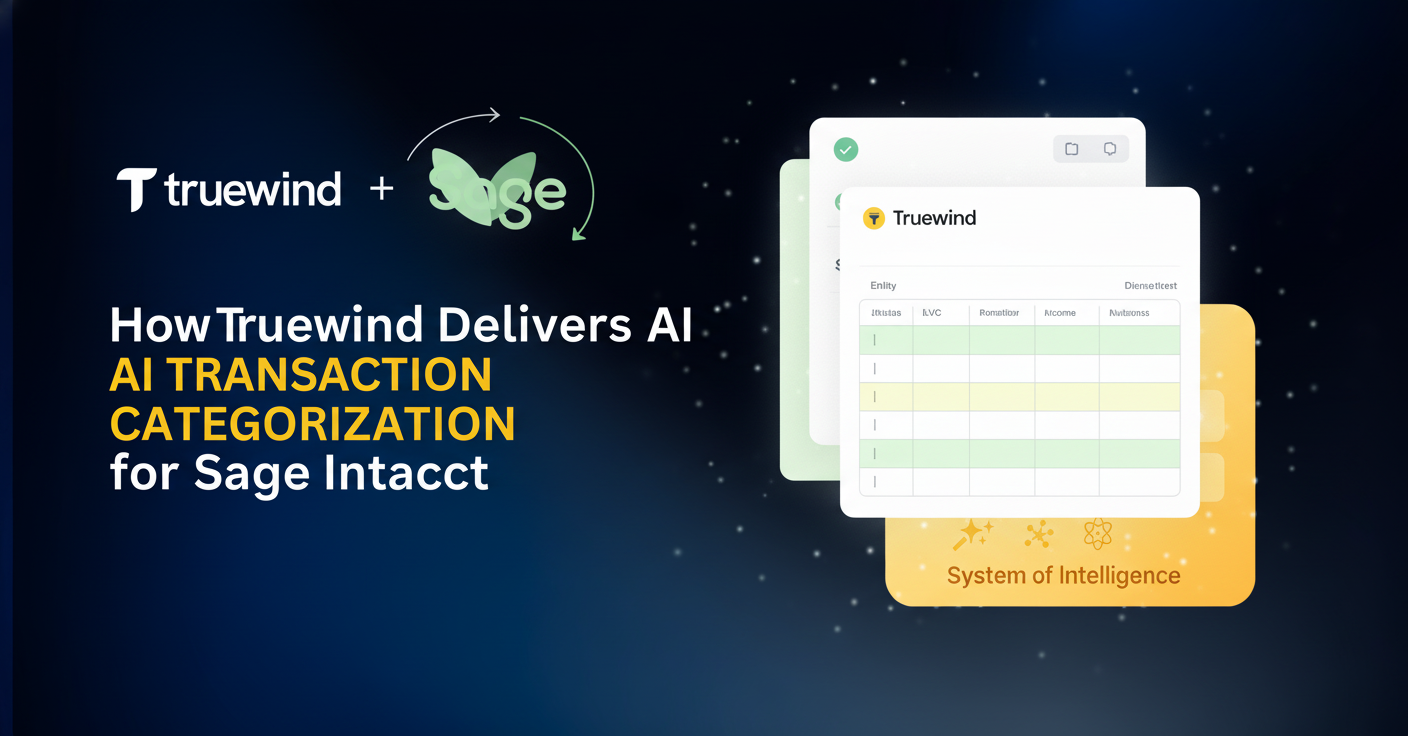
In practice, Truewind sits alongside Sage as a separate interface. Sage stays your system of record. Truewind acts as the execution layer on top. Bank and credit card transactions flow in via Plaid and Finicity, get classified by LLM against your full dimensional structure, and queue for review. On approval, a sync-to-ledger push posts to Sage directly as properly structured entries. Transactions already coded in Sage are automatically flagged and held out to prevent duplicates.
The classification model reads your historical GL data at connection and improves with each review cycle. No generic rule sets. No manual rule maintenance. Just categorization that learns your chart of accounts and gets more accurate over time.
Final Thoughts on AI-Powered GL Coding in Sage Intacct
Rigid rules break fast, manual categorization compounds, and Sage doesn't give you a native solution. That's where AI categorization for Sage Intacct comes in: it reads your dimensions, learns your patterns, and posts classified transactions directly to your GL. You get back the hours currently spent on repetitive coding decisions. If you want to see it work with your actual Sage setup, schedule a walkthrough.
FAQ
How does AI transaction categorization handle Sage Intacct's custom dimensions?
The system reads all dimensional configurations from your Sage instance on connection, including custom dimensions, and assigns them during classification before review, not after.
What happens when a transaction is already coded directly in Sage Intacct?
The system monitors posted entries in your Sage instance and automatically flags any transaction already coded there as excluded to prevent duplicate postings, while keeping it visible in the interface for context.
How long does it take for the AI model to learn my chart of accounts?
Historical GL data is pulled at connection to train the classification model on your existing patterns, so accuracy starts high on day one and improves with each subsequent review cycle.
Can AI categorization work for teams managing multiple entities in Sage Intacct?
Yes, the system handles multi-entity structures by respecting the full dimensional breakdown across entities, classes, departments, and locations that your Sage instance is configured with.
Why would I need AI categorization if Sage Intacct already has transaction rules?
Sage's rule engine matches exact strings and breaks when transaction descriptions vary even slightly, while AI classification uses fuzzy matching to handle vendor name inconsistencies without manual rule maintenance.
Turn this into a close-ready workpaper
Start with sample files or upload your own statements to see how Truewind prepares review-ready workpapers and journal entries.