

By Friday afternoon, you can have a balanced donation reconciliation and still be unable to answer one basic reviewer question: which source supports this line? Audit-ready accounting isn't the state of having clean totals. It means the source, calculation, treatment, exceptions, and reviewer decision remain connected from preparation through posting.
A ledger balance can be correct while the support behind it is scattered across donor exports, processor reports, spreadsheets, and email. The audit problem begins there, long before an auditor sends a request list.
Key Takeaways:
- Build the evidence trail during the close, not after it.
- Keep source, calculation, treatment, exceptions, and sign-off in one reviewable workpaper.
- Preserve fund, program, grant, and purpose dimensions across every source.
- Treat exceptions as reviewer work, not items to hide inside a reconciliation.
- Use prior workpapers and reviewer corrections as operating context.
- Keep Sage Intacct or QuickBooks Online as the system of record.
Why Audit-Ready Accounting Breaks Before the Audit
Audit-ready accounting breaks when the close produces balances without preserving how those balances were prepared. A clean GL can't explain which donor report supported a deposit, why a restriction was applied, or who approved an allocation. If the team must reconstruct those answers later, the work was never fully ready for review.
A Clean Ledger Can Still Hide Weak Support
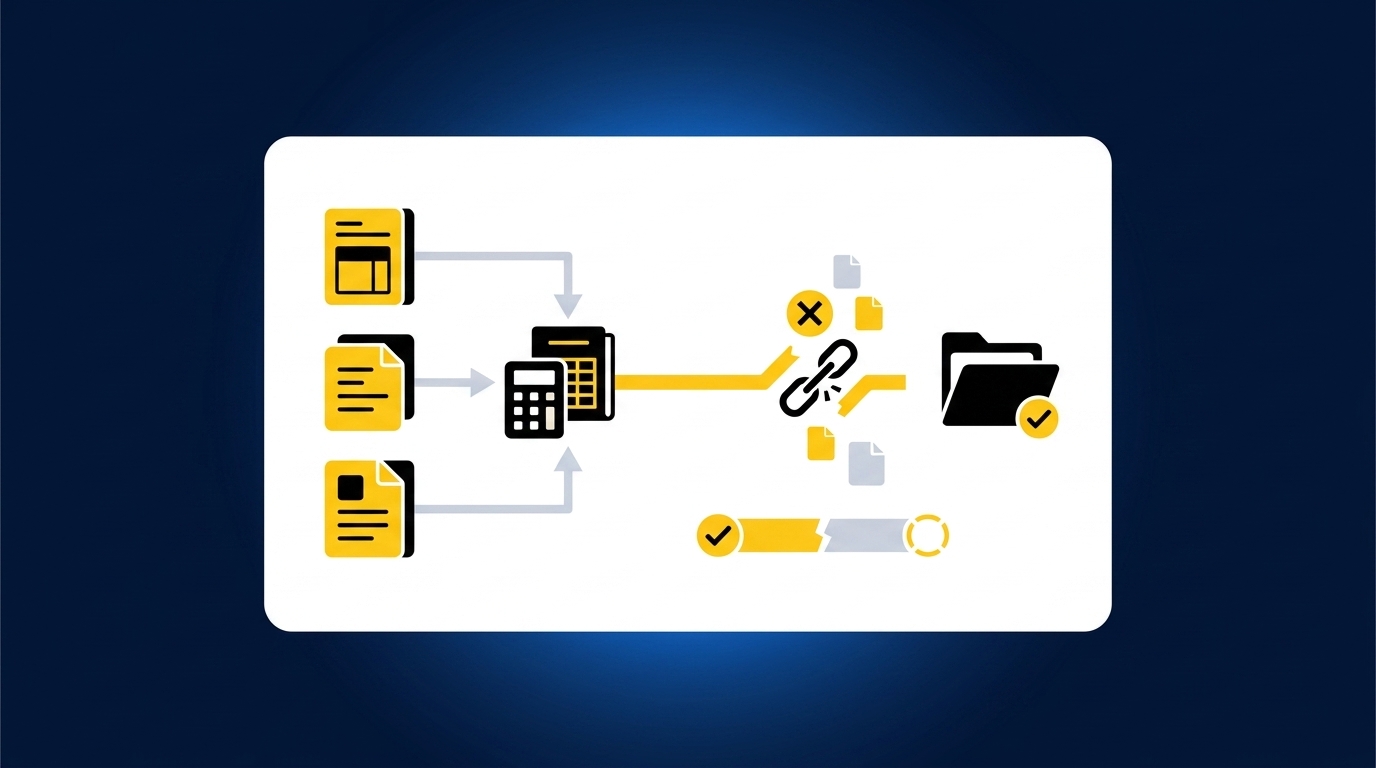
A posted journal entry is the end of a process, not evidence of the process. Reviewers need to see the underlying source, the calculation that changed it, the accounting treatment applied, and any item that didn't follow the expected pattern. Without that chain, a correct entry can still create unnecessary audit work because another accountant can't trace or re-perform it.
The balanced total is often the easy part. The harder work is proving that a processor fee was separated correctly, a restricted gift kept its purpose code, and a timing difference was handled under the team's established cutoff. Audit readiness depends on those links remaining visible after the entry reaches the GL, because that is exactly what a request list will test first.
Nonprofit Complexity Lives in the Source Trail
At 4:30 p.m., a nonprofit controller opens a donor-platform CSV export, a processor settlement report, and the bank activity for the same period. The totals describe related activity, but they don't describe it the same way. One file carries campaign and donor detail, another shows fees and refunds, and the bank shows a net deposit. The controller still has to determine whether the activity is complete and how it belongs across funds and programs, and none of the three files answers that on its own.
That workload is operational, not merely regulatory. Every missing source or dropped dimension weakens the support schedule before an auditor sees it. A useful review surface should let you follow the deposit back through the reconciliation and into the original files, so the evidence doesn't have to be rebuilt later.
If you want to inspect how that source trail carries into a reviewer-led reconciliation, See Truewind in action.
Manual Touch Is Not the Same as Control
Spreadsheets earn their place, and it's worth conceding why. They are flexible, familiar, and easy to adjust when a grant agreement changes or a donor platform adds a column overnight. For a stable workflow with limited volume, that flexibility is often enough, and telling a team to abandon it would be bad advice. The weakness shows up only when support spreads across workbooks, folders, inboxes, and undocumented reviewer decisions that never made it into the file.
Think of the workpaper as the chain of custody for an accounting conclusion. Each handoff should preserve what arrived, what changed, and who approved it. If one link exists only in a preparer's memory, the chain has already broken, and no amount of clean footing repairs it.
The practical question is how to make that evidence trail part of the monthly close instead of an audit-season reconstruction.
How to Build Audit-Ready Accounting Into the Close
Audit-ready accounting is built by connecting each source file to a repeatable preparation workflow, a reviewable workpaper, and an approved ledger entry. The process should preserve the team's classifications and cutoffs while separating routine preparation from judgment items. Audit support then becomes an output of the close, not a separate project.
Can Another Accountant Re-Perform the Work?
Can another accountant open the workpaper and reach the same conclusion without asking the preparer to explain it? That question is a sharper diagnostic than asking whether support exists somewhere. A folder full of source files isn't enough if no one can tell which file supports each line. Neither is a spreadsheet with formulas but no record of the accounting treatment behind them.
Start with one recurring reconciliation and follow it from source to sign-off. Look for places where the reviewer has to search another folder, infer why a mapping was used, or ask whether an exception was resolved. Here is the practical threshold: if the reviewer has to leave the workpaper more than twice to answer a question about a single line, the review surface is incomplete. Each undocumented inference also raises the risk that the treatment quietly drifts next period, which is how last year's clean opinion turns into this year's finding.
Check the following before calling a workpaper audit-ready:
- Can the reviewer open the source behind each material line?
- Does the workpaper show how source activity became the calculated balance?
- Are fund, program, grant, or purpose classifications visible?
- Can the reviewer identify exceptions and the decisions made on them?
- Is sign-off attached to the prepared output rather than stored in email?
Source Files and Journal Entries Need an Unbroken Path
The bank deposit and the journal entry may share the same total while telling very different stories. The deposit shows cash received. The donor export may show restriction, campaign, and donor context, while the processor report explains fees, refunds, or settlement timing. Audit-ready accounting keeps all three descriptions available because each answers a different reviewer question.
Preparation should move in a fixed order. Source comes first, then completeness checks, matching, accounting treatment, exception review, and sign-off. Posting belongs last. When teams begin with the desired journal entry and work backward, they can make the total agree while losing the evidence that explains it. That is the single most common way support fractures, and it never shows up in the balance.
A practical sequence looks like this:
- Collect the recurring source set. Confirm that the expected statements and exports are present.
- Identify what each source represents. Separate transaction detail from settlement detail and bank activity.
- Match related activity. Tie gross donations, fees, refunds, timing items, and net deposits across sources.
- Apply the team's treatment. Use established mappings, cutoffs, dimensions, and allocation rules.
- Route differences to review. Keep unresolved items visible with their source context.
- Approve before posting. Push only the reviewed output to the system of record.
Fund and Program Logic Must Survive Reconciliation
A single bank deposit can represent activity across several funds, grants, campaigns, or programs. The bank feed can't supply that context because it records the cash movement, not the donor restriction or operating purpose behind it. If the reconciliation drops those dimensions, the team has to recover them later from the donor platform or a separate allocation file. That recovery work is where audit support starts to fracture.
Dimensional logic should travel with the transaction through preparation. A gift coded to a restricted fund in the source shouldn't become an unlabeled amount when matched to a processor settlement. A split allocation shouldn't appear as a final journal entry without the rule that produced the split. Reviewers need both the number and the treatment.
The same rule applies to functional expense allocations. An allocation may follow the team's approved method and still require review when the source changes or an edge case appears. Audit-ready accounting doesn't remove that judgment. It gives the reviewer the source and rule needed to make it.
Some teams prefer to keep allocation logic in a separate workbook, and that can work when ownership is clear. The risk begins when the reconciliation, allocation schedule, and journal entry carry three different versions of the same dimensions. One connected workpaper reduces that drift because the reviewer can inspect the full path in one place.
Exceptions Belong in the Review Surface
Exceptions are part of a controlled workflow, not noise to clean up before anyone looks. A missing statement, an unexpected balance change, an unmatched processor item, or an inconsistent classification shouldn't disappear into a plug or an unexplained reconciling line. It should reach the accountant with the source context needed for a decision. That is reviewer work.
The distinction matters because routine preparation and judgment have different owners. A defined workflow can match recurring activity and apply established mappings, but it shouldn't decide a new accounting policy or change a fund treatment on its own. The accountant confirms the treatment, records the decision, and owns the result. More automation doesn't move that boundary.
A useful exception record answers four questions:
- What failed to match the expected process?
- Which source files and workpaper lines are affected?
- What treatment was proposed or used previously?
- What did the reviewer decide for the current period?
An exception queue makes those questions visible without asking the reviewer to recheck every prepared line. If your team wants to see how that review pattern keeps the source and decision together, Book a Truewind demo.
Prior Workpapers Are Operating Context
One reviewer correction can matter more than a generic accounting template. If the team changed a classification split last quarter, documented a cutoff for a grant, or approved a specific treatment for processor timing, the next period should begin with that history. Otherwise, recurring preparation resets every month and the reviewer keeps correcting the same issue into next year.
Prior workpapers, prior entries, SOPs, and confirmed reviewer decisions show how the team actually performs the work. They capture account mappings and review conventions that may never appear in the chart of accounts. Used correctly, that history makes preparation more consistent without allowing the workflow to change policy on its own.
Historical treatment has limits, and this is the exception worth naming. A prior decision may no longer apply when a grant agreement changes, a new program launches, or the source activity falls outside the old pattern. Carrying history forward without an exception check would preserve the wrong answer with great consistency. The workflow must compare current activity with prior treatment and send meaningful differences back to the accountant.
Controlled iteration works better here than broad automation. Start with a recurring workflow that has known source files and a completed prior workpaper. Compare current preparation with the known result, capture reviewer changes, and repeat. Confidence grows because the team can see what changed and why.
Reviewer Sign-Off Must Come Before the GL
What should reach Sage Intacct or QuickBooks Online? Only the prepared output the accountant has reviewed, corrected, and approved. The ERP remains the system of record, but it shouldn't be the place where scattered source files are first assembled into accounting work. Preparation and review belong upstream.
The workpaper is the interface between automation and judgment. It should show the source, calculation, treatment, exceptions, and reviewer action in the same artifact. Once approved, the journal-entry draft and supporting schedule can move into the ledger with their coding and dimensions intact. Posting is then the final handoff, not the first point of control.
Use a simple approval sequence:
- Prepare the workpaper from current and prior-period inputs.
- Review source links, calculations, classifications, and exceptions.
- Correct or return items that require more preparation.
- Record reviewer confirmation on the final output.
- Push the approved entry and support to the connected ERP.
Audit readiness still has a boundary. A complete audit trail doesn't certify compliance or replace formal audit procedures. It gives the finance team a traceable record of what happened, which source supported it, and who approved the treatment. Once that sequence is defined, the remaining question is who prepares it every period without removing the accountant from control.
How the Preparation Platform Preserves Review Control
A preparation platform preserves review control by applying the team's existing process before anything reaches the GL. It organizes recurring source files, prepares the reconciliation and workpaper, surfaces exceptions, and records reviewer actions. Sage Intacct or QuickBooks Online stays the system of record, while the accountant keeps ownership of treatment and approval.
Historical Treatment Shapes Current Preparation
Historical-example learning uses confirmed coding decisions, allocation choices, classification splits, and reviewer corrections as context for the next period. The platform doesn't impose one template across every nonprofit or workflow. It applies the mappings and conventions the team has already approved, then shows current-period differences to the reviewer. Policy changes remain an accountant's decision.
Workpaper generation and rollforward connect the prior workpaper with current source documents and ERP balances. Supporting schedules update, journal-entry drafts are prepared with source-linked support, and items outside the learned pattern move into exception review. Multi-source reconciliation then connects donor, processor, and bank activity without forcing unresolved amounts to agree.
Customer language is useful because it describes capacity in plain terms. One customer said, "Truewind automates a huge chunk of that busywork." Another added, "It's not just about making bookkeeping simpler; it's about freeing up teams, and helping them focus on higher-value projects." A separate customer conversation included, "If I had to describe Truewind in one word: Lifechanging." Those are customer examples, not a promise that every finance team will have the same experience.
Review Comes Before ERP Handoff
The human-in-the-loop review workflow presents prepared workpapers, reconciliations, schedules, journal-entry drafts, source links, and exceptions for accountant review. Reviewers can confirm an item, adjust it, or return it for more preparation. Their corrections become part of the workflow history. Nothing moves to the GL without reviewer confirmation.
After approval, the native ERP integration pushes structured output to Sage Intacct or QuickBooks Online with coding, dimensions, and source references preserved. The platform doesn't replace either ledger, and it doesn't post on its own. Audit trail records retain the source, preparation steps, reviewer corrections, and decisions tied to each workflow and period.
Other customer conversations described the experience just as directly: "Truewind has been amazing." One customer said, "It's like having an entire accounting department at our fingertips - efficient, accurate, and effortless." Strong language is useful, but the mechanism matters more. The source remains visible, the exceptions remain with the reviewer, and the approved output moves into the ledger only after sign-off.
If your team wants to inspect how that review surface handles its own source files and prior workpapers, Get a Truewind demo.
What Audit-Ready Accounting Really Requires
What audit-ready accounting really requires is a close process that preserves evidence and reviewer decisions as the work happens. Clean balances matter, but they aren't enough. Another accountant must be able to trace the source, follow the calculation, understand the treatment, inspect the exceptions, and see who approved the final output.
That standard keeps the accountant in control while moving repetitive effort out of source assembly and into interpretation. The ledger remains the system of record. The workpaper becomes the review surface. Audit readiness stops being a cleanup project because the evidence is already attached to the close.
Frequently Asked Questions
How do I ensure my audit-ready accounting is consistent?
To maintain consistency in your audit-ready accounting, start by using Truewind's Workpaper Generation and Rollforward feature. This allows you to create repeatable workflows that tie current-period source documents to prior workpapers. Make sure to review the outputs regularly and capture any reviewer corrections to build a reliable history. This way, you can ensure that your accounting practices remain aligned with your established rules and that any changes are documented and communicated.
What if I find discrepancies during reconciliation?
If you encounter discrepancies during reconciliation, Truewind's Proactive Anomaly Detection can help. It identifies items that don't fit your learned processes, such as missing statements or unexpected balance changes. Once identified, you can review these exceptions in context, which allows you to make informed decisions about how to address them. Ensure that any unresolved items are visible and documented for future reference.
Can I automate data ingestion for different source types?
Yes, you can automate data ingestion for various source types using Truewind's Automated Data Ingestion feature. This allows you to upload raw financial documents like bank statements, credit card activity, and payout reports without manual reformatting. By structuring these inputs, you can streamline the accounting process and reduce the time spent on data collection. Just ensure that the source types you use are supported by Truewind to maximize efficiency.
When should I review prior workpapers?
You should review prior workpapers at the beginning of each month-end close process. This helps you understand how previous transactions were handled and ensures that any changes in accounting treatment are documented. Truewind's Historical-Example Learning captures these past decisions, so you can apply them consistently in the current period. This practice not only saves time but also helps maintain continuity in your accounting processes.
Turn this into a close-ready workpaper
Start with sample files or upload your own statements to see how Truewind prepares review-ready workpapers and journal entries.