

Where does your month-end close actually stall: inside the ERP, or before the supporting accounting reaches it? That answer matters more than any feature checklist because close automation can coordinate ledger work or prepare it from source documents. Numeric should be evaluated against the workflow your team needs to control, from initial evidence through the accountant’s approval.
Close Automation Evaluation Criteria at a Glance
| Evaluation Area | Buyer Question | Why It Matters |
|---|---|---|
| Automation starting point | Does the system begin with source documents or posted ERP data? | The answer determines which manual work remains outside the system. |
| Source-document intake | Can it interpret recurring statements, reports, PDFs, and spreadsheets? | File collection alone doesn’t prepare accounting work. |
| Close coordination | Does it manage ownership, dependencies, notes, and sign-off? | Clear responsibility keeps the close moving and makes delays visible. |
| Reconciliation approach | Does it compare sources with the GL and surface exceptions? | Accountants need to see differences, not just final balances. |
| Human review | Can a reviewer trace the source, calculation, treatment, and approval? | Reviewability matters more than a polished output. |
| Pricing transparency | Can the buyer see the full deployment cost before implementation? | Entry pricing may not represent implementation, scope, or required modules. |
Key takeaways
- Numeric fits finance teams whose main bottleneck is coordinating and analyzing accounting work already represented in a cloud ERP.
- Buyers with fragmented upstream inputs should test source interpretation and workpaper preparation before evaluating close dashboards.
- A practical evaluation should follow one recurring reconciliation from original source file through reviewer sign-off and approved GL output.
- Keep the existing ERP as the system of record unless replacing the ledger is an explicit part of the project.
What Finance Teams Should Expect From Close Automation
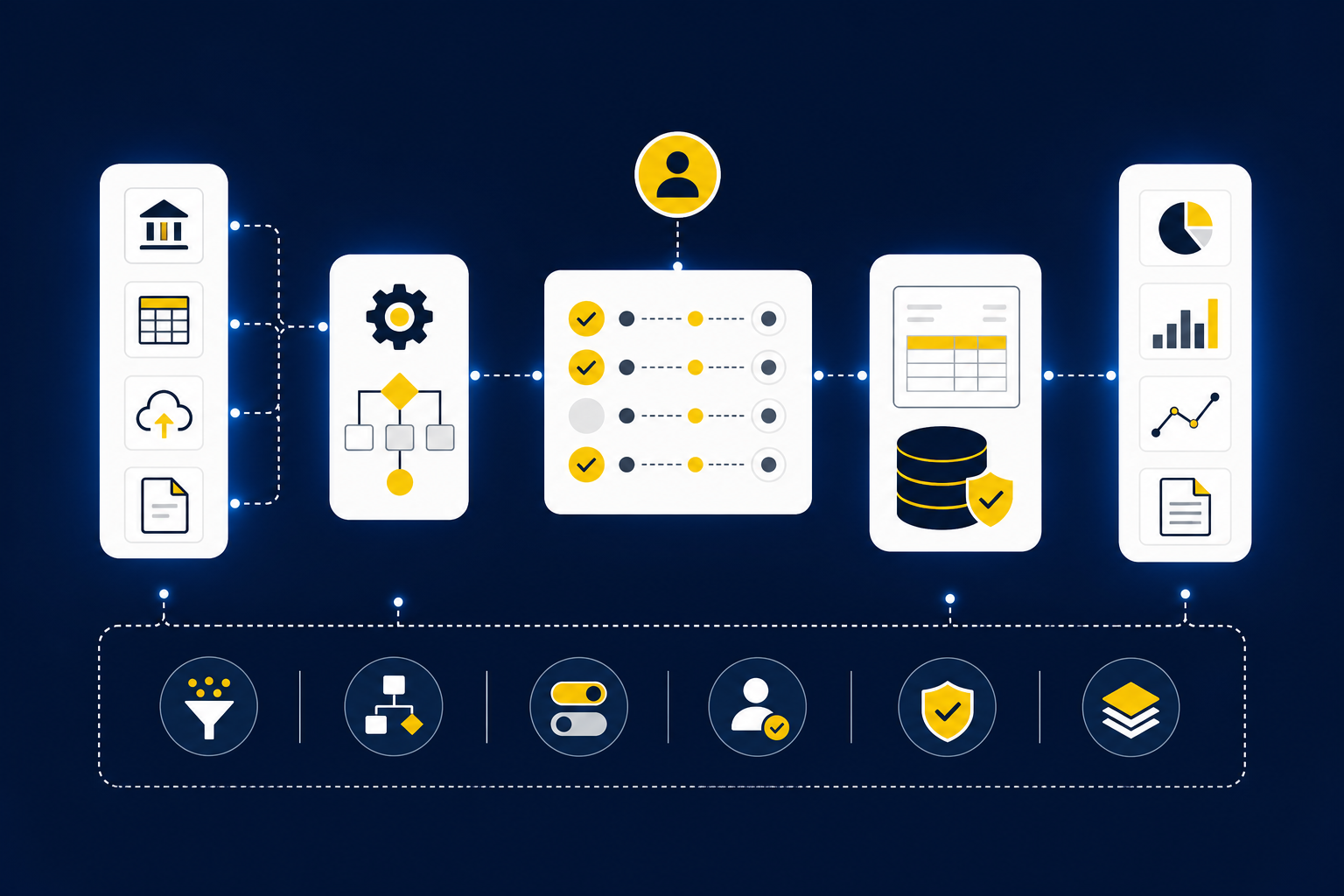
Finance teams should expect close automation to preserve the general ledger, expose the path from source to entry, and make review ownership explicit. A useful evaluation covers six areas, from intake through approval. For instance, a checklist can coordinate close tasks well while leaving source-file preparation untouched.
The Evaluation Criteria That Matter Most
Feature counts can hide the work that accountants still have to perform. Choosing finance close software by counting checkmarks is like signing off a reconciliation because the ending balance looks reasonable. The reviewer still needs to trace the balance to source evidence and understand every material difference.
Start by selecting 10 recurring close tasks from the prior period. Mark where each task begins, what information the preparer receives, which accounting decisions are applied, and what the reviewer expects to see. This simple diagnostic separates accounting preparation from close coordination.
Ask five questions for each task:
- Does it begin inside or outside the ERP?
- Must someone combine or normalize multiple files?
- Does the preparer apply account mappings, dimensions, cutoffs, or classifications?
- What evidence allows the reviewer to re-perform the key steps?
- Can an unapproved entry reach the GL?
If six or more tasks begin outside the ERP, source document accounting automation deserves priority in the evaluation. If most tasks begin with clean ERP data but stall around ownership or analysis, close orchestration should carry more weight.
A Quick Reference for Finance Buyers
A useful scorecard measures coverage, control, and fit separately. Giving every feature equal weight produces a misleading total because an attractive reporting function can’t compensate for a missing approval gate or an unsupported source format.
Score each requirement from zero to two. Use zero when the capability isn’t established, one when it requires manual work or added configuration, and two when the vendor can demonstrate it using your files and review conventions. Frankly, demonstrations built around sample data reveal very little about month-end close automation.
Reject any workflow that can’t show these five review elements together: source, calculation, accounting treatment, exception, and sign-off. That rule may remove software with an impressive interface from the shortlist. Good. The next question is where each remaining platform enters the accounting process.
Why the Starting Point of Automation Matters
The starting point matters because automation only removes work that occurs after the system enters the process. Software that begins with ERP transactions addresses a different bottleneck from software that begins with statements, reports, PDFs, and spreadsheets. A finance buyer should map the first manual step before comparing feature lists.
Close Coordination Versus Accounting Preparation
Close coordination answers who owns a task, when it’s due, which dependencies remain open, and whether a reviewer has signed off. Accounting preparation answers a different set of questions: what the source represents, how it maps to the ledger, which dimensions apply, and what entry or schedule should be prepared.
A close checklist can be exactly right when the accounting is already represented correctly in the ERP. That’s a real strength, especially when late approvals and unclear ownership cause the delay. Yet a checklist can only track “prepare processor reconciliation.” It doesn’t necessarily combine the settlement report, apply mappings, check the total against cash, or produce the workpaper.
Use a plain conditional rule. If the balance and supporting transaction detail already exist in the ERP, prioritize orchestration and analysis. If the accountant must construct the balance from external files first, prioritize preparation.
The Cost of Fragmented Source Data
Consider an accounting manager who receives a processor export at 10:20 a.m., a PDF bank statement after lunch, and a spreadsheet maintained by operations near the end of the day. The files use different labels and cutoff logic. Before reconciliation starts, someone must determine what each file represents, align the periods, apply GL mappings, and check completeness.
That work isn’t simple extraction. A value in a spreadsheet has no accounting meaning until someone understands the entity, period, account, dimension, and source context attached to it. Treating document intake as a file-transfer problem merely moves the pile closer to the accountant.
Review the two most recent closes and count recurring source types, manual file combinations, and preparer-only rules. If four or more recurring inputs require normalization before they can be compared with the GL, ask vendors to demonstrate the exact files. A generic bank-feed demonstration won’t answer the real question.
Controls, Review, and Traceability
Reviewability means a second accountant can see how an output was produced and re-perform the important steps. A clean journal entry without its source, calculation, accounting treatment, and exception history creates a new review problem, even when the entry itself looks plausible.
Test controls with one known workpaper from the prior period. Give the vendor the original sources, prior output, and documented accounting rules. Then ask the system to reproduce the work while showing what changed, which items need judgment, and who must approve the result.
Some automation vendors may argue that extensive review slows adoption, and the concern is fair. The answer isn’t to remove the reviewer. It’s to focus review on exceptions and preserve explicit approval before anything reaches the GL. That distinction turns the discussion toward Numeric’s ERP-centered model.
Numeric for Close Management and Accounting Intelligence
Numeric is a close-management and accounting-intelligence layer for finance teams that already rely on an ERP, rather than a replacement general ledger. Its published approach centers transaction-level data, reconciliations, controls, and analysis. That makes it relevant when coordination and investigation, not source normalization, hold up the close.
Close Workflow and ERP Data Strengths
Numeric describes its data foundation as a transaction-level layer built to support the close and related financial controls. Continuous access to underlying ERP detail gives preparers and reviewers a shared base for reconciliations and analysis without turning the close platform into the general ledger.
That starting point suits a team whose ERP data is already structured but whose close remains scattered across checklists, messages, review notes, and separate analyses. Ownership and recurring workflows matter here. So do evidence links and preparer-reviewer controls.
The distinction is operational. Numeric can organize and analyze work around ERP transactions, while the ERP remains responsible for the accounting record. Buyers should verify the depth and refresh behavior of the specific ERP connection they plan to use rather than assuming every integration behaves identically.
Implementation and Pricing Considerations
Numeric’s broader product positioning covers close management, reconciliations, reporting, flux analysis, and accounting controls (Numeric’s platform comparison). That breadth can be useful, but it also means a finance team should scope the deployment around actual bottlenecks rather than buying against a long capability list.
Public entry figures, where available, shouldn’t be treated as the contracted total. Implementation requirements, selected capabilities, user access, and ERP scope can change the commercial package. Request a current quote that separates five items:
- Software subscription
- Required modules
- ERP connection and implementation work
- Training and ongoing administration
- Renewal assumptions and added-user pricing
A phased implementation has merits because it limits disruption. The tradeoff is that a narrow first phase may not expose cross-functional dependencies until later. Include at least one reconciliation, one review workflow, and one reporting or analysis use case in the evaluation.
Best-Fit Finance Teams
Numeric is better suited to high-growth and mid-market finance teams with established cloud ERP data. The fit becomes stronger when the close problem centers on task ownership, account reconciliations, transaction visibility, or analysis rather than the interpretation of inconsistent upstream documents.
Its AI materials discuss variance explanations and accounting analysis while keeping finance-team oversight over outputs (Numeric’s review of AI accounting tools). That makes the platform relevant when accountants spend meaningful time investigating movements and drafting commentary after the underlying transactions are available.
Three questions identify the likely fit. Are most close balances already supported by structured ERP detail? Do reviewers need stronger visibility into task status and transaction-level evidence? Is flux analysis a larger burden than source-file preparation? Three yes answers make Numeric a credible candidate for a structured pilot.
Very small or heavily spreadsheet-based teams may not need the same breadth. That limitation doesn’t weaken the platform’s fit for ERP-centered teams. It simply draws a clearer boundary around the buyer.
How Truewind is Different: The deciding difference is where automation begins. The next section examines a preparation-layer approach for work that starts with raw source documents, accounting rules, and reviewer-led outputs.
If you want to compare that starting point against your own close, See Truewind in action using a recurring workflow and the source files your accountants actually receive.
The remaining question is what happens before structured transactions are ready for close management.
How Truewind Is Different
The main difference is that Truewind starts with accounting preparation between raw source material and the general ledger. It reads recurring inputs, applies the team’s established accounting logic, prepares reviewable outputs, and routes exceptions to accountants. Numeric starts closer to structured ERP data and close intelligence, as reflected in its finance automation guidance.
Truewind vs Numeric Comprehensive Comparison
| Comparison Area | Truewind | Numeric | Buyer Consideration |
|---|---|---|---|
| Primary platform focus | Recurring accounting preparation | Close management and accounting intelligence | Identify whether preparation or coordination is the main bottleneck. |
| Automation starting point | Source files, prior workpapers, and team rules | ERP transactions and close data | Map where manual work first enters the close. |
| Raw source-document intake | Bank statements, card activity, payout reports, PDFs, and spreadsheets | Not established as the primary starting point in the cited materials | Test representative files rather than sample data. |
| Transaction coding | Applies user-defined rules and prior corrections | Confirm required scope during evaluation | Demonstrate entity, account, and dimensional treatment. |
| Prepaid schedule creation | Included in verified preparation capabilities | Confirm required scope | Use a prior schedule as the acceptance test. |
| Fixed-asset schedule creation | Included in verified preparation capabilities | Confirm required scope | Check additions, disposals, and reviewer evidence. |
| Multi-source reconciliation | Compares third-party financial data with the GL | Supports account reconciliations | Define every source needed to support the balance. |
| Exception-based review | Surfaces discrepancies for accountant review | Supports review within reconciliation and close workflows | Ask what gets escalated and why. |
| Human approval workflow | Accountant reviews and approves prepared output | Finance-team oversight remains part of the process | Automatic posting shouldn’t be assumed. |
| Close task management | Preparation workflow is the verified focus | Structured close ownership and recurring workflows | Coordination-heavy teams may prioritize Numeric. |
| ERP-level transaction visibility | Approved output flows to Sage Intacct or QuickBooks Online | Transaction-level ERP data is a central part of the model | Keep the ERP as the accounting system of record. |
| Flux and variance analysis | Not listed in the verified feature inventory used here | AI-assisted explanations and accounting analysis | Analysis-heavy teams should test Numeric directly. |
| Audit trail and evidence | Shows source, calculation, treatment, exceptions, and sign-off | Evidence and controls support close review | Require a reviewer to re-perform a sample. |
| General ledger strategy | Sage Intacct or QuickBooks Online remains the GL | Existing ERP remains the GL | Neither approach requires a ledger replacement. |
| Pricing availability | Contact sales for a scoped quote | Request current deployment-specific pricing | Compare total scope, not an isolated entry figure. |
To see how the preparation side handles one of your recurring workpapers, Book a Truewind demo and bring the source files, prior output, and review rules.
Structured Workflows From Raw Source Documents
The preparation layer begins by determining what each document represents. Bank statements, credit card activity, payout reports, PDFs, and spreadsheets enter with different structures, labels, and accounting meaning. The software reads those inputs, combines the relevant information, and applies the process the accounting team already follows.
Prior workpapers matter. They show expected formatting, mappings, cutoff treatment, classifications, and the evidence a reviewer expects. Rather than imposing a generic template, the workflow uses those examples as operating context for the new period.
Start with one recurring, example-rich workflow. Provide the original source files, prior completed workpaper, related entry, and reviewer corrections. The pilot passes when the accountant can trace the prepared result and explain every exception. More volume can wait.
Transaction Coding and Schedule Preparation
Transaction coding requires more than assigning a GL account. The preparer may also need to apply entity, department, fund, class, location, or project dimensions, then check whether the treatment remains consistent with prior periods. Corrections should become part of the next period’s context instead of disappearing after review.
The same principle applies to prepaid and fixed-asset schedules. A prepared schedule must support the journal entry and preserve the assumptions a reviewer needs to inspect. That includes the underlying source, calculation, period treatment, and any item that departed from the established rule.
Controlled iteration has a real cost: the accounting team must provide examples and review early outputs carefully. That setup work is worthwhile when corrections persist and the process becomes more aligned with the team’s conventions. Turnkey autonomy would be an easier story to sell, but it’s the wrong control model for recurring accounting work.
Exception-Based Reconciliation With Human Approval
Exception-based reconciliation compares third-party financial data with the ledger and surfaces discrepancies, missing items, or unexpected changes. The accountant remains responsible for deciding the accounting treatment and approving the final output. Nothing about AI changes that ownership.
A useful control test includes four cases: a missing statement, an unexpected balance movement, an inconsistent classification, and a source total that doesn’t agree with the GL. The workflow should make each case visible, preserve the supporting evidence, and stop the item from moving forward until a person resolves it.
This is where trust becomes concrete. The reviewer can see the source, calculation, treatment, exception history, and approval status rather than relying on a confidence score. If the output can’t be traced, it isn’t ready for sign-off.
Numeric should remain on the shortlist when structured ERP data, close ownership, reconciliations, and flux analysis define the project. The preparation-layer approach fits nonprofit controllers and lean mid-market accounting teams whose close begins with fragmented statements, payout reports, PDFs, and spreadsheets.
Bring one difficult recurring workflow to the evaluation. Get a Truewind demo if you want to test how that work moves from raw source files to a review-ready artifact while your accountant retains approval.
The choice comes down to a boundary you can map: where the manual work begins. Pick the system that enters the process before your actual bottleneck, not after it.
Frequently Asked Questions
How do I manage multiple source documents for reconciliation?
To effectively manage multiple source documents, start by using Truewind's Automated Data Ingestion feature. This allows you to upload various formats like bank statements, PDFs, and spreadsheets, turning them into structured workflows. Next, ensure you leverage Multi-Source Reconciliation to align different data sources, like donor platforms and payment processors, to prepare a review-ready reconciliation. Finally, keep track of discrepancies with the Proactive Anomaly Detection feature, which surfaces issues for your accountant to review.
What if I need to adjust accounting rules for a specific period?
If you need to adjust accounting rules, Truewind offers AI-Powered Transaction Coding, which allows you to apply user-defined rules and learn from past corrections. You can update your rules as needed, ensuring that the coding aligns with your current accounting practices. Just remember that any changes should be reviewed by your team to maintain consistency and accuracy across periods.
Can I ensure a smooth transition from manual to automated workflows?
Yes, transitioning smoothly involves a few key steps. First, identify recurring workflows that are suitable for automation, as Truewind is designed to handle these efficiently. Next, use the Workpaper Generation and Rollforward feature to create repeatable workflows based on prior workpapers and current source documents. This helps maintain familiarity for your team. Finally, involve your accountants in the review process to ensure they can trace outputs back to the source, preserving the control and oversight they need.
When should I consider using Truewind for my accounting processes?
Consider using Truewind when your accounting processes involve handling messy source documents and require structured workflows. If your team spends considerable time on manual reconciliations and coding, Truewind's Automated Data Ingestion and AI-Powered Transaction Coding can significantly reduce that burden. Additionally, if you face challenges with maintaining oversight and control during the close process, Truewind's Human-in-the-Loop Review Workflow ensures that every output is reviewed before it reaches the general ledger.
Turn this into a close-ready workpaper
Start with sample files or upload your own statements to see how Truewind prepares review-ready workpapers and journal entries.