
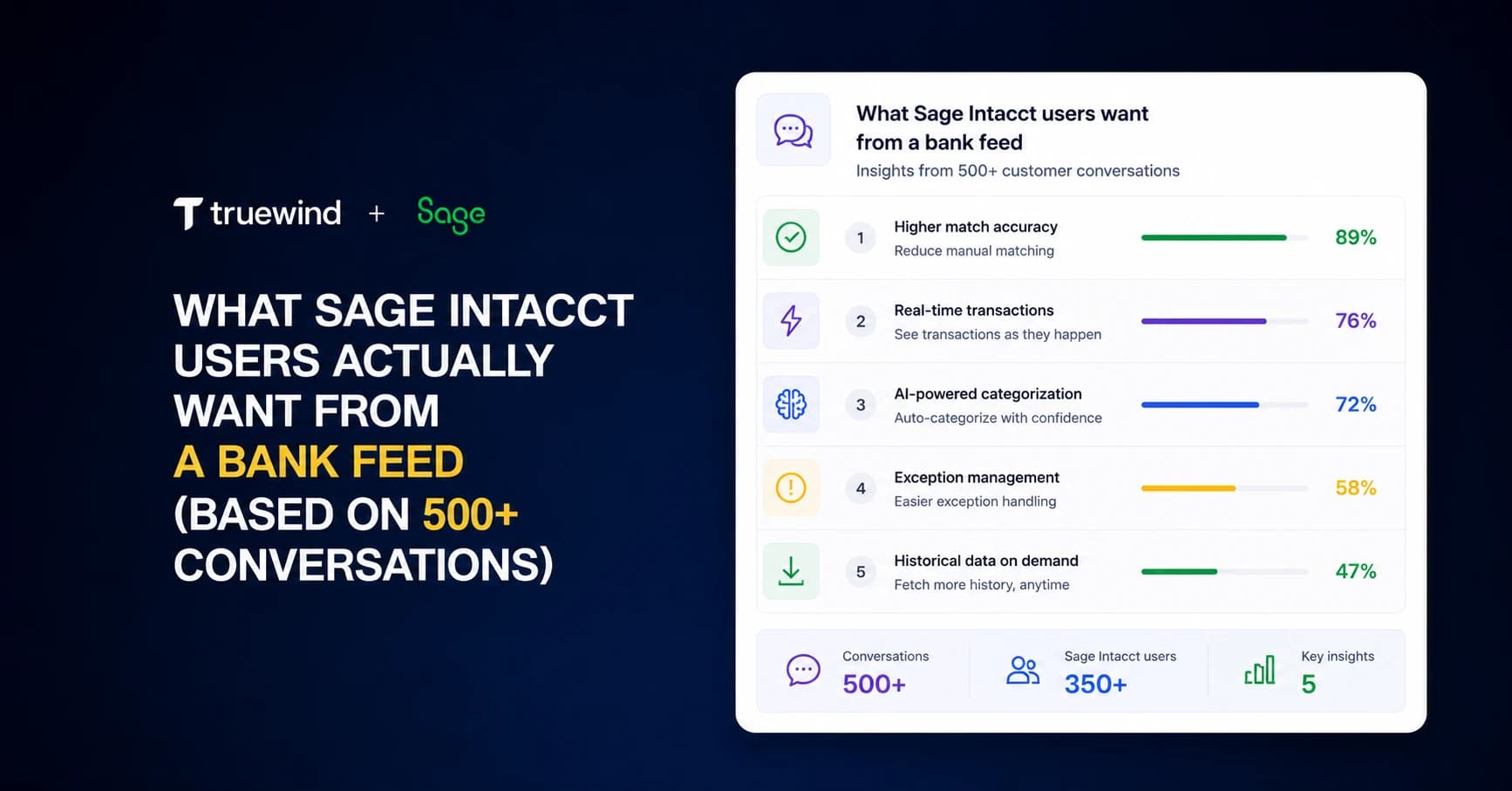
Your bank feed setup in Sage Intacct probably looks like this: transactions flow in, matching rules catch the easy ones, and everything else lands in your review queue. Based on conversations with Sage Intacct users, that queue is where teams lose the most time. Vendor name variations break your rules. New transaction types sit uncategorized. Manual categorization becomes the bottleneck every close cycle. The issue isn't that Sage's transaction engine is broken. It's that rule-based matching can't adapt to the way real transaction data behaves.
TLDR:
- Sage Intacct lacks native bank feed transaction coding, forcing manual entry and review
- The rule engine breaks on vendor name variations, creating silent failures at scale
- Brokerage reconciliation won't display in Sage's module even when data exists in the backend
- AI classification resolves payee variations and ambiguous descriptions without rigid rules
- Truewind provides API-level Sage integration with automated transaction coding and duplicate prevention
The Missing Bank Feed That Sage Intacct Users Want Most
Across hundreds of conversations with Sage Intacct users, one gap surfaces more than any other: the bank feed experience. Users want transaction data that flows in automatically, gets categorized against the right GL accounts without manual mapping every cycle, and flags anomalies before they reach the close. What they get instead is a process that requires repeated intervention, static matching rules, and reconciliation backlogs that eat into close timelines.
Why Sage Intacct's Transaction Rules Break on Simple Variations
The transaction rules engine inside Sage Intacct works well when your vendors are consistent. The problem is they rarely are. A vendor name changes slightly, an invoice arrives with a different memo format, or a charge shows up from a new entity and the rule silently fails. No match, no categorization, no warning.
Teams end up manually reviewing exceptions that should have been automated. At scale, that adds up fast.
What 500+ Conversations Reveal About Reconciliation Bottlenecks
Reconciliation is where Sage Intacct's infrastructure gaps become hardest to work around. The most telling example is brokerage accounts. Even when brokerage data gets piped into Sage's backend through a system like Addepar, it may appear on the server but won't display in Sage's reconciliation module. No bank-to-book reconciliation for those accounts. A structural problem, not a workaround problem. Even account reconciliation best practices can't solve gaps in the underlying infrastructure.
For family offices managing 200-plus entities and hundreds of brokerage accounts, the math gets ugly fast. What should be automated matching becomes 20-plus manual hours per week on the most active accounts alone. Add multi-entity consolidation, and Sage's reconciliation infrastructure simply wasn't built to keep pace with that complexity.
The Solo Accountant's Dilemma: Managing Multiple Entities Without Automation
One accountant. Six credit cards. Five bank accounts. Multiple entities. That is the actual working environment for some Sage Intacct users, and where rigid automation fails loudest.
Take the e-commerce agency accountant managing $125 to $185M in revenue across roughly 155 clients, alone, after his team of four was cut. He built a custom AI bot to connect Sage to Monday.com, spent $22K on API integrations, and still hit walls because Sage's rules missed half his categorizations. When one rule fails silently across six credit cards, you are building a longer cleanup queue every month, not a shorter one. The rules were supposed to reduce the workload. Instead, they moved it.
How Family Offices Hit the Wall With Brokerage Data
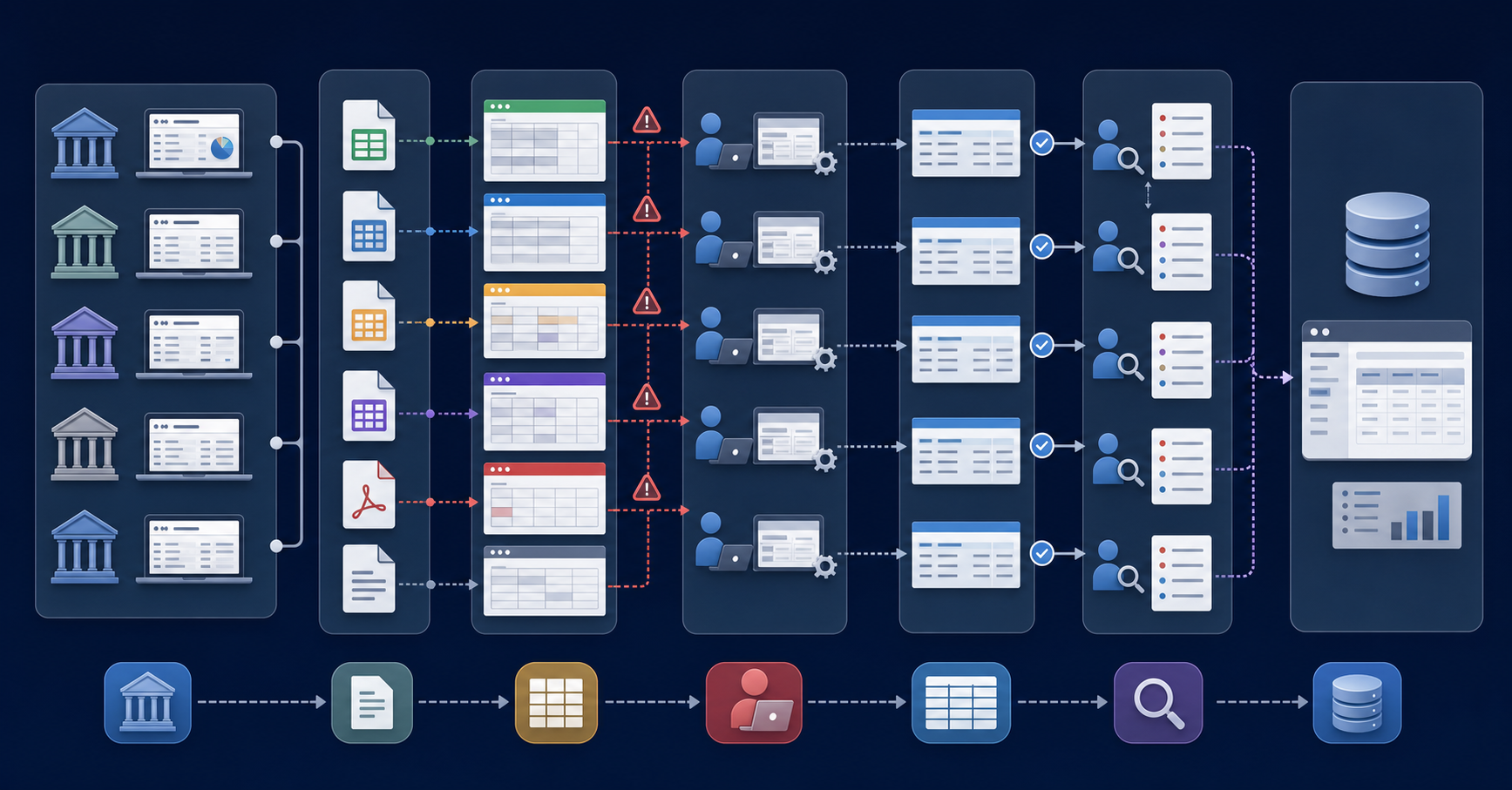
The volume of brokerage accounts family offices manage makes manual data handling nearly impossible at scale. Firms tracking dozens of accounts across custodians report spending 10 or more hours per week just pulling statements and normalizing formats before any actual analysis begins.
The core friction points are consistent:
- Custodian portals each export data in different formats, forcing staff to reformat spreadsheets repeatedly before anything can be posted to the GL.
- Transaction descriptions from brokerages are often cryptic or inconsistent, requiring manual interpretation to classify entries correctly.
- Reconciliation between brokerage statements and the general ledger gets pushed later in the close cycle , which compounds errors and delays reporting.
The Real Cost of Manual Transaction Coding at Scale
When a controller manually codes hundreds of transactions per week, the errors compound quietly. A miscategorized vendor payment sits in the wrong GL account for weeks before anyone catches it. Accrual entries get delayed because the underlying transaction data is still being sorted. Close timelines slip.
The math is straightforward: at scale, manual transaction coding trades accuracy for speed, and usually loses both.
Prepaid and Deferred Revenue: Where Sage's Native Tools Fall Short
Sage Intacct includes something for prepaids and deferred revenue. But users who rely on it for actual schedule management are blunt: what Sage provides is not really a reconciliation.
The gap shows up in practice. There is no automated way to build amortization schedules, maintain period-over-period rollforwards, or generate the journal entries that follow. Those tasks still live in spreadsheets, updated manually each close and re-entered into Sage. When you are managing a handful of prepaids, that is workable. When the count grows, so does the manual overhead.
What Users Actually Mean When They Say "Better Integration"
When Sage users ask for better integration, they are describing something precise. A vendor says they support Sage. You connect, and find the workflow is uploading an Excel file. That is a file transfer, not an integration.
True API access means something different: reading your full chart of accounts, pulling every configured dimension, and writing entries back to Sage directly. When a vendor skips that depth, dimensional accuracy breaks, duplicate entries slip through, and your GL stops reflecting what actually happened. The claim is technically true. The execution is not.
| Workflow Area | Sage Intacct Native Approach | AI-Powered Execution Layer |
|---|---|---|
| Bank Feed Transaction Coding | No native bank feed connection. Transactions require manual entry or CSV upload with manual categorization against GL accounts each cycle. | Direct bank connection via Plaid or Finicity pulls transactions automatically. AI classification maps to GL accounts based on historical patterns without manual rules. |
| Vendor Name Matching | Static transaction rules match exact strings. When vendor names vary slightly (AWS vs Amazon Web Services), rules fail silently and transactions land in manual review queue. | Contextual learning resolves payee variations automatically. Recognizes different vendor name formats as the same entity without creating separate rules for each variation. |
| Brokerage Reconciliation | Data may exist in backend when piped from systems like Addepar, but won't display in reconciliation module. No bank-to-book matching available for brokerage accounts. | Pulls brokerage data from portfolio management systems into separate reconciliation layer. Matches transactions against GL entries while keeping Sage as system of record. |
| Multi-Entity Processing | Requires dimensional configuration per entity. File uploads and manual categorization scale linearly with entity count. Solo accountants managing 155+ clients face repeated manual intervention. | Reads all dimensional structures via API once. Processes transactions across entities with AI classification that learns entity-specific patterns and routes exceptions automatically. |
| Prepaid and Deferred Revenue | Basic module exists but doesn't automate amortization schedules, period-over-period rollforwards, or journal entry generation. Teams maintain schedules in spreadsheets and re-enter each close. | Builds amortization schedules programmatically, generates journal entries based on schedule logic, and posts directly to Sage with full dimensional accuracy. No spreadsheet re-entry required. |
| Integration Depth | Third-party tools often claim Sage support but provide Excel upload workflows instead of true API connectivity. Dimensional data gets lost in translation. | Full API access reads complete chart of accounts, all configured dimensions, and writes entries back with dimensional accuracy preserved. No file transfer intermediary. |
The Disconnect Between Sage's Capabilities and User Workflows
Sage Intacct is a well-built ERP. The disconnect is subtler than a list of missing features.
The product was designed for teams that drive the execution layer themselves: coding transactions manually, pulling reconciliation exports, treating close as a structured but human-run process. That assumption made sense when the product was built.
What users now need is for the ERP to remain the system of record while something else handles execution. Sage wasn't designed for that separation. Features technically exist, but the workflows around them require too many manual handoffs to scale. The tool wasn't built wrong. It was built for a different version of how accounting teams operate.
How AI-Powered Classification Handles What Rule Engines Cannot
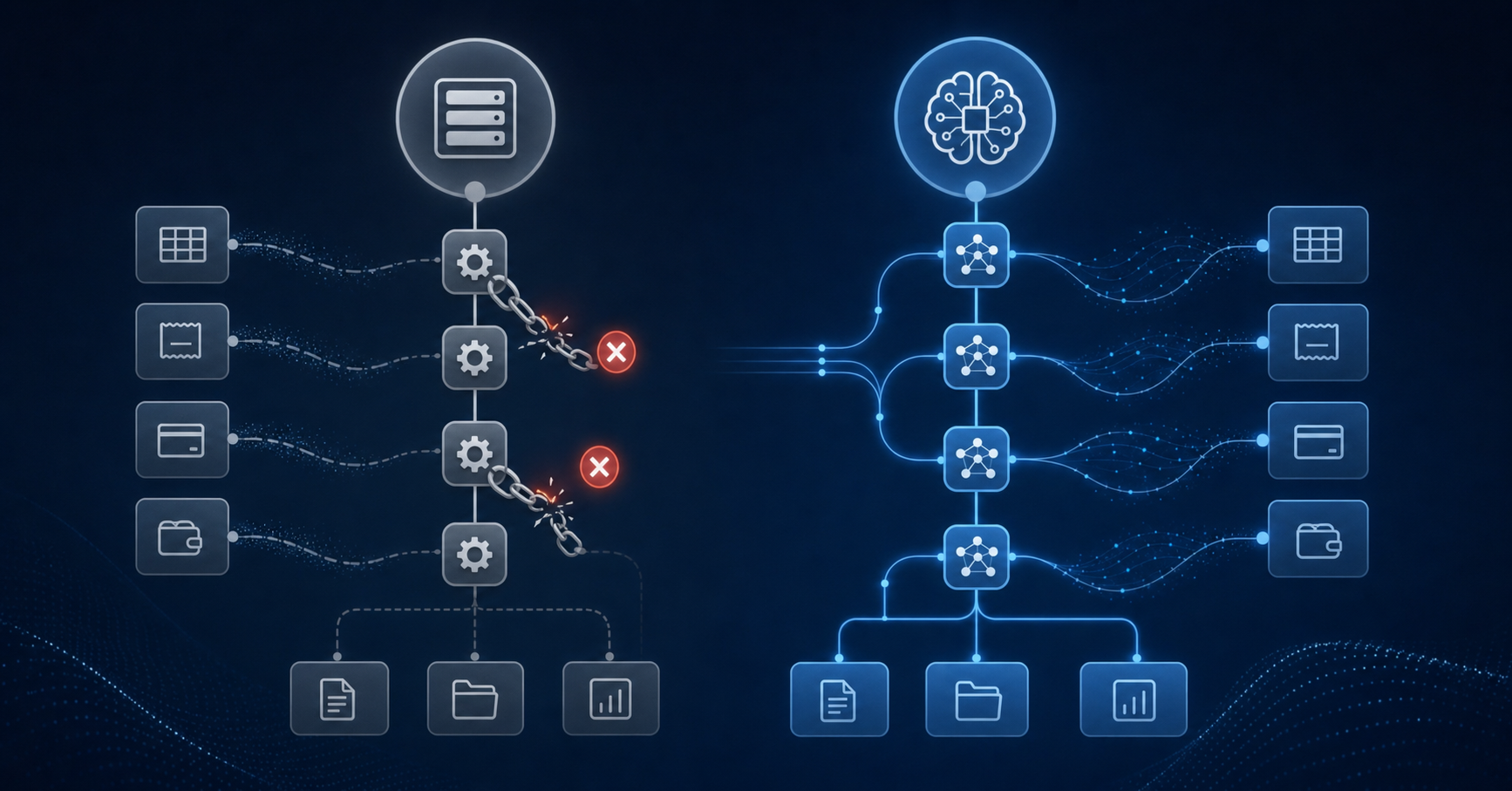
Rule engines work by matching patterns you've already defined. The problem is that transaction data rarely stays consistent, and new vendors, renamed payees, and one-off entries break those rules constantly. AI-powered classification learns from your historical GL data instead, recognizing context instead of exact strings. That distinction matters at close time, when manual reclassification is the last thing your team has capacity for.
Where AI Classification Outperforms Static Rules
- Payee name variations get resolved automatically, so "AWS" and "Amazon Web Services" map to the same account without a separate rule for each.
- Transactions with ambiguous descriptions get classified by amount, vendor category, and historical context together.
- New transaction types get tentative classifications based on similar past entries, reducing the backlog of uncategorized items.
Building a Bank Feed Execution Layer on Top of Your GL
The approach doesn't require Sage to change. A separate execution layer connects via API, reads your full chart of accounts and every configured dimension, pulls in bank transactions through Plaid or Finicity, classifies each one with AI, and writes approved entries directly back to Sage. Your GL stays the system of record. The execution happens outside it.
That architecture matters because the bank feed gap isn't a Sage flaw to fix. It's a workflow layer Sage was never designed to include. Adding that layer on top, one that reads and writes accurately without touching Sage's interface, is what gets you the transaction coding experience without giving up the ERP you've built your operations around.
Why Truewind Built a Dedicated Sage Intacct Engineering Team
Truewind's product decisions don't come from internal assumptions. They come from listening. Over 500 conversations with finance teams running Sage Intacct surfaced the same friction points around bank feed connectivity, transaction matching, and month-end reconciliation. That feedback shaped a dedicated engineering investment focused entirely on Sage Intacct workflows. The goal: fix what generic tools get wrong for Intacct-specific GL structures, multi-entity setups, and the way controller-led teams actually work.
Final Thoughts on Making Sage Intacct Work at Scale
The problems Sage Intacct users describe aren't bugs to report. They're workflow gaps that show up when you need automated transaction processing at a scale the product wasn't designed for. Adding an API-connected execution layer gives you that automation without changing your GL structure or migrating to a new system. Your team gets the bank feed experience they've been asking for while Sage continues doing what it does well. See how this fits your current Intacct setup and monthly close process.
FAQ
Can I build a bank feed for Sage Intacct without replacing my ERP?
Yes. Your GL stays the system of record while a separate execution layer connects via API, pulls bank transactions, classifies them, and writes approved entries back to Sage Intacct.
Sage Intacct transaction rules vs AI classification?
AI classification learns from your historical GL data and handles vendor name variations, ambiguous descriptions, and new transaction types contextually. Static rules break when vendor names change or new patterns appear, requiring manual cleanup each cycle.
How do I match brokerage accounts when Sage Intacct's module won't display the data?
Pull brokerage data from your portfolio management system (like Addepar) into a separate reconciliation layer that matches transactions against GL entries already in Sage. The reconciliation happens outside Sage while the GL remains your source of truth.
What sage intacct needs for multi-entity family offices?
Family offices managing 200-plus entities need automated brokerage reconciliation, multi-custodian transaction processing across dimensional structures, and exception routing that doesn't require 20-plus manual hours per week on active accounts.
Can Sage Intacct handle prepaid and deferred revenue schedules automatically?
No. Sage's native capabilities for prepaids and deferred revenue don't automate amortization schedules, period-over-period rollforwards, or the journal entries that follow. Those workflows still require manual spreadsheet management and re-entry each close.
Turn this into a close-ready workpaper
Start with sample files or upload your own statements to see how Truewind prepares review-ready workpapers and journal entries.