

Your team spends hours matching transactions in Sage Intacct because the rule engine misses on every description variation, brokerage data won't show up in the reconciliation module, and dimensional codes get lost when you try to automate. Sage Intacct reconciliation automation fixes this with AI matching that handles fuzzy cases, pulls your full dimensional structure from Sage, and handles brokerage accounts as an external layer. This guide breaks down the components, shows where native Sage hits limitations, and explains how automation integrates without replacing your GL.
TLDR:
- Sage Intacct's native rules break on transaction description variations; LLM matching cuts errors by 95%.
- Brokerage reconciliation fails in Sage's module for non-Plaid feeds; API-based tools route around it.
- Exception-first routing cuts close cycles from 10 days to 4 by showing only items that need attention.
- Duplicate prevention monitors Sage postings by transaction ID to block double entries across workflows.
- Truewind syncs bank feeds to Sage Intacct with full dimensional support via dedicated API integration.
Understanding Sage Intacct Bank Reconciliation
Sage Intacct handles bank reconciliation through its Banking Cloud module, which connects to over 10,000 financial institutions for direct bank feeds. Transactions flow in automatically, and accountants match them against GL entries from within the Banking Cloud tab.
The 2026 Release 1 update brought meaningful improvements: refined transaction matching logic, cleaner reconciliation reporting, and better visibility into exceptions. For standard checking and savings accounts, this works reasonably well.
That said, brokerage accounts, non-Plaid data sources, and complex dimensional requirements expose gaps the native module was not built to handle. That is where real friction begins.
Why Manual Reconciliation Falls Short for Sage Intacct Users
Sage Intacct's native tooling handles straightforward reconciliation fine. But for teams managing multiple entities, credit cards, and brokerage accounts, "fine" doesn't hold up under volume.
Many finance teams take 10 or more days to close the monthly books. A big driver: manual matching across accounts where Sage's rule engine breaks on any variation in transaction descriptions. One extra space, an abbreviated vendor name, a slightly different memo field, and the rule misses entirely. As one Sage user put it after building out their rule library: "it didn't capture half the rules."
Manual processes carry high error rates in transaction matching, which compounds fast across multi-entity environments. Sole accountants managing six credit cards and multiple bank accounts don't have the bandwidth to catch every exception by hand. The math just doesn't work.
Reconciliation MethodTransaction MatchingBrokerage Account SupportDimensional CodingDuplicate PreventionClose Cycle ImpactManual Sage IntacctBinary rule matching breaks on description variations, requiring manual intervention for vendor name changes, typos, or memo field differencesLimited to accounts with Plaid-compatible feeds; non-standard brokerage data cannot display in reconciliation moduleFull dimensional structure available but requires manual entry for each transaction across all configured dimensionsRelies on accountant vigilance across multiple workflows; no automated monitoring of already-posted transactionsMany finance teams spend 10 or more days on monthly close, with high error rates in manual matchingSage Intacct Native AutomationRule-based matching requires exact string matches; 2026 R1 update improved logic but still fails on fuzzy cases and variationsBanking Cloud module connects to 10,000-plus institutions but excludes non-Plaid brokerage feeds from reconciliation displayGL Account Reconciliation feature pairs offsetting entries automatically but dimensional assignment remains manual for unpaired itemsNo built-in transaction ID monitoring across parallel workflows; duplicate risk when AP and bank feeds overlapOrganizations automating up to 70% of account reconciliations reduce close from 10 days to 4 daysAI-Powered Automation (Truewind)LLM-based classification reads context beyond string patterns, handling vendor variations and typos with 95% error reduction and confidence scoringExternal reconciliation layer pulls Addepar and non-Plaid feeds directly, producing rollforward reports and GL-ready journal entriesPulls full dimensional structure from Sage instance on connection; assigns all relevant dimensions automatically before sync to ledgerContinuous monitoring of posted Sage entries with transaction ID matching; auto-flags manually coded items as excludedException-first routing shows only items needing attention; parallel review cycles reduce reconciliation time by up to 90% (internal estimate)
Core Components of Reconciliation Automation
Reconciliation automation for Sage Intacct is a stack of distinct components working together, not a single feature.
Bank Feed Connectivity
Plaid and Finicity pull transactions directly from bank accounts and credit cards, covering roughly 98-99% of financial institutions. Transactions arrive automatically, no manual upload required.
AI-Powered Transaction Matching
Where Sage's native rules break on description variations, LLM-based fuzzy matching holds. The model reads historical GL data from your connected Sage instance on day one, learning patterns like how a $300 United Airlines charge differs categorically from a $10 one. Accuracy compounds with each review cycle.
Exception Routing
Low-confidence items route to a review queue instead of getting forced through. Reviewers see the classification, the confidence score, and the reasoning before approving.
Sync to Ledger
Approved transactions push directly into Sage Intacct via API, appearing as matched or posted entries. Sage stays the system of record throughout, with clean entries written into it without modifying the GL interface.
How AI Changes Sage Intacct Transaction Matching
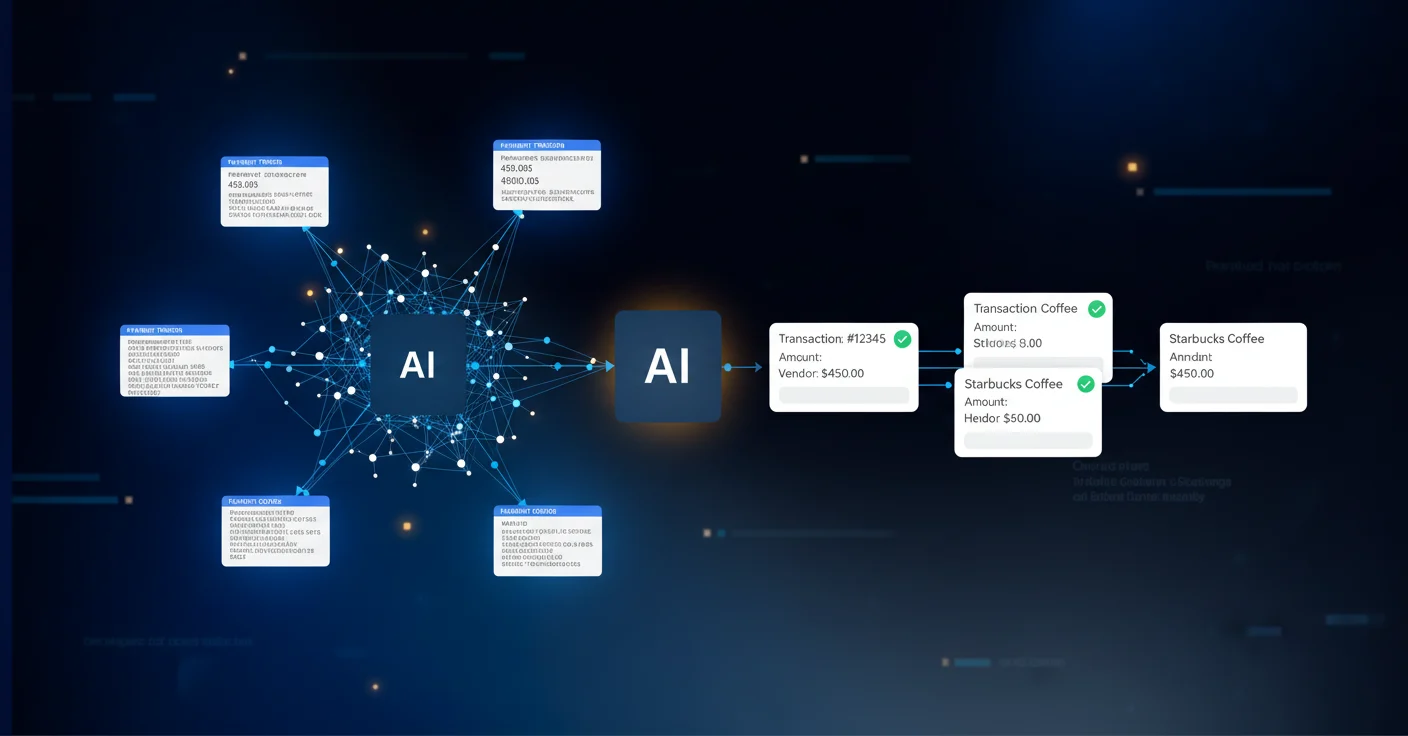
Sage's native rules engine is binary: a transaction either matches a rule exactly or it doesn't. AI works differently.
LLM-based classification reads context beyond string patterns. A vendor name with a typo, an abbreviated memo, a slightly different amount, and the model still classifies correctly because it understands what those signals mean together. Automated reconciliation reduces errors by 95% and speeds matching, largely because the model handles fuzzy cases that rigid rules can't.
Historical GL data from Sage seeds the model on day one. Every reviewer decision after that improves future accuracy. The system gets better without any manual rule-writing.
Each classification surfaces with a confidence score and a plain-language explanation. Reviewers see the result and the reasoning behind it. That transparency matters when you need a clean audit trail.
Dimensional Reconciliation for Complex Sage Intacct Environments
Sage Intacct's dimensional structure is one of its biggest strengths. Account, class, department, location, payee, project, custom dimensions: each carries reporting and compliance weight, especially for nonprofits tracking fund restrictions or family offices managing entity-level allocations.
Most automation tools flatten this. A transaction gets a GL code and nothing else. For Sage users, that's an incomplete entry.
Truewind pulls the full dimensional structure from your Sage instance at connection and assigns all relevant dimensions on every classified transaction. Reviewers see the complete dimensional breakdown before approving sync to the ledger, with no missing fields pushed through.
For nonprofits, fund and program codes stay intact. For family offices running 200-plus entities, each entity's dimensional logic applies consistently across every transaction.
Brokerage Account Reconciliation Automation
Sage Intacct's reconciliation module has a hard limitation most users don't hit until they're already mid-implementation: brokerage account data from non-standard feeds won't display in the reconciliation module, even when it's technically present in the backend. You can pipe Addepar data into Sage's server and still find yourself staring at a blank reconciliation screen.
For family offices, this is a real problem. Brokerage accounts aren't edge cases; they're often the primary accounts. Manual workarounds mean 20-plus hours per week of reconciliation work on the most active portfolios.
Duplicate Transaction Prevention in Automated Workflows
Automation and manual coding running in the same GL creates real duplication risk. One team member codes a transaction directly in Sage while another works in a separate tool. Without a prevention layer, that entry hits the ledger twice.
Truewind continuously monitors what's already posted in Sage Intacct. When a transaction has been coded directly in Sage, it gets flagged as "excluded" automatically, matched on transaction ID. It stays visible for reference but won't be re-posted.
Every transaction sits in one of three states:
- Full review: awaiting classification and approval
- Categorized: already pushed into Sage Intacct
- Excluded: already posted in Sage, held out to prevent duplication
The excluded state gives accountants the flexibility to code exceptions directly in Sage when needed, without losing reconciliation integrity. For teams running Sage's AP module alongside bank transaction workflows, the risk of a payment appearing in both feeds is constant. Transaction ID matching closes that gap before it reaches the GL.
Reducing Close Cycles with Automated GL Account Reconciliation
Sage Intacct's 2026 R1 GL Account Reconciliation feature pairs offsetting debit and credit lines automatically, filtering matched transactions so reviewers only see exceptions. That alone changes the math on close.
Organizations automating up to 70% of account reconciliations cut their close from 10 days to four. Exception-first routing is what makes that possible.
Implementing Reconciliation Automation for Sage Intacct
Getting started follows a consistent sequence regardless of team size or entity count.
- Connect bank accounts and credit cards via Plaid or Finicity, with coverage reaching roughly 98-99% of institutions, so transactions begin flowing immediately.
- Pull historical GL data from Sage Intacct to seed the classification model on day one using patterns already in your books.
- Map your full chart of accounts, including custom dimensions, so every classified transaction carries the right dimensional tags before it touches the ledger.
- Configure confidence thresholds that determine what auto-approves versus what routes to a reviewer queue.
- Run a parallel review cycle where reviewers confirm classifications while the model learns from corrections.
Sage stays the system of record throughout. Truewind writes into it via API and never modifies the GL interface or takes over posting authority. High-priority workflows like transaction coding typically go live in week one. More complex builds like brokerage reconciliation or Addepar integrations run on a separate track, usually reaching production quality within one to two months.
Integration Architecture for Sage Intacct Automation
Reconciliation automation runs as a separate application connected to Sage Intacct via API, reading from and writing to Sage without touching its interface.
Data flows in two directions. The connected system reads your chart of accounts, configured dimensions, historical transactions, and currently posted entries. That data seeds the classification model and powers duplicate detection. What flows back is cleaner: classified transactions, matched entries, and journal entries, all written into Sage as matched or posted entries.
The "sync to ledger" action is the handoff point. Reviewers approve classifications, then push approved entries directly into the connected Sage instance via API. Sage receives clean, reviewed data. Its interface stays unchanged.
Keeping Sage as the system of record is what makes the audit trail defensible. Every entry in Sage was approved by a human reviewer before it posted, with decision history and evidence maintained on the automation side. Sage holds the final, authoritative ledger.
How Truewind Automates Sage Intacct Reconciliation
Truewind maintains only two production-grade GL integrations: QuickBooks Online and Sage Intacct. That focus is intentional. A dedicated Sage engineering team handles the integration exclusively as an official Sage partner.
The practical result is a full execution layer on top of Sage:
- Bank-feed-style transaction processing via Plaid and Finicity, pulling data your team would otherwise enter manually.
- LLM-based classification that handles the description variations Sage's native rules miss.
- Complete dimensional support across every configured dimension in your chart of accounts.
- Brokerage reconciliation as an external layer for data Sage cannot display natively.
- Continuous posting monitoring to prevent duplicates when your team codes directly in Sage.
"We integrate with two things, QuickBooks Online and Sage Intacct, and we do those phenomenally well."
Sage stays the system of record. Truewind handles the execution.
Final Thoughts on Automating Sage Intacct Bank Reconciliation
Sage Intacct bank reconciliation automation works when it handles what the native module can't: brokerage accounts that won't display, fuzzy matching on description variations, and complete dimensional coding across entities. Your team's bandwidth doesn't stretch by adding more manual rules or workarounds. The close cycle drops when exception-first routing means reviewers only see what actually needs attention. See a demo to understand how the execution layer writes into Sage without replacing your GL workflow.
FAQ
How does Sage Intacct reconciliation automation handle duplicate transactions when your team codes entries manually?
The system monitors what's already posted in Sage Intacct and automatically flags transactions coded directly in Sage as "excluded" based on transaction ID matching. These entries remain visible for reference but won't be re-posted, preventing duplication when teams work in both systems simultaneously.
What dimensional structure does automated reconciliation support for Sage Intacct?
Automated systems pull the full dimensional structure from your Sage instance, including account, class, department, location, payee, project, and any custom dimensions you've configured. Every classified transaction carries complete dimensional tags before syncing to the ledger.
Can reconciliation automation handle brokerage accounts in Sage Intacct?
Yes, because Sage Intacct's native reconciliation module cannot display brokerage data from non-standard feeds like Addepar, automation platforms serve as an external reconciliation layer. They pull brokerage data directly and produce rollforward reports and GL-ready journal entries that sync into Sage.
How long does it take to implement reconciliation automation for Sage Intacct?
Bank and credit card connections via Plaid or Finicity go live immediately, with high-priority workflows like transaction coding typically functional in week one. More complex builds like brokerage reconciliation or portfolio management system integrations reach production quality within one to two months.
Why does AI-powered matching work better than Sage Intacct's native rules engine?
LLM-based classification reads context instead of exact string matches, handling vendor name variations, typos, and description changes that break Sage's binary rule engine. The model learns from your historical GL data on day one and improves accuracy with each review cycle without manual rule-writing.
Turn this into a close-ready workpaper
Start with sample files or upload your own statements to see how Truewind prepares review-ready workpapers and journal entries.