
You need Sage Intacct's multi-entity accounting when your organization has multiple legal structures that file separately but report together at the parent level. That architecture works well once it's configured correctly, but the setup sequence is less forgiving than single-entity implementations. Inter-entity account mappings must exist before transactions post between entities. The elimination entity needs configuration before consolidation runs. Dimensions must align across all entities or reporting breaks. This guide walks through entity setup, inter-entity transaction automation, consolidation workflows, and the specific configuration checkpoints that prevent reconciliation problems downstream.
TLDR:
- Sage Intacct multi-entity lets you manage separate legal entities in one system with shared COA
- Self-balancing automates due-to/due-from entries when entities transact across boundaries
- Configure inter-entity mappings before posting transactions to avoid out-of-balance sheets
- Multi-currency setups require CTA and elimination variance accounts before first consolidation
- Truewind automates transaction coding across entities with AI that respects dimensional structure
What Is Sage Intacct Multi-Entity Accounting
Sage Intacct multi-entity accounting lets you manage multiple legal entities, subsidiaries, or tax identifications inside a single shared environment. Instead of logging into five separate instances to close five separate books, you work from one system where entities share a common chart of accounts, dimension structure, and reporting framework.
Each entity still represents a distinct legal structure with separate tax IDs, balance sheets, and compliance obligations. But the infrastructure holding them together is shared, which matters when you're running intercompany transactions, consolidated reporting, or a multi-entity close.
Who needs this:
- Family offices with 50 to 200+ entities across multiple families
- Nonprofits with chapters, programs, or affiliated foundations under one parent
- SaaS and e-commerce companies with subsidiary structures or international operations
- Real estate firms tracking entities at the property or fund level
- CPA firms managing consolidations for mid-market clients
Entities in Sage Intacct share GL accounts, dimensions, and reporting templates, which is what makes consolidated financials and intercompany eliminations possible without rebuilding everything by hand in Excel.
Setting Up Your First Entity in Sage Intacct
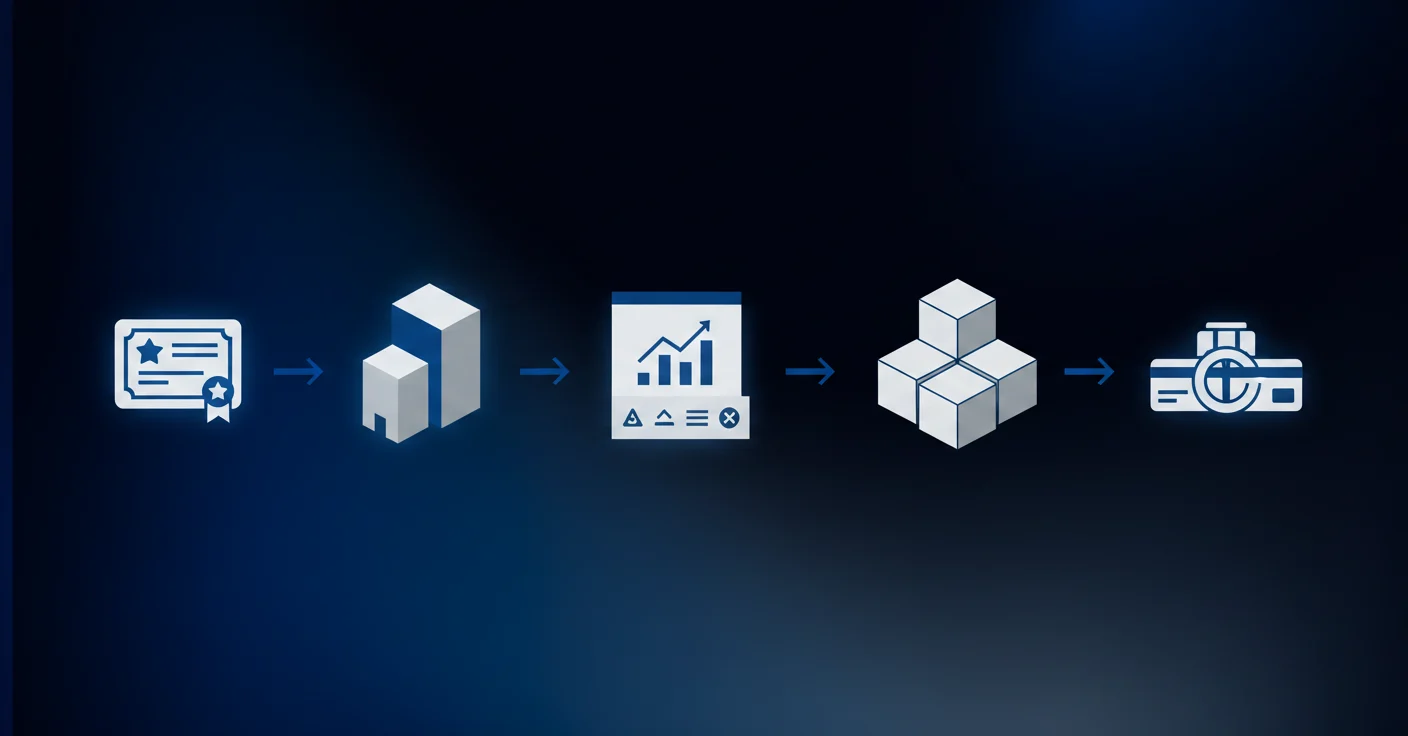
Before any transactions can flow, the entity record itself needs to be properly configured. Follow this setup sequence to get it right the first time.
Step 1: Verify Licensing
Sage Intacct charges per entity. Before adding a new one, confirm your subscription tier supports the additional entity count. This is easy to overlook mid-implementation.
Step 2: Create the Entity Record
Go to Company > Entities > Add Entity. You'll need:
- Legal entity name and tax ID
- Base currency and fiscal year start date
- Entity type (subsidiary, division, branch, or separate legal entity)
Step 3: Configure the Chart of Accounts
New entities can inherit a shared chart of accounts from the top-level company or carry a customized subset. For most multi-entity setups, inheriting the shared COA keeps consolidation clean.
Step 4: Set Up Dimensions
Assign relevant dimensions to the entity: department, location, project, class, and any custom dimensions already configured in your environment. These must match your consolidation reporting structure from day one.
Step 5: Add Bank Accounts
Each entity needs its own bank accounts configured under Cash Management before transactions can be recorded or matched to bank activity.
Configuring Inter-Entity Account Mapping
Inter-entity account mapping tells Sage Intacct where to route balancing entries when money moves between entities. Without correct configuration, intercompany transactions either fail to post or create out-of-balance sheets that are difficult to untangle.
Basic vs. Advanced Mapping Plans
Sage Intacct offers two mapping approaches:
- Basic: A single due-to/due-from account pair is used across all entities, works well when intercompany activity is low volume and follows consistent patterns.
- Advanced: Separate account pairs are defined for specific entity-to-entity relationships, useful when entities transact differently with each other or when you need granular reporting on intercompany balances by relationship.
Most setups with five or fewer entities start on Basic and migrate to Advanced as volume grows. Family offices with 50+ entities typically need Advanced from the start.
Setting Up Due-To and Due-From Accounts
Go to Company > Configure Inter-Entity Account Mappings. You'll define:
- The due-from account (an asset, representing what Entity A is owed)
- The due-to account (a liability, representing what Entity A owes)
These accounts must exist in your shared chart of accounts before mapping can be saved. Creating the mapping before GL accounts are live causes posting errors downstream. Once configured, Sage Intacct automatically generates the offsetting entry in the receiving entity whenever an intercompany transaction posts.
Self-Balancing Transactions and Automated Due-To/Due-From Entries
When Entity A pays a vendor invoice that belongs to Entity B, someone has to record both sides of that transaction. Without automation, that means a manual journal entry in each entity to keep books balanced. At scale, across dozens of entities and hundreds of intercompany transactions per month, this becomes the job.
Sage Intacct's self-balancing feature handles this automatically. The moment an intercompany transaction posts, Sage generates the offsetting due-to/due-from entries in both entities without any manual step. Entity A records a due-from (asset). Entity B records a due-to (liability). Both entities stay balanced.
How to Turn On Self-Balancing
Go to Company > Configure Accounting > turn on "Require balanced books per entity." Once on, Sage will reject any transaction that leaves an entity out of balance, which forces the intercompany automation to fire instead of letting errors slip through.
What Triggers an Automated Entry
- One entity paying a vendor bill on behalf of another
- Shared expense allocations across entity boundaries
- Intercompany loan advances or repayments
- Payroll costs allocated to multiple entities
What You Still Need to Watch
The automation handles mechanical balancing. It does not decide which transactions belong to which entity, how to classify shared expenses, or when balances should be settled. Those decisions still need human review, and in high-volume environments the queue of intercompany transactions waiting for classification can grow fast.
Multi-Entity Consolidation and Elimination Process
Consolidation pulls entity-level financials into a single parent-level view, but intercompany balances have to disappear before that view is accurate. An intercompany sale recorded by Entity A as revenue and by Entity B as an expense would inflate both lines when consolidated. Elimination entries remove that noise.
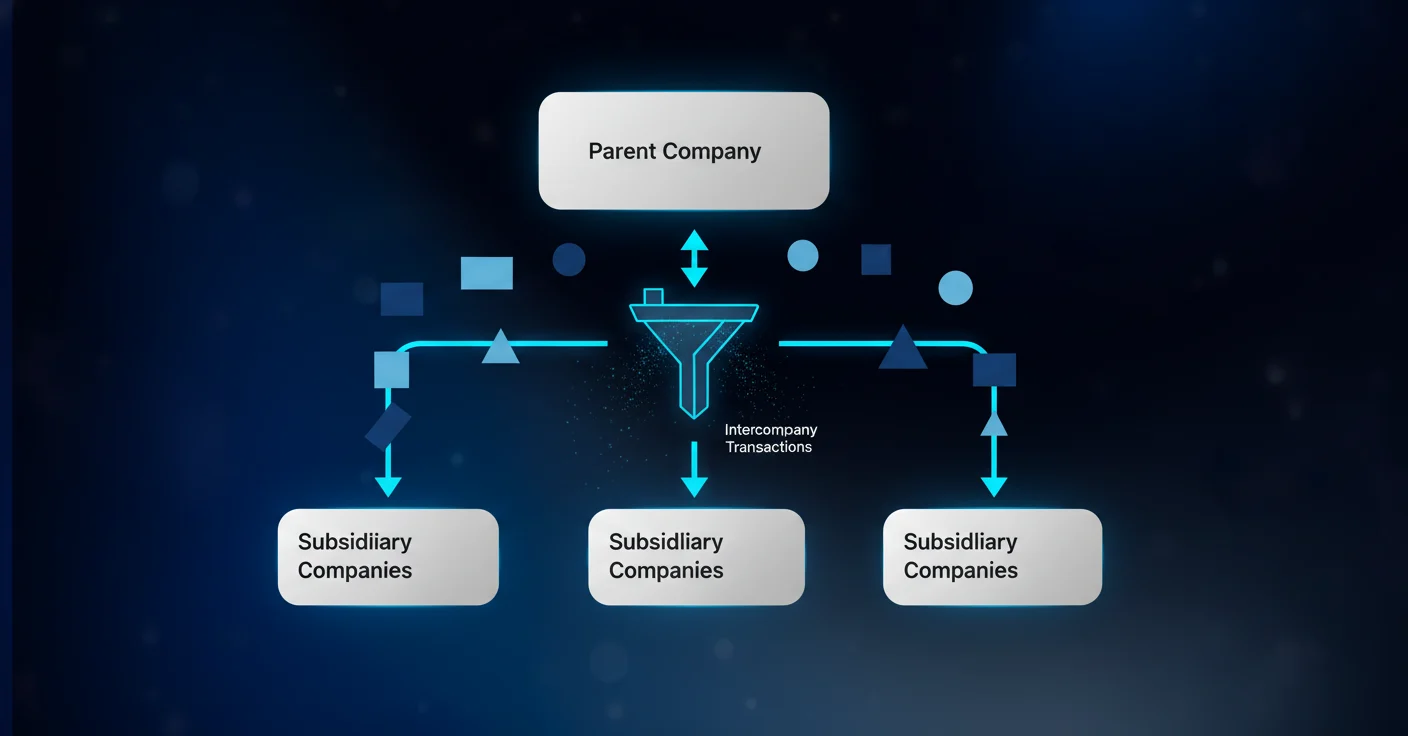
Sage Intacct handles this through a dedicated elimination entity. Set one up under Company > Entities, flag it as an elimination entity, then define which intercompany accounts get eliminated and against what. When you run consolidation, Sage posts the offsetting elimination entries into that entity and rolls everything into the parent report.
The elimination entity approach keeps audit trails clean: entity-level books stay untouched, and all adjustments live in one traceable place. Timing matters here too. Eliminations run against a specific accounting period, so entities must close their books before consolidation can finalize.
Managing Multi-Currency Consolidations
Multi-currency consolidation adds a layer of complexity that catches teams off guard even after entity setup is clean. When your entities report in different base currencies, you cannot simply add balance sheet lines together. Exchange rate differences create translation variances that need their own accounting treatment before parent-level reporting is accurate.
Sage Intacct handles this through two translation methods:
- Current rate method: balance sheet accounts translate at the period-end spot rate, while income statement accounts translate at the average rate for the period
- Temporal method: monetary assets and liabilities translate at current rates, while non-monetary items translate at historical rates
Most operating subsidiaries use the current rate method. The temporal method applies when a subsidiary's operations are considered an extension of the parent instead of a standalone foreign operation.
Cumulative Translation Adjustment
The difference between translating assets at the current rate and equity at historical rates accumulates in a separate equity account called the cumulative translation adjustment, or CTA. Sage Intacct posts this balance automatically during consolidation runs. You need a CTA account configured in your shared chart of accounts before running your first multi-currency consolidation.
Elimination Variance Accounts
When intercompany balances exist between entities reporting in different currencies, eliminations rarely net to zero. The same intercompany balance translates to different amounts depending on which entity's currency it's measured in. Sage Intacct routes this difference to a designated elimination variance account instead of letting it corrupt consolidated equity. Configure this account under your elimination entity setup before consolidation runs, or Sage will flag an out-of-balance error and halt the process.
Multi-Entity Reporting and Dimensional Analysis
Sage Intacct's reporting layer is where multi-entity setup either pays off or exposes gaps. Consistent dimension configuration lets you slice any report by entity, department, class, or project without rebuilding it. Inconsistent configuration means manual aggregation.
Consolidated vs. Entity-Level Views
Reports run at three levels: top-level company (all entities consolidated), entity group (a defined subset), or single entity (isolated financials for one legal structure). Switching between them is a filter, not a separate report, provided your chart of accounts and dimensions are shared across entities.
Using Dimensions as Drill-Down Filters
Entity is a native dimension in every report. Layer others on top for the cuts that matter:
- Entity + Department: where costs land inside each legal structure
- Entity + Project: margin by engagement across entities
- Entity + Location: geographic performance without separate instances
Building Dashboards for Multi-Entity Oversight
The dashboard builder lets you pin report cards, KPI tiles, and charts filtered to specific entities or entity groups. A controller watching 10 entities can build one dashboard with a row per entity and spot outliers at period-end without pulling individual reports.
The reporting structure only works as well as the dimensional discipline behind it. Inconsistent dimension usage across entities is the most common reason consolidated reports produce noise instead of signal.
Common Multi-Entity Setup Mistakes and How to Avoid Them
Most multi-entity problems trace back to decisions made in the first two weeks of setup. By the time they surface, they're expensive to fix.
- Skipping the elimination entity is the most common. Without it, consolidation runs fail or produce inflated revenue and expense lines. Create the elimination entity before your first consolidation run.
- Inconsistent dimension structures across entities break consolidated reporting. If Entity A uses "Department" and Entity B uses "Division" for the same concept, reports can't aggregate cleanly. Align dimension names at implementation.
- Intercompany due-to/due-from accounts configured after transactions have already posted leaves early activity unbalanced. Map accounts first, post transactions second.
- For multi-currency setups, omitting the cumulative translation adjustment account from the shared chart of accounts halts the first consolidation run entirely. Add it during initial setup, even if foreign entities aren't live yet.
- Applying a parent-level tax configuration uniformly across entities creates compliance gaps. Each entity's tax profile needs individual review during onboarding.
Multi-Entity Month-End Close Workflow
Multi-entity close follows a strict sequencing logic: entity-level books must close before consolidation can run. Trying to shortcut that order creates reconciliation errors that take longer to fix than the time saved. Manual data exports and spreadsheet workflows extend close timelines by days when entities operate in disconnected systems.
The Close Sequence
- Each entity closes out its bank accounts and resolves outstanding intercompany balances
- Entity controllers sign off on transaction coding and journal entries
- Intercompany eliminations are reviewed and approved
- Consolidation runs at the parent level
- Consolidated financials are reviewed before final close
Managing Deadlines Across Entities
Without centralized deadline tracking, entity close dates drift. One entity running late holds up consolidation for everyone. Assign explicit close deadlines per entity with a buffer before consolidation runs. That buffer is where intercompany disagreements get resolved.
Reconciliation Checkpoints
Two reconciliations must clear before any entity closes:
- Intercompany balance confirmation: both entities agree on the outstanding balance between them
- Bank-to-book reconciliation: each entity's cash position matches its GL
Automated consolidation workflows cut close times by 30-50%. Any manual handoff from entity sign-off to elimination entry approval to consolidation run is where time gets lost.
Scaling From Single Entity to Multi-Entity Architecture
Multi-entity architecture is rarely planned. It's forced by an acquisition, a new subsidiary, or investor requirements for separate legal entities. Books that worked at one entity suddenly need a structure they weren't built for.
When to Add an Entity vs. Use a Location or Department
Not every organizational split requires a new entity. The test is legal and compliance necessity, not reporting preference.
Add a new entity when:
- A new legal structure exists with its own tax ID and filing obligations
- An acquisition requires separate balance sheets
- Regulatory or investor requirements mandate isolated financials
Use a dimension instead when:
- The split is for internal reporting only
- No separate legal structure exists
- The same tax ID covers all activity
Unnecessary entities multiply your close workload without adding compliance value.
SystemMulti-Entity ArchitectureIntercompany AutomationConsolidation MethodTypical Entity LimitSage IntacctShared chart of accounts and dimensions across all entities in one instance. Each entity maintains separate GL, balance sheet, and tax ID while using common infrastructure.Automatic due-to/due-from entries generated when transactions cross entity boundaries. Self-balancing enforces entity-level balance without manual journal entries.Native elimination entity with automated offsetting entries. Multi-currency translation with CTA accounts and elimination variance handling built in.200+ entities manageable in single instance. No practical upper limit for most implementations.QuickBooks OnlineSeparate QBO instance required per legal entity. No shared infrastructure between instances. Each entity operates in complete isolation.Manual journal entries required for all intercompany transactions. No automated due-to/due-from generation. Each side of transaction must be recorded separately.Manual Excel-based consolidation. Intercompany eliminations created outside system. No native consolidation reporting.5 entities maximum before manual workload becomes unmanageable. Not designed for multi-entity operations.NetSuiteShared chart of accounts with subsidiary records. Entity setup similar to Sage Intacct but with heavier customization requirements upfront.Automated intercompany journal entries with configurable approval workflows. Supports both automatic and manual posting modes per relationship.Native consolidation with elimination subsidiaries. Advanced allocation schedules for complex structures. Multi-book accounting for statutory reporting.100+ entities typical in mid-market deployments. Handles complex multinational structures with statutory books per jurisdiction.
Migration Planning
Before adding entities to an existing Sage Intacct instance, map your current chart of accounts and dimension structure against the proposed multi-entity layout. The shared COA needs to support all entities before any entity goes live.
Key steps in sequence:
- Finalize the shared COA and dimension structure
- Configure inter-entity account mappings
- Set up the elimination entity
- Migrate historical data with period locks to prevent retroactive edits
- Run a parallel close cycle before fully cutting over
Historical data migration is where most transitions stall. A COA that differs materially from the target structure requires period-by-period remapping before Sage consolidates correctly.
Automating Multi-Entity Transaction Coding with Truewind
Manual transaction coding across multiple entities is where Sage Intacct's native tooling runs thin. No bank feed, rigid rules, and separate coding queues per entity add up fast when you're managing ten entities with their own bank accounts and credit cards.
Truewind connects to Sage Intacct via API, reads each entity's dimensional structure, and pulls historical GL data to seed its classification models. Incoming transactions from all connected bank accounts and cards flow into a single review queue, with each transaction arriving pre-classified with the correct entity, GL account, and dimensions already assigned.
No entity-by-entity coding. One queue, entity-aware context throughout.
The AI handles description variations that break Sage's native rules. When approved, entries sync directly into the correct entity in Sage, which stays the system of record. Duplicate prevention runs continuously, so transactions already coded in Sage won't get re-posted from Truewind's queue.
For teams running multi-entity finance operations, that architecture matters. The review workload stays flat even as entity count grows.
Final Thoughts on Multi-Entity Accounting Operations
Getting Sage Intacct multi-entity accounting configured correctly solves the structural problem, but most teams hit their real constraint during transaction coding when entities multiply. Consolidation runs clean when your entity setup is right and your coding accuracy holds across all entities without manual intervention. Check out a demo if you want to see entity-aware automation in action with your transaction patterns. Your close cycle compresses when coding doesn't become the bottleneck every period.
FAQ
Can I manage 50+ entities in Sage Intacct without separate instances?
Yes. Sage Intacct multi-entity architecture lets you manage hundreds of legal entities inside one shared environment with a common chart of accounts and dimension structure. Family offices routinely run 200+ entities this way, each with separate tax IDs and balance sheets but shared reporting infrastructure.
Sage Intacct multi-entity vs. multiple QuickBooks instances for subsidiaries?
Sage Intacct multi-entity gives you shared COA, automated intercompany entries, and consolidated reporting in one system. Multiple QBO instances require manual intercompany journal entries, separate reconciliation work per instance, and Excel-based consolidation. At five entities or more, the QBO approach becomes unmanageable.
How do I set up inter-entity account mapping before posting transactions?
Go to Company > Configure Inter-Entity Account Mappings and define your due-from account (asset) and due-to account (liability). Both accounts must already exist in your shared chart of accounts before mapping can save. Configure this before posting any intercompany transactions or you'll create out-of-balance sheets that are difficult to fix retroactively.
What triggers Sage Intacct to generate automatic due-to/due-from entries?
Any transaction that crosses entity boundaries triggers the automation: one entity paying another's vendor bill, shared expense allocations, intercompany loan advances, or payroll costs split across entities. Turn on "Require balanced books per entity" under Company > Configure Accounting to force the system to generate offsetting entries instead of allowing unbalanced transactions to post.
When should I add a new entity vs. use a location or department dimension?
Add a new entity when a separate legal structure exists with its own tax ID, when an acquisition requires isolated balance sheets, or when regulators or investors mandate separate financials. Use a location or department dimension when the split is for internal reporting only and no separate legal structure exists. Unnecessary entities multiply close workload without adding compliance value.
Turn this into a close-ready workpaper
Start with sample files or upload your own statements to see how Truewind prepares review-ready workpapers and journal entries.