

You've configured Sage Intacct dimensions with parent-child hierarchies, cross-dimension validation rules, and auto-fill logic that fires when certain combinations post. Your integration treats all of that as optional. It writes dimension values that technically exist but violate your business rules, posts transactions without required dimensions, and hardcodes to display labels instead of integration names so that when someone renames a field in the UI, your sync breaks without throwing an error. The ledger keeps accepting posts, which is the problem. You find out weeks later when allocations are in the wrong bucket and no one can trace when it started.
TLDR:
- Many common Sage integrations only map Class, Department, and Location, missing custom dimensions entirely
- Excel uploads don't validate dimension relationships or auto-fill logic before posting
- Integration name vs. display label mismatch causes silent sync failures during reconciliation
- XML API supports full dimension control; REST API has gaps in custom dimension handling
- Truewind maps all Sage dimensions via API, including custom fields and hierarchies specific to your tenant
What Makes Sage Intacct Dimension Mapping Complex
Sage Intacct's dimension system is a core reason finance teams choose it over simpler GL options. Eight built-in dimensions come standard: location, department, vendor, customer, employee, project, item, and class. Beyond those, custom dimensions let you track whatever your business needs, from fund and grant to program or entity-specific categories.
That flexibility is exactly the point. But every transaction carries a multi-dimensional tag beyond debit and credit. When those dimensions have hierarchies, parent-child relationships, and auto-fill logic tied to specific account combinations, integrity requirements stack up fast. An integration that treats dimensions as optional metadata will produce a ledger that technically posts but analytically breaks.

Where Complexity Compounds
Three structural factors make dimension mapping particularly unforgiving in practice:
Organizations implementing dimension structure best practices encounter these challenges regardless of tenant size or transaction volume.
- Parent-child hierarchies mean a value that looks valid at one level may roll up incorrectly if assigned to the wrong node in the tree.
- Dimension required rules vary by account, so a segment that's optional on a liability account may be mandatory on an expense account.
- Cross-dimension validation enforces combinations, meaning certain department and location pairings are simply not allowed, regardless of whether the individual values exist.
The Three Categories of Dimensions Most Integrations Miss
Sage Intacct organizes its dimension framework into three distinct tiers, and most integrations only map the first one correctly.
The first tier covers system dimensions: Class, Department, and Location. These are built into every Intacct instance and behave predictably across the API. Most integration tools handle these reasonably well.
The second tier covers entity-level dimensions like Customer, Vendor, Project, and Item. These require relational lookups instead of simple value matching, and many integrations pass raw IDs instead of resolving the correct entity references.
The third tier is where integrations consistently break down: custom dimensions. These are organization-specific, carry variable names, and require configuration that no generic connector anticipates out of the box.
- System dimensions map to fixed API fields and rarely cause problems
- Entity dimensions require active reference resolution against your Intacct records
- Custom dimensions require per-tenant configuration; most generic connectors have no universal field schema to handle them automatically
Skipping the second and third tiers produces dimension data that looks complete in the integration logs but arrives in Intacct partially populated or miscategorized.
Why "Excel Upload" Is Not Dimension Mapping
Many teams assume that loading a CSV into Sage Intacct with a "department" column counts as dimension mapping. It does not.
Uploading structured data gets transactions into the system, but it says nothing about whether the right dimension values are being applied, whether they are consistent across entities, or whether the underlying logic will hold up at month-end.
True dimension mapping means:
- The source data fields in your GL, billing system, or payroll tool are consistently translated into the correct Sage Intacct dimension values every time a record is created.
- Conflicts between dimension hierarchies are resolved before posting, not identified during reconciliation.
- Custom dimensions follow the same mapping rules as native ones like department, location, and class.
The gap between "we upload files" and "our dimensions are reliably mapped" is where most reporting errors originate. Finance teams often only find out when the close is delayed or a board report shows allocations in the wrong cost center.
Integration ApproachStandard Dimensions (Class, Dept, Location)Entity Dimensions (Customer, Vendor, Project)Custom DimensionsDimension RelationshipsCross-Dimension ValidationExcel/CSV UploadSupports basic import if columns match field names exactlyRequires manual ID lookup and column mapping for each entity typeNo support for tenant-specific custom dimensions without manual column configurationAuto-fill logic bypassed entirely; all values must be provided in fileNo validation before post; violations found only during reconciliationREST API IntegrationFull read and write support via fixed API endpointsSupports entity reference writes but requires active lookup against Intacct recordsLimited support; cannot manage custom dimension values or read UDD configurationWrites static values; does not trigger configured auto-fill rules at transaction timeBasic field validation only; does not check dimension combination rules or restrictionsXML Web Services API IntegrationFull read and write support with complete object model accessComplete entity reference resolution with relationship validation at write timeFull UDD management including value creation, hierarchy reads, and restriction enforcementTriggers auto-fill logic when configured relationships exist between dimensionsValidates dimension combinations against configured business rules before postingTruewindReads actual configuration from your tenant on connection; updates when your setup changesResolves all entity references automatically; reviewers see complete breakdowns before syncMaps all custom dimensions specific to your tenant; includes hierarchies and values you definedRespects all configured relationships; auto-fill rules fire as expected on every transactionValidates all dimension rules before posting; nothing syncs until approved with clean data
The API Depth Problem: REST vs. XML for Dimensions
Sage Intacct exposes two distinct API surfaces, and the one your integration uses matters more than most teams realize.
The REST API is newer and easier to work with, but it has meaningful gaps in dimension support. Reading and writing standard dimensions works fine. The complexity surfaces when you need to manage custom dimension values, validate dimension combinations, or handle dimension restrictions tied to specific entities or locations. As the Sage Intacct REST API UDD docs confirm, UDDs cannot be created via the REST API and their schemas are not included in the standard API documentation.
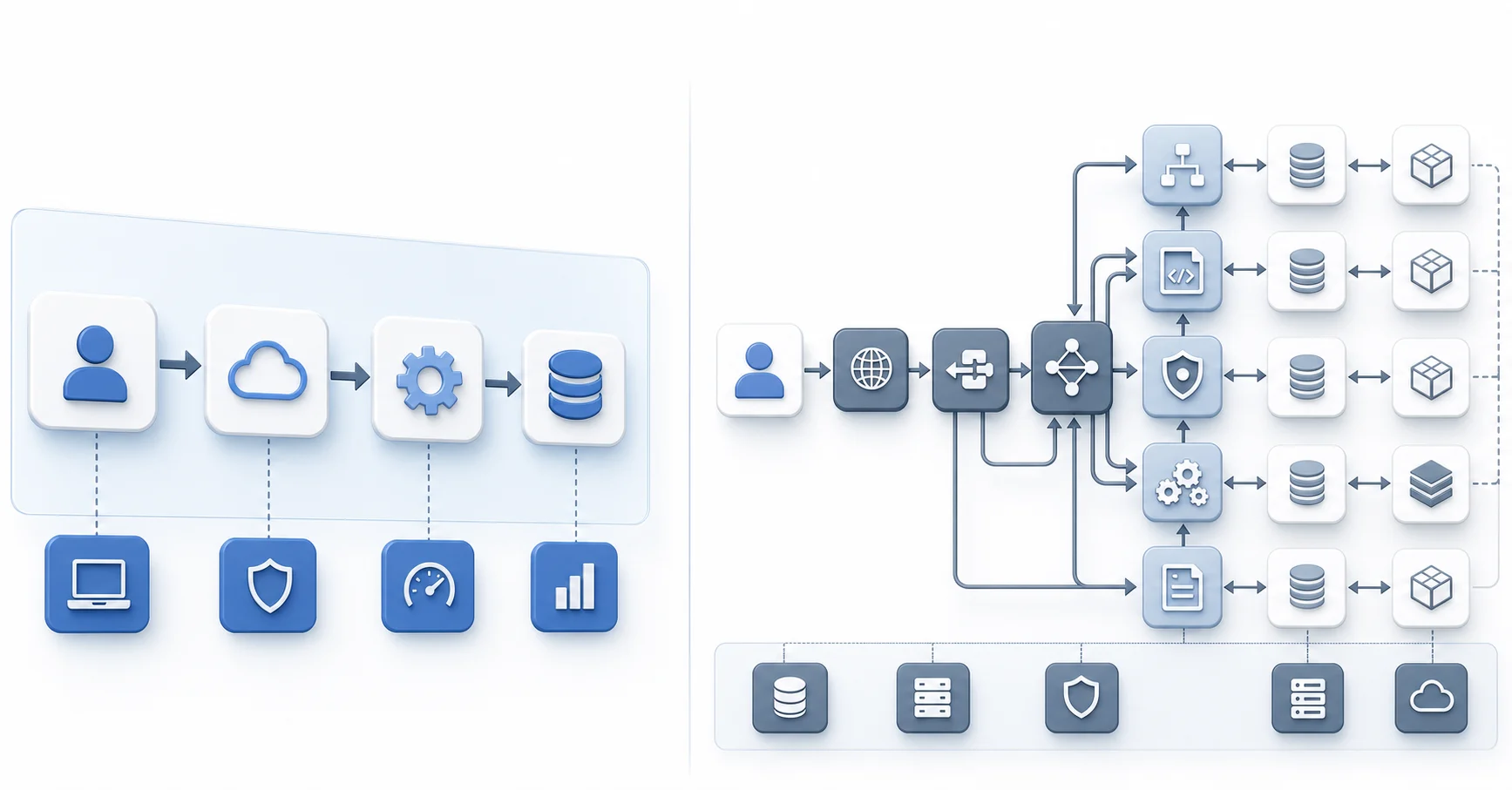
The XML-based Web Services API is where full dimension control lives. It supports the complete dimension object model, including user-defined dimension (UDD) management, dimension relationships, and restriction validation at write time. Many integrations default to REST because it is simpler to implement, skipping the XML layer entirely. The key differences between SOAP/XML and REST extend beyond syntax to fundamental capability gaps in dimension handling.
That shortcut creates silent data quality problems. Transactions post without required dimensions, or with dimension values that technically exist but violate your configured business rules.
How Integration Name vs. Display Label Breaks Sync
Every custom dimension in Sage Intacct carries two identifiers: the display label visible in the UI, and the integration name stored in the system's underlying configuration. They often look identical at creation, which is why the distinction gets ignored entirely.
The integration name lives in System Services > Custom Dimensions. It's set once at setup and doesn't change unless someone explicitly edits it. The display label works differently. Anyone with admin access can rename "Fund" to "Fund Category" in a few minutes without touching the integration name at all.
When a connector hardcodes to display labels, that rename breaks sync. No error thrown. Transactions stop carrying the right dimension values, or post with blank fields where the dimension should be.
The ledger keeps accepting posts, which is exactly the problem. You find out weeks later, wondering why an entire period's cost allocations landed in the wrong bucket and no one can trace when it started.
Dimension Relationships and Auto-Fill Logic
Sage Intacct dimension relationships let the system auto-fill one dimension value based on another. Choose a specific partner on a transaction entry, and Partner Type populates automatically. The rule is configured once and fires at write time.
Most integrations skip this entirely. They write dimension values as static fields, bypassing the relationship trigger. The transaction posts, the partner ID looks correct, but the dependent dimension arrives blank. No error surfaces. The close comes around, and someone is manually correcting dimension data across dozens of records wondering where the gap started.
Testing Dimension Accuracy Before Production
Run test transactions across each of the eight standard dimensions before production, then confirm your integration can identify and write UDD values via API call instead of treating them as optional fields.
Validate that relationship triggers fire on actual writes, not reads alone. Journal entries, AP bills, and AR invoices hit different transaction objects in Intacct and may resolve dimensions differently. A test that passes on one type can fail silently on another.
There are a few areas that deserve specific attention during pre-production validation:
- Disabled dimensions need explicit handling. An integration that skips a disabled dimension gracefully is very different from one that posts a blank field without warning. The first surfaces a problem. The second corrupts your data quietly until close.
- Each transaction type resolves dimensions through its own object path, so a passing test on a journal entry gives you no guarantee that an AP bill will behave the same way.
- UDD write permissions must be confirmed via direct API call, not inferred from read access. Many integrations assume write access exists if a field is visible, and that assumption breaks in production.
How Truewind Maps Dimensions at API Level
Truewind reads every dimension from your instance on connection: account, class, department, location, payee, project, and any custom dimensions configured in your specific tenant. Not a generic schema. Your actual configuration.
When classifying transactions, Truewind assigns all relevant dimensions simultaneously. Before any transaction syncs to Sage, reviewers see the complete dimensional breakdown and can override any value. Nothing posts until approved. Your GL stays clean from the first sync, without a correction pass afterward.
What Gets Pulled on Connection
- Standard dimensions like class, department, and location are read directly from your Sage Intacct entity, not hardcoded defaults.
- Custom dimensions unique to your tenant are picked up automatically, including any dimension values and hierarchies you have already defined.
- Dimension assignments update when your Sage configuration changes, so new values do not require manual intervention on the integration side.
Final Thoughts on Dimension Integrity
Your Sage Intacct dimensions shape every allocation, report, and analysis your finance team runs. An integration that skips custom dimensions or treats entity references as optional fields breaks your GL before you realize it. See a demo if you want to understand what complete dimension mapping looks like at write time. Clean data from the first sync beats manual cleanup every month.
FAQ
Sage Intacct custom dimensions vs system dimensions?
System dimensions (Class, Department, Location) are built into every Intacct instance and map to fixed API fields, while custom dimensions are organization-specific with variable names and no universal schema. Custom dimensions require per-tenant configuration that most integrations fail to handle automatically.
Can I map dimensions to Sage Intacct without using the XML API?
No, not reliably. The REST API handles standard dimension reads and writes but lacks support for custom dimension value management, dimension relationship validation, and restriction rules that fire at write time. Full dimension control requires the XML-based Web Services API.
How do I prevent dimension mapping errors before month-end?
Test transactions across all eight standard dimensions before production, then validate that your integration writes UDD values via direct API call instead of skipping them. Run separate tests on journal entries, AP bills, and AR invoices, since each transaction type resolves dimensions through different object paths in Intacct.
What happens when someone renames a dimension label in Sage Intacct?
If your integration hardcodes to display labels instead of integration names, the sync breaks silently. Transactions post with blank dimension fields where values should be, and you only find the gap during reconciliation when allocations land in the wrong cost centers.
Best way to handle Sage Intacct dimension relationships in automation?
Your integration needs to trigger auto-fill logic at write time, not bypass it by posting static dimension values. When dimension relationships are configured in Intacct (like Partner Type auto-filling based on Partner), the system should fire those rules on every transaction your tool creates.
Turn this into a close-ready workpaper
Start with sample files or upload your own statements to see how Truewind prepares review-ready workpapers and journal entries.