
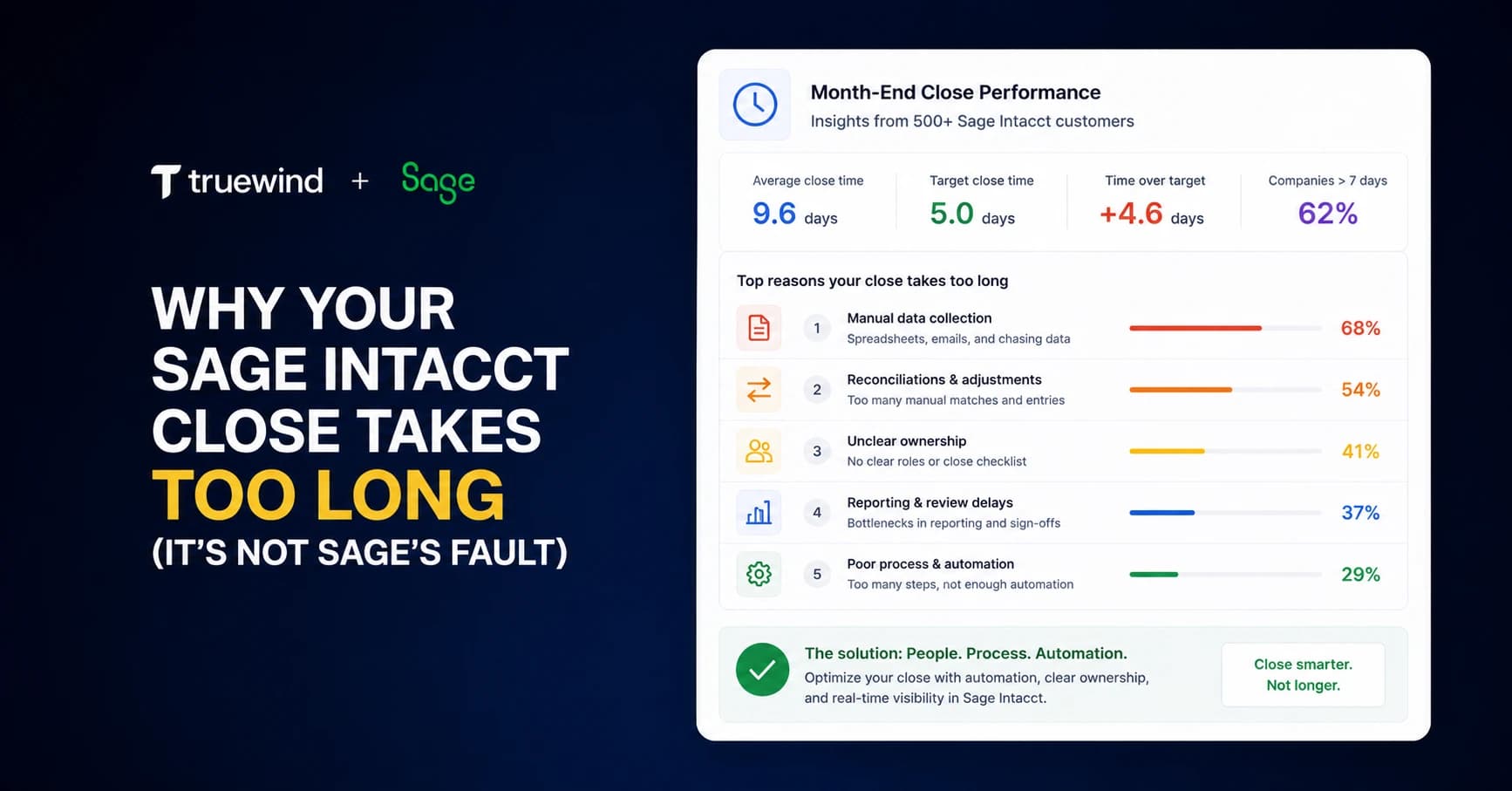
The Sage Intacct close takes you two weeks, sometimes longer. Your multi-entity setup is solid, allocations post on time, and the consolidation logic is clean. But you're still open well past day 10, and the bottleneck isn't Sage. It's the layer sitting on top of it. Transaction coding backlogs delay reconciliation starts. Close task tracking happens in a spreadsheet that no one fully trusts. Reconciliation status lives in email threads, so managers spend half their time chasing updates instead of reviewing completed work. And your senior accountants write flux commentary from scratch because variance analysis never surfaces automatically. That's the real reason why month end close is slow, and it compounds every time you add an entity or tighten the close window.
TLDR:
- Sage Intacct close delays come from work around the GL: transaction coding backlogs, spreadsheet reconciliation tracking, and manual close task coordination.
- High performers close in under 4.8 days vs. 6.4-day average; the gap is process time, not system time.
- Multi-entity close compounds fast: each entity adds reconciliations, accruals, and intercompany dependencies that block consolidation.
- AI execution layers automate transaction coding, reconciliation tracking, and variance analysis without replacing GL systems or human review.
- Truewind acts on Sage Intacct data through API-level integration: coding transactions, tracking close status, and surfacing flux reporting in one interface.
The Real Reason Month End Close Takes 15+ Days (And It's Not Sage Intacct)
The average month end close runs 8 to 10 days across most organizations, but companies using Sage Intacct often push well past that. The system itself is not the problem. Sage Intacct's multi-entity architecture, dimension framework, and reporting engine are genuinely well-built for complex finance teams.
The bottleneck lives in the work that happens around Sage: the spreadsheets tracking close task status, the emails chasing approvers, the manual reconciliation prep, and the transaction coding that never got automated. Sage stores the ledger. Everything else falls to your team.
Where the Days Go
Most close timelines break down across a few recurring pressure points:
- Transaction coding backlogs pile up when no rule-based system covers the full volume, leaving staff accountants to manually review and code charges before the books can close.
- Reconciliation prep runs in parallel across accounts and entities, with each reconciler working from their own template and timeline, and no centralized view of what's done versus open.
- Close task tracking happens in spreadsheets or shared docs, which means status visibility depends entirely on whoever updates the file last.
- Flux and variance commentary gets written from scratch each month, pulling senior staff out of review work and into documentation that could be templated or drafted automatically.
None of these are Sage Intacct failures. They are coordination and execution gaps that sit outside the GL layer, and they compound every month your team runs the same manual process.
Where Month End Close Time Actually Goes
Research from Aberdeen Group found that the average month-end close takes 6.4 days. High performers finish in under 4.8 days. The gap between those two numbers is almost entirely process time, not Sage time.
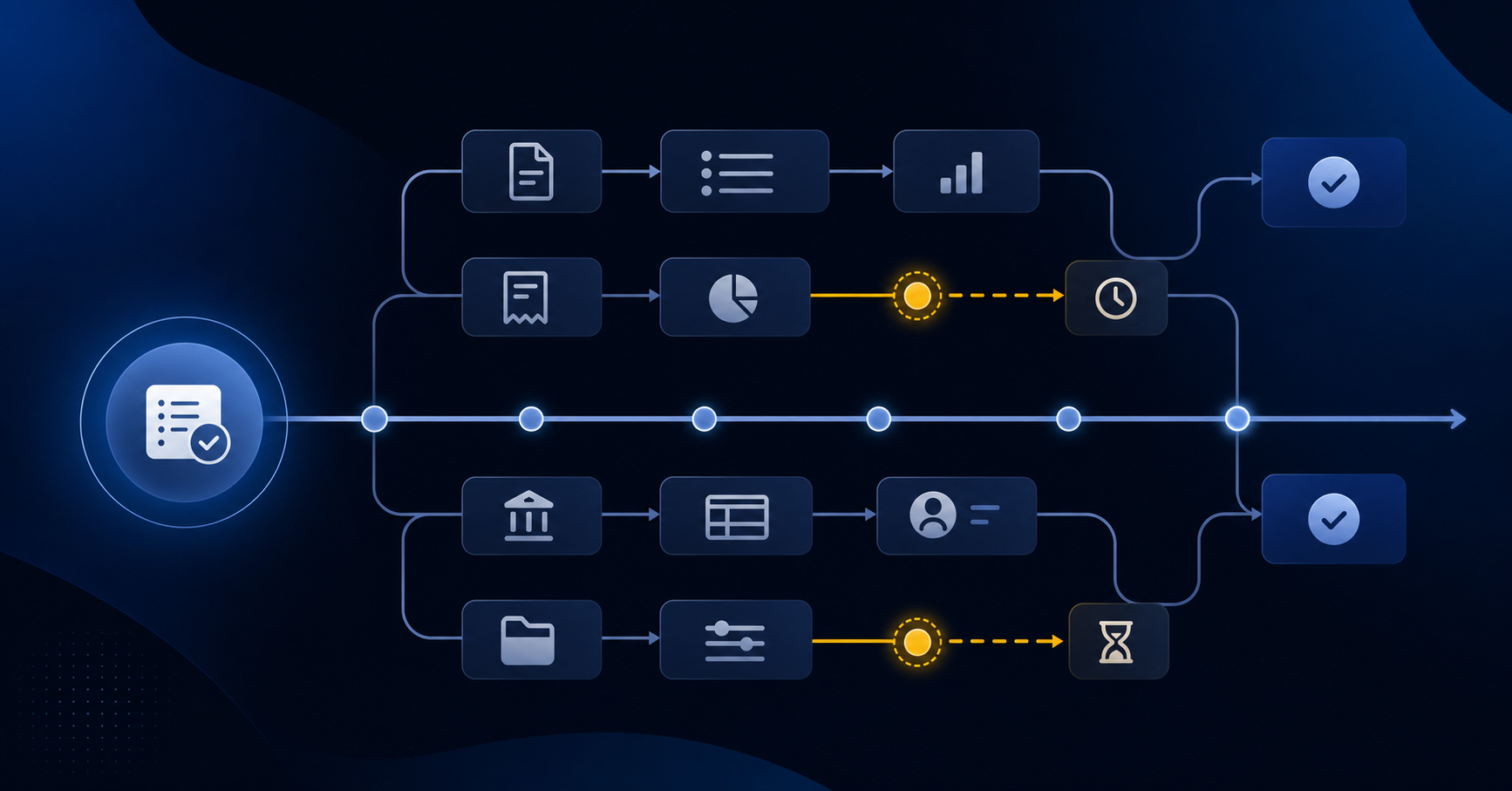
Here is where that time typically goes:
- Waiting on source data from non-accounting teams — expense reports, intercompany confirmations, or operational numbers that feed accruals
- Manual transaction coding and reclassification work that piles up because categorization rules were never fully built out
- Reconciliation prep across accounts where the supporting schedules have to be assembled from scratch each month
- Status tracking across multiple preparer and reviewer pairs, usually managed in a spreadsheet or email thread that no one fully trusts
None of these are Sage Intacct bugs. They are workflow gaps that exist around Sage.
| Close Activity | Time Consumed | Root Cause |
|---|---|---|
| Transaction coding and reclassification | Days 1-3 of close cycle, blocking downstream reconciliation work | Rule-based categorization does not cover full transaction volume, leaving manual review backlog |
| Reconciliation preparation across accounts | 3-5 days per entity depending on account complexity and volume | Supporting schedules assembled from scratch each month with no centralized status tracking |
| Close task coordination and status tracking | 2-4 hours daily for managers chasing updates across team | Spreadsheet or email-based tracking with no shared real-time visibility into completion status |
| Variance analysis and flux commentary | 4-8 hours of senior staff time writing explanations from blank page | No automated variance flagging or templated commentary based on period-over-period comparison |
| Waiting on non-accounting source data | 1-3 day delay at period start before close work can begin | Expense reports, intercompany confirmations, and accrual inputs arrive late without automated collection |
Manual Reconciliation: The Silent Time Thief
Even when the close checklist moves on schedule, reconciliations quietly consume hours that never show up in any status report. Each account needs a preparer, a reviewer, and a sign-off. Multiply that by the number of entities and accounts your team covers, and the arithmetic gets uncomfortable fast.
The problem for Sage Intacct users is that reconciliation status lives in spreadsheets, email threads, or whatever close tool your firm stitched together separately. Sage holds the GL data, but it does not track who reconciled what, flag open items, or surface which accounts are still outstanding at 9am on day three of close.
- Preparers pull trial balance data from Sage, paste it into a workbook, tie out the balances, and send the file to a reviewer, who then has to locate it.
- Reviewers have no single queue. They chase preparers across email and Slack to confirm whether a reconciliation is done, in progress, or not started.
- Open items discovered late in the cycle push sign-off back by another day, often two.
None of this is a Sage configuration problem. It is a coordination and visibility gap that sits between your GL and your team.
Transaction Coding Bottlenecks That Compound Every Month
Each month, transaction coding doesn't just slow your close — it sets the pace for everything downstream. When your team is still categorizing bank transactions, credit card charges, and vendor payments in week one, reconciliations can't start. Tie-outs wait. Variance analysis waits.
The volume compounds fast. A startup with a handful of accounts might get through it. A multi-entity company with intercompany activity, multiple dimensions, and high transaction volume runs into a different problem entirely.
- Sage Intacct gives you rule-based auto-categorization, but rules require setup, maintenance, and don't always survive vendor name changes or new charge types — so exceptions pile up and land back on your team.
- Uncoded or miscoded transactions block your ability to run meaningful flux analysis, because the numbers feeding the comparison are still moving.
- When coding runs into week two, the close window collapses for review, approval, and final sign-off — compressing the judgment work that falls to senior accountants.
The problem compounds month over month. Exceptions that get force-coded to hit a deadline come back as reclass entries the following period. Each shortcut creates a small debt that accrues interest across the fiscal year.
The Spreadsheet Reconciliation Problem
Even after Sage Intacct posts the period's transactions, reconciliation work often stalls the close for days. The core issue is straightforward: most teams pull GL account balances into spreadsheets, then manually compare them against bank statements, subledgers, and supporting schedules line by line.
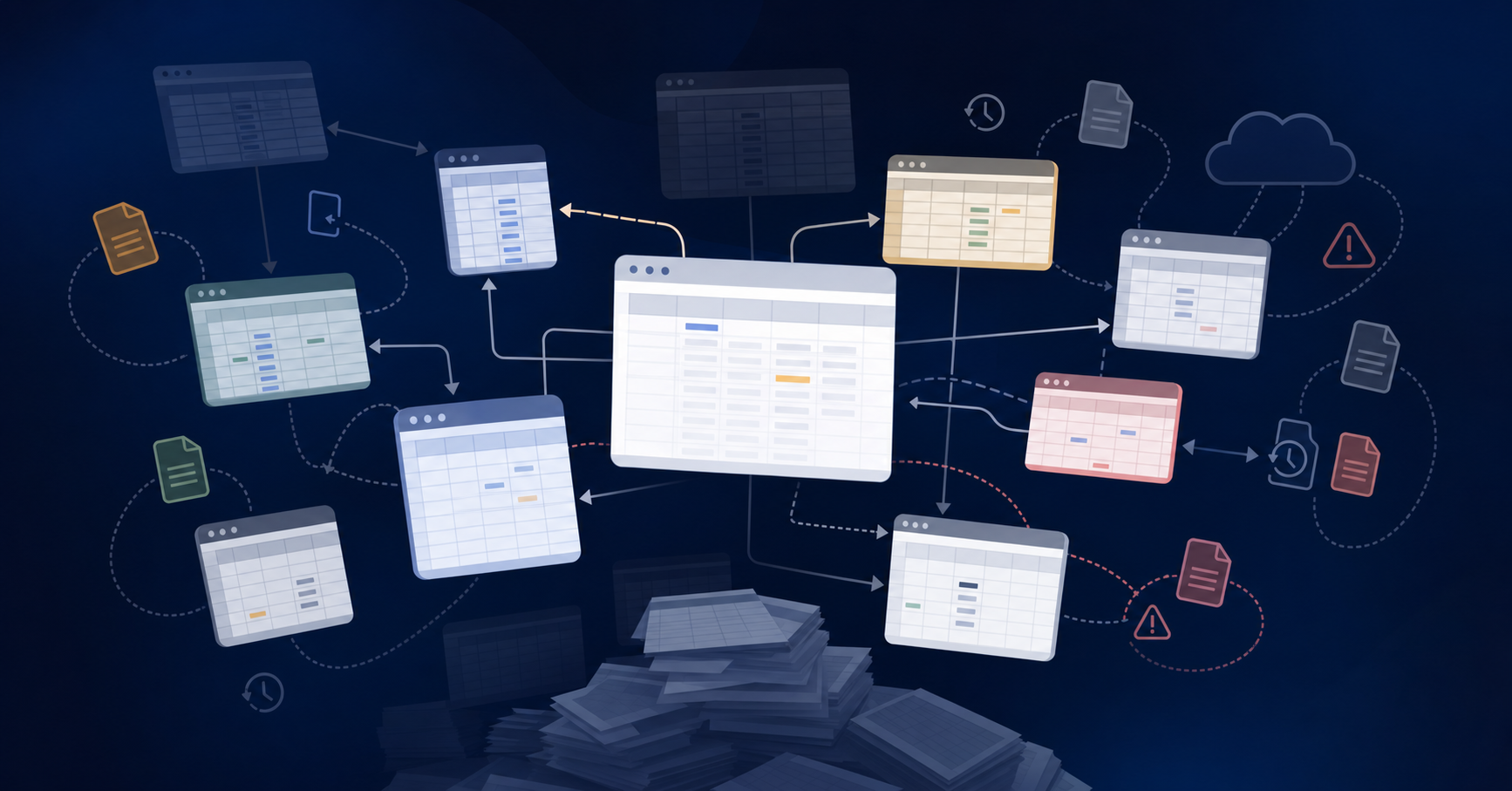
At a single-entity company, that workflow is manageable. Across 10, 20, or 50 entities, the math compounds fast. If each entity requires reconciliations across even a modest number of accounts, your team is running hundreds of individual comparisons every close cycle, each one living in a separate file with no shared status visibility.
The spreadsheet approach creates three compounding problems:
- No single source of truth for reconciliation status, so managers spend time chasing updates instead of reviewing completed work.
- Version control breaks down when multiple team members touch the same file, leading to overwritten work and unclear ownership.
- Exceptions get buried in cells rather than surfaced as discrete items to investigate, which means resolution time stretches out past the close deadline.
Sage Intacct gives you the GL data. It does not give you a reconciliation workflow that tracks completion status, flags unresolved items, or rolls forward balances automatically. That gap lands on whoever owns the close.
What Sage Intacct Close Automation Actually Does
Sage Intacct's built-in close tools handle a real slice of the work. Automated allocations, recurring journal entries, and multi-entity consolidations run on schedule without manual intervention. That's not nothing.
The gap shows up in what falls outside that scope. Transaction coding, prepaid and accrual workpapers, reconciliation tracking, and variance explanations still land on your team. Sage stores the data; assembling, reviewing, and signing off on it stays a manual process.
That's where close bottlenecks actually form. The system ran fine. The work just didn't finish itself.
The Gaps Sage's Native Tools Don't Fill
Sage Intacct handles the GL work well. What it doesn't do is manage the coordination layer sitting on top of it — the task tracking, the reconciliation status visibility, the variance explanations, and the transaction coding that happens before entries ever reach the GL.
Most teams fill those gaps with a spreadsheet close checklist, a shared inbox, and a lot of Slack messages asking whether the prepaid schedule is done. That works until it doesn't. At higher entity counts or faster close cadences, the coordination overhead compounds faster than headcount can absorb it.
Close and reconciliation management tools each handle one slice. But running three separate add-ons means three separate interfaces, three separate data syncs, and no unified view of where close actually stands.
Why Your Close Gets Slower as You Add Entities
Single-entity close is a sequencing problem. Multi-entity close is a coordination problem, and those are fundamentally different in ways that matter for how you staff and schedule the work.
With one entity, you're managing task order. With five or more, you're managing dependencies across teams, time zones, and intercompany eliminations that can't close until upstream entities do.
The compounding works like this:
- Each additional entity adds its own reconciliations, its own accrual entries, and its own review cycle before consolidation can begin.
- Intercompany transactions have to balance across both sides before either entity closes clean.
- One delayed entity holds up the entire consolidation, which means the bottleneck shifts constantly and is hard to predict.
How AI Automation Handles the Execution Layer Beyond the Checklist
Most close checklists in Sage Intacct are well-organized. The bottleneck lives one layer deeper: the actual execution of the work items on that list.
AI tools built for close work handle that execution layer directly. Rather than surfacing a task for a person to go complete manually, they run the underlying work: matching transactions to source documents, flagging exceptions, drafting journal entries, and updating reconciliation status as each item clears.
The result is a close where the checklist moves because the work is done, not because someone remembered to check a box.
The AI Execution Layer for Sage Intacct: How Truewind Solves What Native Tools Don't
Truewind sits on top of Sage Intacct as an AI execution layer, not a replacement for it. Where Sage stores your data, Truewind acts on it: coding transactions, running close checklists, tracking reconciliation status, and surfacing variance analysis through flux reporting, all through the same API-level integration and a single interface.
Most Sage add-ons handle one of those workflows. Truewind covers all of them together, which matters when your close bottleneck spans more than one task.
What the Execution Layer Actually Does
- Transaction coding pulls from your historical GL to learn how your team categorizes, then routes exceptions for human review instead of leaving unmatched items in a queue for someone to find on day three of close .
- Close orchestration tracks task status across your checklist in real time, so you're not chasing preparer confirmations over email or waiting to find out a reconciliation was never started.
- Reconciliation tracking gives your team visibility into which accounts are tied out and which still have open items, without building that view manually in a spreadsheet each month.
- Flux reporting compares period-over-period balances and flags variances that need explanation, giving reviewers a starting point rather than a blank page.
The human-in-the-loop stays in place throughout. Your team owns every posting decision. Truewind handles the work between the source data and the point of review.
Final Thoughts on the Sage Intacct Close Timeline Problem
The close delay you're seeing isn't a Sage configuration issue. It's the manual work stacking up around it: transaction coding backlogs, reconciliation prep with no status visibility, and task tracking that still runs through email and spreadsheets. That work compounds across every entity and dimension you manage. The question is whether the coordination layer around your GL can execute the work, not just track it.
FAQ
Why does my Sage Intacct close take 15 days when the system itself works fine?
The bottleneck lives in the work around Sage — transaction coding backlogs, manual reconciliation prep across entities, spreadsheet-based close tracking, and variance commentary written from scratch each month. Sage stores the ledger well; the execution layer still falls to your team.
How do I automate close checklists and reconciliations?
AI execution layers integrate with Sage Intacct via API to track close task status in real time, run reconciliation workflows with shared visibility, and flag exceptions as they occur. Your team reviews and approves; the system handles status tracking and exception routing.
Which AI tools help startups close books faster each month?
Tools that handle the coordination layer around your GL: transaction coding from historical patterns, reconciliation tracking with centralized status visibility, and variance analysis that flags period-over-period changes automatically. Look for systems that integrate at the API level with your existing GL.
How do reconciliation tracking gaps slow month-end close?
Most teams pull trial balance data into spreadsheets and manually compare it against bank statements and subledgers with no shared status visibility. Reviewers chase preparers across email to confirm whether reconciliations are done, in progress, or not started, and exceptions discovered late push sign-off back by days.
When should I look beyond Sage Intacct's native close tools?
When coordination overhead compounds faster than headcount can absorb it — typically at higher entity counts, faster close cadences, or when your team is still coding transactions in week one because rule-based categorization doesn't cover the full volume.
Turn this into a close-ready workpaper
Start with sample files or upload your own statements to see how Truewind prepares review-ready workpapers and journal entries.