
You assign close tasks in email. Track status in a spreadsheet. Store evidence in shared drives. Your Sage Intacct close management happens across four tools, and when the auditor asks who approved the prepaid schedule and where the file is, you're piecing together the answer from memory and inbox search. A month end close checklist that works means three things attached to every task: a named owner, a hard deadline, and documentation that proves it's done. Without all three in the same place, the close runs on informal check-ins instead of controls.
TLDR:
- A Sage Intacct close checklist requires three things per task: a named owner, a hard deadline, and proof it's done.
- Sage Intacct lacks native close management tools, so teams patch the gap with spreadsheets and lose visibility.
- Task dependencies cause most close delays—sub-ledger work blocks GL locks, late entities stall consolidation.
- Truewind automates transaction coding, reconciliation tracking, and close orchestration on top of Sage Intacct via API.
What a Sage Intacct Close Checklist Actually Is
A Sage Intacct close checklist is a structured list of tasks your team must complete before a period can be locked — tied to owners, deadlines, and supporting evidence. It covers everything from sub-ledger reconciliations and accrual postings to intercompany eliminations and final trial balance tie-outs.
What separates a real close checklist from a shared spreadsheet is accountability infrastructure. Each task needs three things attached to it: who owns it, when it is due, and what documentation proves it is done. Without all three, you have a to-do list, not a controlled close process.
In Sage Intacct, the checklist question gets more layered because the system manages dimensions across entities, locations, departments, and projects. A checklist that ignores that structure will miss gaps that only show up during consolidation.
Why Close Checklists Matter for Sage Intacct Users
Sage Intacct gives you a capable general ledger, but it doesn't ship with a close management layer. There's no native way to assign task ownership, set deadlines, attach supporting evidence, or track status across your team in one view. Controllers running a Sage Intacct close typically patch this gap with spreadsheets, shared drives, and email threads.
That works until it doesn't. A missed accrual, a prepaid rollforward nobody signed off on, an auditor asking for supporting documentation that lives in someone's inbox — these are the failure modes of a checklist that exists only in a spreadsheet.
A structured close checklist tied to Sage Intacct changes the control environment. Tasks get owners. Deadlines are visible. Evidence is attached at the line item.
The Core Components of a Month-End Close Checklist in Sage Intacct
A well-structured close checklist in Sage Intacct covers more than a list of tasks. It captures who owns each item, when it's due, and what evidence proves it's done. According to Vena Solutions, month-end close best practices require task ownership and deadline enforcement as foundational controls.
Most teams organize their checklist across four layers: transactional close work (reconciliations, accruals, and prepaid schedules), intercompany and consolidation (eliminations and entity-level tie-outs), review and variance analysis (flux, budget-to-actual, and rollforward schedules), and final sign-off and reporting (trial balance tie-out, financial statements, and period lock). According to Vena Solutions, month-end close best practices treat task ownership and deadline enforcement as foundational controls. Each layer carries its own owners, due dates, and documentation requirements:
- Transactional close work: bank reconciliations, credit card reconciliations, AP and AR aging reviews, accrual entries, and prepaid amortization schedules all need to be completed, reviewed, and signed off before the books can close.
- Intercompany and consolidation: for multi-entity Sage Intacct users, intercompany eliminations and balance confirmations between entities add a coordination layer that single-entity teams don't face.
- Review and variance analysis: flux analysis on key accounts, budget-to-actual comparisons, and rollforward schedules on fixed assets, debt, and equity give the controller confidence that the numbers tell the right story.
- Final sign-off and reporting: trial balance tie-out, financial statement preparation, and management reporting packages cap the cycle before the period locks.
Each layer carries its own deadlines and owners. Without a single place tracking all four, tasks fall through the gaps between teams, and the controller finds out at day eight instead of day two.
Close LayerPrimary TasksTypical OwnerCommon BottleneckTransactional close workBank reconciliations, credit card reconciliations, AP and AR aging reviews, accrual entries, prepaid amortization schedulesStaff accountants and senior accountants assigned to specific sub-ledgersUnposted batches or unapplied cash receipts that prevent final balance tie-outsIntercompany and consolidationIntercompany eliminations, balance confirmations between entities, dimension-level tie-outs across locations and departmentsConsolidation team or controller for multi-entity structuresSingle late entity that blocks group-level consolidation until all contributing entities postReview and variance analysisFlux analysis on key accounts, budget-to-actual comparisons, rollforward schedules on fixed assets, debt, and equityController or accounting manager who owns financial reviewWaiting on upstream teams to finalize trial balance figures before review work can startFinal sign-off and reportingTrial balance tie-out, financial statement preparation, management reporting packages, period lock executionController or CFO responsible for external reporting and board deliverablesMissing evidence attachments or incomplete sign-offs that surface only at final review
How to Structure Task Ownership and Assignments
Every close task needs three things attached to it: an owner, a due date, and a way to prove it's done.
- Without ownership, tasks sit in a gray zone where everyone assumes someone else is handling it.
- Without a deadline, work expands to fill the time available and upstream delays go unnoticed until they block downstream tasks.
- Without evidence, completion is unverifiable — for reviewers and auditors alike.
Assigning Ownership
- Each task should map to one named person, not a team or role. "AP team" owns nothing; a specific person does.
- Preparer and reviewer should be separate individuals to preserve the control layer.
- When staff turns over, the checklist owner updates assignments before the next close cycle opens.
Setting Deadlines
- Work backwards from your board or investor reporting date to set the final close deadline, then assign intermediate task deadlines accordingly.
- Tasks with dependencies should close one to two days before the tasks that rely on them.
Capturing Evidence
- Each completed task should reference a specific artifact: a reconciliation file, a signed-off workpaper, a posted journal entry, or a screenshot of a cleared exception queue.
- Vague status fields like "done" or "complete" do not hold up in an audit. The artifact does.
Deadlines, Dependencies, and the Close Calendar
A close calendar maps task dependencies so upstream delays do not block downstream work.
In Sage Intacct, the structural tools are there: period-lock controls and module approvals give you the GL guardrails. What the system does not give you out of the box is a visible, task-level timeline that shows who owns what, when it is due, and what cannot start until something else finishes.
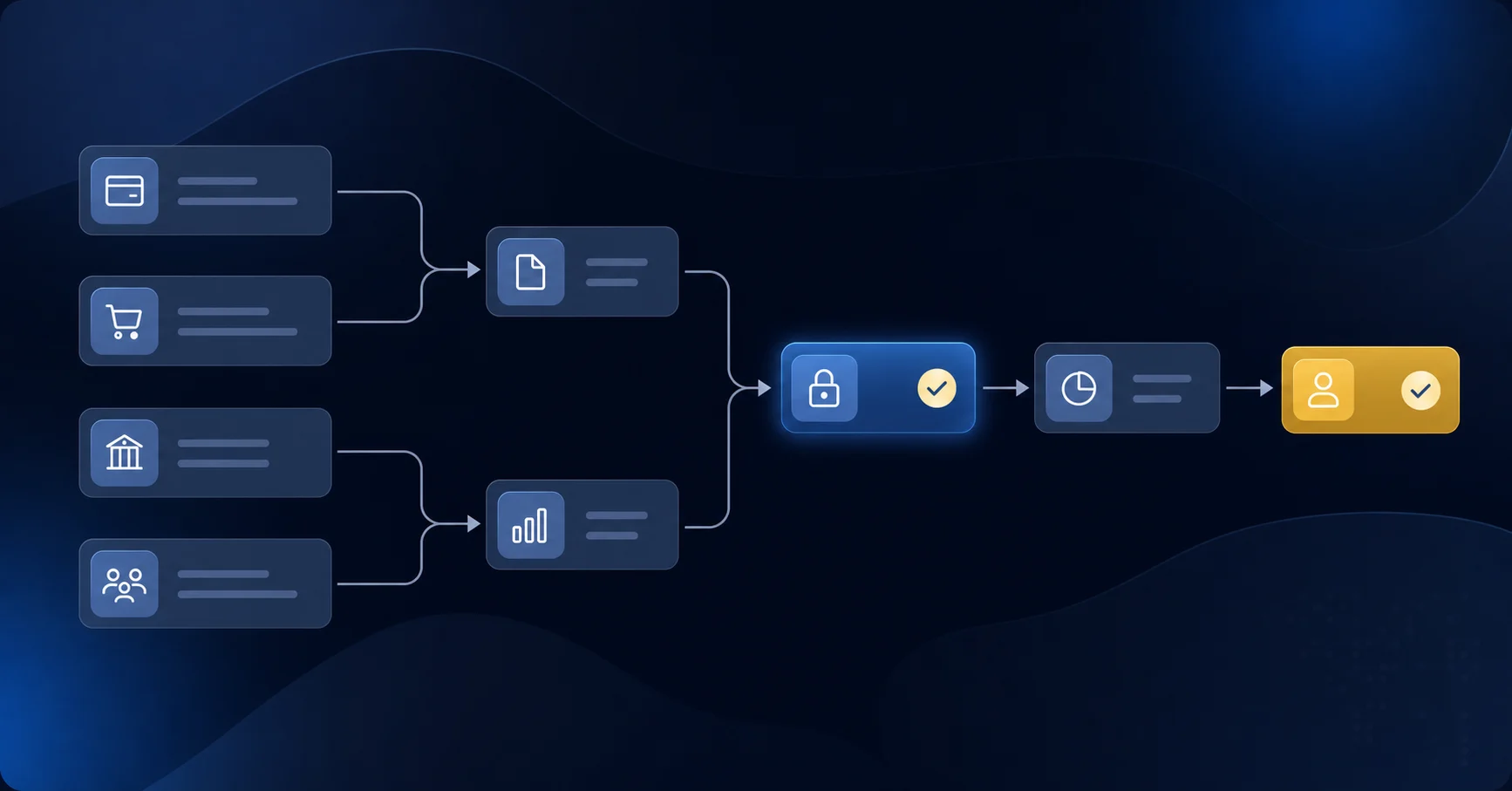
That dependency chain is where most close delays originate. Consider a typical sequence:
- Sub-ledger close must finish before the GL period can lock, which means any open AP batches or unposted cash receipts hold up every reconciliation that depends on final balances.
- Intercompany eliminations cannot run until all contributing entities have posted their transactions, so a single late entity stalls consolidation for the group.
- Flux analysis and variance review cannot begin until trial balance figures are final, which means reviewers sit idle while they wait on upstream tasks.
Building this calendar means mapping each task to three things: an owner by name, a hard deadline, and a list of predecessor tasks that must be complete first. Without that predecessor logic made explicit, teams find dependencies only after they have already caused a delay.
Evidence Tracking and Audit-Ready Documentation
Every task in a close checklist eventually needs to answer the same question from an auditor: how do you know this is right?
Sage Intacct stores your journal entries and reconciliations, but the supporting evidence lives elsewhere. Exported workpapers sit in shared drives. Emails confirm approvals. Screenshots document exceptions. When an auditor asks, you're assembling a package from four different places.

A well-structured checklist ties each task to its evidence directly. The preparer attaches the reconciliation file before marking complete. The reviewer signs off against that same attachment. Nothing gets marked done without documentation in place.
That traceability is what separates a checklist from a to-do list. According to Citrin Cooperman, financial close best practices call for documented evidence at each step to maintain audit readiness.
Progress Monitoring and Real-Time Visibility
A close checklist only works if someone can see where things stand without sending a single status email. Sage Intacct's built-in reporting gives you GL data, but it doesn't show you which tasks are open, who's behind, or what's blocking the next step.
That visibility gap is where close management breaks down. Tasks sit in spreadsheets or shared docs, status updates travel by Slack thread, and the controller ends up manually aggregating progress the day before the deadline.
A well-structured close checklist solves this by surfacing three things at a glance:
- Which tasks are complete, in progress, or overdue, so you can redirect capacity before a delay compounds.
- Where review and approval queues are backed up, so bottlenecks surface in hours instead of days.
- Which evidence items are still missing, so preparers aren't surprised at sign-off.
When those signals are visible in one place, the close stops running on informal check-ins and starts running on data.
Common Close Checklist Mistakes and How to Avoid Them
Four mistakes show up repeatedly when Sage Intacct teams put close checklists together.
- Treating it as static: a checklist from last quarter may not reflect new accounts, entities, or transaction types added since then. Review and update it before each cycle opens, not after something falls through the cracks.
- Skipping period locks: Sage Intacct lets you lock prior periods for a reason. Leaving them open invites late adjustments that break reconciliations your team has already signed off on.
- No mid-close checkpoints: catching a delay at day three leaves time to recover. A check at day seven means compressing the back half of the close with less room to absorb new problems as they surface.
- Inconsistent review standards: if what counts as "complete" shifts by reviewer or changes period to period, sign-offs become unreliable and audit defense becomes harder to build and sustain.
How Truewind Extends Sage Intacct Close Management with Execution-Layer Automation
Sage Intacct gives you the GL, the dimensions, and the reporting layer. What it does not give you is an execution layer that runs the close itself.
Truewind sits on top of Sage Intacct as a digital staff accountant, automating close orchestration and variance analysis through one API-level integration. Where a dedicated close tool handles task tracking and a separate AP tool handles coding, Truewind covers both in the same interface.
A few things that means in practice:
- Close tasks get assigned with owners, due dates, and preparer/reviewer roles attached, so accountability lives in the system rather than in a spreadsheet or inbox thread.
- Reconciliation status and variance analysis surface alongside task completion, so you are not toggling between tools to get a complete picture of where close stands.
- Journal entries post directly to Sage Intacct via API, with dimension-aware coding that respects your class, department, location, and project structure.
Your team owns every review and final posting decision. Truewind handles the execution work in between.
Final Thoughts on Close Management in Sage Intacct
A structured close checklist in Sage Intacct means attaching owners, deadlines, and documentation to every task before the books lock. The control layer breaks when that tracking lives in spreadsheets and your GL lives somewhere else. Truewind runs close execution on top of Sage with full dimension awareness — you own the final call on every entry, and the system handles the rest.
FAQ
How do I create an automated checklist for our monthly close?
Start by mapping your GL structure to recurring tasks: which accounts need monthly reconciliation, which schedules require rollforward updates, and which variance analyses your controller expects. Assign each task to a named owner with a hard deadline and a dependency map that shows what must finish before downstream work can start. Tools that sit on top of Sage Intacct can read your chart of accounts on connection and auto-generate task lists based on account activity and historical patterns.
Can I auto-generate a close checklist from my Sage Intacct chart of accounts?
Yes. Platforms that integrate with Sage Intacct via API can analyze your GL structure and transaction history to build a checklist tailored to your account structure. The system identifies which accounts need monthly reconciliation, which schedules require updating, and which variance analyses matter based on volume and materiality, so you're not building close procedures from scratch each cycle.
How do I handle checklist ownership when staff turns over mid-close?
Update ownership assignments before the next close cycle opens, not after tasks have already been distributed. Each task should map to one named person so when someone leaves, you can immediately reassign their workload to a specific individual. Separating preparer and reviewer roles preserves the control layer even during transitions, since the reviewer can catch gaps the new preparer might miss.
What separates a close checklist from a spreadsheet?
A spreadsheet works as a to-do list until you need accountability infrastructure: task ownership by name, deadline enforcement, dependency tracking, and evidence attached directly to each line item. Sage Intacct gives you the GL and dimensions but no native close orchestration layer. A structured checklist surfaces who owns what, when it's due, and what documentation proves completion without toggling between shared drives, email threads, and status messages.
When should I lock prior periods in Sage Intacct?
Lock prior periods immediately after your close cycle completes and all reconciliations are signed off. Leaving them open invites late adjustments that break reconciliations your team has already approved, forcing rework and weakening audit defense. Period locks are a control, not a convenience.
Turn this into a close-ready workpaper
Start with sample files or upload your own statements to see how Truewind prepares review-ready workpapers and journal entries.