

When you're comparing Sage vs QuickBooks for bank transaction processing, the difference comes down to where each system stops.
Sage Intacct matches imported transactions against GL entries you've already coded and posted. QuickBooks Online suggests categories based on prior merchant activity. Both approaches assume someone on your team is still making coding decisions transaction by transaction, which is why reconciliation takes longer than it should even with the feed running every day.
TLDR:
- Sage Intacct's bank feed handles reconciliation but lacks native transaction coding capabilities
- QBO-style transaction categorization requires AI-powered classification for Sage Intacct users
- Manual transaction coding can add 2+ days to month-end close cycles before analysis begins. Ledge's 2025 Month-End Close Benchmark Survey found that cash reconciliations alone consume 20 to 50 hours monthly for teams operating manually, and 50% of finance teams take 6+ business days to close their books
- Rule-based categorization breaks when vendor names or descriptions change, creating silent errors
- Truewind provides AI transaction coding and bank feed workflows designed for Sage Intacct users
What Sage Intacct Bank Feeds Look Like Today
Sage Intacct does offer a bank feed. Connect to thousands of banks worldwide and you get daily transaction imports, automatic cash positioning, and reconciliation matching against posted GL entries.
The feed earns its keep in reconciliation matching. Sage uses rules to automatically match imported bank transactions to corresponding GL entries. When amounts, dates, and references align, the match clears automatically. That's a real workflow benefit for clean, high-volume transaction environments.
Where it stops short is transaction coding. If a charge hits the feed with no matching GL entry already posted, it sits in a queue. Sage's bank feed was built for reconciliation, not for classifying raw transactions into categories, payees, and dimensions from scratch. That's not a minor gap. For teams doing active coding work, it means Sage's native feed only solves half the problem.
What QuickBooks Online Bank Feeds Deliver (and Why Sage Users Want It)
QBO's bank feed is built around a different question than Sage's. Not "does this match a GL entry?" but "what should this transaction be?"
Every imported transaction lands in a For Review tab. QBO suggests a category, payee, and account based on prior coding patterns. If you've categorized a vendor before, QBO remembers. You can approve the suggestion, move on, or override it in seconds. Do that in bulk across fifty transactions and you've cleared a meaningful coding queue in minutes.
The experience compounds over time. Suggestions sharpen as the system learns from your approvals. Rules you set apply automatically to future matching transactions. The result is a rhythm that many teams build their daily workflow around: transactions come in, get coded, and stay current. Month-end no longer means catching up on weeks of unclassified charges.
That's the gap Sage users describe when they switch ERPs or sit in a product demo. They want a front-end coding queue beyond a reconciliation layer. Sage's feed handles the latter well. The former is where it stops.
| Feature | Sage Intacct Bank Feed | QuickBooks Online Bank Feed | AI-Powered Transaction Processing (Truewind) | ||
|---|---|---|---|---|---|
| Transaction Import | Daily imports from 10,000+ financial institutions via Sage Cloud Services subscription | Daily imports from major banks with direct connection or Plaid integration | Ingests raw bank data from connected accounts and feeds into GL layer | ||
| Reconciliation Matching | Rule-based automatic matching of imported transactions to posted GL entries by amount, date, and reference | Matches imported transactions to existing entries when amounts and dates align | Matches at GL layer across multi-entity structures without manual configuration | ||
| Transaction Coding | No native coding for uncategorized transactions; requires manual account, dimension, and class assignment before posting | Suggests category, payee, and account based on prior merchant coding patterns with For Review queue | Applies account, payee, and dimension assignments automatically using historical GL patterns and entity-specific rules | ||
| Learning Capability | Static rules only; no adaptive learning from coding decisions over time | Remembers prior categorizations for known vendors and improves suggestions as you approve transactions | AI models learn from transaction patterns and adapt to new vendors without rule maintenance | ||
| Multi-Entity Support | Requires separate dimension tagging per entity before reconciliation can complete | Limited multi-entity handling; primarily designed for single-entity workflows | Handles entity-specific coding rules automatically across subsidiaries and intercompany transactions | ||
| Rule Maintenance | Manual rule configuration required for each matching scenario; breaks when vendor descriptors change | Bank rules trigger on payee name, description keywords, or amounts; require updates when patterns change | No rule maintenance needed; AI adapts to descriptor changes and new transaction types automatically | ||
| Anomaly Detection | No proactive flagging of unusual transactions or coding patterns | No built-in anomaly detection; relies on user review of all unresolved items | Flags pattern anomalies before they reach close checklist for proactive review |
Bank Reconciliation Takes Too Long Without Transaction Coding Automation
Bank reconciliation slows down when every imported transaction still needs a human to assign accounts, dimensions, or classes before it can be matched. Both Sage Intacct and QBO pull in bank data, but neither product natively codes transactions automatically at scale.
The result is a queue. Your team works through unresolved items one by one, applying judgment that should have been applied by a rule or a model long before the transaction hit the register.
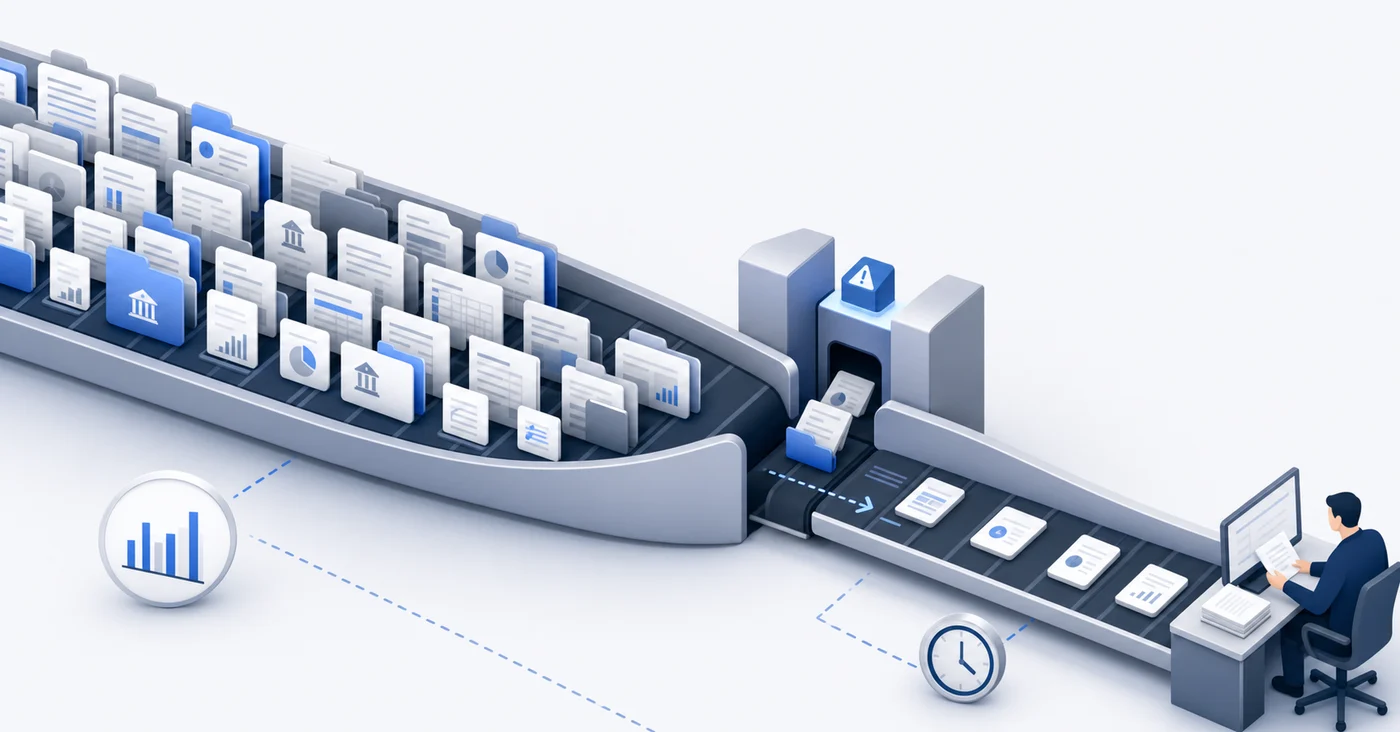
Where the bottleneck actually sits
The gap is not in connectivity. Both tools connect to major financial institutions. The gap is in what happens after the feed lands:
- Sage Intacct requires manual dimension tagging before a transaction can close out against the GL, which slows multi-entity reconciliation considerably.
- QBO auto-categorizes based on merchant history, but that logic breaks down with new vendors, reclassifications, or intercompany activity.
- Neither system learns from your chart of accounts structure or your team's prior coding decisions in a way that generalizes across transaction types.
Teams running a five-day close frequently report that transaction review alone consumes a large portion of that window before any analytical work begins. Structured reconciliation workflows reduce that timeline, but only when transaction coding happens upstream.
The Transaction Categorization Bottleneck: Rules vs. AI
Both Sage Intacct and QBO offer rule-based transaction categorization, but the mechanics differ in ways that matter at scale. QBO lets you create bank rules triggered by payee name, description keywords, or amount ranges. Sage Intacct follows a similar logic but ties categorization to its multi-entity, multi-dimensional chart of accounts, making rules more complex to configure and maintain.
The core limitation in both systems is the same: rules are static. When a vendor changes their billing descriptor, or a new expense type appears, the rules break silently. Transactions land in a catch-all category or queue for manual review, and someone on your team has to clean it up before close.
This is where AI-assisted categorization changes the equation. Instead of matching on fixed strings, AI models learn from historical transaction patterns and apply probabilistic classification to new entries.
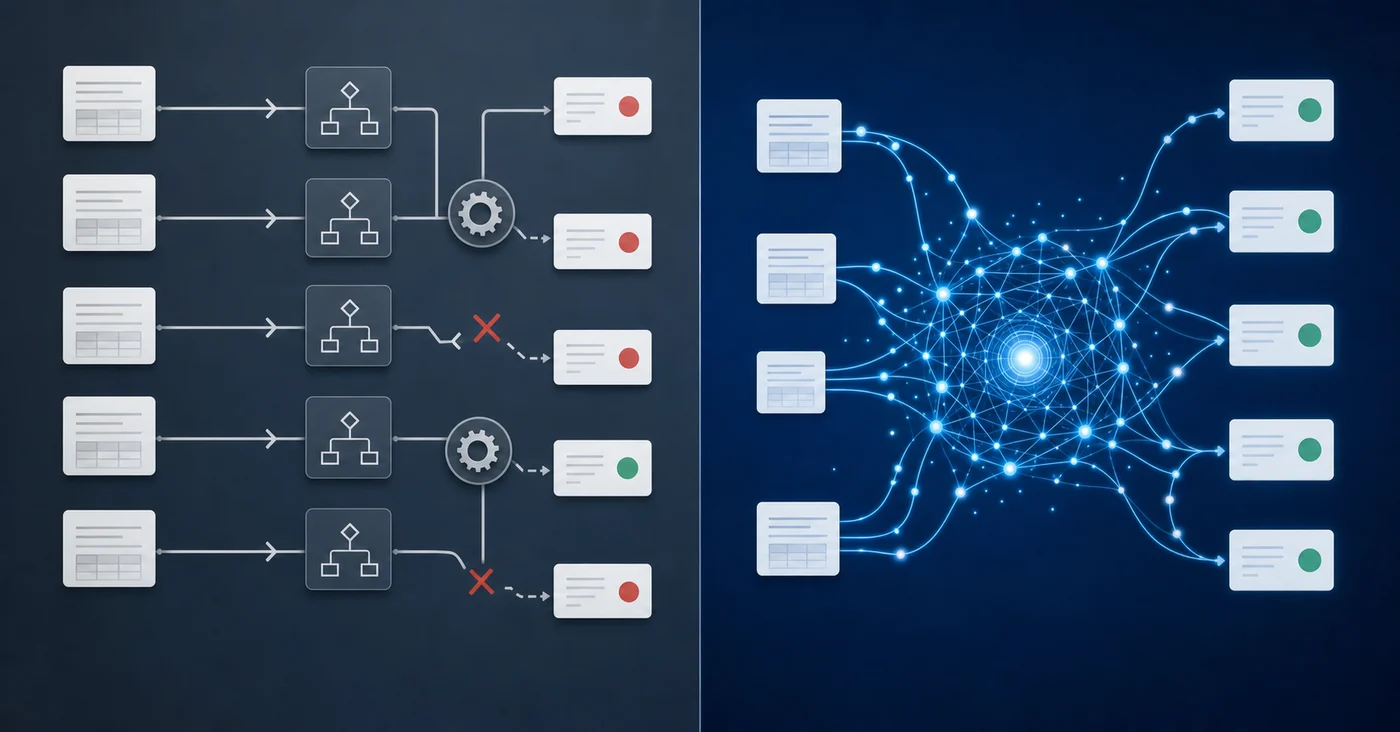
The core limitation in both systems is the same: rules are static. When a vendor changes their billing descriptor, or a new expense type appears, the rules break silently. Transactions land in a catch-all category or queue for manual review, and someone on your team has to clean it up before close.
This is where AI-assisted categorization changes the equation. Instead of matching on fixed strings, AI models learn from historical transaction patterns and apply probabilistic classification to new entries.
Why Rule-Based Systems Fail Finance Teams
- Rules require constant maintenance as vendor names, transaction descriptions, and account structures evolve over time.
- Neither system flags ambiguous transactions proactively, so miscategorizations often surface during close review instead of at the point of entry.
- Multi-entity Sage Intacct environments multiply the problem, since each entity may need its own rule set to handle dimension-level coding correctly.
What Happens When Your GL Has the Feed But Not the Workflow
Having a feed in place does not solve the review problem. Transactions still require someone to assign the right account, payee, and dimension, and without a structured queue or clear ownership, that work fragments across whoever picks it up first.
Teams frequently end up coding transactions directly inside Sage, skipping the feed entirely. When a vendor is unfamiliar or context is thin, the feed does not provide enough information to code with confidence, so posting manually feels faster.
Why This Compounds at Month-End
The damage shows up during close. Duplicate entries require manual research to untangle, and miscoded transactions push reconciliation past the deadline. Teams that rely on the feed without a defined review workflow often find themselves doing more cleanup work than if they had skipped the feed entirely.
The question worth asking: does your current bank feed process reduce decision-making burden on your team, or does it just move where the decisions happen?
How AI-Powered Transaction Processing Closes the Gap for Sage Intacct
When Sage Intacct's native bank feed falls short, AI-powered transaction processing fills the gaps that manual workflows leave open.
Tools built expressly for accounting teams can ingest raw bank data and apply transaction classification logic at the GL layer, removing the need for manual matching across multiple entities or currency types.
What This Looks Like in Practice
For teams running multi-entity consolidations or inter-company transactions, AI processing can:
- Apply entity-specific coding rules automatically, so transactions post to the correct subsidiary without manual intervention
- Flag anomalies in transaction patterns before they reach your close checklist
- Handle foreign currency transactions with consistent classification logic across entities
- Reduce the volume of uncategorized items that accumulate during high-volume periods
The practical outcome is fewer exceptions to clear at month-end and more consistent GL data entering Sage Intacct's reporting layer. Your close quality improves because the transaction data feeding your reports has been reviewed and classified before it ever reaches the reconciliation stage.
Final Thoughts on Bank Feed Workflows in Sage and QuickBooks
The Sage Intacct QBO comparison comes down to what happens after the feed imports your data. QBO gives you coding suggestions, Sage gives you reconciliation matching, but your team still owns the decisions that should be automated. Month-end slows because transactions sit in review queues waiting for someone to classify them. If you want to see transaction processing that learns from your GL structure, see a demo of what changes when AI handles the coding layer.
FAQ
Sage Intacct vs QBO bank feed: which handles transaction coding better?
QBO's bank feed is built for transaction coding with automatic categorization suggestions based on prior patterns, while Sage Intacct's feed focuses on reconciliation matching against entries already in the GL. If you need to code raw transactions with payee and dimension assignments, QBO's native experience is stronger, but AI-powered tools can bring that same workflow to Sage Intacct users.
Can I automate transaction categorization in Sage Intacct without coding everything manually?
Yes. AI-powered transaction processing tools learn from your historical GL patterns and apply classification logic to new bank transactions automatically, assigning accounts, payees, and dimensions without requiring manual rule configuration for each vendor or transaction type.
What's the main gap in Sage Intacct's bank feed compared to QuickBooks Online?
Sage Intacct's bank feed matches imported transactions against posted GL entries but doesn't classify raw transactions from scratch.
How long does bank reconciliation actually take when transactions aren't auto-coded?
Teams running a five-day close often spend two or more days on transaction review alone when manual dimension tagging and categorization are required before reconciliation can happen. That timeline extends further in multi-entity environments where each transaction needs entity-specific coding.
When should I use AI categorization instead of bank rules in my GL?
When vendor names change frequently, when you manage multi-entity structures requiring dimension-level coding, or when your team spends more time maintaining rules than reviewing exceptions. AI models learn from transaction patterns and adapt to new vendors without breaking like static rules do.
Turn this into a close-ready workpaper
Start with sample files or upload your own statements to see how Truewind prepares review-ready workpapers and journal entries.