
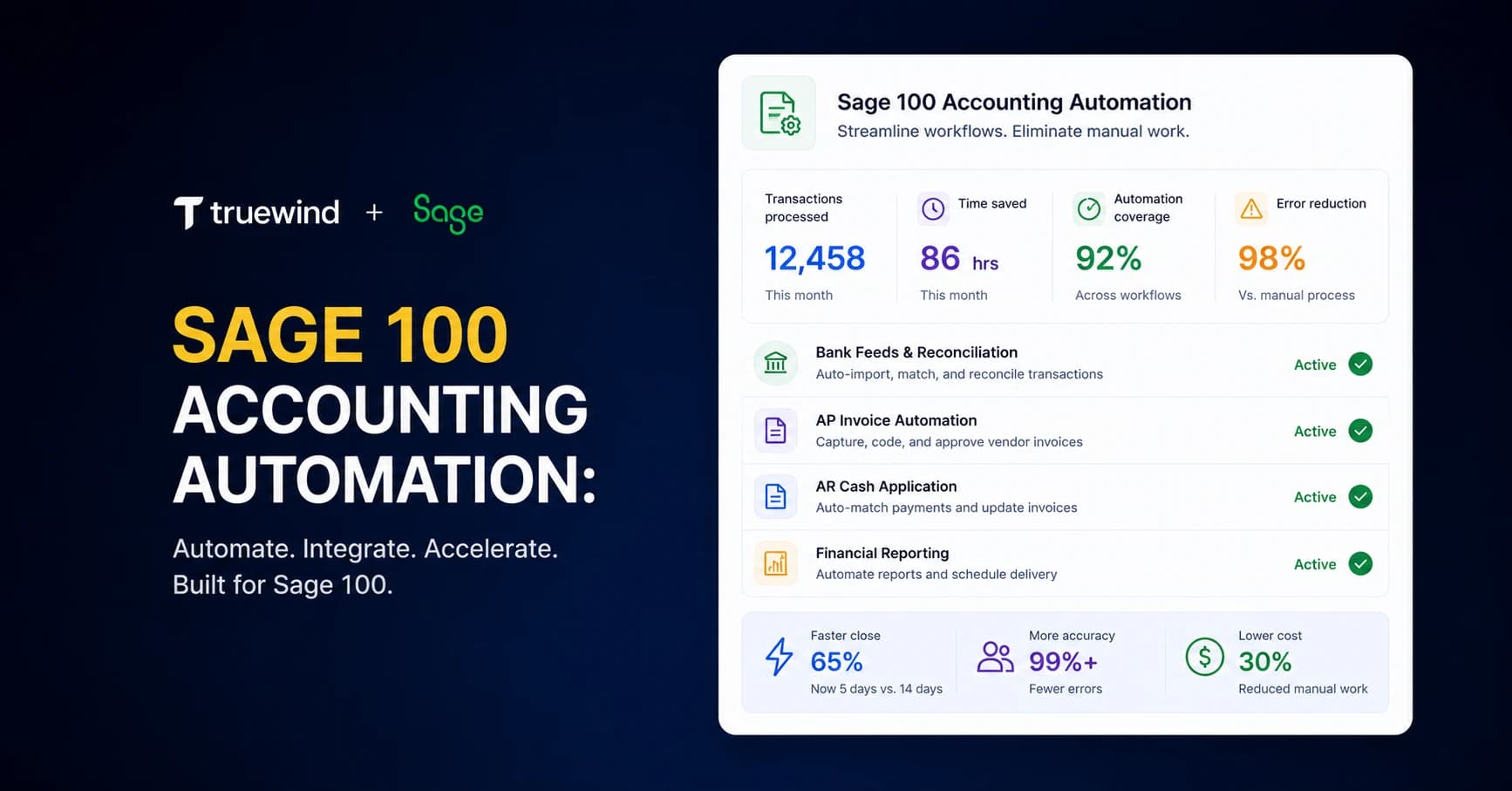
Most Sage 100 users spend the first half of their close just getting data into shape. Accounting automation for Sage 100 removes that prep work by handling transaction coding, reconciliation, and schedule generation before anything reaches your GL. Sage stores your entries well, but it doesn't automate bank feeds, classify transactions against your dimensional structure, or flag exceptions during reconciliation. This guide walks through what automation actually does in a Sage environment, how to layer it without breaking your GL integrity, and where teams see the biggest time savings.
TLDR:
- Sage 100 lacks native bank feeds and flexible categorization, forcing manual transaction coding
- AI automation cuts close cycles 30-50% by handling fuzzy transaction matching and auto-reconciliation
- API-level integration syncs classified entries directly to Sage 100 while preventing duplicate posts
- Teams processing 30+ invoices hourly vs. 5 manual reduce per-invoice costs from $15 to under $5
- Truewind delivers AI-powered transaction coding, reconciliation, and close management for Sage 100 users
What Is Sage 100 Accounting Automation
Sage 100 is a capable mid-market accounting system. What it doesn't do is execute the work sitting between raw financial data and a clean general ledger. That gap, transaction coding, reconciliation, schedule preparation, close management, still falls entirely on your team.
Accounting automation fills that execution layer. It handles the repetitive processing work that Sage 100 stores the results of but doesn't actually perform.
Software reads incoming bank transactions, classifies them against your chart of accounts, flags exceptions for review, and posts approved entries directly to Sage 100. The same logic applies to reconciliation workflows, prepaid schedules, and close checklists.
What makes this distinct from older rule-based tools is the underlying tech. AI-powered automation uses LLM-based matching to handle description variations that rigid rules miss. Sage 100's native rule engine is functional but brittle: one small description change and a rule fails. AI classification handles that fuzziness natively.
Sage 100 stays your system of record. Automation handles the prep work upstream of it.
Why Sage 100 Users Need Accounting Automation
Sage 100 was built to be a solid mid-market ERP. It stores data well, runs multi-entity structures, and handles complex GL configurations. What it wasn't built to do is automate the execution work that happens before entries reach the ledger.
Three gaps surface repeatedly among Sage 100 users:
- No native bank feed for transaction coding. Unlike QuickBooks Online, Sage 100 doesn't pull in bank and credit card transactions for AI-assisted categorization. Transactions have to be manually uploaded or coded through workarounds.
- A rules engine that breaks under pressure. Sage's built-in categorization rules are rigid. A vendor name that appears slightly differently across transactions, and the rule fails silently. Teams either build dozens of redundant rules or fall back on manual coding.
- Reconciliation done entirely by hand. Account reconciliation, prepaid schedules, deferred revenue rollforwards, none of it happens automatically. Each cycle, someone rebuilds the same spreadsheets.
For small accounting teams, these gaps compound fast. A sole accountant managing multiple entities, several bank accounts, and a stack of credit cards can spend most of the month just getting data into shape. The result: a close cycle of 15 to 18 business days, errors that surface at audit, and senior accountants on data-entry work.
Core Capabilities of Sage 100 Accounting Automation
Four capability areas cover the bulk of what automation adds to a Sage 100 environment.
AP Invoice Processing
Automation ingests vendor invoices, extracts line-item data, and routes for approval before posting to Sage 100. No manual keying. Exceptions go to a reviewer queue instead of sitting in someone's inbox.
Transaction Coding and Categorization
This is where most teams feel the pain first. AI pulls in bank and credit card transactions, classifies each one against your GL codes and dimensions, and queues approved entries for direct sync to Sage. Classification accounts for payee, category, department, class, and any custom dimensions your Sage instance uses.
Reconciliation Workflows
- Bank and operating account reconciliation against posted GL entries
- Prepaid and fixed asset schedule preparation, including amortization rollforwards
- Deferred revenue reconciliation for SaaS or subscription businesses
- Brokerage account reconciliation for entities with investment activity
Each workflow routes exceptions to a reviewer. Clean matches post automatically.
| Capability | Sage 100 Native | Sage 100 with Automation | QuickBooks Online Native |
|---|---|---|---|
| Bank feed transaction import | No native bank feed. Transactions require manual upload via CSV or direct entry into GL modules. | Automatic transaction import via Plaid and Finicity covering 98-99% of financial institutions with real-time sync. | Native bank feed with automatic import, but limited to basic account structures. |
| Transaction classification | Rigid rule-based engine that breaks on vendor name variations. Requires manual creation and maintenance of multiple redundant rules. | AI-powered fuzzy matching handles vendor description variations without rule breakage. Includes confidence scores and explanations for each classification. | Rule-based suggestions with limited machine learning. Handles simple categorization but struggles with dimensional complexity. |
| Multi-dimensional coding | Supports account, class, department, location, and custom dimensions but requires manual assignment for each transaction. | Carries all configured dimensions across every sync automatically. Preserves full GL structure integrity including custom fields. | Limited to basic classes and locations. Cannot replicate complex mid-market dimensional structures without flattening. |
| Reconciliation workflows | Entirely manual process. Each account matched from scratch every cycle using external spreadsheets or basic matching tools. | Automated matching against posted GL entries. Only exceptions surface for review. Supports bank, intercompany, subledger-to-GL, prepaid, and deferred revenue reconciliation. | Basic bank reconciliation with suggested matches. No automated prepaid schedules or complex subledger reconciliation. |
| AP invoice processing throughput | Approximately 5 invoices per hour at roughly $15 per invoice cost with full manual data entry and routing. | Approximately 30 invoices per hour at under $5 per invoice with OCR extraction, automated routing, and three-way PO matching. | Moderate throughput with basic OCR. Limited approval routing and no complex PO matching for multi-entity structures. |
| Month-end close management | No structured close workflow. Teams manage via email, spreadsheets, and manual checklist tracking without centralized evidence linking. | Consolidated checklist with task ownership, deadline tracking, evidence linking, and full audit trail logging for every approval decision. | Basic close tracking available but lacks enterprise-grade evidence management and multi-entity close coordination. |
Month-End Close Management
A consolidated checklist assigns ownership, tracks deadlines, and links evidence to each close task. Every approval is logged. The close state is visible across the whole team at any point in the cycle.
What ties all of this together is dimensional fidelity. Sage 100's strength is its GL structure. Automation that respects that structure, pulling across every configured dimension without flattening entries into generic categories, keeps your chart of accounts intact and your reporting clean.
Accounts Payable Automation for Sage 100
Sage 100's AP module handles the ledger side of accounts payable well. What it doesn't handle is the upstream work: pulling data off invoices, routing approvals, and matching transactions before anything hits the GL.
AP automation closes that gap with a few specific capabilities:
- OCR-based invoice capture reads vendor invoices and extracts line-item data without manual keying
- Automated approval routing sends invoices to the right reviewer based on vendor, amount, or department rules
- Three-way PO matching compares invoice amounts against purchase orders and receipts before approval
- Payment integration syncs approved invoices into Sage 100 and triggers payment workflows downstream
For teams managing high vendor volumes across multiple entities, that gap adds up fast. AP becomes a queue to review, not a pile to process.
Transaction Coding and Bank Feed Automation
Sage 100 has no native bank feed. Transactions don't flow in automatically for review and coding the way they do in QuickBooks Online. Most teams either manually upload files or code transactions directly in Sage, which is slow and prone to error.
Third-party automation layers fill this gap by connecting bank accounts and credit cards via Plaid and Finicity, covering roughly 98-99% of financial institutions. Transactions pull in automatically, get classified by AI against your GL codes and dimensions, and queue for one-click sync back to Sage 100.
Classification accuracy comes from LLM-based fuzzy matching. A vendor appearing as "UNITED AIR" one month and "UNITED AIRLINES 1234" the next won't break the rule. Each classification includes a confidence score and explanation so reviewers know why a category was assigned.
Dimensional accuracy matters here. The sync carries across account, class, department, location, payee, and any custom dimensions your Sage instance uses. Your GL structure stays intact.
Reconciliation Automation for Sage 100
Reconciliation in Sage 100 is manual by default. Automated reconciliation flips that model: matching runs automatically against posted GL entries, and only exceptions surface for review.
- Bank and credit card accounts match against Sage GL postings automatically, removing the need to manually trace each transaction.
- Intercompany transactions match across entities without manual cross-referencing.
- Subledger-to-GL reconciliation catches posting gaps before close.
- Prepaid and deferred revenue schedules generate rollforwards without spreadsheet rebuilds. Sage partners can help implement these workflows.
What changes is where your team spends time. Reviewers work through a short exception queue instead of rebuilding matches from scratch each cycle.
Month-End Close Automation Strategies
The month-end close in Sage 100 is only as fast as the slowest manual step. Reconciliations wait on data. Approvals wait on emails. Journal entries wait on whoever built last month's spreadsheet. Automation removes those waiting points by running repeatable work in parallel and routing only exceptions to reviewers.
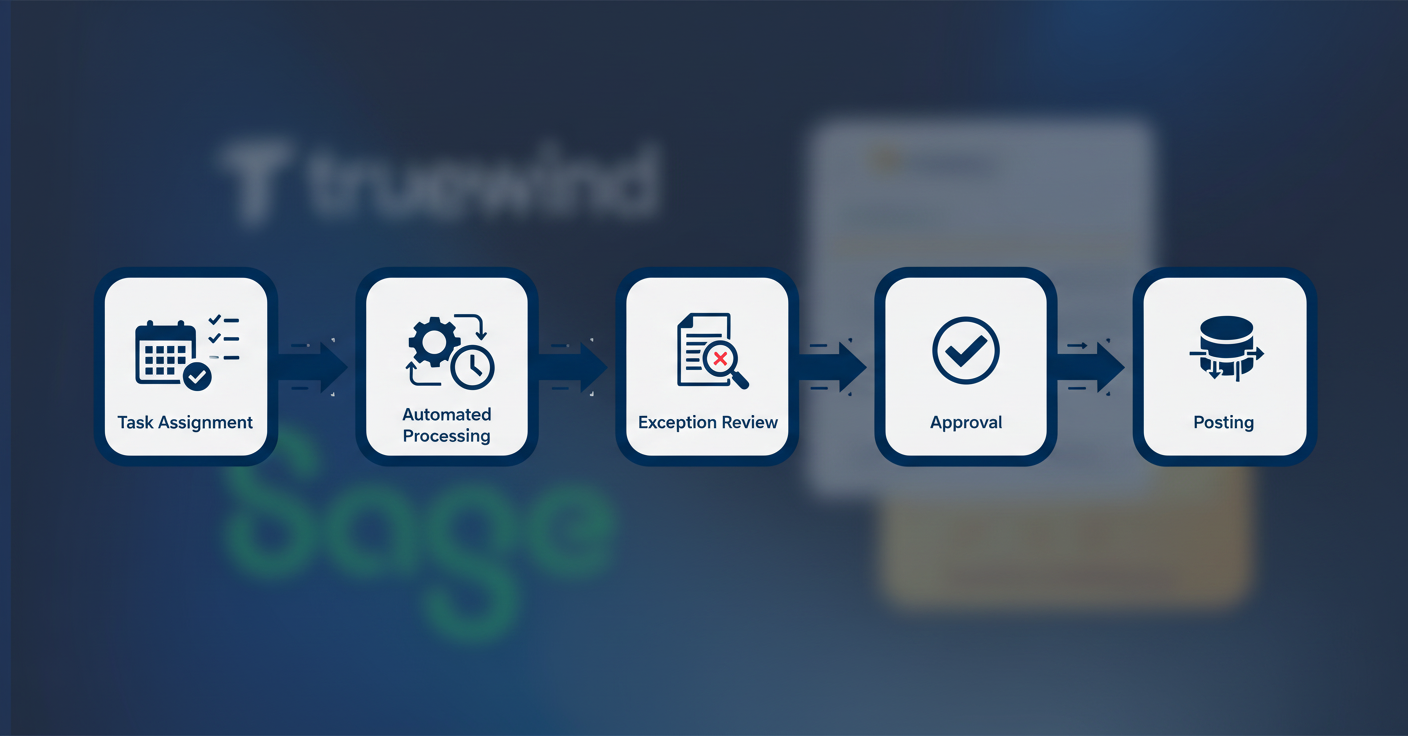
A structured close workflow typically covers four areas:
- Task ownership and deadlines assigned once, then repeated every cycle from a reusable template
- Automated journal entries generated from upstream workpapers, prepaids, and accrual schedules
- Evidence linked directly to each close task so reviewers can approve with context instead of blind trust
- Variance analysis that flags unusual GL movement before close, not after an auditor does
That last point carries real cost implications. Catching a miscategorized entry during close takes minutes. Catching it during audit takes days.
Teams running this structure cut close cycles by 30 to 50 percent. A 17-day close becomes 10. Every approval is logged, every posting decision has a trail, and the close is audit-ready by default.
Integration Architecture: Connecting Automation to Sage 100
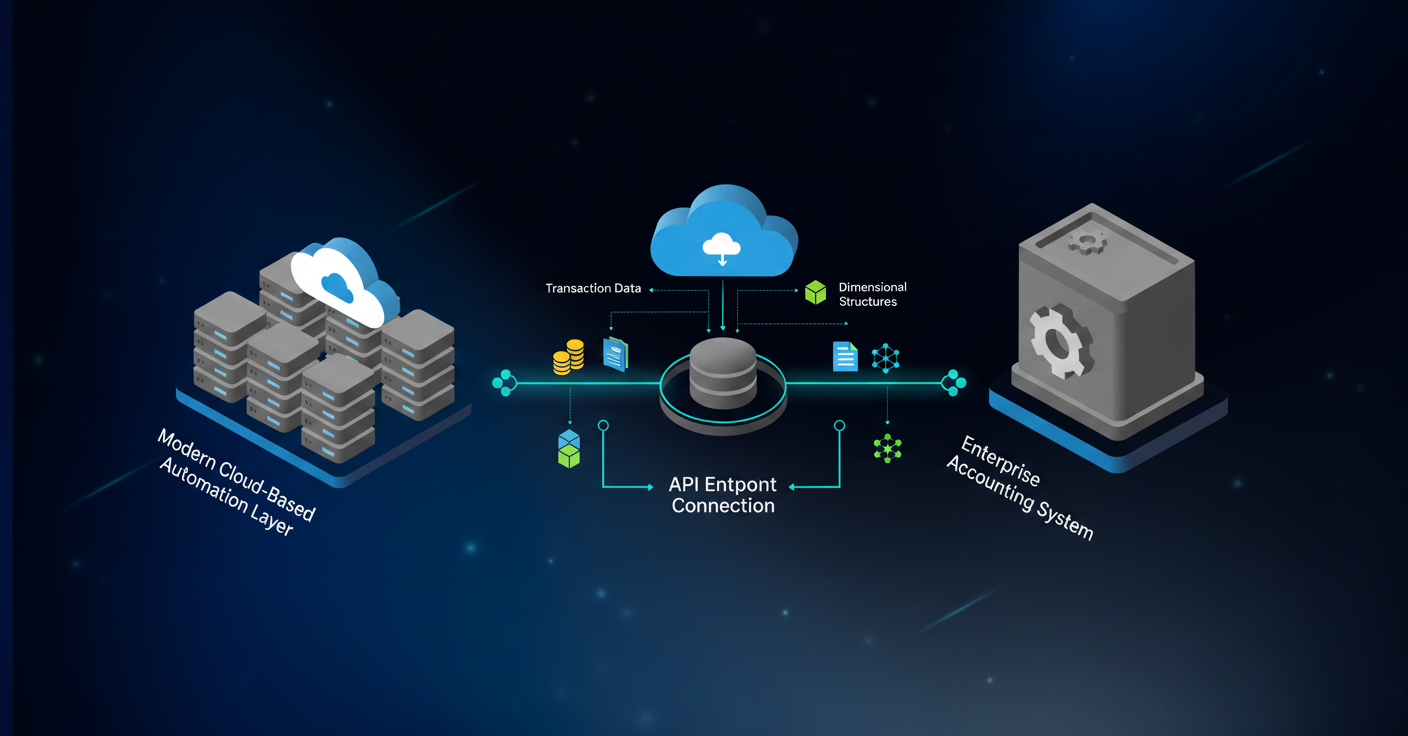
Layering automation on top of Sage 100 raises a real question: what happens to data integrity when two systems write to the same ledger? API-level read/write connections are the only architecture worth using. From financial files to general ledger, data must flow reliably. CSV exports or Excel uploads marketed as "integration" introduce lag, manual handling, and reconciliation gaps between the two systems.
A well-built integration works like this:
- The automation layer reads your full chart of accounts, configured dimensions, and historical transactions from Sage 100 on connection.
- Classified and approved entries write back to Sage via API, appearing as posted entries inside Sage's interface.
- Sage 100 stays the system of record throughout; the automation layer never modifies Sage's structure.
Duplicate prevention matters here. When some transactions get coded directly in Sage while others flow through the automation layer, you need a system that detects what is already posted and excludes those entries from re-posting. Matching on transaction IDs catches duplicates even when two team members are working in different interfaces simultaneously.
Dimensional fidelity is the other integrity check. Your Sage 100 instance has a specific GL structure: accounts, classes, departments, locations, custom dimensions. Any sync that flattens those dimensions to post generic entries corrupts your reporting. The right architecture carries every dimension across, so what lands in Sage matches what your chart of accounts expects.
Measuring ROI from Sage 100 Accounting Automation
ROI from accounting automation isn't hard to measure. The inputs are already sitting in your close calendar, your AP logs, and your headcount costs.
Three metrics give you the clearest picture:
- Close cycle compression: Teams running structured automation typically cut close time by 30 to 50 percent. If your current close runs 17 days, that's a realistic path to 10.
- Transaction processing throughput: Manual coding handles roughly 5 invoices per hour. Automated workflows reach around 30. Multiply that gap by your monthly volume and you have a direct labor-hour figure.
- Workload reduction: Across coding, reconciliation, and schedule prep, automation can absorb up to 80% of the repetitive processing work your team currently owns.
The harder-to-quantify number is error cost. A miscategorized entry caught during close takes minutes; the same error at audit costs days of senior accountant time. For finance leaders building a business case: take current manual processing hours, multiply by fully-loaded labor cost, and apply a conservative 60 to 70 percent reduction. That's your floor, with close cycle compression adding on top.
Implementation Best Practices for Sage 100 Environments
Start with what hurts most. Sage 100 implementations that try to automate everything at once tend to stall. The teams that get value fastest pick one high-friction workflow, automate it cleanly, and expand from there.
A practical sequence:
- Start with bank and credit card transaction coding. It delivers visible time savings in week one and does not require process redesign.
- Add reconciliation workflows next, once your GL dimensions are confirmed clean in the automation layer.
- Layer in close management and prepaid schedules after your team has confidence in the sync behavior.
Before automating anything, standardize it. Inconsistent coding rules replicate at scale. Clean up your chart of accounts, confirm your dimension structure, and agree on categorization logic before the first sync runs.
Run parallel workflows for at least one close cycle. Verify outputs match before cutting over fully. It is far cheaper than finding a sync mismatch three cycles in.
Preserve your existing controls throughout. Automation should speed up the execution layer, not bypass the review layer. Every posting decision should still carry an approval, an owner, and a log. The goal is a faster close with the same accountability, not a faster close that your auditors cannot follow.
How AI Changes Sage 100 Accounting Workflows
Rigid rules react to exact matches. AI handles the messy reality of how financial data actually arrives.
For Sage 100 users, that distinction shows up in three places: fuzzy transaction matching that classifies vendor variations without breaking, variance detection that flags unusual GL movement before close instead of after, and accrual schedule generation that converts source documents into journal entries without manual reconstruction.
The ROI gap between rule-based and AI-driven automation is measurable. General AI projects returned 67 percent ROI last year; autonomous agents averaged 80 percent by handling complex, multi-step workflows without human handoffs.
AI removes the prep work that happens before reviewer judgment is needed, without replacing that judgment itself.
Automating Sage 100 Accounting with Truewind
Truewind connects to Sage 100 via API-level read/write integration, sitting alongside your GL without embedding inside it. Sage stays your system of record. Bank and credit card accounts connect via Plaid and Finicity, transactions get classified by AI against your full dimensional structure, and approved entries sync directly into Sage. No manual uploads, no rigid rules that break on description variations.
A few things set the integration apart:
- Continuous GL monitoring flags transactions already posted in Sage as excluded, preventing duplicate entries even when team members code directly in Sage simultaneously
- Every dimension in your Sage instance, account, class, department, location, payee, and custom fields, carries across on every sync
- Historical GL data seeds the classification model on connection, so accuracy starts high and improves with each review cycle
- Close checklists assign ownership and link evidence to every task, giving you a full audit trail without rebuilding it manually
SOC 2 certified infrastructure and decision-level logging mean every posting decision is traceable. Reviewers stay in control. The close gets faster without losing the accountability your auditors expect.
Final Thoughts on Automating Your Sage 100 Workflows
Automation for Sage 100 removes the manual processing layer between bank transactions and posted entries without replacing your system of record. Your GL structure stays intact, your dimensions carry across every sync, and your team stops spending close week rebuilding schedules. The close compresses by 30 to 50 percent while your audit trail actually gets cleaner. If you want to walk through how this handles your specific workflows, see a demo and we'll show you the integration with your actual Sage configuration.
FAQ
Can I automate Sage 100 without replacing my existing GL structure?
Yes. Automation layers sit on top of Sage 100 via API, reading and writing data while Sage remains your system of record. Your chart of accounts, dimensions, and existing workflows stay intact. The automation handles transaction coding, reconciliation, and close management upstream of the GL without modifying Sage's core structure.
Sage 100 automation vs QuickBooks automation: what's different?
Sage 100 lacks a native bank feed for transaction coding, so automation has to build that capability from scratch. QuickBooks Online already has bank connectivity built in, so automation layers focus more on categorization accuracy and reconciliation depth. For Sage 100 users, the automation fills a larger functional gap, particularly around dimensional fidelity and multi-entity processing that Sage handles well but doesn't automate.
How long does it take to see time savings after implementing automation?
Most teams see measurable time savings in week one from transaction coding alone, typically processing 30 transactions per hour versus 5 manually. Full close cycle compression, usually 30 to 50 percent reduction, becomes visible after the first parallel close cycle when you've verified outputs and cut over completely. For a 17-day close, expect to reach 10 to 12 days within two months.
What is AP invoice automation for Sage 100?
AP invoice automation extracts line-item data from vendor invoices using OCR, routes approvals based on vendor or amount rules, matches invoices against purchase orders, and syncs approved entries directly into Sage 100. Manual AP processing handles about 5 invoices per hour at roughly $15 per invoice. Automated workflows process around 30 invoices per hour at under $5 per invoice.
Should I automate all Sage 100 workflows at once or start with one?
Start with one high-friction workflow, typically bank and credit card transaction coding. It delivers immediate time savings without requiring process redesign. Add reconciliation workflows next, then layer in close management and prepaid schedules once your team has confidence in the sync behavior. Teams that try to automate everything simultaneously tend to stall during implementation.
Turn this into a close-ready workpaper
Start with sample files or upload your own statements to see how Truewind prepares review-ready workpapers and journal entries.