

Sage Intacct holds your chart of accounts and your entity structure. It does not build your close process for you. Without a repeatable close process on top of it, your team runs a different workflow every month. Reconciliations happen out of order, sign-off standards vary, and deadlines slip because no one has a clear view of what is finished and what is still open. A standardized framework solves that by defining the same sequence, owners, and acceptance criteria every period.
TLDR:
- Sage Intacct stores the GL but leaves close process design to you; without named owners, deadlines, and task sequencing, each month drifts.
- A repeatable framework needs four elements: task inventory, sequenced timeline, completion criteria, and status tracking visible to the full team.
- Cycle time drops when you front-load blocking work and set internal deadlines 1-2 days before actual close, catching variances early.
- Bottlenecks cluster around late AP cutoffs, subledger sync delays, dimension mismatches, and missing documentation that holds sign-off in limbo.
- Truewind automates transaction coding, close orchestration, reconciliation, and flux analysis on top of Sage Intacct through API-level integration.
Why a Standardized Month-End Close Process Matters on Sage Intacct
Best practices for month-end close require detailed task ownership and dependency tracking. Without both, each month looks slightly different: reconciliations out of order, reviewers signing off without a consistent checklist, and deadlines slipping without a shared view of status.
A repeatable close process fixes that by defining the same sequence of tasks, owners, and acceptance criteria every period.
Core Components of a Repeatable Close Framework
Repeatable close processes share a few structural elements that, once in place, make each month feel more like running a checklist than solving a new puzzle.
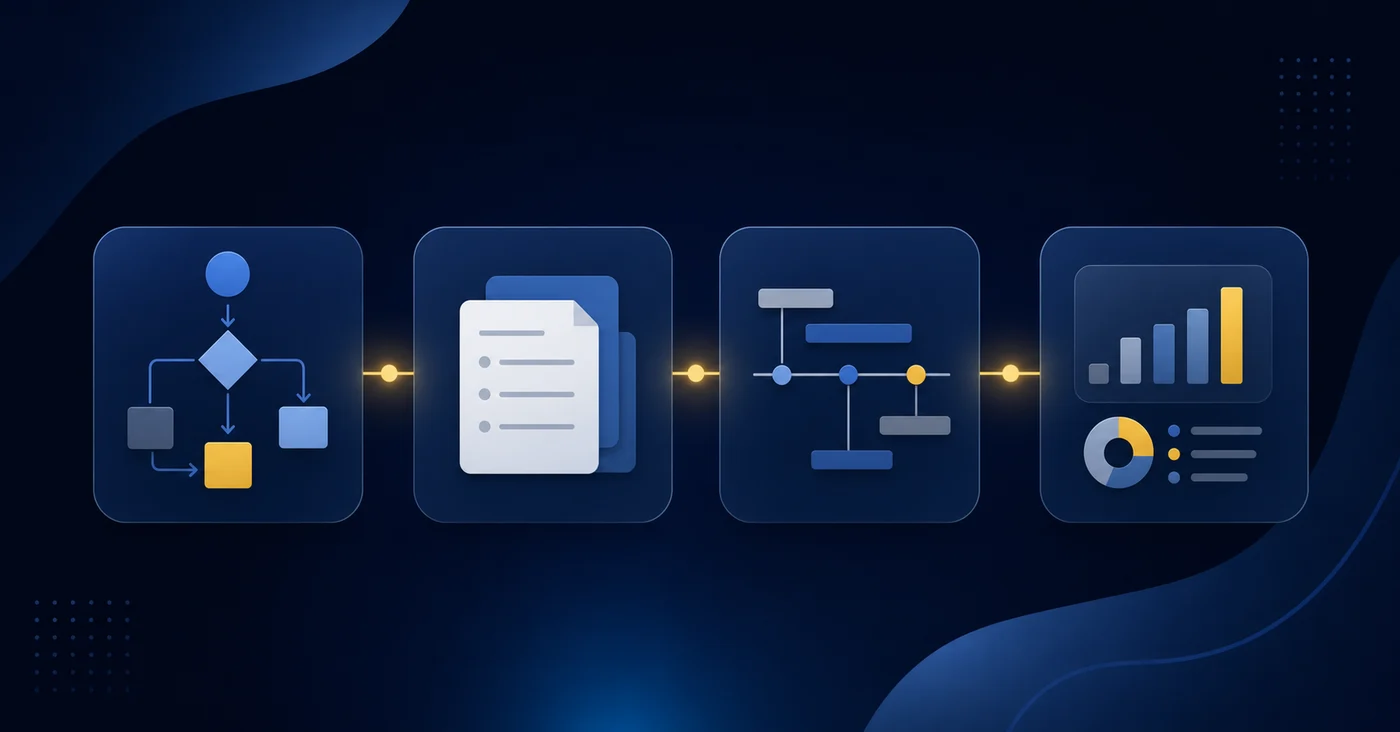
The four building blocks
Before walking through how to set these up in Sage Intacct, it helps to name what you're actually building:
- A task inventory that lists every close activity, who owns it, and what "done" looks like for that task. Without this, the close lives in someone's head.
- A sequenced timeline that maps tasks to specific days relative to period-end, so dependencies are visible and nothing blocks the reconciliation queue unexpectedly.
- Documented completion criteria for each task, so reviewers aren't making judgment calls on whether something is ready to sign off.
- A status tracking layer that shows real-time progress without requiring a team standup or a Slack thread to find out where things stand.
Building Your Month-End Close Checklist in Sage Intacct
Sage Intacct gives you the structural building blocks for a close checklist, but the template you build matters as much as the tool itself. A checklist that mirrors how your team actually works will catch exceptions before they compound; one that's too generic will get ignored by the third month.
Start by grouping tasks into phases rather than a flat list:
- Pre-close tasks (days -3 to 0) cover transaction cutoffs, sub-ledger syncs, and any recurring journal entries that need to post before the period locks. Getting these done before day one prevents the pile-up that slows the back half of close.
- Core close tasks (days 1 to 5) cover account reconciliations, prepaid and accrual schedules, intercompany eliminations, and flux review. Sequence these by dependency so no one is waiting on an upstream step.
- Review and sign-off tasks (days 6 to 8) cover controller review, flux variance sign-off, and final trial balance tie-out before the period closes.
Within Sage Intacct, assign each checklist item to a named owner and attach a due date. Ownership without a deadline is just a suggestion. Month-end close automation depends on clear accountability at the task level. When a task slips, the assignee should get a notification, not a Slack message from the controller three days later.
Recurring entries, standard reconciliations, and fixed accruals can be templated. Estimates, one-time adjustments, and items touching new accounts or dimensions still need a human decision each cycle. Knowing which is which keeps the checklist from becoming noise.
How to Assign Task Ownership and Set Clear Deadlines
Every close task in Sage Intacct needs two things: a named owner and a hard due date. Without both, tasks slip not because people are negligent but because accountability is ambiguous.
Start by mapping each task to a specific person, not a role or a team. "AP team" owns nothing. A named accountant does.
When setting deadlines, work backward from your reporting date and build in buffer:
- Subledger cutoffs should close 24 to 48 hours before you need the trial balance to tie out, giving the GL accountant time to catch posting gaps before they cascade.
- Reconciliations on high-volume accounts should be due before journal entries are posted, so adjustments can be captured in the same period rather than reversed later.
- Variance and flux review deadlines should sit after all entries are posted but with enough runway for the controller to ask questions and get answers before the financials go out.
Sage Intacct's close management module lets you assign tasks, set due dates, and track completion status directly in the system. Use it. When ownership and deadlines live in the same place your team is already working, there is no separate checklist to maintain and no confusion about which version is current.
Using Sage Intacct Close Workspace for Centralized Tracking
Sage Intacct's Close workspace gives your team a single place to track every open task, owner, and status across the close without relying on spreadsheets or email threads. Truewind's integration builds on this foundation by automating the execution work behind those tasks.
The setup is straightforward. You create a checklist of close tasks directly inside Intacct, assign each task to an owner, set due dates, and mark dependencies so tasks that require a prior step to finish won't show as ready before they actually are.
What the Close Workspace Tracks
- Each task entry holds the task name, the assigned preparer and reviewer, the due date, and current status so any team member can see where things stand at a glance.
- Dependencies between tasks are configurable, which prevents reviewers from signing off on work that relies on incomplete upstream steps.
- Status updates are visible to everyone with workspace access, which cuts down on the daily "where are we on this?" check-ins that eat up close week.
The workspace does not generate tasks or auto-populate from prior periods. Your team builds the checklist manually, so the quality of your close tracking starts with the template you set up at the beginning.
Reconciliation Workflows That Scale Across Periods
Reconciliation status in Sage Intacct lives inside individual account records. There is no native view that shows you which accounts are reconciled, which are in progress, and which haven't been touched yet across your full chart of accounts.
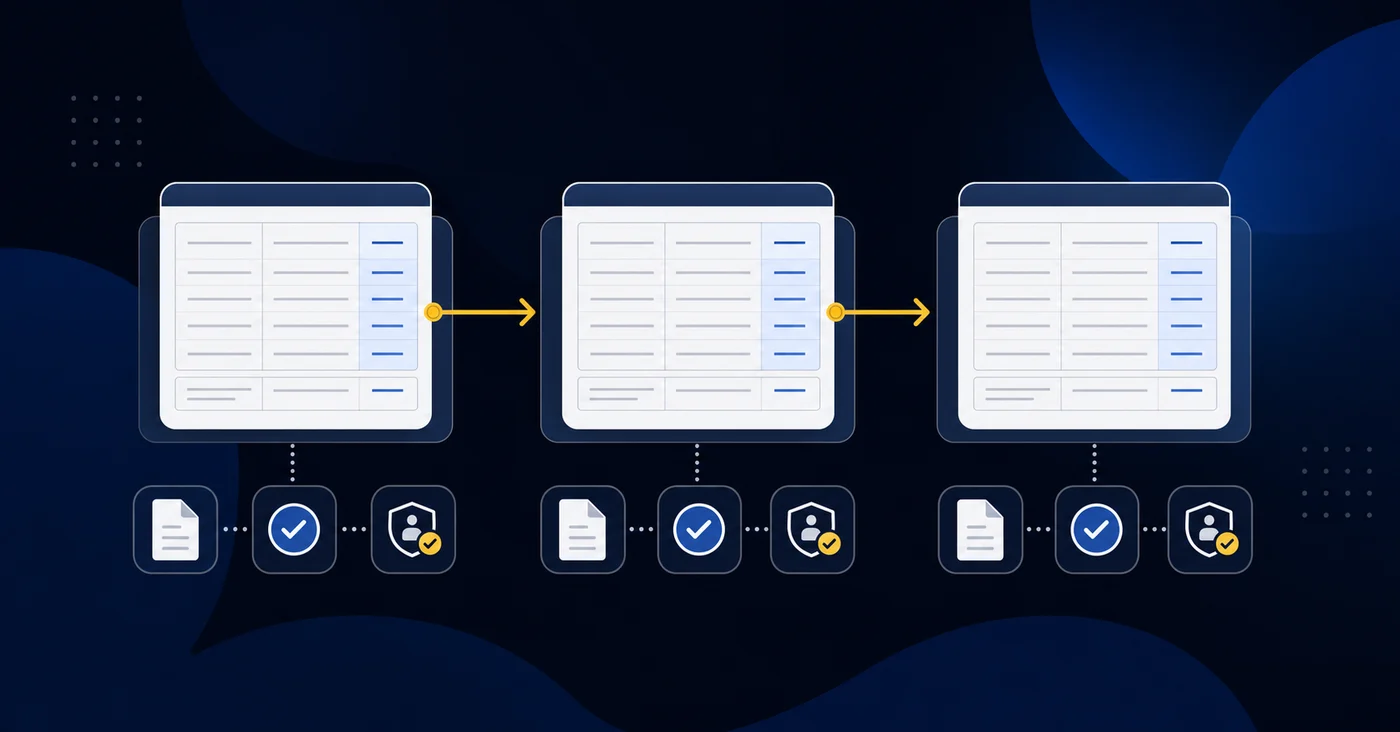
For teams closing one entity, that gap is annoying. For teams closing multiple entities, it compounds fast. Tracking reconciliation status across accounts and periods typically falls to a spreadsheet sitting outside Sage, which means your close tracker and your GL are never quite in sync.
A repeatable reconciliation workflow solves this by defining three things upfront:
- Which accounts require reconciliation each period, and at what level of detail, so preparers aren't making judgment calls about scope on the fly.
- What the expected rollforward structure looks like for each account type, so a prepaid schedule and a deferred revenue schedule aren't being rebuilt from scratch each month.
- Where the completed work lives and how it gets reviewed, so a reviewer can pull up the prior period side-by-side without hunting through shared drives. Workpaper automation solves this by centralizing the rollforward structure and supporting documentation in one system.
When those three elements are locked in, reconciliation stops being a collection of individual accountant habits and becomes a process your team can hand off, audit, and repeat without reinventing it each close.
Standardizing Journal Entry Templates and Review Processes
Consistency in journal entry preparation is where many close processes quietly break down. Two accountants building the same accrual entry may use different accounts, different memo formats, and different supporting doc conventions — all technically correct, but none of it repeatable.
In Sage Intacct, you can create entry templates that lock in the account strings, dimensions, and descriptions your team uses repeatedly. Workpaper automation extends this by auto-generating the supporting schedules that back those entries. Standard recurring entries (prepaid amortization, deferred revenue recognition, depreciation) should live as templates, not be rebuilt each month from memory or last period's export.
The review layer matters just as much as the template itself:
- Assign a designated reviewer to each entry type before close begins, so ownership is clear before the work starts, not after something gets missed.
- Require supporting documentation to be attached directly in Sage Intacct before an entry is marked ready for review, keeping the audit trail in one place rather than scattered across email threads.
- Use a consistent memo convention, such as "Account | Period | Preparer initials," so reviewers can scan a journal entry queue and immediately assess what each entry covers without opening it.
The goal is a close where any senior accountant can pick up the process mid-cycle and understand exactly what has been posted, what is pending, and why.
How to Reduce Close Cycle Time Without Sacrificing Accuracy
Cycle time shrinks when you stop treating every close task as equally urgent. Sage Intacct gives you the raw materials: period controls, journal entry workflows, and multi-entity consolidation. The gap is sequencing and visibility across all of it. Industry benchmarks suggest five to ten days for a typical monthly close, but that timeline depends entirely on how well tasks are sequenced and dependencies managed.
A few places where teams consistently recover time without cutting corners:
- Front-load the work that blocks everything else. Intercompany eliminations and revenue recognition entries tend to sit at the top of the dependency chain. Getting those into Sage first frees downstream reconciliations to proceed in parallel.
- Assign ownership at the account level, not the department level. When a prepaid rollforward or deferred revenue schedule has one named owner in your close checklist, it moves faster and gets reviewed once.
- Set internal deadlines earlier than your actual close date. Building in a one-to-two day buffer before your final sign-off date gives your team room to catch variances without blowing the calendar.
- Use Sage's period-close controls actively. Locking prior periods as tasks complete prevents late journal entries from reopening reconciled accounts and creating re-work.
The accuracy question is mostly a sequencing question. When tasks run in the right order, with clear owners and hard internal deadlines, errors surface earlier in the cycle where they are cheaper to fix.
Common Close Process Bottlenecks in Sage Intacct Environments
Most Sage Intacct close delays trace back to the same handful of failure points. Identifying which one is hitting your team is the faster path to fixing it.
- AP cutoffs that run too late leave invoices posting after subledgers should already be locked. Every downstream reconciliation absorbs that delay, and it rarely surfaces until the trial balance won't tie out.
- Subledger data from payroll, billing, or third-party AP tools arrives after the GL is already in motion, forcing correcting entries that reopen periods and restart reconciliation work.
- Dimension mismatches on posted transactions (wrong class, department, or location) require reclassification at the source, which reopens reconciled accounts and creates re-work for whoever was downstream.
- Multi-entity consolidation stalls when subsidiary books are not fully closed before the parent entity begins intercompany eliminations. One lagging entity holds up the entire consolidation.
- Missing source documentation holds individual tasks in review limbo. One preparer waiting on a vendor invoice or a payroll register blocks sign-off for every step queued behind it.
Automating Repeatable Tasks With Close Automation Tools
Automation works when the process underneath it is already defined. Automating ad hoc logic just makes the inconsistency faster.
The tasks that automate cleanly share one trait: the output is deterministic given the inputs. The table below shows which Sage Intacct workflows fall into that category.
| Automatable each period | Requires judgment each period |
|---|---|
| Recurring depreciation entries | Estimates with variable inputs |
| Fixed-schedule prepaid amortization | One-time adjustments and reclassifications |
| Bank transaction categorization | Entries touching new accounts or dimensions |
| Standard intercompany charges | Variance investigation and anomaly sign-off |
The value of automation in a close context is enforcement. A tool that auto-generates a prepaid rollforward from last period's structure removes the question of whether someone remembered to run it. Variance review, sign-off, and anomaly investigation stay human. The process design, sequencing, and review layer stay yours. Automation follows a well-built process; it does not substitute for one.
Building Standard Operating Procedures for Your Close Process
Effective SOPs start with documenting what your team actually does. Pull your last three to six close cycles and map every recurring task: what it is, who owns it, what inputs it needs, and when it must be done relative to period-end.
What a Close SOP Should Capture
Once you have that task inventory, each SOP entry should cover four things:
- The trigger that starts the task, whether that is a date, a dependency on another task completing, or a data feed becoming available.
- The exact steps to complete it, written specifically enough that a new team member could execute without asking questions.
- The acceptance criteria that tell the preparer the task is done, not still in progress.
- The reviewer and the expected turnaround time for sign-off.
Sage Intacct gives you a natural home for this structure. Close checklists inside Sage can carry task descriptions, assigned users, and due dates. Truewind's Sage Intacct integration automates the execution layer underneath that checklist structure. The gap most teams run into is that Sage stores the checklist but not the procedural context behind each item. That means your SOPs need to live somewhere your team can actually reference mid-close, whether that is a shared document library linked from the checklist or a standardized template attached to each task.
The goal is a close where every preparer knows exactly what done looks like before they start.
How Truewind Automates Close Execution on Top of Sage Intacct
Truewind sits on top of Sage Intacct as an AI execution layer, automating the close work that your team currently does by hand. Where Sage stores the GL and holds your chart of accounts, Truewind handles the recurring execution tasks that happen inside each close cycle.
- Transaction coding runs automatically against your historical GL patterns, so new charges route to the right account and dimension without a senior accountant touching them.
- Close checklists track task status, ownership, and sign-off across your team in one view, replacing the spreadsheet or email thread your team currently uses to coordinate.
- Reconciliation status surfaces in real time, so you can see which accounts are tied out and which still have open items without chasing down preparers.
- Flux analysis runs automatically at period end, flagging material variances against prior periods so your review starts with the accounts that actually need attention.
Many tools connect to Sage Intacct through the marketplace to sync data. Truewind's execution layer goes further, automating transaction coding, close orchestration, reconciliation, and dimension-aware posting through the same API-level integration, in one interface. Your team owns the review and the final posting decision. Truewind handles the preparation work that leads up to it.
FAQ
How do I create an automated checklist for our monthly close in Sage Intacct?
Build a close checklist directly inside Sage Intacct's Close workspace by creating a task list with assigned owners, due dates, and task dependencies. For each task, specify who prepares it, who reviews it, and when it must be finished relative to period-end. The workspace tracks status in real time, so your team sees what is done and what is still open without chasing down preparers.
Can I automate close checklists and reconciliations in Sage Intacct?
You can automate repeatable, deterministic tasks like recurring journal entries, fixed-schedule prepaid amortization, and standard transaction categorization. Reconciliations still require a preparer to tie out the account and a reviewer to sign off, but tools like Truewind automate the rollforward structure and supporting documentation so your team reviews exceptions instead of rebuilding schedules from scratch each month.
What is the best way to assign ownership when Sage Intacct does not show reconciliation status across all accounts?
Assign each reconciliation at the account level in your close checklist with a named owner and a hard due date. Sage tracks reconciliation status inside individual account records, but your close checklist is where you enforce ownership and visibility across the full chart of accounts. For multi-entity teams, this prevents reconciliation work from falling into a tracking gap between the GL and a separate spreadsheet.
How do AI tools help accounting teams close the books faster?
AI tools automate the preparation work that accountants currently do manually: transaction coding, prepaid rollforwards, flux variance detection, and exception routing. Senior accountants stop spending the first week of close on categorization and reconciliation prep, and instead spend that time reviewing variances and signing off on work that actually requires judgment.
How do I integrate Sage Intacct with AI close automation tools?
Tools like Truewind connect to Sage Intacct through API-level integration, reading your historical GL data on connection to learn account coding patterns and dimension structures. The integration handles transaction categorization, close orchestration, and reconciliation automation on top of Sage, while your team retains control over final posting decisions and period close sign-off.
Final Thoughts on Designing a Repeatable Close on Sage Intacct
The close process that survives turnover and entity growth is the one built on defined tasks, clear owners, and documented criteria. Sage Intacct provides the workspace and the GL structure. You provide the sequence and the accountability layer that makes it repeatable. Once that foundation is in place, tools like Truewind can handle the recurring execution work your team currently does manually.
Turn this into a close-ready workpaper
Start with sample files or upload your own statements to see how Truewind prepares review-ready workpapers and journal entries.