

Your processor settlement clears the bank, but the reviewer still can’t explain the difference between the payout report and the clearing account. The language becomes part of the problem when “tie-out,” “reconciling item,” and “exception” get used interchangeably. A useful reconciliation glossary connects each term to the actual workpaper. You should be able to see which source supports the balance and where the accountant has to make a call.
Terms matter because they shape action. If one preparer calls an item a timing difference and another calls it an exception, the reviewer gets two different signals about the same problem. The definitions below are written for recurring, reviewer-led close workflows. They explain what each term means, what evidence it should carry, and when the item belongs in front of an accountant.
Key Takeaways:
- Define a reconciliation by its source evidence and accounting treatment, not just whether two totals agree.
- Separate timing differences from true exceptions before drafting a journal entry.
- Keep Sage Intacct or QuickBooks Online as the system of record while preparation happens upstream.
- Treat unreconciled items as review signals, not numbers to force into agreement.
- Use prior workpapers and reviewer corrections to preserve account mappings, cutoffs, and classifications.
- Require source links, visible calculations, and reviewer sign-off in every completed workpaper.
Core Reconciliation Glossary Terms for the Close
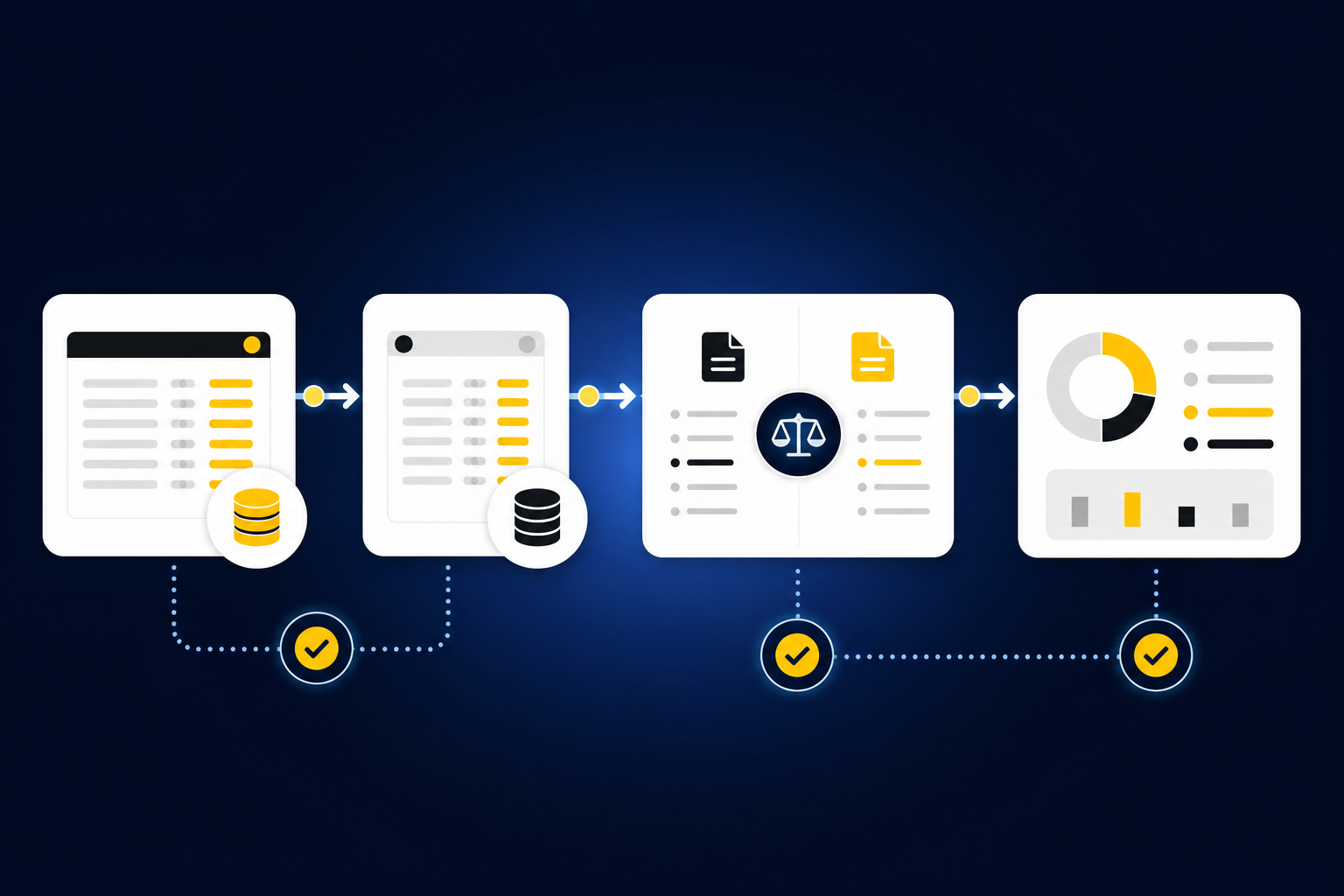
Core reconciliation terms describe the records being compared, the balance each record reports, and the differences that remain after matching. Shared definitions keep preparers from resolving the same item in different ways. They also give reviewers a consistent way to decide whether an item is complete, needs support, or requires accounting judgment.
Reconciliation
A reconciliation compares records that describe the same financial activity and explains why their balances agree or differ. The records might be a bank statement and the GL, a donor platform and processor report, or a custodian statement and investment schedule. A completed reconciliation includes the sources, matching logic, reconciling items, treatment, and reviewer sign-off.
Agreement alone isn’t enough. Two totals can match while carrying the wrong fund, entity, period, or account classification. If a reviewer can’t trace the balance back to source and understand the treatment of every difference, the reconciliation is not ready for approval.
Source System and System of Record
A source system produces operational or financial activity used during preparation. Payment processors, donor platforms, banks, custodians, and payroll providers can all act as source systems. Their reports supply evidence, but they don’t necessarily hold the final accounting record.
The system of record is the ledger where approved accounting entries live. For teams using Sage Intacct or QuickBooks Online, the ERP remains the source of truth for the books even when reconciliation preparation happens elsewhere. If you’re replacing the ledger rather than preparing work for it, you’re solving a different problem.
Seeing how source records remain attached to prepared work makes the distinction much easier to inspect. You can See Truewind in action to follow that path from source file through reviewer action.
Source Balance and Book Balance
The source balance is the amount reported by the external statement, export, or operational system. The book balance is the amount recorded in the GL for the same account, entity, and cutoff. A reconciliation explains the gap between them rather than assuming one side is automatically correct.
Before comparing balances, confirm three details: the period, the account scope, and the unit of account. A custodian statement for one entity can’t be compared with a consolidated investment balance without an entity-level bridge. Likewise, a processor settlement report based on payout date may not align with a bank balance based on deposit date.
Match and Reconciling Item
A match links activity across records when the evidence shows that both records describe the same event. Amount is one signal, but date, reference, entity, fee treatment, and dimensions can matter too. A match should preserve enough source context for a reviewer to re-perform it.
A reconciling item is a documented difference between the records being compared. Some items need no journal entry because they resolve through timing. Others point to missing activity, incorrect coding, or a source that hasn’t been received. If the cause and expected resolution aren’t documented, the item is still open.
Reconciliation Terms for Timing and Source Differences
Timing and source terms explain why records that describe the same activity may not agree on the same date or in the same format. The key test is causation. If the difference follows a known timing pattern and has complete support, treat it as timing; if the cause is missing or inconsistent, route it for review.
Timing Difference and Cutoff
A timing difference occurs when valid activity appears in two records during different periods. A processor may report a settlement before the related cash reaches the bank, or a bank may clear a payment after the GL period closes. The activity is real on both sides, but the reporting dates don’t line up.
Cutoff determines which period should contain the activity under the team’s accounting process. To classify a timing difference, document the source date, book date, expected clearing date, and relevant cutoff rule. If one of those elements is unknown, the item should move to exception review rather than remain labeled as timing.
Clearing Account
A clearing account temporarily holds activity while the team connects records from different systems. Processor payouts, for example, may pass through a clearing account while deposits, fees, refunds, and timing differences are matched to the bank. The account gives the reconciliation a controlled place to hold incomplete settlement activity.
Think of the clearing account as a loading dock. Activity can arrive there before its final accounting destination is known, but it shouldn’t sit there without an owner or expected departure date. If an item remains after its normal clearing period, investigate the source, mapping, and cutoff before rolling it forward again.
Unreconciled Item
An unreconciled item is a difference that hasn’t been matched, explained, or assigned an approved treatment. It may reflect a missing statement, an unexpected balance change, duplicate activity, mixed personal and business activity, or inconsistent classification. The label describes the item’s status, not its cause.
Don’t force an unreconciled item into a broad miscellaneous account just to make the workpaper tie. First identify which source is incomplete, whether the activity belongs to the period, and who owns the decision. A clean zero supported by an unsupported entry is weaker than an open difference with a clear reviewer note.
A working review should make that distinction visible before anyone drafts an entry, which is the specific control you can inspect when you Book a Truewind demo.
Multi-Source Reconciliation
Multi-source reconciliation compares three or more records that describe connected activity in different ways. A nonprofit workflow may combine a donor export, processor settlement report, bank activity, and the GL. A family-office workflow may combine a custodian statement, investment-vehicle support, and entity-level ledger balances.
Start by assigning each source a job. One source may establish gross activity, another cash settlement, and another accounting dimensions. Then match shared identifiers, separate fees and timing differences, and surface anything that can’t be explained. If you collapse the sources into one spreadsheet before preserving their roles, the reviewer loses the trail needed to understand the result.
Workpaper and Review Terms That Preserve Control
Workpaper and review terms define how reconciliation evidence moves from preparation into accounting judgment. A review-ready artifact should show the source, calculation, treatment, open exceptions, and sign-off together. That structure lets the reviewer inspect the work without rebuilding it from email, spreadsheets, and portal downloads.
Workpaper
A workpaper is the review surface for a recurring accounting task. It combines source evidence, calculations, accounting treatment, exceptions, and reviewer actions in a form the team can trace and re-perform. A reconciliation report that shows only final balances is not a complete workpaper.
Spreadsheets can serve as valid workpapers, and their flexibility is a real advantage. The weakness appears when formulas, source files, reviewer notes, and approved changes live in separate places. If the reviewer must search outside the artifact to understand a material line, the workpaper isn’t carrying the full process.
Supporting Schedule and Rollforward
A supporting schedule explains the composition or movement of a balance over time. Prepaid, fixed-asset, accrual, and investment schedules are common examples. Each schedule should tie to the relevant source documents and the corresponding GL balance.
A rollforward starts with the prior approved balance, adds current-period activity, removes settled or expired items, and arrives at the current balance. The prior workpaper is operating context, not a number to copy forward without review. If a classification or assumption changed, the current workpaper should show what changed and why.
Exception
An exception is an item that falls outside the team’s established process or historical pattern. Missing statements, unusual balance changes, inconsistent classifications, and unsupported allocations all belong in this category. Exceptions are a feature of a controlled reconciliation workflow because they identify where judgment is still required.
Automating more items can reduce preparation work, but automation shouldn’t erase uncertainty. If a rule can’t be supported from prior treatment, current evidence, or an approved instruction, the item should stop. The accountant decides the treatment, and that decision becomes part of the workpaper.
Reviewer Sign-Off and Audit Trail
Reviewer sign-off records that an accountant inspected the prepared work, addressed the exceptions, and approved its downstream use. Sign-off shouldn’t be inferred from a file being saved or an entry being uploaded. It needs a named reviewer action tied to the exact preparation output.
An audit trail preserves the sequence behind that approval. It shows which sources were used, what coding or calculations were applied, which corrections were made, and who confirmed the final treatment. The trail supports later review, but it doesn’t replace formal audit procedures or certify compliance on its own.
Journal-Entry Draft and Dimensional Coding
A journal-entry draft is a proposed entry prepared from the completed reconciliation or supporting schedule. It includes the accounts, amounts, date, description, and applicable dimensions, but it hasn’t been posted. Reviewer confirmation is what separates a prepared draft from an approved ledger entry.
Dimensional coding adds the context required beyond the account number, such as fund, program, department, location, purpose, or entity. If one deposit contains activity for several funds or chapters, the reconciliation should preserve those splits through preparation. Any new allocation rule or unclear edge case belongs with the reviewer rather than being applied without approval.
A practical review sequence is:
- Confirm completeness: Verify that every expected statement, export, and prior workpaper is present.
- Check scope: Confirm the period, entity, account, and dimensions for each source.
- Match supported activity: Link records using amount, date, reference, and historical treatment.
- Classify differences: Separate documented timing items from true exceptions.
- Prepare the artifact: Build the reconciliation, support schedule, and any journal-entry draft.
- Capture approval: Record reviewer corrections and sign-off before anything reaches the GL.
How a Preparation Platform Connects the Terms
A preparation platform connects reconciliation vocabulary to the actual work by preserving source files, applying the team’s historical process, preparing the workpaper, and routing exceptions to a reviewer. The ledger still records the approved result. The accountant still owns treatment, correction, and sign-off.
Historical Treatment Becomes Operating Context
Prior workpapers, confirmed coding, allocation choices, and reviewer corrections show how a team has handled a recurring workflow before. The platform uses that history when preparing the next period rather than imposing one generic reconciliation template. Current source files and ERP balances then feed a familiar workpaper with visible support.
One accounting customer described the practical shift plainly: “Truewind automates a huge chunk of that busywork.” The same customer added, “It's not just about making bookkeeping simpler; it's about freeing up teams, and helping them focus on higher-value projects.” Those comments describe capacity gained from preparation, not the removal of accounting judgment.
Another customer focused on repeat review: “Categorization is accurate, and we stopped having to double-check everything.” They also said, “It's essentially perfect.” That language is the customer’s assessment, not a blanket product guarantee. The useful mechanism is narrower: historical treatment informs proposed coding, corrections are captured, and the accountant still confirms the output.
Exceptions Stay With the Accountant
Multi-source reconciliation prepares matches across connected records without forcing unsupported totals to agree. Proactive anomaly detection compares current work with the learned process, then surfaces missing documents, unusual changes, or inconsistent treatment with source context. The human-in-the-loop review workflow gives accountants the source links, exceptions, and actions needed to confirm or correct the work.
The preparation flow covers four connected jobs:
- Structure the inputs: Ingest recurring bank activity, statements, processor exports, donor files, custodian support, and prior workpapers.
- Apply established treatment: Use captured mappings, classifications, dimensions, and reviewer corrections.
- Prepare review artifacts: Produce reconciliations, supporting schedules, workpapers, and journal-entry drafts tied to source.
- Hand off approved work: Push reviewer-confirmed output to Sage Intacct or QuickBooks Online while the ERP remains the system of record.
A separate customer summed up their experience in three words: “Truewind has been amazing.” The stronger accounting point sits underneath the quote. Source, calculation, treatment, exceptions, and sign-off remain visible before approved output moves to the ledger.
If your team wants to test that source-to-workpaper pattern against one bounded recurring workflow, Get a Truewind demo.
Put the Reconciliation Glossary Into the Workpaper
A reconciliation glossary is useful only when the definitions change how work gets prepared and reviewed. Start with one recurring workflow, label each source, define the expected matches, document the cutoff, and make unresolved items visible. Then require the workpaper to show the evidence and reviewer decision behind every final balance.
Shared language won’t remove judgment, and it shouldn’t. It gives preparers a consistent way to assemble the work and gives reviewers a clearer surface for deciding what belongs in the GL.
Frequently Asked Questions
How do I handle edge cases effectively?
To manage edge cases in your reconciliation process, start by clearly defining the rules for what constitutes an edge case for your team. Document these rules in your workpapers so everyone understands how to treat these items. Next, use Truewind's Proactive Anomaly Detection feature to identify any unusual patterns or discrepancies that fall outside your established norms. This tool helps surface items needing further review, allowing your accountants to focus on judgment calls rather than routine checks. Lastly, ensure that every edge case is linked back to its source documentation for easy reference during reviews.
What if I find discrepancies in my reconciliation?
If you encounter discrepancies during reconciliation, first verify the source documents and ensure they match your records. Use Truewind's Multi-Source Reconciliation feature to compare different records describing the same activity, which can help you pinpoint where the differences arise. Document any reconciling items and classify them as timing differences or exceptions as necessary. Finally, route these discrepancies through your Human-in-the-Loop Review Workflow, allowing your accountants to review and approve the necessary adjustments before finalizing the reconciliation.
Can I automate my reconciliation process?
Yes, you can automate your reconciliation process using Truewind. Start by uploading your raw financial data, such as bank statements and processor reports, into Truewind's Automated Data Ingestion feature. This will convert your messy source documents into structured workflows. Next, leverage Truewind's AI-Powered Transaction Coding to categorize transactions based on your existing accounting rules. Finally, prepare your reconciliations and supporting schedules automatically, ensuring that all outputs are review-ready and tied back to their sources for transparency.
When should I review my workpapers?
You should review your workpapers after completing the initial preparation of your reconciliations and before any entries are posted to the general ledger. Use Truewind's Human-in-the-Loop Review Workflow to inspect the prepared workpapers, reconciliations, and journal-entry drafts. This ensures that any exceptions or discrepancies are addressed, and that the work is traceable back to the source documents. Regular reviews help maintain accuracy and compliance, so aim to establish a routine review schedule that aligns with your closing timeline.
Why does my team need a reconciliation glossary?
A reconciliation glossary is essential for ensuring everyone on your team speaks the same language when it comes to financial terms. It helps prevent confusion over terms like 'timing difference' and 'exception,' which can lead to inconsistencies in how items are treated. By using Truewind, you can create a structured workpaper that incorporates these definitions, making it easier for preparers and reviewers to understand and apply them consistently. This clarity improves the overall efficiency of your reconciliation process and enhances collaboration among team members.
Turn this into a close-ready workpaper
Start with sample files or upload your own statements to see how Truewind prepares review-ready workpapers and journal entries.