

What can your reviewer approve when the donor export shows gross gifts, the processor report shows net settlements, and Sage Intacct shows only the deposit that reached the bank? A reconciliation can tie and still force the accountant to reconstruct fees, timing differences, and fund coding from the source files. Good reconciliation practice preserves that path inside the workpaper, so each adjustment carries its source and every exception is visible before anything reaches the GL. The reviewer should be making accounting judgments, not rebuilding the preparation.
A clean reconciliation is not enough. Your reviewer needs to see which sources were used, how activity was matched, what treatment was applied, which items remain open, and who approved the result. Without that review surface, automation produces another answer the accounting team has to check from the beginning.
Key Takeaways:
- Define the expected source files, accounting rules, and review artifact before automating a reconciliation.
- Use the last approved workpaper as operating context, not merely as a balance reference.
- Preserve fund, program, entity, and account dimensions from source through the journal-entry draft.
- Separate prepared items from exceptions so reviewers spend their time where judgment is required.
- Test one recurring workflow against a known result before expanding to other accounts or entities.
- Keep Sage Intacct or QuickBooks Online as the system of record, with approval required before anything posts.
Why Reconciliation Best Practices Break Upstream
Reconciliation problems usually begin before anyone compares a subledger to the GL. Source files arrive in different formats, describe the same activity differently, and omit context the bank feed never had. The visible mismatch is only the final symptom. The underlying problem is an incomplete preparation process between source systems and the ledger.
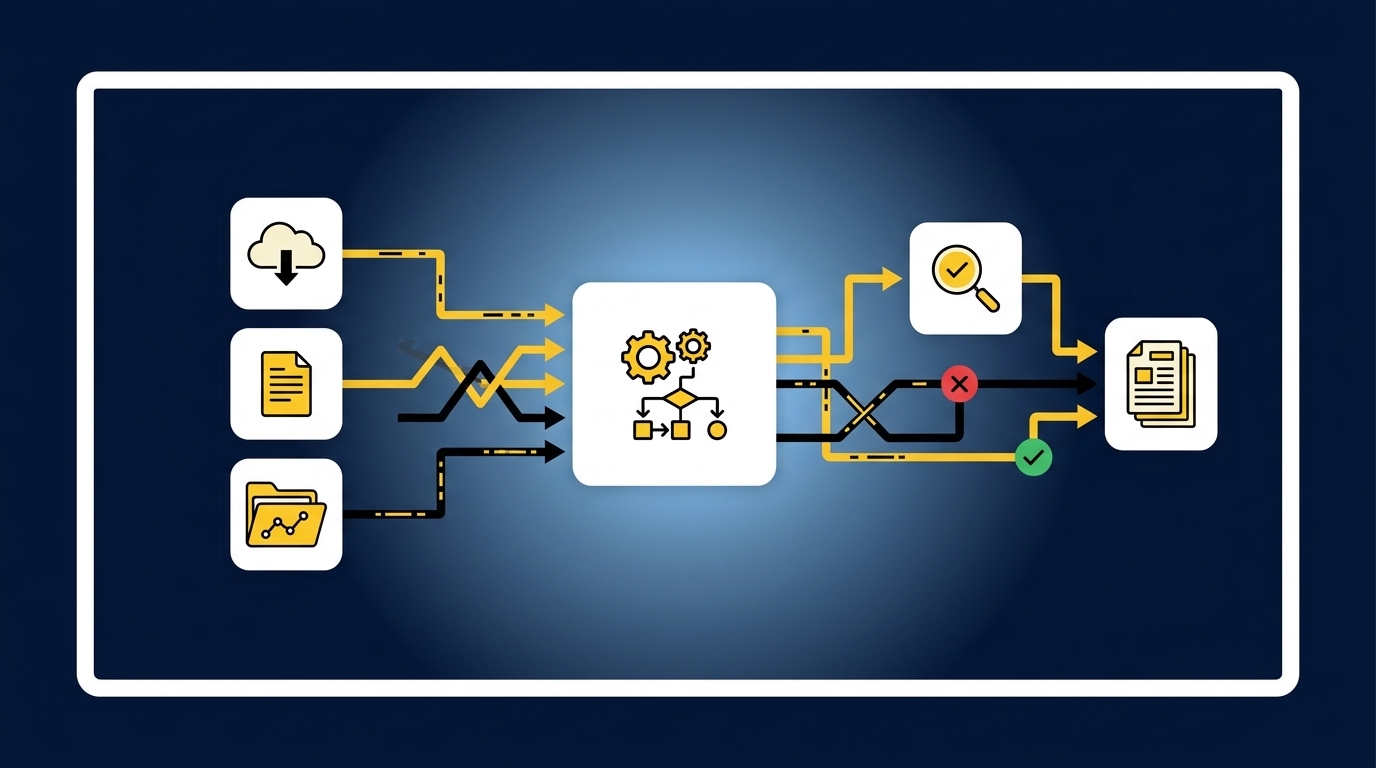
A Bank Match Can Still Miss the Accounting
A bank feed can show that a deposit cleared. It can’t tell you whether the deposit combines restricted donations, event revenue, processor fees, refunds, or activity belonging to another entity. That context lives in donor exports, processor reports, prior workpapers, and the accounting team’s established treatment. Matching the cash amount without carrying that context forward creates a reconciliation that ties while leaving the accounting unresolved.
Clean API data has real value. For a simple cash account with one source and stable coding, a direct feed may be enough to support the work. The rule changes when several systems describe the same activity or when fund and entity dimensions matter. In those cases, the reconciliation has to combine sources, apply mappings, check completeness, explain differences, and prepare the exact support the reviewer expects.
Think of the workpaper as the chain of custody for a balance. Each handoff should show where the number came from, what changed it, and who accepted the treatment. A broken link doesn’t always change the ending balance, but it does prevent the reviewer from re-performing the work.
Familiar Spreadsheets Can Hide Missing Decisions
Spreadsheets remain useful because accountants can adapt them to unusual activity without waiting for a system change. That flexibility is a fair reason to keep them. The weakness appears when the workbook stores the calculation but not the full process: why one fee went to a particular account, why a cutoff changed, which source was missing, or which reviewer correction should carry into next month.
Picture a family-office accounting manager opening a brokerage rollforward during review. The ending balance agrees, but one custodian changed its statement layout, an investment vehicle appears under a shortened name, and the entity mapping is buried in a preparer’s notes from the prior period. The manager has to reopen source files and reconstruct the reasoning before signing off. Nothing looks obviously wrong. That is exactly why the risk is easy to miss.
A reviewable workflow makes those decisions visible instead of leaving them across tabs, email, and memory. If you want to inspect how source links, exceptions, and reviewer actions fit into the same preparation flow, you can see the preparation and review flow. The next question is practical: what should that workflow contain before any automation begins?
How to Build Reviewable Reconciliation Workflows
A reviewable reconciliation workflow starts with the approved accounting process, then turns each recurring step into visible preparation, exception handling, and sign-off. It doesn’t begin with a generic template. It begins with the sources, mappings, cutoffs, dimensions, and review conventions your team already uses.
Diagnose Where the Reconciliation Actually Breaks
Start by watching one account move from source collection to reviewer approval. The slowest step may be matching, but it may also be finding a missing statement, restoring an entity dimension, or explaining why current-period treatment differs from the prior workpaper. Until you identify that point, automation can make the wrong part faster.
Ask questions the reviewer can answer from the existing workpaper. If the answer requires opening email, searching a shared drive, or calling the preparer, you have found a control gap rather than a formatting issue. Frankly, that distinction matters more than whether the workbook looks polished.
Check the workflow against these questions:
- Can the reviewer identify every expected source and see whether it arrived?
- Can each material line be traced back to a source file?
- Are account mappings, dimensions, cutoffs, and allocations visible?
- Are current-period changes separated from recurring treatment?
- Can the reviewer see who prepared, corrected, and approved the work?
A “no” doesn’t mean the accounting is wrong. It means the reviewer has to reconstruct part of the process before accepting it.
Define the Handoff From Source Files to the GL
The reconciliation should have a clear contract between intake and posting. Name what comes in, what accounting logic applies, what checks must pass, what artifact gets prepared, and which person owns approval. Vague instructions such as “reconcile donations” leave too much of the real process unstated.
For a nonprofit deposit reconciliation, the inputs may include a donor-platform export, processor settlements, and bank activity. The process then has to preserve fund or campaign coding, account for fees and refunds, identify timing differences, and explain any amount that doesn’t match. For a family office, the same structure may involve custodian statements, investment-vehicle support, entity mappings, and an ERP balance. The sources differ. The need for a controlled handoff does not.
Document the workflow in this order:
- Expected sources: List each statement, export, feed, and prior workpaper required for the period.
- Accounting treatment: Record mappings, cutoffs, dimensions, allocations, and known recurring differences.
- Completeness checks: Confirm the period, entity, account, and expected source set before matching begins.
- Prepared output: Specify the reconciliation, support schedule, and journal-entry draft the reviewer should receive.
- Approval gate: Define which exceptions require judgment and who must sign off before the GL receives anything.
Reconciliation best practices for recurring close work should make that handoff explicit. Otherwise, the process still depends on whoever remembers how it worked last month.
Use the Last Approved Workpaper as Operating Context
The prior workpaper contains more than a beginning balance. It shows which source files mattered, how accounts were mapped, where the reviewer changed treatment, and which exceptions were accepted or carried forward. Those decisions are the closest thing the workflow has to a known answer.
Begin with a recurring account that has stable source files and a prior approved result. Reproduce the work using current-period inputs, then compare the prepared output line by line with the team’s expected format and treatment. Corrections should become part of the next run rather than disappearing into a comment or revised spreadsheet. Controlled iteration is slower than a broad rollout at first. It is also how the team learns whether the preparation can be understood and repeated.
The status quo has one advantage here: an experienced preparer may already know every exception. Removing that person’s judgment from the workflow would make the process weaker. The better move is to capture the repeatable treatment while keeping policy changes and unusual items with the accountant.
The approval gate is easier to judge against one real account than against a broad product claim, so you can book a workflow walkthrough around a recurring reconciliation your team already reviews.
Separate Prepared Work From Exceptions
A reviewer shouldn’t have to recheck every matched item to find the few that need judgment. The workflow should prepare what follows the approved process and isolate what falls outside it. Missing statements, unexpected balance changes, mixed activity, new classifications, and changed source layouts belong in an exception queue with their source context attached.
Exceptions aren’t evidence that automation failed. They are evidence that the workflow has boundaries. A system that forces totals to agree or applies an unreviewed rule may produce a cleaner screen, but it leaves the reviewer with less control. The useful reconciliation practices make uncertainty visible before a journal entry reaches the GL.
Route an item for review when:
- An expected statement or export is missing.
- The current balance changes outside the established pattern.
- Source systems disagree beyond a known timing difference.
- A new entity, fund, program, or account mapping appears.
- Current-period treatment conflicts with the prior approved workpaper.
- An allocation rule has changed or lacks clear support.
After review, capture the accountant’s decision against the workflow. If the same fact pattern returns next period, the preparer should see the prior treatment while the reviewer still owns the final call.
Build the Workpaper for Re-Performance
A workpaper is not a report. It is source, calculation, accounting treatment, exceptions, and reviewer sign-off in one place, in that order. When those parts are separated, review turns into an investigation. When they stay together, the reviewer can follow the work without rebuilding it.
Start with the question a controller will ask when a number looks unusual: “Where did this come from?” The answer should lead directly to the source document and the calculation that produced the amount. From there, the workpaper should show the account and dimension treatment, any unresolved difference, and the reviewer action taken. Good formatting matters, but visible reasoning matters more.
A review-ready workpaper should contain:
- Source support: The statements, exports, and ERP balances used in preparation.
- Calculation: The matching, rollforward, allocation, or adjustment that produced each amount.
- Treatment: The account, entity, fund, program, or other dimension applied.
- Exceptions: Items that don’t fit the learned process, with enough context for a decision.
- Sign-off: The preparer and reviewer actions that control downstream use.
If a reviewer can’t trace and re-perform the important steps, the reconciliation isn’t ready for approval.
Expand Only After the First Workflow Holds Up
The first workflow should be recurring, bounded, and rich in examples. A donation reconciliation with known source exports or a brokerage rollforward with a stable prior workpaper is a stronger starting point than an account whose process changes every month. The goal is to test the preparation against work the team already understands.
Run the current period, compare it with the known process, and record every correction. Then run the next period using the captured treatment. Expansion is earned when the output stays understandable, exceptions remain visible, and reviewer decisions persist. One account can then become several entities or related reconciliations without imposing a generic template across all of them.
A broad launch sounds faster, and there are cases where standardized inputs make it reasonable. Mid-market reconciliation work rarely starts there. Different entities, custodians, donor platforms, and review rules create too many combinations to treat rollout as a switch. Trust grows when the team can inspect what changed and see that its corrections carried forward.
That sequence turns reconciliation best practices into an operating process. The remaining step is connecting that process to a preparation layer without replacing the ledger or the reviewer.
How Truewind Prepares Reconciliations for Review
Truewind sits between recurring source files and the general ledger, applying the team’s historical treatment to prepare reconciliations, schedules, and journal-entry drafts for accountant review. Sage Intacct and QuickBooks Online remain the systems of record. Nothing moves downstream until the reviewer confirms the prepared output.
Historical Treatment Guides Current-Period Preparation
Historical-example learning uses prior workpapers, confirmed treatment, and reviewer corrections as context for the next period. Multi-source reconciliation then matches activity across connected sources, such as donor exports, processor reports, and bank activity, without forcing unreconciled items to agree. Dimensional and allocation preparation preserves the explicit fund, program, department, purpose, or entity rules the team has approved.
The review surface keeps the boundary clear. Accountants can inspect source links, confirm or adjust proposed treatment, and send items back to preparation. Corrections remain attached to the workflow for later periods, but the system doesn’t change accounting policy on its own.
Customer language is useful here because it describes the preparation work in concrete terms. One accounting firm said, “Truewind automates a huge chunk of that busywork. It's not just about making bookkeeping simpler; it's about freeing up teams, and helping them focus on higher-value projects.” That is a customer’s experience, not a promise that every workflow produces the same outcome.
Exceptions Stay With the Accountant
Proactive anomaly detection compares current-period preparation with the learned process and prior workpapers. Missing statements, unexpected balance changes, mixed personal and business activity, and inconsistent classifications are surfaced with source links. The platform doesn’t resolve those items autonomously, and it doesn’t post them to the GL.
After sign-off, the native ERP integration can push structured, dimensioned output to Sage Intacct or QuickBooks Online. The ledger remains the source of truth. The preparation layer carries the approved coding, dimensions, and source references into it.
Other customers have described the effect in stronger language. One said, “It's essentially perfect. Categorization is accurate, and we stopped having to double-check everything.” Another said, “If I had to describe Truewind in one word: Lifechanging”. Those are individual customer statements, not universal results. The mechanism remains the part you should evaluate: learned treatment, source-linked preparation, visible exceptions, accountant approval, and controlled transfer to the GL.
To inspect those controls against your own source files and prior workpaper, get a workflow demo.
What Better Reconciliation Control Looks Like
Better reconciliation control means your team can trace every prepared amount, inspect the treatment applied, resolve exceptions, and approve the work before it reaches the ledger. The process begins with source files and ends with reviewer sign-off. Automation handles repeatable preparation in between.
Keep Sage Intacct or QuickBooks Online as your source of truth. Keep accounting judgment with the reviewer. When reconciliation best practices preserve both, your team can spend less of the close reconstructing work and more of it investigating what actually changed.
Frequently Asked Questions
How do I handle edge cases effectively?
To manage edge cases in reconciliations, start by documenting the specific rules and exceptions your team has encountered in the past. This helps create a reference for future situations. Next, use Truewind’s Proactive Anomaly Detection feature to identify unusual items that may not fit the standard process. This feature highlights discrepancies, missing statements, or unexpected balance changes, allowing your team to focus on judgment calls rather than routine checks. Finally, ensure that all exceptions are routed to the appropriate accountant for review, keeping the context of the source files attached for clarity.
What if my source files are inconsistent?
When dealing with inconsistent source files, first utilize Truewind's Automated Data Ingestion feature. This will help you convert messy input data into a structured format, making it easier to work with. After ingestion, ensure that your team defines clear mapping rules for how different sources should be treated. This will help maintain consistency in the reconciliation process. Additionally, consider running a test reconciliation with a known result to identify any discrepancies early on, allowing your team to adjust the mappings as needed.
Can I automate my reconciliation process?
Yes, you can automate your reconciliation process by using Truewind. Start by uploading your recurring source files, such as bank statements and processor reports, to Truewind’s platform. The system will then apply your team’s historical treatment to prepare reconciliations and schedules. Make sure to review the outputs before they are posted to your general ledger, as Truewind allows for a human-in-the-loop review workflow. This ensures that while automation handles repetitive tasks, your team retains control over judgment calls.
When should I separate prepared items from exceptions?
You should separate prepared items from exceptions during the reconciliation process to streamline reviews. This typically happens after your initial matching phase, where you identify which items align with your established processes. Use Truewind to surface any discrepancies or exceptions that require further judgment. By isolating these items, your reviewers can focus on the exceptions that need attention, rather than sifting through all matched items, making the review process more efficient.
Turn this into a close-ready workpaper
Start with sample files or upload your own statements to see how Truewind prepares review-ready workpapers and journal entries.