

You reconcile a processor deposit in Sage Intacct, then discover the donor export carried a restriction the bank feed never showed. Nonprofit accounting software that starts with the bank transaction loses the fund and grant context required to prepare the work correctly. The missing work sits upstream, where donor records are matched to settlements and the reviewer can inspect any exception before posting.
That work begins in donor exports, processor reports, grant records, prior workpapers, and allocation schedules. Someone has to connect the gross donation to the net settlement, preserve the right dimensions, apply the organization's treatment, and surface anything that doesn't fit. Sage Intacct or QuickBooks Online can record the approved result. They can't prepare all the accounting support that has to exist first.
August 2026 TL;DR: Nonprofit fund accounting software should preserve fund and grant context from source intake through reporting. Software can prepare the work, but your accounting team still owns classification rules, release treatment, exceptions, and sign-off.
Key Takeaways:
- Treat donor, processor, bank, and grant files as connected accounting evidence, not separate imports.
- Define funds, restrictions, grants, dimensions, and release rules before automating transaction coding.
- Preserve dimensional context through allocations, reconciliations, journal-entry drafts, and reporting.
- Require every prepared workpaper to show source, calculation, treatment, exceptions, and reviewer approval.
- Keep Sage Intacct or QuickBooks Online as the system of record while improving the preparation layer upstream.
Why Nonprofit Accounting Software Misses the Hard Part
Nonprofit accounting software misses the hard part when it treats fund accounting as a ledger-recording problem. The harder work happens earlier, where similar activity arrives from different systems and has to be interpreted under the organization's established rules. A posted entry is only the endpoint. The accounting support begins several steps before it.
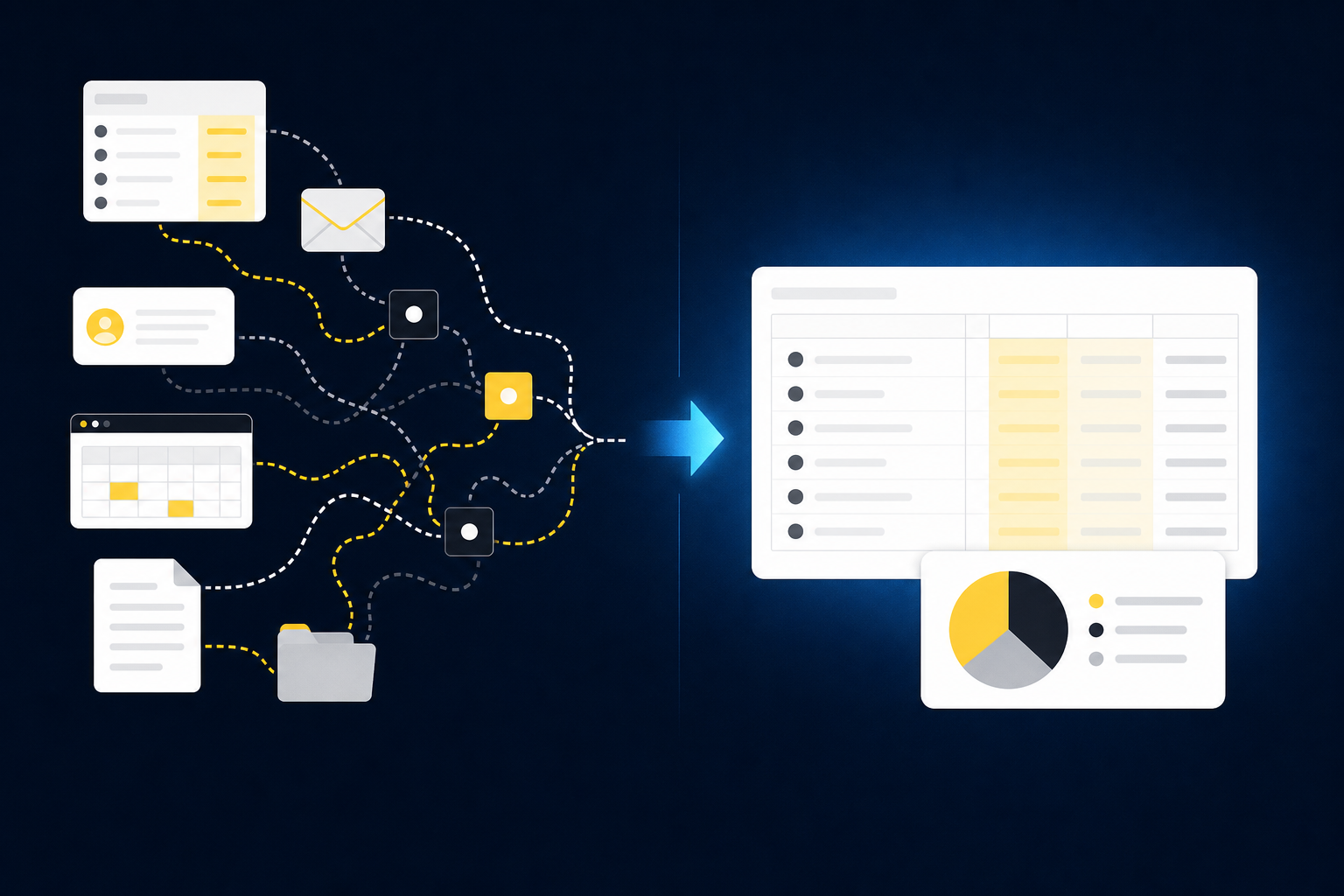
Source-file work requires accounting interpretation
A donor export isn't just a table waiting to be imported. The accountant has to determine which activity belongs to a fund, whether campaign or grant dimensions should carry through, how processor fees affect the settlement, and whether the bank received the expected amount. A changed column order may be easy to fix. A changed meaning is not.
Consider a settlement that combines unrestricted gifts with donations assigned to a specific program. The processor report shows gross activity, fees, refunds, and the net payout. The bank feed shows one deposit. Unless someone connects those records and retains the underlying classifications, the clean bank transaction removes the detail nonprofit fund accounting needs.
Calling that work data extraction misreads the job. Extraction can identify fields. It can't decide what a document represents within your accounting process or whether the current period follows the treatment approved last period. The difference matters.
Spreadsheets remain useful here, and that's a fair reason teams keep them. They're flexible, reviewers know them, and a preparer can adjust a difficult item without waiting on a software change. The cost appears when the fund mapping lives in one workbook, the restriction notes live in email, and the reviewer's correction never reaches next month's process.
Correct GL coding can still produce weak fund reporting
Fund accounting breaks when coding and reporting use different versions of the same organizational structure. A transaction might reach the right natural account while losing the grant, program, purpose, or fund dimension that explains the activity. The trial balance can look reasonable even though the support schedule no longer answers the controller's questions.
Here is a test you can run in under five minutes: take one donation from the board report and trace it backward. Can you reach the approved journal entry, the reconciliation, the processor settlement, and the donor record without rebuilding the path by hand? If you touch a spreadsheet or send an email to complete that trace, the trail is broken. If the chain stops at the GL, the system recorded the amount but didn't preserve the accounting story.
Bank accounts shouldn't become a substitute for funds. One bank account may hold activity associated with several purposes, while one fund may appear across several accounts. Treating the bank structure as the fund structure feels simple at intake, but it makes allocations and reporting harder later.
The same warning applies to grants. A grant identifier isn't useful if it disappears during settlement coding or gets re-created manually for a report. Nonprofit accounting software has to carry the dimension through the workflow, not ask the reporting team to reconstruct it after close.
A polished entry is not review-ready work
Review-ready accounting shows how the prepared result was produced. A reviewer should see the source files, calculation, classification, exceptions, and approval in the same workpaper or connected review surface. Without that evidence, a clean journal-entry draft can create more review work because the accountant has to re-perform the preparation.
The risk isn't limited to an obviously incorrect answer. Clean-looking output can be harder to challenge because it arrives with the visual confidence of finished work. If a reviewer can't identify which donor export supported a line, which allocation rule was applied, or why an item was released from restriction, the output isn't ready for approval.
Exceptions deserve the same treatment. A missing grant statement, unexpected settlement difference, or classification that changed from the prior period shouldn't be buried inside a completed schedule. It belongs in front of the accountant with enough source context to make a decision.
If you want to inspect how source files, accounting rules, exceptions, and sign-off can sit in one preparation flow, see the preparation workflow. The question isn't whether software can produce an entry. It's whether the operating model behind that entry can survive review.
How to Run Nonprofit Fund Accounting From Source to Review
A sound nonprofit fund accounting workflow carries purpose and evidence through every stage of preparation. It begins with explicit definitions, applies them to source activity, and preserves them through reconciliation and reporting. Software should execute documented rules and surface exceptions. Accountants should own the rules, changes, and final approval.
Diagnose the operating model before choosing software
Can your current process explain one transaction from beginning to end? Test that before you read a single feature list. Begin with the source, mapping, allocation, reconciliation, workpaper, approval, and report that already exist. Gaps in that chain tell you what the software must preserve.
In our view, the strongest automation candidates are recurring workflows with known inputs and a prior approved result. A monthly donation reconciliation with stable sources is easier to test than a new grant with unclear treatment. Novel items still deserve direct accountant review, which isn't a weakness in the operating model. It's the control.
Ask five questions before changing the workflow:
- Can a preparer tie each bank settlement to donor and processor detail?
- Are fund, grant, program, and purpose dimensions defined outside one person's memory?
- Does the team have explicit allocation and release rules with supporting evidence?
- Can the reviewer identify changes from the prior period without comparing several files?
- Do board and grantor reports use the same approved classifications that reached the GL?
If any answer is no, fix that break before automating the next step. Otherwise, software will reproduce the gap faster, and now the gap runs at machine speed across every fund you touch.
Define funds and restrictions before transaction coding
A fund structure should tell the accounting team how activity is separated for internal accounting and reporting. The structure may include donor restrictions, grant identifiers, programs, departments, locations, or purposes, depending on how the organization runs its books. Those definitions belong in a controlled mapping, not in free-text notes added during close.
Restrictions need the same clarity. Your team should document how restricted activity is identified, what evidence supports the classification, which events affect release treatment, and who approves a change. Software can apply an explicit rule. It shouldn't invent one when source language or organizational treatment is unclear.
The practical artifact is a mapping table tied to the workpaper. Each source label maps to the approved fund and dimensions, along with any allocation instructions and reviewer notes. When the source changes or a new grant appears, the difference becomes an exception rather than an invisible coding choice.
Generic templates have limits, and that's worth conceding. Two nonprofits can receive identical donations, from the same grantor, in the same month, and still book them into different fund structures because their board reporting conventions differ. A template can organize setup, but it can't replace the organization's own accounting treatment.
Preserve dimensions through allocations and releases
Dimensions only work when they survive the full accounting path. A program code captured in the donor platform should remain visible when the processor settlement is reconciled, when fees are allocated, when the journal-entry draft is prepared, and when the final activity appears in reporting. Re-entering that code at each stage creates several chances for drift.
Allocations need visible logic. If a shared cost is divided across programs or grants, the workpaper should show the basis, inputs, calculation, and reviewer decision. A percentage without its source isn't enough. Neither is a note that says "same as last month" when the underlying activity changed.
Release treatment should follow the same discipline. The accountant defines the event, supporting evidence, classification change, and approval required under the organization's process. When the evidence is missing or the grant terms require interpretation, the workflow should stop and route the item to the reviewer.
The operating rule is direct: if the allocation or release can't be explained inside the workpaper, it isn't ready to reach the ledger. Fund accounting software earns its place by preserving the explanation, not by hiding it behind an automated entry.
Follow one donation from intake through reporting
Picture a donor platform export that includes general gifts and donations tagged to a restricted youth program. The payment processor combines them in one settlement, deducts fees, and sends a net amount to the bank. The accounting task is to reconnect those views without losing the donor and program detail.
First, the workflow ties donor activity to the processor report. Next, it separates gross gifts, refunds, and fees according to the team's approved mappings. The net settlement is then matched to the bank deposit, while the underlying fund and program dimensions stay attached to the support schedule. Any difference remains open for review rather than being forced into agreement.
The prepared journal entry follows only after that reconciliation. Its lines reflect the organization's chart of accounts and dimensions, while the workpaper retains the donor export, processor support, bank record, calculations, and exceptions. The reviewer can correct the treatment or approve it before anything reaches Sage Intacct or QuickBooks Online.
| Workflow stage | System or artifact | Accounting work required |
|---|---|---|
| Donation intake | Donor platform export | Identify donor, campaign, fund, grant, and restriction context |
| Settlement | Processor report | Separate gross activity, fees, refunds, and timing differences |
| Cash receipt | Bank activity | Match the net deposit to the supported settlement |
| Preparation | Reconciliation and support schedule | Apply mappings, dimensions, allocations, and release treatment |
| Review | Workpaper and exception queue | Trace sources, inspect calculations, correct items, and approve |
| Recording | Sage Intacct or QuickBooks Online | Record the approved, dimensioned output |
| Reporting | Board or grantor package | Present activity using the same approved fund and grant structure |
Board and grantor reporting shouldn't require a second classification exercise. The report should draw from the same approved dimensions and supporting schedules used during close. To compare that sequence with a live source-to-review workflow, review a live workflow.
Build controls around the reviewer's decision
Controls should make the reviewer's job narrower and clearer. The reviewer shouldn't have to repeat every preparation step just to gain confidence in the work. They should be able to inspect what changed, follow the source, test the calculation, and spend attention on exceptions.
A good review surface separates routine preparation from accounting judgment. Items that follow the prior approved mapping can arrive prepared with their support. Missing source files, new grant labels, changed allocation rules, and unexplained differences should arrive as visible review items. That division moves work downstream from assembly to interpretation without removing the accountant.
Before approval, check that the workpaper contains:
- Complete source support: Donor, processor, bank, grant, and prior-period records are attached or linked to the prepared item.
- Visible mappings: Natural accounts and fund, program, purpose, or grant dimensions are shown.
- Re-performable calculations: Fees, allocations, refunds, timing items, and releases can be recalculated from the support.
- Explicit exceptions: Missing statements and unusual classifications remain open until reviewed.
- Named approval: The preparer and reviewer actions are retained before the entry reaches the GL.
- Reporting continuity: The approved classifications carry into board or grantor reporting without manual re-coding.
A checklist can't make a judgment for the accountant. It can make missing evidence much harder to overlook.
Avoid the mistakes that break fund reporting
Most nonprofit accounting mistakes in software setup begin with a reasonable shortcut. The team wants to simplify intake, reduce dimensions, or reuse a generic template. Each choice can work for a narrow workflow. Trouble starts when the shortcut becomes the accounting model for every fund and grant.
The better approach is to test the full chain before expanding. Run one recurring workflow against a prior approved period, compare the prepared result with the known workpaper, and document each correction. If the reviewer can understand what changed and why, move to the next workflow. If not, the setup still needs work.
Watch for these common mistakes:
- Using the bank account as the fund structure: Cash location and reporting purpose aren't the same accounting dimension.
- Coding the net deposit only: Net coding can hide gross gifts, fees, refunds, and donor-level context.
- Treating restrictions as free text: Uncontrolled notes are difficult to apply consistently across close and reporting.
- Automating unclear allocation rules: Software should surface uncertain treatment, not make an unsupported choice.
- Rebuilding board reports outside the close: Manual reclassification creates a second version of fund activity.
- Starting with the hardest novel grant: Begin with a recurring workflow that has known inputs and an approved prior result.
Only after the operating model is explicit should software take on the recurring preparation.
How Truewind Prepares Fund Accounting Work
Truewind sits upstream of Sage Intacct and QuickBooks Online, where donor, processor, bank, grant, and prior-period records become review-ready accounting work. It applies the team's existing mappings and treatment, prepares connected support, and routes exceptions to the accountant. The ledger remains the system of record, and nothing moves downstream without reviewer confirmation.
Connect source activity without losing fund context
Truewind ingests donor-platform exports, processor reports, bank activity, operational files, and prior workpapers into a connected preparation workflow. Multi-Source Reconciliation aligns the records that describe the same activity differently, prepares the reconciliation and support schedule, and leaves unreconciled items visible. Totals aren't forced to agree.
Dimensional and Allocation Preparation carries the team's approved fund, grant, program, department, purpose, or location rules into the prepared work. Split allocations remain visible in the workpaper, and edge cases go to the accountant. The mechanism matters: the software applies reviewable rules, preserves source context, and prepares the artifact the reviewer already expects.
The core capabilities map directly to the operating model described above:
- Multi-source reconciliation connects donor, processor, and bank records while surfacing timing differences and unreconciled items.
- Historical-example learning applies confirmed mappings and reviewer corrections from prior periods without changing accounting policy on its own.
- Human review workflow presents workpapers, journal-entry drafts, sources, and exceptions for accountant confirmation before downstream use.
- ERP integration sends approved, dimensioned output to Sage Intacct or QuickBooks Online while keeping the GL as the source of truth.
Match the software to a controlled close
Truewind works best when a nonprofit already has a recurring close, prior workpapers, documented treatment, and a reviewer who owns sign-off. The platform can reproduce that process, capture corrections, and apply confirmed treatment in later periods. It isn't designed to replace the controller's judgment or decide how a new restriction should be interpreted.
That boundary is important. A finance team seeking autonomous posting without review is looking for a different operating model. A team trying to replace its ERP is also solving a different problem. Truewind prepares the work that feeds the ledger; Sage Intacct or QuickBooks Online records the approved result.
Common questions usually come down to control:
- Does the software replace Sage Intacct or QuickBooks Online? No. Both remain systems of record.
- Can it decide allocation or release policy? No. It applies the team's explicit rules and routes unclear items to the accountant.
- What should a nonprofit automate first? Start with a recurring, bounded reconciliation that has stable inputs and a prior approved workpaper.
- Can reviewers trace prepared work to source? Yes. Source links, preparation steps, corrections, and reviewer actions remain attached to the workflow.
- Does approval happen automatically? No. The accountant confirms the prepared output before it moves downstream.
If your team already has prior workpapers, explicit fund mappings, and a named reviewer, get a fund accounting walkthrough using one bounded workflow. The ledger stays where it is. The preparation around it becomes reviewable.
Keep the Ledger and Improve What Feeds It
The right nonprofit accounting software doesn't begin with posting. It begins with the donor export, processor settlement, bank activity, grant context, prior workpaper, and dimensional rules that make the entry understandable. Those inputs have to become a reconciliation and support schedule before they can become approved accounting.
Keep Sage Intacct or QuickBooks Online as your source of truth. Put the recurring preparation work upstream, preserve fund and restriction context, and route exceptions to the accountant. The goal isn't autonomous accounting. It's a close where the reviewer can see the source, follow the treatment, and approve the result without rebuilding it.
Frequently Asked Questions
How do I handle edge cases effectively?
To manage edge cases effectively, start by documenting your organization's specific rules for handling exceptions. This ensures everyone is on the same page. Next, use Truewind's Proactive Anomaly Detection feature, which identifies discrepancies and routes them to the accountant with the necessary context for decision-making. This way, you can focus on judgment items rather than rechecking prepared work. Finally, maintain a clear audit trail to track how each edge case was resolved, ensuring transparency in your accounting process.
What if my team struggles with inconsistent data formats?
If your team is facing issues with inconsistent data formats, consider using Truewind's Automated Data Ingestion feature. This tool helps you upload various raw source materials like bank statements and spreadsheets, converting them into structured workflows without manual reformatting. By starting with organized inputs, you can significantly reduce variability and streamline your accounting process. Ensure that your team defines clear standards for data intake to further enhance consistency.
Can I automate my recurring reconciliation process?
Yes, you can automate your recurring reconciliation process by utilizing Truewind's Multi-Source Reconciliation feature. This capability connects different systems, such as donor platforms and payment processors, to align records that describe the same activity. It prepares a review-ready reconciliation and support schedule while surfacing any unreconciled items for reviewer judgment. This way, you maintain control over your reconciliation process while benefiting from automation.
When should I consider changing my accounting workflow?
You should consider changing your accounting workflow when you identify gaps in your current process. For instance, if you struggle to trace transactions from source to reporting, it might be time for an upgrade. Truewind can help by preserving the dimensional context throughout your workflows and ensuring that all relevant source documents are linked to prepared outputs. Start by testing one recurring workflow against known data to see if it meets your needs before expanding.
Why does my team need to document fund and restriction rules?
Documenting fund and restriction rules is crucial because it creates clarity and consistency in your accounting processes. By having explicit definitions, your team can apply these rules during transaction coding and ensure that all activities are classified correctly. Truewind's Dimensional and Allocation Preparation feature can help maintain these rules across your workflows, ensuring that allocations and classifications remain visible and reviewable. This documentation helps prevent errors and eases the review process.
Turn this into a close-ready workpaper
Start with sample files or upload your own statements to see how Truewind prepares review-ready workpapers and journal entries.