
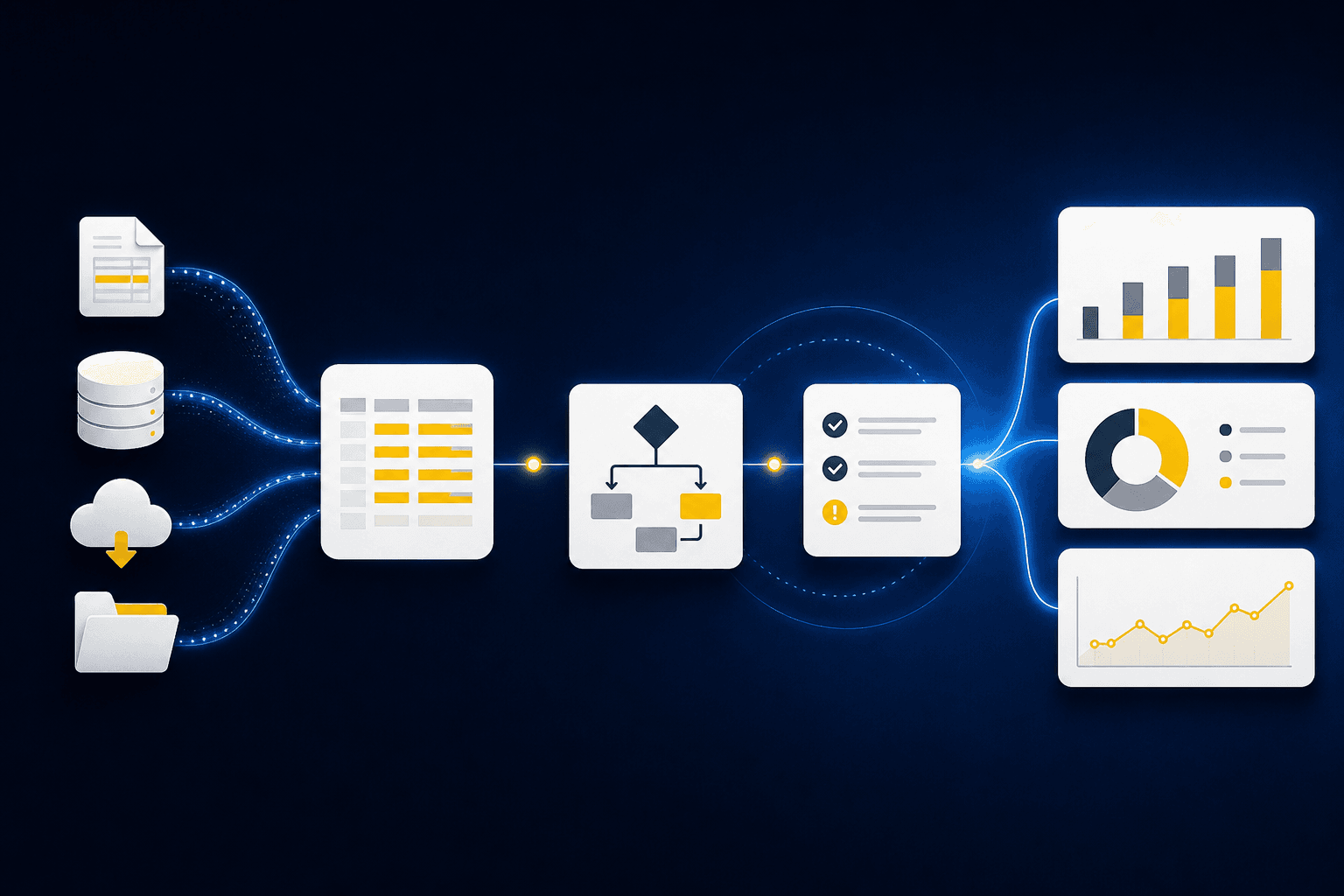
You opened the shared close folder this week and found the same problem waiting: a processor export with new columns, a PDF statement that wouldn't tie, and last month's workpaper open beside both. Those month-end close delays didn't begin in Sage Intacct or QuickBooks Online. They began when someone had to determine what each file represented before any accounting work could move forward.
Source-file work is not OCR with accounting labels added later. Your team still has to check completeness, map activity to the ledger, apply dimensions, explain differences from the prior period, and prepare the workpaper a reviewer expects. The GL records the answer. It can't prepare the evidence behind it.
Key Takeaways:
- Trace month-end close delays back to source collection, normalization, and preparation before changing the ledger workflow.
- Start automation with one recurring workflow that has known inputs, a prior approved workpaper, and an accountable reviewer.
- Compare prepared output against the known result before using it for the current period.
- Require every workpaper to show source, calculation, accounting treatment, exceptions, and reviewer sign-off.
- Expand only after reviewer corrections carry into the next period and remain visible.
Why Close Delays Start in Source Files
Close delays usually begin before the first journal entry reaches the GL. PDFs, spreadsheets, portal downloads, and processor exports describe financial activity in different structures, leaving the accounting team to establish completeness and treatment. Until that preparation is done, faster posting solves the wrong part of the close.
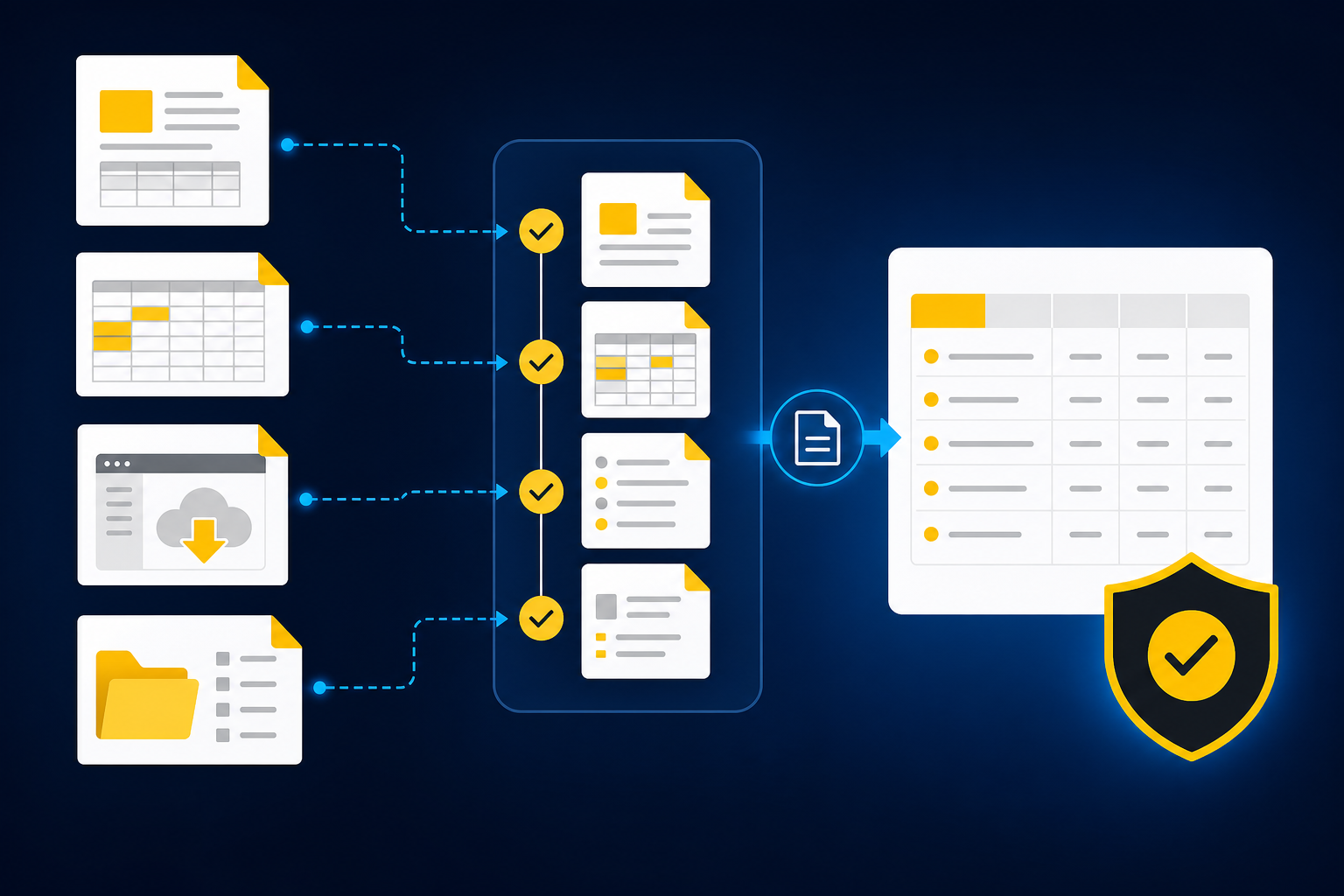
The source file still requires accounting judgment
At 4:30 on a Thursday, a senior accountant downloads a payout report, opens the bank activity, and pulls up the prior reconciliation. The processor reports gross activity, fees, refunds, and settlements one way. The bank shows net deposits on different dates. Someone still has to connect them, preserve the right dimensions, and explain anything that doesn't tie, and that someone is not going to finish before the day ends.
Calling that work data entry misses what the accountant is doing. The hard part isn't copying a value from one field to another. It's deciding whether the files describe the same activity, whether the period is complete, and whether the prior treatment still applies. A clean API feed doesn't answer those questions. It hands you a tidy column of numbers and none of the judgment about what they mean.
The GL only sees the prepared result
Would your ledger know that page 3 of a custodian statement went missing? Sage Intacct and QuickBooks Online are built to hold the books, not interpret every custodian statement or donor export that arrives upstream. A ledger can accept a coded entry once the team has completed the reconciliation and attached support. It can't determine why the current statement changed format or whether an omitted page contains activity that belongs in the period.
Source-file preparation acts like the opening balance of the close. If it's incomplete or classified incorrectly, every downstream schedule inherits the problem, the same way a wrong opening balance quietly corrupts a rollforward until someone traces it back. The final journal entry may post correctly from a technical standpoint while the reasoning behind it remains weak. That is where days disappear.
Manual control can hide manual fragility
Spreadsheets have real merits. They're flexible, familiar, and easy to adjust when a source changes without warning. For a low-volume workflow with one preparer and a simple review, replacing them may add more effort than it removes. That concession is real, and it is exactly why so many teams keep them.
The weakness appears when the same process depends on copied formulas, emailed explanations, and knowledge held by one person. A reviewer can see that someone touched every file, but not necessarily which treatment was applied or why it changed. Familiarity feels like control because the team knows how to work around the gaps. It doesn't make those gaps easier to inspect.
A controller evaluating that source-to-workpaper handoff should be able to inspect the source, applied treatment, and reviewer gate in the same flow. You can see the preparation workflow in action, then ask the harder question: which recurring workflow should you prove first?
How to Build a Reviewable Preparation Workflow
A reviewable preparation workflow starts with diagnosis, not broad automation. You identify where the close waits, choose a bounded recurring process, reproduce an approved result, and preserve the evidence a reviewer needs. Each stage has a clear owner, and nothing reaches the ledger without accountant approval.
Separate preparation delays from review delays
A slow close and a slow review are different problems, and the fix for one makes the other worse if you misdiagnose it. If workpapers reach the controller late, preparation is likely the constraint. If they arrive on time but return with repeated questions, the workpaper structure or treatment may be unclear. Automating review won't fix missing support, just as faster preparation won't resolve an unresolved policy decision.
Look at the waiting points, not only the close checklist dates. Where does a file sit because nobody knows whether it is complete? Which reconciliation depends on a preparer rebuilding last month's logic? Where does the reviewer reopen the original statement because the workpaper doesn't show how a number was produced? Those observations tell you where the month-end close delays actually live.
Before selecting a workflow, ask:
- Does preparation begin with recurring source files outside the GL?
- Is there a prior approved workpaper or journal entry to use as the known result?
- Can the reviewer trace each material line back to its source?
- Are repeated corrections caused by missing context rather than new accounting policy?
- Does the workflow have a named preparer and reviewer?
If the first two answers are no, the process may not be ready for controlled automation. If the last three reveal gaps, fix the review surface before increasing scope.
Choose a workflow that can prove itself
Which workflow should go first? Pick one that repeats, has stable ownership, and comes with enough historical evidence to show how your team handles it. A recurring prepaid schedule, processor reconciliation, or brokerage rollforward is easier to evaluate than an ad hoc analysis with no prior approved answer.
The obvious choice is often the workflow consuming the most staff time. That instinct is understandable, and I'd concede it feels responsible to attack the biggest time sink first. Effort alone is a weak selection rule. A large intercompany process with unresolved policy questions can create a poor pilot because every difference becomes a debate about treatment. A smaller workflow with complete source files and a clean prior workpaper gives the reviewer a better basis for comparison.
A practical selection sequence looks like this:
- Identify recurring workpapers that start from PDFs, spreadsheets, or portal exports.
- Confirm that prior-period source files and approved outputs are available.
- Separate stable accounting rules from items that still require policy decisions.
- Name the preparer who knows the process and the reviewer who owns sign-off.
- Select the workflow whose differences can be explained line by line.
The first workflow doesn't need to be impressive. It needs to be inspectable.
Reproduce the known result before using the new one
In one anonymized implementation discussion, a controller wanted to start with current-period work immediately. The better test was already sitting in the close archive: prior source files, the approved workpaper, reviewer notes, and the posted entry. Running the workflow against that package made every difference visible.
Reproduction tells you whether the preparation follows the team's process rather than merely reaching the same total. Two workpapers can tie while using different classifications, dimensions, or cutoff assumptions. Matching the ending balance isn't enough. The reviewer should be able to inspect the route from source to treatment and see where the prepared result diverged.
Use the prior period in this order:
- Load the original source files without cleaning them for the test.
- Provide the approved workpaper, entry, and relevant reviewer corrections.
- Compare line treatment, dimensions, calculations, and exception handling.
- Record each correction as a specific rule or reviewer decision.
- Run the corrected process again before moving to the current period.
A controlled pilot asks more from the reviewer at the start. That is a real cost. The work pays off only if corrections become operating context rather than another set of notes the team must restate next month.
If you want to inspect how prior-period evidence becomes a repeatable preparation flow, book a workflow review around one workpaper your team already knows well.
Make the workpaper carry the explanation
The workpaper, not the model response, is where preparation becomes usable. A reviewer shouldn't have to ask a separate system which statement supplied a number, which formula produced the balance, or which rule drove the classification. Those answers belong beside the prepared output.
A complete review surface follows the accountant's natural order. Start with the source. Show the calculation and applied treatment next. Surface exceptions without forcing them into agreement, then capture the reviewer's decision and sign-off. When those elements are split across chat threads, spreadsheets, and attachments, the reviewer ends up reconstructing the work instead of reviewing it.
Before approving a prepared workpaper, verify five things:
- Source: Every material amount links back to the file or record that produced it.
- Calculation: Rollforwards, allocations, and reconciliation logic can be re-performed.
- Treatment: Account mappings, dimensions, and cutoffs are visible.
- Exceptions: Missing support and unexpected changes remain open for judgment.
- Sign-off: The preparer and reviewer actions are recorded before downstream use.
If any one of those elements is missing, the output may look complete while leaving the reviewer with the same manual investigation as before.
Expand only after corrections survive the next period
One accounting firm reported reducing credit-card categorization time by approximately 75% after adopting automation for that recurring work. Its description was direct: "Truewind automates a huge chunk of that busywork." The useful part of that example isn't the percentage alone. It's that the workflow addressed a bounded preparation task with a result the accountants could inspect and correct.
A marketplace company described a broader outcome with the line, "If I had to describe Truewind in one word: Lifechanging". Strong language can make a compelling customer story, but it shouldn't become the adoption standard for every controller. The standard is more practical: can the reviewer understand the output, correct it, and see that correction applied when the workflow runs again?
Expansion should follow evidence, not enthusiasm. Add another entity or workpaper only after the current workflow meets three conditions: its source package is complete, its known treatments reproduce consistently, and its exceptions reach the right reviewer. If a correction disappears next period, the workflow isn't ready to expand. If the correction persists and remains visible, the team has a basis for broader use.
A close workflow should behave like a rollforward. It begins from the last approved position, carries known rules forward, and isolates current-period movement for review. Starting from a blank prompt each month is repeated experimentation, not a recurring accounting process.
How Truewind Prepares Work Before the GL
Truewind applies that controlled sequence upstream of Sage Intacct and QuickBooks Online. It ingests recurring source files, uses prior workpapers and reviewer corrections as context, prepares review-ready accounting artifacts, and routes exceptions to the accountant. The ledger remains the system of record, and reviewer confirmation remains the gate.
Source-linked preparation replaces disconnected handoffs
Multi-source ingestion organizes the bank statements, processor exports, custodian statements, prior workpapers, and spreadsheets that begin the workflow. Multi-source reconciliation then matches activity across systems using historical treatment and prepares the reconciliation, supporting schedule, and any required journal-entry draft. Unreconciled items aren't forced to agree.
Workpaper generation carries the prior approved structure into the current period. Current source documents and ERP balances feed the rollforward, while source links stay attached to prepared schedules and journal-entry drafts. Historical-example learning captures confirmed treatment and reviewer corrections for later periods without changing accounting policy on its own.
The preparation layer covers specific work:
- Structure recurring files for coding, reconciliation, and schedule preparation.
- Apply dimensions and allocation rules using the team's established treatment.
- Prepare workpapers and journal-entry drafts with source-linked support.
- Surface missing statements, unexpected changes, and inconsistent classifications.
- Preserve the trail of reviewer corrections and confirmed treatment.
Review remains an accounting responsibility
The human-in-the-loop review workflow gives accountants the prepared work, source links, exception queues, and reviewer actions in one place. The accountant can confirm an item, adjust it, or send it back for more preparation. Proactive anomaly detection identifies what falls outside the learned process, but it doesn't resolve the exception or change policy without review.
Keep Sage Intacct or QuickBooks Online as the system of record. Once the reviewer signs off, structured output can move to the connected ERP with coding and dimensional context preserved. Nothing posts on its own, and Truewind doesn't replace the controller's judgment.
That boundary matters. Buyers seeking an autonomous system that removes reviewer sign-off are evaluating a different approach. The same is true for teams replacing their GL or handling a close without recurring workpapers and an accountable reviewer.
To see how a source-heavy reconciliation moves from intake through reviewer approval, get a close workflow demo using a process your team already runs. The change isn't where the books live. It's how the work becomes ready for them.
Fewer Close Delays Start Before the Ledger
Month-end close delays shrink when preparation becomes repeatable before the journal entry reaches the GL. Start with one recurring workflow, compare it against a known answer, record the reviewer's corrections, and require every output to carry its source and treatment.
The accountant still owns the result. What changes is the work that arrives for review: prepared workpapers instead of scattered files, visible exceptions instead of hidden differences, and an approval gate before anything moves downstream. That is how a finance team adds capacity without giving up control.
Frequently Asked Questions
How do I handle edge cases effectively?
To handle edge cases effectively, start by documenting the specific rules your team typically applies to similar situations. Next, use Truewind’s AI-Powered Transaction Coding feature, which learns from past corrections, to propose categorizations that align with your established practices. This way, you can maintain consistency even when unique scenarios arise. Finally, ensure that every edge case is reviewed by an accountant who can confirm the treatment before moving it to the general ledger.
Can I automate data ingestion for recurring reports?
Yes, you can automate data ingestion for recurring reports using Truewind. Simply upload your source materials like bank statements, credit card activity, and payout reports into the platform. Truewind will convert these messy inputs into structured workflows, allowing your team to skip the manual reformatting process. This means you can start your accounting tasks faster and with organized data, reducing the likelihood of errors.
What if my source files have inconsistent formats?
If your source files have inconsistent formats, Truewind's Automated Data Ingestion feature can help. It organizes various formats like PDFs, spreadsheets, and processor exports into a structured workflow. This ensures that your team can work with standardized data, making it easier to reconcile and prepare workpapers. Just upload the files, and Truewind will handle the rest, allowing you to focus on the accounting tasks that matter.
When should I consider expanding my automation workflows?
Consider expanding your automation workflows once you’ve established a reliable process that consistently produces accurate outputs. With Truewind, you should first ensure that your current workflow's source package is complete, and that corrections from previous periods are preserved and visible. Only after confirming these conditions should you look to add more complex workflows, ensuring that your team can manage the increased scope effectively.
Why does my team need a human review in the workflow?
Your team needs a human review in the workflow to ensure accuracy and accountability. Truewind’s Human-in-the-Loop Review Workflow allows accountants to inspect prepared workpapers and reconciliations before anything is posted to the GL. This review process captures corrections and confirmations, ensuring that every output is traceable back to its source and meets your team’s standards. It’s crucial for maintaining control over the accounting process.
Turn this into a close-ready workpaper
Start with sample files or upload your own statements to see how Truewind prepares review-ready workpapers and journal entries.