

A Classy export shows a restricted gift that reaches Sage Intacct as a net bank deposit after processor fees. Your software has to preserve the restriction and explain the difference in a workpaper the reviewer can trace. If the demo starts with clean journal entries instead of that source-to-review workflow, it skips the accounting work your team needs to evaluate.
A nonprofit accounting software demo can look complete while skipping the work your team actually performs. The vendor shows a clean journal entry. Your staff still has to combine donor exports with processor settlements, resolve timing differences, apply restrictions, record due-to and due-from balances, and prepare support the reviewer can trace.
August 2026 TL;DR: Choose nonprofit accounting software by testing your recurring close workflows against sample data, not by counting features. Keep ledger requirements separate from preparation requirements. Require every vendor claim to appear in the demo, the implementation plan, or written product documentation before you score it as supported.
Key Takeaways:
- Map entities, funds, programs, grants, and restrictions before comparing products.
- Test intercompany accounting through due-to and due-from entries, eliminations, and consolidated reporting.
- Require source-linked support for allocations, reconciliations, journal entries, and reviewer decisions.
- Separate the general ledger from the preparation layer that handles source files and recurring workpapers.
- Score demonstrated behavior higher than roadmap promises or verbal assurances.
- Include implementation work and monthly operating burden in the final decision.
Why Nonprofit Accounting Software Evaluations Miss the Work
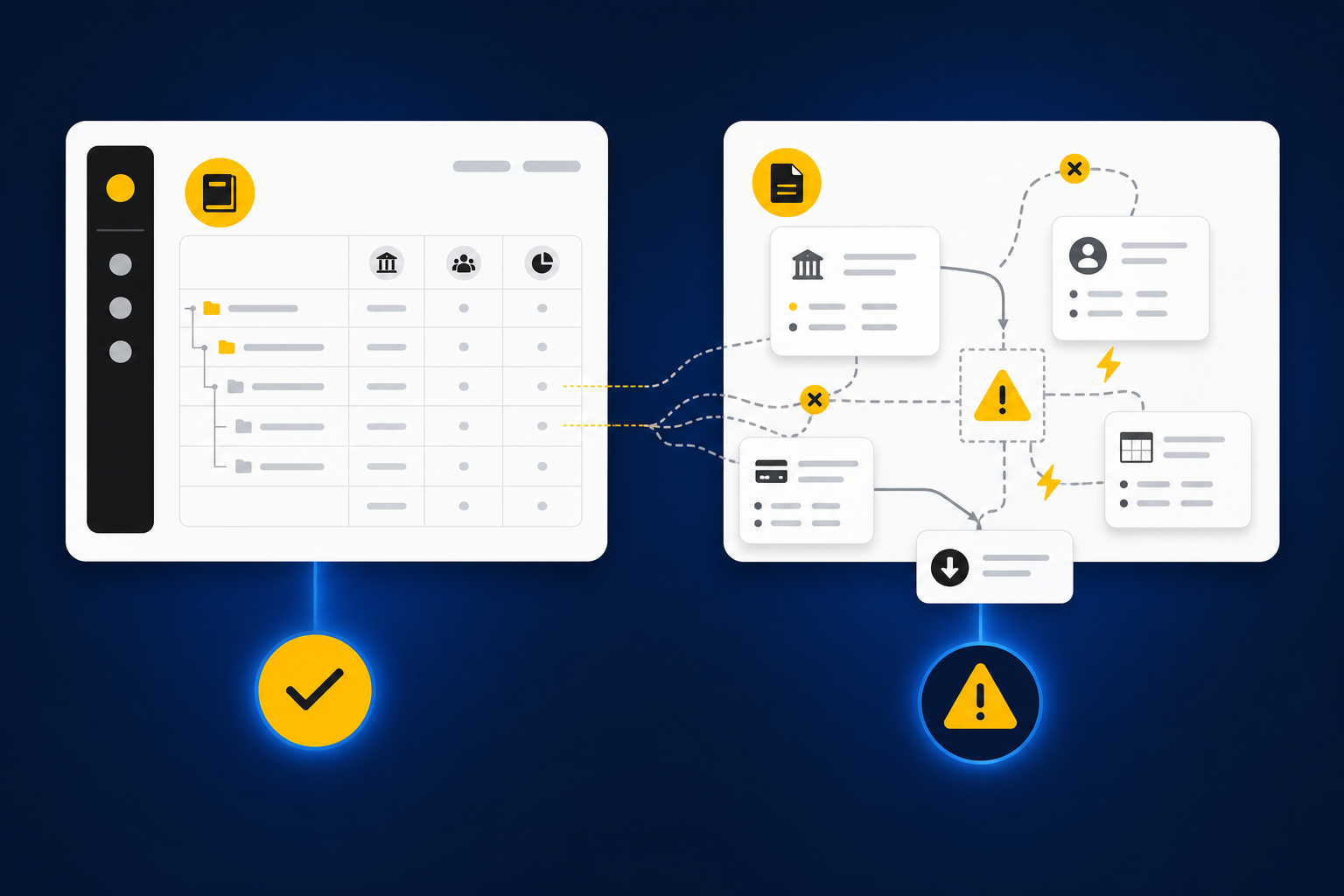
Nonprofit accounting software evaluations fail when they start with vendor features instead of the accounting work. A ledger may support funds and dimensions while leaving donation reconciliation, allocation support, intercompany preparation, and reviewer evidence in spreadsheets. The missing layer sits between operational systems and the GL, where the team turns source activity into accounting-ready work.
Regulatory questions hide an operating problem
Nonprofit finance teams need sound controls and defensible reporting, but the daily burden is operational. A donation may begin in a donor platform, pass through a processor, reach the bank net of fees, and require coding across a restriction, program, campaign, and legal entity. None of those systems describes the activity in exactly the same way. Someone has to decide what the records mean together.
That work deserves more than an extraction tool. Your accountant checks completeness, applies the chart of accounts, resolves timing differences, prepares any allocation, and documents why the treatment is consistent with prior periods. A product that reads a PDF but can’t preserve that reasoning has only completed the first move.
A ledger and a preparation layer do different jobs
Sage Intacct or QuickBooks Online can remain the system of record while another system prepares the work that reaches it. The ledger owns posted entries, balances, and financial reporting. The preparation layer combines source files, applies mappings and dimensions, checks totals, surfaces exceptions, and produces the workpaper a reviewer expects.
There’s a fair case for buying one system that claims to handle everything. Fewer tools can mean fewer handoffs, one login, one support contract. That advantage only holds if the vendor can demonstrate the source-to-review workflow with your files, your dimensions, and your approval rules. Otherwise, the apparent simplicity moves work back into Excel, where the restriction coding and the timing exceptions live in a tab no auditor asked to see. To inspect how that preparation layer should connect source files to a reviewable output, see the preparation workflow in action.
The polished demo is not the close
An accounting manager opens restricted revenue on the third morning of close, coffee going cold, ledger balance already agreeing to the bank. The donor export tells a messier story: activity for two programs, one grant, and a refund that settled in the following period. The demo showed a matched deposit and stopped there. What the manager needs now is a reconciliation, the restriction and program coding, the timing exception documented, and source support attached to the entry.
Clean-looking output can create more concern when the reasoning is missing. Reviewers don’t need a confidence score. They need to trace the amount, inspect the calculation, understand the treatment, see what didn’t fit, and record their decision. That is the standard your requirements process has to test.
The next question isn’t which vendor sounds broadest. It’s what your nonprofit must prove in its own close.
How to Choose Nonprofit Accounting Software by Requirements
Choose nonprofit accounting software by translating your close into requirements that can be demonstrated, scored, and assigned to an owner. Start with entity structure and reporting dimensions, then test intercompany activity, allocations, controls, integrations, and implementation. Vendor claims belong in a separate column until the vendor proves them with sample data or documentation.
Which structures must survive from source to reporting?
What structure does your team carry outside the ledger today? If a spreadsheet preserves a grant, restriction, program, purpose, or entity field that disappears during import, your current requirement is incomplete. Write down the source of each dimension, where it changes, who reviews it, and where it must appear in reporting.
Start with four diagnostic questions. Can one transaction carry every dimension needed for management and external reporting? Can dimensions change by line rather than vendor? Can a reviewer trace a split allocation back to the source and rule? Can the system preserve entity boundaries through preparation and posting? A “no” or “not shown” answer belongs in the gap column.
Use a requirements matrix before booking demos:
| Buyer requirement | Required demonstration | Evidence to retain | Decision rule |
|---|---|---|---|
| Multiple legal entities | Process one sample across two entities | Entries, dimensions, and entity assignments | Reject if entity context is flattened |
| Funds and restrictions | Carry donor restrictions through coding | Source export and prepared workpaper | Reject if restrictions require re-entry |
| Programs and grants | Split activity across program and grant dimensions | Allocation support and reviewer notes | Flag if logic lives only in a spreadsheet |
| Chart of accounts | Map recurring activity to existing accounts | Mapping file and proposed entries | Reject if a new chart is mandatory |
| Consolidated reporting | Produce entity and consolidated views | Report output and elimination support | Reject if consolidation depends on manual rebuild |
| Historical treatment | Reproduce a prior approved period | Prior workpaper and current preparation | Flag if corrections reset each month |
Requirements should describe work, not product language. “Supports fund accounting” is too broad. “Preserves restriction, program, grant, and entity coding from donor export through the approved journal entry” gives the vendor something concrete to prove.
Allocations and intercompany work need full-cycle testing
A single-entity demo can’t prove multi-entity accounting. Your test should begin with the source transaction and end with entity books, due-to and due-from balances, eliminations, and consolidated reporting. If the vendor only shows the initial entry, most of the risk stays outside the demo, exactly where you can’t score it.
Allocations need the same treatment. A system may support percentages while missing effective dates, exceptions, source support, or reviewer approval when a rule changes. Fixed allocations are easier to configure, and some nonprofits genuinely need nothing more. If your rules vary by grant period, program activity, location, or entity, a fixed split is not enough, and a demo that only shows a static percentage has answered a question you didn’t ask.
Run one intercompany scenario in sequence:
- Enter or ingest an expense paid by Entity A for Entity B.
- Apply the correct program, fund, department, and purpose dimensions.
- Prepare the due-to and due-from entries for both entities.
- Reconcile the reciprocal balances and surface any difference.
- Prepare the elimination and consolidated reporting view.
- Trace every line back to the source and reviewer decision.
Stop the evaluation if reciprocal balances can’t be reconciled by entity. A dashboard total isn’t a substitute for support that an accountant can inspect and re-perform.
Permissions and audit evidence must follow the work
Permissions should reflect accounting responsibility, not just application access. A preparer may assemble support and propose coding. A reviewer may adjust treatment and approve the workpaper. A finance leader may need consolidated visibility without permission to alter source-level preparation.
Audit evidence has to follow the same path. Ask where the original source file is retained, how changes are recorded, which reviewer approved the treatment, and what prevents an unapproved item from reaching the GL. If the answer depends on email, screenshots, or a separate close folder, the control is still fragmented.
Require the vendor to show the evidence package, not describe it:
- Original source files tied to the prepared work
- Calculation and accounting treatment visible in the workpaper
- Exceptions shown with enough context for a reviewer to decide
- Reviewer corrections and confirmations retained by period
- Approved output distinguished from drafts and rejected items
- Posting blocked until the required sign-off is complete
Some organizations intentionally keep parts of this record outside their accounting software. That can work when ownership is clear and the handoff is controlled. The burden still belongs in your score because your team will maintain it every period. If you want to test these controls against a live workflow, review a close preparation demo using one of your recurring workpapers.
Implementation burden belongs in the scorecard
Two products with similar capabilities can create very different operating burdens. One may require your team to rebuild the chart, clean historical dimensions, redesign approvals, and maintain import templates. Another may fit the current ledger but need more work upstream to normalize donor and processor files.
Price alone won’t show that difference. Track who owns data cleanup, mapping, testing, training, exception handling, and period-end maintenance. If an implementation task has no named owner or acceptance test, treat it as unresolved work rather than an included capability.
Migration risks usually appear in four places:
- Historical structure: Inactive accounts, reused dimensions, and inconsistent entity mappings can carry old problems into the new system.
- Open items: Outstanding grants, intercompany balances, and unresolved reconciliation differences need a defined cutover treatment.
- Source continuity: Donor, processor, payroll, and banking exports may change fields or timing during migration.
- Review continuity: Prior workpapers and reviewer notes can be lost if only beginning balances move.
A controlled migration should start with a recurring workflow that has known inputs and an approved prior result. Reproduce that result, compare differences, capture corrections, and expand only after the reviewer can explain the output. The downside is real: controlled iteration takes discipline up front, and a rushed cutover always feels faster in week one. The advantage is that your team finds the gaps in a single fund before they spread across every entity and fund you carry.
Use a demo script and score only demonstrated behavior
A strong demo begins with your files, not the vendor’s prepared environment. Send a prior workpaper, current-period source files, the relevant ERP balance, and a written explanation of the expected review. Ask the vendor to prepare the next period while your accountant watches the source, treatment, exceptions, and sign-off path.
Keep the script narrow enough to finish. A sprawling demo creates room for verbal answers that can’t be verified. One difficult donation reconciliation or intercompany allocation will tell you more than a tour of every menu.
Use the following demo script:
- Ingest a donor export, processor report, bank activity, and prior workpaper.
- Identify missing files and differences from the prior period.
- Map activity to accounts and required dimensions.
- Prepare fees, refunds, restrictions, allocations, and timing items.
- Produce the reconciliation, support schedule, and journal-entry draft.
- Route exceptions to the accountant and record reviewer corrections.
- Show what reaches the ledger after approval and what remains outside it.
Score each category from 1 to 5. Give a 1 when the vendor doesn’t demonstrate the requirement, a 3 when the workflow works with material gaps, and a 5 when it works with your sample data and leaves reviewable evidence. Don’t let a high total offset a control failure. Any score below 3 for permissions, source traceability, or posting approval should remain a blocking issue until resolved.
| Scorecard category | What you are scoring |
|---|---|
| Entity and dimensional fit | Preservation of entity, fund, grant, program, and purpose |
| Intercompany accounting | Reciprocal entries, reconciliation, eliminations, and consolidation |
| Source handling | Completeness across donor, processor, bank, and operational files |
| Reviewability | Source, calculation, treatment, exceptions, and sign-off |
| Integration | Approved handoff to the existing ledger and upstream systems |
| Implementation | Data work, ownership, testing, training, and cutover risk |
| Operating burden | Recurring imports, spreadsheet work, exception review, and maintenance |
FAQs
- Should the nonprofit replace its GL to automate preparation? Not necessarily. If the ledger already meets posting and reporting needs, evaluate a preparation layer for the work that happens before the GL.
- Should every exception be automated? No. Missing support, changed allocation rules, and inconsistent classifications should reach an accountant with source context.
- How much history should a vendor test? Start with one approved prior period and the next period’s source files. Add more history only when the treatment changes materially.
- Can a bank feed replace donor and processor data? No. The bank shows cash movement, but it may not contain restrictions, campaigns, fees, refunds, or other dimensions needed for nonprofit accounting.
- What should decide between two finalists? Prefer the product that proves the required workflow with less unresolved implementation work and a stronger reviewer trail.
Once those requirements are explicit, you can decide what belongs in the ledger and what belongs in the preparation layer above it.
How Truewind Prepares Work Before the Ledger
Truewind sits between recurring nonprofit source files and Sage Intacct or QuickBooks Online. It structures donor, processor, bank, and prior-period inputs; applies the team’s historical mappings and dimensional rules; prepares review-ready accounting work; and routes exceptions to the accountant. Nothing moves downstream without reviewer confirmation.
Reconcile source activity and preserve dimensions
Multi-Source Reconciliation aligns activity that different systems describe differently. Fees, refunds, restrictions, and timing differences remain tied to their sources instead of being forced into agreement. Dimensional and Allocation Preparation preserves fund, program, chapter, department, purpose, or entity coding when the team’s rules are explicit, while changed rules and edge cases remain visible for review.
Workpaper Generation and Rollforward brings the prior workpaper, current source documents, and ERP balance into the same recurring process. The prepared work shows current-period support, calculations, proposed treatment, exceptions, and any required journal-entry draft. Historical-Example Learning captures confirmed treatment and reviewer corrections for later periods, but it doesn’t change accounting policy on its own.
Keep exceptions and reviewer sign-off visible
The Human-in-the-Loop Review Workflow keeps the accountant in control. Reviewers can inspect source links, confirm or adjust treatment, and send items back before anything is used downstream. Proactive Anomaly Detection surfaces missing statements, unexpected balance changes, and inconsistent classifications rather than resolving them without review.
Hand approved work to the ledger
Truewind isn’t a GL replacement, and it isn’t designed for buyers seeking autonomous posting. Sage Intacct and QuickBooks Online remain the systems of record. After sign-off, approved, dimensioned output can move to the connected ledger with source references preserved. To test that handoff with a recurring nonprofit workflow, request a demo using a prior workpaper and current-period source files.
What a Defensible Nonprofit Software Decision Looks Like
Start with the close you already own
A defensible decision on which nonprofit accounting software to choose starts with the close your team already owns. Map the entities and dimensions, test intercompany and allocations through reporting, inspect the reviewer evidence, and price the implementation work your staff will carry. Then score only what the vendor can demonstrate.
Keep the accountant in control
The goal isn’t to automate judgment or replace the ledger. It is to prepare recurring accounting work in a form the reviewer can trace, correct, and approve.
Choose visible control before migration
Choose nonprofit accounting software that makes that control visible before you commit to migration.
Frequently Asked Questions
How do I ensure my nonprofit's donor restrictions are preserved?
To ensure donor restrictions are preserved, start by mapping out your current processes. Use Truewind's Multi-Source Reconciliation to align activity across different systems, like donor platforms and payment processors. This feature helps maintain the integrity of donor restrictions throughout the accounting process. Additionally, when preparing journal entries, make sure to attach supporting documentation that clearly outlines how these restrictions are applied. This way, you can trace each entry back to its source, ensuring compliance and clarity.
What if I need to reconcile multiple accounts at once?
If you need to reconcile multiple accounts simultaneously, consider using Truewind's Human-in-the-Loop Review Workflow. This allows your team to inspect prepared workpapers and reconciliations for each account before anything is posted to the general ledger. By organizing your source documents and using Truewind to prepare the reconciliations, you can surface discrepancies that need attention. Ensure that each account's reconciliation is tied back to the original source documents for a clear audit trail.
Can I automate the ingestion of financial data?
Yes, you can automate the ingestion of financial data using Truewind's Automated Data Ingestion feature. This tool helps you upload raw source materials like bank statements, credit card activity, and PDFs, converting them into structured workflows without manual pre-processing. This saves time and reduces errors by ensuring that your data is organized and ready for accounting tasks right from the start of your close process. Just make sure to define your input formats clearly to maximize the efficiency of this feature.
When should I involve my accountant in the review process?
You should involve your accountant in the review process at key stages: 1) After data ingestion, to check for any discrepancies or missing information. 2) Once Truewind has prepared the workpapers and reconciliations, so they can inspect the outputs before they are posted to the general ledger. 3) During the handling of any exceptions surfaced by the Proactive Anomaly Detection feature, ensuring that all decisions are documented and traceable. This approach helps maintain control and accuracy in your accounting workflows.
Turn this into a close-ready workpaper
Start with sample files or upload your own statements to see how Truewind prepares review-ready workpapers and journal entries.