

The reconciliation ties to the ledger, and the support package looks complete. Then the reviewer opens one total and cannot tell which processor report produced it, how fees were allocated, or why a timing difference was cleared. The number may be right. The work is still not ready for approval.
Controllers are not primarily worried about an obviously broken reconciliation. They are worried about one that looks finished while hiding how the preparer assembled it. A clean workbook can create more review work when source links, matching logic, exceptions, and prior decisions sit somewhere else. The reviewer has to reconstruct the process before judgment can begin.
To build a review-ready reconciliation, start with the artifact the reviewer needs, not the final balance alone. Each material number should trace to source. Matched activity should be distinct from unresolved items. Accounting treatment should be visible, and preparer and reviewer actions should remain attached to the work. A tie-out matters, but it is only one part of the control.
A tied balance is not the same as a reviewable reconciliation
A reconciliation can agree with the GL and still leave basic questions unanswered. Which source files were expected? Were all of them received? Did the preparer match gross activity or net deposits? Where were fees, refunds, and timing differences recorded? If those answers live in email, reviewer notes, or the preparer’s memory, the workbook does not contain the full reconciliation.
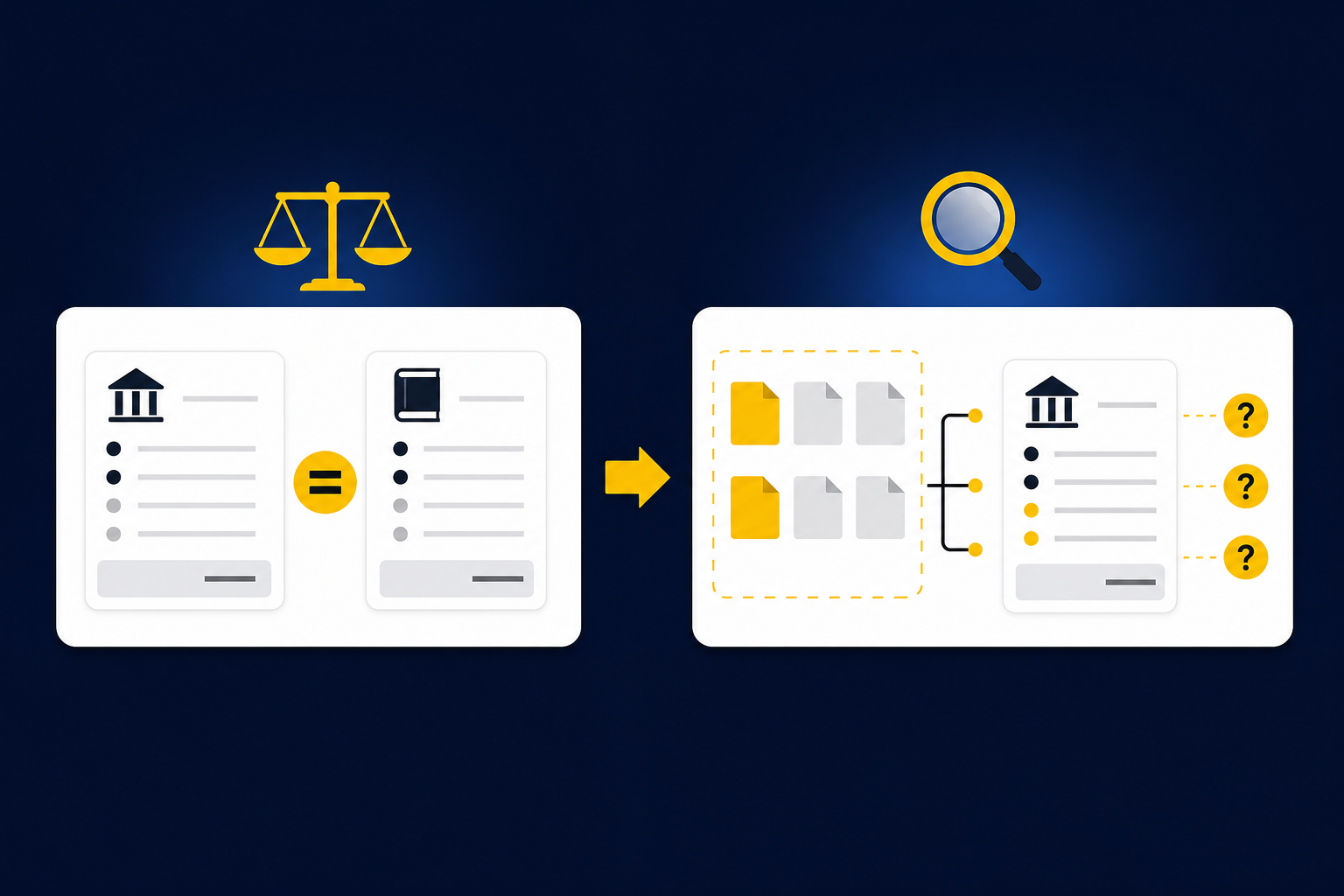
More manual checking does not fix the underlying problem. It adds another person to a process whose logic is still scattered across files. The reviewer reopens statements, rebuilds calculations, and asks the preparer to explain items that should have been visible in the workpaper. Review becomes a second preparation pass.
The better control is a standardized reconciliation workpaper that shows how the balance was assembled. Source records sit beside the calculations they support. Matching rules and allocations are visible. Exceptions remain open until an accountant decides how to treat them, and that decision stays with the work for the next reviewer and the next period.
Truewind prepares recurring reconciliations around that review surface. It brings source files, calculations, exceptions, and reviewer actions into the same workflow while keeping approval with the accountant. To inspect how that preparation appears before anything reaches Sage Intacct or QuickBooks Online, See Truewind in action.
Reviewability also changes what the preparer optimizes for. The job is no longer to make the difference disappear. The job is to show what matched, what did not, which treatment was applied, and where judgment is still required. A zero balance without that evidence is an answer. It is not yet a workpaper.
Build the workpaper around the reviewer’s questions
A strong reconciliation follows the order in which a reviewer evaluates the work. The reviewer first checks whether the source population is complete, then traces totals, inspects the accounting logic, and focuses on unresolved items. Sign-off belongs at the end because approval depends on everything that came before it.
Establish the complete source population
Reconciliation starts before matching. The preparer needs to know which statements, exports, reports, and ledger balances should be present for the period. A missing processor report can produce a clean-looking comparison between the files that did arrive, but the reconciliation is still incomplete.
The workpaper should identify each expected source, its period, and its relationship to the balance being reconciled. A nonprofit deposit reconciliation may include donor-platform activity, processor settlements, bank deposits, and the related GL balance. A family-office workpaper may need a custodian statement, investment-vehicle support, entity context, and the ERP balance. Different workflows use different sources, but completeness has to be explicit in both.
Source traceability should extend to the individual items behind the total. If a reviewer selects a fee, refund, transfer, or allocation, the workpaper should show the underlying record and the calculation that produced the amount. The reviewer should not have to search a folder and guess which version the preparer used.
Separate matched activity from unresolved exceptions
Matched items and exceptions serve different purposes. Matched activity shows that the defined reconciliation process worked. Exceptions show where the process encountered a missing source, timing difference, unusual balance change, mixed activity, or classification that did not fit the established treatment. Combining both into one dense schedule makes the reviewer inspect ordinary items to find the few that require judgment.
An exception schedule should explain what failed to match, the amount involved, the relevant source, and the action still required. It should not force the total to agree or clear the item based on a generic assumption. Some differences need another statement. Others need an allocation decision, an adjusting entry, or confirmation that the item belongs in the next period.
Routing those items to the accountant is not a weakness in the workflow. It is the control. Accounting policy, materiality, and novel treatment remain with the reviewer, while repeatable preparation follows the rules the team has already approved.
Make the accounting logic visible
Two deposits with the same bank amount can require different coding because the underlying activity differs. One may combine donations across funds after processor fees. Another may include a refund or timing difference that crosses the cutoff. Matching the cash amount does not preserve the accounting meaning.
The workpaper should show the mappings, dimensions, allocation rules, and cutoff treatment applied to each relevant item. When the team uses program, fund, department, location, purpose, or entity dimensions, those fields need to survive preparation and remain visible during review. A reviewer should be able to understand not only where the number came from, but why it reached that account and dimension.
Visible logic also makes corrections useful. A classification change should not disappear into a revised spreadsheet with no record of what changed. The corrected treatment should stay attached to the workflow so the team can inspect it later and decide whether the same rule applies next period.
Record preparation and review as part of the work
A completed workbook without named actions leaves an important control outside the artifact. The workpaper should show who prepared the reconciliation, what the preparer changed, which exceptions the reviewer addressed, and when approval occurred. If an item changes after review, the history should remain visible.
One anonymized Sage Intacct evaluation made that requirement explicit. The accounting team needed separate preparer and reviewer actions, visible history for changes, and a control that prevented unapproved work from reaching Sage. The team was not asking for an autonomous posting process. It was asking for preparation that could be inspected and approved without reconstructing the workflow from separate files.
That distinction should shape any automation evaluation. A generated reconciliation is not enough if the system cannot show its source, preserve the team’s treatment, and hold the output for approval. To examine those controls against one of your recurring workpapers, Book a Truewind demo and bring the prior approved result into the discussion.
Roll forward the process, not just the balance
Many recurring workpapers begin with last month’s workbook. The preparer copies the file, updates the dates, replaces the source data, and carries the ending balance forward. That preserves the format, but it does not necessarily preserve the reasoning that made the prior period correct.
A useful rollforward carries the approved mappings, classifications, allocation choices, and reviewer corrections into the current period. It also loads the new source documents and ERP balance, updates the supporting schedule, and identifies anything that no longer fits. Prior treatment becomes operating context, not an assumption that every current-period item should look the same.
Controlled iteration is the practical way to establish that process. Start with a recurring workflow that has known inputs and a prior approved answer. Compare the prepared output with the known result, inspect the differences, record corrections, and repeat the workflow before expanding its scope. The team sees what the system reproduced, what it missed, and whether reviewer decisions remain visible in the next period.
One Truewind customer example illustrates the value of starting with a bounded process. An accounting firm applied the platform to recurring credit-card transaction categorization and reported an approximately 75% reduction in categorization time. The result belongs to that customer and that workflow, not to reconciliation generally. The more useful lesson is the adoption pattern: choose work with a known result, capture the team’s corrections, and expand after the workflow is understandable and repeatable.
Rollforward should not invent policy. A prior allocation may be useful evidence of established treatment, but a changed agreement, new account, or unusual transaction can still require fresh judgment. The workflow should apply known rules where they fit and place changed conditions in front of the accountant.
Put automation inside a controlled reconciliation workflow
Truewind sits between the source systems and the GL. Its multi-source reconciliation workflow ingests the exports and statements connected to the process, aligns activity across them using historical treatment, and prepares the reconciliation, support schedule, and any required journal-entry draft. Unreconciled items and timing differences remain visible with their source context.
The review workflow presents prepared work alongside the exceptions that need an accountant. Reviewers can confirm an item, adjust it, or send it back for preparation. Their corrections and confirmations stay attached to the workflow and can inform later periods, but Truewind does not resolve novel exceptions or change accounting policy on its own.
Workpaper rollforward uses the prior workpaper, current-period source documents, and ERP balances to prepare the next period in a familiar format. Balances and schedules update, source-linked support remains available, and exceptions move to the reviewer. Historical-example learning applies captured coding decisions, allocation choices, classification splits, and reviewer corrections without treating them as permission to bypass review.
An audit trail preserves the connection between source files, preparation steps, coding decisions, corrections, and sign-off. That record supports review and later inquiry, but it does not replace formal audit procedures or certify compliance. Its purpose is narrower and more useful: show how the team produced the work and who approved the treatment.
After reviewer confirmation, Truewind can push structured output to Sage Intacct or QuickBooks Online with coding, dimensions, and source references preserved. Those systems remain the system of record. Truewind does not post without accountant approval, and its documented native ERP coverage does not extend beyond those two systems.
The fit is strongest when a team already has a recurring close, prior workpapers, known review conventions, and an accountant responsible for sign-off. A team seeking unsupervised posting or a replacement for its general ledger is evaluating a different category. If you have an approved reconciliation that can serve as the known answer, Get a Truewind demo to compare it with a source-linked workflow that routes exceptions back to your reviewer.
Standardize what the reviewer sees
A review-ready reconciliation does not remove judgment. It puts judgment in the right place. Repeatable matches, mappings, rollforward steps, and source assembly belong in the preparation workflow. Missing support, changed classifications, unusual balances, and new accounting treatment belong with the accountant.
The workpaper should make that boundary obvious. Every material number traces to source. Matched activity is separate from unresolved exceptions. Accounting logic is visible, and preparer and reviewer actions remain part of the record. Prior-period decisions carry forward as context without becoming automatic policy.
Standardization matters because it gives reviewers the same path through the work each period. They can confirm completeness, inspect the logic, focus on exceptions, and sign off without requesting another round of support. The aim is shorter review with less back-and-forth, not less accountant involvement.
A reconciliation is ready when the reviewer can understand and re-perform the important steps without rebuilding the preparer’s work. The workpaper is where preparation becomes reviewable, and where the accountant remains in control.
Frequently Asked Questions
How do I build a review-ready reconciliation?
To create a review-ready reconciliation, start by ensuring each material number can trace back to its source. Clearly separate matched items from unresolved exceptions to make it easier for reviewers to focus on what needs attention. Additionally, document your accounting logic so that reviewers can understand the reasoning behind each classification and allocation. This will help streamline the review process and reduce the need for back-and-forth communication.
What if my reconciliation shows a tied balance but lacks clarity?
If your reconciliation shows a tied balance but lacks clarity, you need to revisit the source documentation. Ensure that all expected source files are included and that their relationships to the balance are clearly defined. Review the matching logic to confirm whether gross activity or net deposits were used. If necessary, create a separate schedule for exceptions to highlight unresolved items and clarify the actions required to address them.
How do I ensure my workpaper captures all reviewer actions?
To ensure your workpaper captures all reviewer actions, include a section that documents who prepared the reconciliation, what changes were made, and when approvals occurred. This creates a clear audit trail and helps maintain accountability throughout the review process. Additionally, make sure that any adjustments or corrections made by the reviewer are recorded in the workpaper to provide context for future reviews.
When should I roll forward my reconciliation process?
You should roll forward your reconciliation process at the beginning of each new period. This means copying the prior workpaper, updating the dates, and integrating the new source documents and ERP balances. Ensure that you carry over any approved mappings, classifications, and reviewer corrections to maintain consistency. This approach helps streamline the preparation for the current period while preserving the logic that made the previous period's reconciliation correct.
Turn this into a close-ready workpaper
Start with sample files or upload your own statements to see how Truewind prepares review-ready workpapers and journal entries.