
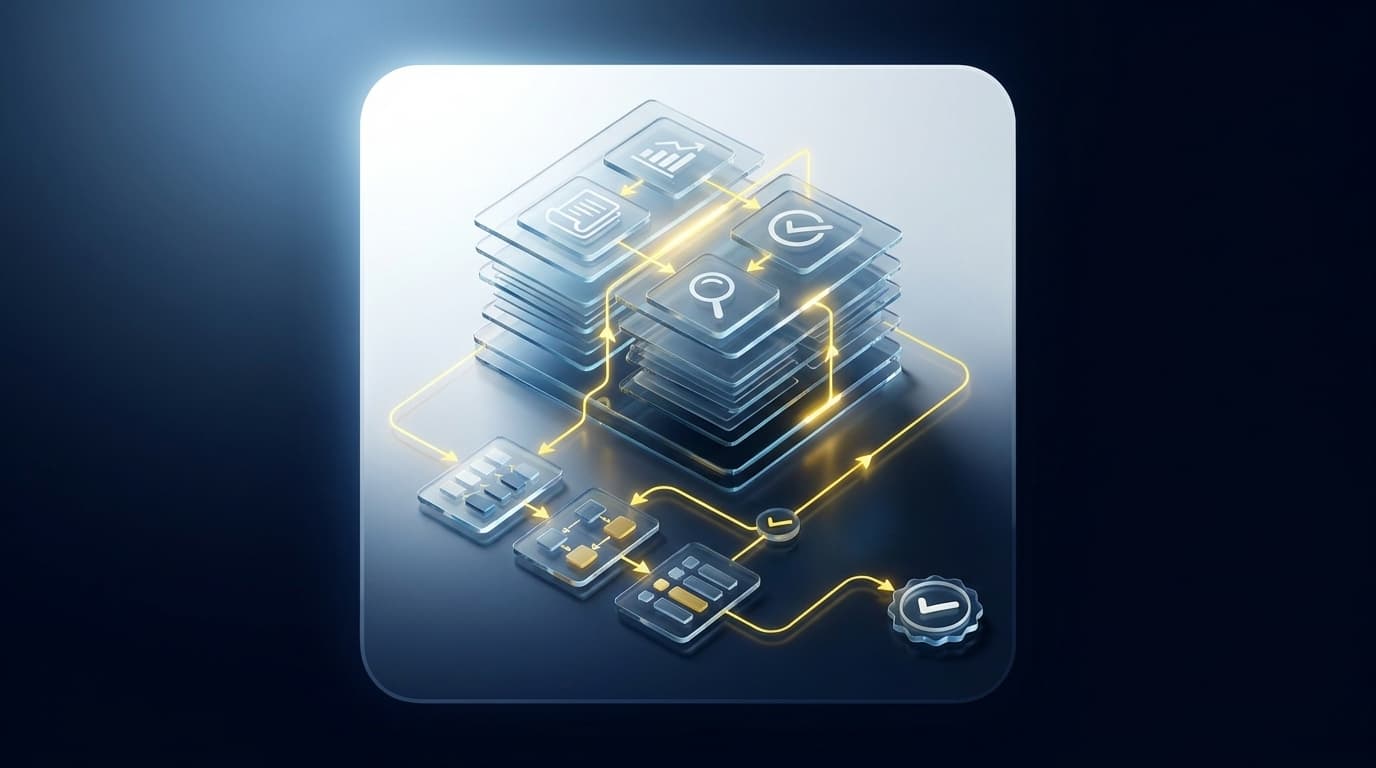
The safest-looking AI demo can be the least useful one in your close. You can watch a system produce a balanced journal entry in seconds and still have no idea which source file drove the amount, which cutoff it applied, or what the reviewer is expected to approve. How finance leaders should judge these systems comes down to one shift: evaluate the path to the answer, not the answer alone.
That changes the buying question. Instead of asking whether an AI accounting system can code transactions or draft an entry, ask whether it can follow your existing process, show its work, surface exceptions, and stop before anything reaches the GL. A clean output matters. A reviewable output matters more.
Key Takeaways:
- Evaluate AI on the workpaper it prepares, not the answer it generates.
- Start with a recurring workflow that has prior source files, workpapers, and reviewer corrections.
- Require source, calculation, accounting treatment, exceptions, and sign-off in one review surface.
- Test whether the workflow preserves your mappings, cutoffs, dimensions, and classifications.
- Keep Sage Intacct or QuickBooks Online as the system of record.
- Reject any workflow that posts without reviewer approval or resolves exceptions on its own.
Why AI Accounting Evaluations Start in the Wrong Place
AI accounting evaluations often start with output speed, coding accuracy, or the quality of a generated journal entry. Those measures miss the harder question: can a reviewer understand how the work was prepared and decide whether to approve it? If the answer is no, the system has generated more work, not less.
A Clean Answer Can Hide a Broken Process
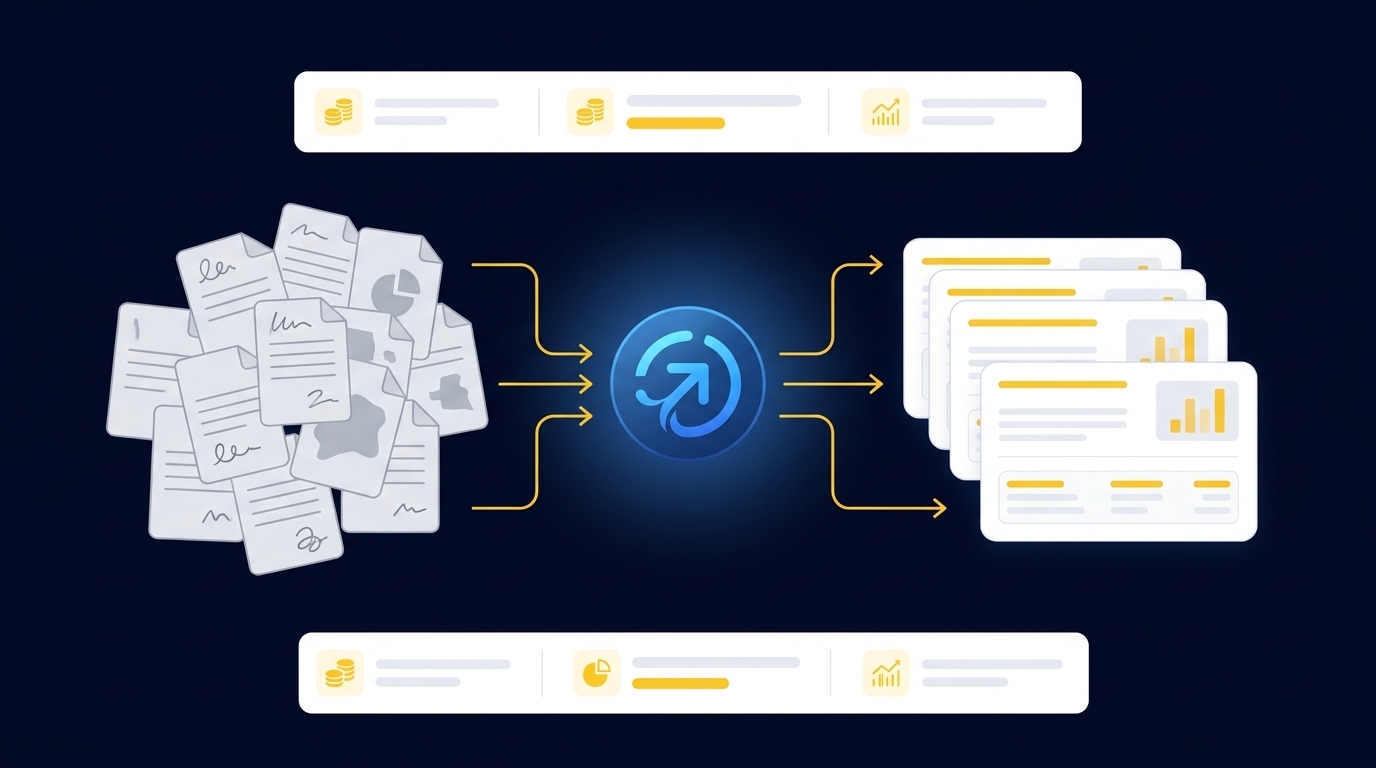
It's 4:40 on the last Thursday of the close, and a controller opens a prepared donation reconciliation. The bank total agrees, the journal entry balances, and every line has an account code. Yet the controller can't tell whether processor fees were separated correctly, whether restricted donations kept their fund dimensions, or whether a timing difference was carried forward from the prior period. The output looks finished, but review hasn't started, and now she's rebuilding the preparation with the deadline an hour away.
That scenario explains why finance leaders should be skeptical of polished demos. Controllers aren't only worried about obviously wrong output. They're worried about work that looks right while hiding the source, assumptions, and accounting treatment underneath it. A black-box answer can be harder to review than an unfinished spreadsheet, because the reviewer first has to reconstruct what the system already knew and never showed.
Manual work does have one real advantage, and it's worth conceding plainly: the preparer usually knows where each number came from. Spreadsheets are flexible, and accounting teams can adjust them when a statement changes or an exception appears. That flexibility is valid, and any system asking you to give it up owes you something better in return. The problem arrives when source links, reviewer notes, and prior decisions live across separate files and inboxes, leaving the next preparer to rebuild the same logic from scratch every period.
The Real Evaluation Starts Before the GL
The GL records approved accounting output. It doesn't prepare a custodian statement, reconcile a donor export to processor settlements, or decide why a bank deposit differs from the supporting detail. Sage Intacct and QuickBooks Online remain essential systems of record, but the evaluation has to cover the work upstream: combining files, applying mappings, checking totals, and producing the artifact a reviewer expects.
Think of the workpaper as the interface between automation and judgment. On one side sit PDFs, CSVs, prior schedules, and ERP balances that describe the period in different ways. On the other sits the accountant who must inspect the source, understand the treatment, resolve exceptions, and sign off. If the interface carries only a final answer, the reviewer has to rebuild the preparation before approving it, which means the automation moved the work rather than removing it.
How finance leaders should evaluate AI becomes much clearer once the workpaper is treated as the product of the workflow. The system should prepare evidence and proposed treatment for review, not simply hand over a conclusion. If you want to inspect how source links and exception review sit beside prepared work, See Truewind in action within a recurring close workflow.
How Finance Leaders Should Test Reviewable Workflows
Finance leaders should test AI accounting workflows against a completed period, a known workpaper, and the reviewer who owns the result. The goal isn't to prove that AI can generate plausible accounting. The goal is to see whether it can reproduce the team's process, expose differences, and leave every judgment item with the accountant.
Diagnose the Review Problem Before Selecting a Tool
Five questions usually reveal whether you're evaluating preparation or merely generation. Start with the output your reviewer receives today. Identify which parts require source tracing, which decisions depend on prior treatment, and which exceptions need a policy call rather than another rule. If those steps aren't part of the evaluation, the test is too narrow to tell you anything.
Your answers should determine the scope of the pilot. A workflow with recurring source files and a stable reviewer is a stronger starting point than a process nobody has documented or performed consistently. AI can apply captured rules and historical treatment. It can't repair an unsettled accounting policy without the team first deciding what that policy should be.
Ask the following before approving a pilot:
- Can the reviewer trace each prepared amount to its source file?
- Does the workpaper show the calculation and proposed accounting treatment?
- Are missing documents, unexplained differences, and changed classifications visible?
- Can the reviewer correct the output without losing the original support?
- Does approved output remain separate from the GL until sign-off?
A "no" on the first three questions is enough to stop the evaluation. More automation won't fix a missing review surface.
Start With a Closed Period and a Known Answer
Give the system a period your team already closed, not a live one. A prior-period reconciliation offers something a live demo can't: a result your team already reviewed and accepted. Supply the original source files, the final workpaper, the posted entry, and any reviewer notes that changed the treatment. Then ask the system to prepare the same period without seeing the final answer.
Compare the two workpapers line by line. Differences aren't automatically failures. A changed classification may expose an undocumented convention, while an unreconciled item may show that the original process relied on a manual adjustment nobody recorded. The useful test is whether the system shows the difference clearly enough for the reviewer to make a decision.
Run the evaluation in this order:
- Provide the source documents and prior workflow context.
- Prepare the reconciliation, schedule, or rollforward.
- Compare the prepared output with the approved workpaper.
- Review every exception and correction with the workflow owner.
- Repeat the process on the next period to see whether approved corrections persist.
One period shows whether the system can prepare the work. A second period shows whether it can follow the team's process again.
Require a Workpaper, Not an AI Explanation
What should a reviewer receive when preparation is complete? Not a chat response. Not a journal entry without support. The reviewer needs source, calculation, treatment, exceptions, and sign-off in the order the work is actually reviewed.
A useful workpaper lets the accountant move from a prepared amount back to the statement, export, or ERP balance that produced it. The calculation should be visible enough to re-perform. Any proposed classification or allocation should reflect the team's documented rules, while changes and edge cases remain separate review items. Nothing should disappear into a generic confidence score.
Before accepting the output, inspect whether the workpaper contains:
- Source support: The exact file and relevant activity behind each prepared amount.
- Calculation: The matching, allocation, rollforward, or reconciliation logic applied.
- Accounting treatment: The proposed account, dimension, cutoff, or classification.
- Exceptions: Items that don't fit prior treatment or don't reconcile.
- Reviewer action: Confirmation, correction, return, or approval recorded against the work.
To compare that standard against a live preparation and review flow, Book a Truewind demo around one workpaper your team already knows.
Treat Exceptions as Part of the Design
A workflow that never reports exceptions is probably hiding them. Missing statements, unexpected balance changes, mixed activity, and inconsistent classifications are not processing defects to be buried. They're the points where accounting judgment begins.
Full autonomy may be reasonable for low-risk administrative work with fixed rules, and that case has merit. A reconciliation or journal-entry workflow carries a different standard, because an unexplained difference can affect treatment, dimensions, or period cutoff. Finance leaders should require the system to stop and show the evidence rather than choose a convenient answer.
The acceptance rule is simple: if an item falls outside the learned process, it goes to the reviewer. The queue should show what changed, which source supports it, and what prior treatment was expected. The accountant then decides whether to confirm the proposed treatment, correct it, or change the rule for later periods.
A buyer described one reviewed coding workflow by saying, "Categorization is accurate, and we stopped having to double-check everything." The same customer added, "It's essentially perfect." Those are observations from one customer conversation, not a standard result, but they point to the right mechanism: confidence came from consistent reviewed treatment, not from removing review.
Check Whether the Workflow Learns Your Process
A generic template can be useful when the accounting treatment is genuinely generic. Few recurring close workflows stay that simple. Two organizations can prepare the same accrual schedule or brokerage rollforward while using different account mappings, cutoff rules, entity structures, and review conventions.
Finance leaders should test learning with a correction that matters. Change a classification, adjust an allocation, or document why a timing difference belongs in the next period. On the following run, inspect whether the workflow applies the approved correction and shows what changed. If the system resets to a generic default, it isn't learning the accounting process.
Review boundaries matter here. Historical treatment should guide preparation, but it shouldn't become policy by accident. An old workpaper may contain a one-time exception, and a prior correction may no longer apply after a policy change. The reviewer must be able to distinguish a repeated rule from a period-specific decision.
Use a conditional rule when assessing persistence: if the correction should recur, it belongs in the workflow context; if it reflects a one-time judgment, it belongs in the period's review trail. That separation keeps automation useful without letting historical examples make new policy.
Keep Approval Separate From Posting
Preparation and posting are different control points. An AI workflow can assemble source support, propose coding, draft a journal entry, and prepare a reconciliation. The accountant still owns whether that work is approved for the ledger.
How finance leaders should draw that boundary depends on one nonnegotiable condition: nothing reaches Sage Intacct or QuickBooks Online until the reviewer confirms the output. The system of record should receive structured, approved work, not an agent's unreviewed conclusion. Keeping that separation also makes ownership clear when a reviewer changes treatment.
A useful test follows the entry backward. Open the proposed journal entry, inspect the workpaper, trace its lines to source, review any exceptions, and confirm who approved it. If any link is missing, the workflow isn't ready for posting.
The goal is controlled preparation. Accountants keep the policy decisions, exception calls, and final sign-off. AI takes on the recurring assembly work that used to happen before those decisions could begin.
How Truewind Prepares Work Before the GL
Truewind sits between recurring source files and the general ledger, preparing work for accountant review before anything posts. It applies the team's captured rules and historical treatment, produces workpapers tied to source, and routes exceptions through a human review workflow. Sage Intacct and QuickBooks Online remain the systems of record.
From Source Files to Review-Ready Workpapers
Multi-source ingestion organizes bank activity, processor exports, donor files, custodian statements, prior workpapers, and other connected inputs into the preparation workflow. Multi-source reconciliation then matches records that describe the same activity differently, while workpaper generation and rollforward prepare the reconciliation, supporting schedule, and journal-entry draft. Unreconciled items remain visible.
Historical-example learning carries approved coding decisions, allocation choices, and reviewer corrections into later periods. The workflow doesn't invent a policy or force a total to agree. It applies captured treatment, shows the support, and sends differences back to the accountant.
One customer described the experience plainly: "Truewind automates a huge chunk of that busywork." Another buyer connected that preparation work to capacity: "It's not just about making bookkeeping simpler; it's about freeing up teams, and helping them focus on higher-value projects." Those comments describe individual customer experiences, not guaranteed outcomes, but the mechanism is concrete. Less assembly leaves the reviewer closer to the judgment.
Review, Exceptions, and the Hand-Off to the GL
Truewind's human-in-the-loop review workflow presents prepared workpapers, reconciliations, schedules, journal-entry drafts, source links, and exception queues for accountant action. Proactive anomaly detection flags items that don't fit the learned process, including missing statements, changed balances, or inconsistent classifications. The accountant confirms, adjusts, or returns the work.
After reviewer confirmation, the documented Sage Intacct and QuickBooks Online integrations push structured output to the connected ERP with coding, dimensions, and source references preserved. The platform doesn't post on its own. Its audit trail retains the source files, preparation steps, reviewer corrections, and decisions attached to the workflow.
Customer language can be emotional because the work carries real pressure. One customer said, "Truewind has been amazing." Another put it more strongly: "If I had to describe Truewind in one word: Lifechanging." Those statements belong to specific customer conversations. The operating point is narrower and more useful: the work becomes reviewable before it becomes a ledger entry.
If your next pilot needs to show the path from source file to reviewer sign-off before the GL, Get a Truewind demo using a recurring workflow your team already runs.
What Finance Leaders Should Require Before Approval
Finance leaders should approve AI accounting workflows only when the prepared work is traceable, repeatable, and controlled by an accountant. The workpaper must connect source to calculation, treatment, exceptions, and sign-off. Anything less leaves the reviewer reconstructing the process after the system has already declared it complete.
Keep the ledger where it belongs. Keep judgment with the accountant. Put AI in the preparation layer, where it can apply the team's process and bring the exceptions forward for review. The value isn't an answer generated faster. It's accounting work prepared in a form your team can inspect, correct, and approve.
Frequently Asked Questions
How do I ensure my team follows the correct accounting process?
To ensure your team follows the correct accounting process, start by documenting your existing workflows and accounting rules. You can use Truewind to automate the preparation of workpapers that reflect these rules. This way, the system learns from prior corrections and applies them consistently, helping your team maintain accuracy over time. Regularly review the outputs to confirm they align with your documented processes, and make adjustments as necessary.
What if I need to trace a transaction back to its source?
If you need to trace a transaction back to its source, Truewind's Human-in-the-Loop Review Workflow is designed for this purpose. When preparing workpapers, ensure that each prepared amount is linked to its source document. This allows reviewers to easily inspect the work, understand the underlying calculations, and confirm the treatment. If discrepancies arise, the proactive anomaly detection feature can help surface these issues for review.
Can I automate the ingestion of various financial documents?
Yes, you can automate the ingestion of various financial documents with Truewind. The platform accepts a range of source materials like bank statements, credit card activity, and payout reports. Once uploaded, Truewind organizes this messy data into a structured workflow, which reduces manual reformatting and speeds up the accounting process. This helps your team start the close process with organized inputs, making it easier to prepare workpapers.
When should I involve my team in the review process?
You should involve your team in the review process after Truewind has prepared the workpapers and reconciliations. The Human-in-the-Loop Review Workflow allows accountants to inspect the prepared outputs, ensuring they align with the team's expectations. This step is crucial because it preserves accountability and ensures that any exceptions are addressed before posting to the general ledger. Regular involvement helps maintain the quality and accuracy of financial reporting.
Why does my team need to review exceptions in the workflow?
Your team needs to review exceptions in the workflow because they represent points where accounting judgment is required. Truewind's Proactive Anomaly Detection surfaces these exceptions, allowing accountants to focus on judgment items rather than re-checking prepared work. By reviewing exceptions, your team can make informed decisions on how to handle discrepancies, ensuring that the final output is accurate and compliant with your accounting policies.
Turn this into a close-ready workpaper
Start with sample files or upload your own statements to see how Truewind prepares review-ready workpapers and journal entries.