

You signed off on the reconciliation yesterday, then reopened it this morning because the donor export carried the wrong fund dimension into Sage Intacct. The entry was balanced. The preparation behind it was not. Sage AI accounting works only when the system can show what source produced each line, which rules were applied, what changed, and where the accountant approved the treatment.
August 2026 TL;DR: Sage Intacct should remain your system of record. An AI execution layer belongs upstream, where it can read source files, suggest coding, preserve dimensions, reconcile related activity, surface exceptions, and prepare work for approval. The operating model is controlled iteration, not autonomous posting.
Key Takeaways:
- Keep Sage Intacct as the system of record and place AI around the preparation work that feeds it.
- Start with one recurring workflow that has stable inputs, a prior approved workpaper, and a named reviewer.
- Treat dimensional review as part of accounting preparation, not a cleanup step after coding.
- Require source links, visible calculations, exception handling, and reviewer sign-off in the workpaper.
- Separate configured behavior, such as mappings and approval roles, from fixed controls, such as blocking unapproved posting.
- Expand only after the team can compare prepared output with a known answer and explain every difference.
Where Sage AI Accounting Actually Breaks Down
Sage AI accounting breaks down when teams treat posting as the workflow instead of its final step. Sage Intacct records approved accounting, but the controller still needs a process for interpreting source material, applying established treatment, reconciling differences, and documenting review. Automating only the last handoff leaves the hard work untouched. The reconciliation that reopened this morning is proof: the ledger accepted a balanced entry while the preparation behind it never held up.
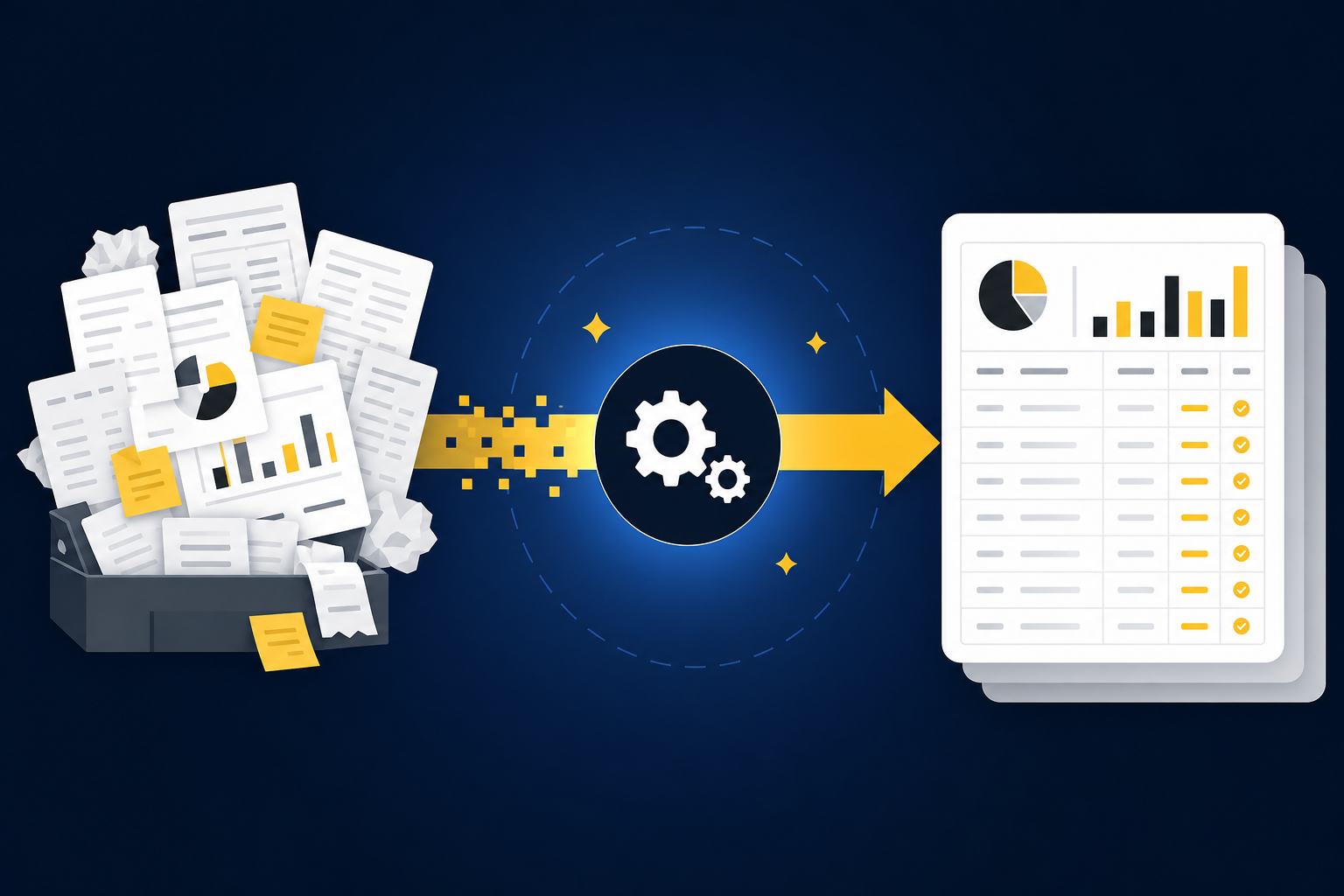
The close is still manual before Sage sees it
At 7:40 on the first Tuesday of the month, a nonprofit accounting manager opens three files that describe the same donations three different ways: a donor-platform export, a processor settlement report, and bank activity. One source groups activity by campaign. Another nets fees and refunds. The bank shows a single deposit with none of the fund, chapter, or restriction detail the reviewer needs.
The manager combines the files, checks whether the settlement period crosses month-end, assigns dimensions, and investigates the difference between gross activity and cash received. Only then can the team prepare a reconciliation and journal-entry draft. Sage Intacct can record the approved entry, but it can’t infer the accounting process from the deposit alone.
The GL is the vault, not the workbench. Sage holds the approved books; preparation happens before the work is ready to enter them.
Spreadsheets have real advantages here. They’re flexible, familiar, and easy to change when a statement layout moves a column. That case is fair. The weakness appears when the accounting logic lives across formulas, reviewer comments, inbox messages, and someone’s memory rather than in a repeatable workflow tied to source.
Clean-looking output creates the wrong kind of confidence
Controllers aren’t only worried about obviously wrong output. A harder risk is a polished reconciliation that balances but doesn’t show how deposits were matched, why a cutoff was used, or where a classification changed from the prior period. Clean presentation can hide weak preparation, and a balanced total is the easiest disguise in accounting.
A reviewable workpaper answers five questions without sending the reviewer back through email:
- Which source files were used?
- How were totals calculated and matched?
- Which account mappings and dimensions were applied?
- What fell outside the expected process?
- Who reviewed and approved the final treatment?
Without those answers, AI has produced an answer rather than accounting support. If you want to inspect how source links, exception queues, and reviewer actions sit together, See Truewind in action within a recurring close workflow.
How to Build a Reviewable Sage AI Accounting Workflow
A reviewable workflow moves through a fixed sequence: source intake, suggested treatment, dimensional review, reconciliation, exception handling, approval, posting, and retained history. Each stage has a defined input and review owner. The sequence matters because later controls can’t repair missing context from an earlier stage.
Check whether the workflow is ready for AI
Before you automate anything, run a readiness test on the workflow itself. The first workflow shouldn’t be the largest account or the one with the loudest pain. Start with work that repeats, has known source inputs, and ends in an approved artifact the reviewer already understands. A donation reconciliation, prepaid rollforward, or processor settlement can fit because the team can compare new preparation with prior treatment.
Ad hoc technical accounting is a poor first candidate. So is a workflow whose policy changes every period or whose support arrives through undocumented conversations. AI accounting works from captured process. If the process can’t yet be shown to another accountant, automation will expose that gap rather than solve it.
Before starting, confirm that you can provide:
- A complete prior-period workpaper with reviewer sign-off.
- The source files used to prepare that workpaper.
- The related Sage Intacct balances, accounts, and dimensions.
- The rules or SOP that explain cutoffs and classifications.
- A preparer and reviewer who can resolve differences.
If even one of those five inputs is missing, fix the workflow before you connect any tool. Controlled iteration needs a known answer against which the team can inspect the prepared result.
Map the full path from source to audit trail
Every handoff has to be visible, or the audit trail has a hole in it. A bank feed may begin the process, but it rarely carries all the context needed for a nonprofit fund split, family-office entity treatment, or processor fee reconciliation. Supporting files and prior workpapers complete the picture.
The table below separates what the execution layer prepares from what Sage Intacct records. It also identifies configuration-dependent behavior, because account mappings and dimensions can’t be assumed from one implementation to another.
| Stage | AI execution layer | Accountant control | Sage Intacct role |
|---|---|---|---|
| Source intake | Structures connected source files and activity | Confirms completeness and period | Supplies relevant ERP balances |
| Suggested coding | Applies captured rules and historical treatment | Reviews accounts, cutoffs, and classifications | Retains approved account coding |
| Dimensional review | Prepares configured fund, program, department, location, or entity coding | Confirms dimensions and allocation rules | Holds approved dimensional detail |
| Reconciliation | Matches activity across the configured sources | Investigates unreconciled items | Provides ledger balances and receives approved output |
| Exception handling | Flags missing or unusual items against the learned process | Decides accounting treatment | No action until approval |
| Approval | Presents source-linked workpapers and journal-entry drafts | Confirms, adjusts, or returns the work | Remains protected from unapproved posting |
| Posting | Sends approved, structured output | Authorizes the final handoff | Records the approved entry |
| Audit trail | Retains sources, preparation steps, and reviewer actions | Answers questions and re-performs key work | Holds the official ledger record |
Input coverage, mappings, dimensions, allocation logic, matching rules, and approval roles are configuration-dependent. Reviewer confirmation before posting is not a rule to tune away. It’s the boundary between preparation and ledger control.
Preserve source context through suggested coding
Suggested coding should begin with the document, not a generic vendor rule. A recurring charge may map differently by entity, fund, program, or purpose, even when the vendor name is identical. Prior entries and reviewer corrections show how the team has treated that activity before.
The execution layer should apply that history to the current period and present the suggestion with its source. Then the accountant can confirm the account, cutoff, classification, and any dimensional split. If treatment changes, the correction should become explicit operating context for later periods rather than disappearing into a workbook comment.
Bank feeds are still useful. They provide a clean record of cash activity and reduce collection work. They don’t explain whether a deposit combines restricted donations, includes processor fees, or belongs across multiple programs, which is why the feed needs to be reviewed with the related source material.
Review dimensions before reconciliation
Dimensions aren’t decoration added after the entry balances. They carry the management and reporting context that tells a controller where activity belongs. A correct natural account with the wrong fund or entity can still produce a misleading ledger.
Dimensional review belongs between suggested coding and reconciliation because those choices affect how activity should be matched. For a nonprofit deposit, the reviewer may need to preserve fund, chapter, campaign, or purpose detail from the donor export. For a multi-entity team, the same statement format may require different treatment based on the legal entity and account.
Use a simple decision rule: if a dimension changes how the activity is reported, restricted, allocated, or reviewed, confirm it before reconciliation. If the dimension is inherited from a rule, show the rule. If it’s missing or conflicts with prior treatment, route the item to the accountant.
Reconcile related systems and isolate exceptions
Reconciliation is where accounting logic has to hold across systems that describe one event differently. A processor reports gross activity, fees, refunds, and settlement timing. The bank records net cash. Sage Intacct holds the posted balance and dimensional accounting.
Forcing those totals to agree would hide the work. The execution layer should match what can be supported, prepare the reconciliation, and separate unresolved items for judgment. A missing statement, unexpected balance movement, mixed activity, or inconsistent classification belongs in the review queue with its source context.
Your team shouldn’t spend review time reopening every clean item. It should inspect the items that don’t fit the captured process, then confirm or correct the proposed treatment. If your pilot needs to show that path from source support through reviewer confirmation, Book a Truewind demo around one bounded reconciliation.
Put controls around approval and posting
Posting is the final controlled handoff, not proof that the preparation was sound. Before anything reaches Sage Intacct, the reviewer should be able to inspect the workpaper, follow calculations to source, see exceptions, and confirm the accounting treatment. No approval means no push.
Strong controls also preserve who changed what. A reviewer correction should be visible in the current work and available as context in the next period. Changes to mappings, dimensions, or allocation rules should never enter the process as hidden behavior.
A practical controls checklist includes:
- Source completeness: Expected files are present for the correct entity and period.
- Visible treatment: Coding, dimensions, cutoffs, and allocations can be inspected.
- Reconciliation status: Matched items and unresolved differences are clearly separated.
- Exception ownership: Each judgment item has a named reviewer.
- Approval gate: Prepared output can’t reach Sage Intacct without confirmation.
- Retained history: Sources, corrections, and reviewer actions remain attached to the workflow.
Manual approval does add a step. That’s intentional. The goal is to remove repetitive preparation without removing the accountant who owns the books.
Avoid implementation choices that hide weak process
Implementation fails when the team tries to automate a whole close before proving one workflow. Too many source types, entities, policies, and reviewers enter the pilot at once, and no one can tell whether a difference came from the source, the configuration, or the accounting treatment. Scope discipline is a control.
A second mistake is treating configuration as a setup task that ends before the first close. The initial mappings and dimensions are a starting point. Reviewer corrections need to be captured, tested against the next period, and accepted before the workflow expands.
Watch for these pitfalls:
- Choosing an exception-heavy workflow first: Start with recurring work that has a stable prior result.
- Loading files without the approved workpaper: Sources show what happened; the workpaper shows how the team accounted for it.
- Assuming vendor rules are enough: Review account, entity, fund, and purpose together.
- Skipping difference review: Compare prepared output with the known answer and explain each change.
- Expanding before corrections persist: Confirm that accepted treatment carries into the next preparation cycle.
- Treating Sage as the preparation layer: Keep the GL focused on approved records while the execution layer handles work upstream.
Answer the operating questions before you buy
A controller evaluating this kind of AI needs more than a feature list. You need to know where the source enters, how the system applies prior treatment, what the reviewer sees, and which action moves approved work into Sage Intacct. Those answers reveal whether you’re buying a defined workflow or an open-ended prompt with accounting language around it.
Configuration-dependent behavior deserves the same scrutiny. Ask which source types are supported, how dimensions are mapped, how corrections are retained, and how approval roles are set. Then ask what the system refuses to do. Boundaries are part of the control design.
- Does Sage Intacct perform the full preparation workflow? Sage Intacct remains the system of record. An execution layer prepares the source-linked work that an accountant reviews before posting.
- Can AI post directly without approval? It shouldn’t in a reviewer-led model. The accountant confirms the work before approved output moves into the GL.
- What changes by configuration? Source connections, account mappings, dimensions, allocation rules, matching logic, and review roles depend on the team’s workflow.
- What should stay fixed? Source traceability, visible exceptions, reviewer ownership, and the approval gate should remain present across workflows.
- When should the team expand? Expand after the reviewer can explain the prepared output, resolve its differences from the known answer, and verify that corrections persist.
How the Platform Connects Preparation to Sage Intacct
The platform should reproduce the approved preparation process without taking ownership of accounting judgment. Current-period sources, prior workpapers, captured mappings, and reviewer corrections form the operating context. The accountant reviews the resulting workpaper before approved output moves into Sage Intacct.
Historical treatment becomes current-period preparation
Truewind uses historical-example learning to apply confirmed coding decisions, classification splits, allocation choices, and reviewer corrections to recurring work. Workpaper generation and rollforward combine the prior workpaper, current source documents, and ERP balances in a review surface with source-linked support. The system doesn’t change accounting policy on its own.
Multi-source reconciliation then aligns activity across configured systems and prepares the reconciliation, supporting schedule, and any required journal-entry draft. Unreconciled items remain visible for reviewer judgment. Source coverage and matching behavior depend on the connected workflow; totals aren’t forced to agree.
Review controls remain between preparation and Sage
Truewind presents prepared workpapers, schedules, reconciliations, journal-entry drafts, source links, and exceptions for accountant review. The reviewer can confirm, adjust, or return an item to preparation, and those decisions remain attached to the workflow. Proactive anomaly detection surfaces activity that falls outside prior patterns without resolving it autonomously.
After reviewer confirmation, the Sage Intacct integration pushes structured output with coding, dimensions, and source references preserved. Sage remains the system of record. Truewind doesn’t post without approval, and its audit trail retains the source files, preparation steps, corrections, and reviewer actions behind the work.
To examine those controls against one of your own recurring workpapers, Get a Truewind demo and bring the prior approved result, current source set, and Sage dimensions your reviewer already uses.
Put Preparation Before Posting
Sage AI accounting works when preparation becomes repeatable and review stays explicit. Start with one recurring workflow, compare the prepared work with a known answer, resolve every difference, and carry accepted corrections into the next period. Sage Intacct should keep doing what it does well: holding the approved books.
The change happens upstream. Source documents become review-ready workpapers, exceptions reach the accountant with context, and posting follows approval rather than standing in for it. That operating model creates capacity without pretending judgment can be removed from the close.
Frequently Asked Questions
How do I handle edge cases effectively?
To handle edge cases effectively, start by documenting the specific rules and exceptions that apply to your accounting processes. Use Truewind's Proactive Anomaly Detection feature to identify discrepancies that fall outside the expected patterns. This feature helps surface items that need your judgment, allowing you to focus on resolving those exceptions rather than rechecking everything. Additionally, ensure your team is trained to recognize and document any unique situations as they arise, so they can be addressed in future workflows.
What if I need to reconcile multiple sources?
When reconciling multiple sources, utilize Truewind's Multi-Source Reconciliation capability. This feature allows you to align activity across different systems, such as donor platforms and bank statements, while preparing a review-ready reconciliation. Make sure to gather all relevant source documents before starting the reconciliation process. As you work, keep track of any discrepancies and ensure they are flagged for review, as Truewind will not force totals to agree without your input.
Can I automate the preparation of journal entries?
You can streamline the preparation of journal entries by using Truewind's Workpaper Generation and Rollforward feature. This tool takes your prior workpapers and current source documents to create a structured, review-ready output. Make sure to define your team's coding rules and review the proposed entries to ensure they align with your accounting practices. Remember, Truewind does not post to the GL automatically; your review and approval are necessary before any entries are finalized.
When should I expand my accounting workflows?
You should consider expanding your accounting workflows after successfully implementing and reviewing a single, recurring process. Start with a workflow that has stable inputs and a known output, like a donation reconciliation. Once your team can consistently compare prepared outputs with prior results and explain any differences, you can gradually introduce more complex workflows. Truewind's Human-in-the-Loop Review Workflow can help maintain control and consistency as you expand.
Why does my team need to review prepared outputs?
Reviewing prepared outputs is crucial because it ensures that all accounting entries are accurate and compliant with your established policies. Truewind's Human-in-the-Loop Review Workflow allows accountants to inspect workpapers, reconciliations, and journal-entry drafts before anything is posted to the GL. This process not only preserves accountability but also helps catch any errors or inconsistencies that might arise from automated processes, maintaining the integrity of your financial reporting.
Turn this into a close-ready workpaper
Start with sample files or upload your own statements to see how Truewind prepares review-ready workpapers and journal entries.