

When you set up a Sage Intacct approval workflow for your close process, you route reconciliations and journal entries through approval chains. The approver opens the task, reviews the entry, and clicks approve. The supporting evidence, the reconciliation workpaper or the accrual calculation, lives in a different system. The approver can hunt for it if they remember where it was saved, or they can approve without it. Teams often approve without it under deadline pressure. Evidence-linked approvals attach the source document to the approval step itself, so your reviewers see the backup and the transaction together before they sign off, keeping the control intact without adding manual lookups to the close workflow.
TLDR:
- Sage Intacct routes transactions through approval chains, but approvers see the record, not the supporting evidence behind it.
- Approvals without evidence turn reviews into formalities; when the backup lives in a shared drive or email, approvers either hunt for it or approve on trust.
- Close checklists track task completion but miss what was reviewed; errors surface at audit when the signed-off workpaper was outdated.
- Truewind binds supporting documents directly to each close task, so approvers review the evidence and the entry in the same view before they sign off.
How Sage Intacct Approval Workflows Work
Sage Intacct's approval workflow is built around a document-centric model. You set up approval sequences at the transaction level (purchase orders, vendor invoices, expense reports) and route them through a defined chain of approvers before posting. Each step can be conditional, meaning approvals escalate based on dollar thresholds, department, or entity.
The configuration lives inside Sage's native modules. Accounts payable approvals, purchasing approvals, and employee expense approvals each have their own setup paths. Approval groups, delegation rules, and notification settings are managed separately per module.
What the Workflow Captures
When a document enters the approval queue, approvers see the transaction record itself. They can approve, reject, or return it with a comment.
What the workflow does not capture is the supporting context behind the transaction. The approver sees the invoice amount, the vendor, and the GL coding. They do not see the bank statement it ties to, the contract it was issued against, or the prior-period entry it matches. That evidence lives elsewhere in your close package, in a separate folder, email thread, or ticketing system.
- The approval action is logged, but the rationale for the approval is not attached to the record
- Supporting documents can be attached manually as files, but there is no structured link between the approval decision and the evidence that supported it
- Reviewers working across multiple entities or high transaction volumes have no way to confirm, at a glance, whether the underlying support was actually reviewed before the approval was granted
The result is an approval chain that confirms a transaction moved through a process, not that it was reviewed against the evidence that should have governed the decision.
Setting Up Transaction Approver Levels by Module
Sage Intacct lets you configure approval workflows at the module level, which means you can require sign-off before a bill posts, before a purchase order advances, or before an expense report clears. The setup lives inside each module's configuration settings, where you assign approver roles, set dollar thresholds, and define escalation paths.
The coverage is reasonable for straightforward transaction flows. A two-level approval chain on AP bills, for example, works without much friction once the roles are mapped.
Where it gets harder is context. When an approver opens a pending transaction in Sage, they see the transaction itself. They do not see the supporting evidence that led to it: no attached reconciliation, no variance note, no reference to the close task it belongs to. Approval and evidence live in separate places, so the approver is making a decision without the full picture unless someone assembles it manually outside the system.
What Approval Workflows Cover (And What They Don't)
Sage Intacct's approval workflow handles the gate, not the evidence behind it. When a transaction, bill, or journal entry moves through an approval chain, the approver sees the record itself: the amount, the vendor, the dimension coding, the date. What they don't see, attached directly to that approval step, is the supporting document that backs it.
That gap matters in practice. An approver clicking through a close checklist has no built-in way to confirm that the accrual entry sitting in front of them ties back to a signed contract, a vendor invoice, or a reconciliation workpaper. The evidence may exist somewhere, but it lives in a shared drive, an email thread, or a separate document management system. The approver either goes hunting for it or approves on trust.
This creates two distinct problems for close quality:
- Approvals risk becoming a formality rather than a real control. When reviewers can't see supporting docs inline, the review step stays in the workflow but loses its function as a genuine check.
- Audit trail fragmentation compounds during fieldwork. If an auditor asks why a specific entry was approved, the answer requires reconstructing a chain of events across multiple systems: who approved it, what they saw, and where the supporting file was at the time.
Sage Intacct doesn't solve this within its native approval configuration. You can route records through multi-level approvals, set dollar thresholds, and restrict posting rights. What you can't do is require an approver to confirm they reviewed a specific attached document before the workflow advances.
Approval ComponentStandard Sage Intacct WorkflowEvidence-Linked Approval WorkflowWhat the approver seesTransaction record with amount, vendor, dimension coding, and date in the approval queueTransaction record plus the supporting document, reconciliation, or calculation in the same viewSupporting evidence locationSeparate folder, email thread, or document management system that requires manual lookupAttached directly to the approval request so reviewers see backup before clicking approveAudit trail recordsTimestamp, approver name, and optional freeform comment fieldTimestamp, approver name, and the specific document version the approver reviewed before sign-offReview under deadline pressureApprovers either hunt through shared drives for backup or approve based on trust aloneApprovers see the workpaper, schedule, or reconciliation tied to what they are signing off on
The Month-End Close Approval Problem
Every approval in a month-end close carries implicit risk. When a reviewer clicks "approve," they are signing off on a number, but in most close workflows, that approval is disconnected from the evidence that supports it. The reconciliation, the supporting schedule, the variance explanation: these live somewhere else. The approval lives somewhere else. Connecting them is a manual step that often gets skipped.
Sage Intacct's approval workflow routes transactions and journal entries through configured approval chains. What it does not do is attach evidence to those approvals at the point of review. In most standard implementations, reviewers work from the number, not from the context behind it.
Evidence-Linked Approvals Explained
In a standard approval workflow, an approver sees a number and a description. They either trust it or they don't. If they have doubts, they open a separate tab, pull the supporting document, and compare what they're looking at against what they're approving. That manual lookup step is where errors get through and where close cycles stretch.
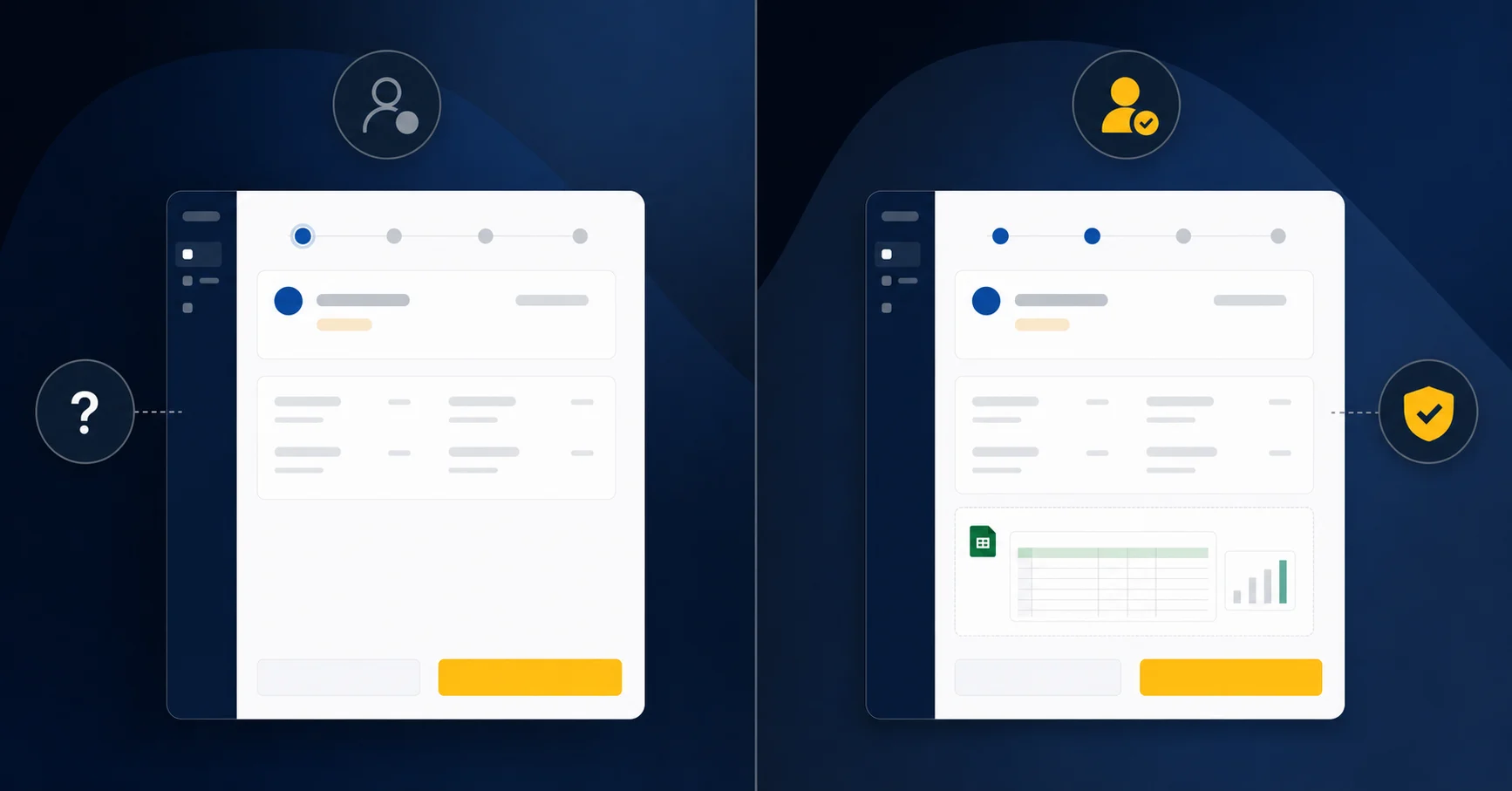
Evidence-linked approvals attach the source document directly to the approval request. The approver sees the transaction, the amount, and the backup simultaneously, inside the same view, before they click approve.
Sage Intacct's native approval workflow routes transactions through configured approval chains based on amount thresholds, departments, or user roles. What it does not do is surface the supporting evidence alongside the request. The backup lives in attachments or a separate document management folder. Getting to it requires navigation outside the approval itself.
What Evidence Linking Changes in Practice
The gap shows up most clearly in high-volume or multi-entity closes, where approvers are moving through dozens of items quickly:
- An approver reviewing an accrual entry can see the vendor quote or contract excerpt that justifies the amount, without switching between systems.
- A controller signing off on a prepaid amortization schedule sees the underlying prepaid schedule tied directly to the journal entry, not as a separate lookup.
- Exceptions get flagged in context, so the approver can reject with a documented reason tied to the specific evidence instead of a freeform comment.
The result is an approval record that carries its own audit trail. The evidence that supported the approval is stored with the approval, not reconstructed after the fact during an audit.
Why Close Checklists Need More Than Task Tracking
A close checklist that only tracks task completion misses the most common source of audit and restatement risk: approvals without evidence. When a reviewer marks a task complete in a typical close workflow, the system records a timestamp and a name. It does not capture the supporting document, the reconciliation tie-out, or the calculation that supported the sign-off.
This gap matters because close quality depends on what was reviewed, not on who clicked approve. Internal control frameworks stress documentation and evidence retention, but when approval systems capture only the decision without the supporting context, the control exists in form and not in substance.
There are a few ways this plays out in practice:
- A prepaid schedule gets approved, but the attached workpaper is a prior-month file that no one caught. The task shows "complete" in the checklist; the error surfaces at audit.
- A revenue accrual is signed off without a linked calculation. When a question arises three weeks later, the team has to reconstruct the rationale from memory and email threads.
- An intercompany elimination is marked done by a reviewer who was working from an outdated trial balance. The checklist captures the approval; it does not capture the version of the data the reviewer actually saw.
In each case, the checklist performed exactly as designed. Task tracking worked. The control failed because task tracking and evidence linking are different problems, and most close tools only solve the first one.
How Close Management Differs From Transaction Approvals
Transaction Approvals
Transaction approvals are a pre-posting gate. A bill arrives, gets routed to an approver, gets authorized, and then posts. The approval is the decision point: someone is determining whether a transaction may advance.
Close Approvals
Close approvals work differently. By the time a reviewer signs off on a reconciliation or a prepaid schedule, the underlying work is already complete. The approval is not granting permission to post. It is validating that the output is accurate and the supporting evidence holds up.
Sage Intacct's approval engine is designed for the first scenario. Applying it to close tasks means a reviewer can sign off on a completed reconciliation with the same information they would have when approving a vendor invoice: a name, a timestamp, and a comment field. The context that matters for close validation, whether the workpaper is current, whether the balance ties, whether the right evidence was reviewed, lives outside the approval record entirely.
The Workaround Gap: Spreadsheets and Email
Without an approval audit trail built into Sage Intacct's close workflow, most teams fall back on what they already have: spreadsheets tracking which reconciliations got reviewed, email threads carrying approver sign-offs, and shared drives holding supporting files that may or may not match what was actually reviewed.

The problem is that none of these connect. An approval recorded in a spreadsheet carries no reference to the evidence the approver saw. An email confirmation has no link to the reconciliation it covers. When auditors ask who approved what and based on what documentation, the answer requires manually reconstructing a chain across three separate tools.
This friction compounds at close:
- Approvers get pinged through Slack or email with no context, then have to locate the right file version before they can even begin reviewing.
- Preparers update a reconciliation after sending it for approval, with no reliable way to flag that the reviewed version is now stale.
- Close status trackers in spreadsheets go out of sync with actual approval state because updating them is a manual step that gets skipped under deadline pressure.
The workaround works until it doesn't. A missed update, a forwarded email that never got a reply, or a file saved to the wrong folder is enough to send a close review into rework.
What Sage Intacct Close Automation Does Provide
Sage Intacct does include several close-related capabilities that accounting teams rely on. Understanding where those capabilities stop is useful context before assessing what sits outside them.
Sage Intacct offers:
- Close checklists that assign tasks to team members and track completion status across the period-end cycle, giving managers visibility into what has and hasn't been signed off.
- User-based access controls that restrict who can post to closed periods, reducing the risk of accidental entries after the books are locked.
- Audit trail logging that records who made changes and when, which satisfies basic internal control requirements for period-end review.
- Approval routing for journal entries and transactions, where a preparer submits and a reviewer approves before posting.
That last point matters most here. Sage Intacct does have approval workflow. What it does not have is any mechanism to attach supporting evidence directly to the approval step, so the reviewer can see the document, reconciliation, or calculation that supports what they are approving before they click approve.
Evidence-Linked Approvals for Sage Intacct: The Truewind Approach
Truewind attaches source documents directly to each close task in Sage Intacct. When a prepaid is closed out, the supporting schedule lives on the checklist item. When a journal entry is posted, the backup file is bound to the approval step.
Approvers see the evidence before they click approve. No tab switching, no hunting through shared drives, no back-and-forth in Slack asking where the support is.
- Each checklist task carries a required attachment field, so preparers cannot mark a step complete without uploading documentation.
- Approvers review the evidence in the same view where they sign off, keeping the control intact and the audit trail clean.
- Every approval is timestamped and tied to the reviewer who performed it, which satisfies both internal review standards and external audit requests without any manual assembly afterward.
Sage Intacct records that an approval happened. Truewind records what was approved and why.
Final Thoughts on Approval Workflows That Actually Validate
Sage Intacct tracks who approved what and when. It doesn't track what they saw or whether the supporting file was current. That's the difference between a logged approval and a defensible one. The question is whether your close quality depends on approvers actually reviewing the backup, or whether a timestamp and a name are sufficient. Your audit trail should show what was approved and why, beyond simply that someone clicked a button.
FAQ
How do I create an automated checklist for monthly close in Sage Intacct?
Sage Intacct's close checklists assign tasks to team members and track completion status, but they do not attach supporting evidence to approval steps. To automate evidence attachment, you need a layer on top of Sage that binds the reconciliation workpaper, schedule, or calculation directly to the approval request so reviewers see backup and transaction together before sign-off.
Can I build Sage Intacct approval workflows without separate evidence tracking?
Yes, but you lose audit trail integrity. Sage Intacct routes transactions through approval chains, but supporting documents live in separate folders or email threads. Approvers see the transaction record without the reconciliation, contract, or schedule that backs it, so the approval happens without the evidence that should govern the decision.
What is the difference between transaction approvals and close approvals?
Transaction approvals are pre-posting gates that determine whether a bill or invoice may advance. Close approvals validate completed work: the reconciliation is already done, and the reviewer confirms the output is accurate and the evidence holds up. Applying a transaction approval workflow to close tasks means reviewers sign off with the same limited context they would have for a vendor invoice, while the workpaper version, balance tie-out, and supporting evidence live outside the approval record.
How do AI tools help accounting teams close books faster?
AI tools reduce manual categorization, attach supporting documents directly to close tasks, and route exceptions into review queues so senior accountants stop spending the first week of close on data cleanup. The time savings come from eliminating lookups and manual assembly, keeping reviewers focused on exceptions instead of routine transactions.
When should I move from spreadsheet close tracking to evidence-linked approval workflows?
When you spend more time reconstructing who approved what and based on which document version than you do on the actual close review. If auditors regularly ask you to manually assemble approval chains across spreadsheets, email threads, and shared drives, or if preparers update reconciliations after approval without a reliable way to flag stale reviews, your workaround has outgrown the workflow.
Turn this into a close-ready workpaper
Start with sample files or upload your own statements to see how Truewind prepares review-ready workpapers and journal entries.