

You've connected your bank accounts to Sage Intacct, maybe through Sage Intacct Finicity or Plaid, and the transactions are flowing in. But you're still the one assigning account codes, tagging dimensions, and filling in payee details for anything that doesn't auto-match to an existing invoice or record. The feed is live, but the work hasn't gone anywhere. What takes the most time isn't getting transactions into Sage. It's figuring out what to do with them once they're there, and that part is still manual for most teams.
TLDR:
- Sage Intacct has native bank feeds via Plaid but lacks automated transaction coding for GL accounts.
- Plaid and Finicity together cover 98-99% of banks, handling authentication and data formatting.
- Manual transaction coding consumes 60-70% of classification workflow time for most finance teams.
- Truewind bridges the gap by auto-coding transactions with full Sage dimensions before posting.
- Truewind uses AI trained on your historical GL data to classify transactions with 75% less manual work.
Understanding Plaid and Finicity as Bank Data Aggregators
Plaid and Finicity are financial data aggregators, software intermediaries that sit between banks and the apps that need bank data. When an accounting system needs to pull transaction history from Chase, Wells Fargo, or a credit union, it doesn't call the bank directly. It routes through an aggregator like Plaid or Finicity, which handles authentication, connection protocols, and data formatting.
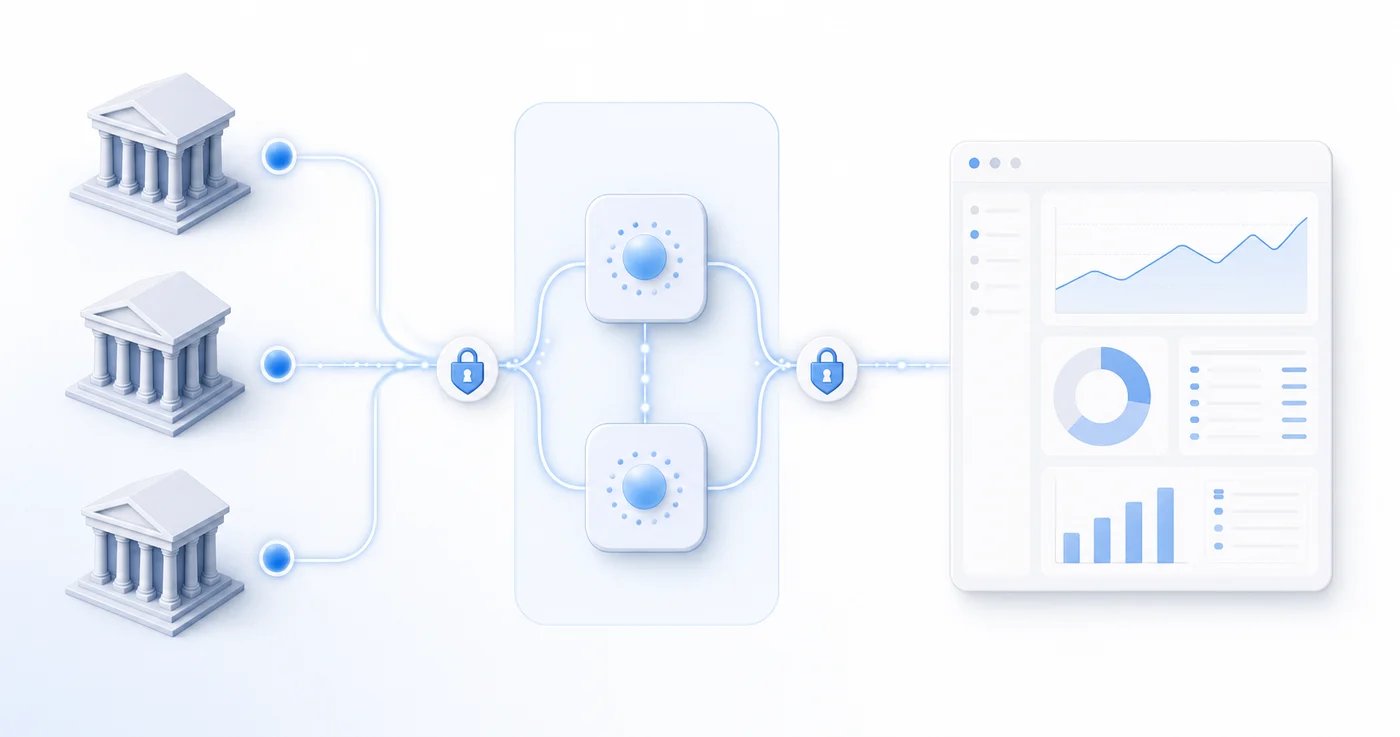
The two are often mentioned together, but they have distinct strengths. Plaid built its reputation in consumer fintech, connecting apps like Venmo, Robinhood, and budgeting tools to bank accounts. Finicity, owned by Mastercard, skews toward lending verification and commercial use cases, connecting to over 16,000 financial institutions with particularly strong US market coverage.
They're complementary, not competing. Together, they cover close to the full range of financial institutions an accounting team might encounter. For software like Sage Intacct, these aggregators are what make automated bank feeds possible at all.
| Feature | Plaid | Finicity |
|---|---|---|
| Primary Market Focus | Consumer fintech applications and retail banking connections | Commercial lending verification and enterprise financial institutions |
| Financial Institution Coverage | Strong coverage across US consumer banks, credit unions, and major retail institutions | Over 16,000 financial institutions with particularly strong US commercial account coverage |
| Ownership | Independent, privately held financial technology company | Owned by Mastercard, built on enterprise-grade infrastructure and compliance frameworks |
| Common Use Cases | Payment apps, investment platforms, budgeting tools, and consumer-facing financial services | Credit decisioning, income verification, business lending, and commercial account aggregation |
| Integration Approach | OAuth-based authentication with focus on consumer user experience and mobile-first connectivity | Enterprise authentication protocols optimized for commercial banking relationships and batch processing |
How Sage Intacct Native Bank Feeds Work
Sage Intacct does have native bank connectivity. Through Sage Cloud Services, users can link bank accounts directly inside Sage, pulling transaction data from over 10,000 financial institutions worldwide. Sage uses Plaid for many of these connections, so the underlying aggregator infrastructure is the same that third-party tools rely on.
Once connected, the feed delivers daily transaction data and supports automated matching against existing GL entries. For transactions already tied to invoices or records in the system, the native matching works reasonably well. Setup requires an active Sage Cloud Services subscription, and the connection runs through Sage's own interface.
Where it starts to show gaps is transaction coding. Matching an incoming bank transaction to an existing GL record is different from classifying a raw transaction from scratch, assigning GL codes, dimensions, payees, and department tags. Sage handles the former. The latter, coding net-new transactions with full dimensional detail, is where the native experience leaves teams filling in the work manually.
The Gap Between Bank Connectivity and Transaction Coding
Getting a bank feed live is the easy part. What comes after is the actual work: opening each transaction and deciding what it is, where it belongs in the chart of accounts, which department or project to tag it to, and what payee to assign. Connectivity and coding are two different problems, and teams often conflate them until they're staring at a full queue with nowhere to go.
The manual coding step accounts for 60-70% of the total time spent on the transaction classification workflow. Finance professionals end up acting as data movers, cycling through a feed and making the same classification decisions by hand, row after row. It scales linearly with volume. Add more bank accounts, add more entities, and you've added more hours.
A connected feed without automated coding is just a faster way to see how much work is left. That's the gap most Sage Intacct users are living in.
Manual Bank Reconciliation Challenges for Multi-Entity Organizations
For multi-entity organizations running Sage Intacct, manual bank reconciliation creates compounding problems that grow with each new entity added to the ledger.
Finance teams frequently spend hours each week downloading CSV exports from bank portals, reformatting data, and manually matching transactions to GL entries. Across five or ten entities, that work adds up fast.
- Duplicate transaction imports are common when multiple team members pull the same bank data independently, requiring cleanup before close.
- Cut-off errors increase when transaction feeds are pulled manually at inconsistent intervals, leaving gaps between the bank statement and the GL.
- Audit trails suffer when the import source is a spreadsheet with no documented lineage back to the originating financial institution.
The reconciliation bottleneck tends to hit hardest during month-end close, when volume spikes and the margin for error shrinks. For teams managing treasury across several entities simultaneously, the lack of automated bank feed connectivity into Sage Intacct creates a time-consuming friction point in the close cycle.
AI-Powered Transaction Classification vs. Traditional Rule Engines
Once transactions land in Sage Intacct via Plaid or Finicity, they still need to be categorized and matched to the right GL accounts. Rule-based engines handle this through static if/then logic: if the vendor name contains "AWS," post to cloud infrastructure expense. This works until it doesn't. Vendor names change, descriptions vary, and edge cases pile up fast.
AI-based classification reads transaction context more broadly. Instead of matching on a single field, it weighs merchant category codes, transaction amounts, historical patterns, and account behavior together. The result is fewer misclassifications reaching your review queue and less manual correction before close.
Where the Difference Shows Up in Practice
- Rule engines require someone to write and maintain each rule, which becomes a hidden overhead cost as your chart of accounts grows.
- AI models improve with feedback, meaning classifications get more accurate over time without manual rule updates.
- Ambiguous transactions that fall outside defined rules often default to an uncategorized bucket with rule engines, while AI handles them by inferring from context.
Which approach fits your workflow depends largely on transaction volume and how frequently your vendor mix changes.
Connecting External Bank Feeds to Automate Sage Intacct Workflows
The architecture is straightforward: an external tool connects to your bank accounts via Plaid or Finicity, pulls transaction data, runs AI classification, and syncs the coded entries back into Sage Intacct. Sage never loses its role as the system of record. It receives clean, dimensionally complete entries instead of raw feeds it can't act on.
What makes this work well is the bidirectional data flow. The external tool reads your historical GL data from Sage on setup, using existing transaction patterns to seed its classification models before a single new transaction comes through.
What Gets Written Back to Sage
When the tool syncs entries, it posts with full dimensional attributes intact. Nothing gets flattened or stripped in transit.
- Account codes are assigned based on learned patterns from your existing GL history, not generic merchant category mappings.
- Class, department, and location dimensions are populated per transaction, preserving the reporting structure your team relies on.
- Payee, project, and custom dimension fields are carried through so every entry is ready for close without rework.
Sage ends up looking exactly as it should, just without the manual coding that used to happen in between.
How Truewind Connects Plaid and Finicity to Sage Intacct
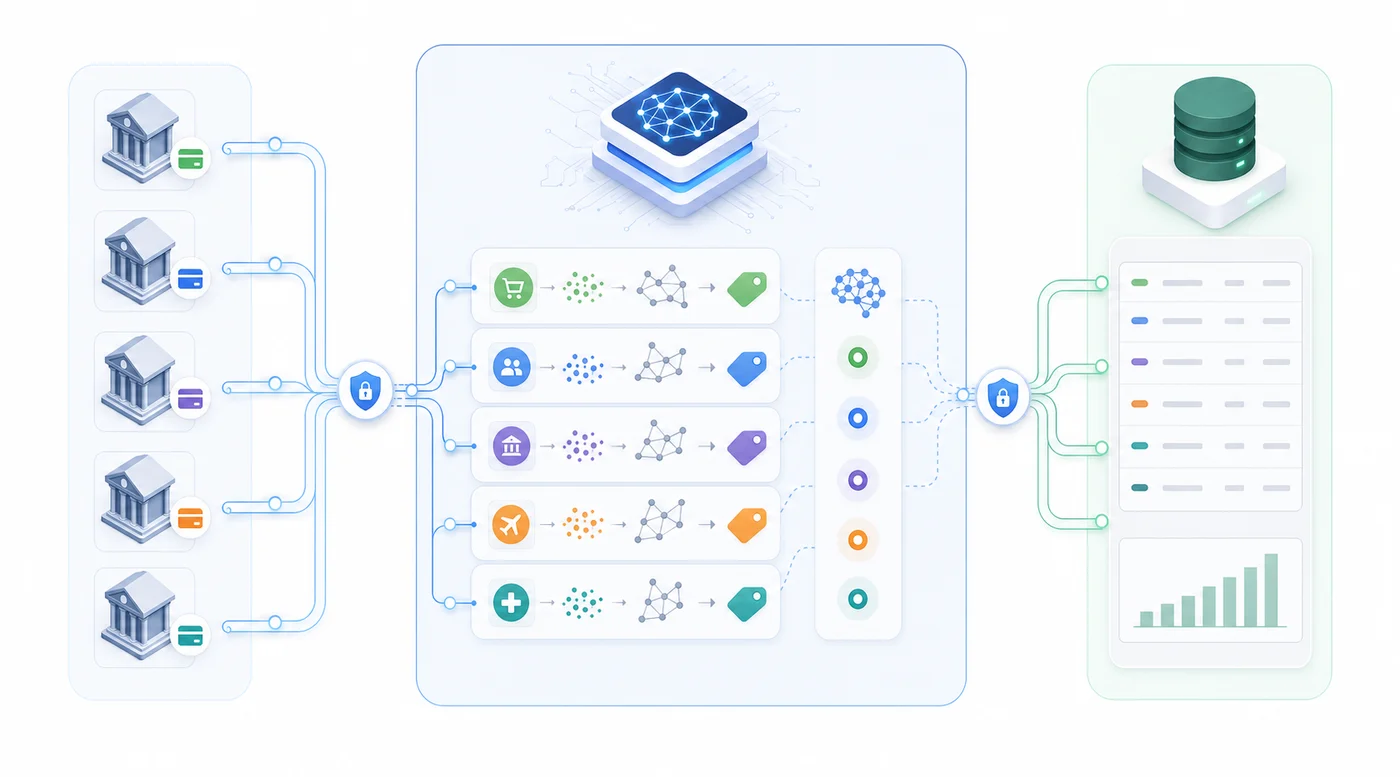
Truewind acts as the intermediary layer that makes the Sage Intacct bank feed connection work in practice. Instead of asking your team to manually configure API credentials or troubleshoot OAuth handshakes, Truewind handles the connection setup between Plaid or Finicity and your Sage Intacct environment directly.
Once connected, transactions flow from your bank accounts into Sage Intacct automatically, without manual CSV exports or copy-paste workflows. Truewind applies AI-driven transaction matching and categorization at the point of ingestion, so entries arrive in Sage Intacct already mapped to the correct GL accounts, entities, and dimensions.
What This Looks Like in Practice
For finance teams running multi-entity structures or managing accounts across multiple banks, the workflow impact is measurable:
- Transaction data syncs on a scheduled basis, reducing the lag between bank activity and your general ledger by days.
- AI categorization learns from your existing chart of accounts and historical coding patterns, cutting manual review time on routine transactions.
- Exceptions and items pending match are flagged for review instead of silently dropped, keeping your reconciliation queue accurate.
- The setup works across both Plaid-supported institutions and Finicity-covered banks, giving your team broader coverage without managing two separate connections.
The result is a bank feed workflow that runs closer to real-time and requires less manual intervention at month-end close.
Final Thoughts on Sage Intacct Bank Feed Automation
A Sage Intacct bank connection through Plaid or Finicity gets transaction data flowing, but it doesn't categorize that data for you. Manual coding after import is where most teams lose the time they thought they'd save. When AI reads your historical GL patterns and applies the same logic to incoming transactions, your close process compresses and your review work drops to actual edge cases. You can see a demo of how this fits into your existing close timeline without changing your system of record.
FAQ
Can I connect Sage Intacct to Plaid without building a custom integration?
Yes. Third-party tools can handle the connection between Plaid and Sage Intacct without requiring your team to build or maintain custom API integrations. The tool manages authentication, data formatting, and syncing coded entries back into your Sage instance while Sage remains the system of record.
Sage Intacct Plaid integration vs Finicity for bank feeds?
Both work, and most tools support both aggregators for broader coverage. Plaid covers most US consumer banks and credit unions, while Finicity provides stronger coverage across regional institutions and commercial accounts. Using a tool that connects to both gives you close to full financial institution coverage without managing two separate connections.
What's the difference between a bank feed and automated transaction coding?
A bank feed pulls transaction data from your bank into your accounting system. Transaction coding assigns GL accounts, dimensions, payees, and department tags to each entry. Sage Intacct's native bank feed handles connectivity but leaves coding manual. Automated coding tools apply AI classification to complete the dimensional tagging before entries reach your review queue.
How does AI classification improve accuracy compared to Sage Intacct transaction rules?
AI-based classification reads transaction context across multiple fields (merchant codes, amounts, historical patterns, and account behavior) instead of matching on a single vendor name field. This produces fewer misclassifications when vendor names vary or descriptions change. The model also improves with feedback over time without requiring manual rule updates.
How long does it take to set up automated bank feeds for Sage Intacct?
Connecting bank accounts via Plaid or Finicity happens immediately. The tool pulls your historical GL data on connection to train its classification model, so you get improved accuracy from day one. High-priority workflows like transaction coding typically deliver value in the first week, with additional modules layered in iteratively based on your close cycle priorities.
Turn this into a close-ready workpaper
Start with sample files or upload your own statements to see how Truewind prepares review-ready workpapers and journal entries.