

Manual bank transaction coding in Sage Intacct eats up hours every close cycle, even with reconciliation rules configured. The rules work until a vendor changes their name format or a new expense category appears, then your team is back to manual review for every flagged transaction. If you're looking to automate Sage Intacct transactions across multiple dimensions without maintaining dozens of brittle rules, you need a setup that learns from your coding history instead of relying on exact string matches. This guide breaks down how to configure Sage's native bank feeds, where the rules engine falls short, and how AI-powered classification handles the variations that trip up traditional automation.
TLDR:
- Sage Intacct lacks native bank feeds and uses rigid rule-based matching that breaks with vendor name variations
- Manual transaction coding takes 115 minutes per account; automation reduces this to 8 minutes (93% reduction)
- AI classification learns from your historical GL data to auto-code across all Sage dimensions simultaneously
- Truewind connects via API to sync bank transactions directly to Sage with duplicate prevention built in
Understanding Sage Intacct's Native Transaction Automation Capabilities
Sage Intacct's cash management module covers the basics: bank account setup, manual CSV imports, and some direct banking connections. Once transactions are in the system, reconciliation rules can auto-match or auto-categorize based on description fields, amounts, or counterparty names.
The catch is how those rules behave in practice. Sage Intacct has no continuous bank feed the way QuickBooks Online does. Transactions require manual uploads or scheduled imports, and the rules engine is strict. One variation in a vendor name, one extra character in a description, and the rule fails to fire. For teams handling multiple accounts or entities, that brittleness compounds quickly across every close cycle.
Why Sage Intacct Users Struggle with Manual Bank Transaction Coding
Even with Sage Intacct's strong GL capabilities, bank transaction coding remains a manual bottleneck for most finance teams. Accountants manually review imported bank transactions and assign the correct GL account, department, location, and class dimensions before a reconciliation can close.
This process gets slow fast. High-volume transaction environments, like SaaS companies or multi-entity organizations, can generate hundreds of transactions per period. Each one requires judgment, familiarity with vendor patterns, and knowledge of how prior similar transactions were coded.
The common pain points include:
- Inconsistent coding across team members or periods, which creates reconciliation discrepancies downstream
- Time lost hunting through prior transactions to match vendor names to the right GL account
- Delayed closes when a single high-volume account holds up the entire reconciliation cycle
The True Cost of Manual Transaction Coding
The time adds up faster than most teams expect. Manual reconciliation on a complex account can take up to 115 minutes per account. Automated processing brings that down to 8 minutes, a 93% reduction per line item. For smaller operations, software-assisted reconciliation typically runs under 15 minutes where purely manual review takes 30 minutes to several hours, depending on transaction volume.
Multiply that across six bank accounts, several credit cards, and multiple entities, and you lose a full business day per cycle to transaction coding alone.
The downstream effects compound. Rushed coding produces miscategorization. Small GL assignment errors stack up over quarters and surface during audits instead of during review. Senior accountants absorb the backlog, spending peak hours on categorization instead of the analysis and advisory work they were hired to do.
Setting Up Sage Intacct Bank Feeds and Reconciliation Rules
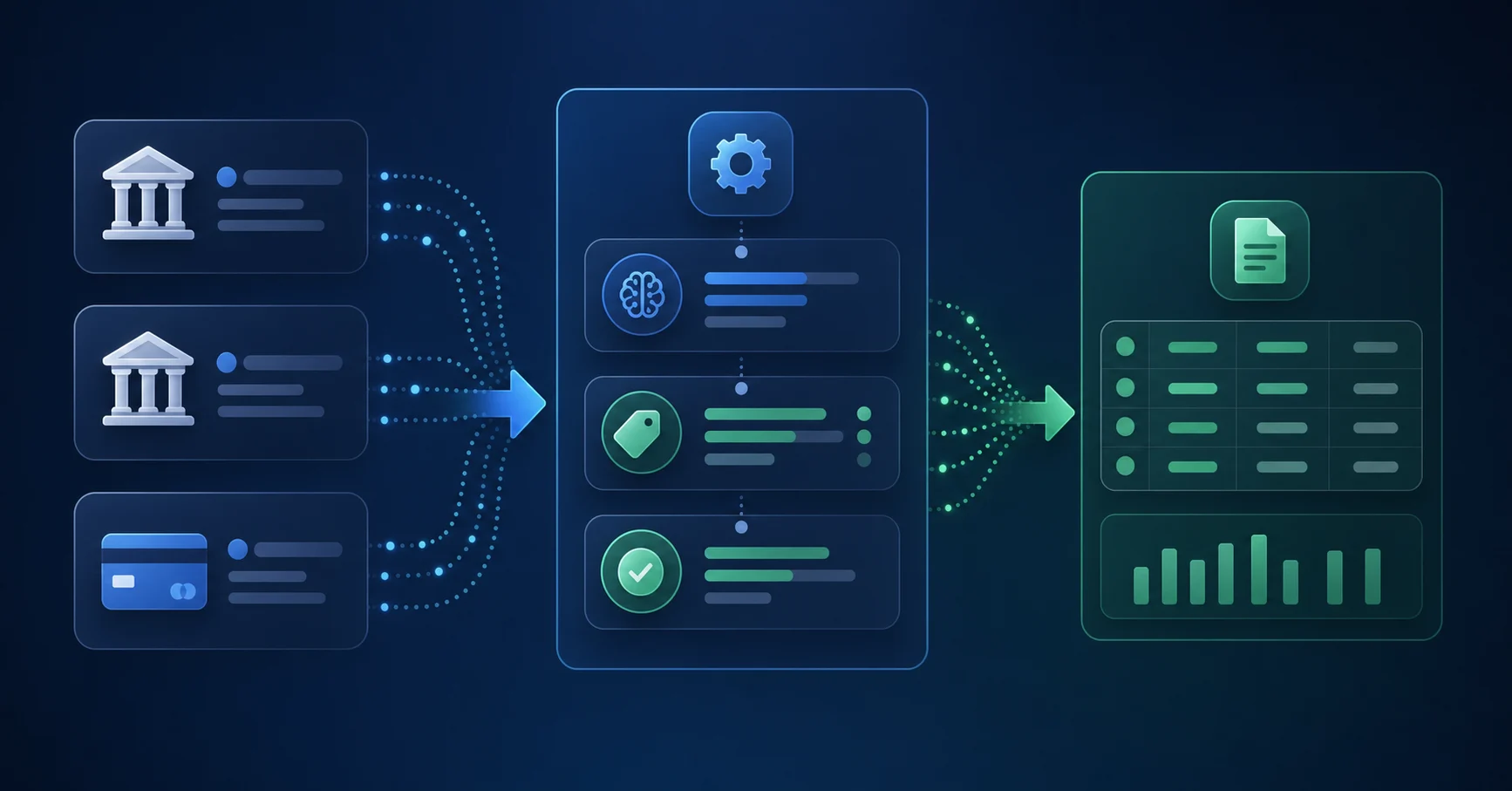
Getting Sage's native bank feeds running starts with Sage Cloud Services. Once activated in your admin settings, open Cash Management, then Bank Accounts, and authorize a direct banking connection with your institution. Not every bank supports direct feeds, so CSV import remains a fallback for institutions without a Sage-approved connection.
With accounts connected, two rule types are worth configuring when working with your Sage Intacct partner:
- Matching rules tie imported transactions to existing Sage entries based on amount, date range, and description patterns, reducing the manual effort of cross-referencing entries during reconciliation.
- Creation rules generate new GL transactions automatically when import criteria are met, with account and dimension assignments baked in, so recurring vendor charges post without anyone touching them.
Stack your most specific rules at the top. Sage processes them in order and stops at the first match.
How AI Changes Transaction Classification Beyond Rules-Based Matching
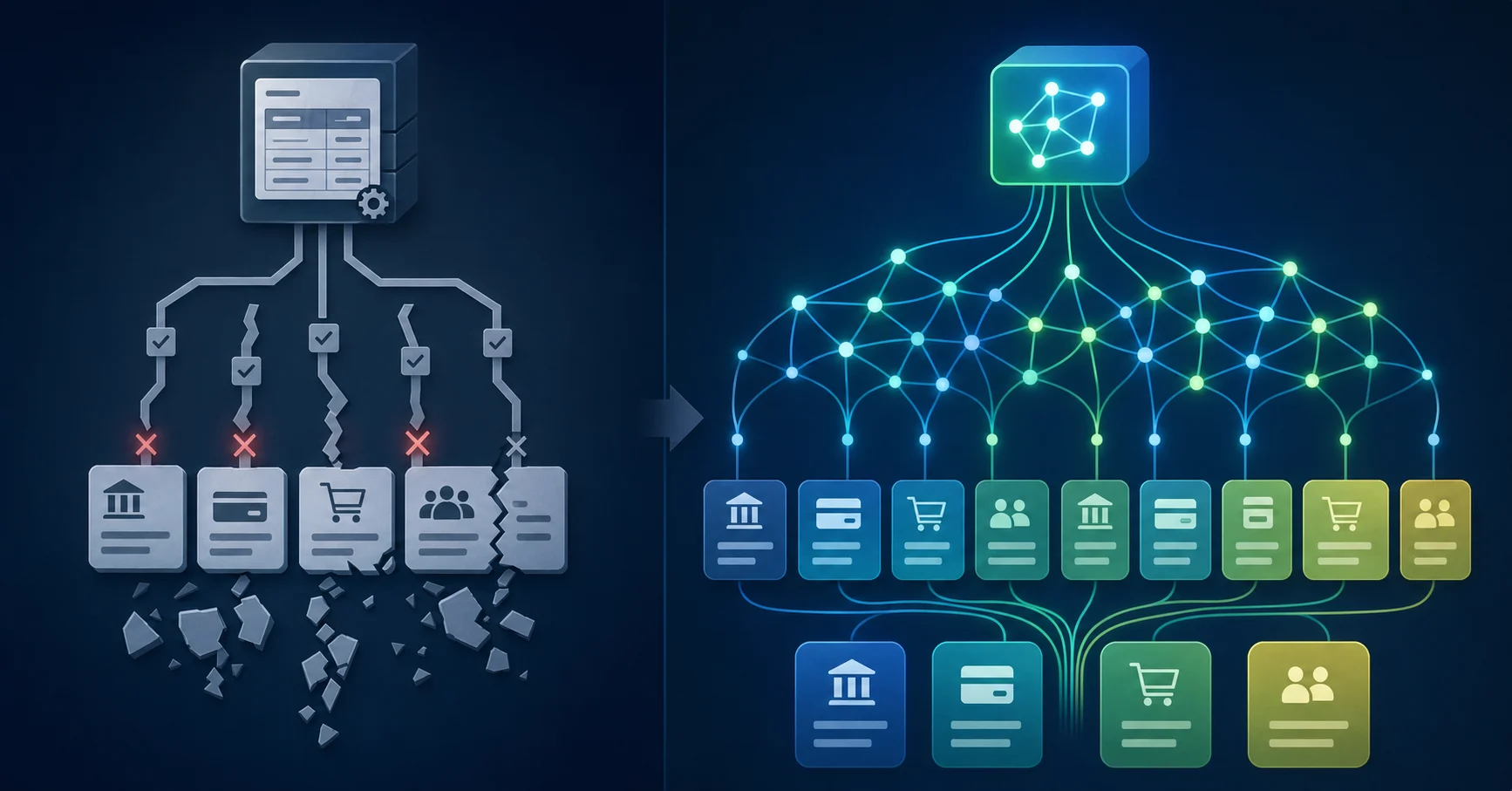
Rules-based systems break down when transactions deviate from expected patterns. A vendor name changes slightly, a new expense category appears, or a charge splits across departments, and suddenly your coded rules produce mismatches that require manual review anyway.
AI-driven classification works differently. Instead of matching against fixed strings, it learns from your historical coding decisions and applies probabilistic reasoning to new transactions. The system recognizes context: who the vendor is, what account they typically map to, and how similar charges have been coded before.
This matters because 82% of finance teams report that exception handling, not volume, is the primary drain on close cycles. Catching edge cases automatically is where AI earns its place in your workflow.
CapabilitySage Intacct NativeAI-Powered Automation (Truewind)Bank feed connectivityRequires Sage Cloud Services activation; limited bank support with CSV fallback required for many institutionsDirect connection via Plaid or Finicity to all major banks and credit cards with automatic transaction pullVendor name variation handlingExact string matching only; rules break when vendor changes name format by one characterProbabilistic matching that recognizes vendor across description variations without manual rule updatesMulti-dimensional codingManual assignment required for GL account, department, location, class, and custom dimensions per transactionAutomatic coding across all Sage dimensions simultaneously based on historical patterns and transaction contextException handlingFailed rule matches require full manual review; no confidence scoring or intelligent flaggingConfidence scores with explanations flag only transactions requiring judgment; learns from reviewer decisionsSetup and maintenanceRules processed in order; requires manual priority stacking and ongoing updates for each new vendor or patternLearns from existing Sage coding history on connection; adapts to new patterns without rule creationTime per account reconciliation115 minutes for manual review on complex accounts; rules reduce some volume but not exceptions8 minutes with automated processing; 93% reduction per line item including exception review
Automating Multi-Dimensional Transaction Coding for Sage Intacct
Sage Intacct's dimensional accounting model is one of its strongest features, but it also creates complexity for transaction coding. Each transaction may need to carry values across departments, locations, projects, funds, and custom dimensions simultaneously.
Manual coding across these dimensions is slow and error-prone, especially at volume. AI-powered tools can read transaction metadata and apply the full dimensional structure automatically, matching the logic your chart of accounts already expects.
The practical benefit shows up in close cycles. Teams that automate multi-dimensional coding report fewer reclassification entries, cleaner dimension-level reporting, and less time spent on journal corrections after books are closed.
What to Look for in a Coding Automation Tool
- Mapping logic that handles multiple dimensions per transaction, including GL account assignment
- The ability to learn from your Sage coding history, so suggested codes reflect your actual practices
- Exception flagging for transactions that fall outside known patterns, so reviewers focus only where judgment is needed
Preventing Duplicate Transactions When Using Automation Alongside Sage Intacct
Duplicate transactions are one of the most common failure points when automation runs alongside manual data entry workflows. When Sage Intacct's bank feeds and an external automation layer both process the same raw transaction data, the same charge can appear twice in your GL before anyone catches it.
A few practices help keep this contained:
- Turn off manual CSV imports for any bank account already connected to an automated feed, since overlapping ingestion sources are the most frequent cause of duplicate entries.
- Use Sage Intacct's built-in duplicate detection rules, which flag transactions sharing the same date, amount, and payee before they post.
- Set your automation layer to match against already-posted transactions before creating new records, not after.
Integrating Bank Transaction Automation with Your Sage Intacct Workflow
Connecting an automation layer to Sage Intacct starts with your bank feed setup. Most teams use Sage Intacct's native bank feed connections or import transactions via CSV before any coding logic runs. From there, AI reads each transaction's payee, amount, memo field, and date to assign GL accounts, dimensions, and vendor records.
The integration points worth mapping before you go live:
- finalize your chart of accounts and dimensions, since the AI learns from these to make consistent coding decisions across similar transactions.
- Approval routing in Sage Intacct should reflect who owns exception review, so flagged transactions land in the right queue automatically.
- Historical transaction data gives the model enough signal to handle your specific vendor mix accurately from day one.
Automating Bank Transaction Coding in Sage Intacct with Truewind
Truewind connects to your bank accounts and credit cards via Plaid or Finicity, pulling transactions into a classification queue automatically. On connection, the AI reads your historical Sage Intacct data so coding suggestions reflect your actual chart of accounts and dimension structure from day one.
Every classification comes with an explanation and confidence score. Reviewers confirm or override, then sync directly to Sage with one click. Sage stays the system of record throughout. Truewind never touches its interface or overwrites entries already posted there.
Truewind maintains two GL integrations: QuickBooks Online and Sage Intacct. The Sage connection is API-level read/write with a dedicated engineering team behind it. That is a different category than vendors whose "Sage integration" amounts to uploading a spreadsheet.
Final Thoughts on Reducing Manual Work in Sage Bank Feeds
Sage Intacct's native bank feeds give you transaction data but leave all the coding work on your desk. When you automate Sage Intacct transactions with context-aware AI, each imported line gets coded with the full dimensional structure your reporting needs, and your team only touches the exceptions that actually need review. Your close cycle shrinks because you're not manually assigning accounts and dimensions to every recurring charge. See a demo if you want to test it with your own bank accounts.
FAQ
Can I automate Sage Intacct bank coding without switching my entire workflow?
Yes. Automation tools like Truewind connect to your bank accounts via Plaid or Finicity and apply AI-driven classification before syncing transactions back to Sage Intacct. Sage remains your system of record throughout. The automation layer sits on top of your GL without replacing your existing reconciliation workflow.
Sage Intacct transaction rules vs AI classification: which handles vendor name variations better?
AI classification handles vendor variations better because it uses probabilistic matching instead of exact string comparisons. Sage's rule engine breaks when a vendor name changes by even one character, while AI learns from your historical coding patterns and recognizes the same vendor across description variations without requiring manual rule updates.
How do you prevent duplicate transactions when automating Sage Intacct bank feeds?
Turn off manual CSV imports for any account connected to an automated feed, use Sage's built-in duplicate detection rules that flag matching date/amount/payee combinations, and configure your automation layer to check for already-posted transactions before creating new records. Overlapping ingestion sources are the most common cause of duplicates.
What is the time savings from automating transaction coding in Sage Intacct?
Automated processing reduces reconciliation time from 115 minutes to 8 minutes per account, a 93% reduction per line item. For smaller operations, software-assisted reconciliation typically runs under 15 minutes compared to 30 minutes to several hours for manual review, depending on transaction volume.
Does automated transaction coding sage support Sage Intacct's dimensional accounting structure?
Yes. AI-powered tools can read transaction metadata and apply values across departments, locations, projects, funds, and custom dimensions simultaneously. The system learns from your existing Sage Intacct coding history to match the full dimensional structure your chart of accounts requires, reducing reclassification entries during close.
Turn this into a close-ready workpaper
Start with sample files or upload your own statements to see how Truewind prepares review-ready workpapers and journal entries.