

You approved a prepaid schedule this week, then reopened it because the supporting invoice and allocation logic were sitting somewhere else. That’s the control question behind Sage AI accounting: can a system prepare the work without hiding its source, review history, or posting authority? A clean journal entry is not enough. Your reviewer needs to see how it was built.
The common answer is to add another approval after the AI finishes. That misses the point. AI accounting controls have to govern the full path from source file to Sage Intacct, including who can change a mapping, what gets routed as an exception, and who can approve the final entry. Control added at the end cannot repair evidence that disappeared upstream.
TL;DR
Key Takeaways:
- Keep Sage Intacct as the accounting system of record.
- Require source evidence, preparation logic, exceptions, and sign-off in the workpaper.
- Separate preparation, approval, and posting authority.
- Never let a confidence score bypass reviewer judgment.
- Assign every exception to a named owner before close begins.
- Start with one recurring workflow and compare the prepared output with a known answer.
Why Sage AI Accounting Needs Controls Before Automation
Sage AI accounting is controlled when every prepared output stays tied to source, follows approved accounting logic, and requires the right reviewer before posting. The risk is not merely an obviously wrong entry. It is a polished entry that gives the reviewer no practical way to trace or re-perform the work.
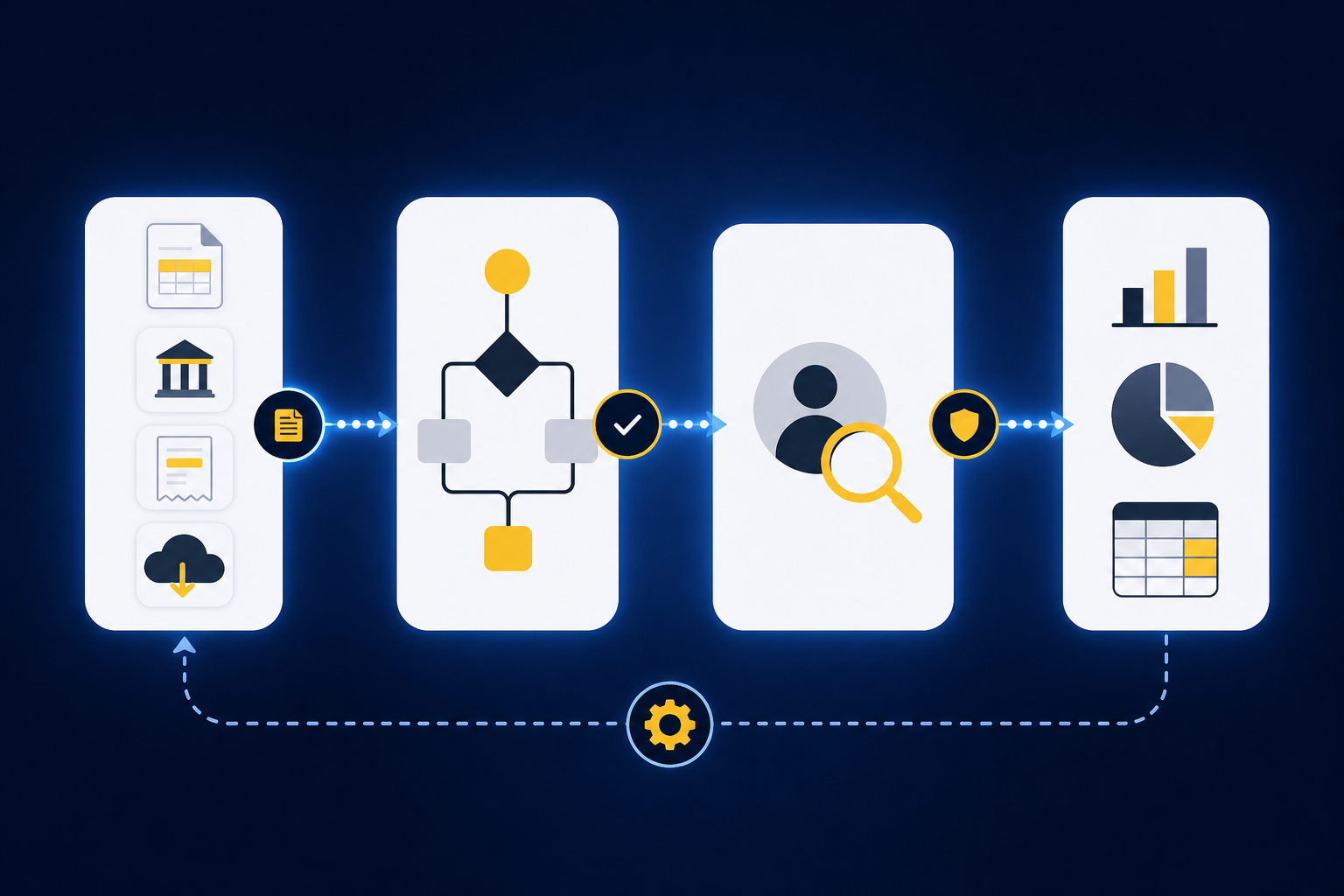
A clean Sage entry can still hide a weak process
A controller opens a proposed journal entry for processor activity. The debit and credit balance, the dimensions look familiar, and the description follows last month’s format. Then the reviewer asks where the fee allocation came from. One processor export is in email, the bank detail is in a workbook, and the preparer’s explanation is buried in a review note.
Nothing about the finished entry reveals that break in the chain. Sage Intacct records the approved accounting, but it cannot reconstruct preparation evidence that never reached the ledger. AI can make the entry look more complete without making the work more controlled. Frankly, that is a more serious problem than an output that looks wrong immediately.
Treat the workpaper as the control panel, not the exhaust. Source, calculation, accounting treatment, exceptions, and sign-off should appear where the reviewer operates the workflow. If those elements sit in separate files, the workpaper becomes a printout of the answer rather than evidence of the process.
Manual touch is not the same as control
Manual review has real merits. A skilled accountant can spot a changed cutoff, an unusual allocation, or a missing statement that a fixed rule would miss. The mistake is assuming that every manual handoff preserves that judgment. Copying a number between workbooks can feel controlled while removing the source link and the reason behind the treatment.
Sage AI accounting should reduce preparation without weakening ownership. The preparer may organize source files and propose coding, but the reviewer still owns accounting treatment and approval. Posting authority stays separate where the team’s policy requires it. A system that blurs those roles is not reducing control work; it is making responsibility harder to locate.
A demo is useful only if it lets you follow that chain from source file through reviewer action, so use a review workflow walkthrough to test the control surface rather than the polish. Control has to be designed into each handoff before the team automates the work.
How to Design AI Accounting Controls Around Sage Intacct
A workable control design assigns evidence, authority, and exception handling to every stage before output reaches Sage Intacct. Start with the existing close workflow, not a generic AI policy. The accounting team should be able to point to the source, the applied rule, the reviewer, and the final posting decision for each prepared artifact.
Diagnose the control gap before choosing software
Begin with one recurring workpaper. Pick a reconciliation, prepaid schedule, or processor settlement that has known inputs and a prior approved result. Then follow the work from the first source file through the Sage Intacct entry. Wherever evidence changes hands, ask who owns it and what record remains.
The diagnostic is simple. Can your reviewer reproduce the key calculation without asking the preparer for a separate spreadsheet? Can they tell which mapping changed from the prior period? Can they see why an exception was cleared? If any answer depends on memory, chat, or email, the control is outside the workflow.
Watch for these red flags during the review:
- Source files aren’t linked to prepared lines.
- One generic mapping is used across entities or funds.
- A confidence score can remove required approval.
- Reviewer corrections disappear after the period closes.
- Posting authority isn’t named explicitly.
- Missing statements can be marked complete without resolution.
- The vendor cannot show what changed between versions.
- The workflow assumes every source arrives through a clean API.
A red flag does not mean the whole process has failed. It tells you where Sage AI accounting needs a stronger control before rollout.
Put each control at the point where failure can occur
Controls work when they sit next to the action they govern. Source completeness belongs at intake. Mapping approval belongs where coding or dimensions are applied. Posting authority belongs at the final Sage Intacct handoff, not in a general policy document that no one sees during close.
A useful control matrix names the failure, the response, the owner, and the evidence retained. The sample below is not an audit or compliance standard. It is a practical starting point for a reviewer-led Sage AI accounting workflow.
| Control area | Sample control | Type | Evidence retained |
|---|---|---|---|
| Source data | Required statements and exports must be present before preparation is marked complete | Preventive | Source checklist and file record |
| Permissions | Preparers may submit work, but only assigned reviewers may approve it | Preventive | User action history |
| Segregation of duties | The same person cannot prepare and give final approval where policy requires separation | Preventive | Preparer and reviewer identities |
| Confidence thresholds | Confidence may affect review priority, but never posting authority | Preventive | Routing rule and reviewer action |
| Approval routing | Material, novel, or changed treatments go to the designated reviewer | Preventive | Approval path and decision |
| Exception ownership | Every open exception has a named owner and status | Corrective | Exception record and resolution |
| Posting authority | Nothing reaches Sage Intacct without required sign-off | Preventive | Approval and push record |
| Audit trail | Source, changes, corrections, and approvals remain connected to the workpaper | Detective | Item and period history |
| Retention | Workflow evidence follows the team’s close-support retention policy | Preventive | Retained source and final artifact |
| Monitoring | Changed mappings, overrides, and unresolved items are reviewed each close | Detective | Period control review |
The matrix forces an important distinction: having a control policy is not the same as producing control evidence. If the workflow cannot show that the rule ran and the reviewer acted, the policy remains outside the accounting record.
Separate preventive, detective, and corrective controls
Preventive controls stop an unapproved action before it occurs. In a Sage Intacct workflow, that can mean requiring all source files before preparation begins, restricting approval to a reviewer, or blocking the final handoff until sign-off is recorded. These controls set the boundary. They do not decide whether the accounting treatment is right.
Detective controls reveal what escaped the expected process. A donor reconciliation might compare the donor export, processor report, bank deposit, and Sage balance, then surface timing differences or missing activity. A prepaid rollforward might show an unexpected balance change against the prior workpaper. The reviewer needs those differences with source context, not a vague alert.
Corrective controls govern what happens next. The reviewer can return an item, change the coding, document the treatment, and require a revised journal-entry draft. The prior version should remain visible. Without that record, correction turns into another undocumented manual step.
Strict control routing can create more review work during the first periods. That is a fair cost. Early review is how the team finds weak mappings and unclear ownership before those gaps become part of the recurring process. The work should narrow as known treatments become repeatable, while novel items continue to reach an accountant.
Write approval policies around accounting judgment
A sample approval policy should name the artifact, the reviewer, and the condition that triggers escalation. “Finance reviews AI output” is too broad to operate. “The accounting manager approves every prepaid schedule and any change to useful life or account mapping” gives the workflow something concrete to enforce.
Confidence deserves special care. A high score can tell a reviewer where the preparation system sees a familiar pattern, but it cannot establish accounting policy or materiality. In our view, confidence should change queue order at most. It should never create posting authority.
Practical approval language can look like this:
- Recurring coding: A preparer reviews proposed coding; changed or new mappings route to the accounting manager.
- Reconciliations: Unreconciled items remain open until a named owner resolves or documents them.
- Dimensions: New fund, department, program, or entity allocations require reviewer confirmation.
- Schedules: Changes to amortization, depreciation, or cutoff treatment require explicit approval.
- Journal entries: Approved drafts may move to Sage Intacct only after required sign-off is recorded.
- Rule changes: Reviewer-approved corrections may inform later periods, but policy changes remain explicit.
Good approval routing does not ask the reviewer to inspect every familiar line with equal effort. It separates repeatable preparation from judgment while keeping both visible in the same review surface.
Make exception ownership part of the close
Exceptions are not leftover errors for the accounting team to clean up later. They are the items where the expected process stopped applying. Missing statements, mixed entity activity, changed classifications, and unexplained balance movements need named ownership because none can be resolved by presentation alone.
Assign the owner when the exception is created. Include the source, the expected treatment, what differed, and the action required. Then set the permitted resolution: correct the source, change the proposed treatment, document a timing item, or escalate the accounting decision. “Reviewed” should never be the only status.
A lean accounting team evaluated this issue by decomposing its close across entity, account, source availability, preparer, reviewer, and order of rollout. That level of detail may feel heavy at first, but it exposes a common failure: the same account can follow different treatment across entities. Sage AI accounting controls have to preserve that context instead of flattening it into one rule.
The strongest exception queue is not the one with the fewest items on day one. It is the one where every unresolved item has evidence, an owner, and a visible path to closure.
Ask vendors to demonstrate the controls, not describe them
A vendor should be able to show how one recurring workflow moves from raw source to approved Sage Intacct output. Slides are not enough. Use your own prior workpaper, current source files, and known answer, then ask the vendor to explain each difference. The test is reviewability, not presentation quality.
Security review belongs in the same evaluation, but unsupported labels do not answer it. Ask for current evidence that maps to your access, retention, change-management, and incident-review requirements. Do not infer a certification or regulatory claim from general security language.
Ask these questions in the working session:
- Which source file supports each prepared line?
- Where can the reviewer inspect the calculation and treatment?
- Who may change mappings, allocations, or dimensions?
- Can one person prepare, approve, and post?
- What happens when a required statement is missing?
- Do reviewer corrections carry into later periods?
- Can prior versions and reviewer actions be inspected?
- Does confidence affect approval or only review priority?
- What prevents unapproved output from reaching Sage Intacct?
- Which security and retention claims can the vendor support today?
Those answers should be tested on one of your own recurring workflows, which is why a workflow-specific demo is more useful than a generic product tour. A controlled rollout begins with proof your accounting team can inspect.
Questions finance leaders ask before rollout
Sage AI accounting does not need a separate control universe. It needs the close controls your team already owns, expressed inside the preparation and review workflow. The names may stay the same: completeness, authorization, segregation, evidence, exception handling, and monitoring. What changes is where the control runs and what record it leaves.
Start small enough to see the mechanism. A bounded, recurring workflow with prior-period support gives the team a known answer for comparison. A broad launch across every reconciliation makes differences harder to diagnose. Controlled iteration may be less dramatic, but it produces better evidence for the next decision.
Common questions include:
- Can AI post directly to Sage Intacct? Not in a reviewer-led model. Required approval should occur before the final handoff.
- Does a high confidence score replace review? No. Familiarity can guide queue priority, but judgment and posting authority remain with the accounting team.
- Where does Sage Intacct sit? Sage Intacct remains the system of record. Preparation and review happen upstream.
- What should happen to an exception? Route it with source context to a named owner who can resolve or escalate it.
- Do these controls guarantee compliance? No. Your accounting and security owners must assess the design against the organization’s own requirements.
- Which workflow should go first? Choose recurring work with known inputs, a prior approved result, and a reviewer who can inspect differences.
The rollout earns trust when corrections persist, exceptions stay visible, and the approved output reaches Sage with its evidence intact.
How Truewind Prepares Controlled Work for Sage
Truewind sits upstream of Sage Intacct and prepares recurring accounting work for accountant review. It reads supported source files, applies the team’s historical treatment, prepares workpapers and journal-entry drafts, and surfaces exceptions. Sage Intacct remains the accounting system of record, and nothing is pushed without reviewer confirmation.
From source files to reviewer sign-off
Truewind can ingest bank activity, processor exports, donor-platform files, custodian statements, prior workpapers, and other supported accounting inputs. Multi-source reconciliation aligns records that describe the same activity differently, while timing differences and unreconciled items remain visible. Historical-example learning applies prior coding decisions and reviewer corrections to the next period without changing accounting policy on its own. The accountant still confirms the work.
Prepared output appears in a human review workflow with source links, exceptions, and reviewer actions. Truewind’s workpaper generation and rollforward capability uses prior workpapers, current-period sources, and ERP balances to prepare current support. Required journal-entry drafts remain tied to that evidence. Reviewers can confirm, adjust, or return the work before anything moves downstream.
Proactive anomaly detection compares current preparation with prior workpapers and the learned process. Missing statements, unexpected balance changes, mixed activity, and inconsistent classifications go to the accountant with source context. They are not resolved without human judgment.
Sage stays the system of record
Truewind’s Sage Intacct integration begins after review, not before it. Once the required sign-off is captured, structured output can move to Sage Intacct with coding, dimensions, and source references preserved. Preparation happens upstream. The approved ledger remains in Sage.
The audit trail retains ingested sources, coding decisions, reviewer corrections, and preparation steps against the workflow. That record does not certify compliance or replace an audit. It gives the reviewer a visible history of what produced the workpaper and who confirmed the treatment.
Truewind is not the fit for a team seeking autonomous posting or a replacement for Sage Intacct. It is built for accounting teams that already have a recurring close, prior examples, and reviewers who own the final decision. If that is the operating model you need, a product walkthrough can start with the source files and workpaper your reviewer already knows.
What Controlled Sage AI Accounting Looks Like
Controlled Sage AI accounting keeps preparation, judgment, and recording in their proper places. Source files and prior workpapers guide the preparation. The accountant reviews treatment and owns exceptions. Sage Intacct records only the output that has passed the required approval path.
The standard should be plain: no source-free answers, no confidence-based posting, and no hidden exception handling. Start with one recurring workflow, compare it with a known result, and make every difference inspectable. Trust follows the evidence.
Frequently Asked Questions
How do I ensure proper exception handling in Sage AI accounting?
To ensure proper exception handling, start by assigning a named owner to each exception as soon as it arises. Document the source, expected treatment, and any differences observed. Make sure the owner knows what actions are required to resolve or escalate the exception. This gives each exception an accountable owner and a defined path to resolution or escalation during the close.
What if my reviewer can't trace the source of a journal entry?
If your reviewer can't trace the source of a journal entry, you need to strengthen your control processes. Ensure that all source files are linked to prepared lines in the workpaper. Review your workflow to confirm that the preparer has documented the source and rationale for each entry. If necessary, conduct a review session to identify any gaps in documentation and improve traceability for future entries.
Can I automate the posting process to Sage Intacct?
In the reviewer-led workflow described here, required human approval comes before the final handoff to Sage Intacct. Preparation can be automated; approval and posting authority follow the accounting team's configured controls.
How do I start implementing AI accounting controls?
Begin implementing AI accounting controls by selecting a recurring workflow that has known inputs and a prior approved result. Follow the process from the source file through to the Sage Intacct entry. Identify who owns each stage of the process and what records are retained. This approach helps you pinpoint control gaps and establish a stronger foundation for your accounting practices.
Turn this into a close-ready workpaper
Start with sample files or upload your own statements to see how Truewind prepares review-ready workpapers and journal entries.